
Short answer
The main difference between a SODIMM and a DIMM is physical size and the socket it fits: a DDR5 SODIMM is 262 pins and about 69.6 mm long, for laptops and mini-PCs, while a DDR5 DIMM is 288 pins and about 133.35 mm long, for desktops and servers. They are not interchangeable — the two are keyed differently and will not seat in the wrong slot, so the mainboard decides the form factor.
Key facts
- A DDR5 SODIMM has 262 pins and measures 69.6 mm long by 30 mm tall (JEDEC MO-337).
- A DDR4 SODIMM has 260 pins in the same 69.6 mm outline, so DDR4 and DDR5 SODIMMs do not interchange either.
- A full-size DIMM measures 133.35 mm by 31.25 mm on both DDR4 and DDR5 — about twice a SODIMM's length — and a DDR5 UDIMM carries 288 pins.
- The notch sits in a different place on each, so a SODIMM will not seat in a DIMM slot and a DIMM will not seat in a SODIMM socket.
- Within one DDR generation and data rate the two are electrically equivalent, both carrying a 64-bit data path, so SODIMM costs no bandwidth.
- Registered (RDIMM) and load-reduced (LRDIMM) ECC ship only as full-size DIMMs; ECC SODIMMs exist but are unbuffered only.
Almost no one chooses between SO-DIMM and DIMM as a free preference. The question comes up because a buyer is holding a specific machine — a laptop, a mini-PC, a small-form-factor desktop, a tower, or a rack server — and needs to know which physical stick will seat in its sockets. Order the wrong form factor and it will not fit, full stop: the modules differ in length, pin count, and keying, and the sockets are mechanically incompatible. So the practical job is usually identification, not deliberation.
The form factor is dictated by the mainboard, which in turn follows the chassis class. Space-constrained systems — notebooks, mini-PCs, all-in-ones, embedded and edge appliances — use the shorter SO-DIMM; roomier desktops, workstations, and servers use the full-length DIMM. Where a genuine decision exists is at the platform-selection stage: if a workload needs very high per-module capacity or registered/buffered ECC memory, that requirement points you toward a DIMM-based platform in the first place. Once the board is fixed, the memory form factor is fixed with it.
At a glance
Side by side
| Factor | SO-DIMM | DIMM |
|---|---|---|
| Physical length | ≈69.6 mm long, ~30 mm tall — roughly half a DIMM's length | ≈133.35 mm long, ~31.25 mm tall — full-length |
| Pin count | 262 pins (DDR5); 260 pins (DDR4) | 288 pins on both DDR4 and DDR5 |
| Typical systems | Laptops, mini-PCs, all-in-ones, SFF desktops, embedded/edge, some micro/1U servers | Desktops, workstations, towers, rack servers |
| Serviceability / upgrade access | Often behind a bottom panel or under the keyboard; many thin laptops solder memory down and have no socket at all | Slots exposed once the case side panel is off — straightforward to add or swap modules |
| Capacity per module | DDR5 commonly to 32 GB, with 48 GB and 64 GB modules now available | Desktop UDIMMs to ~32–64 GB; registered server modules reach 128 GB, 256 GB and beyond |
| ECC / buffered options | Unbuffered by default; unbuffered ECC SO-DIMMs exist for embedded/edge; no registered or LRDIMM variants | Unbuffered (UDIMM), plus registered (RDIMM) and load-reduced (LRDIMM) for servers |
| Performance | Same JEDEC data rates as DIMM within a DDR generation; electrically near-identical | Same data rates; two modules per channel (2DPC) can cap top speed in exchange for capacity |
| Keying / cross-fit | Sized and keyed only for SO-DIMM sockets — will not seat in a DIMM slot | Sized and keyed only for DIMM sockets — will not seat in a SO-DIMM slot |
Choose SO-DIMM when
- The target is a laptop, mini-PC, all-in-one, or small-form-factor desktop whose board provides only SO-DIMM sockets
- Chassis height or space is constrained — thin devices, embedded systems, or edge/micro appliances
- You are matching or expanding an existing machine, where the socket type is already fixed by the board
- Available SO-DIMM capacities (up to ~48–64 GB per module) cover the workload
Choose DIMM when
- You are building or speccing a desktop, workstation, or server that has full-size DIMM slots
- The workload needs the highest per-module or per-system capacity (128 GB+ modules, many-slot boards)
- The platform requires registered (RDIMM) or load-reduced (LRDIMM) ECC, which ships only as full-size DIMM
- Maximum slot count and long-term expansion headroom matter
Bottom line
The mainboard decides — SO-DIMM for laptops and mini-PCs, DIMM for desktops and servers; there is no choice to make, only a slot to check. SO-DIMM trades module length and top-end capacity for the compactness that laptops, mini-PCs, and SFF systems require; full-size DIMM trades physical footprint for higher per-module capacity and the registered/buffered ECC options that servers and workstations depend on. Within the same DDR generation and data rate the two are electrically near-identical, so there is no speed penalty for using SO-DIMM in a device designed for it. In practice, confirm the socket the mainboard provides first — that decides the form factor — then let capacity and ECC requirements steer the platform while the choice is still open.
Products for this decision
Laptop and mini-PC
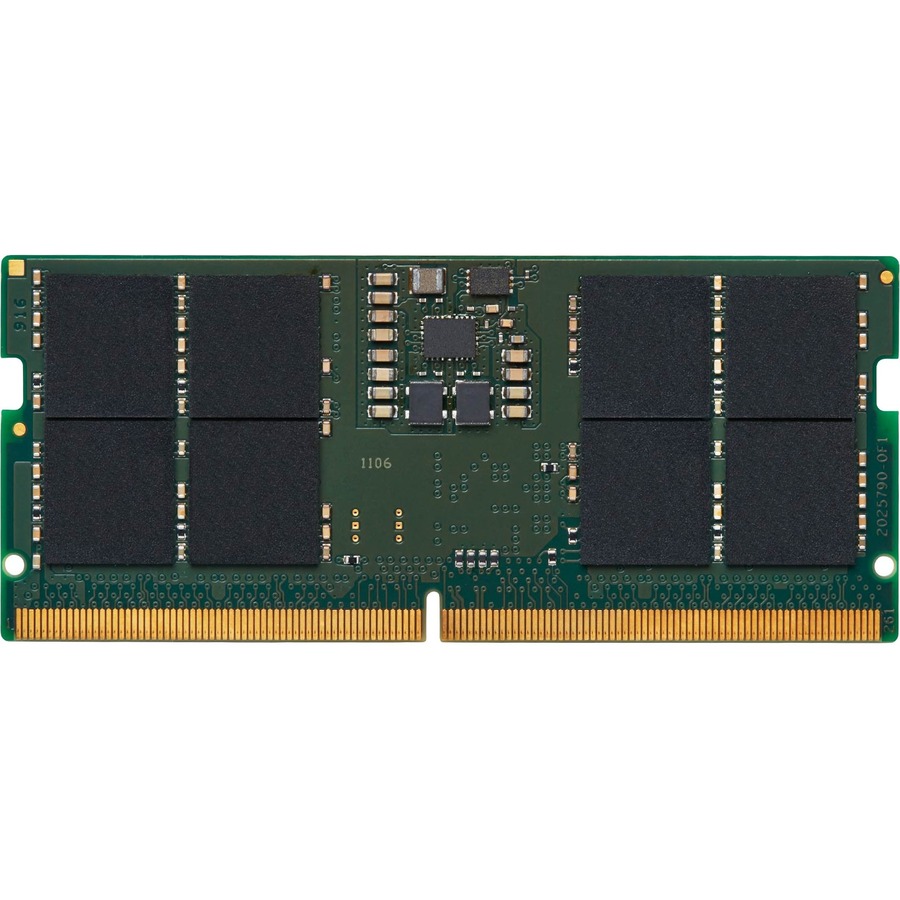
Kingston Technology
Kingston ValueRAM 16GB DDR5 SDRAM Memory Module
KVR56S46BS8-16
A 16 GB DDR5-5600 SODIMM on the 262-pin, 69.6 mm outline — the module a notebook, mini-PC or all-in-one socket takes.
Confirm the board's supported speed grade and whether both sockets are populated before ordering.
Request pricingDesktop and workstation
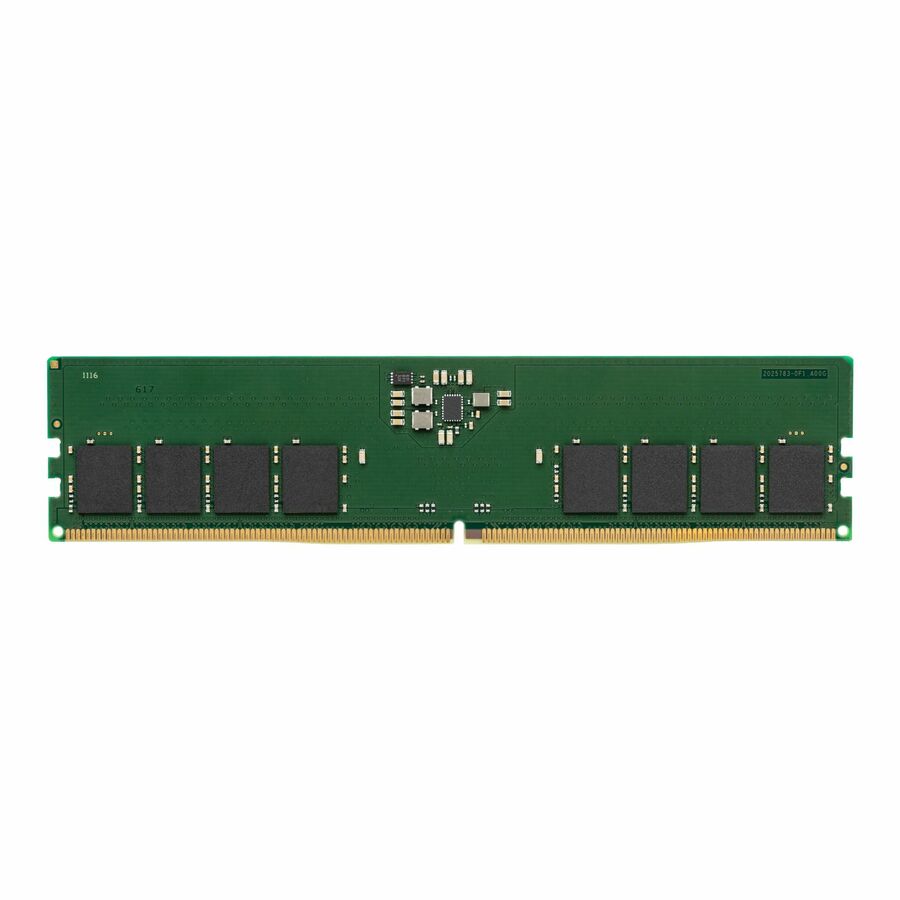
Kingston Technology
Kingston ValueRAM RAM Module
KVR56U46BS8-32
The same DDR5-5600 speed grade in the full-size 288-pin, 133.35 mm form factor, for a tower or workstation board with DIMM slots.
Request pricingA generation back
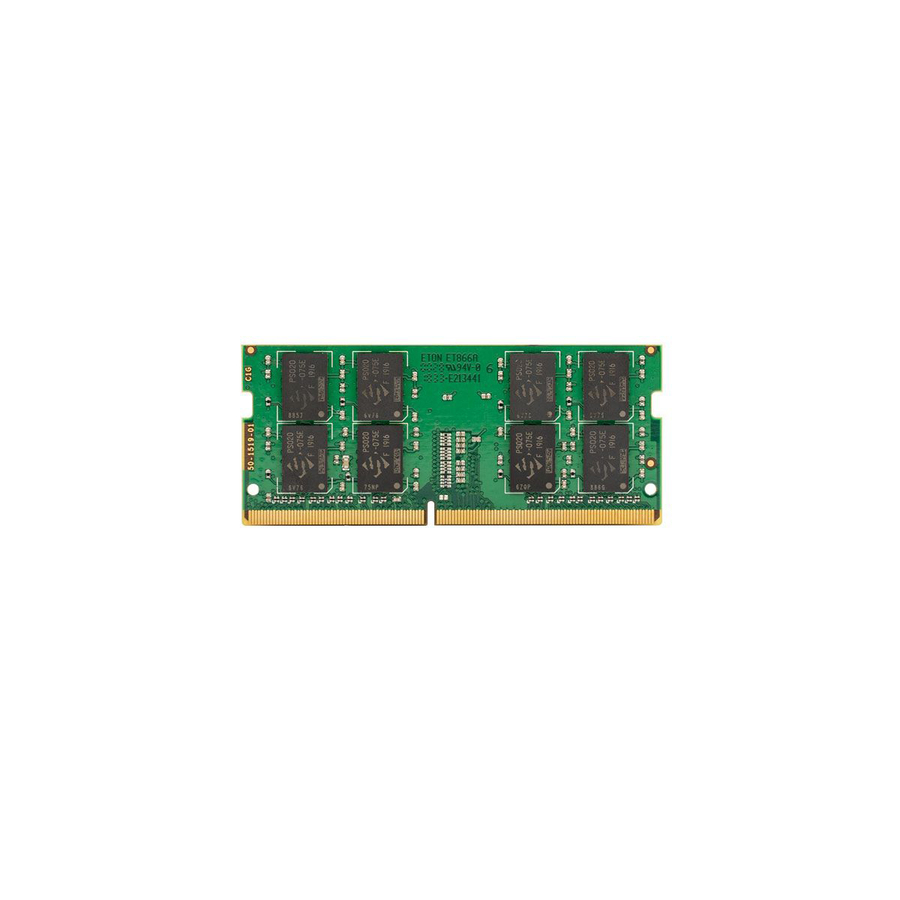
VisionTek Products
VisionTek 8GB DDR4 2400MHz (PC4-19200) SODIMM -Notebook
900944
An 8 GB DDR4-2400 SODIMM on the 260-pin outline, for a laptop whose board predates DDR5 and cannot seat a DDR5 module at all.
Request pricingShop it at Uniqcli
FAQ
Common questions
- Can I use a SO-DIMM in a DIMM slot, or vice versa, with an adapter?
- Not for general use. The two differ in length, pin count, and notch keying, and the sockets are mechanically different, so a module will not seat in the wrong slot. Adapters exist for niche embedded and industrial cases, but they are not a mainstream upgrade path — the socket on your board effectively fixes the form factor.
- Is one faster than the other?
- No meaningful difference. Within the same DDR generation and rated data rate, SO-DIMM and DIMM are electrically near-identical and carry the same 64-bit data width. The lower SO-DIMM pin count comes mostly from power, ground, and reserved pins rather than data-signal lines, so it does not cost you bandwidth.
- Can SO-DIMM have ECC memory?
- Yes — unbuffered ECC SO-DIMMs exist and are used in some embedded and edge-server systems. However, registered (RDIMM) and load-reduced (LRDIMM) buffered memory is produced only in the full-size DIMM form factor. If your platform requires registered ECC, that requirement points you to a DIMM-based board.
- Are newer standards like CAMM2 replacing SO-DIMM?
- CAMM2 and LPCAMM2 are emerging JEDEC compression-mount memory standards aimed at replacing SO-DIMM in laptops, offering higher density and speed in a flatter package. SO-DIMM still dominates shipping mobile and SFF systems today, and this transition does not change the SO-DIMM-versus-DIMM decision on any board you are buying for now — that is still set by the socket the mainboard provides.
- Is SODIMM RAM only for laptops?
- No. SODIMM is the form factor for space-constrained boards generally, which covers laptops but also mini-PCs, all-in-ones, small-form-factor desktops, embedded and edge appliances, and some micro and 1U servers. What decides it is the socket the mainboard provides, not the class of machine printed on the box.
- Why don't desktops use SODIMM?
- Desktop boards have room for the full-length 288-pin DIMM, which carries higher per-module capacity and supports the registered and load-reduced ECC that SODIMM has no equivalent of. Some small-form-factor and all-in-one desktops do use SODIMM, precisely because they lack that room — so check the socket rather than the chassis.
- Can you use SODIMM in a DIMM slot?
- No. A 262-pin DDR5 SODIMM is about 69.6 mm long, and a DDR5 DIMM slot is built for a 288-pin module about 133.35 mm long with its notch in a different place. The module cannot seat, and no mainstream adapter changes that; confirm the socket the board provides before ordering.
- What does SODIMM stand for?
- Small Outline Dual In-line Memory Module. "Dual in-line" means the contacts on the two faces of the module are electrically independent, which is what the full-size DIMM is named for as well; "small outline" is the roughly half-length package used in laptops, mini-PCs, all-in-ones and many network appliances.
- Why is SODIMM RAM so expensive?
- The same DRAM has to fit a much smaller board. A SODIMM carries its chips on roughly half a DIMM's PCB with tighter routing, and it ships in lower volume than desktop and server memory, so the module costs more to build for the same capacity. Compare the two by capacity and speed grade rather than by module type, and check whether the laptop's second socket is free before assuming a replacement is needed.