
Short answer
The main difference between an RDIMM and a UDIMM is a register: an RDIMM puts a registering clock driver between the memory controller and the DRAM chips so a server can populate more modules per channel; a UDIMM connects them directly. They are not interchangeable — a board supports one type — and registration and ECC are separate properties, though nearly every RDIMM is an ECC module.
Key facts
- A registered DIMM carries a register that re-drives address and command signals, so the controller sees one load per module instead of one per DRAM chip.
- An unbuffered DIMM has no register: the memory controller drives the DRAM devices directly, which is why UDIMM channels support fewer ranks.
- An LRDIMM buffers the data lines as well as address and command, which is what lets one channel carry the highest-capacity modules.
- UDIMM is a subtype of DIMM rather than an alternative to it, and unbuffered modules are made in both ECC and non-ECC form.
- A full-size DDR4 or DDR5 module measures 133.35 mm by 31.25 mm whether it is registered or unbuffered — the difference is electrical, not mechanical.
- "Buffered" and "registered" describe the same module property; "unbuffered" means no such chip is present.
RDIMM and UDIMM are different memory-module types, and the platform normally makes the choice. An RDIMM includes a register that buffers address and command signals between the memory controller and DRAM devices, reducing electrical load and helping server platforms scale to larger, denser populations. A UDIMM connects those signals without that register, offering a simpler path used widely in desktops and selected entry-server or workstation platforms. They are not interchangeable and should not be mixed.
At a glance
Side by side
| Factor | RDIMM | UDIMM |
|---|---|---|
| Full name | Registered dual-inline memory module | Unbuffered dual-inline memory module |
| Address/command path | Buffered and re-driven by an on-module register | Connected without the RDIMM register |
| Typical environment | Enterprise servers, cloud and data-center platforms, high-capacity workstations | Desktops, appliances, entry servers, and workstations designed for UDIMM |
| Scalability | Supports larger and denser platform populations where the controller and board are designed for it | Normally lower supported density and population per channel |
| Latency | Register adds command-path work; real application latency depends on platform and finished configuration | No RDIMM register; theoretical path is simpler |
| ECC | Server RDIMMs are commonly ECC | Available as ECC or non-ECC, depending on module and platform |
| Cost | Often higher because of register, server validation, ECC, and capacity tier | Often lower at mainstream desktop capacities |
| Mixing | Cannot be mixed with UDIMM in a supported population | Cannot be mixed with RDIMM in a supported population |
RDIMM vs UDIMM at a glance
The table is a buying orientation, not a substitute for the manual. Maximum capacity, transfer rate, DIMMs per channel, rank support, and resilience features change by CPU and system generation.
Key takeaways
- Check the CPU, system board, service manual, and qualified module list before choosing a memory type; the slot shape is not an approval.
- RDIMM registration improves signal integrity and scalability under larger populations. It is not simply "faster RAM."
- UDIMM avoids the register and suits platforms designed for unbuffered memory, usually at lower capacity and population scale.
- ECC and registration are separate characteristics: an ECC UDIMM is still unbuffered, and an RDIMM is not defined only by ECC.
- Do not mix RDIMM and UDIMM. Build the whole channel and processor population from one supported type and follow the exact slot order.
What the register does
A memory controller must drive address and command signals to the DRAM devices across each populated channel. As more devices and modules load that path, maintaining signal integrity becomes harder. An RDIMM adds a registering clock driver that receives and re-drives address and command signals. Micron describes the result as improved signal integrity and the ability to support higher capacity and stability in server systems.
The register does not buffer the ordinary data path in the same way. It is specifically part of how control, clock, address, and command signaling is managed. LRDIMM and other module types add different buffering architectures; they should not be collapsed into RDIMM for compatibility decisions.
Because UDIMM lacks the register, the memory controller directly faces the module's electrical load. That simplicity is appropriate for smaller populations and platforms engineered around unbuffered modules. It does not make UDIMM inferior. It makes it a different electrical design with a different scale target.
The platform decides first
The CPU contains or works with the memory controller, while the system board routes the channels and exposes slots. Firmware trains the finished population at boot. All three layers have to support the module type.
Use this evidence order:
- Exact server or workstation service manual.
- Processor memory specifications.
- Manufacturer population tables and qualified module list.
- Firmware requirements and release notes.
- Exact DIMM manufacturer part number and data sheet.
A reseller listing or physical fit ranks below those sources. Kingston notes that some legacy DDR4 RDIMM and ECC UDIMM forms can be socket-compatible while a mixed configuration still fails to boot. DDR5 platforms add further physical and electrical distinctions. Do not use keying as the only protection against an error.
ECC is not the same as registered
ECC detects and corrects supported memory errors through the platform's error-correction design. "Registered" describes the RDIMM's buffered address/command path. They answer different questions.
Common combinations include:
- ECC RDIMM for mainstream servers.
- ECC UDIMM for selected entry servers, workstations, NAS systems, or embedded platforms.
- Non-ECC UDIMM for ordinary desktops and consumer systems.
An ECC UDIMM does not become compatible with an RDIMM-only server. Likewise, the presence of extra DRAM devices on a module should not be used as the sole visual test for its type. Read the label and data sheet, then verify the platform list.
ECC support also depends on the processor and board. Installing an ECC-capable module in a platform that does not implement ECC does not create a supported ECC system. The management interface and operating system should report the expected error-correction mode after installation.
Capacity and DIMMs per channel
RDIMM's reduced controller loading allows platforms designed for it to support more memory devices and higher total capacity. That does not mean every RDIMM works at every density. The CPU generation and board determine maximum DIMM capacity, supported rank organization, and how many modules can occupy a channel.
Adding a second DIMM per channel can lower the supported memory rate on some platforms. High-rank or high-capacity modules can introduce further restrictions. A configuration that reaches the desired total by filling every slot may offer less memory bandwidth than a balanced one-DIMM-per-channel arrangement using larger modules.
Capacity planning should compare at least two supported designs:
- Fewer, larger DIMMs that populate one module per active channel.
- More, smaller DIMMs that fill a second position per channel.
Evaluate purchase cost, future expansion, negotiated rate, channel balance, service spares, and the vendor's support matrix. The lowest cost per gigabyte can create an expensive dead end if every slot is occupied and the next upgrade requires replacing the whole set.
Rank is separate from RDIMM or UDIMM
A rank is a set of DRAM devices accessed together by the memory controller. Modules may be single-rank, dual-rank, quad-rank, or use more complex organizations. RDIMM versus UDIMM describes buffering; rank describes module organization. Both affect compatibility and population.
Do not assume two 32GB RDIMMs are equivalent because they share capacity and speed. One may use a different rank or device organization that the platform treats differently. Mixed-rank configurations can be supported on one server and prohibited or restricted on another.
The exact manufacturer part number and module label should therefore be captured with:
- DDR generation.
- RDIMM or UDIMM type.
- ECC designation.
- Capacity.
- Rated data rate.
- Rank and device organization.
- Voltage and applicable module revision.
- Vendor option/spare number where the system manufacturer uses one.
Performance: avoid the one-cycle shortcut
It is common to say RDIMM adds about one clock of command latency. That explains the register concept, but it is a poor standalone buying rule. Application performance depends on transfer rate, memory channels, rank interleaving, NUMA placement, CPU memory controller, firmware settings, and whether the workload is capacity-, latency-, or bandwidth-bound.
An RDIMM configuration can outperform a UDIMM system because the server platform offers more channels, capacity, or bandwidth — even though registration adds command-path latency. A small UDIMM configuration can offer excellent latency for its intended platform. The two modules are rarely being compared in the same supported motherboard, so laboratory module-level differences do not translate into a simple universal ranking.
Reliability and support
RDIMMs are common in servers because large memory populations demand signal integrity, capacity, and predictable operation. They are also commonly paired with ECC and platform RAS features. Those advantages belong to the complete server design, not to the word "registered" alone.
Supportability includes more than booting:
- The system vendor recognizes the DIMM and population.
- Firmware can train it reliably.
- Monitoring reports correct capacity, speed, and error state.
- Field diagnostics and spare processes cover it.
- The workload remains within thermal and power design.
- Warranty and support terms cover the installed configuration.
A third-party compatible module may be a legitimate choice when its manufacturer identifies the exact platform and stands behind the compatibility. Save that written evidence. Do not describe it as OEM-certified unless the OEM actually lists it.
Can RDIMM and UDIMM be mixed?
Treat the answer as no. Current Micron and Kingston guidance describes RDIMM as requiring a registered-memory platform and identifies different server-memory types as non-mixable. Dell's older upgrade guidance likewise lists mixed RDIMM/UDIMM type as unsupported.
Even if a board appears to start with an unusual mixed configuration, that is not enough for production approval. Firmware training, error reporting, operating speed, and behavior under load may be unsupported. Replace the population with one type documented for the platform.
This rule also protects purchasing. A mixed lot that cannot be deployed together can strand inventory and extend a maintenance window while the correct parts are sourced.
Upgrade workflow
Inventory the existing population
Export the management-controller memory inventory and verify it against physical slot labels. Record every part number, type, capacity, speed, rank, and position.
Confirm the target
Translate application need into total usable capacity, bandwidth expectations, and resilience mode. Include processor count and NUMA behavior.
Use the platform population table
Map the exact slots to fill. Do not place modules merely in the next empty sockets. Follow processor ownership, color coding, and channel order.
Compare complete options
Price and evaluate full supported sets, not one DIMM in isolation. Consider whether preserving the current modules forces a less balanced or slower design.
Check firmware
Confirm minimum versions and follow the vendor's supported update sequence. Avoid combining an untested firmware change and memory change without rollback planning.
Commission the result
After installation, confirm capacity, speed, channel balance, ECC mode, and health logs. Run vendor diagnostics and a workload-representative test. Update the slot map and asset record.
Procurement checklist
- Exact server/workstation model and generation.
- Processor model and socket count.
- Current firmware.
- Supported DDR generation.
- Required RDIMM or UDIMM type.
- ECC requirement.
- Capacity, speed, rank, and organization.
- Supported DIMMs per channel and operating-rate table.
- Required slot sequence and processor symmetry.
- Manufacturer part number and platform-compatibility evidence.
- Future capacity target and empty-slot strategy.
- Diagnostics, support, warranty, and spare plan.
How to compare quotes without losing the configuration
Ask every quote to describe the finished population, not only a quantity of modules. A useful line set names the exact part, module type, capacity, rank, rated speed, and the slots or per-processor arrangement it is intended to fill. It also states the expected operating rate and identifies any retained modules from the existing system.
This prevents two superficially similar quotes from representing different outcomes. One may preserve current DIMMs and add a second module per channel, while another replaces them with larger modules at one per channel. The totals can match even though future expansion, negotiated speed, service spares, and maintenance effort differ.
For third-party compatible memory, ask who supports the platform match and what evidence was used. Save the compatibility statement with the purchase record. Do not turn a vendor's system-specific guarantee into a claim that the server OEM certified the part unless the OEM actually did so. On receipt, reconcile labels and part numbers before opening every package.
Decision examples
Virtualization host needing a large expansion: if the manual specifies RDIMM, compare qualified higher-capacity RDIMM sets that keep every active channel balanced. Do not add a lower-cost ECC UDIMM.
Small server using ECC UDIMM: stay within the supported UDIMM list and maximum capacity. RDIMM's scale benefit is irrelevant if the platform cannot train it.
Workstation listing both options across model variants: identify the exact board and processor. The product family name is not enough; one variant's approved RDIMM is not proof for another's UDIMM-only board.
Replacement after a failed DIMM: match the complete supported attributes and slot population. Confirm whether the system's support procedure requires a vendor option/spare number or allows a documented compatible part.
Read a memory listing without guessing
A purchasing description may compress several independent characteristics into one line. Expand it before approval: DDR generation, capacity per module, speed grade, registered or unbuffered type, ECC organization, rank, device width, voltage where relevant, form factor, manufacturer part number, and platform-qualified option number. "ECC DDR5 32GB" is not enough to establish whether a module is RDIMM or ECC UDIMM, much less whether the server supports it.
Watch for terms such as registered, buffered, unbuffered, ECC, on-die ECC, load-reduced, and CUDIMM. They do not all describe the same layer. DDR5 devices can include on-die error correction while the module and platform still differ in system-level ECC behavior. A marketplace title that includes "server memory" is not validation.
Resolve ambiguity against the server's current technical guide and memory population rules, then match an exact supported part. If a reseller proposes an alternate, require the same evidence again. Preserve the approved characteristics and installed slots so the next buyer does not need to infer module type from capacity or appearance.
Choosing RDIMM
- RDIMM is the likely choice when:
- The server or workstation manual specifies registered memory.
- The workload needs high total capacity or dense per-channel population.
- The platform's supported configurations and RAS features are built around ECC RDIMM.
- Future expansion requires the larger capacity tiers available in the qualified RDIMM list.
- The organization standardizes on mainstream server sockets that use registered modules.
- Do not choose RDIMM for a UDIMM-only platform because it appears more "enterprise." The board must support it.
Choosing UDIMM
- UDIMM is the likely choice when:
- The desktop, appliance, NAS, workstation, or entry server is designed for unbuffered memory.
- Capacity needs fit within the platform's UDIMM limit.
- The system requires ECC UDIMM specifically.
- Cost, simplicity, and a smaller supported population fit the workload.
- The qualified list and service manual identify exact UDIMM configurations.
- Do not replace ECC UDIMM with a non-ECC module unless the platform and operational requirement allow it. The same physical family can contain both.
Bottom line
Choose the platform for the workload, then choose a supported population within it.
Products for this decision
Registered (RDIMM)
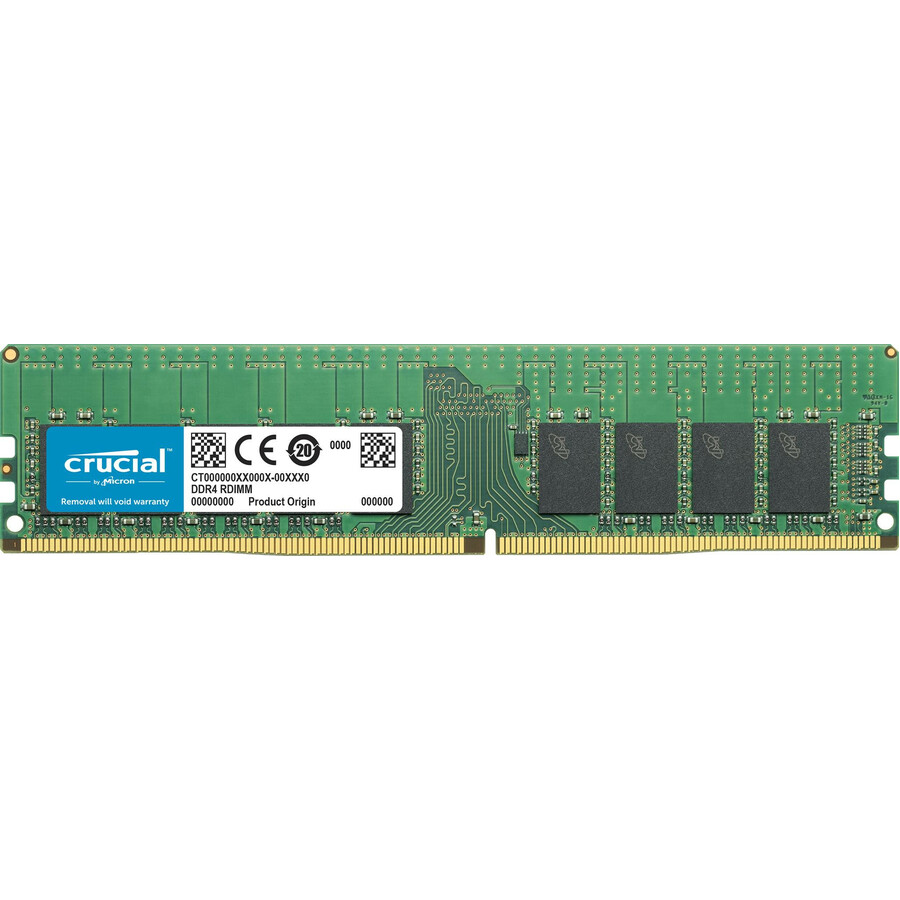
Micron Technology
Micron 16GB DDR4-2666 RDIMM
CT16G4RFD8266
A 16 GB DDR4-2666 ECC registered module on the 288-pin form factor — the module type a server board with registered slots expects.
Check the platform's own qualified list and population table before ordering; boards are strict about rank and capacity mixes.
$513.56Back-orderedUnbuffered ECC (UDIMM)
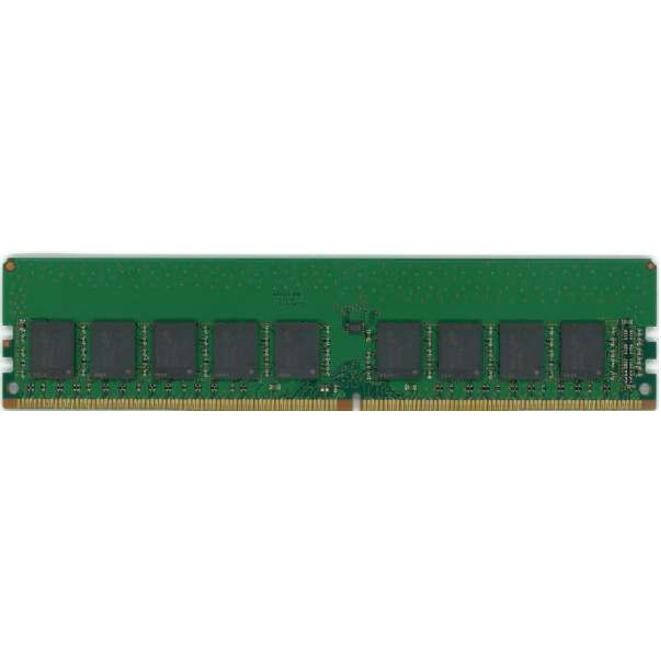
Dataram
Dataram 8GB DDR4 SDRAM Memory Module
DRL2400E/8GB
An 8 GB DDR4-2400 ECC unbuffered module, for the entry servers and workstations whose boards take UDIMMs rather than registered memory.
$38.35Back-orderedLoad-reduced (LRDIMM)
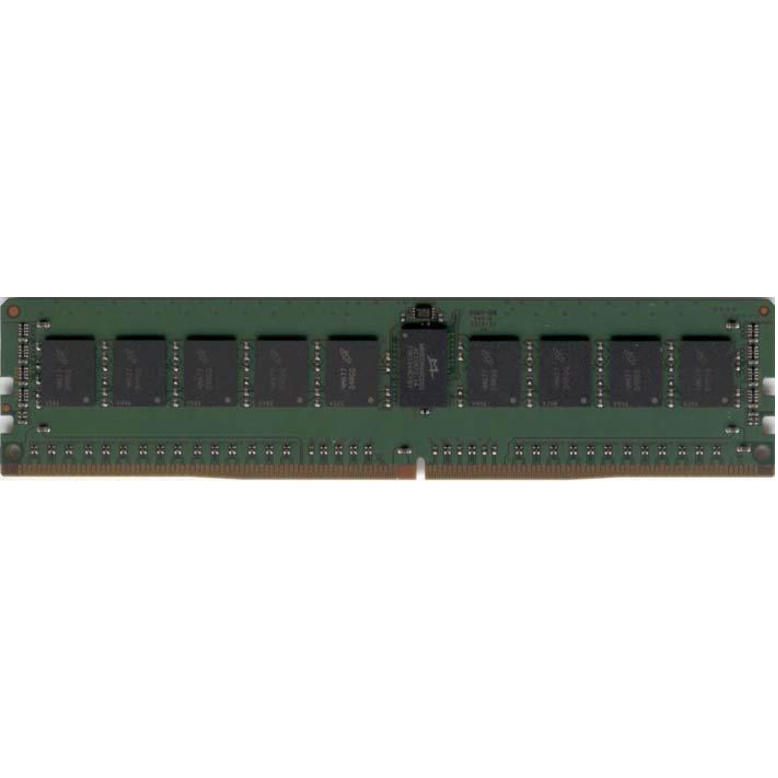
Dataram
Dataram 32GB DDR4 SDRAM Memory Module
DRL2133LRQ/32GB
A 32 GB DDR4-2133 load-reduced module, the type used when a channel has to carry more capacity than registered modules alone can.
$42.90Back-orderedFAQ
Common questions
- Is RDIMM always faster than UDIMM?
- No. RDIMM improves signal integrity and scaling under larger supported populations; it is not a universal speed tier. Real performance depends on the processor, channels, transfer rate, ranks, population, and workload. The platform usually supports one type, making a direct same-system comparison irrelevant.
- Can I use an ECC UDIMM in an RDIMM server?
- No, unless the exact platform documentation explicitly supports that type and configuration. ECC and registration are different attributes. An ECC UDIMM remains unbuffered and is not a substitute for an ECC RDIMM.
- Why are RDIMMs used in servers?
- The on-module register reduces the address/command load seen by the memory controller, supporting the stable, higher-capacity populations expected in server platforms. Servers also commonly pair RDIMM with ECC and platform reliability features.
- Can I mix RDIMMs of different capacities or speeds?
- Only where the exact server population table allows the finished arrangement. Some platforms permit selected mixed capacities or speeds, often with a common lower operating rate; others impose stricter symmetry. Check the manual and qualified list.
- How can I identify RDIMM or UDIMM?
- Use the module label and manufacturer data sheet, then verify the part number against the server documentation. Do not rely solely on notch position, chip count, or whether the listing says ECC.
- Can I put UDIMM RAM in a DIMM slot?
- Yes — a UDIMM is a DIMM, so it goes in a DIMM slot. The question people are usually asking underneath it is whether an unbuffered module works in a slot built for registered memory, and there the answer is no: the board has no register logic to drive, so a server that expects RDIMMs will not run on UDIMMs even though the module is the same size and drops into the slot. Match the module type the platform's own memory table lists.
- Is UDIMM the same as DIMM?
- A UDIMM is one kind of DIMM, not a different thing. DIMM describes the full-size dual in-line memory module; the U prefix says the module is unbuffered, meaning it has no register between the memory controller and the DRAM chips. RDIMM and LRDIMM are the other kinds. So every UDIMM is a DIMM, but a listing that just says DIMM has not told you whether it is buffered, and that is the property a server board cares about.
- What is the difference between RDIMM and lrdimm?
- How much of the module is buffered. An RDIMM registers the address and command signals only, so the data lines still present one load per rank. An LRDIMM buffers the data lines too, so the controller sees a single load per module no matter how many ranks are on it — which is what allows the highest-capacity modules and the fullest channels. LRDIMMs cost more and add a little latency, so platforms specify them where capacity is the constraint.
- Are RDIMMs always ECC?
- In practice essentially all of them are, but the two properties are separate. Registration is about signal loading; ECC is an extra DRAM device carrying check bits so single-bit errors are corrected. Server platforms that require registered memory also require ECC, which is why the pairing looks absolute. The reverse does not hold at all — ECC UDIMMs are common in entry servers and workstations, and an ECC UDIMM is not a substitute for an ECC RDIMM.
Sources
- 1.Micron DRAM module reference guide — module types, pin counts and PCB dimensionsmicron.com
- 2.Micron — RDIMM product overviewmicron.com
- 3.Samsung Semiconductor — DDR server DRAM modulessemiconductor.samsung.com