
Short answer
The main difference between DDR4 and DDR5 is module architecture: DDR4 tops out around 3.2 GT/s at 1.2 V on one 72-bit bus, while DDR5 starts at 4,800 MT/s at 1.1 V, splits each module into two sub-channels and carries its own power management chip. They are not interchangeable — the key and socket differ, so the processor decides which generation a machine takes.
Key facts
- DDR4 DIMMs top out at 3.2 GT/s; DDR5 began at 4.8 GT/s and the standard scales to 8.4 GT/s.
- DRAM and register-clock-driver voltage drops from 1.2 V on DDR4 to 1.1 V on DDR5.
- A DDR4 DIMM is one 72-bit bus (64 data + 8 ECC); a DDR5 DIMM is two channels of 40 bits (32 data + 8 ECC each).
- Power management moves onto the module: a DDR5 server PMIC takes a 12 V input, and the client PMIC for UDIMMs and SODIMMs takes 4.25-5.5 V.
- DDR5 adds on-die ECC inside each DRAM device. That is not system ECC across the module and channel, which needs an ECC module and a platform that supports it.
- The notch sits in a different place on each, and no adapter bridges them — a board accepts one generation only.
DDR4 and DDR5 are not interchangeable upgrades. The processor, motherboard, firmware, slot design, and system vendor decide which generation a machine accepts. DDR5 offers more bandwidth, higher density, lower nominal DRAM voltage, and a redesigned module architecture; DDR4 remains practical for supported installed platforms. Choose the platform first, then buy memory against its exact population rules.
At a glance
Side by side
| Characteristic | DDR4 | DDR5 | Buyer implication |
|---|---|---|---|
| Standard generation | Prior mainstream DDR SDRAM generation | Current mainstream DDR SDRAM generation | Platform support decides the choice |
| Nominal DRAM voltage | 1.2 V | 1.1 V | Lower component voltage can improve efficiency, but whole-system power depends on load and design |
| Initial/common JEDEC data-rate range | Mature range culminating around DDR4-3200 for mainstream standard platforms | Began at DDR5-4800 and continues through higher standard bins | Operating rate remains platform- and population-dependent |
| Module channel organization | One 64-bit data channel per non-ECC module | Two independent 32-bit subchannels per non-ECC module | DDR5 can use the module more efficiently for smaller transfers |
| Power management | Primarily motherboard-regulated | PMIC located on the module | Part identity and platform qualification matter even more |
| On-die ECC | Not a standard DDR4 feature | Present inside DDR5 DRAM devices | Improves internal chip reliability; not a substitute for system ECC |
| Physical fit | DDR4 key and socket | Different DDR5 key and socket | No cross-generation installation |
| Typical buying decision | Maintain or expand a supported DDR4 fleet | Newer platform deployments and refreshes | Compare lifecycle and workload economics |
DDR4 and DDR5 at a glance
The table describes standard architectural differences, not every retail overclocking product. System-vendor documentation is authoritative for an actual machine.
Key takeaways
- A DDR4 module does not fit or operate in a DDR5 socket, and the reverse is also true. The notch, signaling, voltage, power architecture, and controller support differ.
- DDR5 starts at higher standard data rates and splits each 64-bit module into two independently addressable 32-bit subchannels, improving bus use.
- DDR5 on-die ECC corrects errors inside each DRAM chip. It does not replace system-level ECC memory, which protects data across the module and memory channel.
- Rated module speed is not a promise of operating speed. Processor generation, motherboard design, DIMMs per channel, ranks, capacity, firmware, and mixed populations can lower it.
- For an existing supported DDR4 system, the right upgrade is usually compatible DDR4. Moving to DDR5 normally means replacing the platform, not swapping DIMMs.
- Enterprise buyers should compare total platform cost, capacity per socket, workload bandwidth, support life, sparing, power, and deployment risk — not a headline MT/s number.
The answer in one sentence
That framing avoids the most common purchasing mistake: comparing a DDR4 DIMM and DDR5 DIMM as if they were two versions of the same replaceable part. Memory support is built into the processor’s integrated memory controller and the motherboard’s electrical design. Some processor families appeared on separate DDR4 and DDR5 motherboard models, but an individual board still uses one generation. A slot cannot negotiate between them.
Why the modules are not interchangeable
DDR generations change the electrical interface and supporting architecture. DDR5 uses different signaling and a lower nominal DRAM supply voltage. It moves much of the module’s power management onto a power-management integrated circuit. The serial-presence-detect design, command behavior, training, bank organization, burst operation, and channel structure also changed.
The physical key is deliberately moved so a DDR4 DIMM cannot seat in a DDR5 socket. Do not force a module because the edge connector appears similar. Desktop UDIMMs, laptop SODIMMs, server RDIMMs, load-reduced modules, and newer form factors also have type-specific keying and support rules within a generation.
Adapters are not a normal solution. The memory controller has to speak the right protocol, and memory timing is far too sensitive for a generic passive conversion. A proposed "DDR4-to-DDR5 adapter" is not an enterprise upgrade path.
Speed: use MT/s, then check the platform
DDR memory is commonly labeled with a data rate in megatransfers per second — MT/s. Marketing often calls this "MHz," but the clock and transfer rate are not the same. For buying and configuration, use the manufacturer’s data-rate notation and the system’s supported memory table.
DDR5 began at a higher standard rate than DDR4 and has a roadmap through substantially higher bins. Kingston’s DDR5 overview describes DDR5 beginning at 4800 MT/s while mainstream DDR4 standards top out at 3200 MT/s. That gives DDR5 a bandwidth advantage at the module level.
Real operation can be lower than the label. The processor supports defined rates. The board routing and firmware support defined configurations. Adding a second DIMM per channel, using higher-rank or higher-capacity modules, or mixing part numbers can reduce the validated speed. Intel’s published platform examples show exactly this behavior: supported DDR5 rates step down with denser two-DIMM-per-channel populations on some platforms.
Memory should therefore be quoted as "capable of" a rate, with the operating configuration verified separately. A DDR5-6400 module installed in a system limited to DDR5-4800 normally runs at the supported lower rate if compatible. Paying for the faster label may produce no benefit.
Bandwidth is not the same as application speed
DDR5’s additional bandwidth helps workloads that move large amounts of data between processors and memory: dense virtualization, analytics, scientific computing, rendering, some databases, software development, and CPU-based AI or inference. Many-core processors can expose memory bandwidth limits that older platforms did not.
Other workloads wait on storage, network, locks, application code, or single-thread performance. An office endpoint with adequate capacity may feel little difference from memory generation alone. A server short on capacity can page to storage; adding compatible DDR4 may improve it more than replacing the platform with a smaller DDR5 configuration.
Measure. Use processor and memory-controller counters, memory bandwidth, cache-miss behavior, paging, latency, CPU utilization, and application response. Benchmark the intended platform with a representative workload. Synthetic peak bandwidth is a useful architectural signal, not a guaranteed business outcome.
Latency needs context
DDR5 modules often show larger CAS latency numbers than DDR4, leading to claims that DDR5 is "slower." CAS is measured in clock cycles, and DDR5 operates at higher transfer rates. Convert timing to time before comparing, and remember that total application latency includes the memory controller, caches, access pattern, ranks, channels, firmware, and processor.
A simple first-word latency estimate uses CAS latency divided by the effective clock, but it cannot predict the whole system. DDR5’s two subchannels, additional banks, longer burst, refresh improvements, and greater bandwidth can improve useful concurrency even when a single timing number looks larger.
For procurement, compare complete system benchmarks and service-level behavior. Do not reject a DDR5 platform because "CL is higher," and do not accept one because "MT/s is higher."
DDR5’s dual-subchannel design
A standard non-ECC DDR5 DIMM remains 64 bits wide, but it is organized as two independent 32-bit subchannels. Server ECC modules add check bits to each subchannel. This lets the memory controller address smaller independent channels and improves scheduling efficiency for many access patterns.
This architecture is sometimes confused with motherboard channel count. Installing one DDR5 DIMM does not necessarily mean the platform’s marketing description should be treated as a conventional two-DIMM dual-channel configuration. The processor’s memory-channel design and the module’s internal subchannels are separate layers. Follow the motherboard slot map when building balanced capacity.
Populate channels evenly to preserve aggregate bandwidth. In a dual-socket server, install memory for each populated processor according to the vendor’s symmetry rules. An unbalanced high-capacity configuration can deliver less bandwidth per core than a smaller balanced one.
Capacity and density
DDR5 supports higher DRAM densities and larger module capacities over its lifecycle. It also introduced non-binary capacities derived from 24-gigabit and other die densities, producing modules such as 24 GB, 48 GB, and 96 GB alongside traditional powers of two.
New capacity does not guarantee old platform support. A server or laptop released before a module density existed may need a BIOS update, may recognize only part of the capacity, or may not train successfully. Check the system vendor’s current memory guide and firmware notes.
Capacity planning should begin with workload demand, growth, and channel balance. For virtualization, calculate host overhead, failover state, and the capacity needed when a node is unavailable. For databases, consider working set and licensed processor implications. For workstations, use measured peak commit and project growth. Empty slots have option value, but leaving too many channels empty can sacrifice bandwidth.
On-die ECC does not make every DDR5 module system-ECC
DDR5 DRAM devices include on-die error correction to manage errors inside the chip. Kingston’s technical explanation is explicit: on-die ECC cannot correct errors outside the chip or on the bus between the module and the processor’s memory controller.
System-level ECC uses extra check bits and a compatible processor, motherboard, firmware, and module to detect and correct errors across the data path. DDR5 ECC UDIMMs, RDIMMs, and other server-class modules provide that capability where the platform supports them. A consumer DDR5 UDIMM with on-die ECC is still not equivalent to an ECC UDIMM.
Check four fields independently:
- Does the processor support system ECC for this configuration?
- Does the motherboard and firmware expose and support it?
- Is the module an ECC-capable type accepted by the platform?
- Does management report correctable and uncorrectable errors for operations and maintenance?
For terminology and platform choices, link to RDIMM vs UDIMM rather than assuming registered and ECC mean the same thing.
UDIMM, RDIMM, LRDIMM, and newer buffered types
Memory generation is only one compatibility axis. UDIMMs are unbuffered and common in desktops and entry workstations or servers. RDIMMs buffer command and address signals and support larger server populations. LRDIMMs reduce electrical loading further for high capacity. Newer DDR5 server generations can support additional buffered module types, but support is platform-specific.
Do not mix UDIMM and RDIMM. Do not mix RDIMM and LRDIMM unless the system documentation explicitly supports a combination — which typical server guidance does not. Do not substitute a laptop SODIMM for a desktop DIMM. Match generation, form factor, buffer type, ECC, capacity, rank, speed, and voltage profile.
Part titles can hide important distinctions. Require a manufacturer part number and data sheet, not only "64 GB DDR5 ECC." The latter could describe several incompatible modules.
Rank and DIMMs per channel
A rank is a group of DRAM devices addressed together. Single-, dual-, and higher-rank modules place different electrical loads on the channel. More ranks can improve interleaving in some cases but can reduce the maximum supported data rate or limit population.
DIMMs per channel, often written 1DPC or 2DPC, describes how many modules occupy each processor memory channel. A board can have two slots per channel and still operate faster with one module per channel. Intel’s DDR4 and DDR5 guidance warns that mixed part numbers in the same channel can lower speed or prevent boot, and its server documentation publishes fill-farthest and symmetry rules.
Use the exact server or motherboard memory population table. Slot color is a helpful installation cue, not a universal standard. Photograph or export the installed layout before a field upgrade, and verify the result in firmware and the operating system afterward.
Power and thermals
DDR5 lowers nominal DRAM voltage from DDR4’s 1.2 V to 1.1 V and moves power regulation onto the module. That can improve component efficiency and power delivery. It does not mean every DDR5 system consumes 20 percent less power than every DDR4 system. Higher capacity, data rate, module count, PMIC behavior, workload, processor generation, and cooling all affect measured wall power.
For large servers, use vendor power calculators or measured inlet power for the complete configuration. Include memory in thermal planning, particularly high-capacity or high-speed populations. Server-class DDR5 modules can include additional temperature sensing that supports more precise cooling management.
Do not apply unvalidated heatsinks or airflow changes. Servers rely on a chassis-specific thermal design. Unsupported modules or obstructed baffles can create throttling and reliability problems even when the machine boots.
Firmware and training
At power-on, the memory controller trains signaling and timing with installed modules. Firmware contains support for module types, densities, layouts, and corrective updates. Update system firmware to a vendor-supported release before installing a newly supported capacity, following change and rollback procedures.
After installation, review hardware logs for training retries, disabled channels, corrected errors, speed reduction, or configuration warnings. Run the vendor’s memory diagnostics and a workload-appropriate burn-in. A single successful boot does not validate stability under full capacity and temperature.
For fleets, qualify a part on representative hardware before broad deployment. System model names can cover several board revisions or processor options; keep the qualification scope precise.
A compatibility checklist before ordering
- Capture the exact system model, serial or service tag, motherboard revision, processor model, and firmware.
- Read the manufacturer’s memory population and supported-memory documentation.
- Inventory every installed module by slot, part number, generation, type, capacity, rank, speed, and ECC status.
- Define target capacity and whether it must remain balanced across processors and channels.
- Select an OEM part or a third-party module whose manufacturer explicitly maps compatibility to the exact system or OEM part.
- Confirm support-contract implications for third-party memory.
- Obtain approval for mixed capacities or retained modules.
- Update firmware if required and schedule rollback.
- Install under electrostatic-discharge controls and follow the slot map.
- Verify recognized capacity, operating speed, ECC state, health logs, diagnostics, and workload stability.
The memory finder can locate modules by exact part number, but the system vendor’s population guide remains the final compatibility authority.
Buying an entire fleet
Standardize configurations by user or workload tier. Limit part-number variation where possible, and require supplier approval before substitution. A module with the same capacity and nominal speed can differ in rank, DRAM organization, buffer type, thermal behavior, or platform qualification.
On the quote, preserve manufacturer part number, compatibility reference, lead time, warranty, origin evidence when required, and return terms. At receiving, reconcile labels and packaging with the order. For staged deployments, retain a known-good sample and results.
Avoid mixing memory from unrelated purchase waves in the same channel simply to consume inventory. It may work, but it complicates troubleshooting and can lower the operating rate. Use older compatible modules in a documented population or keep them as approved spares.
DDR4 remains a valid installed-base decision
- DDR5’s technical advantages do not make every DDR4 platform obsolete. A supported DDR4 server with capacity headroom, current firmware, adequate performance, and warranty can be expanded economically with compatible modules. Replacing it only to reach DDR5 can add CPU, software licensing, migration, downtime, and validation costs without solving a measured problem.
- The counterweight is lifecycle. DDR4 supply is moving toward mature and legacy demand as new platforms standardize on DDR5. Exact OEM modules can become scarce or expensive. Review server memory compatibility and DDR4 wind-down for sparing and quote considerations.
- Do not overbuy speculative spares. Confirm installed population, failure history, fleet retirement, storage controls, and warranty. Keep sealed modules labeled by approved platform and test procedure.
When DDR5 justifies a platform refresh
- DDR5 is compelling when the existing platform constrains capacity per socket, bandwidth per core, processor count, energy efficiency, security support, or application certification. A refresh can also consolidate hosts and reduce support exposure.
- Build a comparison with:
- measured workload and growth;
- capacity and bandwidth at normal and failover states;
- processor and software licensing;
- server, memory, storage, network, warranty, and deployment cost;
- power, cooling, and rack impact;
- migration and rollback labor;
- application and hypervisor certification;
- available spares and expected lifecycle;
- performance and service-level improvement.
- A new DDR5 platform that halves host count can produce a strong result. A replacement that preserves the same workload and utilization for a minor benchmark gain may not.
Bottom line
If you are upgrading an existing machine, use the memory generation the manufacturer specifies. If you are selecting a new platform, DDR5 is the current forward path, but its value depends on workload, capacity, platform support, and total cost.
Products for this decision
DDR5 desktop or workstation
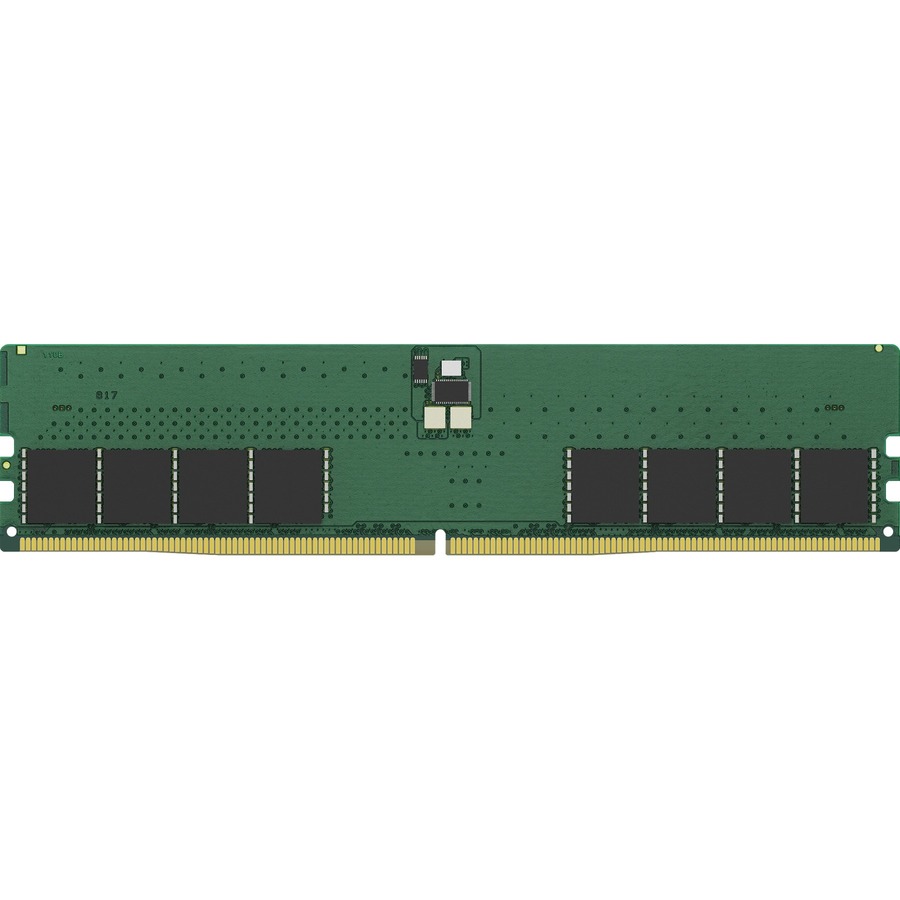
Kingston Technology
Kingston ValueRAM 32GB DDR5 SDRAM Memory Module
KVR56U46BD8-32
A 32 GB DDR5-5600 non-ECC UDIMM at 1.1 V on the 288-pin outline — the module a current business desktop or workstation board takes.
Confirm the board's supported speed grade and how many slots are populated; two modules per channel can cap the rate.
Request pricingDDR5 server
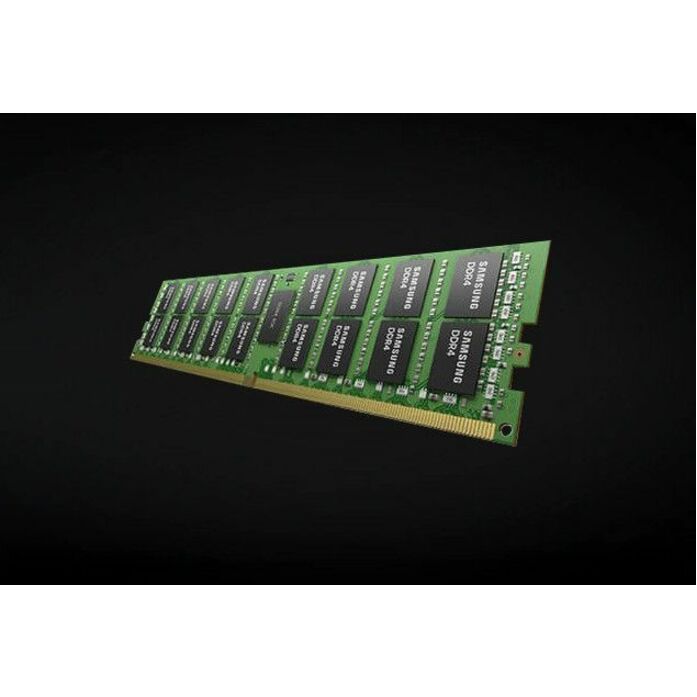
Samsung
Samsung RAM Modules
M321R4GA3PB0-CWM
A 32 GB DDR5-5600 registered ECC RDIMM for a current server platform, where system ECC across the channel is the requirement rather than on-die ECC.
$5,771.98Back-orderedExtending a DDR4 fleet
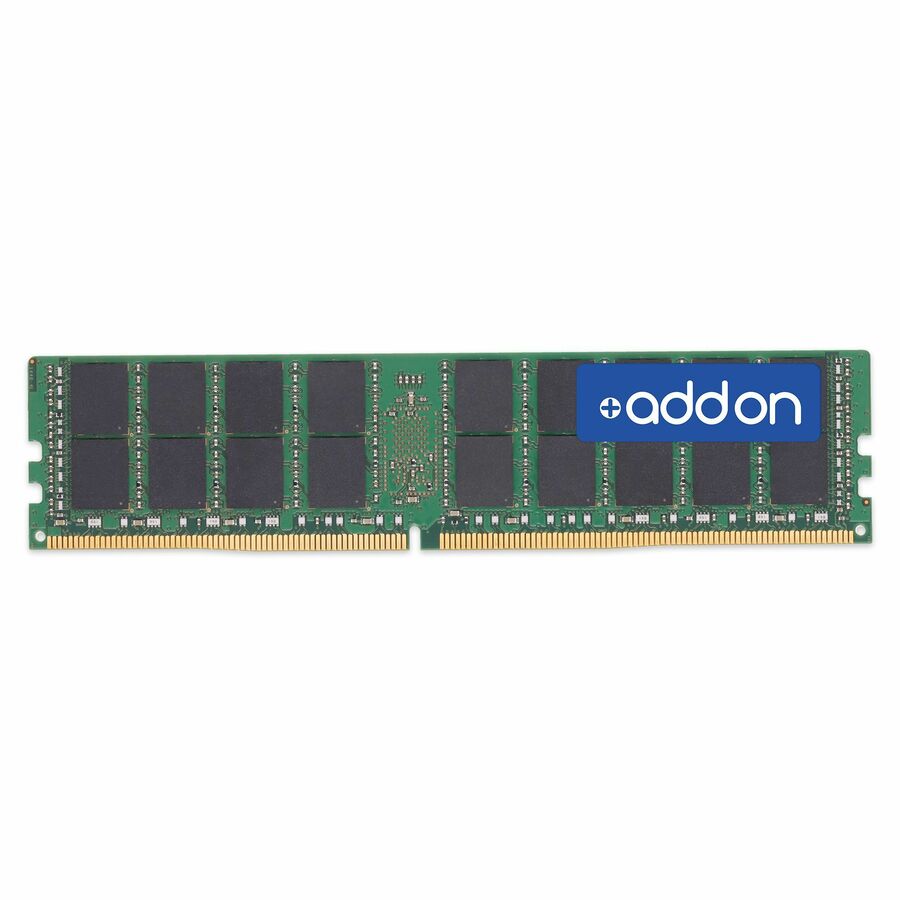
AddOn
AddOn 32GB DDR4-3200MHz Registered ECC Dual Rank x4 1.2V 288-pin CL17…
AM3200D4DR4RN/32G
A 32 GB DDR4-3200 registered ECC RDIMM at 1.2 V, for adding capacity to an installed server that cannot take DDR5 without replacing the platform.
Match the exact part the system vendor qualifies; mixed part numbers can drop the operating rate.
$1,354.24Back-orderedFAQ
Common questions
- Can DDR4 memory be installed in a DDR5 motherboard?
- No. DDR4 and DDR5 use different electrical interfaces, key positions, voltages, and controller support. A motherboard supports the generation it was designed for.
- Is DDR5 always faster than DDR4?
- DDR5 provides higher potential bandwidth, but application performance depends on the processor, capacity, population, timings, and workload. A capacity-constrained DDR4 system can improve more from adding DDR4 than from an undersized DDR5 replacement.
- Does DDR5 have ECC by default?
- DDR5 includes on-die ECC inside each DRAM chip. That is not the same as system-level ECC across the module and memory channel. Buy an ECC module and compatible platform when system error correction is required.
- Can different DDR5 speeds be mixed?
- Some platforms can operate mixed speeds at a common lower rate, but mixed part numbers can reduce speed, produce warnings, or fail. Follow the system vendor’s supported population rules and qualify the exact combination.
- Should a DDR4 server be replaced because DDR5 exists?
- Not by that fact alone. Replace when lifecycle, support, capacity, bandwidth, consolidation, security, reliability, or operating cost justifies the platform project.
- Which is better, DDR4 or DDR5?
- Neither is better in the abstract, because the platform decides. DDR5 has the higher ceiling — 4.8 GT/s upward against DDR4's 3.2 GT/s, two sub-channels per module, on-die ECC — but a DDR4 board cannot accept it, so on installed hardware the useful comparison is DDR4 against more DDR4. On a new build the question is settled by the processor you pick.
- Is it worth it to get DDR5 RAM over DDR4?
- On a new platform the choice is usually already made for you: current server and business-client processors accept only DDR5. On an installed DDR4 machine, moving to DDR5 means replacing the board and processor too, so the honest comparison is a whole-platform refresh against adding DDR4 capacity to what you have.
- Is DDR4 still good in 2026?
- Yes, for the platforms built around it. DDR4-3200 remains the right memory for an installed DDR4 server or desktop, and adding capacity there frequently helps a workload more than a same-capacity move to a newer generation would. DDR4 is a spares-and-expansion decision on existing hardware, not a choice on a new build.
- Is 16gb DDR4 or 8GB DDR5 better?
- 16 GB, in almost every case — and the two cannot go in the same board anyway. Capacity decides far more workloads than bandwidth does: a system that has to page to disk loses more than DDR5's extra transfer rate can return. Size the capacity to the working set first, then take whatever generation the platform accepts.
Sources
- 1.Rambus — DDR5 vs DDR4: data rates, 1.1 V, dual sub-channels and the on-DIMM PMICrambus.com
- 2.Rambus — DDR5 server PMICs: 12 V input for RDIMM and MRDIMM modulesrambus.com
- 3.Rambus — DDR5 client PMICs: 4.25-5.5 V input for UDIMM, CUDIMM, SODIMM and CSODIMMrambus.com
- 4.JEDEC JESD79-5D — DDR5 SDRAM standardjedec.org
- 5.Micron DRAM module reference guide (Rev. M) — DDR4 and DDR5 module types, pin counts and voltagesmicron.com