
Short answer
ECC (error-correcting code) memory carries extra DRAM devices for check bits alongside the data, so the memory controller can correct a single-bit error and detect a double-bit one before either reaches the CPU. It needs a CPU and board that support it, which in practice means a server or workstation platform. Ordinary desktops run non-ECC and are fine doing so.
Key facts
- DDR2 through DDR4 ECC modules run a 72-bit bus instead of 64-bit. DDR5 adds the check bits inside each of its two sub-channels instead.
- Standard SECDED ECC corrects a single-bit error and detects — but cannot correct — a double-bit one. Two flips in one word are caught, not repaired.
- ECC needs platform support. An ECC module may fit a consumer board and run with correction inactive, or not be recognised at all.
- RDIMM registers the command and address signals to cut electrical load, which is how servers reach high module counts; UDIMM omits that register.
- RDIMM and UDIMM are not interchangeable. The platform dictates which it accepts, and the wrong one will not work in it.
- Registered DIMMs are always ECC by design. An ECC UDIMM adds correction to an unbuffered module, for workstations and entry-level servers.
By Uniqcli Team
ECC memory (error-correcting code memory) is a type of RAM that automatically detects and corrects the most common memory errors — single-bit flips — before they reach the CPU and corrupt data. It does this by storing extra check bits alongside each block of data, giving the memory controller enough redundancy to identify a bad bit and repair it on the fly. Standard (non-ECC) memory has no such safeguard: a flipped bit passes through silently, potentially causing a wrong calculation, a crashed application, or corrupted data with no warning.
Memory errors are not exotic. Cosmic radiation, electrical noise, and the natural aging of memory cells can all flip a bit from 0 to 1 or back. In a laptop this is rare enough to tolerate; in a server running continuously for years, holding financial records, virtual machines, or scientific data, the cumulative risk is meaningful. ECC exists to make that risk manageable — turning silent, invisible corruption into an event the system corrects and, in most cases, logs for administrators to review.
How does ECC memory work?
ECC memory adds extra storage and logic on top of ordinary RAM. For every 64 bits of data, an ECC module carries additional check bits — commonly 8 more, giving a 72-bit width — generated by an algorithm (typically a Hamming-based code) each time data is written. When that data is read back, the memory controller recomputes the code and compares it to what was stored. If they disagree, the mismatch pinpoints which bit changed, and the controller flips it back to its correct value before passing the data along.
The standard capability is described as SECDED: single-error correction, double-error detection. That means a single-bit error is silently corrected, while a two-bit error is reliably detected and flagged (usually halting the system rather than letting bad data through), even though it cannot be corrected. More advanced schemes used in enterprise servers — such as chipkill-class or Advanced ECC — can survive the failure of an entire memory chip. Because ECC does extra work on every read and write, it carries a small performance and cost overhead, which is the trade-off for the added integrity.
What are the types of ECC memory (RDIMM vs UDIMM)?
ECC comes in unbuffered and registered forms, and the distinction matters for compatibility. Unbuffered ECC (ECC UDIMM) connects the memory chips more or less directly to the controller; it is common in entry-level servers and ECC-capable workstations, offering error correction without a register stage. Registered ECC (RDIMM) adds a register between the memory controller and the DRAM chips that buffers the command and address signals, reducing the electrical load the controller drives and allowing far more modules and higher total capacity per system — the reason it dominates in servers.
Related variants include LRDIMM (load-reduced), which buffers the data lines as well to push capacity even higher for large-memory systems. These form factors are generally not interchangeable: a platform built for RDIMM will not accept UDIMM and vice versa, and ECC and non-ECC modules should not be mixed. Beyond DIMM type, ECC is also defined by the memory generation (DDR4, DDR5, and so on), and DDR5 additionally includes a limited form of on-die ECC that operates inside the chip — which is not the same as the full end-to-end ECC discussed here.
When do you need ECC memory?
ECC is standard practice anywhere data integrity and uptime are priorities: servers, data-center hosts, virtualization and database platforms, storage appliances, and professional workstations doing engineering simulation, financial modeling, scientific computing, or media rendering. In these settings an undetected bit flip can propagate into stored results, and continuous operation multiplies the exposure over time. Many software platforms and file systems that checksum data aggressively are also recommended to run on ECC so the memory holding that data is protected too.
For everyday desktops, gaming, and general office use, non-ECC memory is the norm and is perfectly adequate — the error rate is low, workloads are short, and machines reboot often. The decision usually comes down to the cost of a silent error in your workload: if a corrupted value is an inconvenience, non-ECC is fine; if it could mean falsified data, a failed transaction, or an audit problem, ECC is the prudent default.
What should you consider when buying ECC memory?
ECC is not something you can simply add to any machine — the platform must support it. This is a joint requirement of the CPU and the motherboard/chipset: both must enable ECC for correction to actually occur, and a module can physically fit a slot yet run without ECC active if the platform doesn't support it. Before buying, confirm ECC support in the CPU and board specifications, and verify the exact form factor the system expects (RDIMM vs UDIMM, and whether LRDIMM is supported).
Match the memory generation and speed (DDR4/DDR5 and the rated data rate), check the maximum capacity per module and per system, and follow the platform's population rules for balanced channels and ranks — mismatched or unbalanced configurations can force lower speeds. Consult the system's qualified vendor list or tested-memory guidance where available, since validated modules reduce compatibility surprises. Finally, remember that ECC and non-ECC modules cannot be mixed, and plan around the modest price premium ECC carries over standard memory.
Key takeaways
- ECC memory automatically corrects single-bit errors and detects double-bit errors (SECDED), preventing silent data corruption that standard RAM would pass through unnoticed.
- It works by storing extra check bits — typically a 72-bit width for every 64 bits of data — that let the memory controller identify and repair a flipped bit on each read.
- ECC comes in unbuffered (UDIMM) and registered (RDIMM) forms; RDIMM and LRDIMM enable much higher capacity and dominate in servers, while ECC UDIMM appears in entry servers and workstations.
- ECC requires platform support: both the CPU and the motherboard/chipset must enable it, so verify compatibility in the specifications before buying.
- It is standard for servers, virtualization, databases, storage, and professional workstations where integrity and uptime matter; non-ECC is fine for typical desktops and gaming.
- Expect a small cost and slight performance overhead versus non-ECC — the trade-off for detecting and correcting errors that would otherwise be invisible.
Shop it at Uniqcli
Parts for this job
DDR5 ECC RDIMM
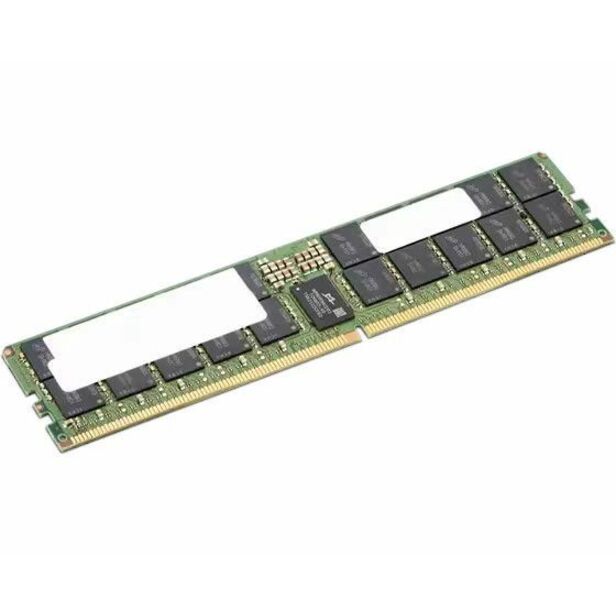
Lenovo
Lenovo 32GB DDR5 4800MHz ECC RDIMM Memory
4X71M22549
A 32 GB DDR5-4800 ECC registered module for a current server or workstation platform that takes registered memory.
$342.98Back-orderedDDR5-5600 ECC RDIMM
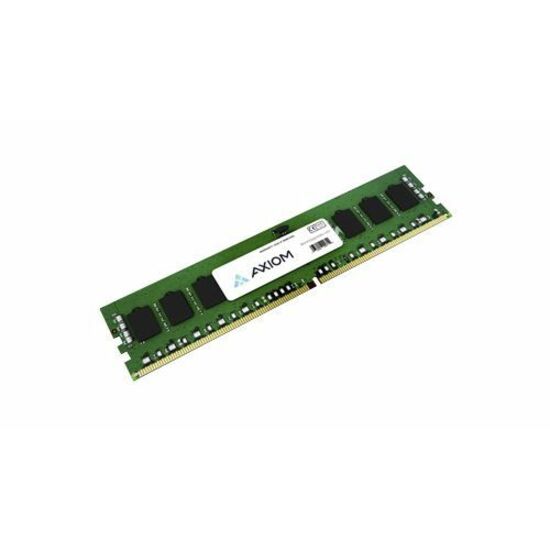
Axiom Memory Solutions
Axiom 16GB DDR5-5600 ECC RDIMM AX55600R46D/16G
AX55600R46D/16G
A 16 GB DDR5-5600 ECC registered module for a server, at CL46 and 1.1 V — the shape most current two-socket platforms populate.
$1,487.55In stockDDR4 ECC RDIMM
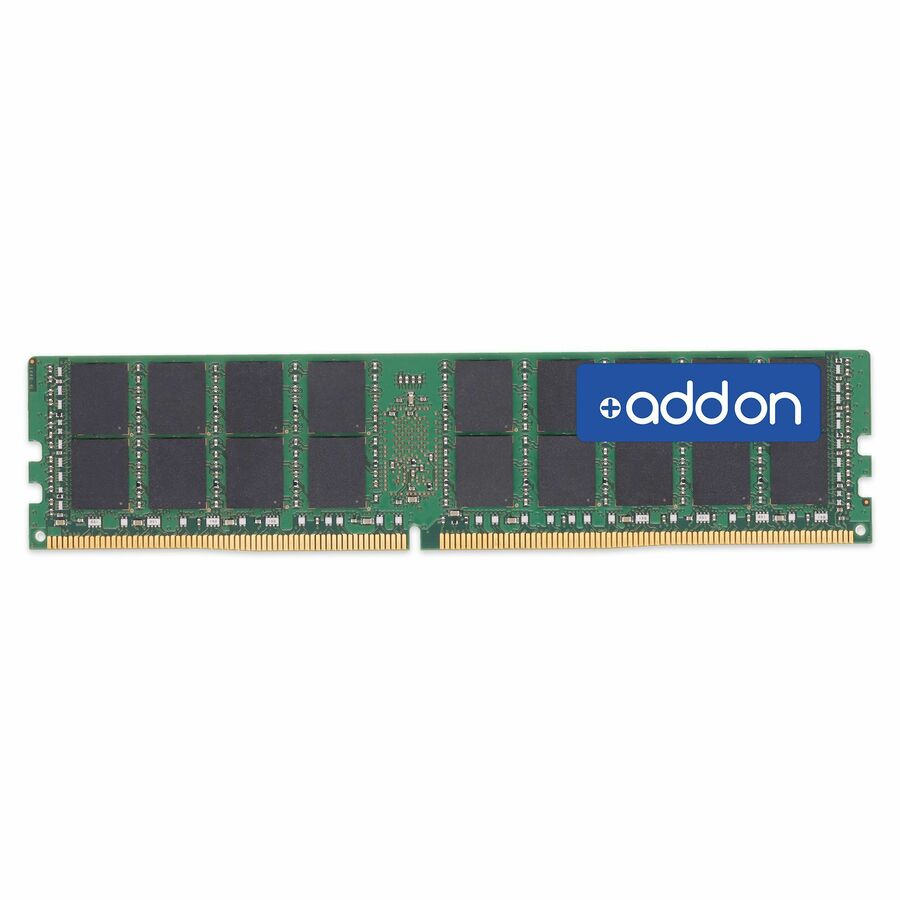
AddOn
AddOn AM2400D4SR8RN/4G x1 JEDEC Standard Factory Original 4GB…
AM2400D4SR8RN/4G
A 4 GB DDR4-2400 registered ECC module for an older server still in service, where matching the existing rank and speed matters more than capacity.
Match rank, speed and the platform's supported module type before ordering; ECC modules are not interchangeable across those axes.
$253.92In stockFrequently asked
- What is the difference between ECC and non-ECC memory?
- Non-ECC memory stores only your data, so a flipped bit passes through undetected. ECC memory stores extra check bits that let the controller catch and fix single-bit errors and detect double-bit errors, protecting against silent corruption. ECC costs a little more, runs slightly slower, and requires a platform that supports it.
- Can I use ECC memory in a regular desktop PC?
- Only if the CPU and motherboard support ECC. An ECC module might physically fit a standard board but run without error correction active, or not be recognized at all. Because RDIMM and UDIMM are not interchangeable, check both the module form factor and the platform's documented ECC support before buying.
- Does ECC memory slow down your system?
- There is a small overhead because the controller computes and checks the error-correcting code on every read and write, so ECC configurations are typically marginally slower than equivalent non-ECC. For the workloads where ECC is used — servers and professional workstations — the integrity benefit far outweighs the minor performance difference.
- What is the difference between RDIMM and UDIMM ECC?
- Registered ECC (RDIMM) adds a register that buffers the command and address signals between the memory controller and the DRAM chips, reducing electrical load so systems can support far more modules and higher total capacity — standard in servers. Unbuffered ECC (UDIMM) omits that register and is common in entry-level servers and ECC workstations. The two are not interchangeable; the platform dictates which it accepts.
- What is ECC RAM?
- ECC RAM is another name for ECC memory — error-correcting code RAM that stores extra check bits alongside your data so the memory controller can catch and fix single-bit errors and detect double-bit errors before they corrupt anything. Standard RAM has no such safeguard, so a flipped bit passes through silently. ECC RAM is the norm in servers and professional workstations, and it requires a CPU and motherboard that support it.
- Do servers require ECC RAM?
- In practice, usually yes. Most servers are built for ECC RAM and many accept only ECC modules, because they run continuously for years holding databases, virtual machines, and financial records where a silent bit flip is unacceptable. Professional workstations doing simulation, modeling, or scientific work use it for the same reason. Everyday desktops and gaming PCs generally run non-ECC RAM, which is adequate for shorter, reboot-often workloads.
- What happens if you put ECC memory in non-ECC motherboard?
- One of three things, depending on the board: it runs as ordinary memory with error correction inactive, it is not recognised and the system will not post, or the module does not fit at all because the board takes unbuffered modules and the ECC one is registered. None of the three gives you error correction. ECC is a property of the whole path — module, memory controller and firmware — so the board and CPU have to support it before the module can do anything.
- Can you mix ECC RAM and non-ECC RAM?
- No. Populate a system with one or the other. A board that supports ECC generally disables correction entirely when a non-ECC module is present, so the mixed configuration gives you the cost of ECC modules and none of the protection, and many platforms simply refuse to post. The same applies to mixing registered and unbuffered modules, which is an electrical difference rather than a firmware preference.
- Does ECC slow down RAM?
- Marginally. The controller computes and verifies a code on every read and write, which costs a little latency, and ECC modules are typically clocked more conservatively than enthusiast non-ECC kits. On the workloads ECC exists for — servers running for years, simulations that run for days — that cost is not the figure that matters, and a silently flipped bit is.
Sources
- 1.Micron — RDIMM server memory modulesmicron.com
- 2.Samsung Semiconductor — RDIMM (what ECC memory is)semiconductor.samsung.com
- 3.ATP Electronics — memory error types and how ECC DIMMs workatpinc.com
- 4.ATP Electronics — DRAM fundamentals: density, rank, ECC and DDR5atpinc.com
Keep reading