
Short answer
A document camera is a camera on an arm that shows a page, a book or a solid object on a classroom display. Optical zoom, frame rate and output type separate the models: a USB-only camera needs a connected computer, while an HDMI camera drives a projector or panel on its own.
Key facts
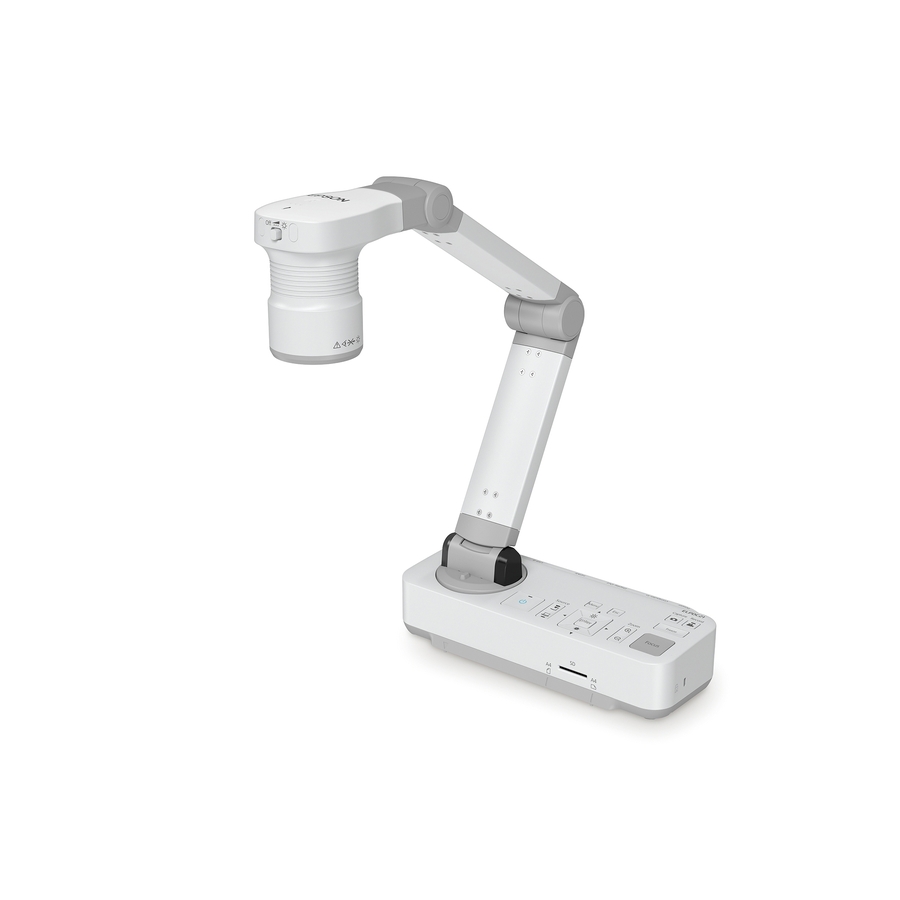
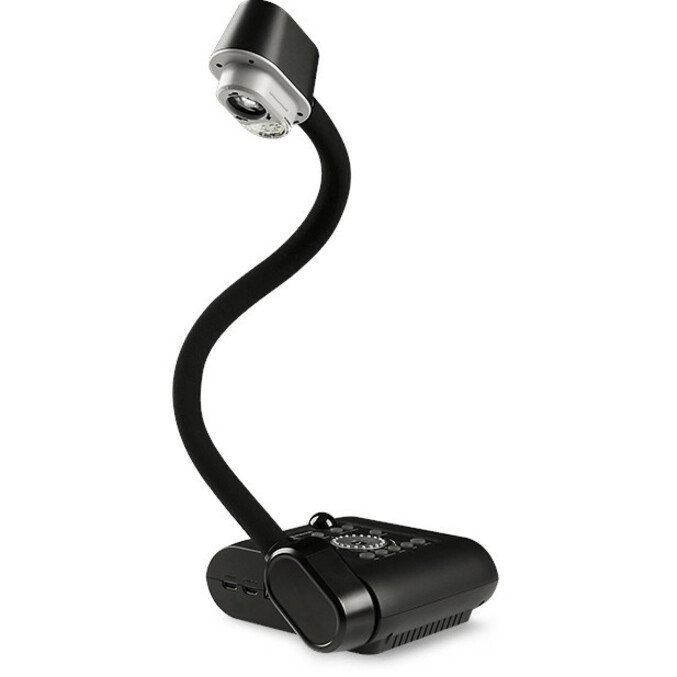
- Optical zoom is the number that matters — digital zoom only crops. The Epson DC-21 lists 12x optical; the AVer F50+ lists 10x optical with 23x digital on top.
- Output type decides whether a computer is needed: HDMI drives a display directly, USB-B feeds a PC or Mac. The Epson DC-21 carries HDMI, USB-B and VGA.
- Frame rate governs how handwriting and motion read on screen. The Epson DC-21 outputs 1080p at up to 30 fps; 60 fps models exist for live demonstration.
- Sensor resolution and output resolution are separate specs. The AVer F50+ pairs a 13-megapixel sensor with 4K video output.
By Uniqcli Team
A document camera is a small camera on a stand or arm, pointed down at a work surface, that sends a live image of whatever sits under it to a display, an interactive panel, a projector or a computer. Teachers use it to show a worksheet, a page from a textbook, a student's work, a science specimen or a step-by-step demonstration to the whole room at once. Outside North America the same device is usually called a visualiser, and the two terms mean exactly the same thing.
It is the direct descendant of the overhead projector, with three differences that matter operationally: it captures real objects rather than transparencies, it outputs a digital signal that can be recorded or shared into a video call, and it plugs into the display infrastructure the classroom already has rather than needing its own light path and screen. For district IT, that makes it one of the cheapest ways to add a genuinely new teaching capability to a room that already has a panel or projector.
What does a document camera actually do?
Mechanically it is simple: an image sensor and lens on an adjustable arm, a base that sits on the desk or a mount that fixes it overhead, usually a light for shadow fill, and an output. The camera continuously captures the area below it and sends that feed out — so anything placed under it appears live on the classroom display, at whatever magnification the teacher sets.
The software layer is where the classroom value sits. Most units ship with an application that adds freeze-frame, split-screen comparison of two captures, annotation over the live image, snapshot and video recording, and in some cases optical character recognition that turns a captured page into selectable text. Several models in our catalog are listed with OCR functions for exactly that reason.
The other capability districts underuse is that a document camera is a USB video source. That means it can be selected as a camera inside a video-conferencing or lecture-capture application, so a teacher demonstrating a math problem on paper appears to remote students as a full-screen feed rather than a phone propped against a coffee mug.
The three form factors
Portable, fold-flat cameras are the volume category. The arm collapses into the base, the whole unit fits in a bag or a drawer, and it sets up in seconds on any desk. This is the right form factor for a shared device that moves between rooms, for a teacher who does not need it every period, and for any purchase where budget per room is the constraint. Our catalog's in-stock bench sits mostly here, including AVer's portable models and Adesso's Cybertrack range.
Flexarm or gooseneck cameras trade portability for reach. The head sits on a flexible or multi-jointed arm that can be aimed at the desk, at a whiteboard, at a three-dimensional object, or straight out at the teacher. They handle science demonstrations, larger work areas and awkward angles that a fixed portable unit cannot, and they usually stay in one room.
Ceiling-mounted cameras are the permanent installation answer: the camera is fixed above the teaching surface, nothing occupies the desk, and there is nothing for a student to knock over or a teacher to forget to set up. They cost the most, they require the same electrical and structural planning as any ceiling device, and they generally appear in purpose-built demonstration rooms, science labs, maker spaces and lecture-capture rooms rather than in general classrooms.
USB vs HDMI output — and why it matters with an interactive panel
USB-only cameras present themselves to a connected computer as a standard webcam. The image reaches the class through the teacher's laptop and whatever is already mirroring that laptop to the display. This is the cheapest and most flexible arrangement, it works with any video-conferencing tool, and it needs no new cabling. The catch is that the camera is useless without the computer: if the laptop is out for repair, so is the document camera.
HDMI-output cameras connect straight to a display or projector input and work with no computer at all. Power the camera, select the input, and the class sees the image. That independence is worth a great deal in a room where the teaching machine varies, in substitute-teacher scenarios, and in any environment where reliability beats flexibility. The trade-off is that an HDMI-only feed cannot be pulled into a video call.
Dual-output models give you both, and in a classroom built around an interactive flat panel that is usually the specification to write. The panel's embedded system can display the HDMI feed with no computer involved, while the same camera can be switched to USB for recording or remote instruction. AVer's USB/HDMI model in our catalog is listed with both outputs for this reason, and dual output is worth asking about by model rather than assuming it. Before you standardize, check one practical detail: confirm the panel has a free input, because between the teacher machine, a casting receiver and an OPS module, classroom panels run out of inputs faster than anyone expects.
The specs that decide legibility at the back of the room
Optical zoom is the specification that matters and the one most likely to be misread. Optical zoom magnifies using the lens and preserves detail; digital zoom crops the sensor image and enlarges the remaining pixels, so a heavily digitally zoomed image is a softer image. A camera advertised with 23x total zoom may be delivering 10x optically and the rest digitally — our catalog listings distinguish the two, and models such as AVer's F50+ and SMART's SDC-650 are listed with separate optical and digital figures precisely because the difference is real. When you are showing eight-point type in a textbook footnote to a back row 30 feet away, only the optical figure is doing useful work.
Resolution sets the ceiling. A 4K camera on a 4K panel means a student can read a full page without the teacher zooming at all, which changes how the device gets used — less fiddling, more teaching. On a 1080p display a 4K camera still helps, because the extra sensor resolution is what makes digital zoom usable rather than mushy.
Frame rate is the sleeper spec. Many inexpensive cameras capture at 15 frames per second, which is adequate for a static worksheet and visibly stuttery the moment a teacher writes, folds paper or performs a demonstration. Models rated at 30 or 60 frames per second render handwriting and motion smoothly. If the primary use case is live demonstration rather than showing a static page, treat 30 fps as the floor.
Two smaller items round it out. Capture area — sometimes given as A4 or A3 — determines whether a full spread or an oversized worksheet fits without moving the paper. And built-in lighting matters more in practice than its spec sheet line suggests, because classroom overhead lighting throws the teacher's own hand shadow across exactly the area being shown.
Being straight about our bench in this category
Our document-camera catalog is genuinely thin. Across every brand we carry, 31 photographed, priced rows sit in the Document Cameras category, of which 11 show in stock at the time of writing. That is a functional selection for a school buying a handful of units — AVer, Lumens, Adesso, Epson, SMART, HoverCam and ViewSonic all appear — and it is not deep enough to pretend otherwise for a 200-classroom standardization.
So here is the honest guidance. If you are buying units for a few rooms, browse what is listed, check stock, and order. If you are standardizing a district on one model across every classroom, send us the requirement — grade bands, form factor, output type, minimum optical zoom and frame rate, quantity and delivery window — and let us quote it. Volume in this category is sourced against a real requirement rather than picked off a shelf, and the quote conversation will get you a better answer than the catalog page will.
One more procurement note specific to K-12: document cameras are end-user classroom equipment, not network infrastructure, so they fall outside what E-Rate supports. Budget them from local, state, bond or general-fund money alongside the display they plug into.
Where the document camera fits alongside a panel and a webcam
These three devices solve different problems and districts routinely buy one expecting it to do another's job. The interactive panel is the display and the writing surface. The webcam points at the room or at the teacher for video calls. The document camera points down at the desk and shows objects and paper. A webcam clamped to a panel cannot show a worksheet legibly, and a document camera aimed at the class is a poor room camera.
The useful pattern for a hybrid or blended classroom is all three: a panel as the display, a wide room camera for the class view, and a document camera as a second video source that the teacher can switch to for anything on paper. In a conferencing application that is a source switch, not a hardware change, which is what makes the setup workable for a teacher who is not an AV technician.
If budget forces a choice, buy in the order the room actually teaches. A room with no display gets the display first. A room with a display but no way to show paper gets the document camera next, because it is the cheapest capability addition on the list. The dedicated room camera comes last unless remote instruction is a standing requirement rather than a contingency.
Key takeaways
- A document camera — a visualiser outside North America — is an overhead camera that shows paper, books and objects live to the whole class through the room's existing display.
- Three form factors: portable fold-flat units for shared or budget-constrained rooms, flexarm units for demonstrations and awkward angles, ceiling mounts for permanent installations.
- USB output makes the camera a webcam source but requires the teacher's computer. HDMI output works with no computer at all. Dual-output models are usually the right specification alongside an interactive panel — check the panel has a spare input.
- Optical zoom preserves detail; digital zoom crops and enlarges. A "23x" claim may be 10x optical plus digital — only the optical figure helps the back row read small type.
- Frame rate is the sleeper spec: 15 fps is fine for a static page and stutters during live demonstration. Treat 30 fps as the floor for demonstration-heavy rooms.
- Our catalog carries 31 photographed, priced document cameras across all brands. That suits a few rooms; a district-wide standardization should come to us as a quote with the requirement written out.
Shop it at Uniqcli
Parts for this job
Most optical zoom
Epson
Epson DC-21 Document Camera
V12H758020
The Epson DC-21: 12x optical plus 10x digital zoom, 1080p at up to 30 fps, with HDMI, USB-B and VGA out. The one to buy when the back row has to read textbook type.
$588.98In stock4K on a flex arm
AVer Information
AVer F50+ 4K Versatile Document Camera
VISF50PLS
The AVer F50+ pairs a 13-megapixel sensor with 4K output and 10x optical zoom on a folding arm, with HDMI, USB and VGA out for a room that switches sources.
$680.59Back-orderedUSB, one classroom
IPEVO
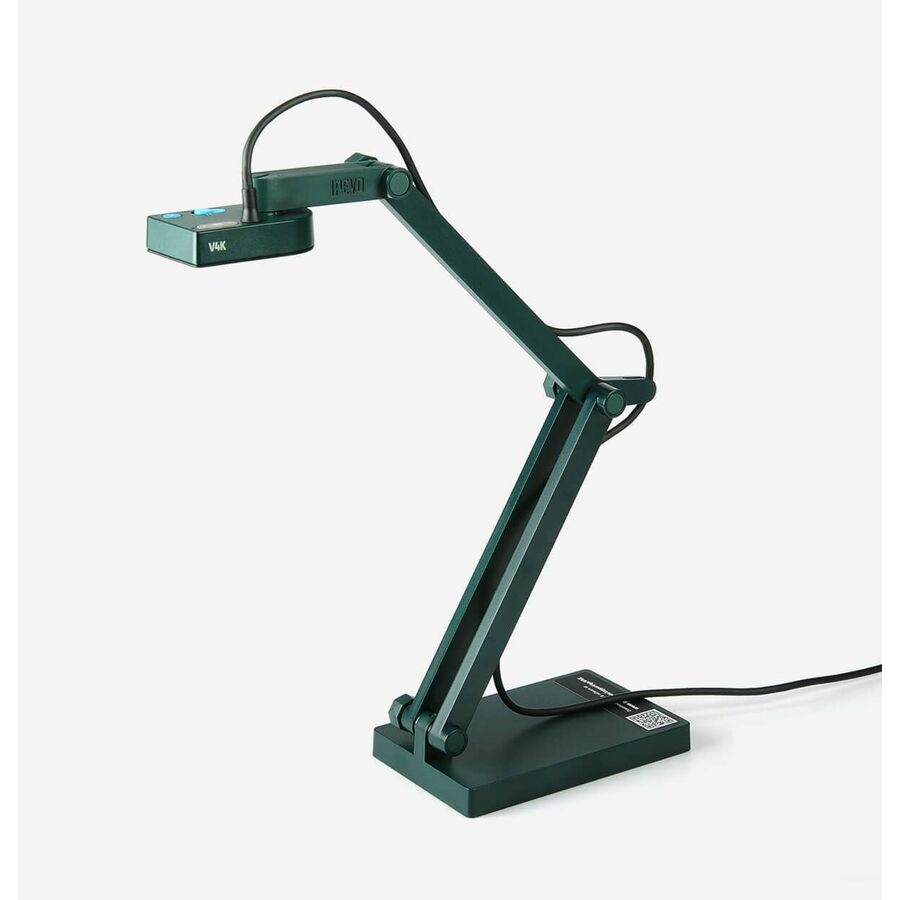
IPEVO V4K Ultra High Definition USB Document Camera
5-880-4-01-00
The IPEVO V4K is a USB-only camera for a teacher already driving the display from a laptop. No HDMI output, so the computer stays in the signal path.
$131.09Back-orderedFrequently asked
- What's the difference between a document camera and a visualiser?
- Nothing — they are two names for the same device. "Document camera" is the standard term in North America and "visualiser" is standard in the UK, Ireland, Australia and much of Europe. You will also see "digital presenter" and, from teachers who remember them, "the thing that replaced the overhead projector." If you are reading a specification written abroad, treat the terms as interchangeable.
- Can I just use a webcam instead of a document camera?
- For occasional use, sometimes — but the ergonomics fight you. A webcam has no arm holding it steady above the desk, no downward-optimized focus range, usually no optical zoom and no fill light, so a page shot with a webcam arrives crooked, shadowed and soft. Where it does work is a webcam on a dedicated flexible mount for a teacher who shows paper twice a term. If showing paper is a daily activity, the document camera pays for itself in the time not spent repositioning.
- Does a document camera need a computer?
- It depends on the output. A USB-only camera is a webcam and needs a connected computer to display anything, which also makes it the most flexible option for video calls and recording. A camera with HDMI output plugs straight into a display or projector and works with no computer at all — select the input and the image appears. Dual-output models do both, which is generally what to specify in a classroom built around an interactive panel.
- How much optical zoom does a classroom document camera need?
- Enough to fill the display with a paragraph of textbook type from the camera's normal working height. In practice that means treating optical zoom as the number to compare and ignoring the combined figure in the marketing headline: a unit listed at 10x optical and 23x digital is a 10x camera with a crop feature. If the primary use is full worksheets rather than small print, modest optical zoom on a 4K sensor often outperforms high zoom on a lower-resolution one, because the sensor resolution is what makes digital zoom usable.
- Should we buy portable or ceiling-mounted document cameras?
- Portable for general classrooms, ceiling for purpose-built rooms. A fold-flat portable unit sets up in seconds, moves between rooms, and costs a fraction of an installed camera — right for the ordinary case and for shared devices. Ceiling mounting earns its cost where the desk must stay clear, where setup time per lesson matters, or where nothing can be knocked over or walked off with: science labs, maker spaces, demonstration rooms and lecture-capture rooms.
- Can I buy document cameras for every classroom in the district through you?
- Yes, but bring it to us as a quote rather than a cart. Our photographed, priced document-camera listings number 31 rows across all brands, which serves a school buying a handful of units and is not deep enough for a district-wide standardization off the shelf. Send the requirement — grade bands, form factor, output type, minimum optical zoom and frame rate, quantity and delivery window — and we will source and quote it against that spec.
Sources
- 1.Epson DC-21 document camera — specificationsepson.com
- 2.AVer F50+ document camera — product pageaverusa.com
Keep reading