
Short answer
HDMI and DisplayPort differ in bandwidth and topology: HDMI 2.1 carries up to 48 Gbps, DisplayPort 2.1 up to 80 Gbps, and only DisplayPort splits several monitors off one port with Multi-Stream Transport. Choose HDMI for a TV, projector or AV receiver; choose DisplayPort for a multi-monitor desk. The plugs do not interchange, and the version at each end sets the ceiling.
Key facts
- HDMI 2.1's Ultra High Speed HDMI Cable is rated for 48 Gbps maximum bandwidth; the newer HDMI 2.2 cable raises that ceiling to 96 Gbps.
- DisplayPort 2.1 reaches 80 Gbps of throughput over four UHBR20 lanes at 20 Gbps each, carried by a VESA-certified DP80 cable.
- The common DisplayPort 1.4 link rate is HBR3: 8.1 Gbps per lane, 32.4 Gbps across four lanes, and 25.92 Gbps of audio/video payload.
- Multi-Stream Transport is a DisplayPort feature. HDMI has no daisy-chain equivalent and drives one display per port.
- eARC audio return and CEC device control ride on HDMI only, so a room sending audio from the display back to a soundbar needs HDMI.
- VESA-certified DP40 cables carry UHBR10 (40 Gbps) and DP80 cables UHBR20 (80 Gbps), beyond two metres and one metre respectively.
Buyers rarely ask this question in the abstract — it surfaces when a standardized desk build won't drive a new high-refresh panel, when a conference room needs one cable to carry both video and return audio to a soundbar, or when a KVM deployment has to fan out several displays from a single port. Both interfaces move uncompressed digital video and audio, and both are current, well-supported standards. The decision is almost never about which is 'newer' or 'better'; it is about which behaviors you need at the endpoints you are actually cabling.
Three factors drive most real choices. First, the device ecosystem: displays, docks and laptops increasingly ship USB-C that tunnels DisplayPort, while TVs, projectors and AV receivers are overwhelmingly HDMI. Second, topology: whether you need to daisy-chain monitors, return audio from a display back to a source, or run long distances through walls. Third, the version and cable actually in hand — a connector says nothing about the bandwidth it negotiates, so a port labeled 'HDMI' or 'DisplayPort' can mean very different capabilities depending on the silicon and the cable. Match the interface to the fixed endpoints first, then confirm the version supports your resolution and refresh.
At a glance
Side by side
| Factor | HDMI | DisplayPort |
|---|---|---|
| Peak bandwidth | 48 Gbps (HDMI 2.1, ~42.6 Gbps usable after encoding) | 80 Gbps (DP 2.1 UHBR20); 32.4 Gbps on the common DP 1.4 |
| Typical max without compression | 4K/120 uncompressed; 8K/60 needs DSC | DP 1.4: ~4K/120 at 8-bit uncompressed; DP 2.1: much higher uncompressed |
| Multi-monitor from one port | No native daisy-chain; one display per port | MST daisy-chains or splits several displays from one port |
| Audio return / CEC | Carries eARC audio return and CEC device control | No audio return; no CEC equivalent |
| Connector locking | Friction-fit; no latch on standard connector | Optional mechanical latch on the full-size connector |
| Licensing model | Royalty-bearing, per-device HDMI license | Royalty-free VESA standard |
| Prevalence by device | TVs, projectors, AV receivers, consoles | Monitors, workstation GPUs, USB-C docks and laptops |
| Passive cable reach at high bandwidth | Roughly up to ~3m passive; active/optical for longer | Roughly 1-2m passive at the highest rates; active/optical for longer |
Choose HDMI when
- The endpoint is a TV, projector, console or AV receiver — HDMI is the near-universal fit there
- You need audio return (eARC) from a display back to a soundbar or receiver over one cable
- You want CEC so one remote can power and switch linked AV devices in a conference room
- You are matching consumer-grade displays that expose HDMI as the primary or only input
Choose DisplayPort when
- You need to daisy-chain or split multiple monitors from a single port using MST
- You are driving high-resolution, high-refresh desktop monitors from a workstation or dock
- The source is USB-C that tunnels DisplayPort into docks and hubs for standardized desks
- Accidental unplugging is a risk and you want the latching connector to hold the cable
Bottom line
Use HDMI wherever a TV, projector or receiver is on the other end; use DisplayPort at any desk running more than one monitor. HDMI dominates the AV and display-appliance world — TVs, projectors and receivers — and uniquely handles audio return and device control, making it the default for conference rooms and any setup with a soundbar. DisplayPort dominates the computing side, with MST for multi-monitor topologies, a latching connector, royalty-free licensing and the headroom of DP 2.1, and it is what USB-C docks tunnel. For most deployments the fixed endpoints decide it: cable to what the display and source actually expose, then confirm the version and cable support your target resolution and refresh.
Products for this decision
The AV endpoint
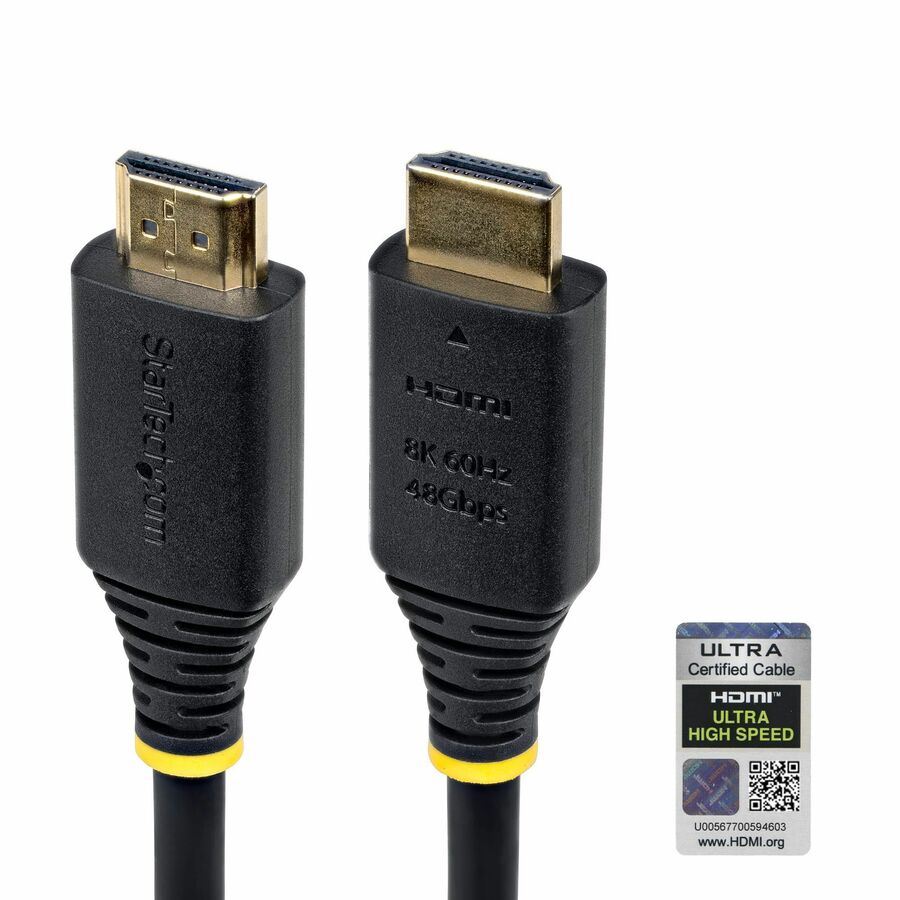
StarTech.com
StarTech 3ft (91cm) Certified Ultra High Speed HDMI Cable, 8K 60Hz/4K…
HDMI21-CBL-8K60-3F
A certified Ultra High Speed HDMI cable rated for the full 48 Gbps, with eARC — the cable a conference-room display, projector or soundbar run needs.
$17.90In stockThe desk
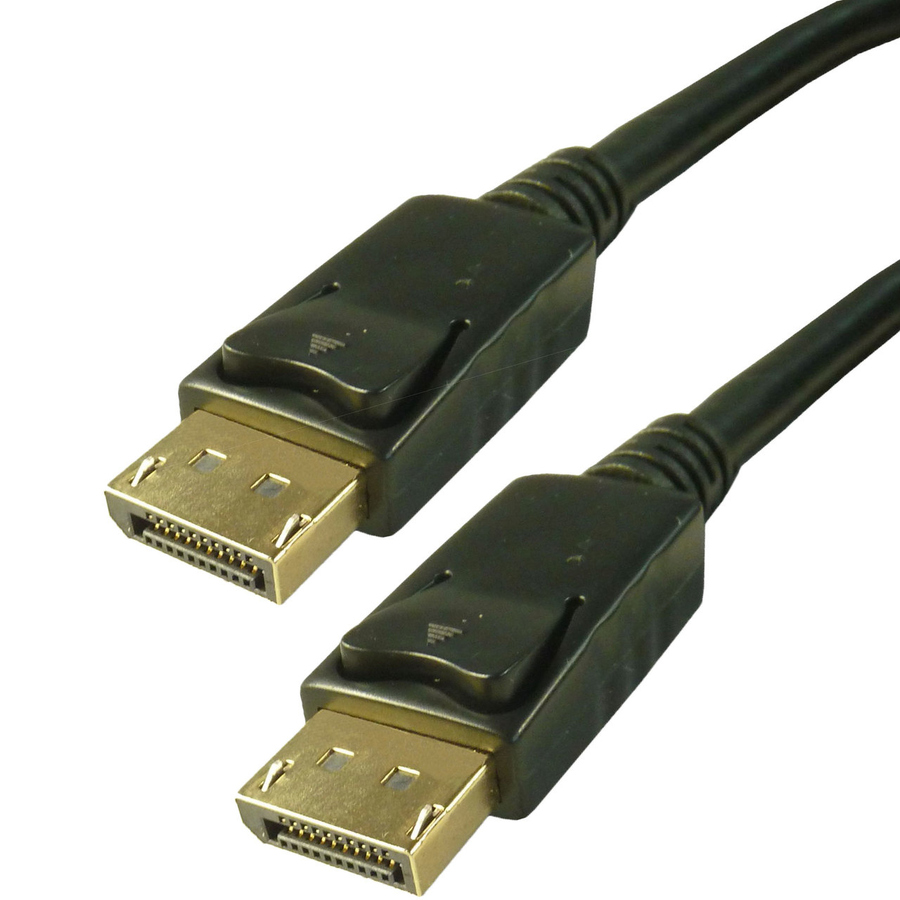
4XEM
4XEM Pro Series 6ft (1.8m) DisplayPort 1.4 Cable
4XDP8K6FT
A VESA-certified DisplayPort 1.4 cable at the HBR3 rate of 32.4 Gbps, for a workstation driving a high-resolution desktop monitor.
$13.95In stockHeadroom
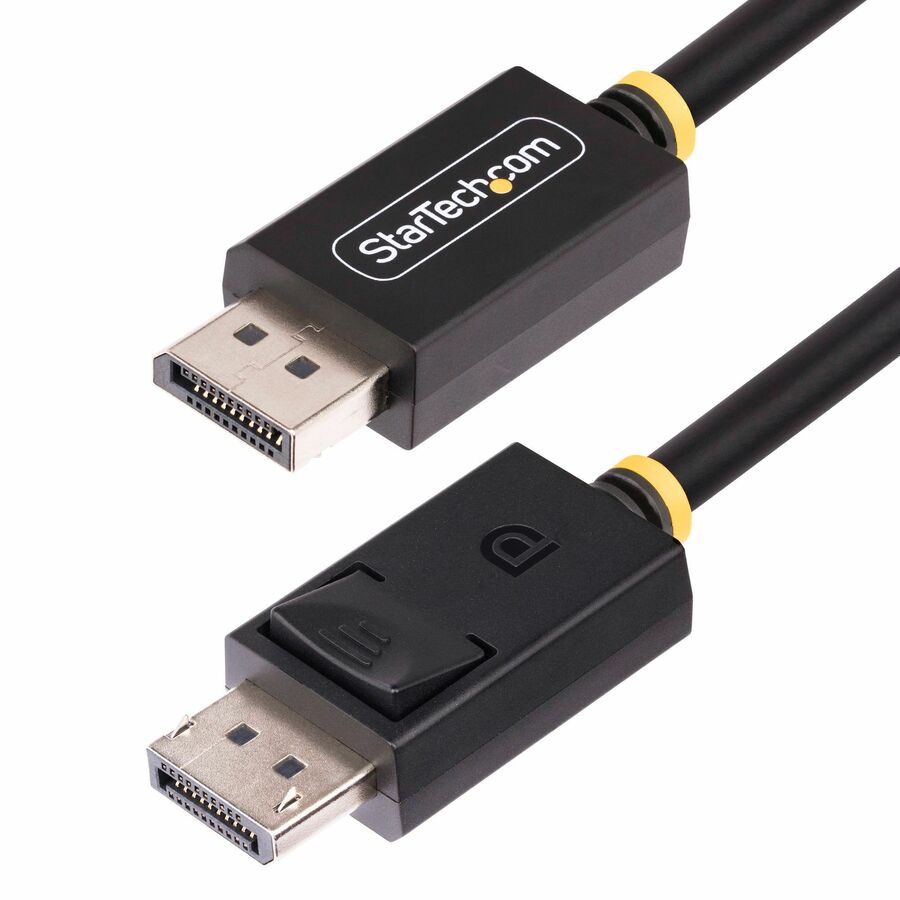
StarTech.com
StarTech 6ft DisplayPort 2.1 Cable, VESA Certified DP40 DisplayPort…
DP21-6F-DP40-CABLE
A VESA-certified DP40 cable for a DisplayPort 2.1 source at the UHBR10 link rate, with the latching connector the full-size plug supports.
DP40 covers UHBR10; a UHBR20 link at the full 80 Gbps needs a DP80 cable.
$20.23In stockTwo monitors, one port
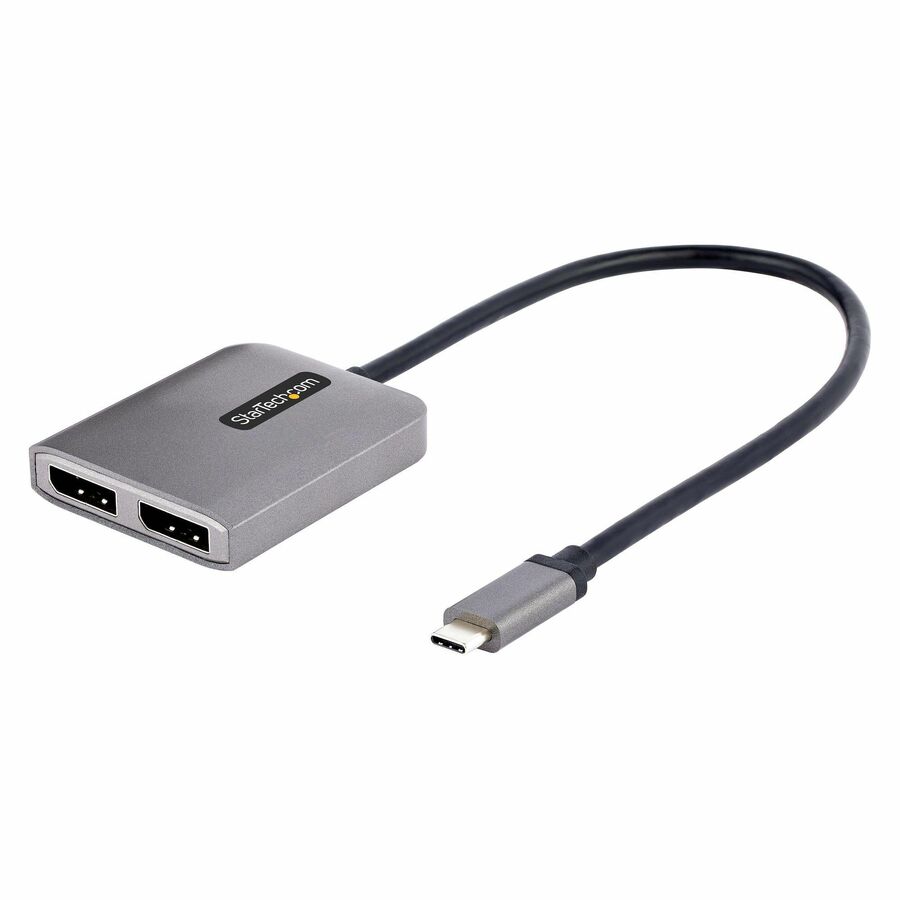
StarTech.com
StarTech USB-C to Dual DisplayPort 1.4 Adapter, USB Type-C…
MST14CD122DP
A driverless MST hub that splits one USB-C DisplayPort output into two DisplayPort monitors — the topology HDMI has no equivalent for.
Windows hosts only; the host GPU decides how many displays it will drive and at what rate.
$22.99In stockShop it at Uniqcli
FAQ
Common questions
- Is DisplayPort always higher bandwidth than HDMI?
- No. It depends entirely on the version. HDMI 2.1 tops out around 48 Gbps while common DisplayPort 1.4 hardware is 32.4 Gbps, so an HDMI 2.1 link can exceed a DP 1.4 one. DisplayPort 2.1 (UHBR20) reaches roughly 80 Gbps and pulls back ahead. Always compare the specific versions and confirm the cable supports the rate, since the connector alone tells you nothing about negotiated bandwidth.
- Can I daisy-chain monitors with HDMI like I can with DisplayPort?
- No. Daisy-chaining depends on Multi-Stream Transport (MST), which is a DisplayPort feature; HDMI has no native equivalent and drives one display per port. To run multiple monitors over HDMI you need one port per display, a dock, or an MST hub fed by DisplayPort. If serial multi-monitor topology matters, that is a strong reason to standardize on DisplayPort at the source.
- Which interface should a conference room standardize on?
- Usually HDMI, because rooms typically include a TV, projector or AV receiver and often need audio return (eARC) and CEC control, none of which DisplayPort provides. DisplayPort or USB-C still makes sense as the laptop-side input if the room's switcher or display accepts it, but the display-and-audio endpoints are almost always HDMI, so that side sets the standard.
- How far can each run before I need active or optical cable?
- Both are limited by passive copper at high data rates — roughly a couple of meters at top bandwidth, with some margin at lower resolutions. Beyond that, use active copper or active optical cables, or an extender, rather than a longer passive cable. For in-wall or long room runs, plan on active or fiber-based cabling for either interface and verify it is rated for your target resolution and refresh.
- Is DisplayPort better quality than HDMI?
- No — at the same resolution, refresh rate and colour depth both carry the same uncompressed picture, so there is no quality difference to see. What differs is headroom: DisplayPort 2.1 tops out at 80 Gbps against HDMI 2.1's 48 Gbps, so the higher-bandwidth link reaches a given resolution and refresh without compression sooner. Compare the versions at both ends, not the logos.
- Why would you use DisplayPort over HDMI?
- For multi-monitor desks and workstation graphics. DisplayPort's Multi-Stream Transport splits or daisy-chains several displays from one port, which HDMI cannot do; the full-size connector latches so it does not fall out of a hot-desk dock; and USB-C docks tunnel DisplayPort natively. If the endpoint is a monitor rather than a television, DisplayPort is usually the better source-side choice.
- Is DisplayPort better than HDMI for 144Hz?
- Not inherently — either will drive 144 Hz if the version and cable have the bandwidth. DisplayPort 1.4 at 32.4 Gbps and HDMI 2.1 at 48 Gbps both carry 1440p and 4K at 144 Hz; older HDMI 2.0 hardware at 18 Gbps does not reach 4K 144 Hz. In practice most monitors expose DisplayPort as the port that runs at their top refresh rate, so check the panel's own input table.
- Do I need both DisplayPort and HDMI?
- Only if you are cabling both kinds of endpoint. A desk with monitors and a dock needs DisplayPort or USB-C; a room with a television, projector or AV receiver needs HDMI. Many builds carry one of each so a laptop can dock at a desk and also plug into a meeting-room display, and most monitors ship with both inputs so the decision is made per cable run, not per fleet.
Sources
- 1.HDMI Forum — Ultra High Speed HDMI Cable (48 Gbps)hdmi.org
- 2.HDMI Forum — HDMI 2.1 / 2.2 feature list, including eARChdmi.org
- 3.VESA — DisplayPort 2.1 specification release (80 Gbps, DP40/DP80 cables)vesa.org
- 4.VESA — HBR3 certification programme (8.1 Gbps per lane, 32.4 Gbps total)vesa.org
- 5.DisplayPort.org — Multi-Stream Transport in the DisplayPort FAQdisplayport.org