
Short answer
The main difference between a UPS and a surge protector is what happens when the power stops: a surge protector diverts transient overvoltage and does nothing during an outage, while a UPS carries the load on battery so equipment stays up or shuts down in order. Choose a surge protector where equipment can simply stop; choose a UPS where an abrupt loss of power is unacceptable.
Key facts
- A surge protective device limits transient overvoltage and diverts surge current; it holds no stored energy, so it cannot bridge an outage of any length.
- IEC 62040-3 sets the performance and test requirements for uninterruptible power systems, including how a unit's output behaviour is classified.
- IEC 61643-11 is the separate standard for surge protective devices connected to AC low-voltage power systems — a different device class and different tests.
- Many UPS products include surge protection, but the protected modes and ratings differ by model, so read the specification rather than assuming parity.
- A UPS is not suitable for every load: motors, laser printers, heaters and other high-inrush devices need explicit manufacturer approval first.
A surge protector limits or diverts transient overvoltage; it does not keep equipment running when utility power disappears. A UPS adds stored-energy backup so approved loads can ride through, bridge to a generator, or shut down cleanly. Many UPS units include surge protection, but that does not make every point-of-use UPS a complete facility surge-protection design.
At a glance
Side by side
| Question | Surge protector | UPS |
|---|---|---|
| Primary job | Limit/divert transient surge energy | Maintain power from stored energy when input fails or is unacceptable |
| Outage power | None | Yes, for a load-dependent duration |
| Graceful shutdown | No power source to support it | Possible with communications, software, and tested runtime |
| Voltage regulation | Not the defining function | Depends on topology and model |
| Frequency regulation | No | Available in some topologies/models |
| Maintenance | Inspect status and replace per instructions/end of service | Battery, fans where present, firmware, alarms, tests, and replacement |
| Key capacity values | Load rating, VPR, MCOV, SCCR and other listing data as applicable | Watts, VA, voltage, topology, runtime, outlets, battery configuration |
| Typical decision | Equipment may turn off safely | Equipment must not lose power abruptly |
UPS vs surge protector at a glance
The table compares functions, not product quality. A listed surge protector and a listed UPS solve different problems. Product selection still requires the exact electrical environment, connected load, and manufacturer documentation.
Key takeaways
- Choose a surge protector when the requirement is transient surge protection and loss of power is acceptable.
- Choose a UPS when equipment must remain powered long enough to continue, bridge, or shut down safely.
- Check the exact product’s listing, voltage protection rating, modes of protection, load rating, UPS watts/VA, runtime curve, and installation instructions.
- Follow the UPS manufacturer’s connection policy. Schneider Electric, for example, tells APC Back-UPS and Smart-UPS users not to place surge strips or extension cords on the input or output.
- Neither device repairs bad building wiring, replaces grounding and bonding, guarantees lightning immunity, or substitutes for electrical design.
What a surge protector does
A surge is a brief overvoltage event. IEEE's C62 family describes the low-voltage surge environment and standardized test waveforms. A surge protective device, or SPD, responds to that event by limiting voltage or diverting current through its protective components.
At the plug-in level, many products use metal-oxide varistors, though the design can include other components. The protector is sacrificial in the sense that repeated or severe stress can degrade protection. Some products expose a protection-status indicator. If the indicator says protection is lost, the device may still pass ordinary power while no longer providing the intended surge function. Follow the manual for inspection and replacement.
A basic power strip is not automatically a surge protector. UL Solutions explains that relocatable power taps and surge protective devices have different requirements; a power strip that includes surge protection must additionally comply with UL 1449. Look for the listing and specific device markings rather than assuming that multiple outlets, a switch, or a "protected" color proves anything.
A surge protector does not create power. When utility power fails, the connected device turns off. It also does not correct a long voltage sag, regulate frequency, or coordinate an operating-system shutdown merely by being an SPD.
What a UPS adds
A UPS contains or connects to stored energy and power-conversion equipment. UL Solutions describes its core purpose as near-instant power for the load when the main source fails. Depending on topology, the UPS may also provide voltage regulation, continuous conversion, monitoring, and controlled shutdown.
The useful runtime is not a fixed property of a capacity label. It changes with connected watts, batteries, age, temperature, operating mode, and model. A UPS that supports a network switch for a long interval may provide much less time for a heavily loaded server. Use the exact runtime curve or selector and validate the installed system.
Many UPS units include surge suppression on their power input and may offer protection for communications paths. Confirm the documented modes and listing. Do not assume that this built-in function equals a service-entrance or panel SPD engineered for the building's exposure.
Match the device to the event
List the power events that matter and the acceptable response.
| Event | Surge protector response | UPS response |
|---|---|---|
| Short transient surge | Limits/diverts within its design | May include surge protection; exact design varies |
| Complete outage | Load turns off | Battery supplies load for available runtime |
| Voltage sag/swell | Not the primary function | Standby may transfer; line-interactive may regulate within a window; online regenerates output in normal mode |
| Frequency instability | No regulation | VFI/online designs can provide independent output behavior within specifications |
| Generator start interval | Load is off until source returns | Can bridge if runtime and source compatibility are adequate |
| Orderly server shutdown | Cannot power the sequence | Can support it with working management and enough runtime |
Do not use the chart as a promise for an unnamed product. A UPS input window, transfer behavior, output waveform, bypass, and generator acceptance are model-specific.
When both belong
Eaton's official comparison says neither a UPS nor an SPD alone provides complete protection for commercial systems and describes a combined approach. The safe interpretation is coordinated layers, not arbitrary daisy chaining.
A facility design may use:
- A service-entrance SPD selected for the distribution system
- Downstream panel or distribution SPDs coordinated with the upstream device
- A listed UPS for continuity and conditioning of critical loads
- Point-of-use protection where the system design and equipment instructions call for it
- Protection for data, communications, coaxial, or other conductive paths as applicable
The building electrical and grounding design determines how those layers interact. IEEE guidance specifically recognizes interactions among SPDs and other disturbances. More devices in series are not automatically more protection.
For small plug-connected systems, follow the UPS vendor's manual. Do not add a surge strip upstream or downstream unless the exact manufacturer permits that arrangement. If more receptacles are needed, use the supported distribution product and keep the UPS load within both watts and VA.
Why daisy chaining is risky
Schneider Electric’s current APC guidance recommends plugging applicable Back-UPS and Smart-UPS products directly into the wall receptacle and not connecting surge protectors, power strips, or extension cords to the UPS output. It cites potential load-reporting, overload, operational, grounding, and protection-policy problems.
That policy is product-family-specific evidence for following instructions, not proof that every manufacturer uses identical language. Before connecting a rack PDU, ATS, maintenance bypass, extension, or SPD, read both devices' installation manuals and the electrical design. UL notes that listed equipment must be installed according to its listing and labeling.
Daisy chaining can also create mechanical and fire risks: excessive load, inaccessible connections, cord damage, poor strain relief, or a plug that becomes a hidden point of failure. Solve outlet count and reach during design instead of after installation.
How to compare surge-protector specifications
Use the current listing documentation and markings. Key terms can include:
- Voltage protection rating, or VPR. A standardized measured value associated with limiting performance under the UL test. Lower is not the only selection criterion; voltage system, modes, device type, and test context must match.
- Maximum continuous operating voltage, or MCOV. The voltage the SPD can continuously withstand under its specification. It must fit the electrical system.
- Modes of protection. Products may protect line-to-neutral, line-to-ground, neutral-to-ground, or other configurations. Verify what is present and appropriate.
- Nominal discharge current and SCCR. These are standardized ratings relevant to SPD evaluation and installation. Their use depends on product type and location.
- Status and serviceability. Determine how loss of protection is indicated and whether the device or module is replaced. An LED that has never been checked is not a maintenance program.
Have an electrical professional evaluate service and panel SPDs. This article does not translate point-of-use markings into a building design.
How to compare UPS specifications
Begin with the protected service and load.
- Watts and VA. Both limits must exceed the supported simultaneous load under the defined state. Include PoE demand and redundant-feed failure behavior.
- Runtime. Read the exact model and battery configuration curve at the planned watts. Define whether runtime covers ride-through, generator bridge, or shutdown.
- Topology and IEC class. Determine whether standby/VFD, line-interactive/VI, or online/VFI behavior fits the power conditions and load tolerance.
- Transfer and bypass. Check normal transfer, output waveform, input window, overload, bypass, eco mode, and generator behavior.
- Surge protection. Record the current listing, protected modes, and any communications-line protection. Do not infer a facility layer from a generic statement.
- Management. Verify network card, shutdown agents, operating systems, hypervisors, licenses, alerts, authentication, certificates, and firmware process.
- Maintenance. Check approved batteries, replacement method, testing, service coverage, fan or filter needs, and disposal.
Calculate the UPS load and purpose
Create one row per connected device and measure real power where possible. Keep expected, planning, and required maximum values separate.
- Total protected W = sum of simultaneous planning watts
- Total protected VA = sum of simultaneous planning VA
The candidate must pass both. Then locate the total watts on the exact runtime curve. If lower-priority outlets will be shed, calculate the pre-shed and post-shed states and test the timing.
Do not divide battery watt-hours by load and publish the result as runtime. Inverter losses, discharge rate, voltage cutoff, battery age, temperature, and controls make runtime nonlinear.
For a shutdown use case, time the actual sequence: event detection, alert delay, application quiesce, virtual workload order, storage flush, operating-system stop, and management shutdown. Add an approved contingency. The requirement is a process duration, not "ten minutes because that sounds safe."
Protect every required dependency
The server may have a UPS while the switch, storage, firewall, authentication service, or management appliance loses power instantly. Map the full service path. If a dependency must remain available for the shutdown or generator bridge, place it on an approved protected path and include its load.
Protect communications conductors according to a coordinated design. A surge can enter through power, network, coaxial, antenna, or other conductive paths. The protection method must fit the signal and installation; do not route an unsupported link through a generic "data" jack.
Dual-corded equipment requires failure-state math. If each cord goes to a separate UPS path, either survivor may need to carry the full equipment demand. Verify true independence upstream and downstream.
Maintenance and replacement
For a surge protector, record installation date, listing/model, protected load, status indication, inspection interval, event history if available, and replacement trigger. Replace a damaged unit or one whose manual says protection is no longer active.
For a UPS, maintain all of that plus battery identity, temperature, self-tests, runtime tests, alarms, firmware, management, fan state where applicable, bypass, warranty, and recycling. Use only approved battery assemblies and procedures.
Test the response, not just the light. A supervised UPS test should show that the load stays up or shuts down as designed. Facility SPDs and electrical equipment require qualified inspection and maintenance under the applicable program.
Review protection after a significant event
After a known surge, electrical fault, wiring repair, extended outage, or generator incident, inspect the protection chain through the approved facilities procedure. Check SPD status indicators and remote contacts, UPS alarms and event logs, battery condition, input/output history, connected-load state, and any upstream panel or service devices. Do not reset an alarm and assume protection is restored.
Quarantine damaged, overheated, discolored, wet, or mechanically compromised cord-connected equipment. Have qualified personnel evaluate fixed electrical devices. If a protector indicates end of service, replace it with the approved model rather than continuing to use it as a power strip. Record the event, finding, replacement, and affected circuit so repeated disturbances can be investigated as a system issue.
Buyer decision sequence
- Name the event: transient surge, sag, outage, generator gap, or required shutdown.
- State what may turn off and what must remain operating.
- Inventory full service dependencies and load.
- Review the building's grounding, distribution, and existing SPD/UPS layers with facilities.
- Select listed equipment for the intended voltage, location, and use.
- For a UPS, validate watts, VA, runtime, topology, waveform, outlets, management, and batteries.
- Follow connection instructions; do not invent a daisy-chain arrangement.
- Test alarms, protection status, outage response, shutdown, and recovery.
- Assign inspection, battery, replacement, and recycling ownership.
- Preserve the as-built diagram, manuals, configuration, and results.
Common mistakes
Calling every power strip a surge protector. Verify the listing and surge markings.
Expecting an SPD to bridge an outage. It contains no backup-energy function.
Assuming every UPS provides identical surge protection. Check exact ratings and intended system role.
Daisy chaining for more outlets. Follow the UPS maker's input and output policy and use approved distribution.
Buying by joules or VA alone. SPD protection data and UPS watts/runtime require a complete comparison.
Ignoring dependencies. Protected compute without protected network or storage may not meet the service goal.
When a surge protector is enough
- A surge protector can fit a noncritical load that may turn off without data loss, operational interruption, safety impact, or costly recovery. Examples may include a display, charger, or replaceable office device, subject to its manufacturer instructions. The decision should account for any data stored locally and the network or service dependency, not just equipment price.
- It can also provide one layer of a coordinated facility SPD strategy. IEEE C62.41.3 addresses interactions between disturbances and SPDs, including multiple devices on the same circuit. An electrical professional can select and coordinate service, distribution, and point-of-use protection based on exposure and the electrical system.
- Buying criteria for a cord-connected protector include:
- listing to the applicable current standard and intended application;
- electrical rating and plug/receptacle fit;
- SPD type and installation location;
- voltage protection rating by protected mode;
- maximum continuous operating voltage;
- short-circuit current rating where applicable;
- load current and cord requirements;
- status indication and replacement instruction;
- warranty terms without treating them as engineering performance.
- Do not select solely by a joule number. Test method, protection level, modes, installation, degradation indication, and system exposure matter. Marketing values from unlike tests are not a safe ranking.
When a UPS is required
- Use a UPS when sudden loss of power is unacceptable for the service or equipment. Common cases include servers and storage that need orderly shutdown, network equipment needed for communications, firewalls and routers required during a generator start, transactional endpoints, building controls within the UPS's approved use, and edge systems without local staff.
- The requirement must state what the battery interval accomplishes:
- ride through disturbances shorter than a defined duration;
- bridge the measured generator sequence;
- keep a network or process available for a defined interval;
- close applications and shut down dependencies in order;
- preserve monitoring and communication until the end.
- Then build a load table and check watts, VA, runtime, input circuit, outlets, topology, waveform, supported load type, physical fit, environment, batteries, management, and maintenance.
- A UPS is not appropriate for every electrical load. High-inrush devices, motors, laser printers, heaters, and medical or safety equipment require explicit manufacturer approval and engineering. Never add them to an IT UPS because an outlet is physically available.
Bottom line
"Both" often means coordinated protection at the electrical service, distribution, and equipment — not plugging a random surge strip into a UPS.
Products for this decision
Desktop UPS
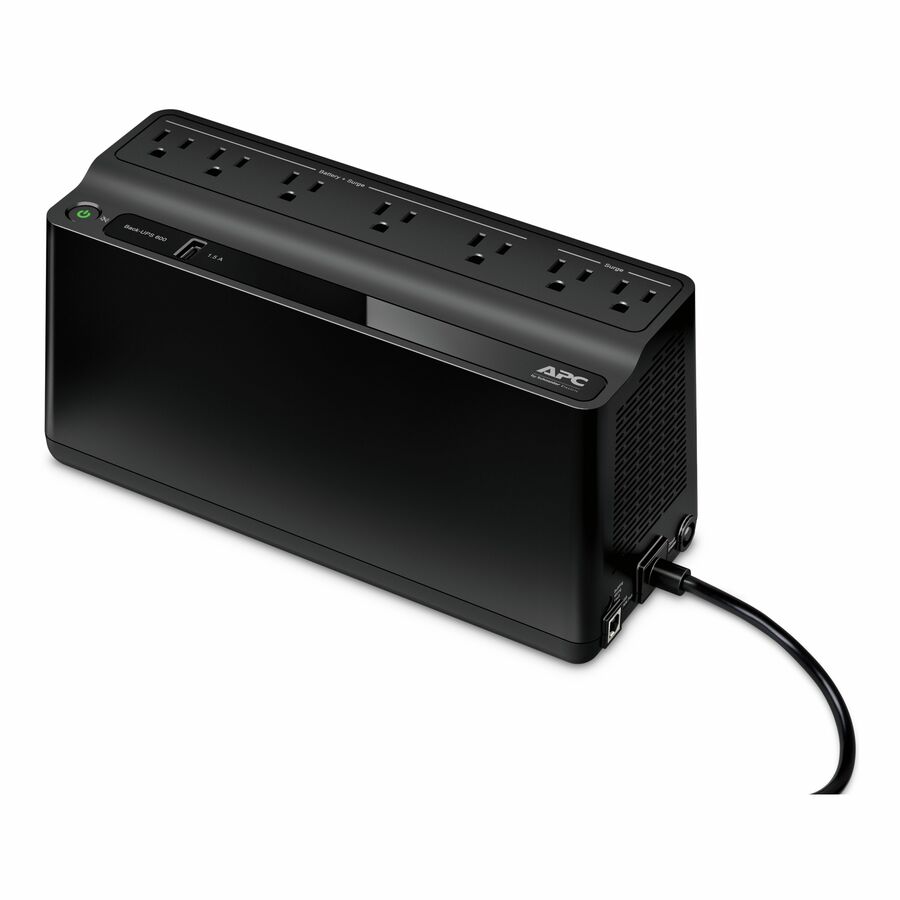
Schneider Electric
APC Back-UPS 600VA, 120V, 1 USB charging port, 7 NEMA outlets (2 surge)
BE600M1
A 600 VA tower UPS with seven outlets, two of them surge-only — the size for one workstation or a small appliance that must shut down in order.
Size on watts, not on outlet count: the VA figure and the real load table decide runtime, and surge-only outlets carry no battery.
$124.60In stockUPS with a display
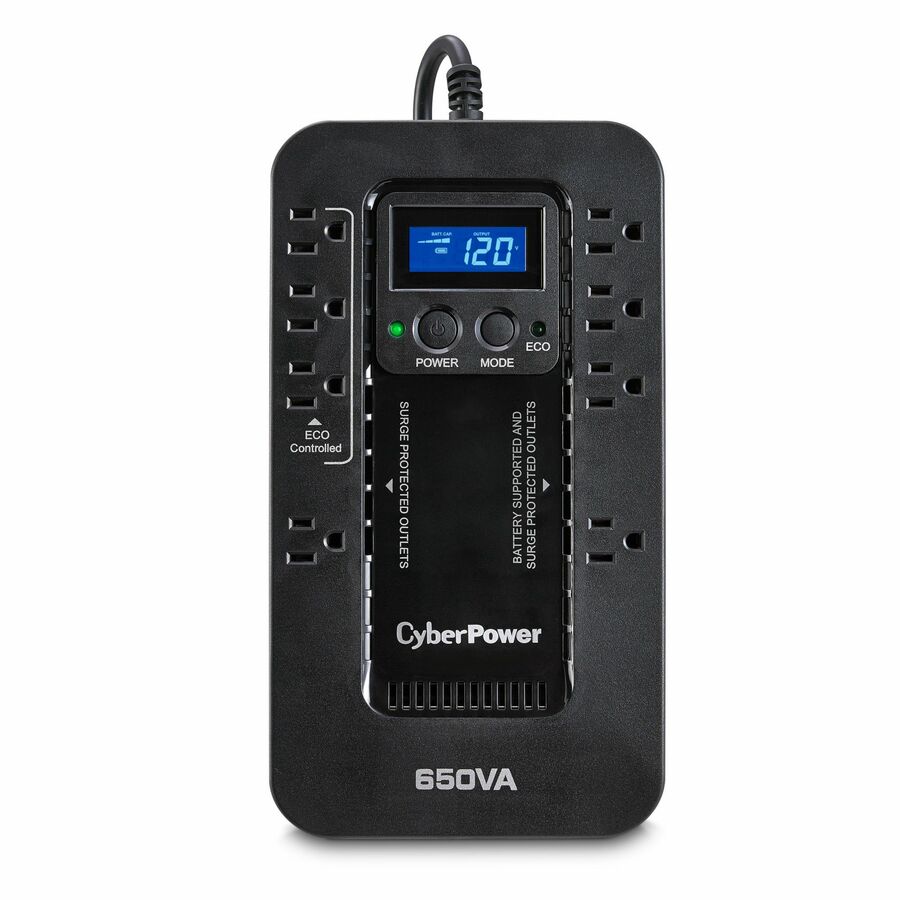
CyberPower Systems
CyberPower EC650LCD Ecologic UPS Systems
EC650LCD
A 650 VA / 390 W compact UPS with an LCD, so load and runtime can be read at the desk rather than inferred from indicator lights.
$108.81In stockSurge protector
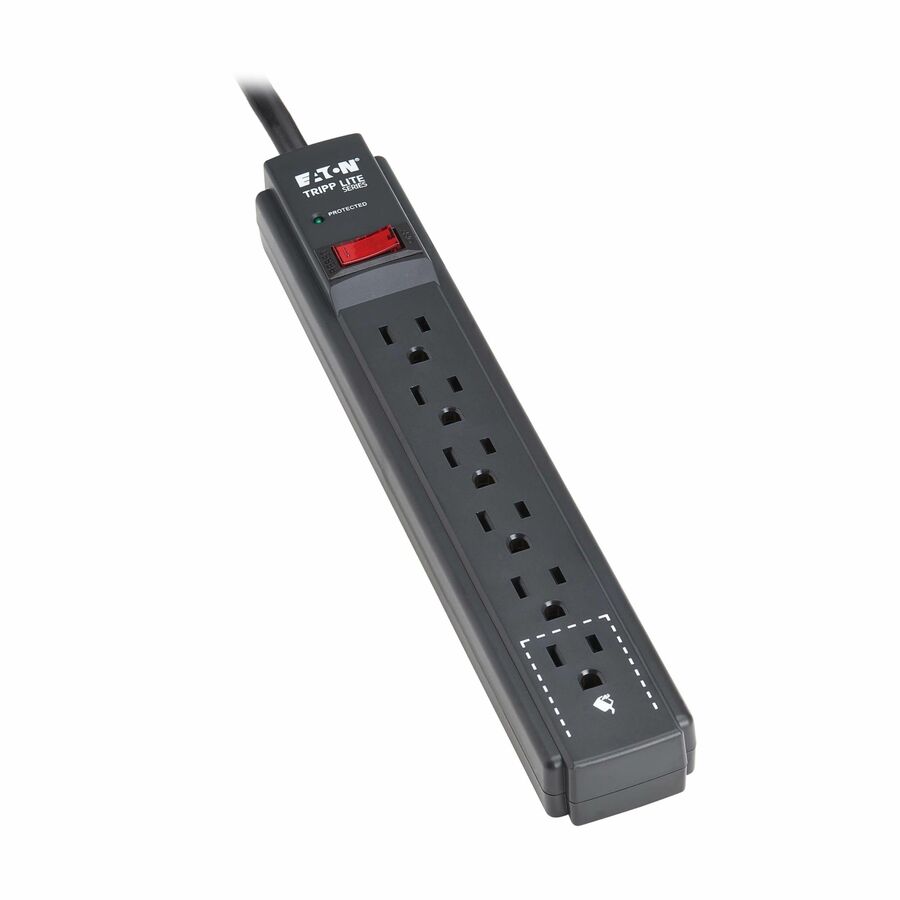
Eaton
Eaton Tripp Lite Series Protect It! 6-Outlet Surge Protector
TLP63B
A six-outlet 600 joule surge protector for equipment that can simply stop when the power does — printers, monitors, chargers.
$18.40In stockShop it at Uniqcli
FAQ
Common questions
- Is a UPS also a surge protector?
- Many UPS products include surge protection, but the exact rating and protected modes vary. Verify current listing and specifications. A point-of-use UPS does not automatically replace coordinated service-entrance and distribution SPDs.
- Will a surge protector keep my computer on during an outage?
- No. A surge protector limits transient overvoltage but does not contain a backup source. Use a correctly sized UPS when the system must ride through or shut down cleanly.
- Can I plug a surge protector into a UPS?
- Only if the exact UPS manufacturer and electrical design permit it. Schneider Electric advises against this for APC Back-UPS and Smart-UPS products. Follow the selected model’s manual and use supported power distribution.
- Do I need both a whole-building SPD and a UPS?
- They address different risks and may be used together in a coordinated design. The facility SPD handles its intended surge location; the UPS provides continuity and model-specific conditioning. Have a qualified professional review coordination and grounding.
- Does a higher joule rating always mean a better surge protector?
- No. Listing, device type, VPR, MCOV, protection modes, current ratings, installation, status indication, and system exposure matter. Do not rank unlike products on one marketing number.
- Should I use UPS or surge protector?
- Use a UPS wherever losing power abruptly costs you something — a server or storage array that must shut down in order, a firewall or switch that has to stay up through a generator start, a till or a controller. Use a surge protector for equipment that can simply stop and be switched on again. They are not alternatives so much as different jobs, which is why sites commonly have a coordinated surge design at the service entrance and UPS units at the equipment that needs continuity.
- What should not be plugged into an UPS?
- Anything with a high inrush or a heating element, unless the UPS manufacturer explicitly approves it: laser printers, motors and pumps, space heaters, vacuums and similar loads can trip the inverter or damage it. Medical and life-safety equipment needs engineering approval rather than an available outlet. Manufacturers also advise against daisy-chaining a surge strip or another UPS into the outlets, so check the model's own manual before adding a load.
- Is it okay to leave UPS plugged in all the time?
- Yes — that is how they are designed to run, and the unit keeps the battery charged and monitored while it is connected. What continuous operation does mean is that batteries age on a schedule: they wear out on a service life measured in years and need replacing whether or not there has been an outage. Follow the manufacturer's storage guidance if a unit will sit unplugged for a long period, since a discharged battery left uncharged degrades faster.
- Can a UPS be used as a surge protector?
- Most UPS units do include surge protection, so within the limits of the model it can serve both roles at that outlet. What it does not do is replace a coordinated design: a point-of-use device protects only what is plugged into it, while a service-entrance surge protective device handles the larger events arriving on the building supply. Check the specific model's protected modes and ratings — they vary widely, and the surge-only outlets carry no battery.