
Short answer
Historically a docking station used a vendor-specific bottom or side connector and supplied the laptop's power, while a port replicator hung off standard USB and did not. USB-C and Thunderbolt collapsed that split, so vendors now use both words for the same product. On a current quote the deciding facts are the wattage delivered to the laptop and how many displays it drives.
Key facts
- Thunderbolt 4 requires 40 Gb/s of bandwidth, the same figure as Thunderbolt 3.
- A Thunderbolt 4 port must be able to drive up to two 4K 60 Hz displays.
- Thunderbolt 4 raised the minimum PCIe data requirement from 16 Gb/s to 32 Gb/s.
- DisplayPort Alt Mode repurposes the USB-C connector's SuperSpeed lanes to carry native DisplayPort video, plus data and up to 100 W of power on one cable.
- If a device has no power supply of its own it is a hub, whatever the listing calls it: charging the host requires a powered device.
A port replicator, in the strict sense, is a passive pass-through device: it takes the signals your laptop already exposes over a single connector — usually USB-C — and fans them out into HDMI, USB-A, and sometimes Ethernet, without adding its own power supply or any independent capability. A docking station is a powered device with its own AC adapter that adds capability the laptop alone does not offer: USB Power Delivery host charging, multiple external displays, full-speed wired networking, and a bank of powered peripheral ports. Vendor marketing has blurred the terms — plenty of products labeled port replicators are actually powered docks, and vice versa — so the name on the box matters less than the spec sheet. For a procurement decision, the useful distinction is powered versus passive, and what each design can actually drive at the desk.
The tradeoff is straightforward. A passive replicator or travel hub is inexpensive, pocketable, and has no firmware to manage, but it lives inside the laptop's own power and bandwidth budget: typically one external display over DisplayPort alt mode, USB data sharing the same lanes, little or no host charging, and peripheral power measured in single-digit watts. A powered docking station costs several times more per seat but converts one cable into a complete workstation — commonly 60 to 100 W of host charging under USB PD 3.0, dual or triple displays, gigabit or 2.5-gigabit Ethernet, and enough powered ports for the whole desk. For a managed fleet the decision is rarely per-user: standardizing on one dock model simplifies imaging, firmware updates, hot-desking, and spares, so the fleet question deserves as much weight as the port count.
At a glance
Side by side
| Factor | Docking station | Port replicator |
|---|---|---|
| Power source | Own AC adapter (externally powered) | Typically bus-powered by the laptop |
| Host charging | USB PD, commonly 60–100 W (PD 3.1 EPR reaches up to 240 W) | Usually none; the laptop keeps its own charger |
| External displays | Dual or triple via Thunderbolt, DisplayPort MST, or DisplayLink | Typically one, via DP alt mode |
| Video path | Native alt mode/Thunderbolt, DisplayLink, or both | Passive DP alt-mode pass-through only |
| USB bandwidth | Dedicated headroom on Thunderbolt 3/4 (40 Gbps) class docks | Display and USB 3.x data share the same USB-C lanes |
| Networking | Gigabit or 2.5 GbE common, often with MAC address pass-through | Optional; usually a basic USB-attached adapter |
| Firmware and manageability | Updatable firmware, fleet-management tooling from major vendors | Fixed-function; nothing to update or manage |
| Cost and portability | Higher cost, desk-bound with an external power brick | Low cost, pocketable |
| Best fit | Permanent and shared desks, single-cable workstations | Travel kits and occasional connections |
Choose a docking station when
- You want a true single-cable desk: one connection delivers host charging, displays, wired Ethernet, and peripherals
- Users run two or more external displays, which requires Thunderbolt, DisplayPort MST, or DisplayLink rather than a passive adapter's single alt-mode stream
- Wired networking matters — imaging, PXE boot, 802.1X, or call quality — and you want full-speed Ethernet with MAC address pass-through for fleet tools
- Desks are shared or hot-desked, so a standardized, always-connected dock must work with whatever laptop arrives
- You manage a fleet and need updatable firmware, consistent spares, and a single SKU across hundreds of desks
- Peripherals draw real power — external drives, webcams, conference cameras — beyond what a bus-powered device can feed
Choose a port replicator when
- The use case is travel: presenting on a projector, borrowing a monitor, or connecting a USB-A device on the road
- One external display over DP alt mode is enough and the laptop's own charger stays on the desk
- Cost per seat must stay minimal, as with loaner pools, spares drawers, or short-term contractors
- Users work mostly wireless and only occasionally need a legacy port fanned out
- You want zero firmware and zero drivers — a passive device that cannot break with an OS update
Bottom line
Treat the choice as desk versus bag. A powered docking station is the right default for any permanent or shared desk in a managed fleet: one cable delivers charging, displays, wired Ethernet, and peripherals, and one standardized model keeps firmware, spares, and support predictable. A passive port replicator earns its place as a travel companion or occasional-use adapter, where low cost and zero configuration outweigh its single-display, limited-power ceiling. Most organizations end up buying both — docks at the desk, replicators in the bag — so specify them as two separate line items rather than forcing one device to do both jobs badly.
Products for this decision
Certified Thunderbolt 4
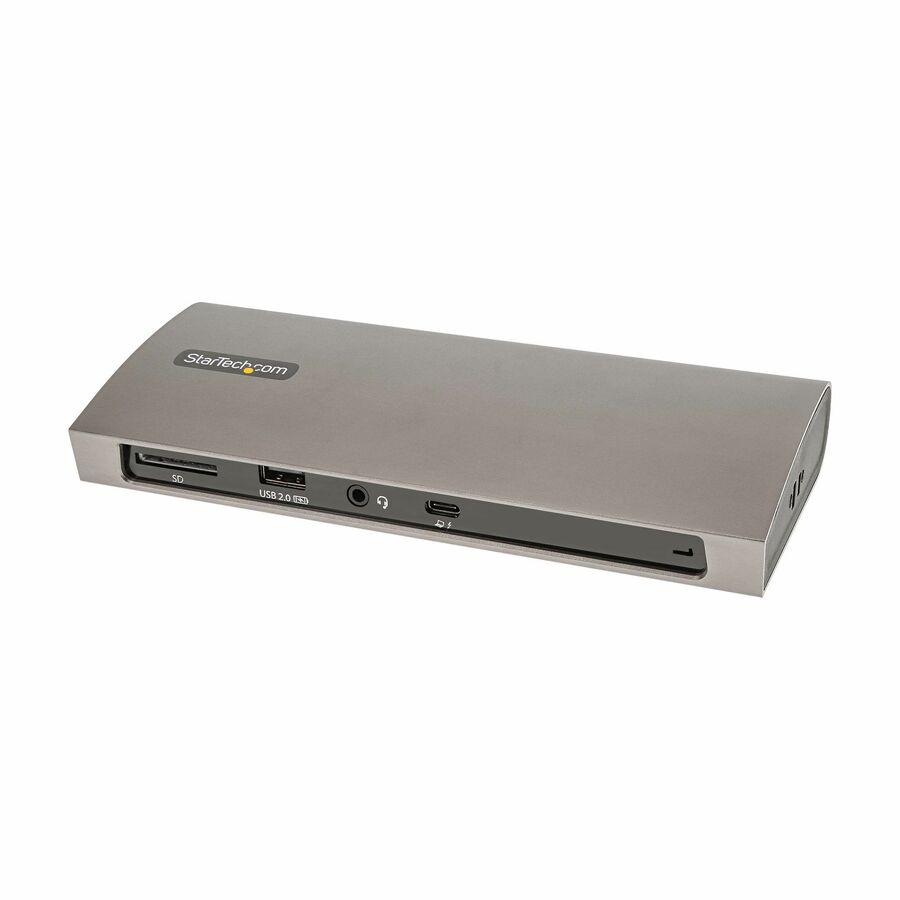
StarTech.com
StarTech Thunderbolt 4 Dock, 96W Power Delivery, Single 8K / Dual…
TB4CDOCK
A Thunderbolt 4 dock with its own 96 W supply, three TB4/USB4 ports, four USB-A, SD and gigabit Ethernet — the powered end of the category.
Match the dock's power delivery to the highest-wattage laptop in the fleet, not the average one.
$156.39In stockUSB-C, dual display
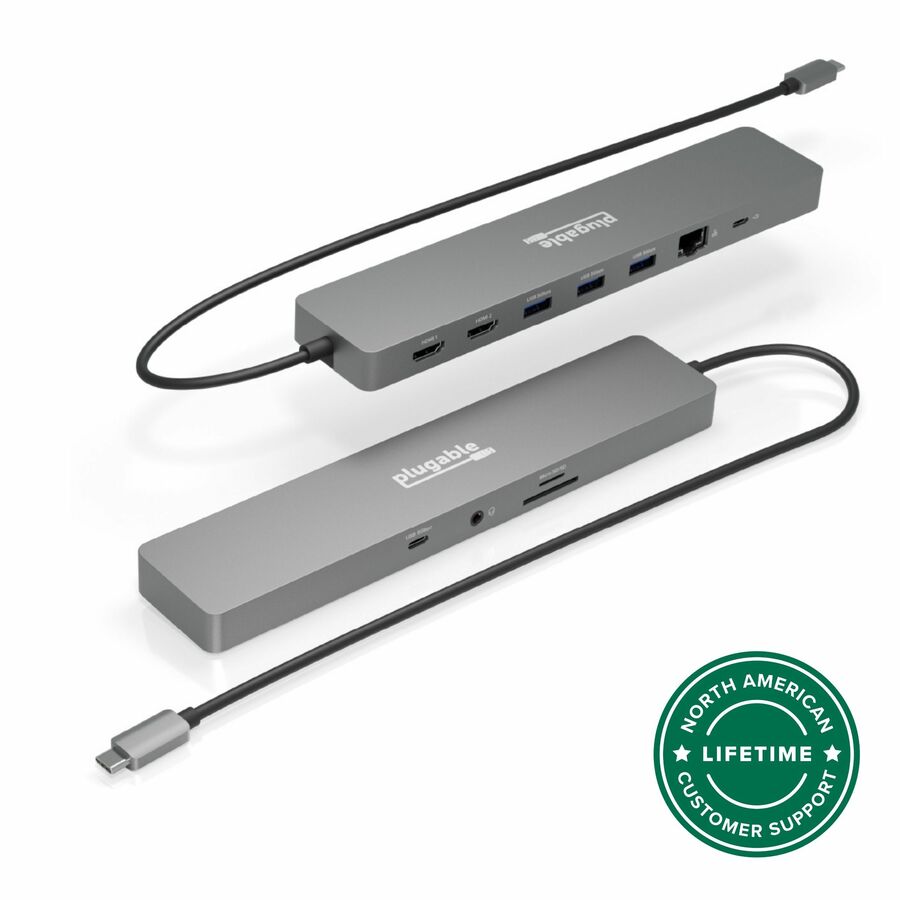
Plugable Technologies
Plugable 11-in-1 USB-C Hub 100W USB-C Pass-through, Laptop Docking…
USBC-11IN1E
An eleven-port USB-C dock with 100 W pass-through charging and dual 4K 60 Hz output, driverless — a dock by function whatever the box says.
$126.45In stockThe hub end
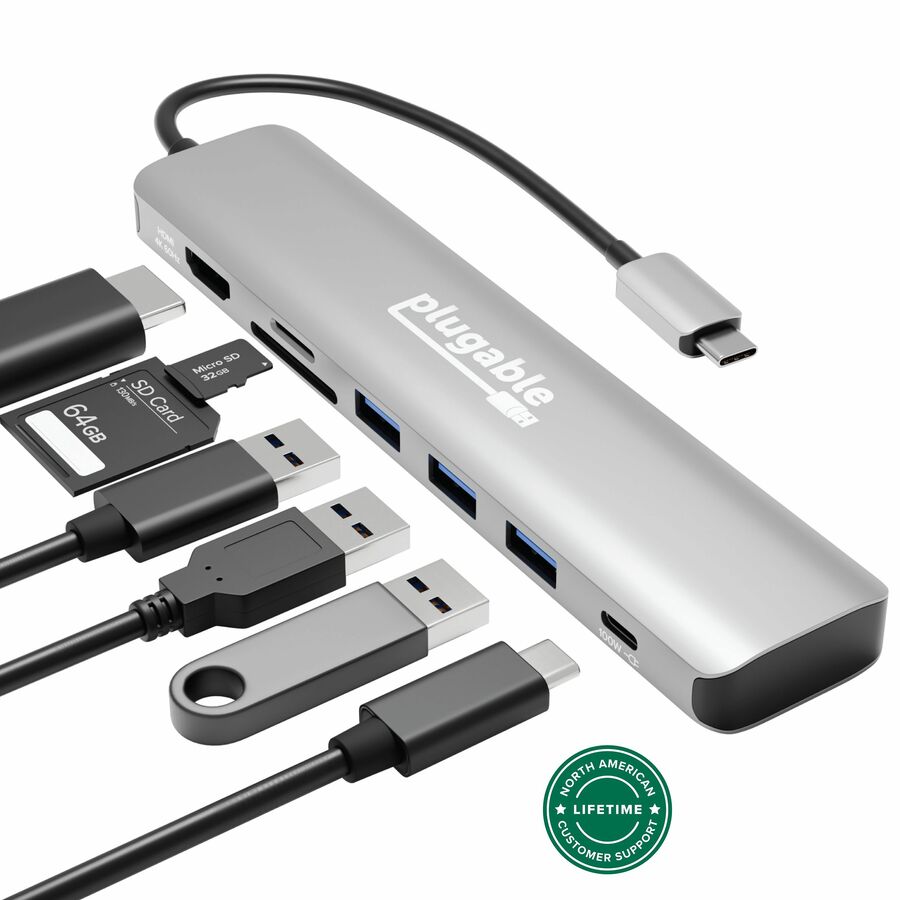
Plugable Technologies
Plugable USB-C Hub 7-in-1, Driverless USB C Hub
USBC-7IN1
A seven-in-one USB-C hub with one HDMI output and a card reader. It fans ports out and passes charge through; it is not a powered dock.
$48.91In stockFAQ
Common questions
- What is the actual difference between a docking station and a port replicator?
- A port replicator passively passes through and fans out the connections your laptop already provides, with no power supply of its own. A docking station is externally powered and adds capability: USB Power Delivery host charging (commonly 60–100 W), multiple displays, full-speed Ethernet, and powered peripheral ports. Vendors use the two terms loosely, so check for an AC adapter and a stated host-charging wattage on the spec sheet rather than relying on the product name.
- What is the difference between DisplayLink and DisplayPort alt mode?
- DisplayPort alt mode routes native video from the laptop's GPU through the USB-C connector — no drivers and no CPU overhead, but display count and resolution are limited by the host's alt-mode lanes. DisplayLink compresses video in software and sends it as ordinary USB data to a decoder chip in the dock, enabling extra displays on hosts that lack native bandwidth, but it requires installed drivers and adds CPU load — a consideration in locked-down or VDI environments where driver installs are restricted.
- Do I need a Thunderbolt dock, or is a USB-C dock enough?
- A USB-C dock is sufficient for one or two displays and everyday peripherals on most business laptops. Thunderbolt 3 and 4 docks carry 40 Gbps and guarantee more headroom — a Thunderbolt 4 host must support two 4K 60 Hz displays and 32 Gbps of PCIe data — which matters for multi-display setups, faster networking, or external storage. Our Thunderbolt 3 vs Thunderbolt 4 and USB-C vs USB 3 comparisons cover the host-side requirements in detail.
- Why doesn't my dock or port replicator charge my laptop?
- Host charging requires USB Power Delivery from an externally powered device, so a bus-powered port replicator usually cannot charge the laptop at all. With powered docks, wattage must meet the laptop's requirement: a 90 W workstation laptop on a 60 W dock may charge slowly, discharge under load, or warn about a low-power adapter. Match the dock's PD output to the highest-wattage laptop in the fleet — USB PD 3.0 supplies up to 100 W, and PD 3.1 EPR extends to 240 W.
- What is the difference between a port and a dock?
- A port is a single connector on the machine; a dock is a separate box that turns one of those ports into many. Plugging a dock into one USB-C or Thunderbolt port gives you displays, Ethernet, USB-A and card slots the laptop does not have — and, if the dock is powered, charges the laptop back down the same cable.
- Do I really need a docking station?
- You need one when a single cable has to carry more than the laptop's own ports can. If the desk has two monitors, wired Ethernet and a few peripherals, a dock replaces four or five connections with one and charges the machine at the same time. If it is one monitor and a keyboard, a hub or a direct cable does the job for a fraction of the money.
- What is the difference between a USB hub and a port replicator?
- In current usage, very little — both fan one port out into several. The distinction that still matters is power: a bus-powered hub or replicator draws from the laptop and cannot charge it, while a device with its own wall adapter can. Read the spec sheet for an AC adapter and a stated charging wattage rather than the product name.
- Should I use a docking station or a hub?
- Use a dock if the laptop should charge over the same cable, or if you need two displays, gigabit Ethernet and several powered peripherals at once. Use a hub if you need a couple of extra ports and one screen, and the laptop keeps its own charger. The hub is smaller, cheaper and travels; the dock is the desk.
Sources