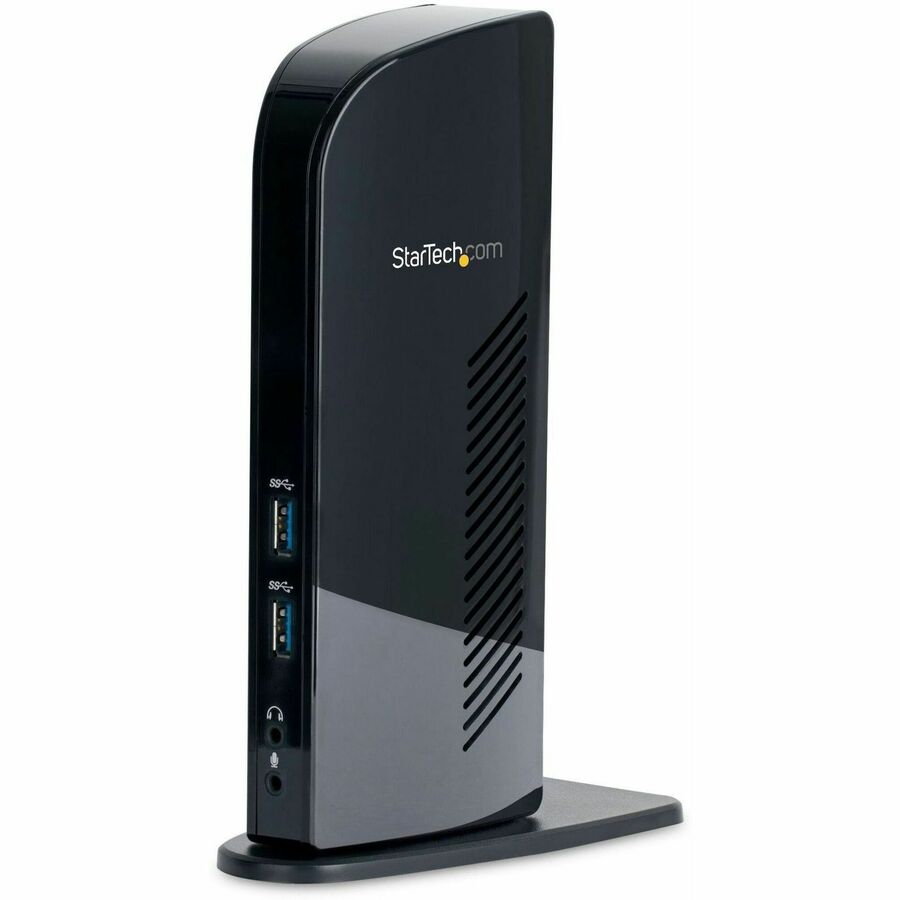
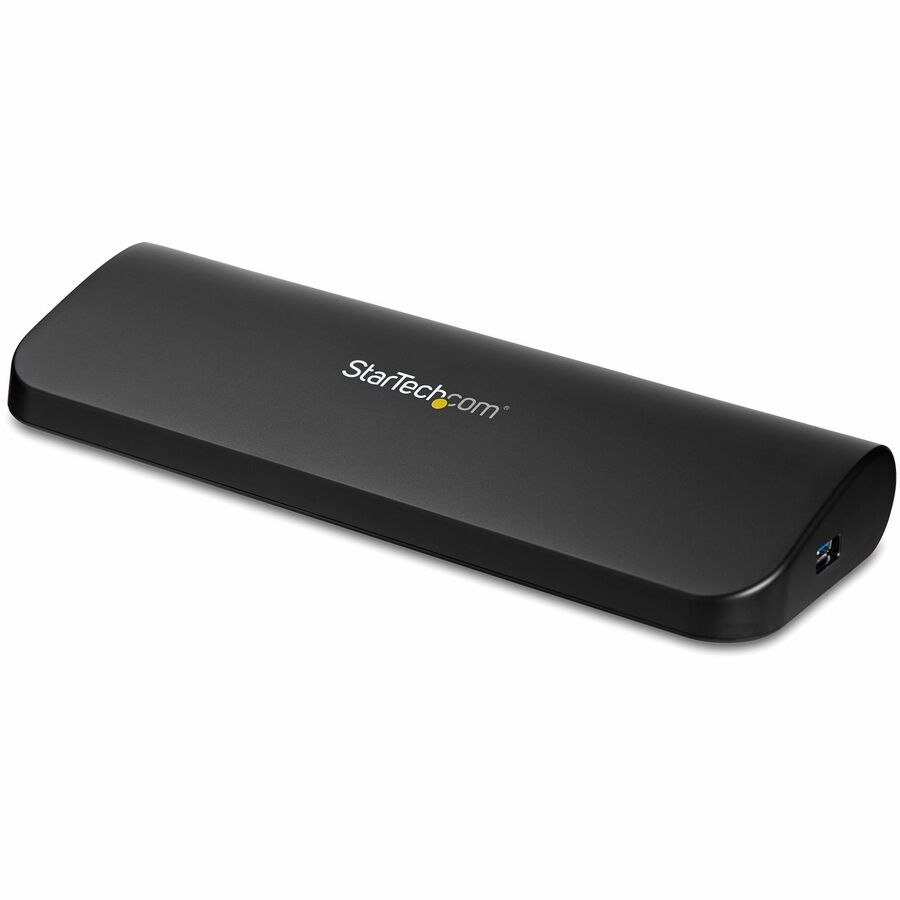
Loading the product…
Loading the product…
Attention: Due to high order volume, orders may require an additional business day to process.
and Windows, Universal USB-C Dock with 100W Laptop Charging and 2.5GbE
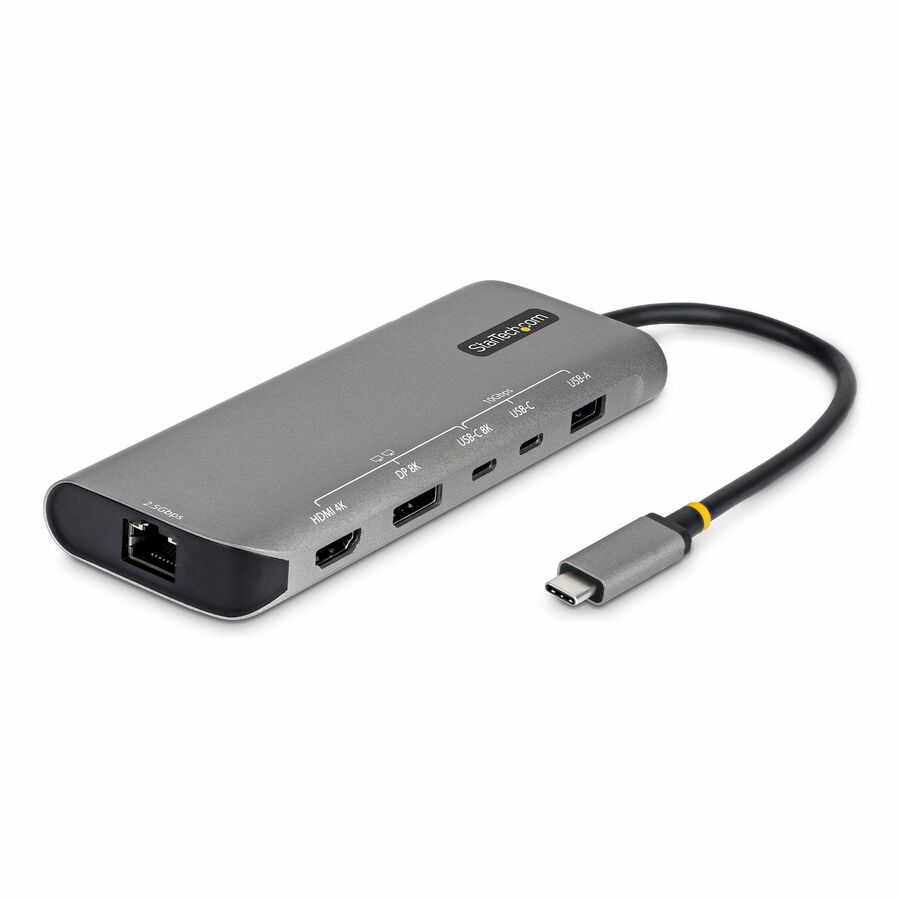
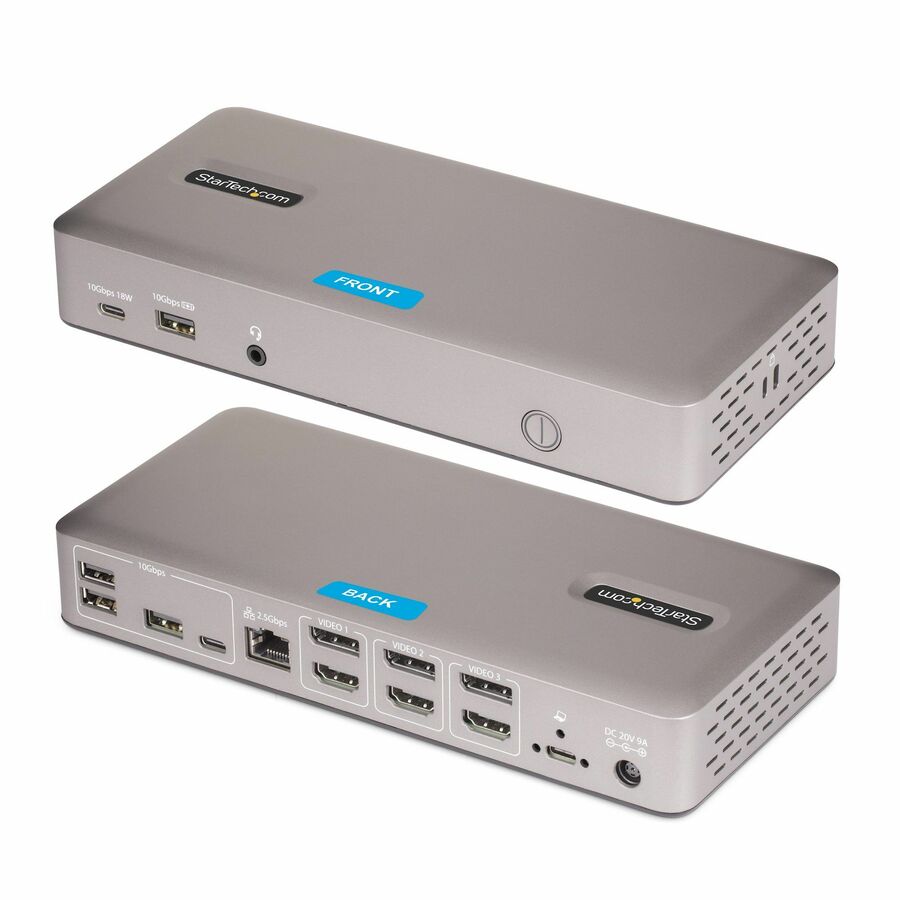
Standardize on USB4 with a single driverless dock; Compatible with M4 / M5 MacBook Pro, MacBook Air, and Windows laptops; Faster rollouts with fewer Tickets; Dual 4K 144Hz or single 8K 60Hz, 2.5GbE, 100W PD, PXE Boot, WoL; Laptop lock slots built in
MSRP$151.99
$139.83
Save 8%In stock: 53
Genuine StarTech.com through authorized distribution — NDAA §889 screened before checkout.
This universal USB4/Thunderbolt dock lets IT teams deploy high-performance dual-display workstations with secure networking and simple, driverless setup.
Standardize Your Docking Strategy
Simplify mixed-device environments with a single USB4 docking station that works seamlessly across Mac and Windows. Native USB4 support on the latest MacBook Pro, MacBook Air, and business laptops makes it easier than ever to consolidate and eliminate compatibility gaps.
Dual 4K on Mac Without Compromise
Unlock true driverless dual 4K video on macOS without investing in costly Thunderbolt 4 docks. Deliver consistent multi-display performance across teams while maintaining the flexibility IT needs for modern deployments.
Built for Fast, Low-Touch Deployments
Reduce setup time and avoid OS-specific workarounds with plug-and-play performance. This dock helps minimize help desk tickets and ensures predictable behavior in hot-desking and shared workspace environments.
Performance That Scales With Your Workspace
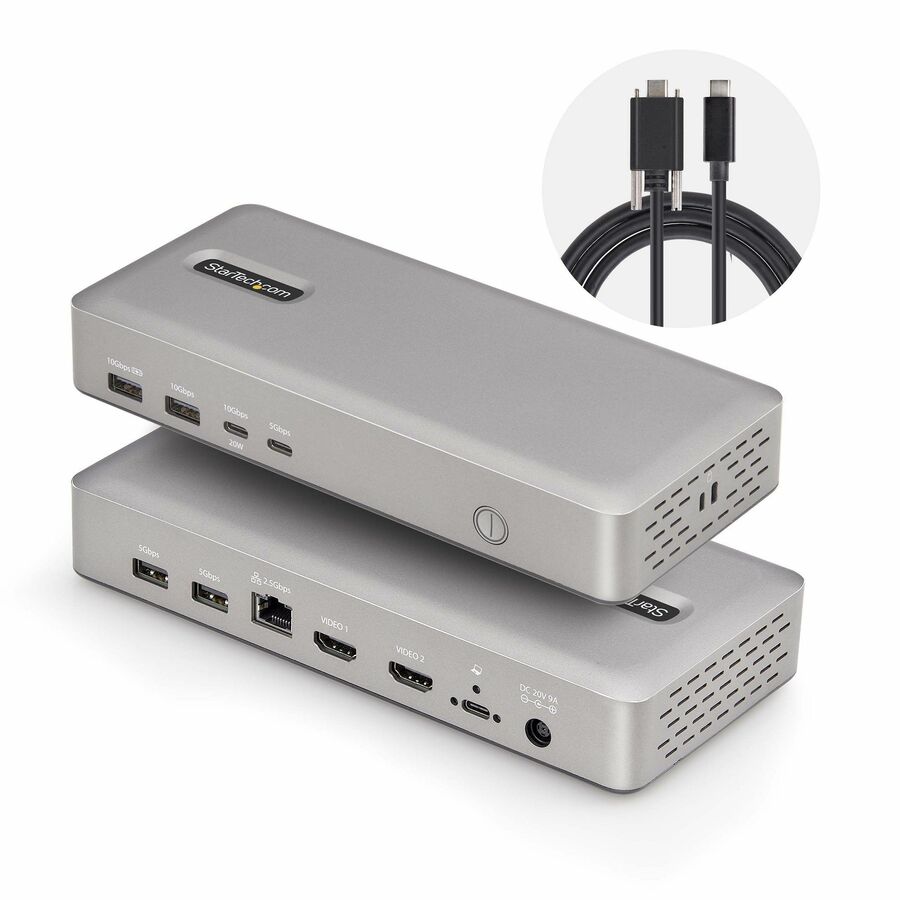
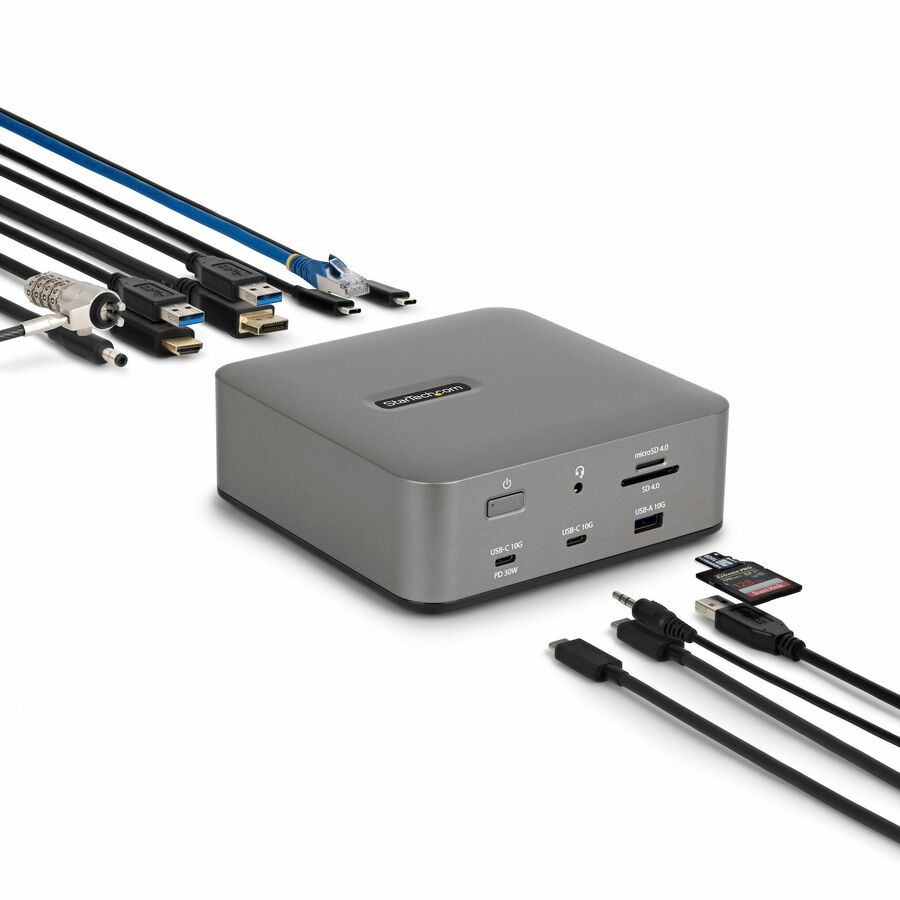
Support demanding workflows with dual 4K 144Hz or single 8K 60Hz video, 2.5GbE network speeds, and 100W laptop charging through one connection. Enable advanced IT features like PXE Boot and Wake-on-LAN for easier remote management.
Designed for Real-World IT Environments
Integrated lock slots and VESA or surface mounting options deter theft and tampering. The included locking USB-C host cable prevents accidental disconnections, or lost and missing cables in hot-desk and meeting spaces. Keep critical systems connected, organized, and protected in high-traffic environments. This hub also features a housing made from 75% post-consumer recycled (PCR) plastic, and the product ships in FSC Mix packaging made from responsibly sourced materials to help align your IT infrastructure with your organization's sustainability goals.
Enhance Productivity and Device Management with the StarTech.com Connectivity Tools Application
Developed to improve performance and security, StarTech.com Connectivity Tools is the only software suite on the market that works with a wide range of IT connectivity accessories. The software suite includes:
• Advanced Window Layout Utility: To set up and save custom window layouts.
• MAC Address Pass-Through Utility: To improve network security.
• USB Event Monitoring Utility: To track and log connected USB devices.
• Wi-Fi Auto Switch Utility: Enabling users to quickly access faster network speeds via wired LAN.
More from the Manufacturer
One Dock, Every Desk
Mixed Mac and Windows environments often create deployment friction, especially when display support, drivers, and compatibility vary by device. This USB4 docking station removes that complexity with a single, driverless solution that works consistently across modern laptops. IT teams can standardize on one dock, reduce support tickets, and deliver predictable dual-display performance without workarounds.
This universal USB4 dock supports dual 4K displays on both macOS and Windows, up to 100W laptop charging, and 2.5GbE networking through a single connection. It connects through USB4, Thunderbolt 4, or Thunderbolt 5, making it a practical choice for new deployments and refresh cycles. With plugand-play setup, integrated security features, and enterprise-grade testing, it fits seamlessly into shared desks, offices, and large-scale rollouts.
Why Businesses Choose the 208N-USB4-DOCK
Standardize Across Mac & Windows
Deploy a single USB4 docking station across mixed-device environments without compatibility exceptions. Native USB4 support on modern MacBook Pro, MacBook Air, and Windows laptops enables consistent performance and simplifies procurement decisions.
Driverless Dual 4K Simplicity
Enable dual 4K displays on macOS and Windows without installing drivers. Native GPU-based video output reduces deployment complexity, avoids ongoing driver maintenance, and ensures predictable multidisplay performance.
Standardize & Deploy with Confidence
Streamline IT deployments with true plug-andplay functionality. Reduce help desk volume, and deliver a consistent user experience in shared desks and hot-desking environments. All our products are rigorously tested for compatibility, performance and reliability at our in-house Innovation Lab.
Q&A
Q: Do I need to install drivers for this USB4 docking station?
A: No. This is a driverless USB4 docking station that uses native display and connectivity support on Windows 11 and macOS. IT teams can deploy without installing or maintaining drivers (i.e. DisplayLink), which simplifies imaging, reduces ongoing updates, and avoids OS-specific troubleshooting. This is especially valuable in large-scale deployments and shared desk environments where consistency matters.
Q: Does this dock support dual 4K displays on macOS?
A: Yes. This dock enables dual 4K external displays on macOS without requiring DisplayLink drivers. It uses native USB4 and GPU-based video output, allowing extended mode across two monitors. This avoids the common macOS limitation seen with MST-based docks, which typically only support a single external display. Always confirm your Mac supports USB4 or Thunderbolt with dual display capability.
Q: What display resolutions and refresh rates are supported?
A: This dock supports up to dual 4K displays at high refresh rates or a single 8K 30Hz display, depending on your host system and display configuration. It uses DisplayPort 1.4 and supports HDR, deep color, and multiple color formats. Actual performance depends on the capabilities of your laptop GPU and USB4 or Thunderbolt connection.
Q. Does the USB-C MFDP port support video and data at the same time?
A: The USB-C MFDP port supports
either video output (up to 8K 30Hz) or up to 10Gbps data transmission. Plan desk kits accordingly if that port is needed for a display.
Q: What laptops are compatible with this USB4 dock?
A: This docking station is compatible with USB4, Thunderbolt 4, and Thunderbolt 5 laptops running Windows 11 or macOS 15 and newer. It is well suited for modern MacBook Pro, MacBook Air, and business-class Windows laptops. For best results, ensure your device supports USB4 with full video output capability.
Q: Does this dock support advanced network management features?
A: Yes. The integrated 2.5GbE port supports Wake-on-LAN and PXE Boot, making it suitable for managed IT environments. These features help IT teams with remote updates, system imaging, and device management across distributed workforces.
Q: Can I use my laptop display along with external monitors?
A: Yes. Your laptop display can remain active while using external monitors. This allows for multi-screen workflows with two external displays plus the internal screen, depending on your system configuration and GPU capabilities.
Q: Is this docking station suitable for shared desks and hot-desking?
A: Yes. The dock is designed for shared environments with features like a locking USB-C host cable, integrated lock slot support, and optional VESA or surface mounting. These features help prevent accidental disconnections, reduce cable loss, and keep workspaces organized in high-traffic areas.
Q: What makes this dock a good choice for IT standardization?
A: This USB4 docking station reduces SKU sprawl by working across Mac and Windows without drivers. It delivers consistent dual-display performance, simplifies deployment, and lowers total cost of ownership over time. IT teams benefit from predictable behavior, fewer compatibility exceptions, and reduced support overhead across the device lifecycle.
Limited Warranty: 3 Year
The StarTech.com Advantage We simplify the lives of IT Professionals by making it easy to find the connectivity accessories and information they need and getting products to their project sites quickly. StarTech.com products are designed by IT pros, for IT pros, to meet their rigorous technical performance requirements. Who We Are While we may manufacture IT connectivity accessories, StarTech.com is truly in the business of making the lives of IT professionals easy. Founded in 1985 in London, Ontario, Canada by Paul Seed and Ken Kalopsis, StarTech.com has always been dedicated to solving technology problems faced by IT professionals. Originally known as StarTech Computer Accessories, the company had very humble beginnings as a “Visa Card” funded operation, manufacturing products like computer dust covers in the basement of a house. By focusing on the needs of our customers and continual innovation, StarTech.com has evolved into a global organization offering accessories that support over 200 different technologies, from legacy to the latest. StarTech.com Founder and CEO, Paul Seed’s dedication to making IT solutions easy to implement has not wavered, nor has his passion for the community. From individual contributions to organization wide campaigns, StarTech.com is committed to staying connected to the community and supporting non-profit organizations across the globe.
| General Information | |
|---|---|
| Manufacturer | StarTech.com |
| Manufacturer Part Number | 208N-USB4-DOCK |
| Brand Name | StarTech.com |
| Product Name | Docking Station |
| Packaged Quantity | 1 |
| Product Type | Docking Station |
| Interfaces/Ports | |
| Host Interface | USB4 |
| Total Number of USB Ports | 6 |
| Number of USB 3.2 Gen 2 Type-A Ports | 2 |
| Number of USB 3.2 Gen 2 Type-C Ports | 1 |
| Number of USB Type-C Ports | 2 |
| USB Type-A | Yes |
| USB Type-C | Yes |
| USB Type-C Detail | 1 x USB 3.2 Type-C (24 pin, 10Gbps, DP Alt-Mode Video), 1 x USB 3.2 Type-C (24 pin, Gen 2, 10Gbps) |
| Number of USB Type-A Ports | 3 |
| Number of RJ-45 Ports | 1 |
| Network (RJ-45) | Yes |
| Number of DisplayPorts | 2 |
| DisplayPort | Yes |
| USB Power Delivery | 100W |
| USB4 | Yes |
| Number of USB4 Ports | 1 |
| Total Number of Ports | 9 |
| Network & Communication | |
| Ethernet Technology | 2.5 Gigabit Ethernet |
| Physical Characteristics | |
| Product Color | Space Gray |
| Height | 1.10" |
| Width | 3.10" |
| Weight (Approximate) | 11.20 oz |
| Power Description | |
| Maximum Power Supply Wattage | 100 W |
| Software | |
| Operating System Supported | Windows 10, Windows 11, macOS Big Sur, macOS Monterey, macOS Ventura, macOS Sonoma, macOS Sequoia 15, macOS Tahoe 26.0, Ubuntu 24.04, ChromeOS |
| Technical Information | |
| Connectivity Technology | Wired |
| Charging Capability | Yes |
| Number of Displays Supported | 2 |
| Device Supported | Notebook, Workstation, MacBook, Monitor |
| Supported Resolutions | 7680 x 4320, 3840 x 2160 |
| Screen Mode Supported | 8K @ 60Hz, 4K @ 240Hz, 4K, 4K @ 144Hz |
| Management Features | PXE Boot, Wake-on-LAN, MAC Address Pass-through |
| Warranty | |
| Limited Warranty | 3 Year |
| Miscellaneous | |
| Package Contents |
|
| Kensington Security Slot | Yes |
| Compatibility | Apple Products: M4 / M5 MacBook Pro MacBook Air |
| Environmental Compliance | Waste Electrical and Electronic Equipment Directive (WEEE), Restriction of Hazardous Substances (RoHS) |
Matched on USB4 · Notebook
Send a bill of materials or part numbers — we confirm stock and a below-market total, with TAA verified on request. No payment up front.