Loading the product…
Loading the product…
Attention: Due to high order volume, orders may require an additional business day to process.
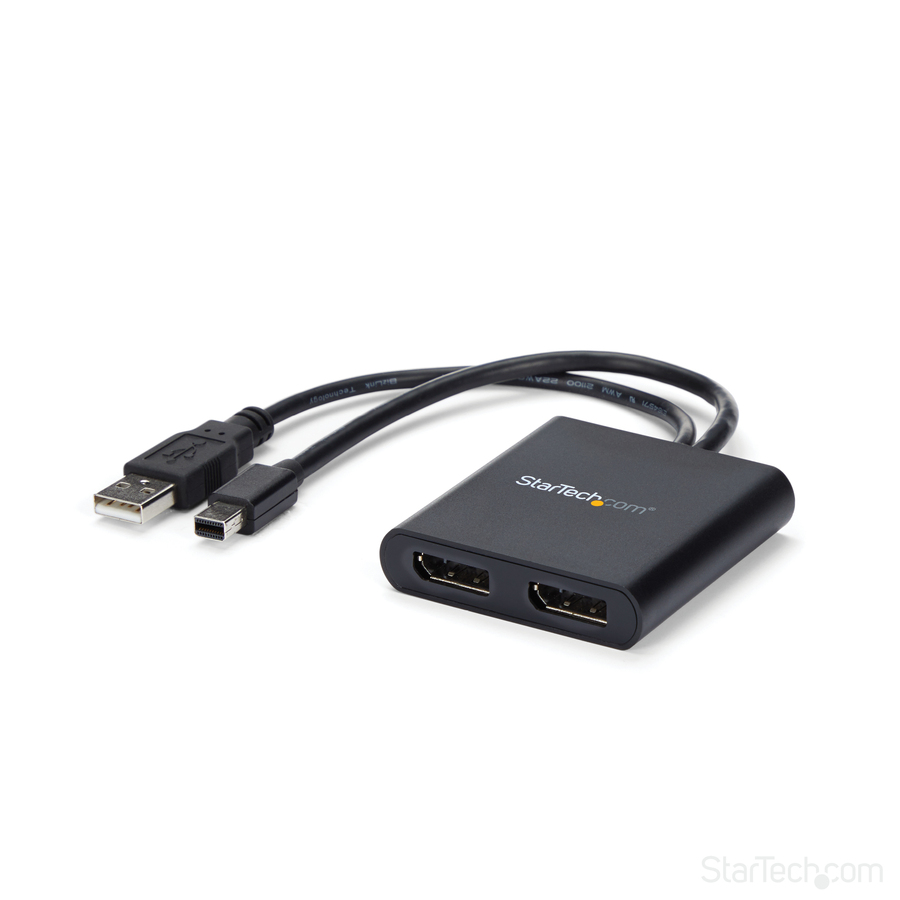
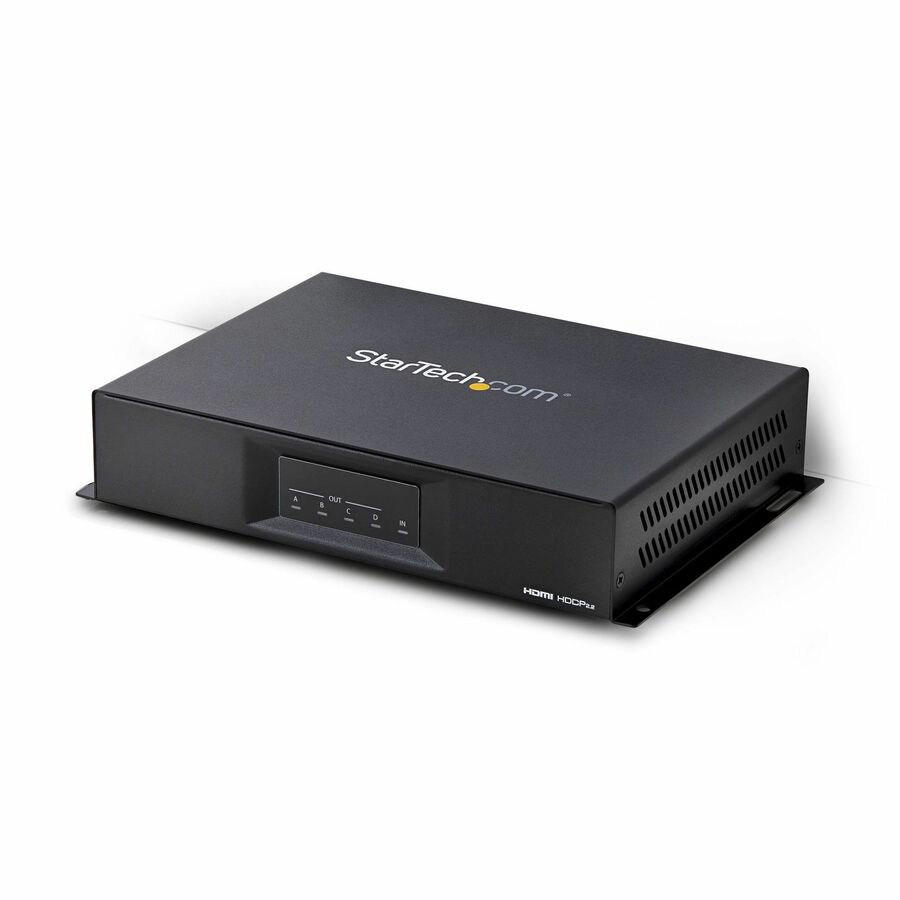
Multi-Monitor Adapter, Dual 4K 30Hz and 1080p Computer MST Hub, Windows
3-port DisplayPort multi-monitor adapter drives 2x 4K 30Hz + 1x 1080p 60Hz DP displays to extend or mirror your desktop; DP 1.2/HBR2/MST; MST Hub/video splitter w/latching DP connector; Universal Power Adapter included; No Drivers / Windows only
MSRP$68.99
$63.47
Save 8%In stock: 6
Genuine StarTech.com through authorized distribution — NDAA §889 screened before checkout.
Country of origin is manufacturer-reported and can vary by production lot. Where TAA applies to your purchase, we verify the shipping unit's origin on request.
This MST hub lets you connect three monitors to your DisplayPort (DP) 1.2 equipped Windows® laptop or desktop. Increase productivity with multiple screens The newest generations of computers are more portable than ever, which often means that you're left with fewer video outputs and smaller integrated screens. ThisMST hubsolves both of these problems by letting you connect three additional displays to your computer, which makes multitasking much easier. Connect to any display With the MST hub, you can use DisplayPort video adapters and cable adapters that enable you to connect HDMI, VGA or DVI displays. This ensures your MST hub will be compatible with virtually any television, monitor or projector. This MST hub is VESA and DisplayPort certified to support DP 1.2 enabled systems, for seamless integration with your existing video equipment. Configure your displays for any environment Using the MST hub, you can extend your desktop onto additional monitors and stream independent content to each display giving you the freedom to multitask and increase your productivity. You can also mirror the same image onto multiple displaysfor remote viewing applications such as digital signage. Enjoy amazing video quality, without draining system resources MST technology uses your existing video card to minimize the use of system resources while delivering Ultra HD 4K resolutions. This unprecedented performance makes MST perfect for high-resolution applications such as graphic design, gaming and medical imaging. Note: When using a DisplayPort 1.1 video card the MSTDP123DP will act as splitter, automatically mirroring your video source across all displays. Resolution limitations apply. The MSTDP123DP supports plug-and-play installation for a hassle-free setup, and is backed by a StarTech.com 3-year warranty and free lifetime technical support. Note: MST shares 21.6Gbps across all attached displays. Higher resolutions can restrict the available bandwidth with the remaining ports, please see our guideline below for determining an ideal resolution for your setup.Certain graphics adapters have limited MST support and will only output to three displays in total. If more than three monitors are attached the fourth will be disabled. Average Resolution Bandwidth Allocation 1920x1080 (High-definition 1080p) @60hz - 22% 1920x1200 @60hz - 30% 2560x1440 @60hz - 35% 2560x1600 @60hz - 38% 3840 x 2160 (Ultra HD 4K) @30hz - 38% Note: Exceeding 100% will reduce functionality. Examples of Supported Resolution Configurations Screen 1 Resolution Screen 2 Resolution Screen 3 Resolution Total % of Bandwidth 1920x1200 @60hz (30%) 1920x1200 @60hz (30%) 1920x1200 @60hz (30%) 90% 2560x1440 @60hz (35%) 2560x1440 @60hz (35%) 1920x1200 @60hz (30%) 100% 2560x1600 @60hz (38%) 2560x1600 @60hz (38%) 1920x1080 @60hz (22%) 98% 3840x2160 @30hz (38%) 2560x1600 @60hz (38%) 1920x1080 @60hz (22%) 98% 3840x2160 @30hz (38%) 3840x2160 @30hz (38%) 1920x1080 @60hz (22%) 98% Examples of Unsupported Resolution Configurations Screen 1 Resolution Screen 2 Resolution Screen 3 Resolution Total % of Bandwidth 2560x1600 @60hz (38%) 2560x1600 @60hz (38%) 1920x1200 @60hz (30%) 106% 3840x2160 @30hz (38%) 2560x1600 @60hz (38%) 1920x1200 @60hz (30%) 106% 3840x2160 @30hz (38%) 2560x1600 @60hz (38%) 2560x1440 @60hz (35%) 111% 3840x2160 @30hz (38%) 3840x2160 @30hz (38%) 3840x2160 @30hz (38%) 114% More from the Manufacturer
This MST hub lets you connect three monitors to your DisplayPort™ (DP) 1.2 equipped Windows® laptop or desktop.
Increase productivity with multiple screens
The newest generations of computers are more portable than ever, which often means that you’re left with fewer video outputs and smaller integrated screens. This MST hub solves both of these problems by letting you connect three additional displays to your computer, which makes multitasking much easier.
Connect to any display
With the MST hub, you can use DisplayPort video adapters and cable adapters that enable you to connect HDMI, VGA or DVI displays. This ensures your MST hub will be compatible with virtually any television, monitor or projector. This MST hub is VESA and DisplayPort certified to support DP 1.2 enabled systems, for seamless integration with your existing video equipment.
Configure your displays for any environment
Using the MST hub, you can extend your desktop onto additional monitors and stream independent content to each display giving you the freedom to multitask and increase your productivity. You can also mirror the same image onto multiple displays for remote viewing applications such as digital signage.
Enjoy amazing video quality, without draining system resources
MST technology uses your existing video card to minimize the use of system resources while delivering Ultra HD 4K resolutions. This unprecedented performance makes MST perfect for high-resolution applications such as graphic design, gaming and medical imaging.
Note: When using a DisplayPort 1.1 video card the MSTDP123DP will act as splitter, automatically mirroring your video source across all displays. Resolution limitations apply.
The MSTDP123DP supports plug-and-play installation for a hassle-free setup, and is backed by a StarTech.com 3-year warranty and free lifetime technical support.
Note: MST shares 21.6 Gbps across all attached displays. Higher resolutions can restrict the available bandwidth with the remaining ports, please see our guideline below for determining an ideal resolution for your setup. Certain graphics adapters have limited MST support and will only output to three displays in total. If more than three monitors are attached the fourth will be disabled.
Average Resolution Bandwidth Allocation
1920x1080 (High-definition 1080p) @60hz - 22% 1920x1200 @60hz - 30% 2560x1440 @60hz - 35% 2560x1600 @60hz - 38% 3840 x 2160 (Ultra HD 4K) @30hz - 38%
Note: Exceeding 100% will reduce functionality.
Examples of Supported Resolution Configurations Screen 1 Resolution Screen 2 Resolution Screen 3 Resolution Total % of Bandwidth 1920x1200 @60hz (30%) 1920x1200 @60hz (30%) 1920x1200 @60hz (30%) 90% 2560x1440 @60hz (35%) 2560x1440 @60hz (35%) 1920x1200 @60hz (30%) 100% 2560x1600 @60hz (38%) 2560x1600 @60hz (38%) 1920x1080 @60hz (22%) 98% 3840x2160 @30hz (38%) 2560x1600 @60hz (38%) 1920x1080 @60hz (22%) 98% 3840x2160 @30hz (38%) 3840x2160 @30hz (38%) 1920x1080 @60hz (22%) 98%
Examples of Unsupported Resolution Configurations Screen 1 Resolution Screen 2 Resolution Screen 3 Resolution Total % of Bandwidth 2560x1600 @60hz (38%) 2560x1600 @60hz (38%) 1920x1200 @60hz (30%) 106% 3840x2160 @30hz (38%) 2560x1600 @60hz (38%) 1920x1200 @60hz (30%) 106% 3840x2160 @30hz (38%) 2560x1600 @60hz (38%) 2560x1440 @60hz (35%) 111% 3840x2160 @30hz (38%) 3840x2160 @30hz (38%) 3840x2160 @30hz (38%) 114%
Limited Warranty: 3 Year
The StarTech.com Advantage We simplify the lives of IT Professionals by making it easy to find the connectivity accessories and information they need and getting products to their project sites quickly. StarTech.com products are designed by IT pros, for IT pros, to meet their rigorous technical performance requirements. Who We Are While we may manufacture IT connectivity accessories, StarTech.com is truly in the business of making the lives of IT professionals easy. Founded in 1985 in London, Ontario, Canada by Paul Seed and Ken Kalopsis, StarTech.com has always been dedicated to solving technology problems faced by IT professionals. Originally known as StarTech Computer Accessories, the company had very humble beginnings as a “Visa Card” funded operation, manufacturing products like computer dust covers in the basement of a house. By focusing on the needs of our customers and continual innovation, StarTech.com has evolved into a global organization offering accessories that support over 200 different technologies, from legacy to the latest. StarTech.com Founder and CEO, Paul Seed’s dedication to making IT solutions easy to implement has not wavered, nor has his passion for the community. From individual contributions to organization wide campaigns, StarTech.com is committed to staying connected to the community and supporting non-profit organizations across the globe.
| General Information | |
|---|---|
| Manufacturer | StarTech.com |
| Manufacturer Part Number | MSTDP123DP |
| Brand Name | StarTech.com |
| Product Name | MST hub - DisplayPort to 3x DisplayPort |
| Packaged Quantity | 1 Each |
| Product Type | Signal Splitter |
| Interfaces/Ports | |
| DisplayPort | Yes |
| Number of DisplayPort Inputs | 1 |
| Number of DisplayPort Outputs | 3 |
| Media & Performance | |
| Maximum Operating Distance | 78.74" |
| Physical Characteristics | |
| Product Color | Black |
| Product Material | Plastic |
| Height | 0.8" |
| Width | 3.1" |
| Length | 7.9" |
| Weight (Approximate) | 3.49 oz |
| Power Description | |
| Input Voltage | 120 V AC, 230 V AC |
| Video | |
| Maximum Video Resolution | 4096 x 2160 |
| Warranty | |
| Limited Warranty | 3 Year |
| Miscellaneous | |
| Package Contents |
|
| Country of Origin | China |
| Environmentally Friendly | Yes |
| Environmental Certification | EU RoHS |
| Environmental Compliance | Restriction of Hazardous Substances (RoHS) 2, Registration, Evaluation, Authorization and Restriction of Chemicals (REACH), Waste Electrical and Electronic Equipment Directive (WEEE) |
Matched on Signal Splitter · 4096 x 2160
Send a bill of materials or part numbers — we confirm stock and a below-market total, with TAA verified on request. No payment up front.