
Solutions
Interactive Classroom Displays
Panels arrive on a summer schedule and have to be mounted, networked and enrolled before teachers walk back in. We quote the display with its mount, its cabling and its installation window as one delivery rather than four purchase orders that arrive in the wrong order.
- Category
- Interactive flat panels, projectors, document cameras
- What we quote
- Panel, mount, cabling, cart, licensing and the install
- Schedule
- Delivery planned against the term calendar, not the PO date
- Boundary
- We fit out the room — what gets taught on it stays yours
The panel is the easy part; the July window is not
A classroom display refresh is decided in the spring, funded in June and has to be finished before the first in-service day. The panel itself is rarely what slips — what slips is the wall reinforcement nobody surveyed, the network drop that ends two meters short, the mobile stand that was ordered against a different VESA pattern, and the whiteboarding license that arrives after the panels are already hung. We quote the display, the mount or cart, the cabling, the licensing and the installation work as one package with one delivery date, so a delayed line is visible in June rather than discovered in August.
What you are actually specifying
An interactive flat panel is a commercial-grade LCD with a touch layer over it, sized 55 to 86 inches diagonal, rated for a duty cycle far past a consumer television and warranted for classroom hours. The touch layer determines how many simultaneous points the surface tracks, which is the difference between one teacher annotating and four students working at the board at once. Brightness and anti-glare treatment matter more in a room with south-facing windows than any specification on the box.
The compute is the fork that catches most districts. Most panels ship with an embedded Android system that runs whiteboarding and casting on its own, and an OPS slot that accepts a Windows module when the district needs its own managed image on the glass. Choosing embedded keeps the cost and the imaging burden down; choosing OPS puts the panel inside the same device-management estate as every other endpoint, at the price of another machine to patch. Both are quotable — the decision belongs to whoever owns the district image.
Around the panel sit the parts that turn it into a room: a fixed wall mount with the right VESA pattern and a stud survey behind it, or a mobile stand where the room changes function through the day; a single USB-C run that carries video, touch-back and power to the teacher position; a network drop, because a panel that cannot reach the district network cannot be enrolled or updated; and, in many rooms, a document camera so physical work goes on the board without being retyped. Projectors have not gone away either — for large-format rooms, cafeterias and gyms, a laser projector and a fixed screen still cover more wall for less money than glass does.
The lines that make up a display refresh
Every line below is quoted against your room count and your install window, with the mount and cabling costed beside the panel rather than after it. Naming a manufacturer describes the market, not a Uniqcli partnership or endorsement.
Interactive flat panels
Commercial touch displays for the front of the room. SMART Technologies, BenQ, ViewSonic and Samsung all carry priced rows on our catalog across the common 65-, 75- and 86-inch sizes. Tell us the room sizes, the throw distances and whether you need an OPS module for the district image, and we quote the panel with the mount and cabling costed on the same line item rather than as an afterthought.
Projectors and projection screens
For gyms, cafeterias, auditoriums and any room where the image has to be larger than glass economically reaches, laser projection remains the right answer. Epson carries the deepest priced projector line we stock. Quoted with the screen, the ceiling mount and the cable run, and specified against the room's actual throw distance and ambient light rather than a catalog lumen figure.
Document cameras
The device that gets physical work — a worksheet, a lab specimen, a hand-drawn diagram — onto the display without rebuilding it digitally. AVer carries priced document-camera rows on the hub. These are usually specified per classroom rather than per building, and they are the line most often forgotten until the panels are already installed.
Mounts, stands, carts and cabling
Fixed wall mounts with the correct VESA pattern, height-adjustable and mobile stands for rooms that change function, and the USB-C, HDMI and network runs that connect the teacher position to the glass. This is the category that determines whether an install finishes on schedule, so we quote it with the panel and confirm the mount type against your wall construction before anything ships.
A summer display refresh, in the order it actually happens
- Send the room list — sizes, wall construction, existing mounts and where the network drops already terminate
- We quote panels, mounts, cabling, document cameras and licensing as one bill of materials with one delivery date
- Long-lead lines are flagged in the quote, not discovered after the PO is cut
- Delivery is staged to the buildings in the sequence your installers work, not dumped at a single loading dock
- Panels arrive with the mount and cable kit matched to the room they are going into
- Old panels and projectors leave on the same visit where a refresh is driving the buy
- Stock and final total confirmed before you commit; free US shipping over $2,500
What stays yours to run
We fit out the room. Enrolling the panels in your device-management console, publishing the whiteboarding software to teacher accounts, connecting single sign-on and running the professional development that decides whether the glass gets used are all inside the district's own systems and the district's own calendar. Nobody outside your IT department should be holding those credentials.
Whiteboarding and classroom-collaboration software is licensing rather than hardware. Licensing and subscriptions are quoted and sourced through US distribution against your term and quantity — there is no stock number on a license. Where a panel bundles a license term in the box, we say what the term is and what renewal costs in year two, because the renewal is where these programs get expensive.
Classroom display questions
What size interactive panel does a standard classroom need?
Sizing is driven by the distance from the glass to the back row rather than by the room's square footage. A 65-inch panel suits a small group room or a classroom where the furthest student sits within about 20 feet; 75-inch is the common general-classroom size; 86-inch is for wide rooms, lecture spaces and anywhere the back row sits well past that. Send us the room dimensions and the seating layout and we will quote against those rather than against a per-classroom default.
Do we need an OPS module or is the built-in Android enough?
The built-in system runs whiteboarding, casting and web content without another machine to manage, which is enough for most general classrooms. An OPS slot-in PC makes sense when the district needs its own managed Windows image on the glass — for a specific curriculum application, for single sign-on parity with every other endpoint, or because your management console is the only place devices are allowed to live. Both are quotable; the decision belongs to whoever owns the district image.
Can you install the panels as well as supply them?
Installation, mounting and cabling are quoted as part of the package on a deployment engagement, scheduled against your summer window. What we do not do is run the district's device-management console or administer the software estate on the panels — enrollment, publishing and single sign-on stay inside your systems and your credentials.
What happens to the projectors we are replacing?
Where a refresh is driving the purchase, removal and disposition of the outgoing units is scoped with the install rather than sold separately, so the old equipment leaves on the same visit the new equipment arrives. Disposition records are provided for the asset-management system.
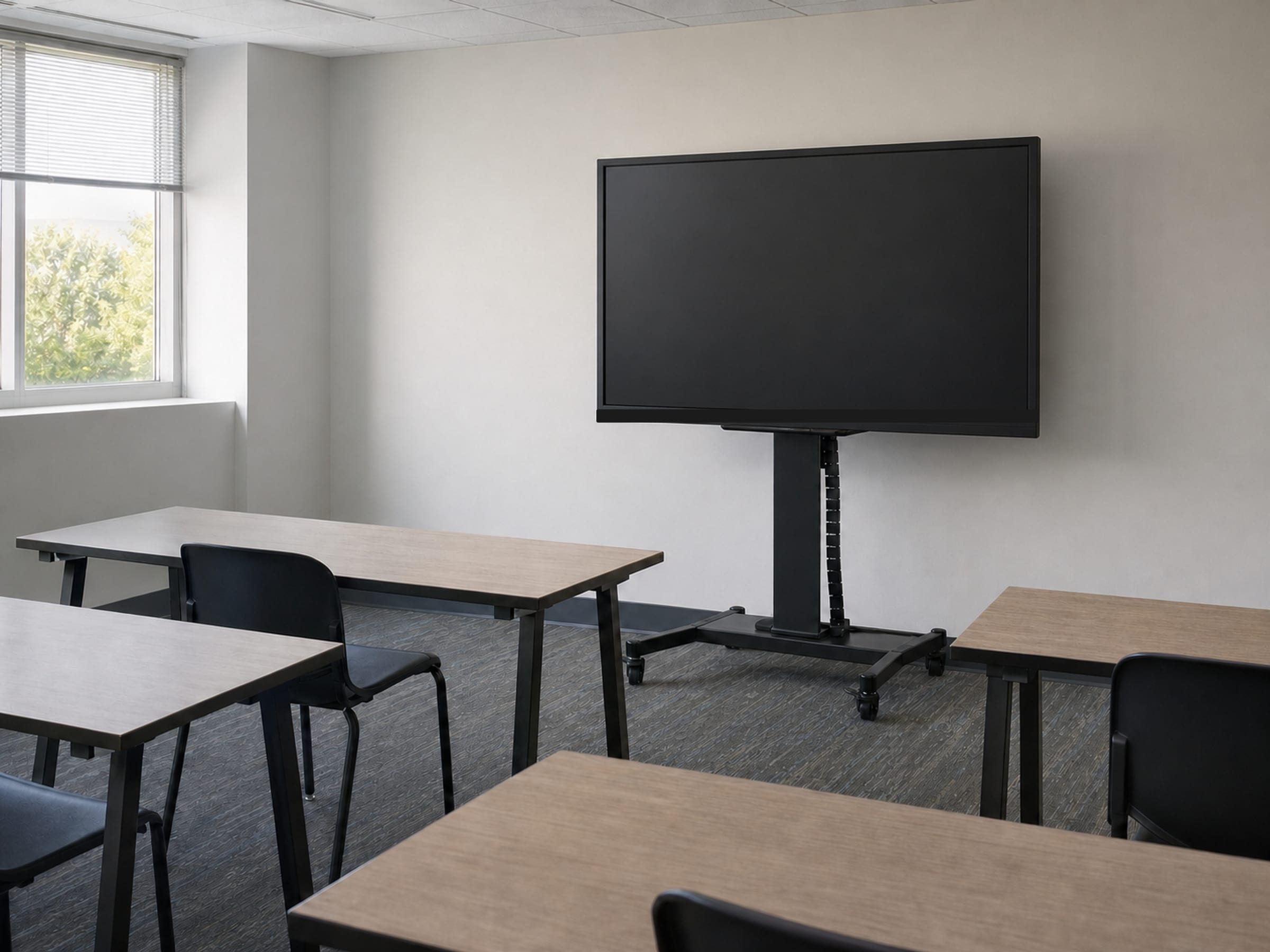
Classroom background and the kit around the panel
The solutions atlas
Every solution, by technology area and by customer.
By technology
By customer
- TAA & NDAA-889 Compliance Screening
- CMMC & CUI Solutions
- Federal & DoD
- State, Local & Education
- Healthcare
- Enterprise
- Rapid Procurement & GPC Buys
- Multi-Vendor Integration Projects
- eProcurement & Custom Catalogs
- FISMA Modernization
- CJIS-Compliant Justice Cloud & Local AI
- Federal Storage Modernization
- Government ERP & Business Systems Infrastructure
- Managed Procurement
- Secure AV & Conferencing
- Fiber Network Infrastructure
- Satellite & Resilient Connectivity
- Wavelength & Optical Transport
- Decentralized Data Centers
- Data Center Design & Build
Send us the room list
Room sizes, wall construction, how many rooms and when the building is empty. A Uniqcli specialist returns one quote covering panels, mounts, cabling, document cameras and the install window — long-lead lines flagged, availability stated honestly, TAA (FAR 52.225-5) and NDAA §889 screening performed on every line before the quote goes out.