
Solutions
One-to-One Device Programs
A 1:1 rollout is four purchases and three deadlines — devices, licensing, carts and disposal. We quote them as one program, image and asset-tag before delivery, and take the retired fleet back at refresh.
- Scope
- Devices, licensing, carts, cases, imaging, refresh
- Pre-delivery
- Imaging, asset tagging and kitting before it ships
- Cycle
- Quoted on a four-year refresh, not a single purchase
- Boundary
- Your console, your enrollment, your policy — we supply and stage
Four purchases, three deadlines, one program
The device is the visible half of a 1:1 program and the smaller half of the problem. Around it sit the management licenses that make an enrolled device useful, the charging and storage that keeps a classroom set alive through the day, the cases that decide the third-year breakage rate, and the disposition of whatever fleet is being replaced. Those four buys have different lead times, different funding lines and different approval paths, and when they are quoted separately they arrive in the wrong order — devices in a hallway with no carts, or carts in a store cupboard with no devices. We quote the whole program as one bill of materials against one delivery schedule, do the imaging and asset tagging before it ships, and price the refresh leg at the same time as the initial buy.
The four purchases, on one bill of materials
Priced against your enrollment count and your grade bands, with the imaging and tagging work costed on the same quote. Naming a manufacturer describes the market, not a Uniqcli partnership or endorsement.
Student devices
Chromebooks, Windows notebooks and touch convertibles across the grade bands, specified by durability class rather than by headline processor. Lenovo carries by far the deepest priced notebook line on our catalog, with Acer alongside it in the education-grade tiers. Lower grades usually want a rugged-hinge, spill-resistant chassis; upper grades and CTE programs want the performance tier. We quote both against the same delivery date.
Management and productivity licensing
Chrome Education Upgrade, productivity suites and classroom-management tools are the half of the program that makes an enrolled device useful. Licensing and subscriptions are quoted and sourced through US distribution against your term and quantity — there is no stock number on a license. Renewal timing is quoted alongside the initial term so year two is not a surprise. Administering your console — enrolling devices, setting policy, assigning licenses — remains the district's work inside the district's tenant.
Charging carts and storage
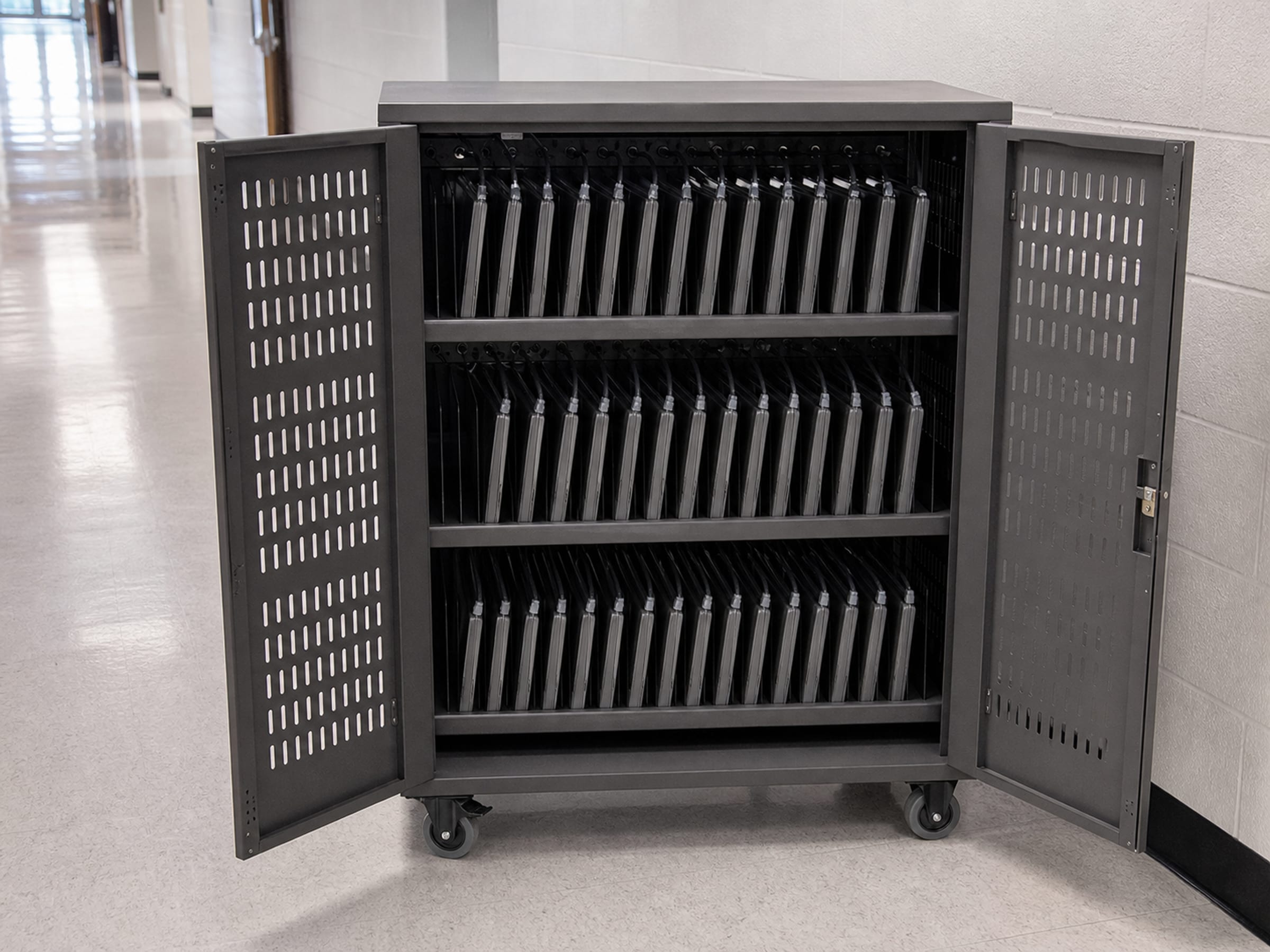
The unglamorous line that decides whether a classroom set survives the day. Ergotron and Bretford both carry priced charging-cart and storage rows on our catalog, in the common 30- and 36-bay configurations. Cart choice is driven by device thickness, whether the room needs the fleet mobile between classrooms, and how much amperage the room can actually deliver — worth checking before ordering, not after.
Cases, locks and accessories
Protective cases are the single largest lever on a 1:1 program's third-year breakage rate, and they cost a fraction of the repair they prevent. Kensington carries priced lock and security-accessory rows on the hub alongside the case categories. Quoted per device and, where you want it, fitted and asset-tagged before the units leave staging.
The cycle
How a 1:1 program actually runs across four years
Districts budget 1:1 as a purchase and live it as a cycle. Quoting the cycle up front is what keeps year four from arriving as an emergency.
Spring
Specify and quote
Enrollment counts by grade band, device tiers, cart and case requirements and the license term all land on one bill of materials. Long-lead lines are flagged here, while there is still time to change them.
Summer
Stage, image and tag
Devices are imaged to your build, asset-tagged to your scheme, cases fitted and units kitted by school or by classroom before they ship. Delivery is staged to buildings in the sequence your team distributes.
Fall
Distribute and enrol
Devices are handed out and enrolled in your console under your credentials. Spares are quoted as part of the original program rather than reordered in panic in October.
Year 4
Refresh and disposition
The outgoing fleet leaves as the new one arrives. Reverse logistics with certified data sanitization and disposition records is scoped with the refresh rather than sold as a standalone service.
What stays yours to run
The district owns the console. Enrolling devices, setting policy, assigning and reclaiming licenses, managing the domain and deciding what students can reach are all done inside your tenant with your credentials — we do not administer it, and no supplier should be asking to. What we can do before delivery is anything that happens to a device while it is still in a box: imaging to your build, asset tagging to your scheme, case fitting, kitting by classroom and labeling by school.
Take-home and insurance policy, acceptable-use agreements, repair triage and the family communications around all three are program decisions, not procurement ones. We can quote the spare pool that makes a repair policy workable and the cases that reduce how often it is invoked, and we will tell you what the realistic breakage rate looks like — but the policy is yours to write.
1:1 program questions
How many spare devices should a 1:1 program carry?
Most districts land somewhere between three and five percent of the fleet as spares, weighted toward the younger grade bands where breakage runs highest, and toward devices that are difficult to source mid-year. The right number depends on your repair turnaround and whether take-home is permitted. We quote the spare pool with the initial buy because ordering forty units in October costs materially more than ordering them in June.
Can devices be imaged and asset-tagged before they arrive?
Yes. Imaging to your build, asset tagging to your scheme, case fitting and kitting by school or classroom are done in staging before delivery, so units arrive ready to distribute rather than ready to unbox. Enrollment into your management console still happens under your credentials in your tenant — that part is not ours to do.
Do you handle the devices we are retiring?
Where a refresh is driving the purchase, reverse logistics with certified data sanitization or destruction and disposition records is scoped with the refresh, so the outgoing fleet leaves as the new one arrives. That covers the data-bearing devices and the paperwork your asset-management system needs. Resale value on retired education fleets is usually modest and we will say so rather than overstate it.
How do you quote Chrome Education Upgrade and similar licenses?
As licensing, sourced through US distribution against your quantity and term, quoted alongside the hardware so the total program cost is visible in one place. There is no stock figure on a license. Enrollment, policy and console administration remain the district's — we supply the license, not the administration of it.
What is the realistic lead time on a summer rollout?
It depends on the device tier and how much of the market is buying the same chassis in the same eight weeks, which is why we flag long-lead lines in the quote rather than after the PO. Districts that specify in spring and cut the order before the national buying peak consistently get better dates than those that wait for the funding to formally clear.
Device-program background and the logistics behind it
The solutions atlas
Every solution, by technology area and by customer.
By technology
By customer
- TAA & NDAA-889 Compliance Screening
- CMMC & CUI Solutions
- Federal & DoD
- State, Local & Education
- Healthcare
- Enterprise
- Rapid Procurement & GPC Buys
- Multi-Vendor Integration Projects
- eProcurement & Custom Catalogs
- FISMA Modernization
- CJIS-Compliant Justice Cloud & Local AI
- Federal Storage Modernization
- Government ERP & Business Systems Infrastructure
- Managed Procurement
- Secure AV & Conferencing
- Fiber Network Infrastructure
- Satellite & Resilient Connectivity
- Wavelength & Optical Transport
- Decentralized Data Centers
- Data Center Design & Build
Quote the program, not just the devices
Send enrollment counts by grade band, your current device standard and when the buildings are empty. We return one bill of materials covering devices, licensing, carts, cases and the imaging and tagging work — with the refresh leg priced at the same time. TAA (FAR 52.225-5) and NDAA §889 screening performed on every line before the quote goes out.