
Solutions
Thin Client & Zero Client Endpoints
Thin clients are the cheapest part of a VDI program and the part that stalls it. We quote, image, asset-tag and ship them to site with the broker settings already applied.
- Scope
- Thin and zero clients, monitors, docks and mounts
- Staging
- Imaged, enrolled, asset-tagged, kitted per desk
- Delivery
- Crated per floor or room, labeled to your site plan
- Boundary
- The broker and the desktop image stay yours
A thousand small devices is a logistics problem wearing a hardware costume
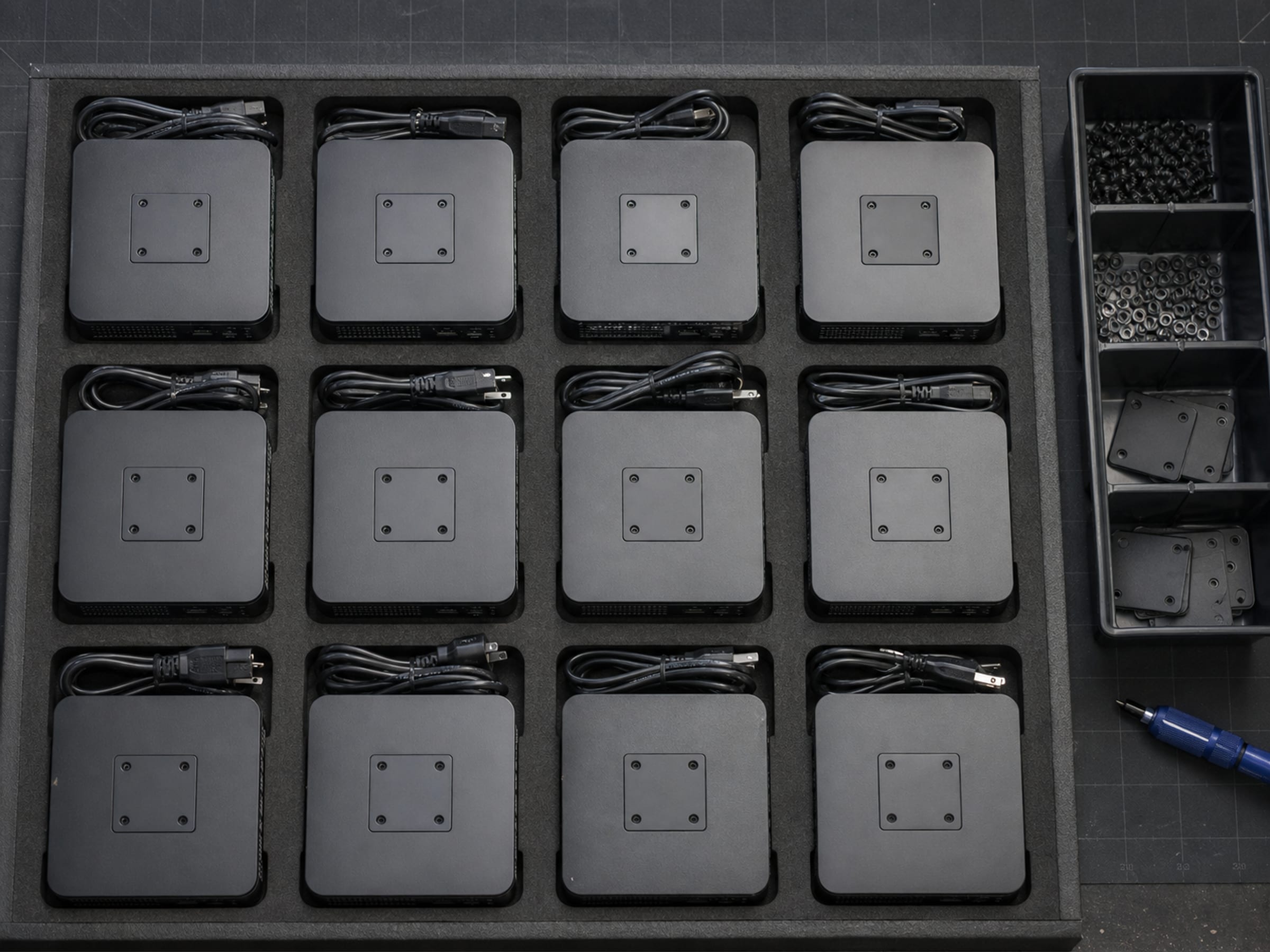
The endpoint line on a VDI budget is small, which is why it gets planned last and then decides the schedule. A thousand devices have to be procured against a real lead time, imaged consistently, given the broker connection settings, enrolled, asset-tagged into the property record, matched with the right monitors and docks, and delivered to named rooms in an order that matches the rollout calendar. Uniqcli treats that as the deliverable it is. The devices are quoted with the monitors and mounts they need, staged as desk kits, and crated per floor — so deployment day is an install, not a build session with a cart of boxes.
The desk, not just the device
Priced catalog lines, quoted as the kit a desk actually needs. Naming a manufacturer describes the market, not a Uniqcli partnership or endorsement.
Endpoint devices
Lenovo endpoints across the thin-client and small-form-factor range, quoted per desk with the mount, cabling and power on the same line. Dedicated thin-client manufacturers outside our priced catalog are sourced on request through US distribution.
Broker and access licensing
Citrix and Omnissa licensing quoted alongside the hardware so the entitlement count and the device count reconcile on one document rather than in two separate procurements. Licensing and subscriptions are quoted and sourced through US distribution rather than held on a shelf, so stock language does not apply to them.
Monitors, docks and mounts
The rest of the desk: displays sized to the work rather than to a standard, docking and mounting hardware, and the cabling that otherwise turns up missing on install day.
What arrives at the site
Devices are imaged to your build sheet, with the broker connection settings already applied, so the first boot at a desk lands on your login screen rather than on a setup wizard. Where you enroll devices into a management platform, that happens in staging too.
Each device is asset-tagged to your convention and recorded, so the property record and the delivery manifest agree before anything ships. Kits are assembled per desk and crated per floor or per room, labeled to your site plan — which is what turns a rollout from a triage exercise into a schedule.
The desktop image itself, the broker configuration, the management platform and the user directory remain yours. We build to what you specify and we do not touch what happens after the device is live.
Five inputs and the quote is real
- Device count by site, and by room where the plan is that granular
- The build sheet or image, plus the broker connection settings to apply
- Monitor and dock standard, if you have one — otherwise we propose per work type
- Asset-tag convention and where the record needs to land
- Rollout calendar, so crates arrive in installation order
- Any device the estate must keep, so we quote around it rather than over it
Thin client questions
Do you carry dedicated thin-client brands?
Some dedicated thin-client manufacturers have no priced inventory on our catalog, so we quote those as sourced on request through US distribution rather than showing them as stock. Where a standard specifies one, tell us the model and we will come back with a real lead time or say plainly that we cannot get it.
Can you image devices to our build?
Yes. Imaging, applying broker connection settings, enrollment and asset tagging are all done in staging before the devices ship. The image itself is yours; we deploy what you give us and do not modify it.
What about the monitors and docks?
They are quoted as part of the desk kit. Quoting a device without the display, dock, mount and cabling it needs is how a rollout ends up with a hundred desks that cannot be finished.
The solutions atlas
Every solution, by technology area and by customer.
By technology
By customer
- TAA & NDAA-889 Compliance Screening
- CMMC & CUI Solutions
- Federal & DoD
- State, Local & Education
- Healthcare
- Enterprise
- Rapid Procurement & GPC Buys
- Multi-Vendor Integration Projects
- eProcurement & Custom Catalogs
- FISMA Modernization
- CJIS-Compliant Justice Cloud & Local AI
- Federal Storage Modernization
- Government ERP & Business Systems Infrastructure
- Managed Procurement
- Secure AV & Conferencing
- Fiber Network Infrastructure
- Satellite & Resilient Connectivity
- Wavelength & Optical Transport
- Decentralized Data Centers
- Data Center Design & Build
Send the device count and the build sheet
We come back with a per-desk kit, a staging plan and a delivery sequence that matches your rollout calendar.