
Solutions
Emergency Operations Center Technology
An EOC sits idle until the day it has to work perfectly. We equip it — video wall, workstations, communications, backup power and a documented cold-start procedure — and we equip it rather than operate it.
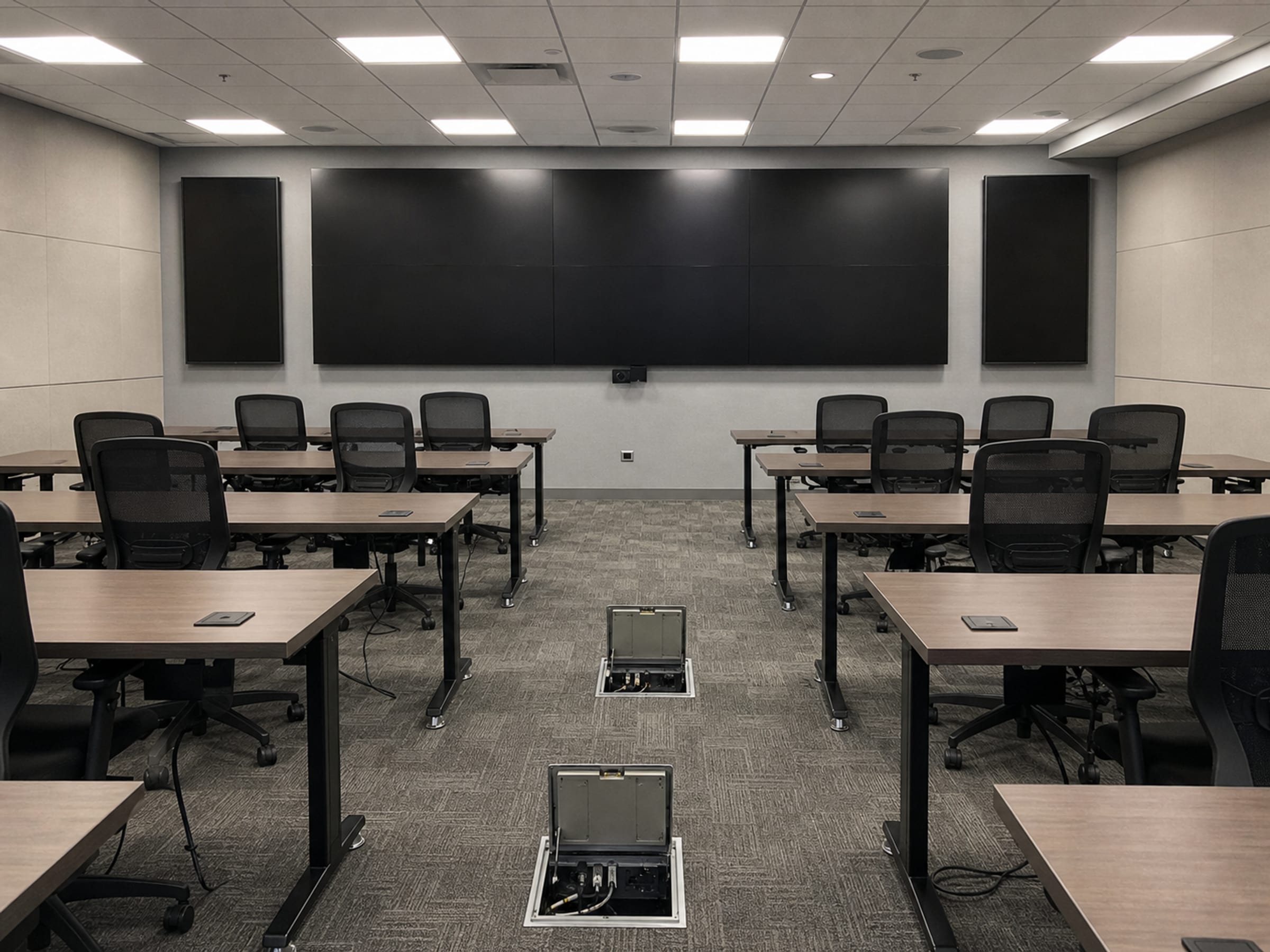
- Scope
- Video wall, workstations, audio, connectivity, backup power
- Design driver
- Long idle periods, then activation under pressure
- Handover
- A documented cold-start procedure your staff can execute
- Boundary
- We equip the room; the jurisdiction runs the activation
Idle for months, then judged on one afternoon
An emergency operations center has the hardest duty profile in public-sector technology: it does almost nothing for long stretches, and then has to come up complete, in an hour, staffed by people who do not use it daily and who are dealing with something else at the time. Rooms fail that test in mundane ways — a license expired unnoticed, a display input nobody remembered, credentials that belonged to someone who left, a network path that depended on the very infrastructure the event took out. We equip EOCs against that profile: standard hardware chosen for restartability, an independent connectivity path, backup power sized honestly, and a written cold-start procedure that a duty officer can follow without calling an integrator.
What an EOC actually needs on the wall and at the table
The common picture — a video wall — is real but it is not where the difficulty is. A wall is a set of panels or an LED cabinet array, a processor that decides what appears where, and the sources feeding it: mapping and situational-awareness applications, broadcast feeds, camera feeds, weather, and a shared incident view. The processor and the source list are the design; the panels are the commodity. What matters at activation is whether an operator who has not touched it since the last exercise can put the right source in the right window without a manual.
The table is where the work happens. Position workstations sized for the applications each seat runs, with enough displays that a seat is not toggling between the incident view and its own function. Audio for the room — microphones and loudspeakers that make a briefing intelligible to everyone present and to whoever joins remotely — plus conferencing capability that works with whichever platform the state or the county actually uses. And enough network capacity to carry all of it while the room is also fielding traffic from the field.
Behind both sits the part most likely to be under-specified: an independent path to the outside world, and power that survives the event. If the EOC's connectivity depends on the same infrastructure the incident is degrading, the room does not work when it is needed. A cellular or otherwise separate path, sized for the applications that genuinely have to keep running, is what converts a room from a briefing space into an operations center. Backup power should be sized against the whole room load, tested under load on a schedule, and documented so the person switching it on is not learning that day.
The four layers of an EOC build
Each layer is quoted with the integration and the handover documentation costed alongside the equipment. Naming a manufacturer describes the market, not a Uniqcli partnership or endorsement.
Video wall and display
LED cabinet arrays or panel walls with the processor that drives them. Absen and Leyard both carry priced LED display rows on our catalog. The processor and the source list are specified first, because that is what determines whether the wall is usable by a duty officer under pressure.
Control, audio and conferencing
The control layer that switches sources without an integrator on the phone, plus room audio and conferencing. Crestron carries priced control and distribution rows on our catalog and Harman carries priced audio rows. Specified so a briefing is intelligible in the room and to remote participants at the same time.
Position workstations
Seats sized for the applications each function actually runs, imaged identically and left in a known state between activations. Lenovo carries the deepest priced workstation and desktop line on our catalog. Identical builds are what make a seat swappable when a machine will not come up on the day.
Independent connectivity and backup power
A connectivity path that does not depend on what the event is degrading, and power sized against the whole room. Peplink carries priced routing and bonded-connectivity rows on our catalog, and Eaton carries a deep priced UPS and power line. Sized against the real load, documented, and tested on a schedule rather than at activation.
What a cold-start package contains
- A written activation procedure a duty officer can follow without calling an integrator
- A source map: what is available on the wall, where it comes from and how to put it up
- Credentials and license expiry documented and owned by a role, not by a departed individual
- Power-up and power-down sequences, including what to do when a device does not come back
- A quarterly exercise checklist covering the paths that only fail when unused — batteries, licenses, the independent link
- An as-built record of cabling, addressing and device inventory handed to your own team
What stays yours to run
We equip the room. We do not activate it, do not staff it and do not operate emergency management in any form. Incident command, the emergency operations plan, the mutual-aid relationships, the exercise schedule and the decisions made in the room during an event belong to the jurisdiction and its emergency management organization. A supplier claiming otherwise would be misrepresenting both the service and the chain of authority.
The most valuable thing we can hand over alongside the hardware is documentation the room's own staff can act on. That is why the cold-start procedure, the source map and the exercise checklist are part of the deliverable rather than an upsell — a room whose operation depends on an outside phone number is a room that will not work at the moment it matters.
EOC technology questions
Video wall panels or LED cabinets?
LED cabinet arrays give a seamless surface with no bezel lines and scale to large formats, which matters when the wall carries a shared map that people read from across the room. Panel walls cost less and are simpler to service a single unit on. The decision usually comes down to viewing distance and whether bezel lines fall across the content people are actually reading. Both are quotable; send the room dimensions and the primary content type.
Why does an EOC need its own connectivity path?
Because the events that activate an EOC are frequently the events that degrade ordinary connectivity. If the room's link runs over the same infrastructure the incident is affecting, the room is unavailable exactly when it is needed. A separate path — cellular, bonded, or otherwise independent — sized for the applications that genuinely must keep running, is what makes the room dependable rather than merely equipped.
How often should an EOC be exercised?
Frequently enough that the failure modes which only appear in unused systems get caught: expired licenses, dead UPS batteries, credentials tied to someone who left, an independent link nobody has tested under load. Most jurisdictions land on a quarterly technical check alongside their broader exercise program. The schedule is yours to set; we hand over the checklist that makes the technical half executable.
Do you staff or operate the EOC?
No. We supply, integrate and hand over the technology, with documentation your own staff can act on. Activation, staffing, incident command and every operational decision in the room belong to the jurisdiction.
EOC background and the displays in the room
The solutions atlas
Every solution, by technology area and by customer.
By technology
By customer
- TAA & NDAA-889 Compliance Screening
- CMMC & CUI Solutions
- Federal & DoD
- State, Local & Education
- Healthcare
- Enterprise
- Rapid Procurement & GPC Buys
- Multi-Vendor Integration Projects
- eProcurement & Custom Catalogs
- FISMA Modernization
- CJIS-Compliant Justice Cloud & Local AI
- Federal Storage Modernization
- Government ERP & Business Systems Infrastructure
- Managed Procurement
- Secure AV & Conferencing
- Fiber Network Infrastructure
- Satellite & Resilient Connectivity
- Wavelength & Optical Transport
- Decentralized Data Centers
- Data Center Design & Build
Equip it for the day it activates
Send the room dimensions, the seat count, the applications each function runs and what your connectivity looks like today. We return a build covering the wall, the table, the independent path and the power — with the cold-start documentation in the deliverable. TAA (FAR 52.225-5) and NDAA §889 screening performed on every line before the quote goes out.