
Best 3D Printers for Prototyping, Engineering and Classrooms
Filtered classroom printers, dual-extrusion engineering desks and heated-chamber large-format machines, sorted by what the part is made of and how big it has to be.
3D printers in stock at Uniqcli
How to choose →A curated selection with live pricing — in-stock lines first, then back-ordered lines with a typical lead time. Every line is sourced through US distribution and screened for NDAA §889 status before checkout, with TAA verified on request.
- MakerBot IndustriesMakerBot SKETCH Classroom Two Printer Setup - Polylactic Acid (PLA), Tough PLA SupportedSKETCHKIT-KIT
$1,999.00
$1,627.07
9 in stock - MakerBot IndustriesMakerBot Sketch 3D Printer (Basic - Printer Only)900-0053A
$1,051.58
$593.21
Back-orderedBack-ordered — estimated OEM lead time 3–8 weeks (Nov 13 – Dec 18 if ordered today).
Back-ordered — estimated OEM lead time 3–8 weeks (Nov 13 – Dec 18 if ordered today).
Back-ordered — estimated OEM lead time 3–8 weeks (Nov 13 – Dec 18 if ordered today).
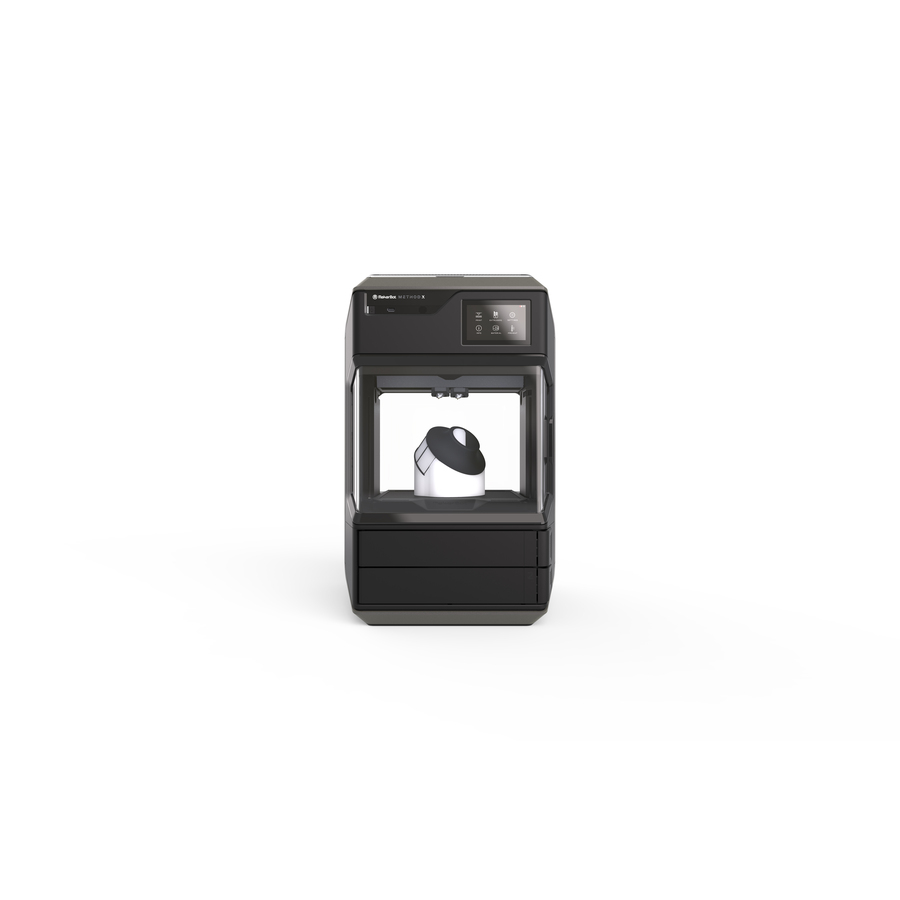
- MakerBot IndustriesMakerBot Method X 3D Printer - Fused Filament Fabrication - Acrylonitrile Butadiene Styrene (ABS), Polylactic Acid (PLA), Polyethylene Terephthalate Glycol (PETG), Acrylonitrile Styrene Acrylate (ASA) Supported - Network (RJ-45) - Wireless LAN900-0002A
$6,209.59
Back-orderedBack-ordered — estimated OEM lead time 3–8 weeks (Nov 13 – Dec 18 if ordered today).
Back-ordered — estimated OEM lead time 3–8 weeks (Nov 13 – Dec 18 if ordered today).
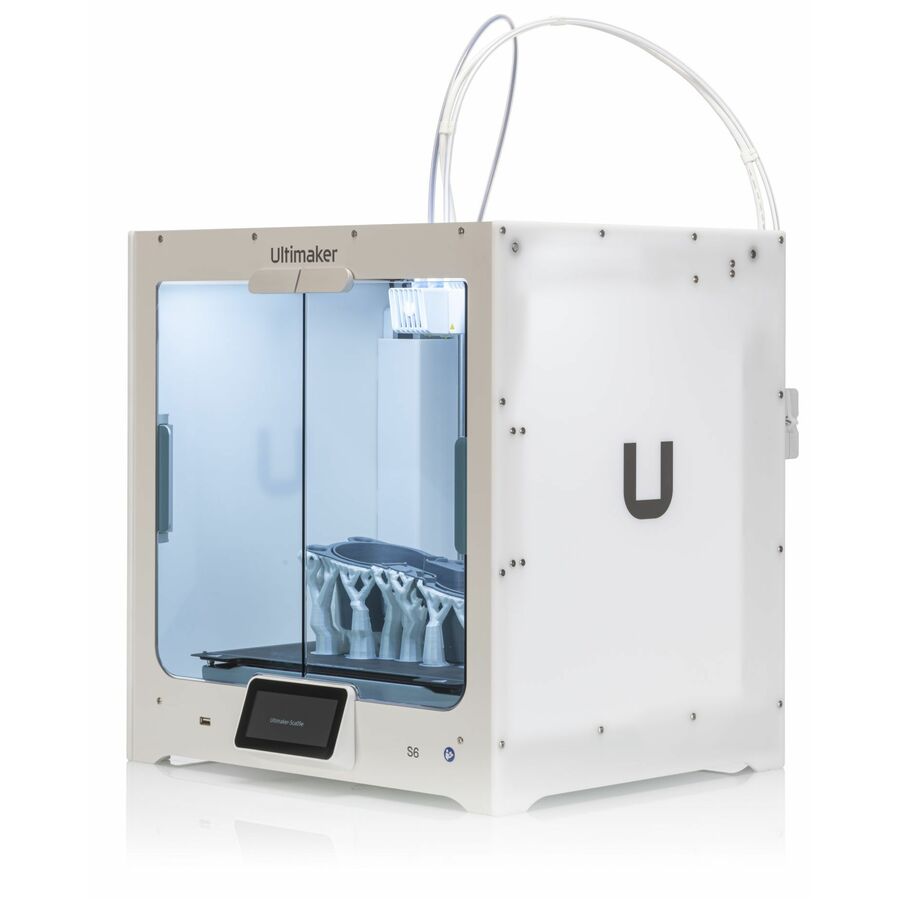
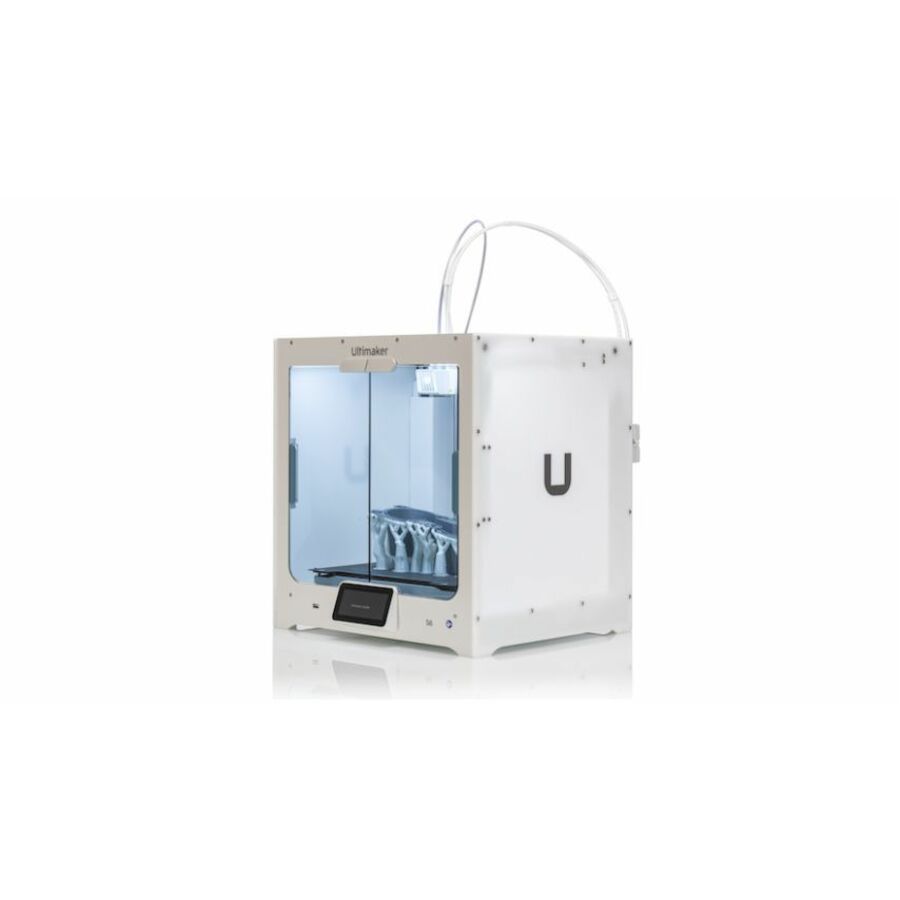
- UltimakerUltimaker S6 3D Printer - Fused Deposition Modeling - 0.11" Filament - Network (RJ-45) - Wireless LAN62-237686
$7,409.11
Back-orderedBack-ordered — estimated OEM lead time 3–8 weeks (Nov 13 – Dec 18 if ordered today).
- UltimakerUltimaker S7 3D Printer - Fused Deposition Modeling - 0.11" Filament - Network (RJ-45) - Wireless LAN235706
$9,226.82
Back-orderedBack-ordered — estimated OEM lead time 3–8 weeks (Nov 13 – Dec 18 if ordered today).
- UltimakerUltimaker Method XL 3D Printer - Fused Deposition Modeling - Acrylonitrile Butadiene Styrene (ABS), Carbon Fiber Supported - Network (RJ-45) - Wireless LAN900-0095A
$14,826.10
Back-orderedBack-ordered — estimated OEM lead time 3–8 weeks (Nov 13 – Dec 18 if ordered today).
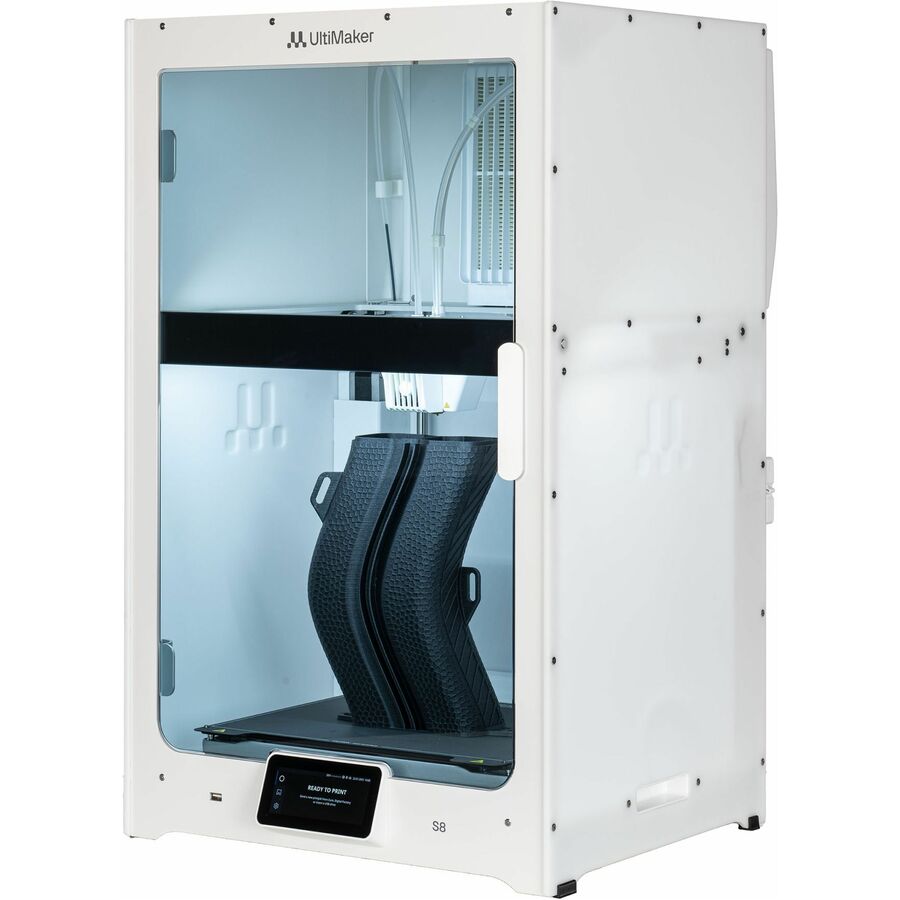
- UltimakerUltimaker S8 3D Printer - Fused Deposition Modeling - 0.11" Filament - Network (RJ-45) - Wireless LAN62-237331-S-PB
$15,858.55
Back-orderedBack-ordered — estimated OEM lead time 3–8 weeks (Nov 13 – Dec 18 if ordered today).
Classroom starter
MakerBot Industries
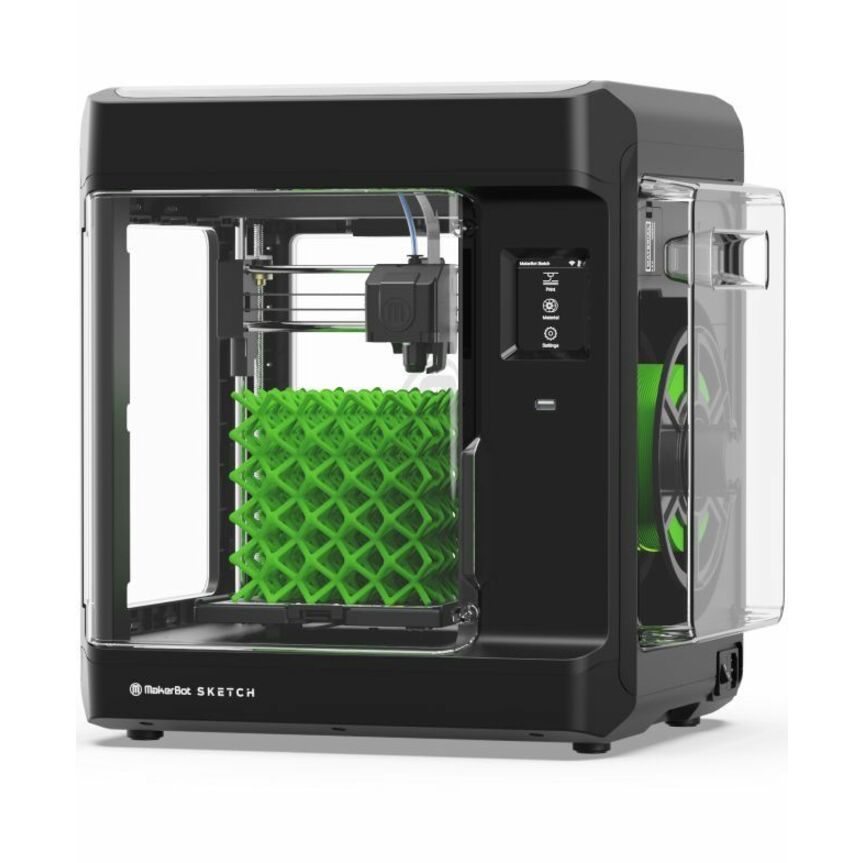
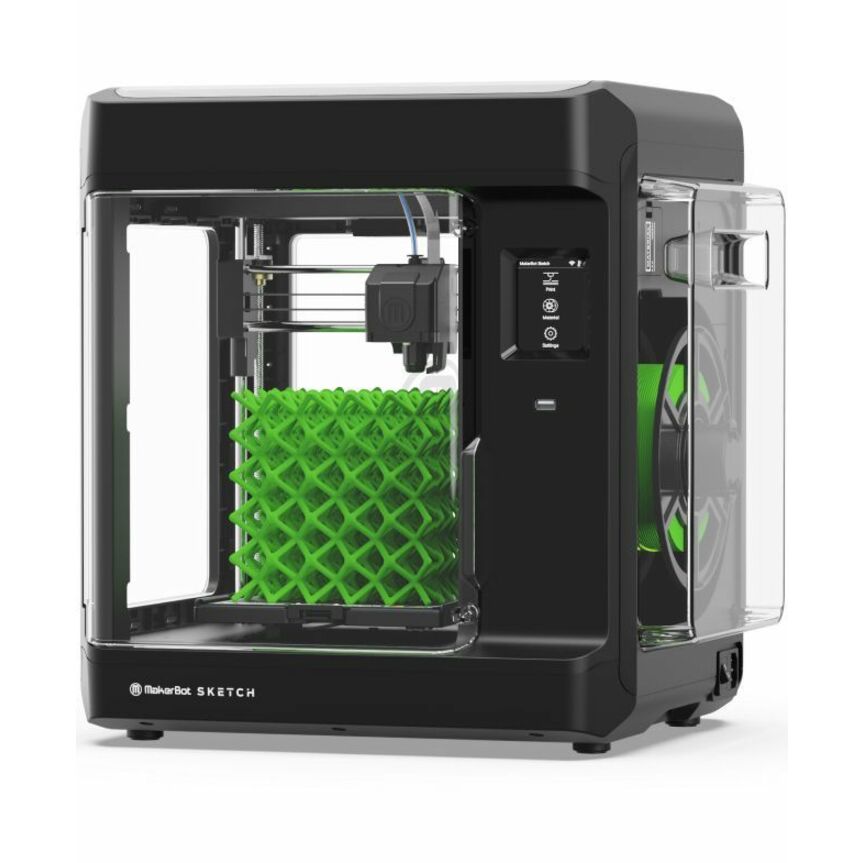
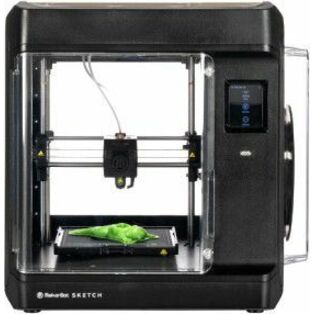
MakerBot Sketch 3D Printer
SKETCHKIT
The MakerBot Sketch: an enclosed single-extruder PLA printer with a particulate filter, a heated flexible build plate, a 2-megapixel onboard camera and USB, Ethernet and Wi-Fi, run from the browser-based CloudPrint queue. The manufacturer's spec page lists a 150 x 150 x 150 mm build volume, a 0.4 mm nozzle and a 100 to 400 micron layer range tuned for 200 microns, which is the right size for individual student projects.
Supported materials on the listing are PLA and Tough PLA only, which is the material list a classroom should hold to.
$813.53In stockTwo-printer classroom
MakerBot Industries
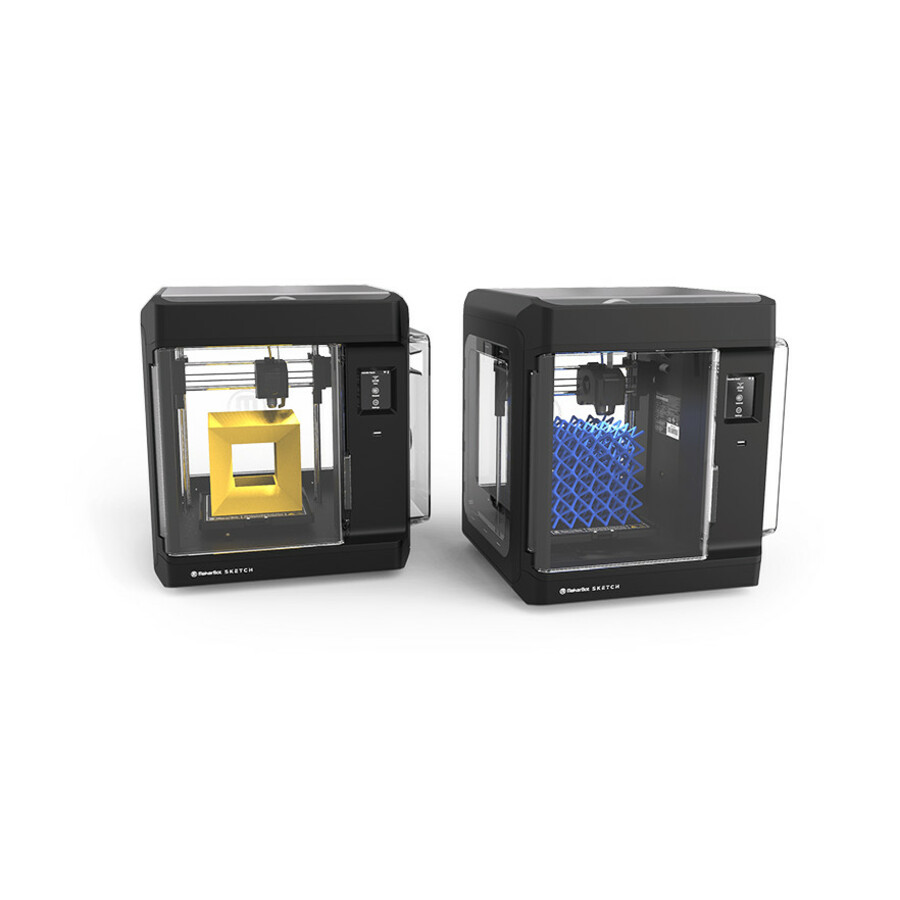
MakerBot SKETCH Classroom Two Printer Setup
SKETCHKIT-KIT
The Sketch Classroom two-printer setup. The manufacturer's listing packages two Sketch printers with six PLA spools, four build plates, two spatulas and two snips, two teacher and ten student certification seats, and MakerBot Cloud with print queuing, so one purchase order stands up a room with a usable student-to-printer ratio.
Two printers on one queue is what turns a class period into finished parts; a single printer in a room of twenty-five is a demonstration.
$1,627.07In stockFaster classroom
MakerBot Industries
MakerBot Sketch Sprint 3D Printer
900-0151A
The Sketch Sprint: fully enclosed, with HEPA and carbon filters, a heated build plate that reaches 110 °C, a PIN-code printer lock and an onboard camera. The manufacturer's page lists print speeds up to 300 mm/s, a 220 x 220 x 220 mm build volume and PLA and Tough PLA, and the listing states compliance with UL 2904, the emissions standard written for printers in classrooms and offices.
The listing packages two 0.25 kg PLA spools, a nozzle, a spool cover and a tool kit; order full spools with it. The listing's title carries a 200 mm build figure; the manufacturer's spec page publishes 220 mm.
$1,464.44In stockEngineering desk
Ultimaker
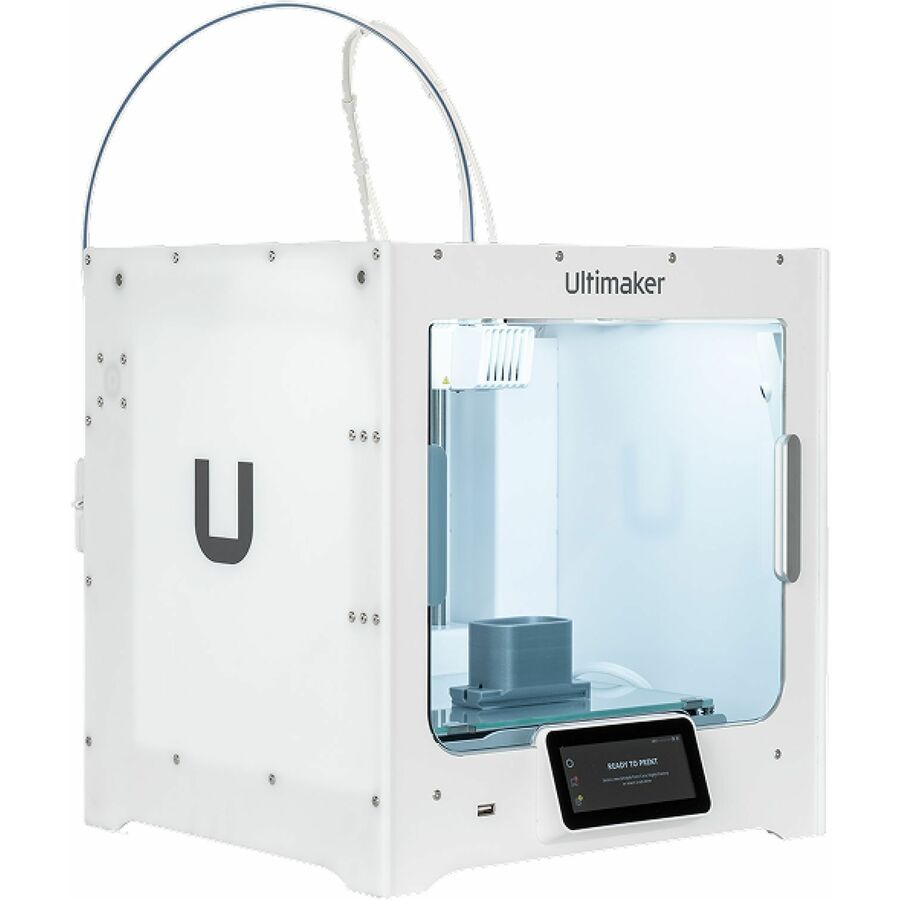
Ultimaker S3 3D Printer
216932
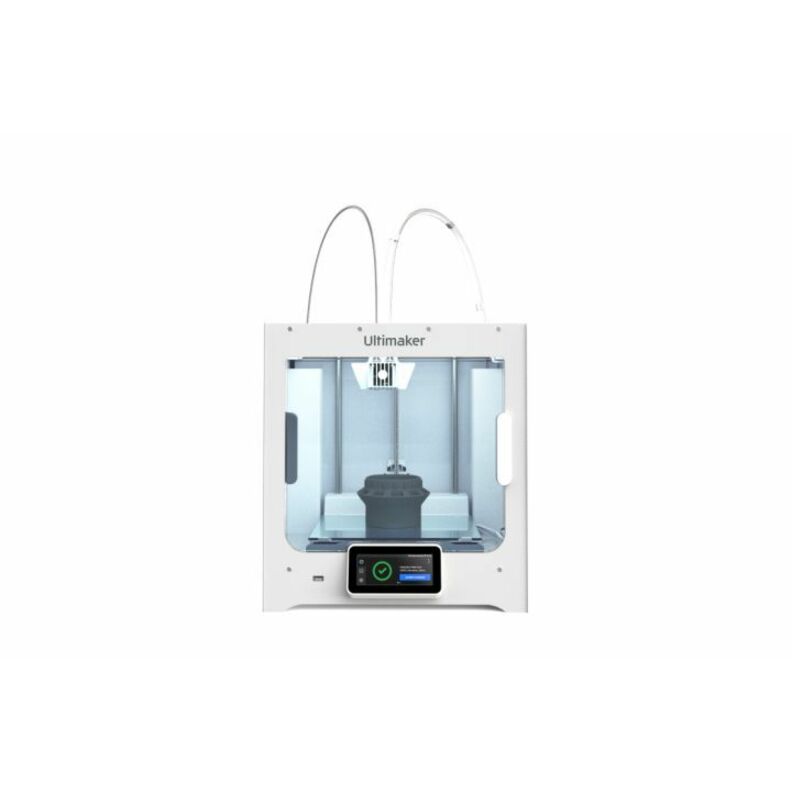
The UltiMaker S3, the smallest of the S-series dual-extrusion machines on the shelf: a 230 x 190 x 200 mm build volume, swappable print cores, a 180 to 280 °C nozzle range and a 20 to 140 °C heated glass plate on the manufacturer's page, with Wi-Fi, Ethernet and USB. The listing supports PLA, PETG, ABS, CPE, nylon and TPU, which covers most fit-and-form prototypes without a heated chamber.
The manufacturer's page lists the S3's chamber as partly enclosed and passively heated; the listing counts ABS among its materials, but a large ABS housing belongs on an actively heated machine.
$3,384.05Back-orderedFiltered dual extrusion
Ultimaker
Ultimaker S7 3D Printer
235706
The UltiMaker S7: 330 x 240 x 300 mm, fully enclosed, with an integrated Air Manager the manufacturer says was independently tested to remove up to 95% of ultrafine particles, a PEI-coated flexible build plate, inductive bed leveling and dual extrusion with swappable print cores, driven from Cura and Digital Factory. The listing packages Tough PLA and PVA soluble support, so it prints overhanging engineering parts on day one.
The listing's package contents include two 0.4 mm AA print cores and one 0.4 mm BB core; add a CC core for carbon- or glass-filled filament.
$9,226.82Back-orderedLarge-format
RAISE3D
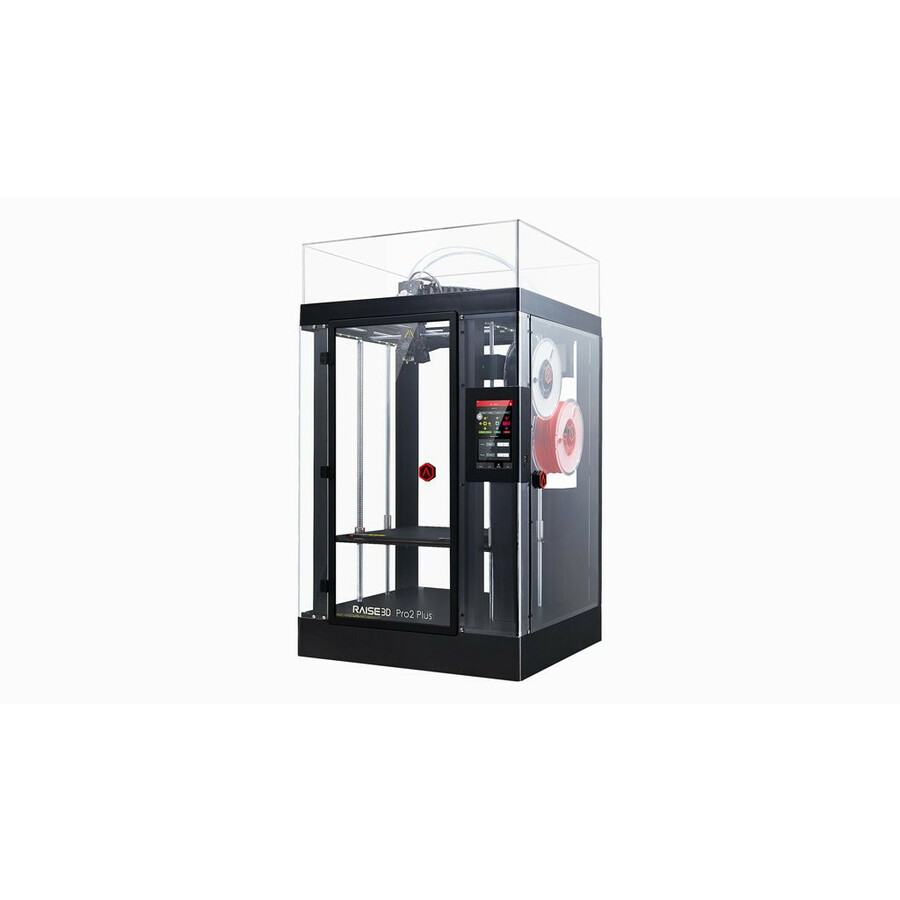
RAISE3D Pro2 Plus 3D Printer
1.01.017.001
The Raise3D Pro2 Plus: a 305 x 305 x 605 mm build volume, dual extrusion with retracting hot ends, layer heights from 0.01 mm, a camera, HEPA air filtration, filament compatibility up to 300 °C, a 7-inch touchscreen and resume after power loss or filament outage, per the manufacturer's product page. The listing supports ABS, HIPS, TPU, TPE, nylon, wood-filled and PLA, which makes it the shelf's answer for a full-height housing or a fixture printed in one piece.
The manufacturer lists HEPA air filtration and a camera but does not publish an actively heated chamber for it, so match a large ABS part to the chamber temperature it needs.
$4,179.13Back-orderedEngineering materials
Ultimaker
Ultimaker Method XL 3D Printer
900-0095A
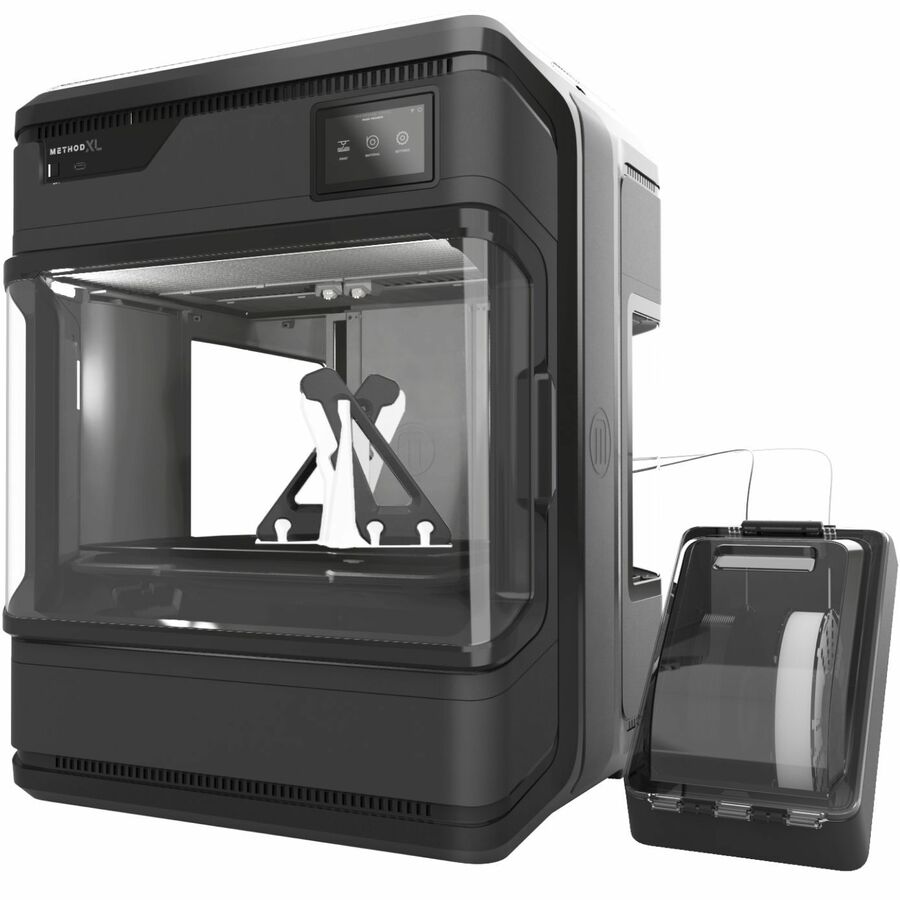
The UltiMaker Method XL: a chamber actively heated up to 100 °C, a flexible build plate heated up to 105 °C, ABS-optimized dual extrusion, a 305 x 305 x 320 mm build volume and built-in HEPA and carbon filters, per the manufacturer's own page. The listing names ABS and carbon-fiber filled material, and the Method series' water-soluble support is what lets an ABS prototype print with the geometry of the injection-molded part it stands in for.
The listing includes a 1C extruder, a 2XA extruder, a flexible build plate and a material case; the soluble support and the ABS are ordered with it.
$14,826.10Back-orderedNeed pricing on 3D printers?
Tell us where to reach you and a Uniqcli specialist will follow up by email with current pricing, availability and lead time for the quantities you need — including parts that aren’t shown on this page.
Buying for an organization or for yourself — both work. No payment up front.
What decides a 3D printer for prototyping is the material the part must be made of, because material sets the machine: PLA prints in a room-temperature enclosure a classroom can run, large ABS and ASA parts need a chamber heated to about 100 °C plus filtration, and overhangs in those materials need a second extruder for soluble support. Size the build volume to the largest part you will print.
A 3D printer for prototyping is chosen by the material the finished part has to be made of, not by the build volume or the speed on the box, because material sets everything else. PLA prints on a machine that can sit in a classroom at room temperature. ABS and ASA shrink as they cool, and a large part in either lifts or cracks unless the whole chamber is held hot, which on this shelf means a chamber actively heated to 100 °C on the Method XL and to 110 °C on the Method X, by the manufacturer's own pages; nylon warps less but absorbs moisture, so it wants an enclosure and dry filament more than heat. And a part with overhangs in an engineering material needs a second extruder loaded with a soluble support. Write the material list first and most of the shelf removes itself.
Then size the build volume to the largest single part you will actually print, not the largest you can imagine. A classroom printing student projects rarely needs more than the 150 mm cube the Sketch offers or the 220 mm cube of the Sketch Sprint; an engineering desk printing enclosures and brackets is served by the 230 x 190 x 200 mm S3 or the 330 x 240 x 300 mm of the S6, S7 and S8; and only a large-format part such as a full-size housing, a fixture or an architectural section justifies the 305 x 305 x 605 mm column of the Raise3D Pro2 Plus. Every figure here is the manufacturer's published build volume. A part can always be split and bonded, so buy the volume you will fill weekly.
The rest is deployment. Whoever runs the printer needs a way to queue jobs from a browser, see the camera and lock the machine, which is the print-management layer. A classroom needs an enclosure with a filter and a filament list held to PLA: Chemical Insights, the UL Research Institutes group that measures 3D printer emissions, reports that a ventilated enclosure reduces particle concentration by 99.7% and total VOC concentration by 69.5%, that filtration cuts peak particle concentration by 95% or more, and that PLA generally emits fewer contaminants than ABS or nylon, which print hotter. An engineering lab needs the printer on the wired network so the slicer, the printer and the design workstation share one job queue. Every product on this page is drawn from the 3D printers Uniqcli lists, with live pricing and availability on each card; a lab or district rollout is quoted as one bill of materials with the filament, spare build plates and extruders it will consume.
Buyer's checklist
How to choose a 3D printer for a classroom, a lab or a large part
- Write the material list first. PLA and Tough PLA print on the Sketch line, the UltiMaker S series, the Method X and the Pro2 Plus by their listings or manufacturer pages, while the Method XL listing names ABS and carbon-fiber filled material; ABS, ASA and carbon-fiber filled polymers want an actively heated chamber, which on this shelf means the Method X or the Method XL, and nylon wants an enclosure and dry filament.
- Size the build volume to the largest single part you will print weekly: a 150 mm cube (Sketch), a 220 mm cube (Sketch Sprint), 230 x 190 x 200 mm (S3), 330 x 240 x 300 mm (S6, S7, S8), 305 x 305 x 320 mm (Method XL) or 305 x 305 x 605 mm (Pro2 Plus), all as the manufacturers publish them.
- Insist on a full enclosure and a filter wherever people sit near the printer. HEPA and carbon filters are built into the Sketch Sprint and the Method XL, HEPA air filtration into the Pro2 Plus, an integrated Air Manager into the S7 and a particulate filter into the Sketch, per each manufacturer's page.
- Buy dual extrusion for support material, not for two colors. A second extruder loaded with PVA or a soluble support is what lets an engineering part print with overhangs and internal channels; the UltiMaker S and Method machines and the Pro2 Plus are dual-extrusion, the Sketch line is single.
- Check temperatures against the material list. The nozzle range and build-plate temperature on the manufacturer's spec page decide whether a filament is printable at all, and a heated flexible build plate is what makes part removal a one-handed job in a classroom.
- Decide who controls the queue. A classroom wants a cloud print queue with a teacher login, a camera and a PIN lock; a lab wants Ethernet, a network queue the slicer can submit to, and a camera for overnight runs.
- Count consumables into the order: filament in the diameter the machine takes (1.75 mm on the Sketch, Method and Raise3D machines, 2.85 mm on the UltiMaker S series), spare build plates, spare nozzles or print cores, and the soluble support a dual-extrusion machine consumes with every supported part.
- Plan the room. A printer runs for hours, so it needs a table that does not carry vibration, an outlet that is not switched off overnight, ambient temperature inside the manufacturer's operating range (the Sketch Sprint specifies 15 to 30 °C), a spot away from any return-air vent, and dry storage for nylon and soluble supports, which absorb moisture.
- Standardize the fleet on one or two models so nozzles, build plates, filament, profiles and training carry across every room; a district running three different printers is running three different curricula.
Classroom deployment: the enclosure, the filter and who holds the queue
Three things make a printer a classroom printer, and none of them is speed. The first is a full enclosure, because students put hands where hot ends and moving gantries are. The second is filtration: Chemical Insights of UL Research Institutes reports that a ventilated enclosure reduced particle concentration by 99.7% and total VOC concentration by 69.5% in its testing, that active filtration with HEPA and activated-carbon media has cut peak particle concentration by 95% or more, and that a printer should never sit near a return-air vent, which recirculates what it emits. ANSI/CAN/UL 2904 is the standard method for testing and assessing particle and chemical emissions from 3D printers meant for schools, offices and libraries, and a printer whose listing states compliance with it, as the Sketch Sprint's does, is making a claim against a published test method rather than describing itself as safe; the manufacturer's own page words it as designed to meet UL 2904.
The third is control. A classroom printer should take its jobs from a cloud queue with a teacher login, show a camera view so a job can be checked from a desk, and lock behind a PIN so a curious student cannot start a print at three on a Friday afternoon. The Sketch line's CloudPrint, its onboard camera and the Sprint's PIN-code printer lock are that layer on this shelf, and the two-printer classroom bundle adds teacher and student certification seats, which is training a district otherwise writes itself. Keep the material list to PLA and Tough PLA, buy spare build plates so a class is not waiting on a cooling plate, and put the printers on a table nobody bumps.
The prototyping workflow, from CAD to a part on the desk
Prototyping on a desktop printer is a loop: a solid model in CAD, exported as STL or 3MF, sliced into a printer file with the manufacturer's slicer (Cura and Digital Factory for the UltiMaker machines and the Sketch Sprint, CloudPrint for the Sketch and the Method series, ideaMaker for the Raise3D), printed, measured, corrected and printed again. The loop is worth a printer because the second iteration costs one afternoon rather than a tooling change, and the check is form and fit first, function second. ISO/ASTM 52900 is the vocabulary standard that names what every machine on this page does, material extrusion, and separates it from the vat photopolymerization a resin printer uses; the comparison in the related reading below covers when a fit check wants resin instead.
The machine decisions follow the loop. Layer height sets how fine a feature resolves and how long the print takes: the Sketch is tuned for 200 microns inside a 100 to 400 micron range, the Method X page lists 20 to 400 microns through its 0.4 mm nozzle, the UltiMaker S6 and S8 pages list 60 to 400 microns depending on print core and profile and separately state a typical dimensional accuracy of ±0.15 mm ± 0.15% of feature length on PLA and Tough PLA, and the Pro2 Plus lists layer heights from 0.01 mm. Dual extrusion is what lets a bracket print with a soluble support under its overhang instead of a breakaway one that leaves a scar on a mating face. And the network matters more than it looks: an engineering printer on Ethernet with a camera is a printer that runs overnight and reports in the morning, which doubles the number of iterations a week holds.
Materials decide the machine: PLA, Tough PLA, ABS, nylon and soluble supports
PLA is the classroom and concept material: it prints at low temperatures on a lightly heated plate, Chemical Insights reports that it generally emits fewer contaminants while ABS and nylon print hotter and release significantly more ultrafine particles and VOCs, and it is the only material the Sketch line's listings support alongside Tough PLA. It is also weak under heat, which is why a functional prototype that has to sit in a vehicle or against a running motor moves to ABS, ASA or nylon. ABS and ASA shrink as they cool, and on an open or unheated machine a large part lifts at the corners and cracks between layers; the fix is a chamber held hot for the whole print, which is the 100 °C actively heated chamber the Method XL's page specifies and the 110 °C maximum the Method X page lists. Nylon warps less but pulls moisture from the air, so it wants an enclosure and a dry box more than a hot chamber. The Method X page also lists a 300 °C maximum extruder temperature and an operating sound of 57.1 ± 3 dB, the kind of figures a lab should read before a machine goes next to a desk.
Support material is the second material decision. A single-extruder machine prints supports in the part's own material and they are broken off, which limits geometry and marks surfaces; a dual-extruder machine loads PVA or a dedicated soluble support in the second extruder and dissolves it in water, which is what makes internal channels and enclosed cavities printable. The S7's listing packages PVA, and the Method series pages describe RapidRinse water-soluble support for ABS. Match the filament diameter to the machine, keep nylon and soluble supports in a sealed dry box, and standardize on one filament brand per machine class so the print profiles stay tuned; the PLA-versus-ABS comparison in the related reading below goes through the property tables.
Print management and networking: a printer fleet is a network device
Every printer model on this shelf connects over Wi-Fi and USB by its manufacturer's page or its listing, and most add a wired port: the UltiMaker S series, the Method series and the Sketch list Ethernet on the manufacturer's page, the Pro2 Plus listing records an RJ-45 port, and the Sketch Sprint's manufacturer page lists USB and Wi-Fi only. The connection is the small part; the queue is what matters. The manufacturers' management layers here are MakerBot CloudPrint for the Sketch and Method lines, UltiMaker Digital Factory and Cura for the S series and the Sketch Sprint, and ideaMaker for the Raise3D, and each does the same three jobs: accept a sliced file from any workstation on the network, hold a queue for more than one printer, and show a camera view and job status without a walk to the machine. A district or a lab buying more than one printer should decide the management layer before the second printer arrives, because a fleet split across two systems is two logins, two queues and two sets of profiles.
The IT side is ordinary and often skipped. Put printers on a VLAN with the workstations that submit to them, not on the student or guest wireless; give each a reserved address so the slicer's printer entry does not break at the next DHCP lease; open only the ports the manufacturer documents; and keep the firmware on the manufacturer's update channel, since a cloud queue is a service that changes. A camera on a printer is a camera on the network and belongs inside the same policy as any other. Where a lab has no wired drop near the bench, quote the drop with the printer, because a printer on a crowded 2.4 GHz band is the one that fails at two in the morning on the long print.
FAQ
Common questions
- What is the best 3D printer for school use?
- An enclosed single-extruder printer that prints PLA only, carries a particulate or HEPA filter, has a heated flexible build plate so parts come off without tools, and takes its jobs from a cloud queue a teacher controls. Speed matters less than the enclosure and the filter, because a school printer runs in an occupied room, and Chemical Insights of UL Research Institutes reports a ventilated enclosure cutting particle concentration by 99.7%. The Sketch and Sketch Sprint on this page are built to that shape, and the two-printer classroom bundle adds the teacher and student certification seats a new program needs.
- How much does it cost to 3D print a prototype?
- The cost of a printed prototype is set by the filament the sliced part uses, the hours the machine runs and the machine's own cost spread over its working life, plus a second material whenever the part needs soluble support. A fit check in PLA on a desktop printer is a few hours of machine time and a small fraction of a spool; a functional ABS part with soluble support uses two materials and a heated-chamber machine. The slicer reports the material weight and the print time before the job starts, so the cost of a given part is known before it runs.
- How is 3D printing used in prototyping?
- To check a design physically before tooling is cut: a CAD model is printed, measured and test-fitted against the parts it has to mate with, then corrected and printed again the same day. Early iterations are form and fit checks in PLA on any desktop printer; later ones are functional checks in ABS, ASA, nylon or carbon-fiber filled polymers on a heated-chamber machine, so the prototype behaves like the injection-molded part it stands in for. The loop replaces weeks of outside machining with an afternoon per iteration.
- What is the best 3D printer for industrial design?
- One with an actively heated, enclosed chamber, dual extrusion with a water-soluble support, integrated filtration and a material list that runs from PLA through ABS, ASA and nylon, sized to the largest single part the studio prints. Those four things are what let a housing print in the material and the geometry of the production part. On this shelf the Method XL and Method X are that class of machine, and the Pro2 Plus is the answer when the deciding factor is a 605 mm tall build volume and the part is in a material its listing names, since its manufacturer publishes no heated chamber for it.
- Can you 3D print your own drawings?
- Yes, once the drawing is a solid 3D model. A 2D sketch or a scanned drawing has to be modeled in CAD first, or drawn as a 2D profile and extruded, then exported as an STL or 3MF file and run through the printer's slicer, which turns the model into the layer-by-layer file the printer reads. Free CAD tools cover most classroom and concept work; an engineering prototype is usually exported straight from the same CAD package that will release the production drawing.
- Do 3D printers need ventilation in a classroom?
- Yes, or an enclosure with a filter, and ideally both. Chemical Insights of UL Research Institutes reports that operating printers release ultrafine particles and more than 200 distinct VOCs, that a ventilated enclosure reduced particle concentration by 99.7% and TVOC by 69.5%, and that its highest priority is placing printers where ventilation dilutes the emissions or exhausting them outdoors, never near a return-air vent. Classroom printers hold to PLA and Tough PLA, and ANSI/CAN/UL 2904 is the standard a manufacturer tests against to call a printer low-emitting for classrooms and offices.
- Can Uniqcli quote 3D printers for a school or agency order?
- Every line Uniqcli quotes is sourced through US distribution and screened for TAA country-of-origin and NDAA §889 status before checkout — with documentation tied to the specific part number, not a product family.
Need 3D printers pricing?
Send a bill of materials or part numbers — we confirm stock and a below-market total, with TAA verified on request. No payment up front.