
Short answer
The main difference between a hub and a switch is where they operate: a hub is a Layer 1 repeater that copies every frame to every port in one shared, half-duplex collision domain, while a switch is a Layer 2 device that learns MAC addresses and gives each port its own collision domain at full duplex. In practice this is not a live choice: buy a switch and decide between unmanaged and managed.
Key facts
- A hub is a repeater under IEEE 802.3 and relies on CSMA/CD to arbitrate collisions; a switch forwards by MAC address and collisions cannot occur.
- Every hub port shares one collision domain at half duplex. Every switch port is its own collision domain and runs full duplex when both ends support it.
- IEEE 802.3 defines repeaters only for speeds up to 1000 Mb/s, so above Gigabit Ethernet there is no repeater clause a hub could be built from.
- Only a switch can carry VLAN tags under IEEE 802.1Q; a Layer 1 hub has no address table, no configuration and no segmentation of any kind.
- Almost every small multiport Ethernet box sold since the mid-2000s is an unmanaged switch, whatever the packaging still calls it.
This question almost never comes up as a live purchasing choice anymore, because the market resolved it two decades ago. It surfaces instead in specific, recognizable moments: an old wiring closet is being rebuilt and someone finds a beige box labeled 'hub' still in the path; a network feels inexplicably slow and a technician suspects legacy gear in the run; a lab needs to passively capture every frame on a segment for packet analysis; or a small-office buyer sees a cheap 'hub' listing and wonders whether it differs from an unmanaged switch. The confusion is compounded by loose language — product copy still says 'hub' out of habit — and by unrelated devices (USB hubs, smart-home hubs) that share only the English word.
Two behaviors decide everything here, and both favor the switch decisively. First, forwarding logic: a hub is a Layer 1 repeater that copies an incoming signal out every other port with no memory, while a switch operates at Layer 2, learns which MAC address lives on which port, and forwards frames only where they belong. Second, the collision domain: a hub puts every device into one shared, half-duplex domain where only one station transmits at a time, whereas each switch port is its own collision domain supporting full duplex. For any real deployment, the honest framing is not 'which is better' but 'the hub is legacy', and the decision that actually matters is unmanaged versus managed switch.
At a glance
Side by side
| Factor | Hub | Switch |
|---|---|---|
| OSI layer | Layer 1 (physical) multiport repeater | Layer 2 (data link); Layer 3 models also route |
| Forwarding logic | Floods every frame out all other ports | Learns MAC addresses; forwards to the matching port |
| Collision domain | One shared domain across all ports | One separate collision domain per port |
| Duplex | Half-duplex only; one transmitter at a time | Full duplex when both ends support it |
| Access method | Relies on CSMA/CD to arbitrate collisions | CSMA/CD unneeded; collisions cannot occur |
| Intelligence | None; no address table, no config | MAC table; managed tiers add VLANs, SNMP, QoS |
| Standards status | Segment-connection clauses deprecated by IEEE in 2011 | Current under IEEE 802.3-2022; 802.1D/802.1Q apply |
| Market availability | Effectively unavailable new as of 2026 | Standard product across all speed and management tiers |
A hub only makes sense when
- You are doing lab or classroom packet capture on a shared medium and deliberately want every frame repeated to a monitoring port without configuring port mirroring.
- You are replacing a failed unit like-for-like in a frozen legacy install that must not be re-architected, and the existing device is genuinely a Layer 1 hub.
- You are demonstrating or teaching CSMA/CD, collision domains, and half-duplex behavior, where the point is to reproduce the shared-medium contention a switch removes.
- You have inherited old inventory and simply need any temporary Layer 1 continuity on a throwaway segment carrying no sensitive traffic, accepting the performance and exposure penalty.
Choose a switch when
- You are building or refreshing any production network, a desk fleet, classroom, lab, or wiring closet, where per-port full duplex and MAC-based forwarding are simply the baseline expectation.
- You need throughput that scales with devices; separate collision domains let many stations transmit at once instead of sharing one half-duplex channel.
- You require segmentation, VLANs, port security, SNMP monitoring, or 802.1Q trunking — none of which a Layer 1 hub can deliver, so any one of those needs means a switch, full stop.
- You are cabling anything carrying sensitive traffic, since per-port isolation prevents the passive frame visibility a shared hub segment exposes to every attached device.
Bottom line
For any deployment decision in 2026, the switch wins, and it is not close. A true hub is a Layer 1 repeater that forces one shared collision domain and half-duplex operation, and IEEE deprecated connecting segments this way back in 2011; standalone hubs are effectively gone from the market. The practical question is not hub versus switch but which switch — the managed-versus-unmanaged choice is covered on its own page, and where a model also routes between subnets the Layer 2 versus Layer 3 distinction is treated separately as well. Reserve an actual hub for the narrow legacy cases: lab packet capture on a shared medium or a like-for-like swap in an install nobody is allowed to re-architect.
Products for this decision
What a hub is replaced by
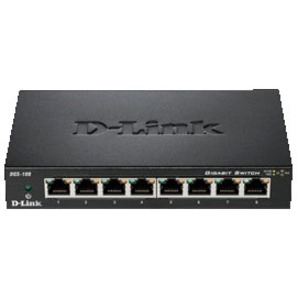
D-Link Systems
D-Link DGS-108 8 Port Gigabit Unmanaged Metal Desktop Switch
DGS-108
An eight-port gigabit unmanaged switch in a metal desktop case — the modern equivalent of the beige box, with per-port full duplex instead of one shared domain.
$37.00Back-orderedFive ports
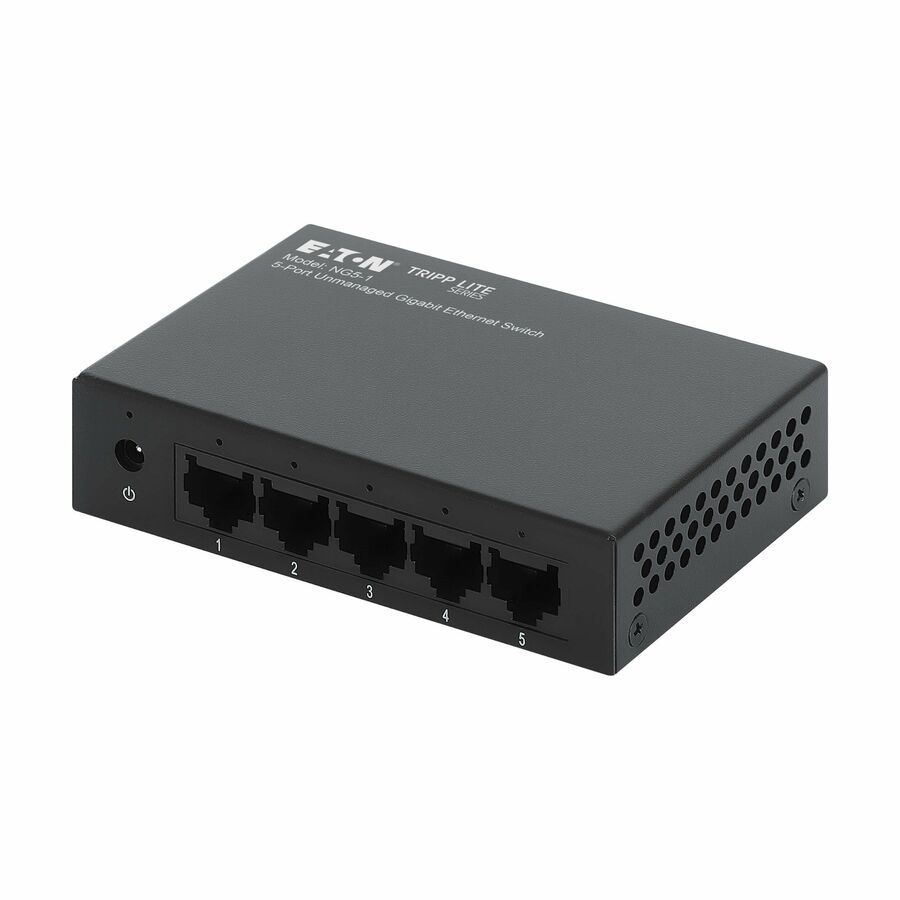
Eaton
Eaton Tripp Lite Series 5-Port 10/100/1000 Mbps Desktop Gigabit…
NG5-1
A five-port unmanaged gigabit switch drawing about 1.6 W, for a small run behind a router where no VLANs or telemetry are needed.
$37.72In stockThe decision that actually matters
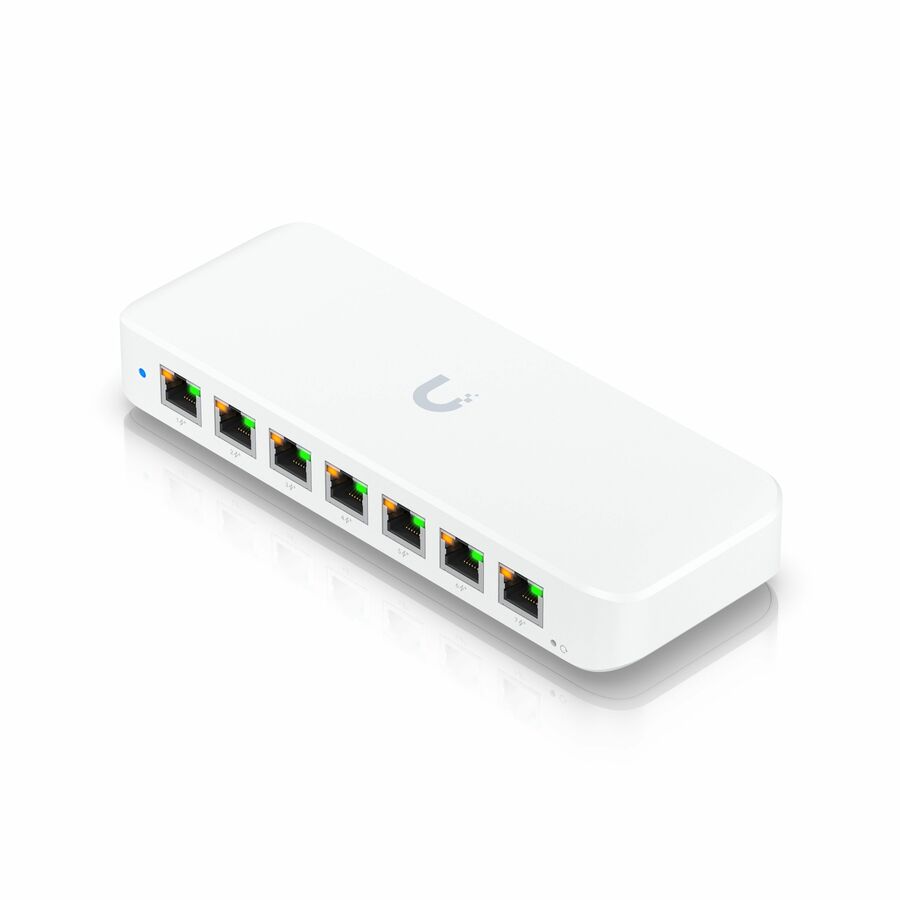
Ubiquiti
8 Ports - Manageable
USW-Ultra
An eight-port managed PoE switch — the real fork once the hub question is settled, adding VLANs, port security and telemetry an unmanaged box cannot.
$167.16In stockFAQ
Common questions
- Are network hubs still used today, or are they completely obsolete?
- For practical purposes they are obsolete. Switching-chip costs reached parity with hub chips in the early-to-mid 2000s, and standalone commercial Ethernet hubs are effectively absent from the market as of 2026. IEEE 802.3 even deprecated connecting network segments via repeaters and hubs back in 2011, and no later amendment reverses that. The only places a genuine hub still legitimately appears are narrow legacy ones: lab packet capture on a shared medium, teaching collision-domain behavior, or a like-for-like replacement in an old install that cannot be re-architected. Any new network should specify a switch.
- Why do people still call small unmanaged switches 'hubs'?
- It is habit and loose terminology, not accuracy. Through the 1990s the small multiport box on a desk really was a hub, and the name stuck even after the hardware changed. Almost every small Ethernet device sold since the early-to-mid 2000s is actually an unmanaged switch: it learns MAC addresses and gives each port its own full-duplex collision domain, rather than flooding every frame to every port in one shared half-duplex domain. Product copy and everyday speech sometimes still say 'hub' out of habit, but the device inside behaves like a switch, so treat the words as legacy shorthand.
- Is a USB hub the same thing as a network hub or a switch?
- No. They share only the generic English word 'hub', meaning a central connection point. A USB hub multiplexes USB data and power ports for peripherals; it has no Ethernet frames, no MAC addresses, and no collision-domain behavior. A network hub is an IEEE 802.3 Layer 1 repeater for Ethernet, and a switch is a Layer 2 device that forwards Ethernet frames by MAC address. Smart-home hubs (Zigbee, Z-Wave, Matter) add a third unrelated meaning: they are application-layer coordinators for IoT protocols. When comparing hub versus switch, only the Ethernet networking hub is relevant.
- Could an old hub somewhere in my wiring be the reason my network feels slow?
- It can be, yes. A hub forces every attached device into one shared collision domain and half-duplex operation, so only one station can transmit at a time and CSMA/CD must arbitrate collisions as load rises. On a busy segment that produces contention, retransmissions, and throughput far below the link rate, symptoms that a switch eliminates by giving each port its own full-duplex collision domain. If a run passes through a legacy hub, or an old device wired to behave in half duplex, replacing it with a switch is often the single highest-impact fix. Confirm the device type before assuming.
- What is the difference between a hub, a switch and a router?
- They sit at three different layers. A hub is a Layer 1 repeater that copies every incoming frame out of every other port with no memory. A switch is a Layer 2 device that learns which MAC address is on which port and forwards only there. A router is a Layer 3 device that examines the IP header and forwards packets between different networks, which is what gets traffic to the internet. Only the hub is obsolete; the switch and the router do different jobs and most sites run both.
Sources
- 1.IEEE 802.3-2022 — IEEE Standard for Ethernet (CSMA/CD and repeaters)standards.ieee.org
- 2.IEEE 802.1Q-2022 — Bridges and Bridged Networks (VLANs)standards.ieee.org