
Short answer
A managed switch is a Layer 2 or Layer 3 switch with a configuration interface, so an administrator can create VLANs, set QoS queues, aggregate links with LACP, mirror ports for capture and read counters over SNMP. An unmanaged switch has none of that and cannot be configured at all. Buy managed as soon as the network needs more than one broadcast domain.
Key facts
- VLANs are defined in IEEE 802.1Q, Bridges and Bridged Networks. The current revision is IEEE 802.1Q-2022, published 22 December 2022.
- Link aggregation and LACP are defined in IEEE 802.1AX, Link Aggregation. The current revision is IEEE 802.1AX-2020, published 29 May 2020.
- SNMP's management architecture is described in RFC 3411; coexistence with SNMPv1 and SNMPv2c is specified separately, in RFC 3584 (BCP 74).
- Layer 2 versus Layer 3 is a separate axis from managed versus unmanaged: a Layer 3 managed switch routes between VLANs, a Layer 2 one does not.
- Smart or web-managed switches are a subset — some VLAN, QoS and monitoring through a web interface, usually without a full command line.
By Uniqcli Team
A managed switch is a network switch that gives administrators control over how it forwards traffic — letting you configure, secure, and monitor each port rather than simply plugging in devices and letting them communicate by default. Through a management interface (web GUI, command line, or a central controller), you can segment the network into VLANs, prioritize time-sensitive traffic with QoS, mirror ports for diagnostics, enforce access controls, and watch performance in real time. An unmanaged switch, by contrast, has no configuration at all: it forwards frames automatically and works the moment it's powered on.
That configurability is the entire distinction. Both switch types move data between wired devices on the same local network, but a managed switch exposes the switch's decision-making to the administrator. For small, flat networks that trade-off may not be worth the added cost and complexity — but as a network grows, carries voice or video, needs isolation between departments or guests, or must satisfy security and compliance requirements, manual control over traffic becomes essential rather than optional.
How does a managed switch work?
Like any Ethernet switch, a managed switch forwards frames between ports by learning which device (MAC address) lives on which port and sending traffic only where it needs to go. What sets it apart is a management plane layered on top of that forwarding: an operating system and configuration store that let an administrator override and refine the default behavior. You reach it through a web interface, a command-line interface (CLI) over SSH or console, SNMP, or a cloud/on-premises controller that manages many switches at once.
Through that interface you define VLANs (virtual LANs) to split one physical switch into multiple isolated logical networks, apply Quality of Service (QoS) rules so that latency-sensitive traffic such as VoIP or video is forwarded ahead of bulk downloads, and set port-level security like 802.1X authentication, MAC filtering, and storm control. Managed switches also run protocols that keep larger networks stable and resilient — Spanning Tree Protocol (STP/RSTP) prevents loops when you add redundant links, and link aggregation (LACP) bonds multiple ports for more bandwidth and failover. For visibility, features like port mirroring (SPAN), sFlow/NetFlow, and SNMP telemetry let monitoring tools see exactly what each port is doing.
What is the difference between Layer 2 and Layer 3 managed switches?
Managed switches come in Layer 2 and Layer 3 variants, named for the OSI model layer at which they make forwarding decisions. A Layer 2 switch operates on MAC addresses and switches traffic within VLANs, but it does not route between them on its own — traffic that needs to move from one VLAN or subnet to another has to pass through a router or a Layer 3 device. Most access-layer switches (the ones devices plug into) are Layer 2, and that is often all a smaller network needs.
A Layer 3 switch adds IP routing in hardware: it can forward traffic between VLANs and subnets at wire speed without sending it to a separate router, which reduces latency and offloads inter-VLAN routing on busier networks. Layer 3 switches typically cost more and are deployed at the network core or distribution layer where lots of VLANs need to talk to each other efficiently. The practical rule of thumb: use Layer 2 switches at the edge for connectivity and segmentation, and introduce a Layer 3 switch when inter-VLAN routing volume or performance makes routing on a general-purpose router a bottleneck.
When does a business need a managed switch?
A managed switch earns its place when the network has to do more than provide basic connectivity. Common triggers include needing to separate traffic — isolating guest Wi-Fi, a payment system, IoT devices, or departments from each other with VLANs; carrying voice or video that suffers without QoS prioritization; or meeting security and compliance obligations (such as PCI DSS or HIPAA) that call for segmentation, access control, and logging. Redundancy is another driver: if the network must survive a failed link or switch, you need protocols like STP and LACP that only managed hardware provides.
Scale and visibility matter too. Once you are troubleshooting intermittent problems across dozens of ports, a managed switch's monitoring, port mirroring, and remote configuration turn guesswork into diagnosis. Conversely, a small office with a handful of devices, no segmentation needs, and no in-house IT support may be better served by an unmanaged switch — it is cheaper, requires no expertise, and has fewer ways to be misconfigured. Some organizations split the difference with smart (lightly managed) switches, which offer a subset of features like basic VLANs and QoS through a simpler web interface at a lower price.
What should you consider when buying a managed switch?
Start with port count and speed, allowing headroom for growth — count the devices you need to connect today and add margin, and match port speeds (1GbE, 2.5GbE, 10GbE and higher) to your actual traffic rather than the highest number available. If you power phones, wireless access points, or cameras over the network, check the Power over Ethernet (PoE/PoE+/PoE++) standard supported and, critically, the switch's total PoE power budget, since that pool is shared across all powered ports. For uplinks and switch-to-switch connections, confirm the number and type of SFP/SFP+ fiber or high-speed ports.
Then weigh the management model and lifecycle. Decide whether you want per-switch CLI/web management or centralized cloud/controller administration across many sites, and confirm the feature set you actually need is present (specific VLAN, QoS, routing, and security capabilities vary by model and tier). Look at redundancy features, warranty and support terms, firmware update cadence and security-patch track record, and whether the switch is stackable if you expect to expand. Finally, factor in the operational reality: a managed switch is only as good as its configuration, so account for the staff skill or vendor support required to set it up and maintain it correctly.
Key takeaways
- A managed switch is defined by configurability — you control VLANs, QoS, security, and monitoring per port; an unmanaged switch just forwards traffic with no setup.
- VLANs are the most common reason to go managed: they isolate guests, IoT, payment systems, and departments on the same physical hardware.
- Layer 2 switches segment and forward within VLANs; Layer 3 switches also route between VLANs and subnets in hardware, useful at the core.
- Managed hardware brings resiliency (STP/RSTP loop prevention, LACP link aggregation) and visibility (port mirroring, SNMP, flow telemetry) that unmanaged switches lack.
- Match port count, speed, PoE budget, and uplink type to real needs with growth headroom — and confirm the specific features you require are on the model and tier you choose.
- A managed switch is only as effective as its configuration; budget for the skills or support needed to set it up and keep firmware current.
Parts for this job
Eight ports, desk or wall
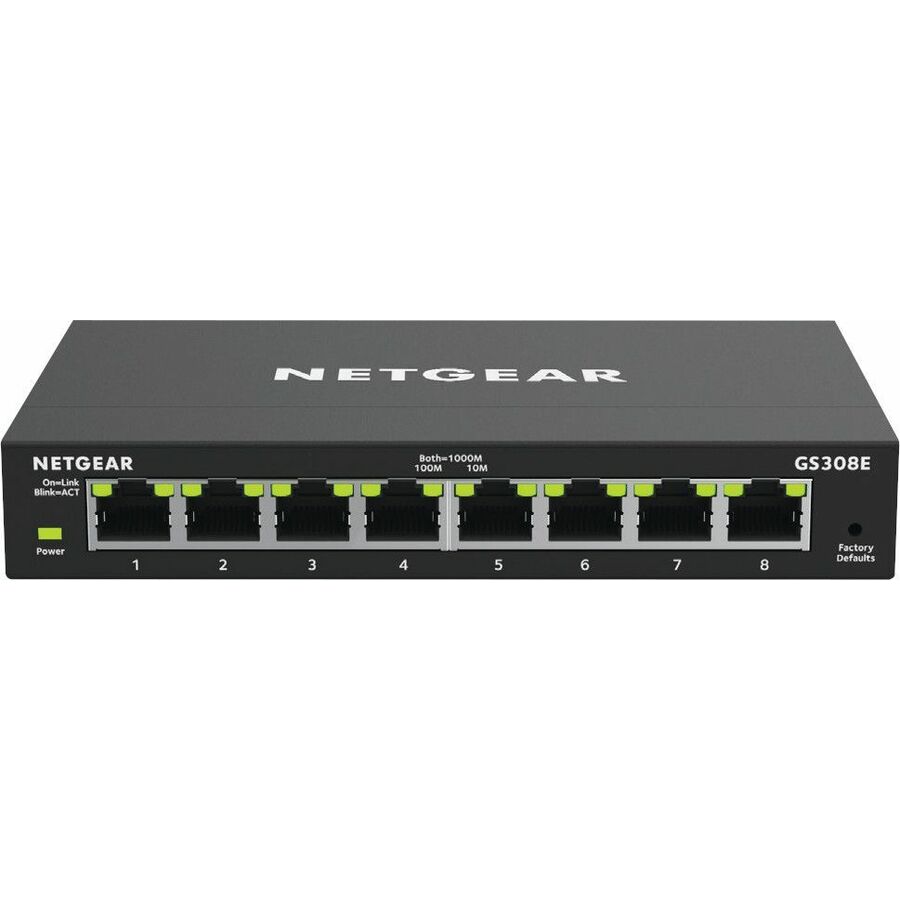
Netgear
Netgear GS308E Ethernet Switch
GS308E-400NAS
An eight-port gigabit web-managed switch that fits behind a desk or on a wall — the smallest box that still gives VLANs and port monitoring.
$54.86Back-ordered24 ports plus fibre
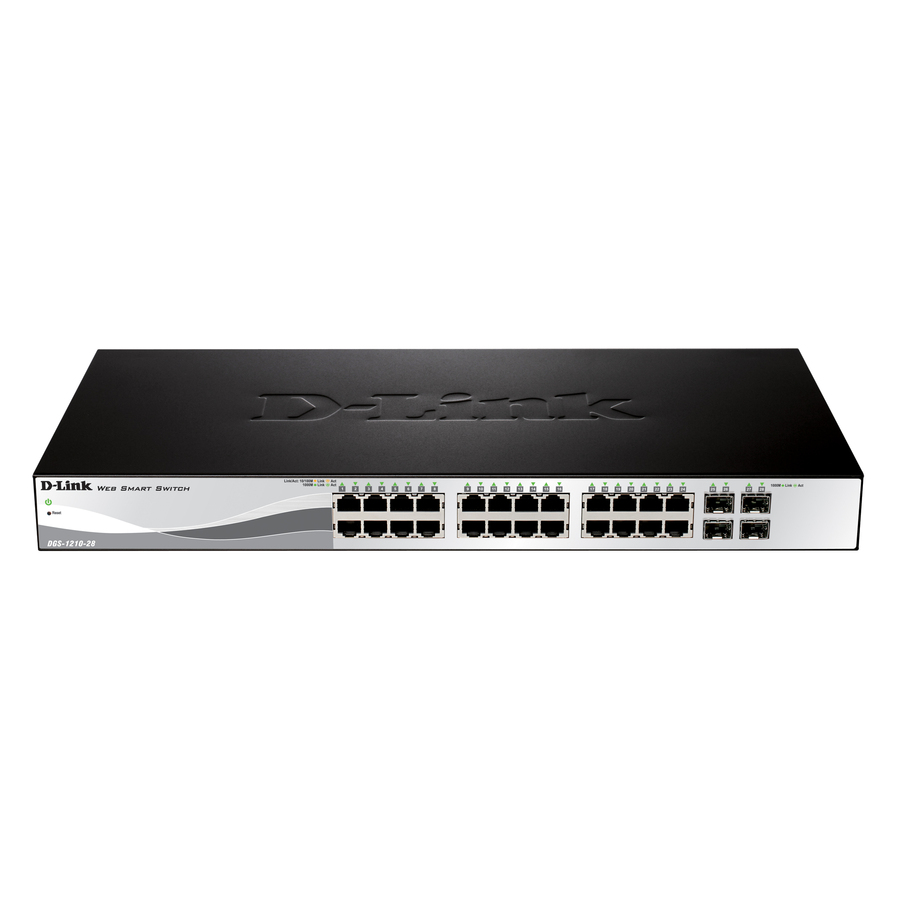
D-Link Systems
D-Link WebSmart DGS-1210-28 Ethernet Switch
DGS-1210-28
A 1U 24-port web-smart switch with four SFP slots, rack- or desk-mountable. The usual closet size once a site has more than one VLAN.
$214.88In stockController-managed
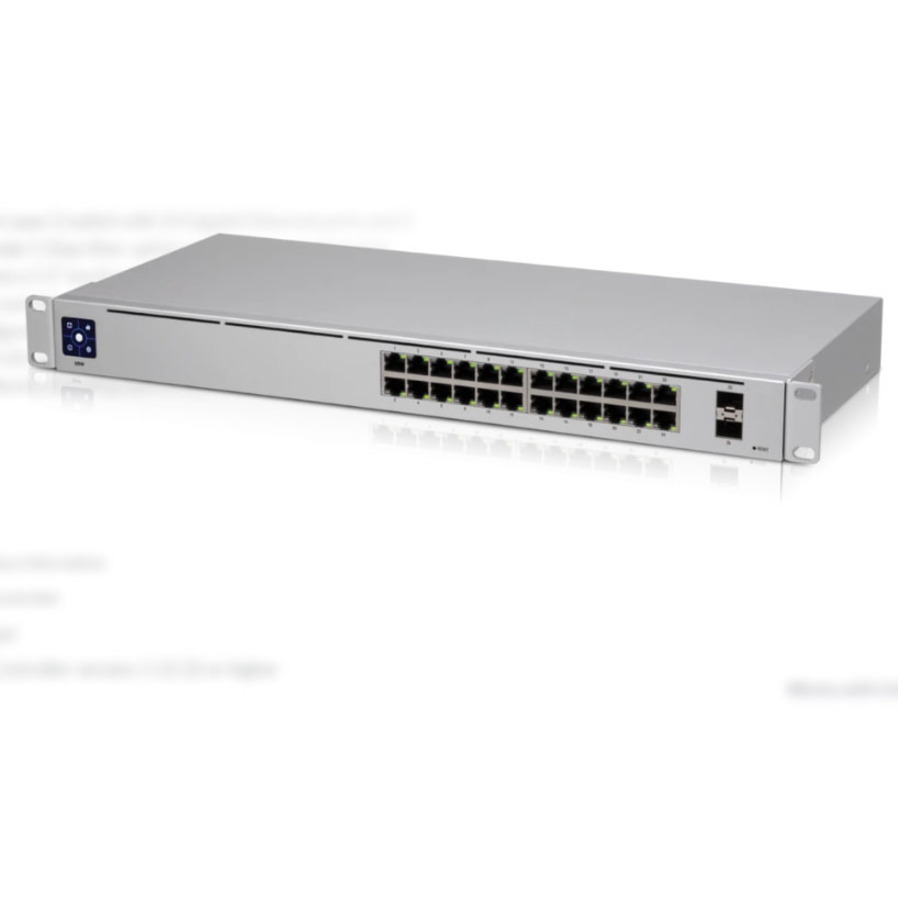
Ubiquiti
Ubiquiti UniFi Switch 24
USW-24
A 1U 24-port managed switch with two SFP slots that is configured from a controller rather than per-device, for sites already running that stack.
Controller-managed switches assume the controller exists. Standalone web management is the alternative if it does not.
$294.89Back-orderedFrequently asked
- What is the main difference between a managed and unmanaged switch?
- Configurability. A managed switch lets an administrator control and monitor how traffic is forwarded — creating VLANs, setting QoS priorities, enforcing port security, and viewing performance data. An unmanaged switch has no configuration interface; it forwards traffic automatically and works as soon as it's plugged in. Managed switches cost more and require expertise but give you segmentation, security, redundancy, and visibility.
- Do I need a Layer 3 managed switch?
- Only if you need to route traffic between multiple VLANs or subnets at high volume without a separate router creating a bottleneck. Layer 2 managed switches handle segmentation and switching within VLANs and are sufficient for most edge and smaller-network needs. Layer 3 switches add in-hardware IP routing and are typically deployed at the network core or distribution layer where inter-VLAN traffic is heavy.
- What is a smart switch, and how is it different from a managed switch?
- A smart (or lightly managed) switch offers a subset of managed features — often basic VLANs, QoS, and simple monitoring — through a streamlined web interface, usually without a full CLI or advanced routing and security options. It sits between unmanaged and fully managed switches in both capability and price, and can be a good fit when you need some segmentation and prioritization but not the full feature set or complexity of an enterprise managed switch.
- Can a managed switch improve network performance?
- Indirectly, yes. It doesn't make raw links faster, but QoS lets you prioritize latency-sensitive traffic like voice and video so it isn't degraded by bulk transfers, VLAN segmentation reduces unnecessary broadcast traffic, and link aggregation (LACP) combines ports for more throughput and failover. On busy networks with many VLANs, a Layer 3 switch can also route between subnets faster than sending that traffic to a separate router.
Sources
- 1.IEEE 802.1Q-2022 — Bridges and Bridged Networks (VLANs)standards.ieee.org
- 2.IEEE 802.1AX-2020 — Link Aggregationstandards.ieee.org
- 3.RFC 3411 — SNMP management framework architecturerfc-editor.org
- 4.RFC 3584 (BCP 74) — Coexistence between Version 1, Version 2, and Version 3 of the Internet-standard Network Management Frameworkrfc-editor.org
Keep reading