
Short answer
An unmanaged switch has fixed behaviour and no management interface, while a managed switch exposes VLANs (802.1Q), QoS, SNMP and link aggregation through a CLI or web UI. Choose managed where traffic must be segmented, prioritised or watched; choose unmanaged where you only need more ports on a small flat network.
Key facts
- VLAN tagging is defined in IEEE 802.1Q; a switch that does not implement it keeps every port in one broadcast domain.
- Priority marking (802.1p class of service) sits in that same IEEE 802.1Q standard, which is why VLANs and QoS arrive together on a managed switch.
- Spanning tree — the protection against a cabling loop — is also specified in IEEE 802.1Q, and an unmanaged switch runs none of it.
- SNMP, the protocol a managed switch answers monitoring queries with, is the IETF framework in RFC 3411; an unmanaged switch runs no agent at all.
- Power over Ethernet is a hardware capability under IEEE 802.3af/at/bt and is independent of management, so unmanaged PoE switches exist.
Both switch types do the same core job: they learn MAC addresses and forward Ethernet frames at wire speed between ports. The question buyers are really asking is not "which is faster" — on an uncongested link, a well-matched pair of switches moves packets identically — but "does this part of the network need to be segmented, observed, and controlled, or does it just need more ports?" An unmanaged switch is a fixed appliance you plug in and forget; a managed switch is a configurable device with an operating system, a management interface, and a long list of features you can turn on when the network demands them.
The choice is driven by where the switch sits and what traffic crosses it. Mixed traffic (voice, video, IoT, guest, and production data on the same wire), security or compliance requirements, redundant cabling, and the need to troubleshoot with real telemetry all push toward managed. A small, flat, single-purpose network with no segmentation needs and no dedicated IT staff points the other way. Cost and operational complexity ride along with that decision: managed hardware costs more and needs someone who can configure and maintain it, while unmanaged hardware trades away all control for simplicity and price.
At a glance
Side by side
| Factor | Managed switch | Unmanaged switch |
|---|---|---|
| Configuration | CLI, web GUI, and SNMP; saved config files, firmware updates | None — plug-and-play with fixed, non-configurable behavior |
| VLAN segmentation (802.1Q) | Yes — split traffic into isolated broadcast domains | No — one flat broadcast domain shared by every port |
| QoS / prioritization | 802.1p CoS and DSCP to prioritize voice, video, real-time traffic | Best-effort FIFO only; no traffic prioritization |
| Loop protection | STP/RSTP/MSTP (802.1D/w/s) prevents loops from cabling mistakes | Typically none — an accidental loop can cause a broadcast storm |
| Monitoring & diagnostics | SNMP, port mirroring (SPAN), syslog, per-port counters | Link and activity LEDs only; no visibility into traffic |
| Security controls | ACLs, port security, MAC filtering, 802.1X access control | None — any device on any port joins the network |
| Link aggregation / redundancy | LACP (802.3ad / 802.1AX) bundles links; supports redundant paths | No aggregation; no support for redundant topologies |
| Cost & operational load | Higher unit cost; requires configuration and ongoing management | Low cost; zero configuration or maintenance effort |
Choose a managed switch when
- You need VLAN segmentation — separating voice, data, guest, IoT, or sensitive systems onto isolated broadcast domains
- Traffic contention matters and QoS (802.1p / DSCP) must protect VoIP, video conferencing, or other latency-sensitive flows
- You require visibility or enforcement: SNMP monitoring, port mirroring for an IDS, ACLs, or 802.1X port-based access control
- The topology has redundant paths needing spanning tree, or aggregated uplinks via LACP, especially at the core or distribution layer
Choose an unmanaged switch when
- The network is small and flat — a home office, lab bench, or workgroup where no segmentation or prioritization is needed
- You are simply adding edge ports downstream of an already-managed distribution switch that enforces policy
- There is no IT staff to configure or maintain equipment and true plug-and-play operation is a requirement
- Cost and simplicity outweigh control, such as temporary, isolated, or single-purpose deployments
Bottom line
Buy managed the moment traffic needs segmenting, prioritising or watching; buy unmanaged only to add ports to a small flat network. A managed switch is the right call anywhere the network must be segmented, prioritized, monitored, or secured, and it is expected at the core and distribution layers; the tradeoff is higher cost and the need for someone to configure and maintain it. An unmanaged switch wins where you simply need more ports on a small, flat, trusted network and want zero configuration. Many real networks use both: managed switches where policy is enforced, unmanaged switches at simple edges behind them.
Products for this decision
Managed
Netgear
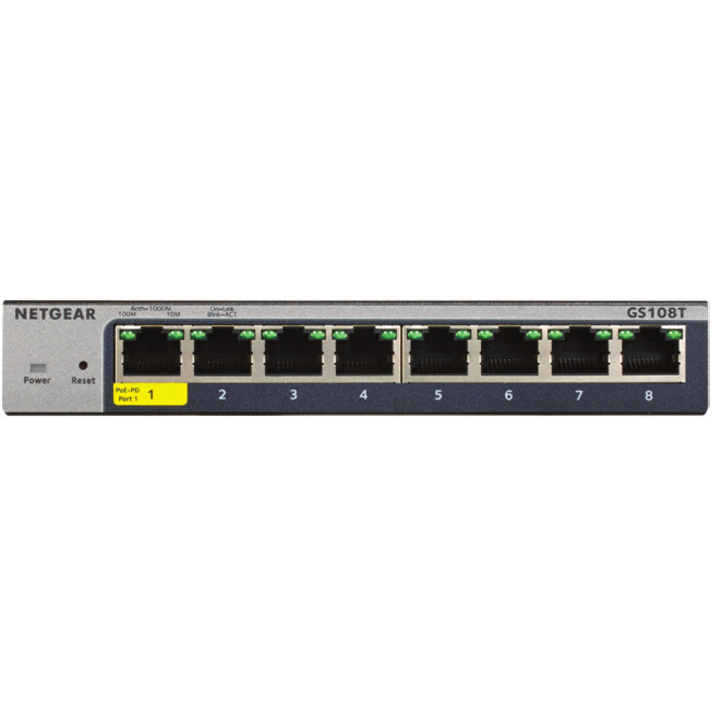
Netgear 8-Port Gigabit Ethernet Smart Managed Pro Switches with Cloud…
GS108T-300NAS
An eight-port gigabit smart managed switch with VLANs, QoS and SNMP — the smallest sensible size for a closet that has to enforce policy.
$105.21Back-orderedThe middle ground
Netgear
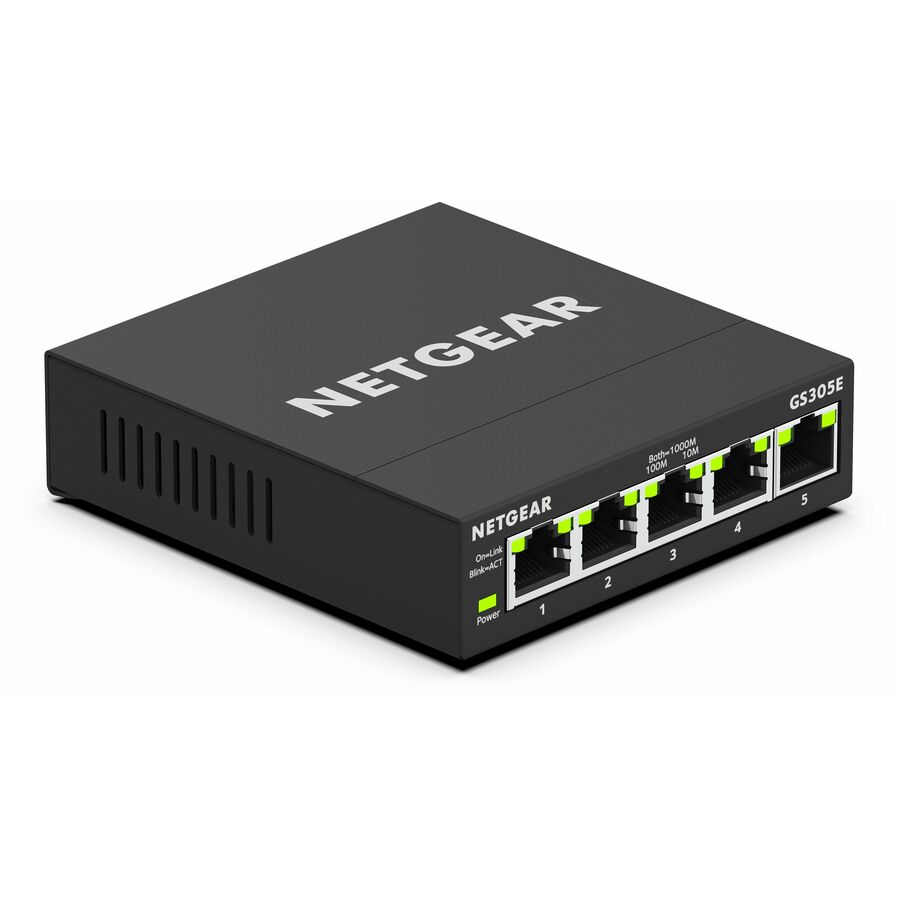
Netgear Business GS305E Ethernet Switch
GS305E-100NAS
A five-port web-managed switch: VLANs and basic prioritisation from a browser, without a CLI or a full managed feature set.
Web-managed switches vary widely in what they expose — read the feature list, not the category name.
$43.71Back-orderedUnmanaged
D-Link Systems
D-Link DGS-108 8 Port Gigabit Unmanaged Metal Desktop Switch
DGS-108
An eight-port gigabit metal desktop switch with no configuration at all, for adding ports behind a switch that already applies the policy.
$37.00Back-orderedShop it at Uniqcli
FAQ
Common questions
- Is there a middle ground between the two?
- Yes. Smart (also called web-managed or lightly-managed) switches sit between them, offering a useful subset of managed features — commonly VLANs, basic QoS, and simple monitoring — through a web interface, without a full CLI or the complete feature set. They cost less than fully managed switches and suit small deployments that need VLANs or QoS but not enterprise-grade control.
- Can I mix managed and unmanaged switches on the same network?
- Yes, and it is common — for example a managed switch at the distribution layer with unmanaged switches adding ports at the edge. Keep in mind an unmanaged switch cannot assign or enforce VLANs or apply QoS policy, and it provides no loop protection for anything connected below it, so keep policy enforcement on the managed devices and use unmanaged switches only for simple, trusted edge expansion.
- Do unmanaged switches support Power over Ethernet (PoE)?
- They can. PoE is a hardware capability defined by the IEEE 802.3af (about 15.4W per port at the switch), 802.3at / PoE+ (about 30W), and 802.3bt / PoE++ (higher) standards, and it is independent of whether a switch is managed. The difference is control: a managed switch can schedule PoE, set per-port priority, and cap power budgets, while an unmanaged PoE switch simply delivers power on capable ports.
- Will a managed switch make my network faster?
- Not in raw throughput. Both types forward traffic at the wire speed of their ports, so on an uncongested network you will not see a speed difference. A managed switch improves performance only under contention — QoS protects priority traffic when a link is saturated — and through segmentation and link aggregation. If a small network is not congested, managing it will not make it faster.
- Is a managed or unmanaged switch better?
- Neither, in the abstract — they answer different requirements. A managed switch is better wherever the network has to be segmented into VLANs, prioritise voice or video, be monitored, or restrict which devices may join. An unmanaged switch is better where the only requirement is more ports on a small, flat, trusted network and nobody is available to configure equipment. Both forward frames at the wire speed of their ports, so the choice is about control, not speed.
- Do I need a managed switch if I have a router?
- Not necessarily. If the router already handles the segmentation, prioritisation and access control the site needs, and the switch is only adding ports beneath it, an unmanaged switch is sufficient. You need a managed switch when policy has to be applied at the switch itself — VLANs that reach individual ports, 802.1X on the access edge, port mirroring for an inspection tool, or QoS marking before traffic reaches the router's uplink.
- Can I use a managed switch as unmanaged?
- Yes. A managed switch ships in a default configuration that forwards traffic like an unmanaged one, so you can deploy it without configuring anything and enable features later. That is a reasonable way to buy headroom on a site that may need VLANs next year. The caveat is exposure: a managed switch has a management interface with default credentials, so change them and put management on a controlled network even if you use none of the features.
- How can you tell if a switch is managed or unmanaged?
- Look for a management path. A managed switch has a console port, a documented default management IP or a discovery utility, a web or CLI login, and a firmware version you can read; an unmanaged switch has ports, power and link LEDs and nothing else. The model number is the fastest check — vendors keep managed and unmanaged in separate product lines, and the datasheet either lists VLANs, QoS and SNMP or it does not.
Sources
- 1.IEEE 802.1Q — Bridges and Bridged Networks (VLANs, priority, spanning tree)standards.ieee.org
- 2.RFC 3411 — An Architecture for Describing SNMP Management Frameworksdatatracker.ietf.org
- 3.IEEE 802.3bt — Power over Ethernet over 4 pairsstandards.ieee.org