
Short answer
A Layer 2 switch forwards frames by MAC address inside a VLAN, while a Layer 3 switch also holds a routing table and routes between VLANs by IP address in hardware. Choose Layer 2 at the access edge where something upstream does the routing; choose Layer 3 at the distribution or core where many VLANs must reach each other.
Key facts
- A Layer 2 switch forwards on the MAC address and separates traffic with VLANs, the tagging scheme defined in IEEE 802.1Q.
- A Layer 3 switch adds IP forwarding — the routing-table lookup and TTL handling RFC 1812 specifies for a router — done in switching hardware.
- A Layer 2 switch supports VLANs and trunking fully; what it cannot do is move traffic between VLANs, which needs a Layer 3 gateway.
- Layer 3 switches generally lack the WAN interfaces, NAT and VPN termination of a router, so most designs keep a router or firewall at the edge.
- Router-on-a-stick hairpins every inter-VLAN flow through one trunk to a router; a Layer 3 switch keeps that traffic inside the switch fabric.
Buyers usually raise this question during a network refresh, when they cannot tell whether the higher cost of a Layer 3 switch is justified or whether a cheaper Layer 2 model would do the same job. The useful framing is not "which is smarter" — both forward traffic in hardware at or near wire speed — but where the routing boundary should live. A Layer 2 switch moves Ethernet frames inside a broadcast domain using MAC addresses; a Layer 3 switch adds the ability to route IP packets between VLANs and subnets. The decision is architectural: it is about where traffic needs to cross a subnet boundary.
What actually drives the choice is your topology tier and traffic pattern: whether the switch sits at the access edge or the distribution/core, how many VLANs it aggregates, how much east-west traffic crosses subnets, and whether you want routing decentralized onto the switch or funneled through a central router or firewall. A flat, single-subnet access closet rarely needs Layer 3; a campus core tying together dozens of VLANs almost always does. Placing the boundary correctly avoids both overspending at the edge and hairpinning every inter-VLAN flow through one chokepoint.
At a glance
Side by side
| Factor | Layer 2 switch | Layer 3 switch |
|---|---|---|
| OSI operating layer | Layer 2 (data link) | Layer 2 and Layer 3 (adds network layer) |
| Forwarding basis | Destination MAC address via the MAC/CAM table | Destination IP via a routing table, plus MAC switching within each VLAN |
| Inter-VLAN routing | Not supported; needs an upstream router or router-on-a-stick | Native, via SVIs or routed ports in hardware |
| Routing protocols | None | Static routes plus dynamic (RIP/OSPF/EIGRP; BGP on higher-end) |
| Subnet handling | Segments broadcast domains with VLANs but cannot route between subnets | Segments with VLANs and routes between the subnets |
| IP addressing | Typically a single management IP | An IP per SVI or routed interface, acting as the subnet gateway |
| Typical placement | Access / edge layer | Distribution and core layers |
| Relative cost and config | Lower cost, simpler to deploy | Higher cost, requires routing design |
Choose Layer 2 switch when
- The switch sits at the access layer and all its ports live in one VLAN or subnet, with routing handled upstream
- You want the routing boundary centralized on a firewall, router, or core switch rather than distributed to the edge
- The site is small or flat with only one or a few subnets and little inter-VLAN traffic
- You are expanding port count on a budget and Layer 3 capability already exists above the access tier
Choose Layer 3 switch when
- You need inter-VLAN routing at wire speed without hairpinning traffic through a separate router
- The switch aggregates many VLANs at the distribution or core layer with heavy east-west traffic
- You want to run dynamic routing (OSPF/EIGRP) or a routed-access design to shrink spanning-tree domains
- You are segmenting a large campus into many subnets that must communicate locally
Bottom line
Put Layer 3 where VLANs meet and Layer 2 everywhere below it. Layer 2 switches are the right, cheaper tool at the access edge where ports share a broadcast domain and something upstream does the routing. Layer 3 switches earn their premium at the distribution or core, where routing many VLANs in hardware avoids sending every inter-subnet flow through a bottleneck. Match the switch to where the routing boundary sits, not to a blanket preference.
Products for this decision
Layer 2 access
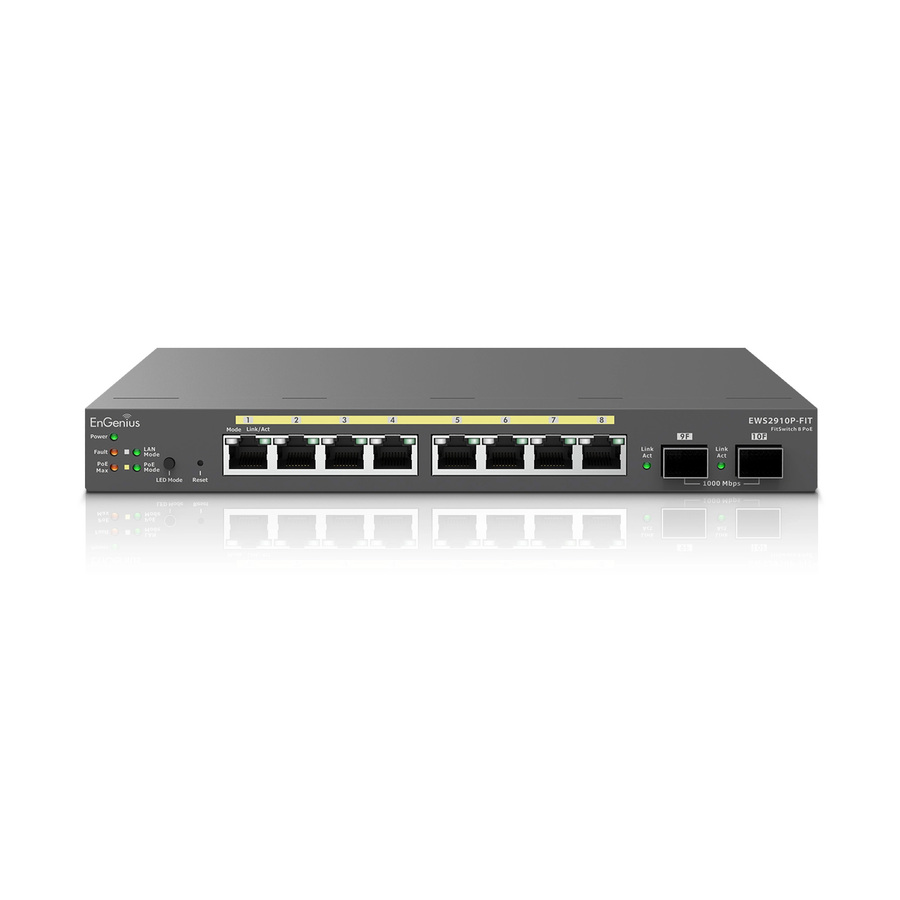
EnGenius Technologies
EnGenius EWS2910P-FIT Ethernet Switch
EWS2910P-FIT
An eight-port managed switch with two SFP uplinks — VLANs and trunking at the edge, with the routing left to something upstream.
$167.43Back-orderedLayer 3, 24 ports
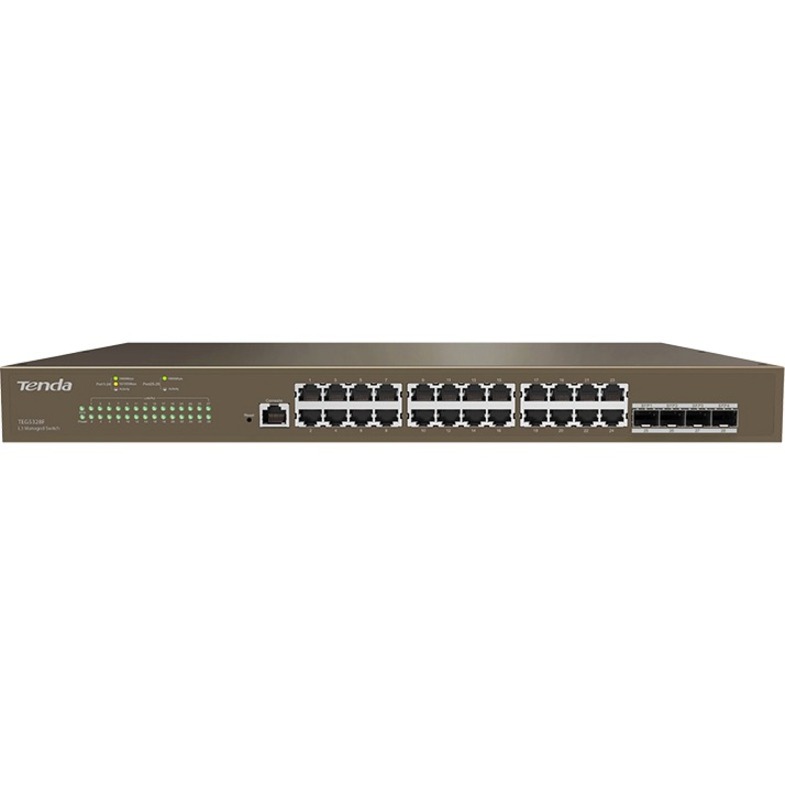
Tenda Technology
Tenda L3 Managed Switch
TEG5328F
A 24-port managed Layer 3 switch with SFP uplinks, for a distribution point that has to route between VLANs itself.
Confirm the routing feature set you need — static routes, OSPF, ACLs — since Layer 3 support varies widely between models.
$232.63Back-orderedLayer 3 with PoE
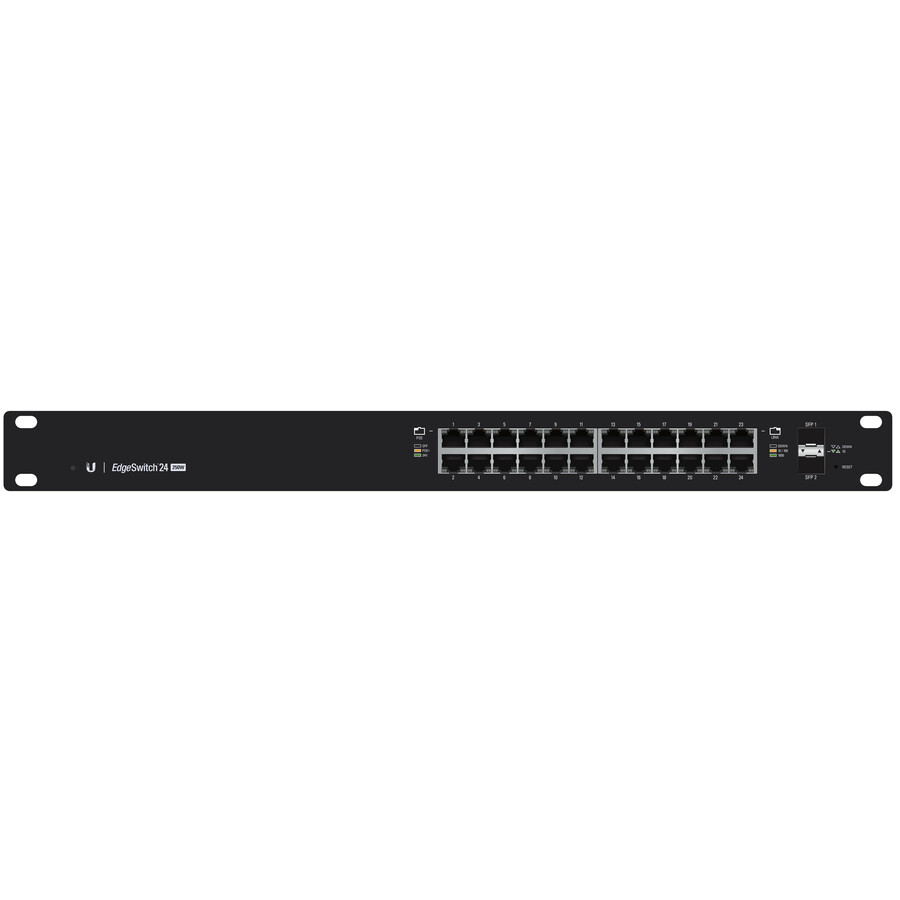
Ubiquiti
Ubiquiti EdgeSwitch ES-24-250W Layer 3 Switch
ES-24-250W
A 24-port Layer 3 switch with a PoE budget, for a closet that both routes between VLANs and powers the access points below it.
$457.98In stockFAQ
Common questions
- Can a Layer 3 switch replace a router?
- For LAN routing between internal VLANs, largely yes — and it does so faster because forwarding happens in dedicated switching hardware rather than in software. But it is not a full router replacement: Layer 3 switches typically lack WAN interfaces and the richer services routers provide, such as NAT, VPN termination, and advanced WAN QoS. Most designs still use a router or firewall at the internet edge and a Layer 3 switch for internal routing.
- Do I need Layer 3 switches everywhere?
- No. A common and cost-effective design keeps Layer 2 switches at the access layer and uses Layer 3 switches only at the distribution and core. Putting Layer 3 at every access closet adds cost and routing complexity that most edge ports never use. Push Layer 3 down to the access layer only if you deliberately want a routed-access design to reduce spanning-tree scope.
- How is a Layer 3 switch different from router-on-a-stick?
- Router-on-a-stick carries all inter-VLAN traffic over a single trunk to a router doing subinterfaces — cheap, but that one link becomes a bottleneck and every flow hairpins through it. A Layer 3 switch routes between VLANs internally across many ports in hardware, so inter-VLAN traffic never leaves the switch or contends for a single uplink. It costs more but scales far better for busy subnets.
- Can Layer 2 switches use VLANs if they cannot route?
- Yes. VLANs are a Layer 2 construct that separate broadcast domains, and Layer 2 switches support them fully, including trunking between switches. What a Layer 2 switch cannot do is move traffic between those VLANs — that requires a Layer 3 device acting as the gateway for each subnet, whether a router or a Layer 3 switch.
- What are the differences between Layer 2 and Layer 3 switches?
- One forwards, the other also routes. A Layer 2 switch reads the MAC address, learns which port each address sits behind, and moves frames within a VLAN; traffic that has to cross VLANs leaves the switch. A Layer 3 switch does all of that and adds an IP routing table, so it forwards between VLANs itself at switching speed. Everything else — port speeds, PoE, stacking, management — exists on both, which is why the routing table is the line that actually separates them.
- How do I know if my switch is L2 or L3?
- Look for an IP routing table. On the CLI or web UI, a Layer 3 switch lets you create a routed interface or SVI with an IP address per VLAN and shows a routing table; a Layer 2 switch offers one management IP and nothing to route with. The datasheet is faster: it will list static routing, RIP or OSPF, and inter-VLAN routing under features. Note that some vendors sell a Layer 3 licence separately, so identical hardware can ship in either state.
- What can a Layer 3 switch do that a Layer 2 cannot?
- Route between subnets. A Layer 3 switch is the default gateway for each VLAN, so traffic between a voice VLAN and a data VLAN never leaves it, and it can apply IP access control lists and static or dynamic routes on the way. A Layer 2 switch has to hand that traffic to a router or firewall. The practical consequence is scale: at the distribution layer, routing in the switch removes the single uplink every inter-VLAN flow would otherwise share.
- Is a Layer 3 switch basically a router?
- It is a switch with a router's forwarding built into hardware, which is not quite the same thing. It routes IP between local subnets very fast and with many ports, but it is designed for LAN interfaces and usually omits the WAN interfaces, NAT, VPN termination and deep policy features a router carries. Think of it as the LAN's routing engine rather than the site's edge device — most networks run both, each doing what it is shaped for.
Sources
- 1.IEEE 802.1Q — Bridges and Bridged Networks (VLANs and tagging)standards.ieee.org
- 2.RFC 1812 — Requirements for IP Version 4 Routersrfc-editor.org