
Short answer
The main difference between a switch and a router is the layer they forward on: a switch forwards Ethernet frames inside one network by MAC address (Layer 2), while a router forwards IP packets between networks by destination address (Layer 3). Choose a switch to add wired ports or VLANs inside the LAN; choose a router to reach the internet, run NAT or terminate a VPN. Most sites need both.
Key facts
- A router is defined by examining the IP header as part of forwarding — RFC 1812's own distinction between a router and any other packet switch.
- A switch forwards Ethernet frames under IEEE 802.3 and, on managed models, tags VLANs under IEEE 802.1Q; neither standard gives it NAT or a WAN role.
- A router terminates one broadcast domain per interface. A switch shares one across all its ports unless VLANs subdivide it.
- An unmanaged switch has no IP address at all; a managed switch has one management IP, and a router holds an address on every interface.
- A Layer 3 switch routes between VLANs in hardware but has no NAT, VPN termination or WAN protocols, so it supplements an edge router rather than replacing it.
The question surfaces at a specific moment: a router's built-in four-port bank is full and three more workstations need a wired drop, or a new office is being cabled and someone has to decide whether one box can serve the whole floor. It also comes up when a site outgrows a flat network — a warehouse scanner fleet floods every port with broadcasts, or a guest Wi-Fi segment has to be walled off from the finance subnet. In each case the buyer is really asking which device forwards traffic where: does this box need to move frames between endpoints on the same network, or move packets between different networks and out to the internet?
Two factors decide it, and they are not interchangeable. The first is the boundary the device sits on: a switch lives inside one network and forwards Ethernet frames by MAC address, while a router sits between networks and forwards IP packets by destination address, terminating a separate broadcast domain on each interface. The second is what else has to happen at that boundary — NAT to share one public IP, a VPN tunnel to a remote site, a firewall policy at the perimeter. A switch does none of those; a router, or the combo box most small sites already own, does. What a switch cannot do is cross that boundary on its own, which is why in most topologies the two devices sit in series rather than compete for the same slot.
At a glance
Side by side
| Factor | Switch | Router |
|---|---|---|
| OSI layer | Layer 2 — Ethernet frames | Layer 3 — IP packets |
| Forwards by | Destination MAC address (learned table) | Destination IP address (routing table) |
| Broadcast domains | One shared by all ports; VLANs subdivide | One terminated per interface |
| Address handoff | MAC table filled as frames arrive | ARP/NDP maps IP to MAC per segment |
| Typical role | Extend wired ports inside the LAN | Gateway between LAN and internet/WAN |
| WAN features | None — no NAT, VPN or WAN protocols | NAT, VPN termination, dynamic routing |
| Segmentation | VLAN tagging (802.1Q) on managed models | ACLs, subnets, DMZ boundary enforcement |
| Forwarding engine | ASIC hardware, near wire-speed | Often CPU/software for policy-rich WAN |
| Has an IP address? | Only a management IP if managed | Yes — it is the LAN's default gateway |
Reach for a switch when
- The router's built-in LAN ports are exhausted and more wired devices — desk PCs, printers, IP phones — need a drop on the same network.
- You need PoE to power access points, cameras or phones, and want that power budget concentrated in one managed access-layer device.
- Internal traffic needs to be isolated into separate VLANs — guest, voice, finance — so those groups never share a broadcast domain, all over the existing access-layer cabling.
- A wiring closet needs high port density plus 802.1X port authentication and telemetry an unmanaged box simply cannot provide.
Reach for a router when
- Traffic has to leave the local network — reaching the internet, a branch office or a cloud subnet means forwarding by IP address.
- You need NAT to share one public IP, a site-to-site VPN tunnel, or DHCP and default-gateway services for the entire LAN.
- A trust boundary needs enforcement: ACLs, stateful inspection or a DMZ that separates public-facing systems from internal ones.
- The site is being built or reset and no device is yet performing Layer 3 routing between the LAN and the ISP handoff.
Bottom line
For most sites the honest answer is that you need both, and they are not substitutes. The router owns the boundary — it is the default gateway, the NAT engine, the VPN endpoint and usually the firewall, so a switch can never replace it for internet access. The switch owns the interior: it multiplies wired ports and, in managed form, carries the VLANs and PoE a growing site depends on. A single small office often runs a combo box that folds both roles into one, and that holds until port count, segmentation or PoE demand a dedicated switch. Add a Layer 3 switch only when inter-VLAN routing volume justifies moving that traffic off the router's CPU; it supplements the edge router, it does not retire it.
Products for this decision
The router
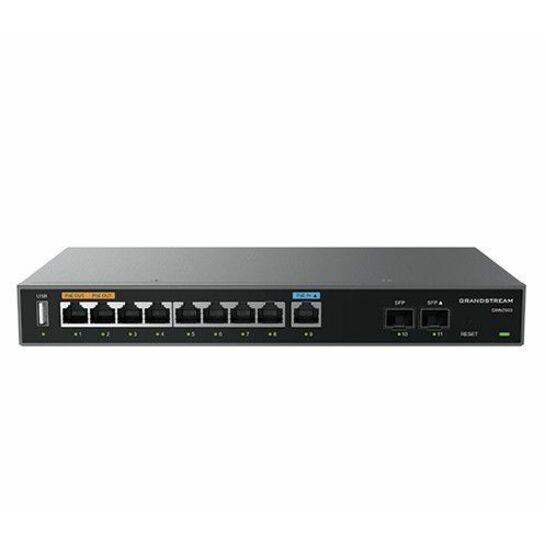
Grandstream Networks
Grandstream Multi-WAN Gigabit VPN Router
GWN7003
A multi-WAN gigabit VPN router with nine ports and two SFP slots — the box that owns the boundary, runs NAT and terminates a site-to-site tunnel.
$95.76Back-orderedThe switch
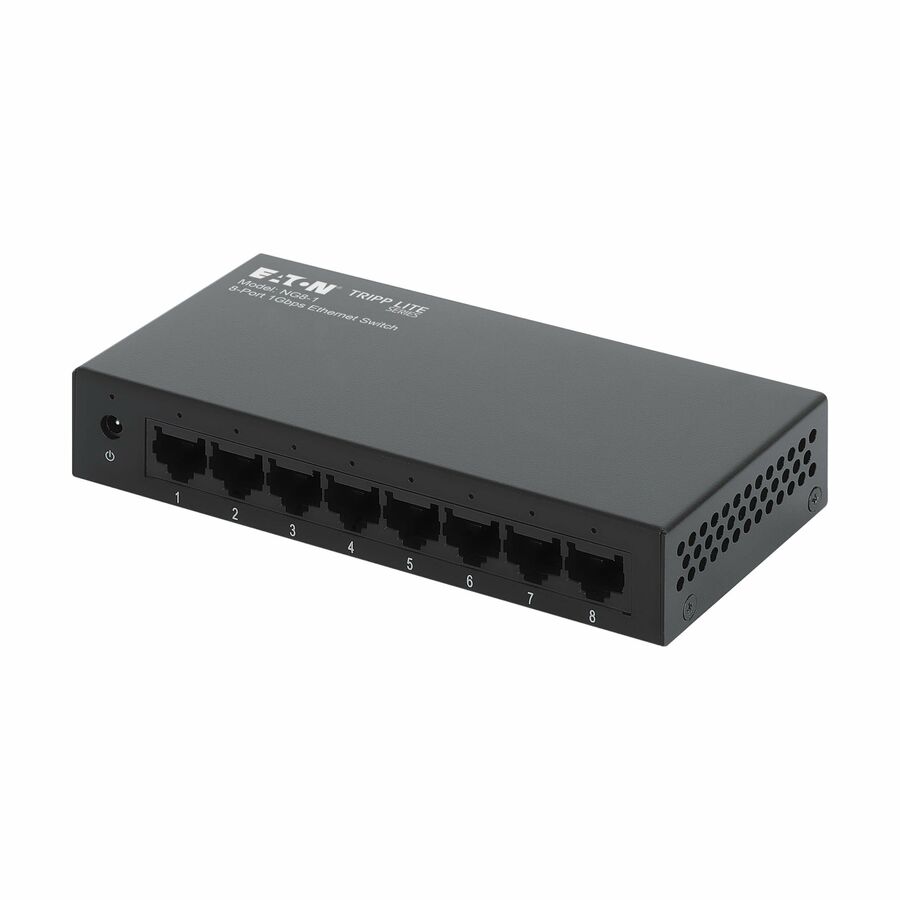
Eaton
Eaton Tripp Lite Series 8-Port 10/100/1000 Mbps Desktop Gigabit…
NG8-1
An eight-port unmanaged gigabit switch in a metal enclosure, for the ordinary case: the router's LAN bank is full and more desks need a wired drop.
$50.60In stockWhen the switch routes too
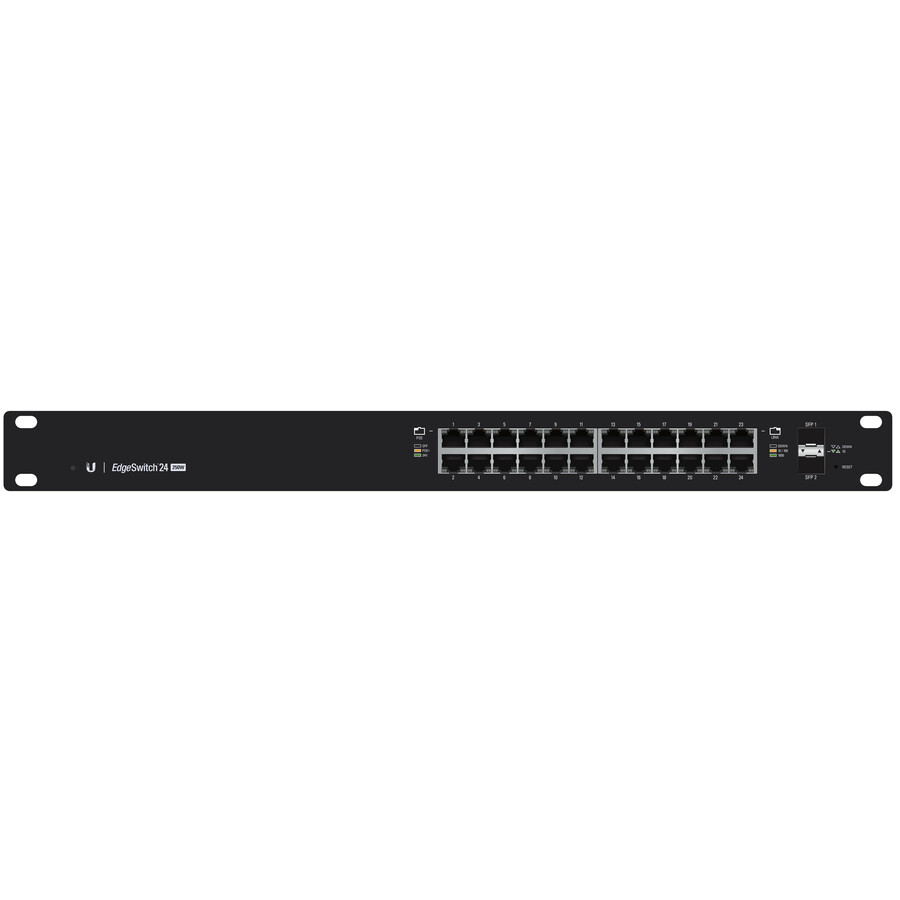
Ubiquiti
Ubiquiti EdgeSwitch ES-24-250W Layer 3 Switch
ES-24-250W
A 24-port managed Layer 3 switch with SFP uplinks, for a site whose inter-VLAN traffic has outgrown the edge router's CPU.
A Layer 3 switch adds inter-VLAN routing; it still has no NAT or VPN, so the edge router stays.
$457.98In stockShop it at Uniqcli
FAQ
Common questions
- Can a switch replace a router?
- No, not for internet access. A switch forwards Ethernet frames by MAC address within a single network; it has no concept of routing packets between different IP networks, no NAT to share a public address, and no default-gateway or DHCP role. Connect a switch straight to an ISP handoff and nothing reaches the internet. A router, or the combo box most small sites already run, performs that Layer 3 forwarding. A switch only extends the wired ports behind whatever router already owns the boundary, so the two devices complement each other rather than substitute.
- Does a switch have an IP address?
- A basic unmanaged switch has no IP address — it forwards frames purely by MAC address and is invisible at Layer 3, which is why you cannot log into one. A managed switch carries a single management IP, used only to reach its admin interface for VLAN, QoS and telemetry configuration; that address does not make it a router. A router, by contrast, holds an IP on every interface because it forwards by IP and is typically the LAN's default gateway. So an address on a switch is for management, while an address on a router is central to how it forwards traffic.
- Can I connect a switch to a router?
- Yes — that is the standard way to add wired capacity. Run a cable from one of the router's LAN ports to any port on the switch, and the switch fans that single connection out into many more ports. Every device on the switch stays inside the same network and broadcast domain, and the router remains the default gateway handling addressing and the path to the internet. No special configuration is required for an unmanaged switch; a managed switch simply adds VLAN, PoE and telemetry controls on top of the same basic uplink.
- What's the difference between a router, a switch, and a modem?
- Each sits at a different point in the chain. The modem terminates the ISP's physical line, converting the carrier signal into Ethernet — it does not route or switch. The router forwards IP packets between your LAN and the internet, running NAT, DHCP and usually the firewall as the default gateway. The switch sits inside the LAN and forwards frames by MAC to add wired ports. Most consumer and small-office wireless routers fold the router, a switch and a Wi-Fi access point into one box, which is exactly why the three roles feel blurred to buyers.
Sources
- 1.RFC 1812 — Requirements for IP Version 4 Routersrfc-editor.org
- 2.IEEE 802.3-2022 — IEEE Standard for Ethernetstandards.ieee.org
- 3.IEEE 802.1Q-2022 — Bridges and Bridged Networks (VLANs)standards.ieee.org