
Short answer
The main difference is routing. An access point only bridges Wi-Fi clients onto an existing wired LAN; a router terminates the internet connection, hands out addresses over DHCP, performs network address translation and forwards traffic between networks. A network needs one router at each internet edge and can carry as many access points as coverage and client density require.
Key facts
- An access point is a Layer 2 bridge: it moves frames between its radio and its Ethernet port and assigns no addresses.
- A router works at Layer 3, forwarding IP packets between networks, and on a small site it is also the DHCP server described in RFC 2131.
- Network address translation, defined in RFC 2663, lives on the router; an access point performs none of it.
- A network wants one router at each internet edge; adding a second creates a second layer of address translation behind the first.
- Access points scale horizontally — add units for coverage and density — because each one bridges into the same addressing behind it.
- Business access points are commonly powered over their Ethernet uplink, while a router takes a local power supply.
Almost every home network has these two functions in one box, which is why they get treated as the same thing. In a building of any size they separate. A router sits at the internet edge: it terminates the circuit, hands out addresses, translates between the private network and the public one, and forwards packets between networks. An access point sits in a ceiling: it bridges Wi-Fi clients onto a wired LAN that already exists, and it routes nothing.
The consequence is a counting rule. A network has one router at each internet edge — anything else creates a second layer of address translation and a class of faults that are miserable to diagnose. It can have as many access points as coverage and client density require, because each one is a bridge, not a decision point, and they share the same addressing behind them.
This also explains the most common mistake in a small office: plugging a second wireless router into the first. The second box keeps routing, keeps handing out addresses on its own subnet, and now devices on either side cannot see each other reliably. Putting that box into access-point mode — which disables its routing and DHCP — is what turns it back into the thing the network actually needed.
At a glance
Side by side
| Factor | Access point | Router |
|---|---|---|
| Job | Bridges Wi-Fi clients onto an existing wired LAN | Forwards packets between networks and terminates the internet connection |
| Layer | Layer 2 bridge between the radio and the Ethernet port | Layer 3 — routes between IP networks |
| Address assignment | None — it hands out no addresses | Usually the DHCP server for the LAN, as defined in RFC 2131 |
| NAT and edge firewall | None | Network address translation as described in RFC 2663, plus edge policy |
| WAN port | None; one LAN uplink | A WAN or internet port, often more than one for failover |
| How many per network | As many as coverage and client density require | One at each internet edge |
| Power | Commonly Power over Ethernet from the switch | A local power supply |
| What it cannot solve | No routing, no internet, no addressing | One radio in one place; coverage past that room needs access points |
You need an access point when
- A wired network already exists and the requirement is Wi-Fi coverage on top of it
- One area has no signal, or a dense area is running out of client capacity
- You want one SSID across a floor or a site with controller or cloud management
- The mounting position has an Ethernet drop and Power over Ethernet available
You need a router when
- An internet circuit has to be terminated and the site has no gateway yet
- Devices need addresses, address translation and an edge firewall policy
- Traffic has to move between networks or VLAN subnets on the site
- Two circuits need failover, or a site-to-site VPN has to terminate somewhere
Bottom line
They are not alternatives, they are two jobs. The router is the site's decision point: it terminates the circuit, owns the addressing, performs translation and enforces the edge policy, and a network wants exactly one of those per internet edge. The access point is a bridge that puts clients on the air, and a network can hold as many as coverage and density require. The confusion comes from consumer boxes that are a router, a switch and an access point in one enclosure — and the fix, when a second one is added to a network, is to disable its routing and DHCP and let it be an access point.
Products for this decision
The router
Ubiquiti
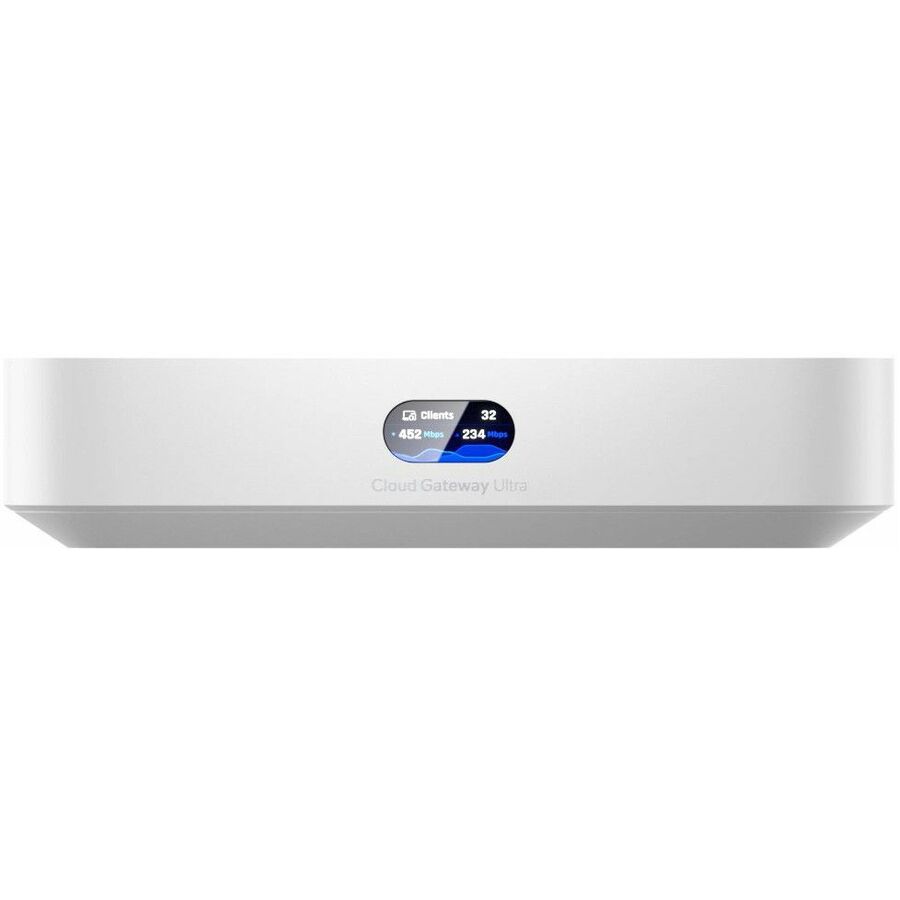
Ubiquiti Cloud Gateway Ultra Router
UCG-Ultra
A compact gateway with a 2.5 GbE WAN port and four gigabit LAN ports that terminates the circuit, runs DHCP and NAT and holds the edge policy for a small site.
$167.59In stockThe access point
Netgear
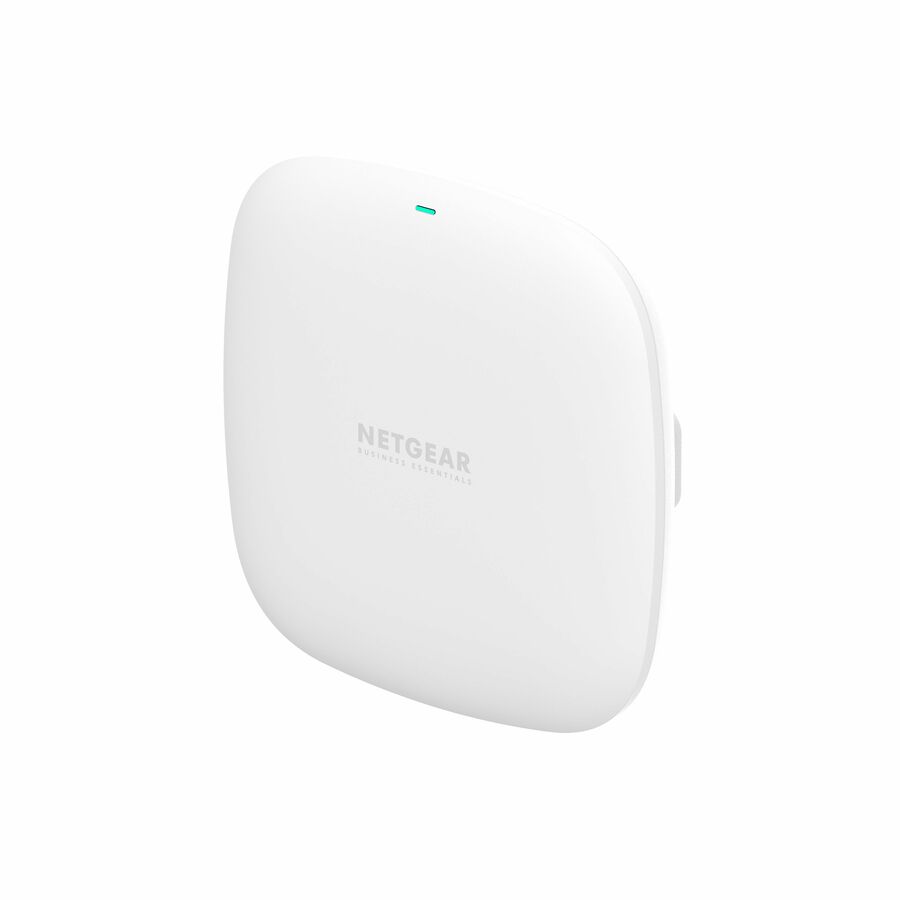
Netgear WAX210 Dual Band Wi-Fi 6 IEEE 802.11 a/b/g/n/ac/ax/e 1.80…
WAX210-100NAS
A dual-band Wi-Fi 6 access point with a single Ethernet uplink, mounted where coverage is needed and bridging onto the LAN the router already addresses.
$94.98In stockRouter with PoE
Grandstream Networks
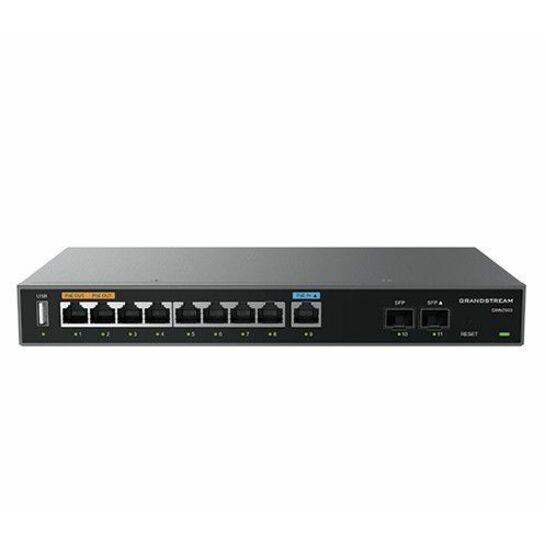
Grandstream Multi-WAN Gigabit VPN Router
GWN7003
A multi-WAN gigabit VPN router with PoE ports and SFP slots, for a site that wants failover at the edge and power for a couple of access points from the same box.
Check the PoE budget against the access points you intend to power.
$95.76Back-orderedFAQ
Common questions
- Do I need an access point if I have a router?
- Only if the router's own radio does not cover the space. A wireless router already contains an access point, so a single-room office needs nothing more. Add access points when coverage or client density outgrows one radio in one location — which in practice is most buildings larger than a flat.
- Which is better, router mode or access point?
- It depends on whether the device is the site's gateway. If it terminates the internet circuit, it must be in router mode. If it sits behind another router on the same network, put it in access-point mode so it stops routing and stops handing out addresses — otherwise you get two layers of address translation and devices that cannot see each other.
- Can I use my router as an access point?
- On most models, yes. Disable its DHCP server, give it a static address on the existing LAN, and connect it by one of its LAN ports rather than the WAN port; many products expose this as an access-point or bridge mode that does all three. The result is a device that bridges Wi-Fi onto the network it is plugged into and routes nothing.
- How many access points can one router support?
- The router is not usually the limit — the wired network and the addressing behind it are. Access points bridge into an existing LAN, so what constrains the count is switch ports, PoE budget, DHCP scope size and the capacity plan, not the gateway. Size the scope and the PoE budget before deciding on the number of units.
Sources
- 1.IEEE 802.11 — Wireless LAN Medium Access Control and Physical Layer Specificationsstandards.ieee.org
- 2.RFC 2131 — Dynamic Host Configuration Protocolrfc-editor.org
- 3.RFC 2663 — IP Network Address Translator (NAT) Terminology and Considerationsrfc-editor.org
- 4.IEEE 802.1D — MAC Bridgesstandards.ieee.org