
Short answer
A wireless access point is a Layer 2 device that bridges Wi-Fi clients onto a wired LAN over an Ethernet uplink. Unlike a wireless router it does no NAT, no DHCP serving and no routing — it puts an existing network on the air and nothing else. Use dedicated APs when one radio cannot cover the floor area or the client count, and keep routing and policy at a single upstream firewall.
Key facts
- An AP bridges, it does not route. A wireless router fuses a router and an AP in one box; a bare AP still needs an upstream router and a DHCP server somewhere.
- Wi-Fi 6 (802.11ax) runs on 2.4 and 5 GHz; Wi-Fi 6E adds the 6 GHz band; Wi-Fi 7 (802.11be) is certified across 2.4, 5 and 6 GHz.
- A wired AP has its own Ethernet backhaul; a repeater retransmits on the same radio, which on a single-radio unit commonly halves usable throughput.
- Most enterprise APs draw power over the same cable that carries their data, so the switch port budget and PoE class belong in the design, not in the unboxing.
- One radio can advertise several networks, each pinned to its own VLAN by 802.1Q tags on the uplink — virtual segmentation rather than separate radios.
- Count is planned by survey, not by area. Client density drives it as much as floor space, which is why two rooms of equal size can need different numbers.
By Uniqcli Team
A wireless access point (AP, sometimes WAP) is a networking device that bridges a wired Ethernet connection to a Wi-Fi radio, letting wireless clients join the wired network. Unlike a consumer wireless router, a bare AP performs no NAT, no DHCP serving, no firewalling, and no WAN routing — those are router functions, bundled separately into the all-in-one box most homes use. The AP does one job well: it puts an existing wired network on the air and moves frames between the two media. That narrow scope is exactly why enterprise and government networks deploy dozens or hundreds of dedicated APs behind a separate router or firewall, rather than scattering all-in-one routers.
In practice you meet the access point wherever a wired network has to serve people who move: an office floor, a warehouse, a school, a clinic, a conference center. Each AP hangs off a switch port and advertises one or more Wi-Fi networks that map back to specific segments of the wired LAN. The engineering questions that follow are rarely about which model is 'fastest.' They are about how many APs a space needs, how they are managed at scale, how a device stays connected as someone walks between them, and how traffic from different user groups stays separated on shared radio hardware.
How is an access point different from a wireless router?
The two terms get conflated because the box on most desks is both. A consumer 'wireless router' fuses a router (NAT, DHCP serving, firewalling, WAN routing to the internet) with an access point (the Wi-Fi radio) in one enclosure. A dedicated access point is only the radio half: it needs an upstream router or firewall to reach the internet, and it needs a DHCP server somewhere on the network to hand clients addresses. On its own it does not route between subnets or protect anything — it bridges Layer 2 traffic between wire and air.
Enterprises separate the functions on purpose. One router or firewall handles the internet edge and policy for the whole site, while many APs blanket the floor space with coverage. That split lets you add capacity by adding APs without touching the routing layer, apply consistent security at one chokepoint, and replace radios on their own refresh cycle. It also means an access point does not need 'its own internet connection' — every AP shares the single upstream path through the wired network it plugs into.
Standalone, controller-based, or cloud-managed: which architecture?
Enterprise WLANs split into three recognized architectures. Autonomous (standalone) APs are each configured independently and suit small deployments where a handful of units is manageable by hand. Controller-based, or 'lightweight,' APs run a split-MAC design: the APs terminate the radio while an on-premises wireless LAN controller (WLC) centralizes configuration and policy, typically over CAPWAP (Control And Provisioning of Wireless Access Points, standardized in IETF RFC 5415/5416, both published March 2009, using UDP ports 5246/5247). CAPWAP superseded the earlier pre-standard LWAPP.
Cloud-managed APs keep the centralized model but move the management plane to an internet-hosted dashboard, removing the on-prem controller appliance. The trade-off is operational rather than performance-based: a controller keeps management on-premises (often preferred where data residency or an existing WLC investment matters), while cloud management lowers day-to-day overhead and suits distributed, multi-site fleets. Standalone rarely scales past a small office because per-unit configuration and firmware drift become the bottleneck. Most buying decisions turn on management model and operational fit, not raw radio specs.
How does an access point handle placement, density, and roaming?
Coverage is a design exercise, not a range spec, because walls, interference, and client count all shrink usable range. Deployments are planned with a wireless site survey, which comes in three types: passive (listen-only signal and noise mapping without associating), active (associates to APs and measures throughput, round-trip time, and retransmissions), and predictive (RF-modeling software simulates coverage from a floor plan and building materials before any hardware ships). Results are visualized as an RF heat map. Density guidance cited from vendor design material suggests roughly 25–50 clients per AP on Wi-Fi 5 and up to about 60 on Wi-Fi 6, with 'high-density' generally treated as above roughly 30 clients per AP.
Because a space needs many APs, a client has to move between them cleanly. Enterprise roaming is standardized through three IEEE 802.11 amendments: 802.11r (Fast BSS Transition, 2008) speeds the secure handoff between APs on the same network, 802.11k (Radio Resource Management, 2008) lets a client request a neighbor-AP report to choose a roam target, and 802.11v (Wireless Network Management, February 2011) lets the network steer clients proactively. Together they keep a call or session alive as someone walks a building — the behavior a single all-in-one router cannot provide.
Can one access point run several networks at once?
Yes, and this is one of the most misunderstood AP capabilities. A single AP radio can broadcast multiple network names, and each is mapped to a distinct VLAN via 802.1Q tagging on the AP's wired uplink trunk port. So one physical radio can carry corporate, guest, and IoT traffic as logically separate segments without separate hardware for each. The separation happens in software and VLAN tagging, not in extra radios — a common misconception is that multiple networks on one AP means multiple physical radios or physically separate networks.
This virtual segmentation is why the AP is a security boundary as much as a connectivity device: it hands each network's frames to the correct VLAN, where the upstream firewall and switching apply policy. It is worth noting that no IEEE standard sets a universal maximum number of networks per radio — commonly cited figures are vendor and chipset implementation limits, not a specification. The network name field and its authentication (WPA2 versus WPA3, 802.1X) are subjects of their own; here the mechanism to understand is one radio, many networks, each pinned to a VLAN.
What does an enterprise buyer actually specify?
For business and government fleets, the access point surfaces as an architecture-and-compliance decision more than a spec sheet. The architecture choice — standalone, controller-based, or cloud-managed — sets the operational model and often the data-residency posture. Alongside it, the bid scopes PoE powering — an 802.3af/at/bt class sized to the AP's radio count — and switch capacity, AP unit count from a density plan or site survey, and the Wi-Fi generation appropriate to the refresh cycle. Wi-Fi 7 (802.11be) is now a fully published standard (IEEE 802.11be-2024, board-approved September 26, 2024, published July 22, 2025) and is backward-compatible with existing 2.4/5/6 GHz devices, so adoption is a refresh-cycle question, not a mandate.
Federal buyers add cryptographic-module validation as the load-bearing requirement: NIST's Cryptographic Module Validation Program stops accepting FIPS 140-2 modules for new implementations on September 21, 2026, moving those certificates to the Historical list, which makes FIPS 140-3 validation the forward-looking bar to specify in mid- and late-2026 requirements. NIST SP 800-153 (2012) remains a commonly cited WLAN lifecycle-security reference, and DoD deployments additionally require DoDIN Approved Products List listing and DISA STIG conformance, which trace back to NIST SP 800-53 controls. FIPS and these frameworks are requirements to meet, not badges to claim.
Key takeaways
- An access point only bridges Wi-Fi to the wired LAN — routing, NAT, DHCP, and firewalling are separate router functions that consumer all-in-one boxes bundle in.
- Enterprise WLANs pick among three architectures: standalone APs, on-prem controller-based (CAPWAP/WLC) APs, and cloud-managed APs — a management and data-residency choice more than a performance one.
- Coverage is planned with passive, active, or predictive site surveys rendered as RF heat maps, with density often around 25–60 clients per AP depending on the Wi-Fi generation.
- One AP radio can broadcast several networks, each pinned to its own VLAN via 802.1Q tagging on the uplink — virtual segmentation, not separate radios or physical networks.
- For federal fleets, FIPS 140-3 validation becomes the forward-looking bar as FIPS 140-2 retires for new use on September 21, 2026, with DoD adding DoDIN APL and DISA STIG requirements.
Shop it at Uniqcli
Parts for this job
Small floor, Wi-Fi 7

Ubiquiti
Ubiquiti U7 Lite Dual Band Wi-Fi 7 IEEE 802.11n/ac/ax/be/v/r/k 4.30…
U7-LITE-US
A dual-band Wi-Fi 7 ceiling AP for a small office or a single floor where coverage matters more than aggregate throughput.
$127.75Back-orderedTri-band, the usual choice
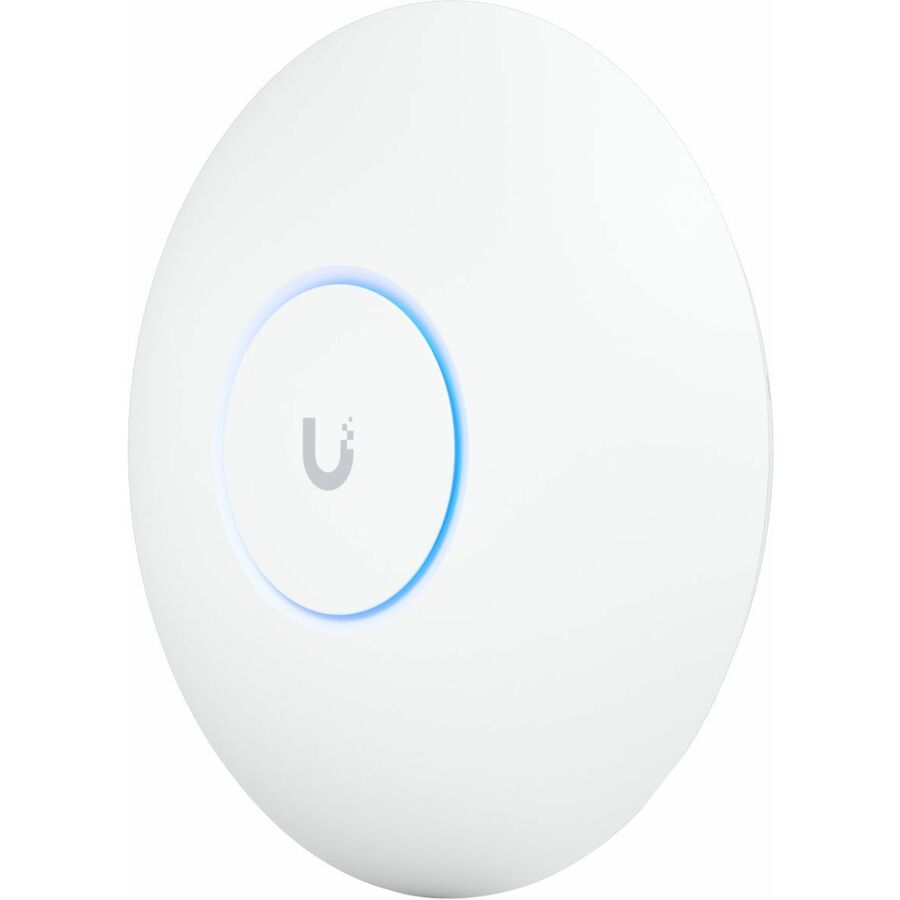
Ubiquiti
Ubiquiti U7 Pro Tri Band Wi-Fi 7 IEEE 802.11a/b/g/n/ac/ax/be/k/r/v 5.80…
U7-PRO-US
A tri-band Wi-Fi 7 AP with the 6 GHz radio, for a floor with laptops, phones and video calls competing for the same air.
$245.76In stockCloud-managed alternative
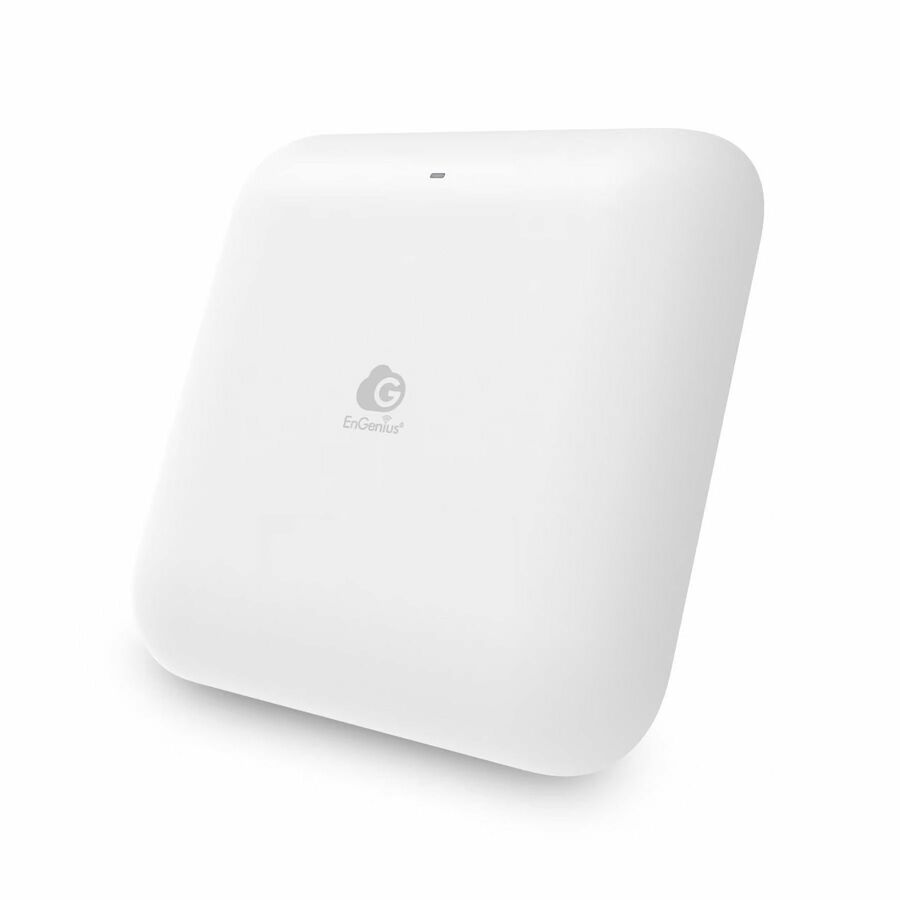
EnGenius Technologies
EnGenius ECW520 Tri Band Wi-Fi 7 IEEE 802.11 a/b/g/n/ac/ax/be 10.55…
ECW520
A tri-band Wi-Fi 7 indoor AP from a different management stack — worth pricing when the site already runs that vendor's cloud controller.
$259.86Back-orderedOutdoor
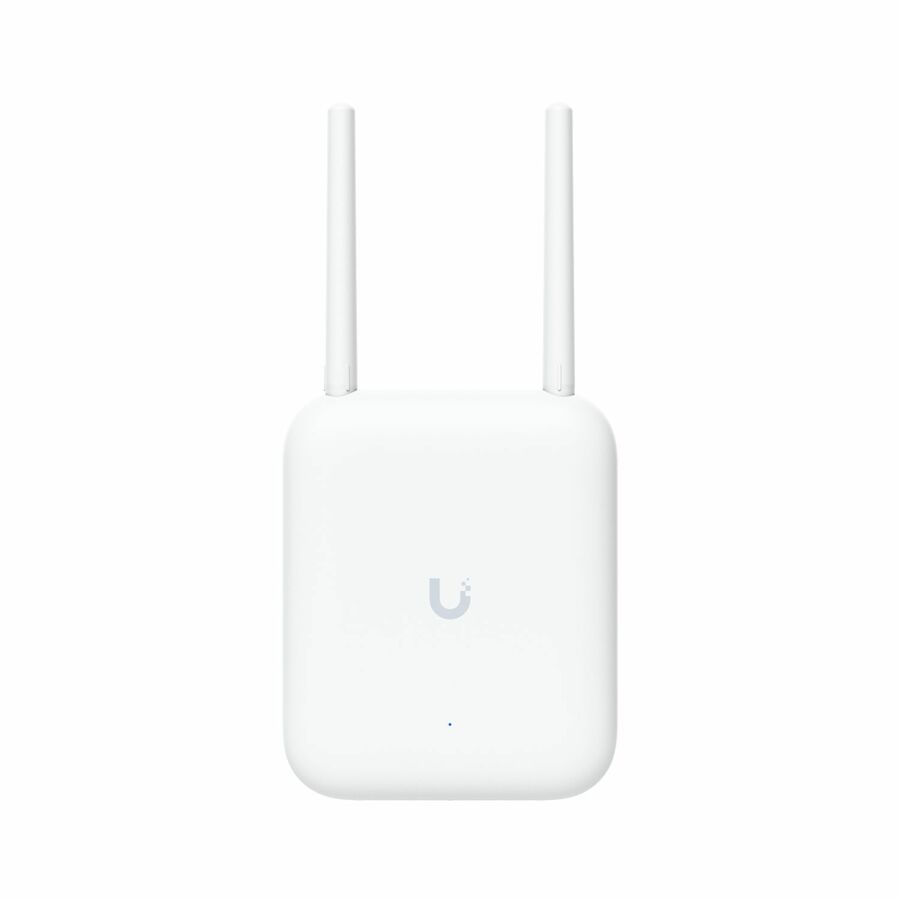
Ubiquiti
Ubiquiti U7 Dual Band Wi-Fi 7 IEEE 802.11a/b/g/n/ac/ax/be/k/r/v 4.30…
U7-Outdoor-US
A weather-rated dual-band Wi-Fi 7 AP for yards, loading docks and courtyards, on the same controller as the indoor units.
Outdoor units still need a cabled uplink and a PoE budget at the switch.
$256.15Back-orderedFrequently asked
- Do I need a separate access point if I already have a router?
- It depends on coverage and scale. A consumer wireless router already contains an access point, so a small space may need nothing more. You add dedicated access points when one radio cannot cover the floor area or client count — a common trigger in offices, schools, and warehouses. In that model the existing router or firewall keeps handling internet access and policy, while APs plug into switch ports to extend Wi-Fi across the space. This is how enterprises scale: one routing layer, many purpose-built APs, rather than several competing all-in-one routers fighting for the same airtime.
- What is the difference between an access point and a Wi-Fi extender or repeater?
- A wired access point has its own Ethernet backhaul, so it rebroadcasts at full speed. A wireless range extender or repeater instead receives an existing over-the-air signal and retransmits it on the same radio, which on single-radio models commonly halves usable throughput and adds latency. Extenders are a quick consumer patch for a dead spot; they are not how enterprise networks scale coverage. Businesses cable each access point back to a switch so every unit delivers full performance, keeps a clean uplink to the wired LAN, and can be centrally managed — none of which a repeater bouncing an already-weak signal can match.
- Does an access point need its own internet connection?
- No. An access point shares the single upstream connection of the wired network it plugs into. It bridges Wi-Fi clients onto that LAN, then relies on an upstream router or firewall for internet access and on a DHCP server somewhere on the network to hand out addresses. That is a defining difference from a consumer wireless router, which bundles the internet-facing routing and the radio in one box. In an enterprise deployment, dozens of APs can hang off the same switched network and reach the internet through one shared edge — you never provision a separate circuit per AP.
- How many access points do I need for an office or building?
- There is no fixed formula, which is why deployments start with a wireless site survey rather than a coverage radius. A predictive survey models coverage from a floor plan and building materials before hardware ships; passive and active surveys measure real signal and throughput once units are in place. Client density drives the count as much as square footage: vendor design guidance plans for a few dozen active clients per radio — more on Wi-Fi 6 than Wi-Fi 5 — and treats anything above roughly 30 clients per AP as high-density. Walls, interference, and usage patterns all raise the number beyond a naive area estimate.
Sources
- 1.Wi-Fi Alliance — Wi-Fi (MAC/PHY): Wi-Fi CERTIFIED 6 and Wi-Fi CERTIFIED 7wi-fi.org
- 2.IEEE SA — IEEE 802.11ax-2021 (high-efficiency WLAN)standards.ieee.org
- 3.IEEE SA — IEEE 802.11be-2024 (extremely high throughput)standards.ieee.org
Keep reading