
Short answer
NAS and SAN differ in which side owns the filesystem. A NAS owns it and serves whole files over ordinary Ethernet using SMB or NFS; a SAN hands a server raw block volumes (LUNs) over Fibre Channel or an isolated iSCSI network and lets the host format them itself. Choose NAS for shared files, SAN for virtualization datastores and databases. Unified arrays serve both.
Key facts
- NAS speaks file protocols. NFS is specified by IETF RFC 8881, and the NAS arbitrates locking across every client on the share.
- SAN speaks block. iSCSI carries SCSI commands over TCP and is specified by IETF RFC 7143; Fibre Channel does the same on its own fabric.
- NIST SP 800-209 groups storage services as block, file and object — SAN is the block service, NAS the file one.
- Object storage is the third class: whole objects with metadata, addressed by key over HTTP rather than by file path or block offset.
- Because iSCSI rides TCP, a block SAN can be built on Ethernet instead of a dedicated Fibre Channel fabric, which is what lowers the entry cost.
The choice between network-attached storage (NAS) and a storage area network (SAN) is really a choice between two levels of abstraction. A NAS owns a filesystem and serves files and folders over the network using protocols like NFS and SMB; clients mount a share and the NAS handles the underlying disk layout, locking, and permissions. A SAN does the opposite: it presents raw, unformatted block devices (LUNs) to servers over iSCSI or Fibre Channel, and each host applies its own filesystem as if the volume were a locally attached disk. That single difference (who owns the filesystem) drives almost every downstream tradeoff in performance, sharing, cost, and operational complexity.
The decision is rarely about which technology is 'better' and almost always about workload fit. Shared, human-and-application file access (departmental shares, home directories, media, backups) maps naturally onto a NAS, which arbitrates concurrent access for you. Latency-sensitive, single-owner block workloads (virtualization datastores, transactional databases, boot volumes) map onto a SAN, which gives each host low-latency raw blocks and leaves filesystem semantics to the application. Many organizations run both, and modern unified arrays can serve file and block from the same hardware, so the practical question is which protocol you point at a given workload, not which product category to standardize on.
At a glance
Side by side
| Factor | NAS | SAN |
|---|---|---|
| Storage level | File-level: serves files/folders; the NAS owns the filesystem | Block-level: serves raw LUNs; the host owns the filesystem |
| Protocols | NFS, SMB/CIFS over TCP/IP | iSCSI (over IP), Fibre Channel, FCoE, NVMe-oF |
| Network | Runs on standard Ethernet/IP LAN | Dedicated fabric (FC) or isolated/segmented IP network for iSCSI |
| Concurrent sharing | Native multi-client sharing; server arbitrates file locking | One host per LUN unless a cluster-aware filesystem coordinates access |
| Typical use cases | File shares, home dirs, backups, media, unstructured data | VM datastores, transactional databases, boot LUNs, low-latency apps |
| Performance profile | Higher per-op latency; throughput bound by protocol and LAN | Lower latency, high IOPS; FC/NVMe-oF fabrics minimize overhead |
| Cost & complexity | Lower entry cost; uses existing network; simpler to operate | Higher cost and skills, esp. Fibre Channel (HBAs, switches, fabric); iSCSI lowers entry cost |
| Scaling model | Scale capacity/shares; scale-out NAS clusters for large namespaces | Scale by adding LUNs/arrays and fabric ports; host-side multipathing |
Choose NAS when
- Multiple users or applications must share the same files with centralized permissions and locking (departmental shares, home directories, project data)
- You want to use existing Ethernet and IP infrastructure and avoid a separate storage fabric
- The workload is mostly unstructured data: documents, media, backup targets, or archive tiers
- Simplicity and lower operational overhead matter more than microsecond-level latency
Choose SAN when
- You run latency-sensitive block workloads: virtualization datastores, transactional databases, or high-IOPS applications
- You need each host to control its own filesystem on dedicated, low-latency block volumes
- Consistent high throughput and predictable performance justify a dedicated fabric (Fibre Channel or isolated iSCSI/NVMe-oF)
- You require enterprise features like host multipathing, LUN-level snapshots, and boot-from-SAN at scale
Bottom line
Choose NAS for shared files and SAN for datastores and databases; a unified array does both when the split is unclear. NAS wins where shared, file-level access and operational simplicity matter, letting the storage system own the filesystem and arbitrate concurrent users. SAN wins where single-owner block access, low latency, and high IOPS matter, handing raw volumes to hosts that apply their own filesystems. Match the protocol to the workload: file-serving and unstructured data to NAS, virtualization and databases to SAN. In practice many environments run both, and unified arrays can serve file and block from one platform, so the real decision is per-workload rather than a single company-wide standard.
Products for this decision
File side
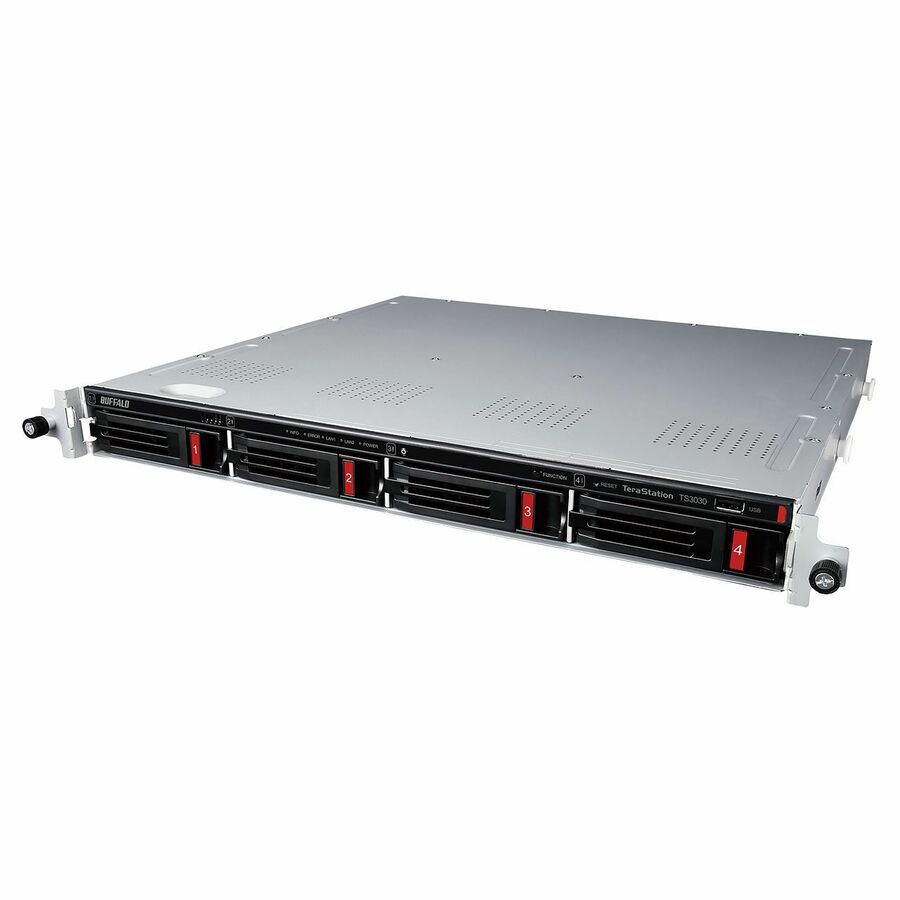
Buffalo
BUFFALO TeraStation 3430RN 4-Bay Secure SMB Rackmount NAS 4TB (2x2TB)…
TS3430RN0402
A 1U TeraStation 3430RN rackmount NAS supplied with two 2 TB drives fitted, serving SMB and NFS shares — the shared-file half of the decision.
$1,288.04*In stockBlock side on Ethernet

QNAP Systems
QNAP TS-432X-4G-US SAN/NAS Storage System
TS-432X-4G-US
A four-bay unit with 10 Gigabit Ethernet that presents iSCSI LUNs as well as SMB and NFS shares, so one box can answer both questions.
Put iSCSI traffic on its own VLAN or switches; sharing a LUN across hosts still needs a cluster-aware filesystem.
$761.38Back-orderedShop it at Uniqcli
FAQ
Common questions
- What is the fundamental difference between NAS and SAN?
- It comes down to the level of storage abstraction. A NAS serves storage at the file level: it owns the filesystem and exposes files and folders over NFS or SMB, so clients read and write whole files. A SAN serves storage at the block level: it presents raw, unformatted volumes (LUNs) over iSCSI or Fibre Channel, and each host formats and manages its own filesystem on top. NAS handles sharing and locking for you; SAN hands hosts raw blocks and stays out of the filesystem.
- Can a SAN and NAS use the same network?
- Partly. NAS runs over your standard Ethernet/IP LAN. iSCSI SANs also use Ethernet/IP but are typically placed on a physically separate or logically isolated network (dedicated VLAN, separate switches, jumbo frames) to protect latency and throughput. Fibre Channel SANs run on their own dedicated fabric with FC switches and host bus adapters, entirely separate from the LAN. Many organizations converge these onto shared high-speed Ethernet, but block traffic is usually still segmented from general LAN traffic.
- Which is better for running virtual machines and databases?
- Block storage, and therefore a SAN, is the traditional fit for VM datastores and transactional databases because it offers lower latency, high IOPS, and per-host control of the volume. That said, virtualization platforms also support NFS datastores served by a NAS, which many teams use successfully for their simplicity. The right answer depends on the platform, the performance target, and your operational preferences rather than a hard rule that one architecture can never run these workloads.
- Do I have to choose only one?
- No. Plenty of environments run both: a NAS for shared file services and backups, and a SAN for virtualization and database block volumes. Unified storage arrays go further by serving file (NFS/SMB) and block (iSCSI/FC) protocols from the same hardware, so you can assign the right protocol per workload without buying two separate platforms. The practical decision is which protocol to point at each workload, not which single category to standardize your whole estate on.
- Is block storage SAN or NAS?
- Block storage is what a SAN serves — raw LUNs the host formats with its own filesystem. A NAS serves files over SMB or NFS and keeps the filesystem on the storage side. Many appliances do both from one chassis, which is why the honest answer is per-protocol rather than per-product.
- What is the difference between block storage and object storage?
- Block storage hands a server numbered blocks it addresses by offset and formats itself, which is what a SAN LUN is. Object storage keeps whole objects with their metadata behind an HTTP API and addresses them by key, with no filesystem and no offsets. NIST SP 800-209 treats block, file and object as three distinct storage services, and the addressing model is what separates them.
- What is the difference between DAS, NAS and SAN?
- DAS attaches to one host and shares nothing; NAS serves files to many hosts over Ethernet; SAN serves raw blocks to servers over a dedicated or isolated fabric. Cost, capability and operational complexity rise in that order, and the right one is usually decided by how many machines need the same data at once.
Sources