
Short answer
The main difference is what arrives with the licence rather than as an add-on. A1 lists the Office apps as online only, with Intune, Defender for Endpoint and Purview as add-ons; A3 makes the installed apps and that management set included; A5 changes only two further rows. Step to A3 when installed apps or device management are requirements, and to A5 only when the identity tooling will be run.
Key facts
- A1 lists Word, Excel, PowerPoint, OneNote and Outlook as online only; A3 and A5 list them as desktop and online.
- Intune, Defender for Endpoint, Purview, Minecraft Education, Clipchamp and Viva are add-ons on A1 and included on A3 and A5.
- Only two rows change from add-on to included between A3 and A5: Defender for Identity, and Power BI Pro, which A1 and A3 carry as a desktop-only add-on.
- Microsoft Sentinel stays an add-on at every tier, A5 included.
- Microsoft publishes no value in the A1 column for Entra ID — the comparison is silent there, which is neither included nor excluded.
- Forms and Stream are online only on all three tiers, and School Data Sync is included on all three.
A requisition that says only "A3" has not yet said very much. Microsoft sells its education licensing in three ascending tiers, and the differences between them are not a single feature list getting longer — they are three separate questions. Do users get the Office applications in a browser or installed on the device? Does device management and endpoint security arrive with the licence or as a separate purchase? And which of the identity, analytics and compliance components are entitlements rather than add-ons? A school can answer those three differently and land on a different tier than the one it started assuming.
The table below reproduces Microsoft's own plan comparison as published on microsoft.com, read as of September 2026, using Microsoft's own cell vocabulary rather than a paraphrase: "Online only" means the web application, "Desktop and online" means the installed application is included as well, and "Available as an add-on" means the capability exists for that tier but is licensed separately. One naming detail is worth carrying into the requisition: on Microsoft's comparison the entry-level tier is branded Office 365 A1, while the two tiers above it are branded Microsoft 365 Education A3 and A5. This page carries no pricing and makes no eligibility determination — Microsoft sets both.
At a glance
Side by side
| Capability | A1 | A3 | A5 |
|---|---|---|---|
| Microsoft Teams for Education | Desktop and online | Desktop and online | Desktop and online |
| Word, Excel, PowerPoint, OneNote | Online only | Desktop and online | Desktop and online |
| Outlook | Online only | Desktop and online | Desktop and online |
| Microsoft Forms | Online only | Online only | Online only |
| Microsoft Stream | Online only | Online only | Online only |
| Minecraft Education | Available as an add-on | Desktop and online | Desktop and online |
| Microsoft Clipchamp | Available as an add-on | Desktop and online | Desktop and online |
| Microsoft Intune | Available as an add-on | Desktop and online | Desktop and online |
| Microsoft Entra ID | Not stated | Desktop and online | Desktop and online |
| Microsoft School Data Sync | Desktop and online | Desktop and online | Desktop and online |
| Microsoft Defender for Endpoint | Available as an add-on | Desktop and online | Desktop and online (student use benefit not included) |
| Microsoft Defender for Identity | Available as an add-on | Available as an add-on | Desktop and online (student use benefit not included) |
| Microsoft Purview | Available as an add-on | Desktop and online | Desktop and online (student use benefit not included) |
| Microsoft Sentinel | Available as an add-on | Available as an add-on | Available as an add-on |
| Microsoft Viva | Available as an add-on | Desktop and online | Desktop and online |
| Power BI Pro | Available as an add-on (desktop only) | Available as an add-on (desktop only) | Desktop and online |
| Microsoft 365 Copilot Chat | Online only | Desktop and online | Desktop and online |
| Microsoft 365 Copilot | Available as an add-on | Available as an add-on | Available as an add-on |
| Agents grounded in web data | Online only | Desktop and online | Desktop and online |
| Agents grounded in your tenant's Microsoft Graph data | Available as an add-on | Available as an add-on | Available as an add-on |
| Learning Accelerators (Reading Progress and Coach, Search Progress and Coach, Speaker Coach, Reflect, Education Insights, Math Progress) | Desktop and online | Desktop and online | Desktop and online |
| Accessibility tools (Immersive Reader, Translator, Narrator, voice typing, live captions) | Desktop and online | Desktop and online | Desktop and online |
The three plans in Microsoft's own words
Microsoft describes the entry tier as Office 365 A1 and states that it donates Office 365 A1, including web and AI tools, at no cost to eligible institutions. Its fuller phrasing on the same page is that Microsoft donates Office 365 A1 for Education to eligible institutions, for educators and students, at no cost to ensure equitable access for learning and building skills for the future. Read that as Microsoft's statement about Microsoft's own program: Microsoft defines who is eligible and Microsoft administers the determination. Nothing on this page is a representation that any particular school, district or institution qualifies.
Microsoft 365 Education A3 is described as the right solution for institutions that need features from Office 365 A1, plus desktop apps, security, and device management. Microsoft 365 Education A5 is described as its most comprehensive plan, featuring everything A3 offers, plus unified communications, analytics, advanced security, and management tools. Those two sentences are a fair map of the table: A3 is the tier where installed applications and the management stack become entitlements, and A5 is the tier where the deeper identity, analytics and compliance components stop being add-ons.
All three descriptions are quoted from Microsoft's education plan-comparison page as read in September 2026. Microsoft revises that page without notice, so confirm the current wording at the source before it goes into a requisition.
What actually changes between A1 and A3
The largest single change is where the Office applications run. On A1 Word, Excel, PowerPoint, OneNote and Outlook are listed as online only; on A3 and A5 they are listed as desktop and online. For a school that is entirely browser-based on managed devices with reliable connectivity, that difference may be academic. For one that needs installed applications — offline work, heavy spreadsheets, staff who live in Outlook, or assessment environments that cannot depend on a network — it is the whole decision, and no amount of add-on purchasing changes the A1 row.
The second change is management and endpoint security. Microsoft Intune and Microsoft Defender for Endpoint are listed as add-ons on A1 and as included on A3 and A5, and Microsoft Purview follows the same pattern. Minecraft Education, Microsoft Clipchamp and Microsoft Viva move the same way. A district that has already decided it will run Intune and Defender should price the A1-plus-add-ons route against A3 rather than assume the free tier is the cheaper answer — that comparison is a quote conversation, not something this page can settle, because Microsoft publishes no pricing on the page these facts come from.
Two things do not change between A1 and A3, and both are easy to mis-scope. Microsoft Forms and Microsoft Stream are listed as online only on all three tiers, so stepping up does not turn them into installed applications. Microsoft School Data Sync is listed as desktop and online on all three, so roster synchronisation is not the reason to leave A1.
One cell on Microsoft's comparison is worth naming precisely because it is empty. Microsoft Entra ID is listed as desktop and online on A3 and A5, and Microsoft publishes no value at all in the A1 column — as read in September 2026 it is the only feature row on that page with a blank cell, and no footnote explains it. That is not the same as the capability being excluded, and it is not the same as it being included; it is Microsoft declining to state one. Anyone scoping identity at A1 should get that answer from Microsoft or from a licensing quote rather than from a table that does not carry it, which is why this page reproduces the blank as "Not stated" instead of filling it in.
What A5 adds on top of A3
On Microsoft's comparison, A5 is a narrower step than A3 was. Exactly two rows in the table above change from add-on on A3 to included on A5: Microsoft Defender for Identity, and Power BI Pro — which Microsoft lists as an add-on limited to desktop on both A1 and A3, and as desktop and online on A5. Everything a teacher touches in a classroom is already present at A3.
There is a qualification on that first row, and on a school licence it is the important half. Microsoft footnotes three of its A5 security cells — Defender for Endpoint, Defender for Identity and Microsoft Purview — with "Student use benefit not included. Option available for discounted purchase as a standalone license." So the A5 entitlement for those three, as Microsoft publishes it in September 2026, is not a whole-population one: student coverage is a separate purchase. In a district where students are most of the licence count, that changes what "included at A5" is worth, and it belongs in the comparison before the tier is chosen rather than after.
That shape matches Microsoft's own framing of A5 as adding unified communications, analytics, advanced security and management tools on top of everything A3 offers. In practice the institutions that reach for it are the ones with a security or compliance function that will actually operate those components — an identity-threat capability nobody monitors is licensed, not deployed. If the answer to "who runs this day to day" is nobody yet, A3 plus a deliberate add-on is usually the more honest position than A5.
Microsoft Sentinel is the row that stays an add-on at every tier, A5 included. So is Microsoft 365 Copilot, and so are agents grounded in your tenant's Microsoft Graph data. No education tier includes them, and a plan decision cannot be used to acquire them.
What is the same in all three plans
Microsoft lists the Learning Accelerators — Reading Progress and Reading Coach, Search Progress and Search Coach, Speaker Coach, Reflect, Education Insights and Math Progress — as desktop and online across A1, A3 and A5. The accessibility tools are listed the same way: Immersive Reader, Translator, Narrator, voice typing and live captions are present on every tier.
That matters for how the decision gets framed internally. The instructional and accessibility layer is not the thing you are buying when you move up a tier, and a business case built on "we need Reading Coach" or "we need Immersive Reader" is arguing for a tier the school may already have. The tier decision is about installed applications, device management, and how much of the security and analytics stack is an entitlement rather than a line item.
What this page deliberately does not tell you
It carries no pricing. Microsoft publishes none on the comparison page these facts are drawn from, and a plan price quoted second-hand on a reseller page is stale the day it is written.
It makes no eligibility determination. Microsoft decides which institutions qualify for the donated Office 365 A1 program and for education pricing generally, and it does so against its own criteria. Reproducing Microsoft's description of that program is not the same as telling a school it qualifies, and this page does not do the second thing.
It does not track add-on availability over time. "Available as an add-on" is a licensing state that Microsoft changes — the Copilot and agent rows in particular have moved repeatedly — so treat every cell above as a September 2026 reading of one Microsoft page and confirm the current state at the source before a purchase order references it.
A1 is likely the right starting point when
- Users work in the browser on managed devices and installed Office applications are not a requirement
- The institution already runs a device-management and endpoint-security stack it does not intend to replace
- The instructional and accessibility tooling is what matters most — Microsoft lists that layer as present on every tier
- You want to scope the add-ons you genuinely need and price that against A3 rather than assume the answer
- Roster synchronisation is the immediate need: School Data Sync is listed as desktop and online at A1
Step up to A3 — or to A5 — when
- Staff or students need the installed Word, Excel, PowerPoint, OneNote and Outlook applications rather than the web versions
- Intune, Defender for Endpoint and Purview are going to be deployed, and you would otherwise be buying all three as add-ons
- Minecraft Education, Clipchamp or Viva are part of the plan rather than an experiment
- A5 only: an identity-threat capability will actually be monitored — Defender for Identity is one of just two rows that changes between A3 and A5, and Microsoft footnotes its A5 security entitlements as excluding the student use benefit
- A5 only: Power BI Pro is needed beyond the desktop-only add-on form Microsoft lists for A1 and A3
Bottom line
Read this as three questions rather than three price points. A1 versus A3 is decided by whether users need installed Office applications and whether device management and endpoint security will be entitlements or add-ons — that is where most of the table changes. A3 versus A5 is a much narrower step: on Microsoft's own comparison, as read in September 2026, only Defender for Identity and Power BI Pro move from add-on to included — and Microsoft footnotes its A5 security entitlements as excluding the student use benefit — while Sentinel, Microsoft 365 Copilot and tenant-grounded agents stay add-ons at every tier including A5. Nothing above is a price and nothing above is an eligibility determination — Microsoft owns both. Confirm the current cells at microsoft.com before a requisition cites them, and send us the plan you are leaning toward with your device counts if you want the hardware side of the decision priced alongside it.
Products for this decision
Installed applications
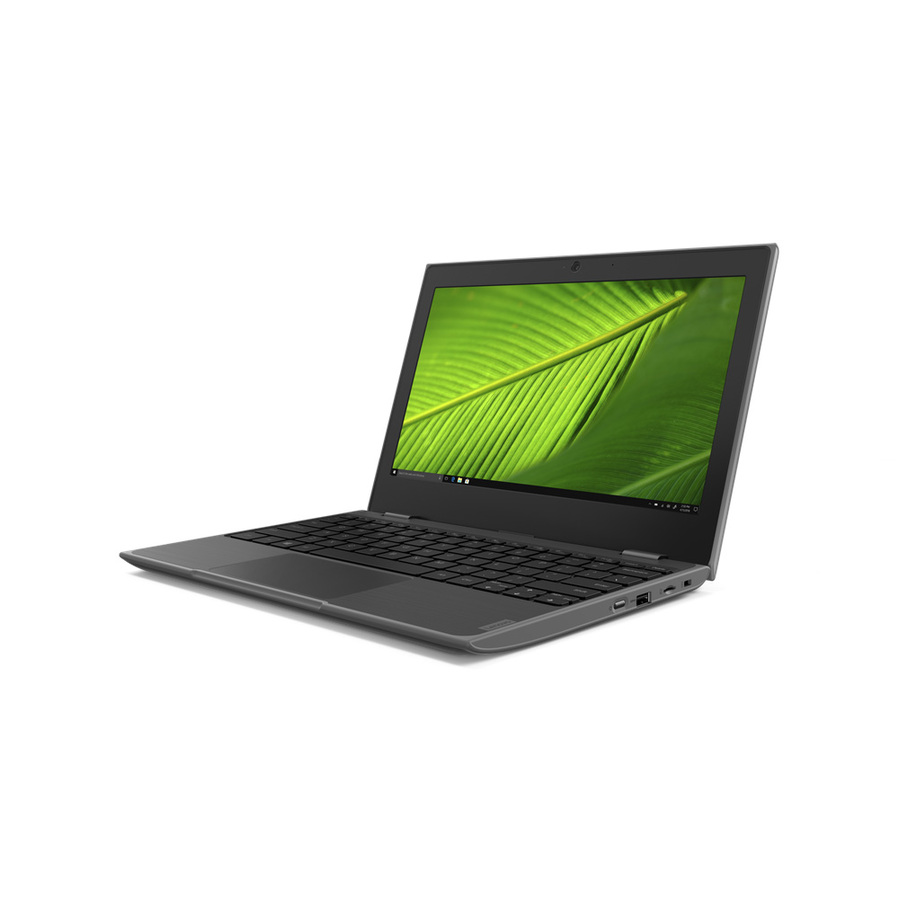
Lenovo
Lenovo 100e Windows 2nd Gen 81M80086US 11.6" Netbook
81M80086US
The same 11.6-inch class on Windows 11 Pro Education with a 128 GB SSD, for a fleet that has to run the installed Office applications rather than the web versions.
The device decision and the licence decision are separate purchases; Microsoft sets plan eligibility and pricing.
$368.29Back-orderedLarger screen, browser-first
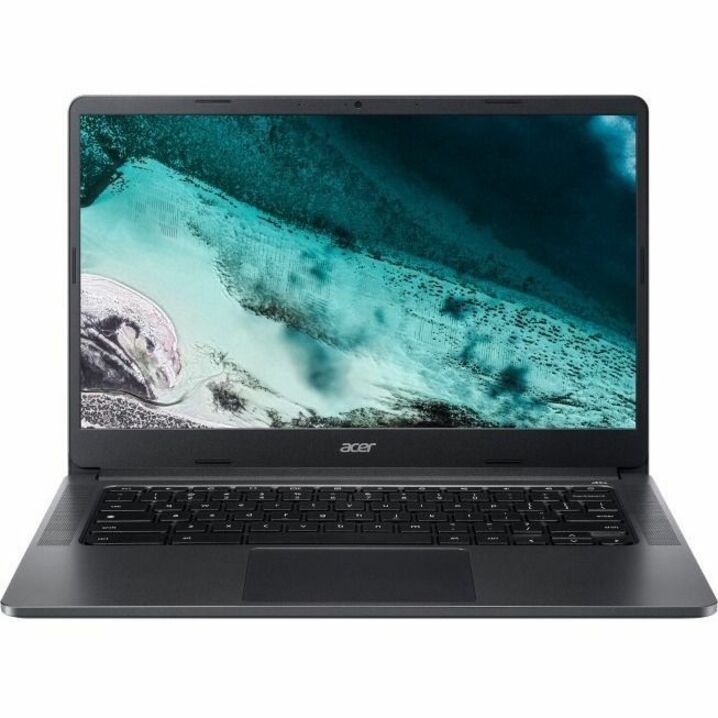
Acer
Acer Chromebook 314 C934 C934-C4GM 14" Chromebook
NX.K06AA.006
A 14-inch ChromeOS laptop with an 11.5-hour rated battery, for older students who need more screen than an 11.6-inch device gives.
$342.70Back-orderedFAQ
Common questions
- What is the difference between Microsoft 365 A1, A3 and A5?
- On Microsoft's own education plan comparison, read as of September 2026: A1 gives the Office applications online only, with Intune, Defender for Endpoint, Purview, Minecraft Education, Clipchamp and Viva all listed as add-ons. A3 makes the installed desktop applications and that whole management and security set included rather than add-on. A5 changes only two further rows — Defender for Identity and Power BI Pro move from add-on to included. Microsoft Sentinel, Microsoft 365 Copilot and agents grounded in your tenant's data remain add-ons at every tier, A5 included.
- Does Microsoft 365 A1 include the desktop Office apps?
- No. Microsoft's comparison lists Word, Excel, PowerPoint, OneNote and Outlook as "Online only" on A1 and as "Desktop and online" on A3 and A5, as read in September 2026. That is the single largest difference between A1 and A3, and it is not something an add-on to A1 resolves — if installed applications are a requirement, the requirement points at A3 or A5.
- Is Microsoft 365 Education A1 free?
- Microsoft states that it donates Office 365 A1 for Education, including web and AI tools, to eligible institutions at no cost, for educators and students. That is Microsoft's description of Microsoft's own program, quoted from its education plan-comparison page as read in September 2026. Microsoft defines eligibility and administers the determination; nothing here is a representation that a particular institution qualifies, and this page carries no pricing for any tier.
- Does A3 include Microsoft Intune?
- Microsoft's comparison lists Microsoft Intune as "Available as an add-on" on A1 and as "Desktop and online" on A3 and A5, as read in September 2026. Microsoft Defender for Endpoint and Microsoft Purview follow the same pattern. If a district has already decided it will run all three, that is the comparison worth pricing: A1 plus those add-ons against A3, which is a quote conversation rather than something a published comparison can settle.
- What does A5 add that A3 does not have?
- Less than most people expect. On Microsoft's comparison as read in September 2026, exactly two rows change from add-on on A3 to included on A5: Microsoft Defender for Identity, and Power BI Pro — which Microsoft lists as a desktop-only add-on on both A1 and A3 and as desktop and online on A5. One qualification matters on a school licence: Microsoft footnotes its A5 cells for Defender for Endpoint, Defender for Identity and Purview with "Student use benefit not included. Option available for discounted purchase as a standalone license." Microsoft frames A5 as adding unified communications, analytics, advanced security and management tools on top of everything A3 offers. The classroom-facing tooling is already present at A3.
- Are the Learning Accelerators and accessibility tools only on the higher tiers?
- No. Microsoft lists the Learning Accelerators — Reading Progress and Reading Coach, Search Progress and Search Coach, Speaker Coach, Reflect, Education Insights and Math Progress — and the accessibility tools, including Immersive Reader, Translator, Narrator, voice typing and live captions, as available on A1, A3 and A5 alike, as read in September 2026. A business case for moving up a tier should not rest on capabilities the school already has at the tier it is on.
- Can Uniqcli price this for us?
- We can price the hardware and device side of the decision — the laptop, display or lab refresh a tier decision usually sits next to — and we screen every part number for TAA country of origin and NDAA §889 status before checkout. We do not publish Microsoft 365 Education pricing here and we make no eligibility determination for Microsoft's education programs, because Microsoft owns both. Send the plan you are considering with your device counts through the quote form and we will come back on the parts of it we can quote.
- What is Microsoft 365 A3 license?
- A3 is the middle education tier, and on Microsoft's own comparison it is where two things stop being add-ons. The Office applications move from online only to desktop and online, so Word, Excel, PowerPoint, OneNote and Outlook install on the device. And the management and endpoint-security set — Intune, Defender for Endpoint and Purview, plus Minecraft Education, Clipchamp and Viva — moves from add-on to included. Microsoft's plan-comparison page describes it as the tier for institutions that need A1's features plus desktop apps, security and device management; the downloadable comparison table words the same blurb as "desktop apps, advanced security, and analytics".
- What is Microsoft 365 A5 license?
- A5 is the top education tier, and on Microsoft's comparison it is a narrower step than A3 was. Exactly two rows change from add-on to included: Microsoft Defender for Identity, and Power BI Pro, which A1 and A3 carry as a desktop-only add-on. Microsoft footnotes its A5 security entitlements as excluding the student use benefit, and Microsoft Sentinel, the licensed Microsoft 365 Copilot and tenant-grounded agents stay add-ons even here — Microsoft's comparison table does mark a separate "Microsoft Copilot (with commercial data protection)" row as included on A3 and A5, which is a different product from the Microsoft 365 Copilot licence. Everything a teacher touches in a classroom is already present at A3.
- How much does an Office 365 A3 license cost?
- We do not publish a figure, and neither does the Microsoft comparison page this article's facts are drawn from. Education licensing is quoted per institution and Microsoft sets both the pricing and the eligibility rules, so any number carried on a reseller page is second-hand and dates quickly. Get the figure from Microsoft or from a licensing quote against your actual user counts — and if you want the device side of the same project priced, send us the plan you are leaning toward with your counts.
Sources
- 1.Microsoft — Compare Microsoft 365 Education plans (A1, A3, A5)microsoft.com
- 2.Microsoft — Microsoft 365 Education Plans comparison table (PDF)cdn-dynmedia-1.microsoft.com