
Short answer
Fiber internet carries light over glass and is normally sold symmetrical: XGS-PON runs 10 Gbit/s each way. Cable internet runs DOCSIS over a coaxial node shared with neighbors and is asymmetric: DOCSIS 3.1 caps upstream at 1 to 2 Gbps. Choose fiber for upload-heavy or latency-sensitive sites and committed rates; choose cable where fiber is not lit or the site mostly receives.
Key facts
- DOCSIS 3.1 tops out at 10 Gbps downstream and 1 to 2 Gbps upstream; DOCSIS 4.0 raises upstream to 6 Gbps with spectrum extended to 1.8 GHz (CableLabs).
- GPON (ITU-T G.984.1) is deployed at 2.4 Gbit/s down and 1.2 Gbit/s up per port; XGS-PON (ITU-T G.9807.1) runs 10 Gbit/s in both directions.
- One GPON port feeds a splitter of up to 1:64 in practice, and the standard's TC layer allows 1:128; a cable node shares its channels among every modem on it.
- FCC measurements put idle latency at 7 to 14 ms across fiber ISPs and 12 to 24 ms across cable ISPs (Measuring Broadband America, 13th report, 2022 data).
- GPON reaches up to 20 km from the OLT physically and 60 km logically; a cable plant's reach is set by its amplifier cascade, not by DOCSIS.
- A PON grants upstream inside every 125 µs downstream frame (ITU-T G.984.3); a DOCSIS modem waits for a transmit grant from the CMTS before each upstream burst.
Fiber internet delivers the service as light over a glass strand, either on a passive optical network (GPON under ITU-T G.984, XGS-PON under ITU-T G.9807.1) where one carrier port feeds an optical splitter, or on an active Ethernet or dedicated circuit where the port is yours alone. Cable internet delivers it as a radio-frequency signal over the last coaxial segment of a hybrid fiber-coax plant, using the DOCSIS 3.1 or DOCSIS 4.0 specifications from CableLabs, and every modem on a node's serving group shares that node's channels. Both arrive as an Ethernet port at the building; what differs is the physics between the carrier and that port, and the contract written on top of it.
For a business the decision is rarely about the download figure. A DOCSIS 3.1 plant can carry 10 Gbps downstream, which is more than most sites will use. The decisions that matter are the upstream ceiling, how the medium behaves when the neighbors are busy, the latency floor for voice and remote desktops, and whether the address is lit for fiber at all. This page puts the standards-body figures side by side and then points you to a quote request for the circuit you settle on.
At a glance
Side by side
| Factor | Fiber internet | Cable internet |
|---|---|---|
| Medium and standard | Light over single-mode glass. GPON (ITU-T G.984.1), XGS-PON (ITU-T G.9807.1) or active Ethernet point-to-point | RF over hybrid fiber-coax: fiber to the node, coaxial cable to the building. DOCSIS 3.1 or DOCSIS 4.0 (CableLabs) |
| Line rate of the standard | GPON: 2.4 Gbit/s down, 1.2 Gbit/s up per port in nearly all deployments (G.984.1 also defines a 2.4/2.4 option). XGS-PON: 10 Gbit/s in both directions. Active Ethernet: the port rate, full duplex | DOCSIS 3.1: 10 Gbps down, 1 to 2 Gbps up. DOCSIS 4.0: 10 Gbps down, 6 Gbps up. Current 3.1 modems: up to 5 Gbps down, 1.5 Gbps up |
| Symmetry | Symmetrical on XGS-PON and active Ethernet by design; GPON as deployed is 2:1 at the line rate and business plans are provisioned inside that | Asymmetric by design; upstream is the smaller share of the spectrum until DOCSIS 4.0 extends it to 1.8 GHz |
| Sharing model | One OLT port feeds a splitter. G.984.1 calls 1:64 realistic and designs the TC layer for 1:128. A dedicated circuit has no splitter at all | Every modem on the node's serving group shares the same downstream and upstream channels; the CMTS schedules upstream transmit slots among them |
| Latency and jitter | 7 to 14 ms idle latency across fiber ISPs (FCC Measuring Broadband America, 13th report, 2022 data). A PON grants upstream inside every 125 µs downstream frame; a dedicated point-to-point port needs no grant at all | 12 to 24 ms idle latency across cable ISPs; each modem waits for a transmit grant from the CMTS. Low Latency DOCSIS targets sub-5 ms at the 99th percentile for non-queue-building traffic, where an operator has deployed it |
| Reach from the serving equipment | GPON: up to 20 km physical reach, 60 km logical reach, 20 km differential fiber distance (G.984.1) | Set by the operator's node placement and amplifier cascade, not by the DOCSIS specification |
| Interference and plant | Glass carries no current: immune to electromagnetic interference and to induced surges on the drop; passive splitters need no power in the field | Coax is a conductor: ingress noise and water in connectors degrade it, upstream is the noise-limited direction, and plant amplifiers need power |
| Availability footprint | Address-specific. A building with no fiber entrance is a construction project before it is a circuit | Broad wired footprint in US commercial corridors; often already at the building |
| What is installed | A fiber drop to an ONT (PON) or a carrier NID with an SFP or RJ45 handoff (active Ethernet, dedicated); your router takes Ethernet from it | A coax drop to a DOCSIS modem or gateway that the operator provisions by MAC address; your router takes Ethernet from the modem |
| Business-class option | Dedicated internet access: a committed symmetrical rate, an SLA on availability, latency and packet loss, no data cap | Business broadband: a best-effort headline rate with priority support; the upstream ceiling stays the DOCSIS version's |
How each network is shared
A passive optical network is shared, and the number that says how much is the split ratio. ITU-T G.984.1 describes split ratios of up to 1:64 as realistic for the physical layer and requires the transmission convergence layer to handle up to 1:128, so one 2.4 Gbit/s GPON port may be serving dozens of premises. XGS-PON keeps a similar split but starts from 10 Gbit/s in each direction, which is why a business XGS-PON plan can be provisioned symmetrical without starving the neighbors. An active Ethernet or dedicated circuit removes the splitter entirely: the port on the carrier's equipment is yours.
A cable node is also shared, but along a different axis. Downstream, every modem on the serving group listens to the same OFDM channels. Upstream, the modems cannot all transmit at once, so the cable modem termination system hands out transmit opportunities and each modem waits for its grant. A PON schedules its upstream too, but the grants ride in every 125 µs downstream frame so that only one ONT transmits at a time (ITU-T G.984.3); the DOCSIS modem's request-and-grant round trip to the CMTS runs over a shared, noise-limited upstream, which is a structural reason the FCC measures higher idle latency on cable than on fiber, the reason Low Latency DOCSIS exists, and the reason a busy afternoon on the node shows up first in upload speed and voice quality rather than in a web page loading slowly.
Upstream is where the decision lives
CableLabs' own comparison puts DOCSIS 3.1 at 10 Gbps downstream and 1 to 2 Gbps upstream, and DOCSIS 4.0 at 10 Gbps downstream and 6 Gbps upstream once operators extend the plant's spectrum to 1.8 GHz. Those are the ceilings of the whole serving group, not of one subscriber, and the modems shipping today are rated to 5 Gbps down and 1.5 Gbps up. A cable plan's advertised upload figure sits well under those ceilings because the operator has to share the upstream spectrum across every modem on the node.
On fiber the upstream is either the full port on a dedicated circuit or the PON's upstream line rate shared across the splitter, and on XGS-PON that rate is the same 10 Gbit/s as the downstream. Cloud backup windows, file delivery to customers, outbound video and virtual desktops all consume upstream, and they are the workloads that make a fiber address feel different from a cable one long before the download figure is exhausted. If the site's traffic is browsing and inbound streaming, the difference is much smaller and the cable plan is a reasonable purchase.
The medium and the contract are separate purchases
Fiber describes the glass between the carrier and the building. It does not, on its own, say whether the capacity is committed. A shared fiber plan on a PON is still a best-effort service and will behave like one once the splitter fills up; a dedicated internet access circuit on the same glass carries a committed rate, symmetry, and an SLA with measurable availability, latency and packet-loss terms. Cable business broadband is nearly always the best-effort product, with priority support layered on top rather than a committed rate.
The practical procurement order is: run the serviceability check for the address, decide whether a slow hour at that site has an operational consequence or only an inconvenience, size the upstream from what the site actually sends, and only then compare monthly figures. A site that needs the committed rate should be quoted as dedicated fiber; a site that needs a second path should pair its fiber circuit with a cable or cellular backup on a dual-WAN router rather than buying two of the same thing.
Choose fiber when
- The site sends as much as it receives: cloud backup, file delivery to customers, outbound video, virtual desktops or replication to a second site
- Voice, video conferencing or remote desktops need the lower and steadier latency floor that the FCC's 7 to 14 ms fiber measurements reflect
- You need a committed symmetrical rate with an SLA, which is a dedicated fiber product rather than a broadband one
- The address is already lit, or the fiber build is being done for the tenancy anyway
- Capacity growth is heading toward multi-gigabit or 10 Gbit/s at the WAN edge
Choose cable when
- The address has no fiber entrance and the lead time or construction cost of a build is not justified by the site's workload
- Traffic is mostly inbound: browsing, streaming, software updates and light cloud applications with modest upload
- The circuit is a second path behind a fiber primary, terminated on a dual-WAN router for failover
- The site is temporary or short-lease and service is needed on a broadband timeline
- A DOCSIS 4.0 plant serves the address, or the operator sells a plan with the upstream the site actually needs
Bottom line
Buy fiber where the site uploads, hosts or owes uptime; buy cable where fiber is not lit and the site mostly receives. Fiber is symmetrical by design on XGS-PON and active Ethernet, carries the lower latency floor in the FCC's measurements, and is the only medium on which a committed dedicated circuit is normally sold; cable is often already at the building, is engineered around download, and shares its upstream across every modem on the node. Sites that send a lot, run voice and remote desktops, or need an SLA belong on fiber, ideally as dedicated internet access; sites that mostly receive, or that need a fast second path, are well served by a cable plan. In every case the first step is the serviceability check for the address, because a building with no fiber entrance is a construction project before it is a circuit.
Products for this decision
Dual-WAN edge router
Netgear
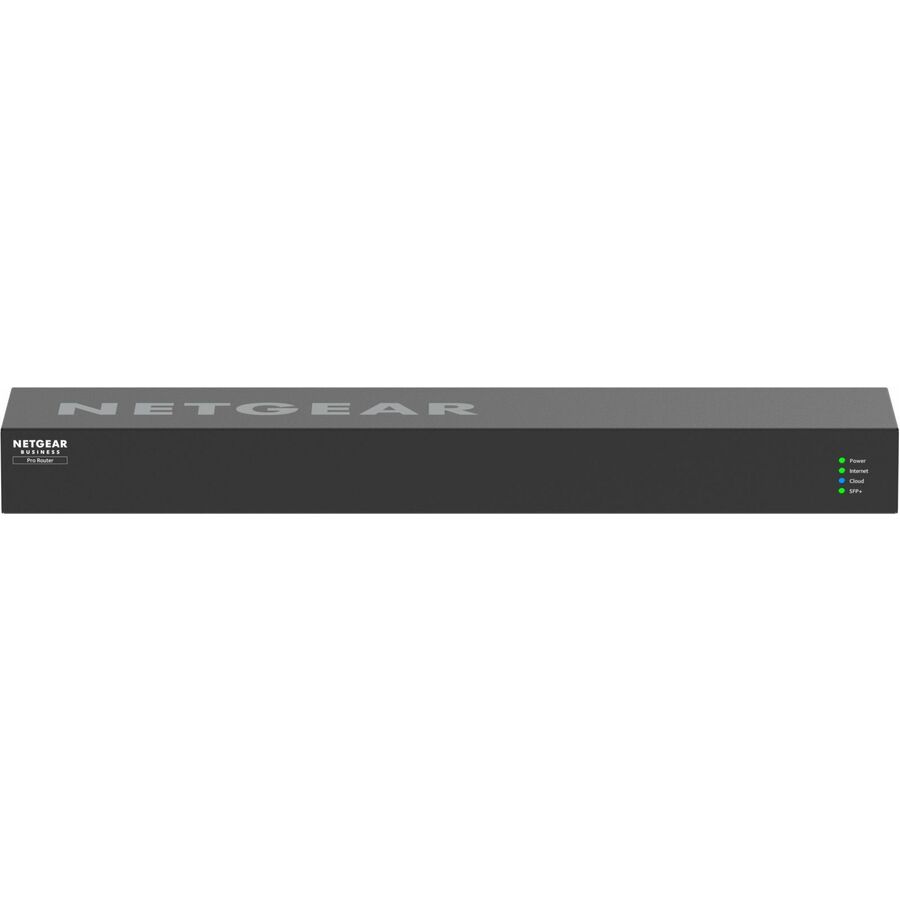
Netgear 10G/Multi-Gigabit Dual-WAN Pro Router - 3 Year
PR60X-100NAS
A dual-WAN router with one 10G/multi-gigabit copper port that can be set as WAN, a 2.5G WAN port, three 2.5G LAN ports and a 10G SFP+ LAN port: the fiber ONT's or NID's RJ45 handoff lands on the 10G copper WAN and the cable modem on the 2.5G WAN, so one site runs fiber primary with cable failover.
The SFP+ port is LAN-only on this model, so an SFP-optic carrier handoff needs the media converter below, or a router with an SFP+ WAN port, in front of the copper WAN.
$675.59In stockFiber handoff to a copper router
StarTech.com
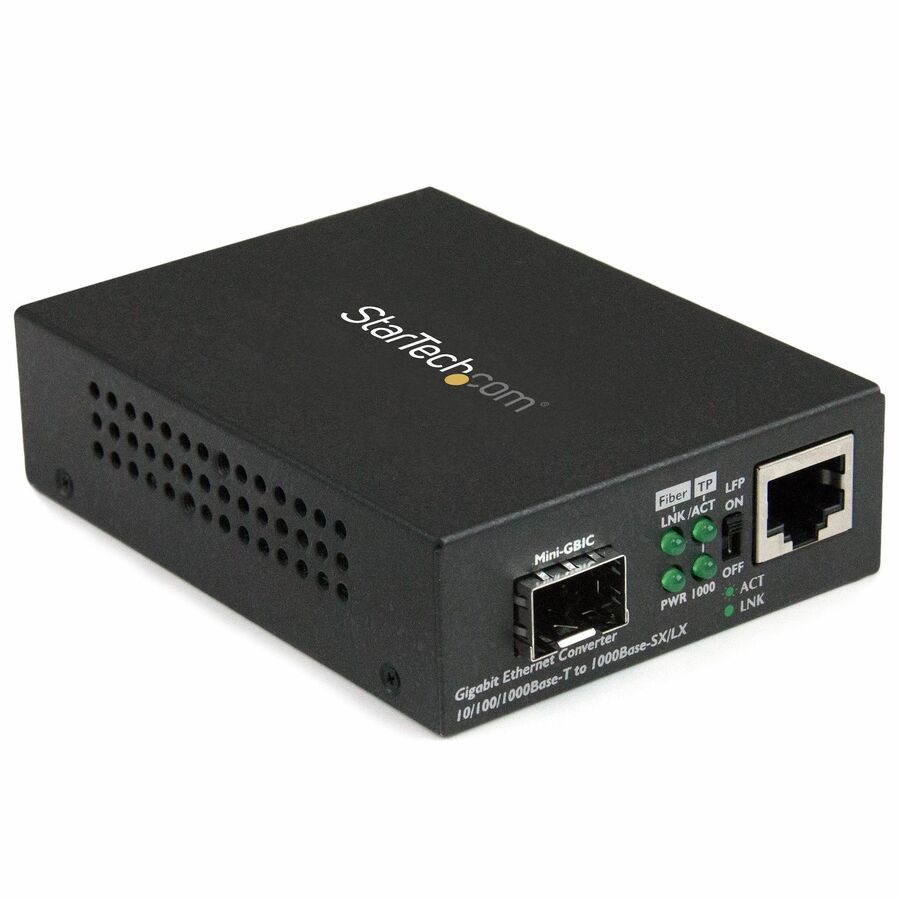
StarTech Gigabit Ethernet Fiber Media Converter with Open SFP Slot…
MCM1110SFP
A gigabit media converter with an open SFP slot that takes the optic matched to the carrier's fiber handoff and presents it as RJ45 to a router that has copper WAN ports only.
The SFP is ordered separately to match the carrier's optic and fiber type.
$70.83*In stockFAQ
Common questions
- What is the downside of fiber internet?
- Availability. Fiber is address-specific, and a building with no fiber entrance needs a construction build before service can start, which is the lead time and cost that keeps many sites on cable. A shared PON plan is also still a shared service: one GPON port may serve up to 64 premises through its splitter, so a best-effort fiber plan can slow down under load the same way cable does, and only a dedicated circuit carries a committed rate. A cut drop takes the service down until it is spliced, since there is no second path in the glass.
- Is switching to fiber worth it?
- It is when the site's problem is upstream or latency, and it often is not when the problem is only the download figure. If backups run late, file delivery to customers is slow, or voice and remote desktops degrade in the afternoon, the symmetrical upstream and the 7 to 14 ms latency floor the FCC measures on fiber fix exactly those things. If the site mostly browses and streams inbound, a cable plan with adequate download is a reasonable purchase. Run the serviceability check for the address first; the answer decides whether the question is even open.
- Do you need a special router for fiber?
- No. On a PON the carrier's ONT converts the fiber to an Ethernet port, and any router with an Ethernet WAN port connects to it much as it would to a cable modem, plus whatever VLAN tag or authentication the carrier requires on the handoff. On a dedicated or active Ethernet circuit the handoff may be an SFP optic instead of RJ45, in which case the router needs an SFP or SFP+ WAN slot, or a media converter sits between the handoff and a copper-only router. For a multi-gigabit plan, check that the router's WAN port is 2.5G or 10G rather than 1G, or the port becomes the ceiling.
- Is fiber really that much better than cable?
- On upstream and latency, measurably; on download for an ordinary site, much less so. XGS-PON runs 10 Gbit/s in both directions where DOCSIS 3.1 caps upstream at 1 to 2 Gbps shared across the whole node, and the FCC's Measuring Broadband America report puts idle latency at 7 to 14 ms on fiber ISPs against 12 to 24 ms on cable. Both media carry 10 Gbps downstream at the standard level, so a site that only receives data will notice far less difference than a site that sends it. Better is a workload question, not a medium question.
- Does fiber have lower latency than cable?
- Yes, and the FCC has measured it. The Thirteenth Measuring Broadband America report puts idle latency at 7 to 14 ms across fiber ISPs and 12 to 24 ms across cable ISPs, with DSL higher still. The structural reason is the cable upstream: a modem must wait for a transmit grant from the cable modem termination system, which adds delay and jitter; a PON schedules upstream too, but inside every 125 µs frame, and a dedicated point-to-point port has no grant at all. CableLabs' Low Latency DOCSIS targets sub-5 ms at the 99th percentile for non-queue-building traffic, but it applies only where an operator has deployed it.
- How do I know if I have cable or fiber internet?
- Look at what enters the modem or terminal. A coaxial cable with a screw-on F connector into a DOCSIS modem or gateway is cable internet. A thin fiber jumper with an LC or SC connector into an optical network terminal, usually a small box with a PON or optical status LED, is fiber. A cable operator advertising a fiber-rich network is still delivering DOCSIS over coax at the building unless the drop itself is glass, and the connector on the drop settles it.
- Is business fiber the same as dedicated internet access?
- No. Fiber describes the medium between the carrier and the building; dedicated internet access describes the contract: a committed symmetrical rate that nobody else shares, with an SLA on availability, latency and packet loss. A business fiber plan on a shared PON is a best-effort service on a better medium. Dedicated access is normally sold over fiber, which is why the two words get sold as one, but a quote should name which one you are buying.
Sources
- 1.CableLabs — DOCSIS 4.0 Technology (DOCSIS 3.1 vs 4.0 capacity table, Extended Spectrum to 1.8 GHz)cablelabs.com
- 2.CableLabs — Low Latency DOCSIS (sub-5 ms 99th-percentile target for non-queue-building traffic)cablelabs.com
- 3.ITU-T G.984.1 — Gigabit-capable passive optical networks (GPON): general characteristics (bit rates, reach, split ratio)itu.int
- 4.ITU-T G.984.3 — GPON transmission convergence layer (125 µs frame, upstream bandwidth-map grants)itu.int
- 5.ITU-T G.9807.1 — 10-Gigabit-capable symmetric passive optical network (XGS-PON)itu.int
- 6.FCC — Measuring Broadband America, Thirteenth Fixed Broadband Report (idle latency by technology, 2022 data)data.fcc.gov