
Short answer
A Chromebook runs ChromeOS and works in the browser and in web or Android apps, while a Windows laptop runs installed desktop applications locally. Choose a Chromebook when every application your users open is a web application; choose Windows when even one program has to install on the device.
Key facts
- ChromeOS devices receive automatic updates for 10 years from the platform release date, so the clock starts at the platform and not at purchase.
- Two Chromebooks bought on the same day can stop receiving updates on different dates, because the window is set by the platform inside them.
- Managing standalone ChromeOS devices needs a ChromeOS Enterprise Upgrade, and you buy one upgrade for each device you want to manage.
- Windows 11 states a floor of a 1 GHz dual-core 64-bit processor, 4 GB of RAM, 64 GB of storage, TPM 2.0 and UEFI Secure Boot.
- Each annual Windows 11 feature update is serviced for 24 months on Pro and 36 months on Enterprise editions.
This question almost always arrives with a constraint attached. A district is refreshing nine hundred devices. An agency is standardising on one image. A field team needs something that can be handed to a different person every week. Both platforms are current, both are supported, and both ship in overlapping price bands, so the decision is not which is better in the abstract. It is which one runs the software your people actually open.
That is the whole test. ChromeOS does its work in the browser and in web or Android applications. Windows 11 does that too, and it also runs the installed desktop applications that most line-of-business and engineering work still depends on. If every task on the list is a web application, a Chromebook is quicker to enrol and simpler to keep patched. If one program has to install locally — a CAD package, a records system with a thick client, a driver-bound peripheral — the Chromebook is out and the rest of the comparison is academic.
The second factor is time. A ChromeOS device receives automatic updates for ten years from the platform release date, not from the day you unbox it, so two carts that look identical can hold very different remaining update windows. A Windows 11 machine stays supportable as long as it meets the TPM 2.0 and Secure Boot floor, with each annual feature update serviced for 24 months on Pro. Both numbers are knowable before the purchase order, and both belong in the refresh plan.
At a glance
Side by side
| Factor | Chromebook | Windows laptop |
|---|---|---|
| Operating system | ChromeOS | Windows 11 (Home, Pro or Enterprise) |
| Where applications run | Browser, web apps and Android apps | Installed desktop applications, plus web apps |
| Update window | 10 years of automatic updates from the platform release date | Supported while the machine meets the Windows 11 hardware floor |
| Servicing per release | Continuous; no annual feature-update cycle to plan | 24 months per annual feature update on Pro, 36 on Enterprise |
| Stated hardware floor | Set by the ChromeOS platform the device is built on | 1 GHz dual-core 64-bit, 4 GB RAM, 64 GB storage, TPM 2.0, UEFI Secure Boot |
| Fleet management | Google Admin console; one ChromeOS Enterprise Upgrade per managed device | Group Policy, Intune or another MDM; licensing follows the Windows edition |
| Local storage | Commonly 32-128 GB flash, with files kept in cloud storage | 128 GB to multi-terabyte SSD, with local profiles and data |
| Working offline | Limited to applications written for offline use | Desktop applications work offline by default |
| Re-imaging | Powerwash returns the device to a managed state | Full image deploy, or a provisioning package |
Choose a Chromebook when
- Every application on the list is a web application, or has a supported web client
- You are running a large, shared or rotating device pool and want enrolment and re-imaging to be a minutes-long job
- Devices leave the building often and you would rather no working data lived on them
- The refresh is planned around a known update-expiration date rather than a hardware failure curve
Choose a Windows laptop when
- A line-of-business, engineering or records application installs locally and has no web equivalent
- Peripherals need vendor drivers — label printers, signature pads, scanners, instrument interfaces
- The image, the security baseline and the software inventory are already built around Group Policy or Intune
- Users work offline for long stretches, or handle files that have to stay on the device
Bottom line
Run the application inventory before you run the price comparison. A Chromebook is the cheaper device to buy and the cheaper device to keep, but only for a workload that is genuinely web-first; a single locally installed program with no web client ends the argument, because no amount of licensing makes it run. Where the workload does fit, the ChromeOS update window is the number to design the refresh around, since it is fixed at the platform and not at the purchase. Where it does not, specify Windows 11 against the published hardware floor — TPM 2.0 and Secure Boot are not negotiable — and plan the annual feature update into the year rather than discovering it. Mixed fleets are ordinary and fine: the mistake is buying one platform for a job the other one has to do.
Products for this decision
Managed ChromeOS baseline
Lenovo
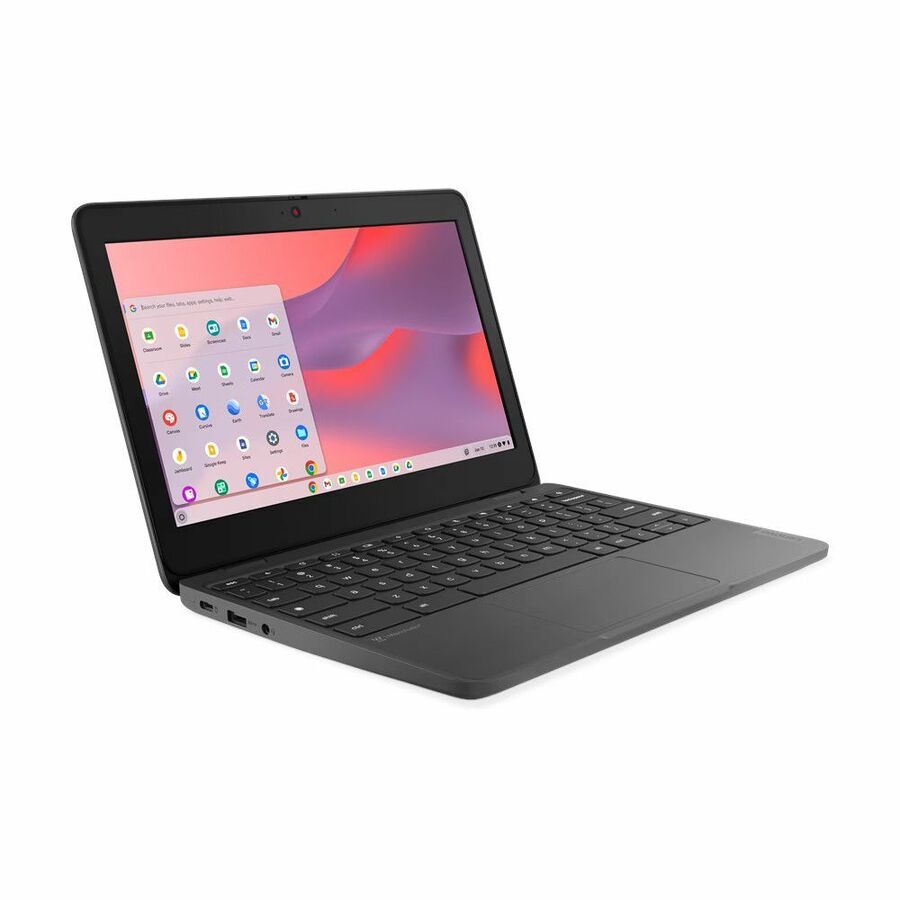
Lenovo 100e Chromebook Gen 4 83G80002US 11.6" Chromebook
83G80002US
An 11.6-inch ChromeOS device on an Intel N100 with 4 GB of memory and 32 GB of flash — the shared-cart shape most 1:1 fleets standardise on.
Check the platform's update-expiration date before committing a multi-year refresh to it.
Request pricingLarger ChromeOS screen
Acer
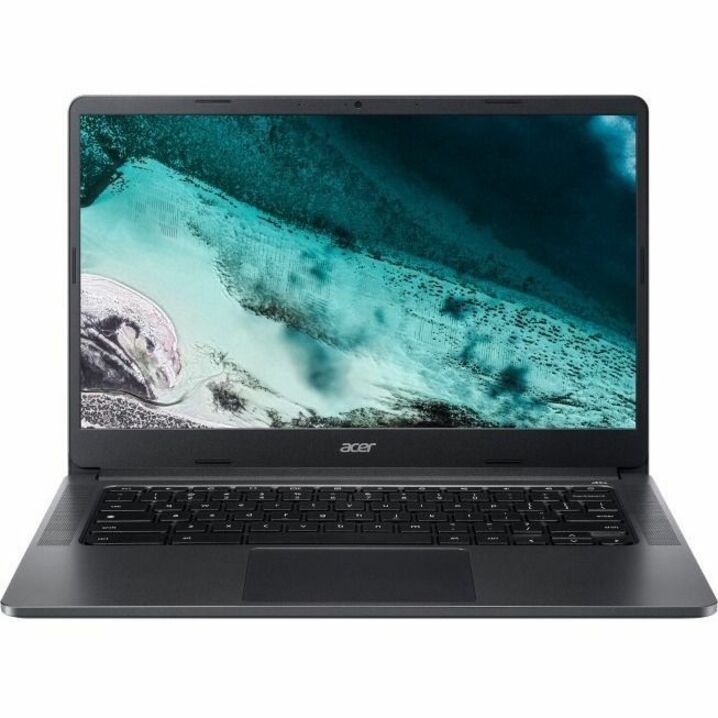
Acer Chromebook 314 C934 C934-C4GM 14" Chromebook
NX.K06AA.006
A 14-inch ChromeOS notebook for staff who spend the day in a browser and want a larger, more comfortable screen at the same 1366 x 768 desktop.
$342.70Back-orderedWindows 11 Pro, 14 inch
Lenovo
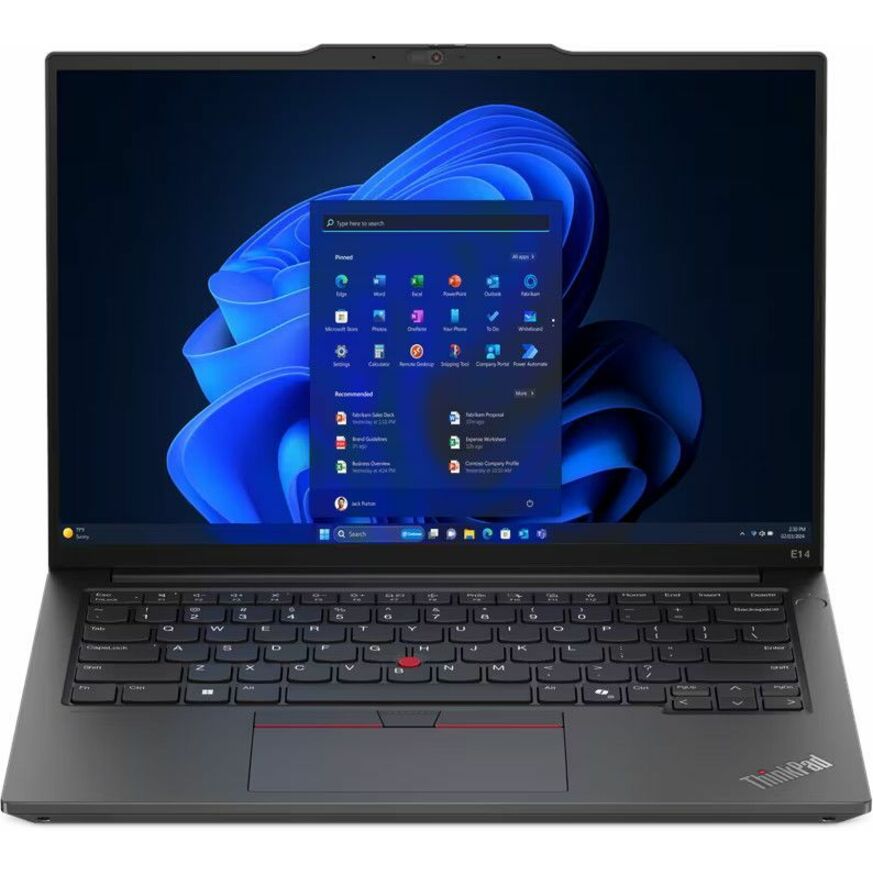
Lenovo ThinkPad E14 Gen 6 21M3000RUS 14" Notebook
21M3000RUS
A 14-inch Windows 11 Pro notebook on an AMD Ryzen 5 with 8 GB of memory and a 256 GB SSD, for users who need locally installed applications.
$1,076.97Back-orderedWindows 11 Pro, more headroom
Lenovo
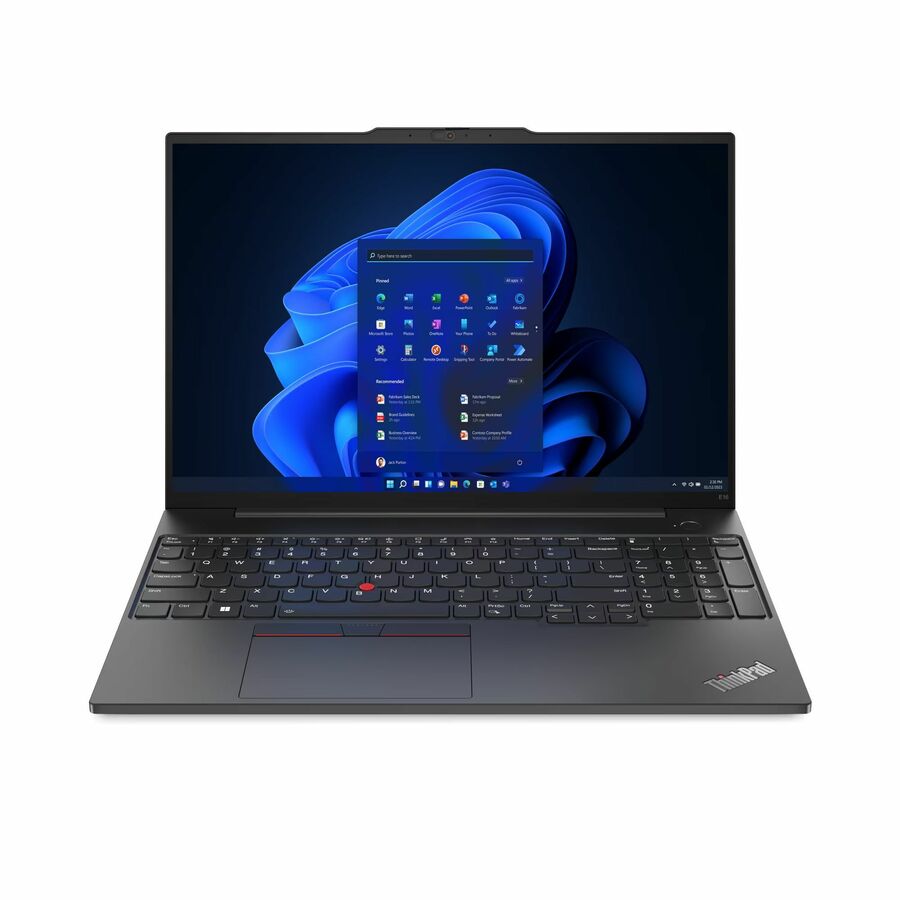
Lenovo ThinkPad E16 Gen 2 21MAS0NT00 16" Touchscreen Notebook
21MAS0NT00
A 16-inch Windows 11 Pro touchscreen notebook with 16 GB of memory and a 1 TB SSD, for heavier desktop applications and larger local datasets.
$1,006.20Back-orderedFAQ
Common questions
- Why do schools use Chromebooks instead of Windows laptops?
- Because the workload fits and the management overhead is lower. Classroom software is overwhelmingly web-based, a Chromebook enrols into the Google Admin console in minutes, and a Powerwash returns a device to a known managed state without an imaging server. Districts that run locally installed software — CAD, music production, specialist assessment tools — keep Windows machines for those rooms.
- What are the disadvantages of a Chromebook over a laptop?
- The main one is that installed desktop applications do not run on ChromeOS, so any program without a web or Android version is unavailable. Beyond that, local storage is usually 32 to 128 GB of flash rather than a large SSD, offline work is limited to apps written for it, and the update window is fixed at the platform release date rather than running from your purchase.
- Why are schools getting rid of Chromebooks?
- Most of the time it is a lifecycle event, not a verdict on the platform. ChromeOS devices receive automatic updates for 10 years from the platform release date, and a device past that date stops receiving security updates, so it has to leave the fleet. Because the clock runs from the platform rather than the purchase, an older platform bought late can reach that date sooner than its age suggests.
- Can a Chromebook run Windows programs?
- Not natively. ChromeOS runs web and Android applications, so a Windows desktop program has to be reached another way — a published app or virtual desktop delivered over the network, for example. If a user depends on a locally installed Windows program every day, buy them a Windows machine rather than building a workaround around it.
- How do I check when a Chromebook stops getting updates?
- Look up the model's platform on Google's auto update policy page, which lists the expiration date per platform rather than per retail model. Do it before you order, not after: the 10-year window is measured from the platform release date, so remaining life is a property of the silicon inside the device and not of the box it ships in.
Sources
- 1.Google — ChromeOS Auto Update policysupport.google.com
- 2.Google — Managing your ChromeOS devicessupport.google.com
- 3.Microsoft — Windows 11 specs and system requirementsmicrosoft.com
- 4.Microsoft — Windows lifecycle FAQ, servicing timelineslearn.microsoft.com