
DGX Spark vs GPU Workstation vs Cloud: Compare Cost per Task
Compare NVIDIA DGX Spark, GPU workstations and cloud compute using real workload requirements. Learn how to estimate total costs, evaluate accepted tasks and choose suitable AI infrastructure without relying on hardware prices alone.
By Uniqcli Team · · 10 min read
Key takeaways
- Compare cost per accepted task rather than relying only on hardware prices, cloud hourly rates or raw processing speed.
- Evaluate complete DGX Spark, GPU workstation and cloud configurations against the same quality, workload and turnaround requirements.
- Include hardware allocation, electricity, cloud usage, storage, support, administration and human review when calculating total workload cost.
- Treat example prices and annual cost estimates as assumptions, not measured performance or proof that one platform is cheaper.
- Test expected demand, peak workloads, failed attempts and review effort before deciding between local hardware, cloud compute or a hybrid approach.
On this page
Choosing between NVIDIA DGX Spark, a GPU workstation and cloud compute requires more than comparing purchase prices or hourly rates. The real question is how much each option costs to complete a useful task that meets your quality and turnaround requirements.
An accepted task might be a code change that passes review, an accurately extracted document, a verified AI-generated answer or a fine-tuned model adapter that meets its evaluation target. Each workload has different hardware, software and review requirements.
To make a meaningful comparison, evaluate complete configurations capable of performing the same work. Include hardware ownership, cloud usage, electricity, storage, software, administration and human review costs. Failed attempts, retries and idle time can also affect the final cost.
This guide outlines a practical cost-per-task comparison framework and a hypothetical annual worksheet. The example figures are not measured benchmarks, and no comparative performance testing has been conducted. Use actual workload results, current vendor quotes and operating costs before making a purchasing decision.
Define a Successful Result Before Comparing Cost
Before comparing NVIDIA DGX Spark, a GPU workstation and cloud compute, define what a successful task looks like. The comparison should measure completed work that meets business requirements, not simply the number of tokens generated or documents processed.
For document extraction, an accepted task might be a record with accurate fields, verified source evidence and completed human review. For a coding assistant, it could be a working code change that passes testing and review. Include failed attempts, corrections and retries when calculating the cost of these outcomes.
Measure completed work rather than raw processing speed. Track failed attempts, corrections, reviewer time and total turnaround time. A system generating more tokens per second may not help users finish tasks faster if its outputs require additional verification.
Where possible, first compare the same AI model, precision settings and representative workload across all three platforms. This helps identify differences in hardware performance and operating costs without introducing unnecessary variables.
Next, evaluate the best suitable configuration for each platform against the same application requirements. Clearly document any differences in models, precision, software or resource limits so the results remain transparent and useful for purchasing decisions.
Compare Complete Configurations
A fair cost comparison starts with the complete hardware and software configuration, not just the GPU price. For this proposed evaluation, compare one NVIDIA DGX Spark with 128 GB unified memory, a GPU workstation equipped with an NVIDIA RTX 5090, and a cloud instance using an NVIDIA H100 PCIe GPU.
DGX Spark provides 128 GB of unified system memory, making it relevant for evaluating local AI workloads with substantial memory requirements. Confirm the exact OEM SKU, SSD capacity, model compatibility and support package before estimating its total ownership cost.
A proposed GPU workstation could include an RTX 5090, AMD Ryzen 9 9950X processor, 128 GB system RAM, 4 TB NVMe storage and Linux. The RTX 5090 has 32 GB of dedicated GDDR7 memory, which is separate from the workstation's system RAM. Verify model fit, cooling, power requirements, warranty and the complete vendor-approved configuration.
For cloud compute, the proposed comparison uses a Lambda instance with one NVIDIA H100 PCIe GPU and 80 GB of GPU memory. Confirm current pricing, availability, storage charges and deployment requirements. Cloud infrastructure may offer flexibility, but billed idle time and additional services can increase operating costs.
Finally, check software compatibility across all three platforms. DGX Spark uses an ARM64 architecture, so existing containers, compiled extensions and dependencies may require verification or modification. Include setup, testing and migration effort in the cost comparison. These configurations are proposed candidates, not validated equivalent-performance systems.
Calculate the Cost of Completed Work
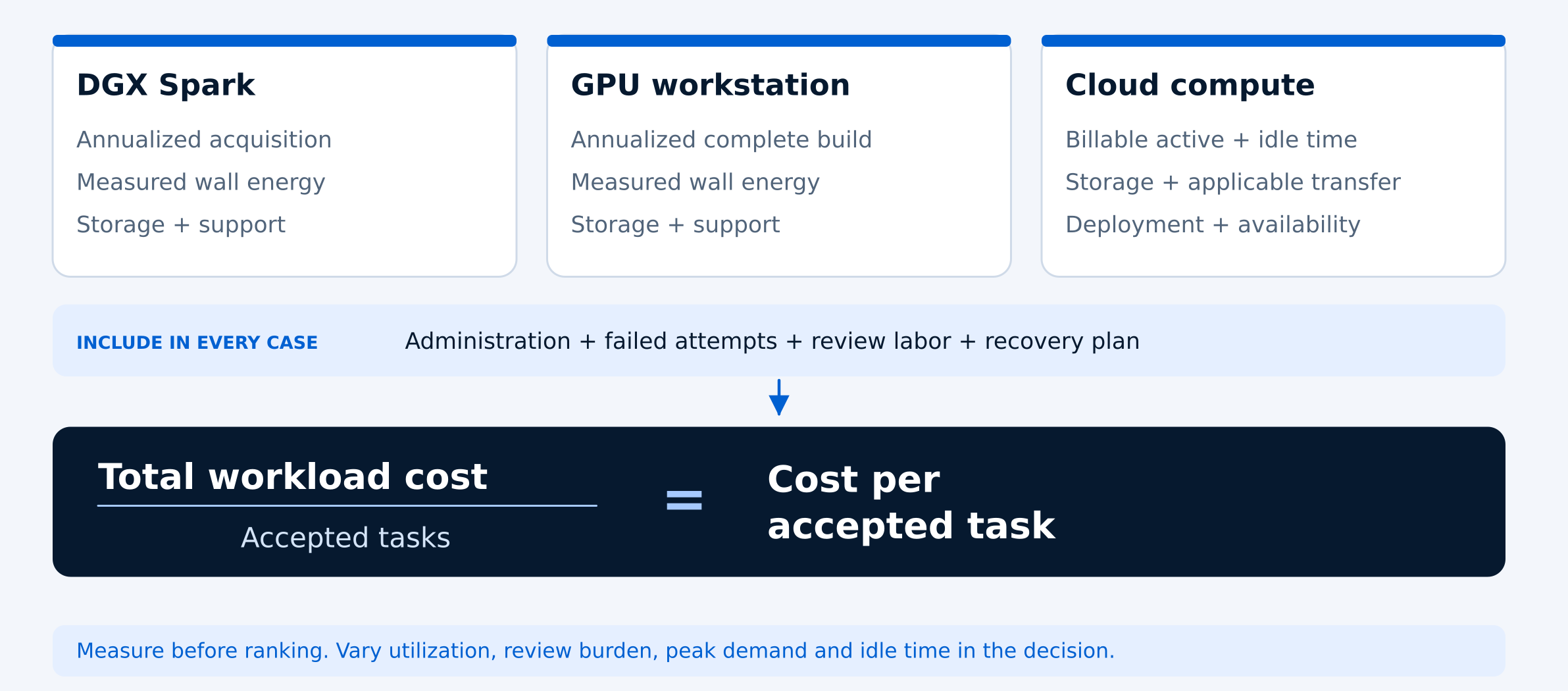
To compare NVIDIA DGX Spark, a GPU workstation and cloud compute fairly, calculate the total cost of producing successful results rather than focusing only on purchase prices or hourly rates. Include infrastructure, software, electricity, support, administration and human review expenses.
For local hardware, allocate the purchase cost over its expected useful life, accounting for any assumed resale value. Add electricity, storage, maintenance and software costs. If the system supports multiple workloads, document how shared expenses are allocated to avoid counting the same costs twice.
For cloud compute, include billable instance hours, persistent storage, applicable data transfer charges and operational expenses. As checked on October 20, 2026, Lambda listed a single H100 PCIe instance at $3.29 per GPU-hour. This is a historical reference, not a guaranteed current rate. Confirm pricing and availability before estimating costs.
Cloud billing can also include idle periods, model loading and retries. Lambda documents one-minute billing increments for on-demand instances, with charges continuing while an instance remains running. Local electricity should be measured at the wall across active and idle periods rather than estimated solely from GPU specifications.
Finally, divide the total workload cost by the number of tasks that meet the defined acceptance criteria. Count unsuccessful attempts and review effort in the total cost, but not as accepted tasks. This provides a more meaningful basis for comparing infrastructure options.
Annual hardware allocation = (Purchase cost − Assumed resale value) ÷ Planned years of use. Cost per accepted task = Total workload cost ÷ Number of accepted tasks.
A Hypothetical Annual Worksheet
The following example illustrates how to compare annual costs for NVIDIA DGX Spark, a GPU workstation and cloud compute. It is a hypothetical calculation, not a performance benchmark. Hardware prices, electricity use, administration, review time and workload volume are assumed values. Only the historical Lambda H100 rate of $3.29 per GPU-hour, checked October 20, 2026, comes from a published pricing reference.
Assume each configuration meets the same quality and turnaround requirements and produces 12,000 accepted documents annually. Local hardware is allocated over three years with zero assumed resale value. All three options include allowances for support, storage, administration and human review.
DGX Spark example: A hypothetical $6,000 purchase produces a $2,000 annual hardware allocation. Adding $360 for support and storage, $900 for administration and $40 for electricity gives an infrastructure subtotal of $3,300. With $4,000 in review labor, the annual total is $7,300, or approximately $0.61 per accepted document.
GPU workstation example: A hypothetical $7,500 purchase produces a $2,500 annual hardware allocation. Adding $360 for support and storage, $900 for administration and $80 for electricity gives an infrastructure subtotal of $3,840. With $4,000 in review labor, the annual total is $7,840, or approximately $0.65 per accepted document.
Cloud example: At the historical $3.29 hourly reference rate, 400 hypothetical billable hours cost $1,316. Adding $360 for support and storage, $900 for administration and $4,000 in review labor gives an annual total of $6,576, or approximately $0.55 per accepted document.
The example assumes 100 annual review hours at $40 per hour, equivalent to 30 seconds per accepted document. Electricity is calculated at a hypothetical $0.20 per kWh, using 200 kWh for Spark and 400 kWh for the workstation. Taxes, financing and business-specific overhead are excluded. The lower cloud total does not prove cloud is cheaper: the assumed processing hours, output volume and review effort have not been demonstrated. Replace these inputs with measured results and current quotes before making a purchase decision.
The following example compares estimated annual costs for three computing options, assuming 12,000 accepted documents per year. All costs and workload assumptions are hypothetical except for the referenced Lambda H100 hourly list rate. This worksheet illustrates how hardware, operating expenses, cloud usage, and human review affect cost per completed task—not measured performance or guaranteed savings.
HYPOTHETICAL ANNUAL COST COMPARISON
- WORKLOAD ASSUMPTIONS
- Hypothetical example
- Accepted documents per year
- 12,000
- Review time
- 100 hours at $40/hour
- Hardware allocation
- 3 years, zero resale value
- DGX SPARK — ANNUAL COSTS
- Local system
- Hardware allocation
- $2,000
- Support and storage
- $360
- Administration
- $900
- Electricity (200 kWh)
- $40
- Human review
- $4,000
- DGX Spark — Annual total
- $7,300
- DGX Spark — Cost per document
- $0.61
- GPU WORKSTATION — ANNUAL COSTS
- RTX 5090 example
- Hardware allocation
- $2,500
- Support and storage
- $360
- Administration
- $900
- Electricity (400 kWh)
- $80
- Human review
- $4,000
- Workstation — Annual total
- $7,840
- Workstation — Cost per document
- $0.65
- CLOUD H100 — ANNUAL COSTS
- Lambda H100 PCIe example
- Instance usage (400 hours)
- $1,316
- Support and storage
- $360
- Administration
- $900
- Human review
- $4,000
- Cloud — Annual total
- $6,576
- Cloud — Cost per document
- $0.55
GIGABYTE Technology
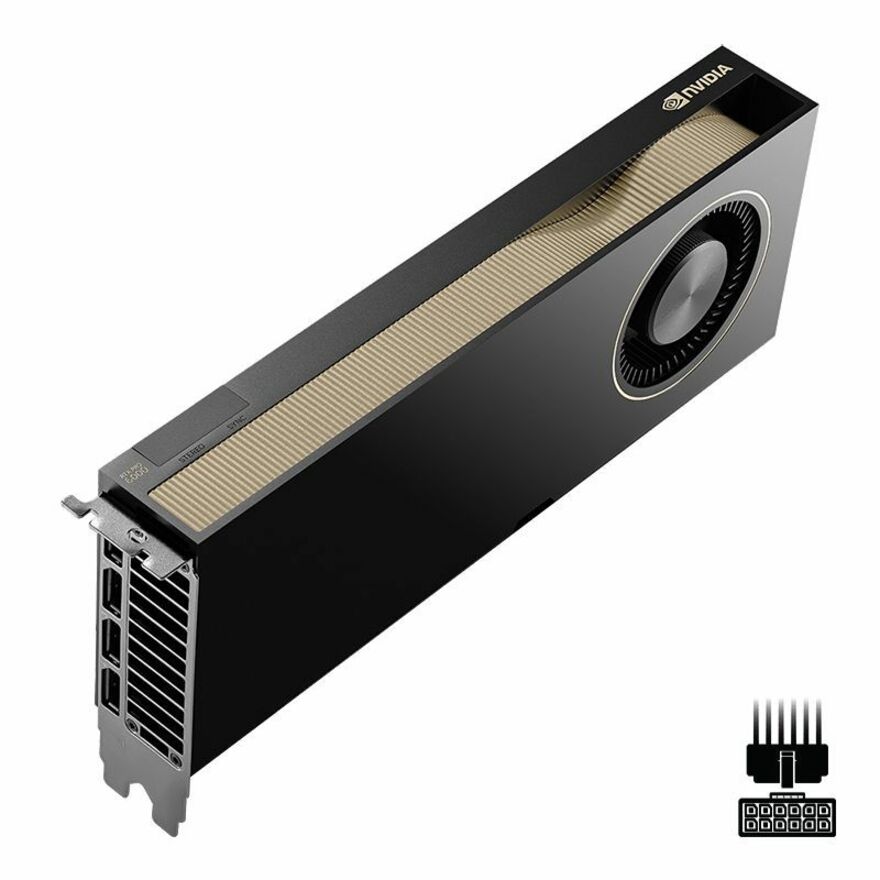
GIGABYTE NVIDIA GeForce RTX 5090 Graphic Card
$6,295.02Back-orderedPNY Technologies
PNY NVIDIA RTX PRO 6000 Graphic Card
$18,117.49In stock

This hypothetical example assumes 12,000 accepted documents annually, with 30 seconds of review per document (100 review hours total). Hardware prices, electricity consumption, administration costs, and cloud usage are illustrative assumptions, not measured results. Taxes, financing, and business-specific overhead are excluded.
Although cloud has the lowest calculated cost in this example, the comparison does not establish that cloud is the most economical option. Actual processing times, billable hours, workload volume, and review requirements could change the outcome. Replace these assumptions with measured workload results and current vendor quotes before making a purchasing decision.
Test the Assumptions That Move the Answer
A cost comparison is only as reliable as its workload assumptions. Before choosing between DGX Spark, a GPU workstation, and cloud compute, test how changes in demand, processing time, and operating requirements affect the cost per accepted task.
Start with three workload scenarios: low demand, expected demand, and peak demand. For each scenario, measure processing time, failed attempts, human review effort, administration, and idle capacity. Include model loading and setup time, especially when workloads arrive in short bursts.
Next, evaluate reliability and capacity. Can a local system complete tasks within the required deadline? Is cloud GPU capacity available when needed? What happens if hardware fails or a workload exceeds available memory? Include backup capacity, recovery procedures, and any associated costs rather than assuming uninterrupted operation.
When each option may make sense
- DGX Spark: Evaluate for recurring local AI workloads that fit its memory and software environment, particularly when keeping data on premises is important.
- GPU workstation: Consider when workloads fit the GPU's available memory and the system must also support other workstation applications.
- Cloud GPU: Evaluate for variable demand, short-term experiments, or workloads requiring more compute capacity than local systems provide. Include billable idle time, storage, and operational costs.
- Hybrid deployment: Consider running predictable workloads locally while using approved cloud resources for occasional demand spikes.
The lowest hourly rate or initial hardware price does not necessarily produce the lowest cost per successful task. Use representative workloads, measured results, and current vendor quotes to determine which configuration meets your performance, quality, security, and budget requirements.
What to Include in an AI Hardware Quote
Before requesting pricing for DGX Spark or a GPU workstation, document the workload and operating requirements. A complete quote should account for more than the processor or GPU alone.
Provide the expected model size, memory requirements, workload volume, target response time, storage needs, and software dependencies. For workstation configurations, confirm GPU compatibility, cooling, power capacity, warranty coverage, and any required installation services.
For organizations comparing local and cloud deployment, also document data-handling requirements, expected utilization, and support responsibilities. These factors can affect the overall cost even when hardware specifications appear similar.
Uniqcli can help buyers evaluate compatible GPU workstations, accelerated compute infrastructure, and supporting components against their deployment requirements. Use current vendor quotes and representative workload tests to validate the final purchasing decision.
Frequently asked questions
Is DGX Spark cheaper than a GPU workstation?
Not necessarily. DGX Spark and GPU workstations have different memory architectures, software compatibility requirements, and performance characteristics. Compare the total cost of ownership, including hardware, electricity, support, and administration. The better-value option depends on workload performance, model compatibility, and cost per accepted task.
When is cloud GPU compute more cost-effective than local hardware?
Cloud GPU compute may be more economical for occasional experiments, unpredictable demand, or workloads requiring temporary access to higher-end accelerators. Local hardware may offer better long-term value when utilization is consistent. Include cloud storage, billable idle time, data transfer, and operating costs when comparing options.
Can DGX Spark replace an RTX 5090 workstation?
DGX Spark may support AI workloads that benefit from its 128 GB unified memory, while an RTX 5090 workstation offers 32 GB of dedicated GPU memory and a different performance profile. Neither is a universal replacement for the other. Verify model fit, application compatibility, latency, throughput, and software requirements using representative tests.
How do you calculate cost per AI task?
Divide the total cost of running a workload by the number of successfully completed and accepted tasks. Include hardware allocation or cloud usage, electricity, storage, administration, retries, and human review. Define acceptance criteria before testing so each platform is evaluated against the same quality requirements.
What should businesses evaluate before purchasing AI hardware?
Businesses should evaluate workload requirements, model memory needs, software compatibility, expected utilization, security policies, support coverage, and future scalability. Request complete hardware configurations and current pricing, then test representative workloads before making a purchasing decision.
Compare AI Hardware Costs for Your Workload
Evaluating DGX Spark, GPU workstations, or accelerated compute infrastructure? Share your workload requirements, memory needs, and deployment goals with Uniqcli to explore suitable hardware configurations and request current pricing.
Sources
- 1.NVIDIA — DGX Spark Hardware Specificationsdocs.nvidia.com
- 2.NVIDIA — GeForce RTX 5090 Specificationsnvidia.com
- 3.NVIDIA — DGX Spark Porting Guidedocs.nvidia.com
- 4.Lambda — Cloud GPU Pricinglambda.ai
- 5.Lambda — Cloud Billing Documentationdocs.lambda.ai