
Extract Invoice and Technical PDF Data Locally on DGX Spark
Learn how to extract invoice and technical PDF data locally on NVIDIA DGX Spark. Explore OCR, structured output, source verification and accuracy testing for a proposed document-processing workflow.
By Uniqcli Team · · 10 min read · Updated
Key takeaways
- NVIDIA DGX Spark can be evaluated for local invoice and technical PDF extraction using OCR, embedded text extraction and vision-language models.
- Define separate structured output fields for invoices and technical documents, preserving original values, units and source locations for verification.
- Validate extracted information against the original PDF. Correct JSON formatting alone does not guarantee accurate invoice totals, part numbers or technical specifications.
- Keep human review in the initial workflow, especially for payment amounts, supplier details, engineering revisions, dimensions and tolerances.
- Measure field-level accuracy, processing speed and reviewer effort before scaling. Confirm that document data remains local and that errors are recorded rather than silently accepted.
On this page
Extracting information from invoices and technical PDFs is not simply about converting documents into structured data. The real challenge is ensuring that every extracted value is accurate, traceable and ready for review. A missing decimal point, incorrect part number or overlooked document revision can create costly errors even when the output looks correct.
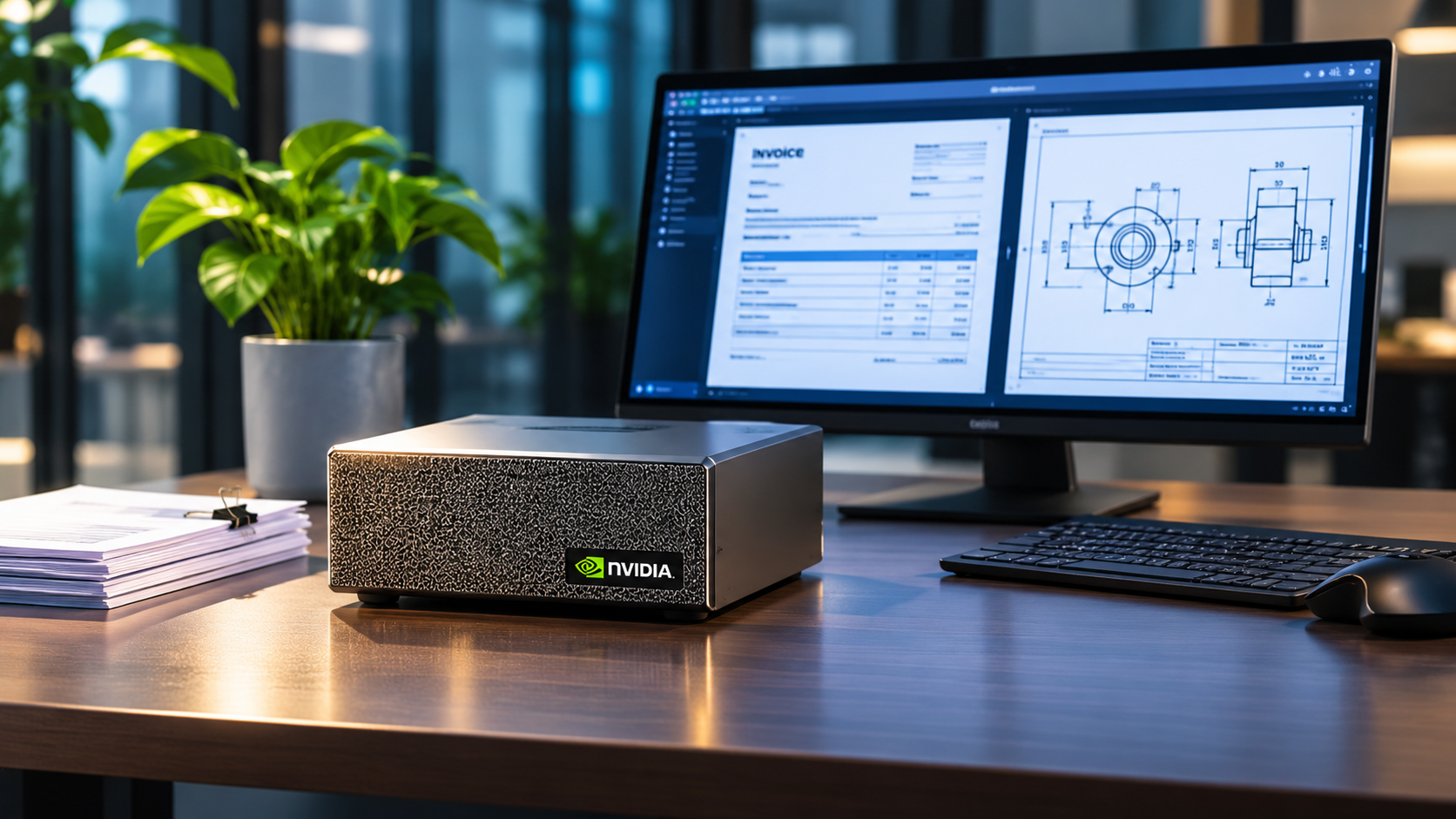
NVIDIA DGX Spark provides a local AI computing platform that teams can evaluate for document-processing workloads, including optical character recognition (OCR), structured data extraction and vision-language models. These approaches can help process invoices, engineering specifications and other technical documents while keeping the workflow within a controlled local environment.
This guide outlines a proposed PDF extraction pilot using one 128 GB DGX Spark. It covers selecting extraction methods, defining output fields, preserving source evidence, validating numerical values and measuring accuracy alongside manual review effort.
The goal is to determine whether local AI-assisted extraction can support a reliable document-processing workflow. Uniqcli has not implemented or benchmarked this pilot, so extraction accuracy, processing speed and operational capacity must be established through testing.
Define the Fields for Each Document Type
Before extracting information from PDFs on NVIDIA DGX Spark, define exactly which fields the system should capture. Invoices and technical documents contain different types of information, so each should have its own structured output format and validation rules.
For invoices, important fields may include supplier name, invoice number, date, currency, line items, tax and total amount. Technical documents require different details, such as part numbers, document IDs, revisions, dimensions, units and tolerances. Identify which fields are mandatory and how missing or unclear information should be recorded.
Preserve the original source evidence for every extracted value. Store the printed text, page number and relevant document location alongside the normalized result. For example, an invoice total should be checked against the stated amounts, while a technical dimension should retain its original unit and tolerance. Part numbers must preserve leading zeros, and conflicting revisions should be flagged for review.
When a field is missing or ambiguous, record an explicit null value with a reason rather than guessing or copying information from another document. This helps reviewers distinguish incomplete extraction from unsupported information.
Finally, assign a version to each output schema and its validation rules. If date formats, unit conversions or required fields change later, earlier extraction results should remain traceable to the rules used when they were created. This creates a more reliable foundation for document processing and future quality checks.
Check the PDF Before Choosing an Extraction Method
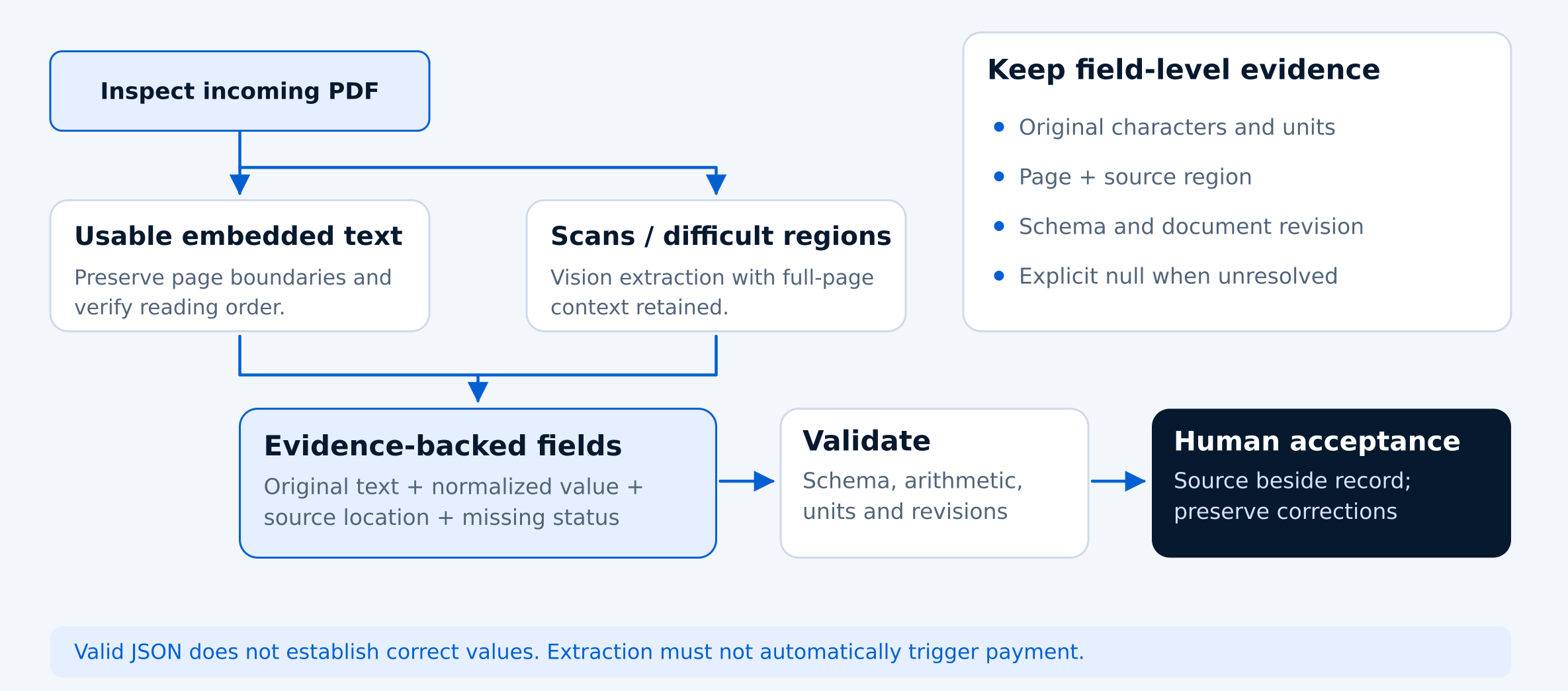
Not every PDF requires the same extraction method. Before using OCR or an AI model on NVIDIA DGX Spark, inspect the document to determine whether it contains selectable text, scanned images or a combination of both. Start with embedded text extraction where possible, but verify that columns, tables, symbols and reading order match the original document.
Use OCR or vision-language models when standard text extraction is insufficient. Scanned invoices, engineering drawings and complex tables may require image-based processing. Preserve the full-page image alongside any cropped regions so reviewers can check whether important headings, units or footnotes were missed.
Qwen2.5-VL-7B-Instruct is one candidate for evaluating structured extraction from invoices, forms and tables. Its published capabilities make it relevant to this pilot, but they do not guarantee accuracy on a particular document collection. NVIDIA also references this model in a vision-model fine-tuning tutorial, although that example focuses on image classification rather than PDF extraction.
For the initial pilot, use one 128 GB DGX Spark and document the model revision, input processor, image-resolution settings and software versions. Verify ARM64 compatibility and confirm that the selected model loads and processes representative pages successfully before attempting larger batches.
Compare each extracted result against the original PDF before accepting it. The objective is to identify which combination of embedded text extraction, OCR and vision-language processing works reliably for the documents being tested, rather than assuming one method is best for every file.
Require Source Evidence and Flag Uncertain Fields
Reliable PDF extraction requires more than producing structured data. Every extracted value should be supported by evidence from the original document, including its page number and relevant text or image region. This allows reviewers to verify invoice amounts, part numbers and technical specifications without searching through the entire PDF.
Flag missing, conflicting or uncertain information instead of generating a replacement. If a supplier name is unclear, a drawing contains conflicting revisions or a dimension is partially unreadable, the output should identify the issue and preserve the available evidence for human review.
Treat all document content as untrusted input. Instructions embedded inside an invoice or PDF, such as requests to ignore extraction rules, must remain document text rather than commands. Keep the extraction system separate from payment, procurement and administrative tools to prevent document content from triggering unauthorized actions.
Do not assume that an AI-generated confidence score represents a verified probability of correctness. Instead, begin with measurable validation checks, including missing evidence, invalid numbers, inconsistent revisions, unreconciled totals and conflicting extracted values.
During the pilot, compare flagged results against manually verified documents to determine which checks identify real errors. Any confidence-based review thresholds should be tested before they are used to reduce human oversight.
Apply Consistent Conversion Rules and Keep Original Values
Extracted PDF data often needs normalization before it can be used in business or engineering systems. Dates, currencies, decimal separators and measurement units should follow clearly defined conversion rules. Always preserve the original value alongside the standardized result so reviewers can trace any changes.
Technical measurements require particular care. For example, a specification showing “0.25 in ±0.01 in” converts to 6.35 mm ±0.254 mm. Both the measurement and its tolerance must be converted correctly. Define rounding rules and display precision to avoid implying greater measurement accuracy than the original document supports.
For invoice extraction, calculate totals using decimal arithmetic and the document's stated currency. Check discounts, shipping charges, taxes and rounding against the source. Even when the final amount reconciles, verify supplier details, invoice numbers and line items independently.
Avoid making assumptions about ambiguous dates or number formats. A date such as 03/04/2026 may represent March 4 or April 3 depending on the document's locale. When the correct interpretation cannot be established, flag the value for review rather than silently selecting one.
Preserve relationships across pages, especially for technical tables, continued specifications and revision notices. A value may depend on a heading from an earlier page or be superseded by a later revision. Keeping this context intact helps prevent incorrect structured data from entering downstream systems.
Review Each Document Before Approving the Result
Even when AI extraction produces correctly formatted data, the information may still contain errors. During the initial DGX Spark pilot, every processed invoice and technical PDF should undergo human review before its extracted values are approved.
Display the structured output alongside the original PDF so reviewers can quickly compare fields with their source evidence. Highlight missing information, conflicting values and corrections. Keep the original model output separate from the approved record, and document who made each correction.
Prioritize fields where mistakes could have significant consequences. For invoices, these include supplier identity, payment amounts, currency and quantities. For technical documents, verify part numbers, revisions, dimensions, units and tolerances against the source.
Document extraction should not automatically authorize payments, create purchase orders or approve engineering specifications. These decisions must remain within the organization's established financial, procurement and engineering approval processes.
Before reducing manual review for lower-risk fields, measure how often the validation checks miss errors. Retain reviewed examples and correction histories for auditing and future improvements. The goal is to reduce repetitive verification work while maintaining reliable, traceable results.
Measure Accuracy and Review Effort
Before scaling PDF extraction on NVIDIA DGX Spark, evaluate the workflow using a representative collection of documents. Start with a proposed 100-document pilot covering digital PDFs, scanned invoices, rotated pages, technical specifications and tables that continue across multiple pages.
Use public or synthetic documents initially, followed by approved business documents with manually verified reference values. Reserve an untouched test set before adjusting prompts or extraction settings. Include unfamiliar supplier layouts and document formats to determine how well the workflow handles new inputs.
Measure accuracy at the individual field level. Check exact matches for invoice numbers, dates and part numbers, along with numerical correctness for amounts, dimensions, units and tolerances. Track incorrect values that pass validation, missing fields, invalid outputs and documents that require reprocessing.
Processing speed alone does not determine efficiency. Record automated pages processed per minute, reviewer minutes per accepted document and total turnaround time from submission to approval. Include PDF rendering, extraction, validation, retries and waiting time when calculating overall processing performance.
Report invoice and technical-document results separately, including every attempted document and failed extraction. These measurements will help determine whether the proposed local workflow reduces manual effort while maintaining acceptable accuracy. No extraction accuracy or throughput results are claimed until the pilot has been tested.
Verify Locality and Plan Cleanup
Running PDF extraction on NVIDIA DGX Spark does not automatically guarantee that document data stays local. Download the required model weights and dependencies, then verify where document text, images and extracted results are processed. Monitor outbound network connections during the complete workflow to identify any unexpected external services.
Confirm that every processing component follows the intended data-handling requirements. Some AI interfaces support both local models and cloud APIs, so check the actual backend configuration rather than assuming that all processing happens on the device. NVIDIA's Live VLM interface illustrates this distinction, although it is not a validated PDF extraction pipeline.
Review how the system handles uploaded PDFs, temporary page images, extracted text, logs and backups. Define retention periods, access permissions and deletion procedures to prevent sensitive invoice or technical information from remaining in unnecessary storage locations.
Maintain versioned extraction records so documents can be reprocessed without overwriting previously approved results. Preserve the original source, validation findings and correction history to support future reviews and audits.
Before increasing processing capacity, identify the actual bottleneck through testing. Additional page-processing workers should only be introduced after measuring memory usage, extraction speed and reviewer workload. For production planning, prioritize approved documents per day rather than raw processing speed alone.
NVIDIA
NVIDIA DGX Spark 128GB 4TB GB10 Grace Blackwell AI Desktop
$7,792.83In stockPNY Technologies
PNY DGX Spark Desktop AI Computer
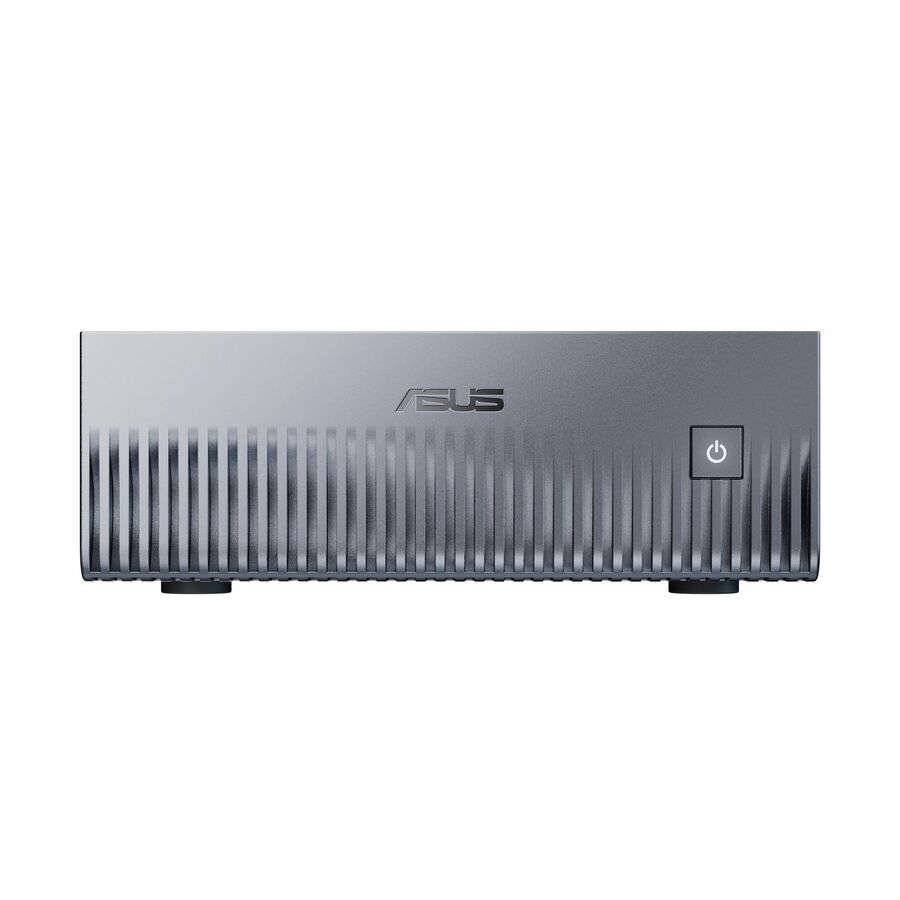
$7,949.98In stockASUS Computer International
Asus Ascent GX10-GG0010BN Desktop AI Computer
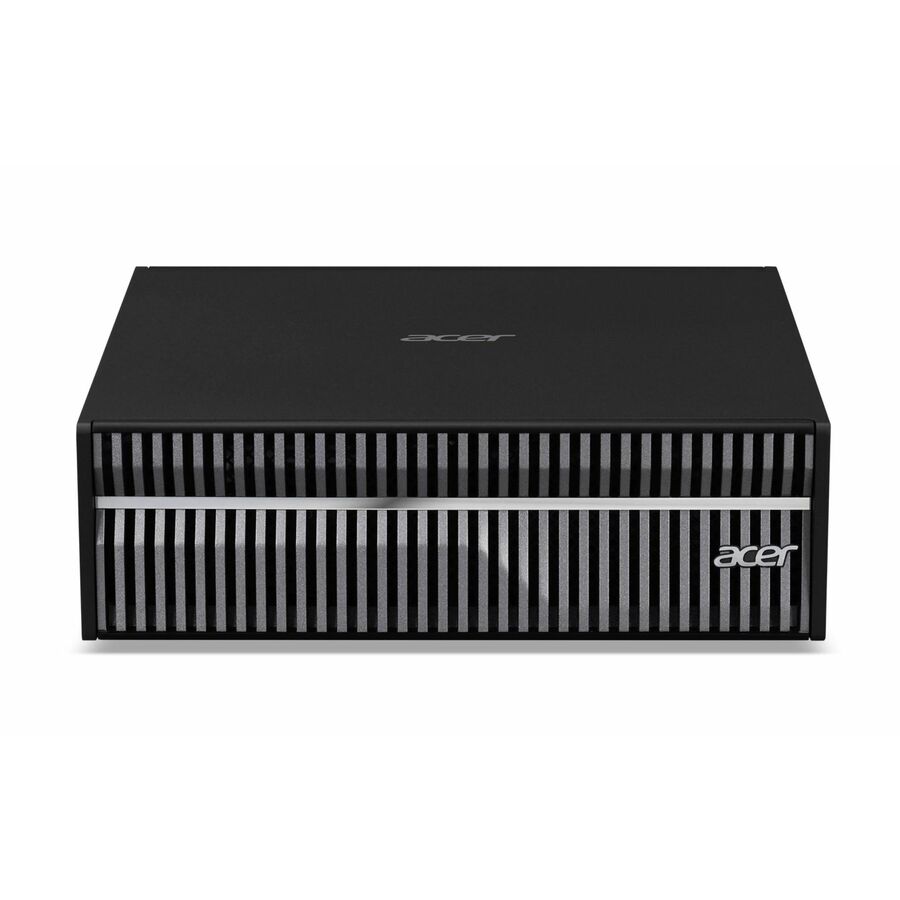
$7,831.33In stockAcer
Acer Veriton VGN100-UD13 Workstation
$8,219.00In stock
PDF Extraction Validation Checklist
Use this checklist before approving a local invoice or technical PDF extraction workflow on NVIDIA DGX Spark. Each item should be verified using representative documents and recorded test results.
- Define required fields for invoices and technical PDFs.
- Verify embedded text, OCR and scanned-page handling.
- Confirm model and software compatibility with DGX Spark.
- Preserve original values, page numbers and source evidence.
- Flag missing, ambiguous and conflicting information.
- Validate invoice totals, dates, units and tolerances.
- Keep document instructions isolated from system actions.
- Require human review for consequential fields.
- Measure field accuracy, failures and reviewer time.
- Verify local processing, data retention and cleanup.
Frequently asked questions
Can NVIDIA DGX Spark extract data from invoices and technical PDFs locally?
NVIDIA DGX Spark can be evaluated for local PDF extraction using embedded text extraction, OCR and compatible vision-language models. The workflow can process invoices and technical documents locally when all components are configured to use local services. Accuracy and processing capacity must be verified through testing.
What is the difference between OCR and a vision-language model for PDF extraction?
OCR converts text in scanned documents into machine-readable characters. Vision-language models can also interpret visual layouts, tables and relationships between document elements. A practical workflow may combine embedded text extraction, OCR and a vision-language model depending on document quality and complexity.
How can I verify the accuracy of extracted invoice and technical data?
Compare extracted values against manually verified source documents. Check invoice numbers, amounts, dates, part numbers, units, tolerances and revision identifiers. Track field-level errors, missing information and incorrect values that pass validation. Structured JSON output alone does not guarantee accuracy.
Can sensitive invoices and engineering documents stay on DGX Spark?
Yes, a properly configured local workflow can keep document processing on DGX Spark, but locality must be verified. Check model endpoints, external API connections, logs, temporary files and backup destinations. Running a model locally does not automatically mean every part of the document-processing workflow remains local.
Can AI-extracted PDF data be used without human review?
Human review should remain mandatory during the initial pilot, especially for payment amounts, supplier details, part numbers, revisions and engineering tolerances. Lower-risk fields may qualify for reduced review only after testing demonstrates acceptable accuracy and error-detection performance. Extraction should not automatically authorize payments or engineering approvals.
Build the Right Infrastructure for Local Document AI
Planning invoice OCR or technical PDF extraction on NVIDIA DGX Spark? Share your document types, processing volume, accuracy requirements and data security needs with Uniqcli. Our team can help you evaluate suitable AI hardware and infrastructure for your pilot.
Sources
- 1.NVIDIA — DGX Spark Overviewnvidia.com
- 2.Qwen — Qwen2.5-VL-7B-Instruct Model Cardhuggingface.co
- 3.NVIDIA — Vision-Language Model Fine-Tuning Workflowbuild.nvidia.com
- 4.NVIDIA — Live VLM Overviewbuild.nvidia.com
- 5.NVIDIA — DGX Spark Documentationdocs.nvidia.com