
DGX Spark 64GB vs. 128GB: Which Should You Buy?
Compare DGX Spark 64GB and 128GB configurations by model memory, context length and concurrent requests. Use workload tests and current OEM quotes to choose the right system.
By Uniqcli Team · · 10 min read · Updated
Key takeaways
- 64GB is a practical starting point for local AI. The OEM-only configuration keeps the GB10 platform and NVIDIA software stack but offers less memory for models and multitasking.
- 128GB provides twice the unified memory in one system. It gives buyers more headroom for larger models, longer context windows and workloads that exceed the smaller configuration.
- Choose based on measured workload requirements. Model size alone does not determine fit. Quantization, context length, runtime overhead, concurrency and performance targets all matter.
On this page
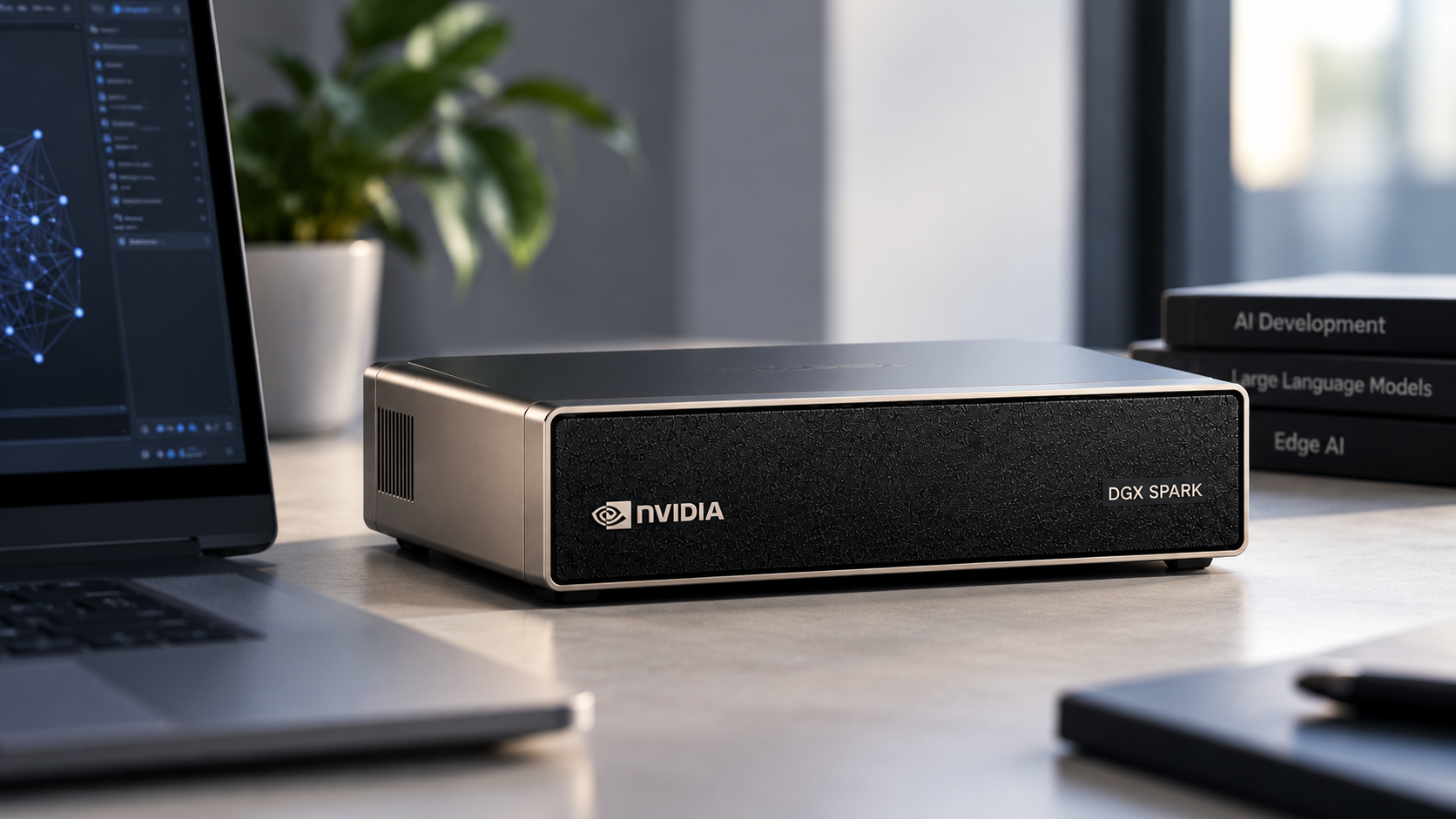
NVIDIA DGX Spark now comes in two unified-memory configurations: 64GB and 128GB. Both use the GB10 Grace Blackwell platform, NVIDIA DGX OS and the NVIDIA AI software stack. The main purchasing question is how much local memory your applications need, and whether the additional capacity of the 128GB system justifies the investment.
The 64GB option, available through participating OEM partners, gives developers and teams another entry point for local AI development. The 128GB configuration provides more memory headroom for larger models, longer contexts and demanding workflows.
Neither option should be selected on memory capacity alone. A useful comparison starts with the model, runtime, expected concurrency and performance target.
DGX Spark 64GB vs. 128GB: Verified Specifications
- Unified memory
- 64GB configuration: 64GB unified memory. 128GB configuration: 128GB unified memory.
- Processor platform
- Both configurations use the NVIDIA GB10 Grace Blackwell Superchip. NVIDIA documents a 20-core Arm CPU for its 128GB reference system.
- CPU and GPU memory
- Both use unified memory shared between CPU and GPU rather than separate dedicated GPU VRAM.
- AI software
- Both support DGX OS and the NVIDIA AI software stack.
- Networking
- NVIDIA confirms built-in ConnectX-7 networking for both memory configurations. Verify other network interfaces against the OEM SKU.
- Advertised model capacity
- 64GB: NVIDIA advertises support for models up to 100 billion parameters. 128GB: NVIDIA documents support for models up to 200 billion parameters. Actual fit depends on model format, context and runtime.
- Storage
- NVIDIA documents 1TB or 4TB NVMe options for its 128GB reference system. Verify storage capacity for each OEM configuration.
- Availability and pricing
- NVIDIA announced the 64GB partner configuration on October 2, 2026, with availability scheduled from October 23 and prices starting at $4,999. Confirm current regional pricing, delivery dates and the exact OEM SKU.
- Best starting point
- 64GB: Workloads that fit with adequate memory headroom. 128GB: Workloads requiring more memory for larger models, longer context or concurrent requests.
What Does 64GB vs. 128GB Unified Memory Actually Change?
DGX Spark uses coherent unified memory shared across its CPU and GPU architecture. Unlike a conventional workstation with separate system RAM and dedicated GPU memory, this design allows the CPU and GPU to access a common memory pool.
For local AI, available memory affects how much model data, inference state and application overhead can remain on the device. A larger memory configuration can accommodate workloads that might otherwise require a smaller model, more aggressive quantization or a different deployment architecture.
The 128GB configuration provides twice the nominal unified-memory capacity of the 64GB version. However, that does not mean every AI application will run twice as fast. Memory capacity and processing performance are different considerations.
A workload that fits comfortably within 64GB may see limited benefit from additional capacity. A workload that exceeds the usable memory of a 64GB system may make the 128GB configuration the more practical choice.
Which AI Models Can Run on DGX Spark 64GB or 128GB?
NVIDIA positions the 64GB DGX Spark configuration for AI models up to 100 billion parameters and the 128GB configuration for models up to 200 billion parameters. These figures describe the platform's intended capabilities, but they do not guarantee that every model of that size will run at a particular speed or context length.
Actual memory requirements depend on model architecture, weight precision, quantization, context length, inference framework and runtime overhead. A model that fits in memory may still have performance limitations depending on the workload and deployment settings.
For example, a smaller quantized language model serving one developer may fit comfortably within 64GB. Larger models, longer context windows and multiple concurrent users may benefit from the additional memory available in the 128GB configuration.
Before selecting a DGX Spark system, test the intended model with representative prompts, context lengths and expected concurrency. Record memory usage, response latency and output throughput to confirm that the configuration meets your requirements.
Factors That Affect AI Model Compatibility
- Model size
- Parameter count and architecture influence model memory requirements.
- Quantization
- Lower-precision model weights can reduce memory usage, with possible quality or performance tradeoffs.
- Context length
- Longer prompts and conversations increase inference memory requirements.
- Runtime overhead
- Inference frameworks and supporting applications consume additional memory.
- Concurrency
- Multiple active users or agents can increase memory and throughput requirements.
Build a Complete Memory Budget
Choosing between 64GB and 128GB requires more than checking a model's parameter count. DGX Spark uses unified memory, so the CPU, GPU, operating system and other applications share the available physical memory. The complete workload must fit within that capacity, including model weights, inference state and supporting services.
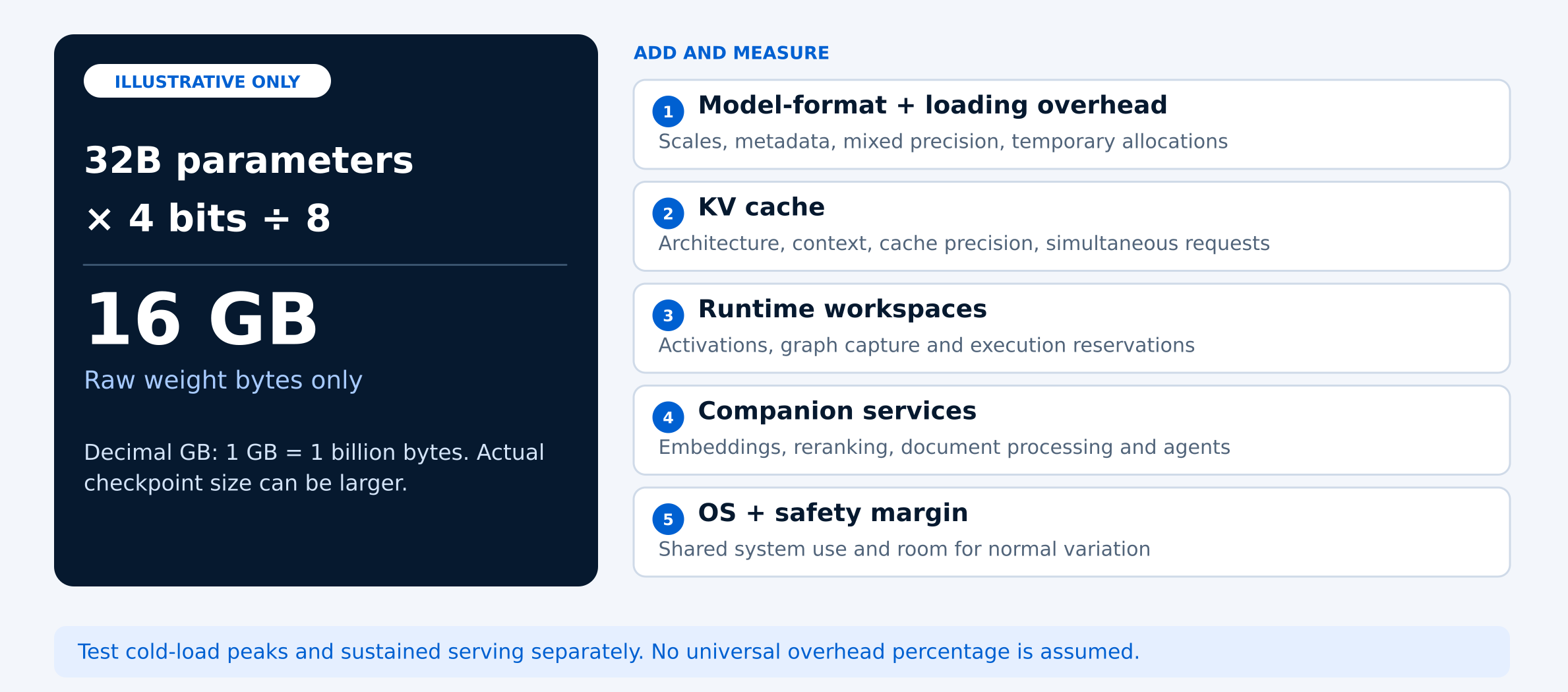
Start with an estimate of the model weights: parameters × bits per parameter ÷ 8 = approximate weight storage in bytes. For example, a 32-billion-parameter model stored at exactly four bits per parameter requires approximately 16GB, while a 70-billion-parameter model requires approximately 35GB.
These are theoretical estimates, not measured checkpoint sizes. Actual memory use can be higher because quantized models may include scaling information, metadata and layers stored at higher precision. Loading the model can also temporarily require more memory than normal inference.
Next, account for the key-value (KV) cache, runtime workspaces, temporary allocations, operating-system activity and supporting applications such as embedding models, rerankers and AI agents. Leave a safety margin rather than planning to use every available gigabyte.
Also distinguish between GB and GiB when comparing measurements. One GB equals one billion bytes, while one GiB equals 1,073,741,824 bytes. Record both the advertised capacity and the usable memory reported by the operating system, including the units used.
Context and Concurrency Can Change the Purchase
A coding assistant reviewing several source files and a document assistant analyzing long technical manuals can place very different demands on the same AI model. Both may perform well with a short test prompt but require substantially more memory when handling real-world tasks. The maximum context length configured in a runtime is not necessarily the number of tokens used by each request. When estimating memory needs, account for system instructions, retrieved documents, conversation history, user input and the tokens reserved for output. Also check whether the inference runtime reserves memory for the full context window or allocates it as requests grow.
The key-value (KV) cache stores attention information used during inference. Its memory requirements depend on the model architecture, cache precision and amount of active context. Longer conversations and multiple simultaneous requests can increase memory consumption, even when the underlying model weights remain unchanged.
Concurrency is particularly important for teams planning shared AI systems. Four simultaneous long-context requests may require considerably more memory than one request. Techniques such as shared-prefix caching can reduce repeated work in some applications, but buyers should also test workloads with different prompts and realistic cache misses.
For mixture-of-experts (MoE) models, distinguish between total parameters and active parameters. The active parameter count describes the portion used during a computation, but the complete model weights still matter when estimating memory capacity. A relatively small active parameter count does not necessarily mean the model has a small memory footprint.
Use Documented Candidates, Then Test Your Configuration
NVIDIA's SGLang documentation includes model examples for DGX Spark, including Llama-3.1-8B-Instruct at FP8 or NVFP4, Qwen3-32B at NVFP4, and gpt-oss-120B at MXFP4. However, the published model matrix does not specify which examples apply to the 64GB or 128GB configuration. Buyers should verify the selected model's memory requirements before treating these examples as purchasing recommendations.
Start with a smaller supported model to confirm that the system and inference runtime are working correctly. Then test the actual model, context length and number of concurrent requests expected in production. A successful model load alone does not establish whether the configuration will meet performance requirements.
For repeatable results, record the model repository, exact revision, license, runtime version, container image digest, tokenizer, quantization format and cache settings. This makes it easier to compare results and repeat tests after software or model updates.
- Measure the starting memory: Record available host memory while the system is idle, before loading the model.
- Test model loading: Load the checkpoint from a cold start. Record loading time, peak memory allocations and any errors or failures.
- Test realistic context lengths: Run representative prompts at approximately 8K, 32K and 64K total context, where supported by the model and runtime. Reserve output tokens explicitly.
- Test concurrent requests: Repeat the workload with one and four simultaneous requests, keeping input and output lengths consistent for comparison.
- Measure performance and stability: Record time to first token, total completion time, errors and remaining available memory. Repeat after warm-up, and retain failed results alongside successful runs.
- Include supporting services: Run the intended embedding, reranking or agent services and repeat the most demanding test that previously passed.
When reviewing test results, use host-memory reporting, per-process information and runtime allocation logs together. NVIDIA notes that the top-level nvidia-smi memory field may display “Not Supported” on DGX Spark. This does not mean the system is using zero memory. Uniqcli has not independently benchmarked the two configurations, so these steps are recommended validation procedures rather than published Uniqcli test results.
Compare the Results Before Choosing a Configuration
Once you've tested your model and runtime, compare the results against your actual workload requirements. A configuration that successfully loads a model may still struggle with long prompts, multiple simultaneous requests or supporting applications.
Use the same testing worksheet for each DGX Spark configuration. Record the hardware, software, memory consumption, response times and reliability results so you can make a purchasing decision based on measured performance rather than advertised model capacity alone.
DGX Spark 64GB vs. 128GB: Testing Worksheet
- Hardware
- Manufacturer, exact SKU and installed memory.
- Model
- Model repository, exact revision and quantization format.
- Software
- Runtime version, container image digest and relevant settings.
- Request size
- Configured context limit and actual input/output token counts.
- Concurrent requests
- Number of requests running simultaneously.
- Memory use
- Peak memory consumption and minimum remaining available memory.
- Startup
- Time required to load the model and become ready.
- Response time
- Median and 95th-percentile time to first token.
- Completion
- Total time required to complete each request.
- Reliability
- Failed requests, retries and out-of-memory errors.
- Answer quality
- Whether the output meets the predefined quality criteria.
The 95th percentile (P95) represents the response time that 95% of measured requests met or beat. Record the number of requests tested alongside each result, and clearly identify any scenarios that were not tested. Restricting available memory on a 128GB system may help investigate allocation behavior, but it does not reproduce a benchmark on a physical 64GB OEM configuration. For a reliable purchasing comparison, test each actual hardware configuration wherever possible.
Should You Choose DGX Spark 64GB or 128GB?
Choose DGX Spark 64GB if testing confirms that your intended models, context lengths and concurrent requests fit within the available memory while leaving enough headroom for normal workload variation. For developers and teams running smaller or appropriately quantized models, the 64GB configuration may provide the capacity they need without purchasing additional memory they will not use.
Choose DGX Spark 128GB when larger models, longer prompts, multiple simultaneous requests or supporting AI services require more memory. The additional capacity can provide useful headroom as workloads grow, but it should be justified by actual requirements rather than parameter count alone.
If both configurations can accommodate your workload but response times remain too slow, investigate the inference runtime, model precision, compute performance and memory-bandwidth limitations. Increasing memory capacity does not automatically improve processing speed.
Before ordering, compare the complete system configuration, including SSD capacity, networking, software compatibility, warranty and manufacturer support. A larger SSD can store more models, datasets and checkpoints, but it does not increase the physical unified memory available for inference. Verify every quoted OEM model and manufacturer part number.
For organizations planning a DGX Spark deployment, Uniqcli can help review the intended model, quantization format, longest expected prompt, number of simultaneous requests and acceptable response time. Sharing existing test results, memory measurements and errors can help define the appropriate configuration and purchasing requirements.
Explore 128GB Desktop AI Systems
NVIDIA
NVIDIA DGX Spark 128GB 4TB GB10 Grace Blackwell AI Desktop
$7,724.98In stockASUS Computer International
Asus Ascent GX10-GG0010BN Desktop AI Computer
$7,831.33In stock
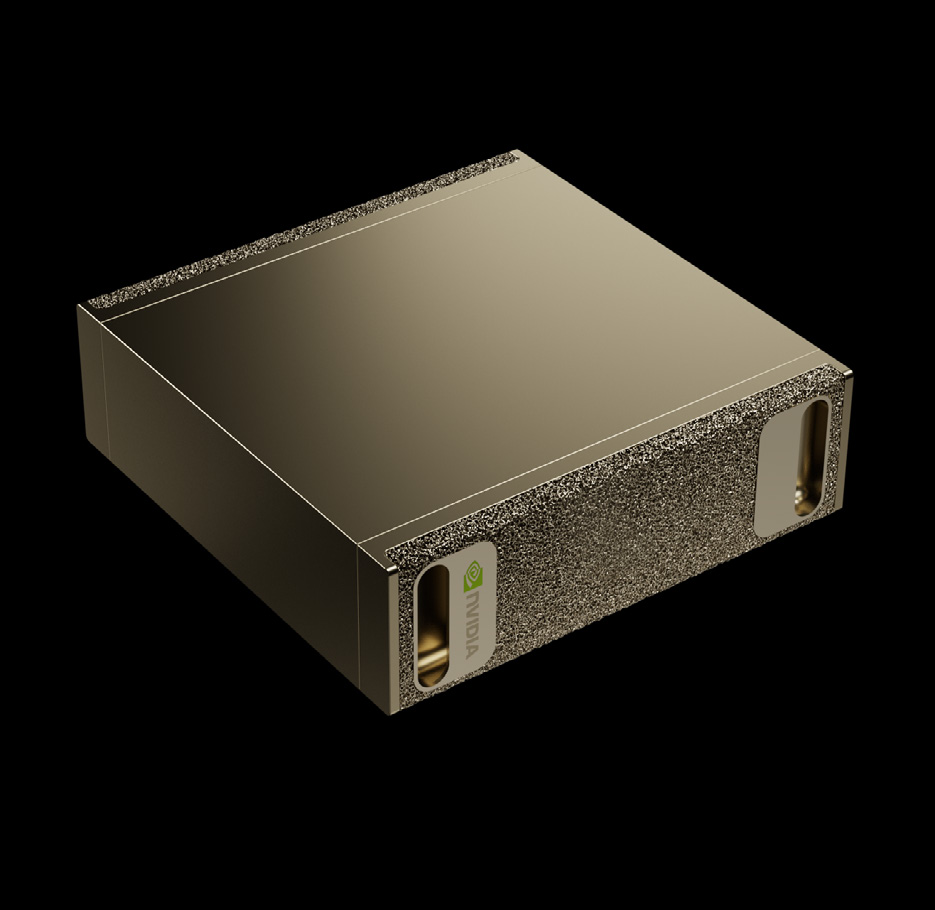
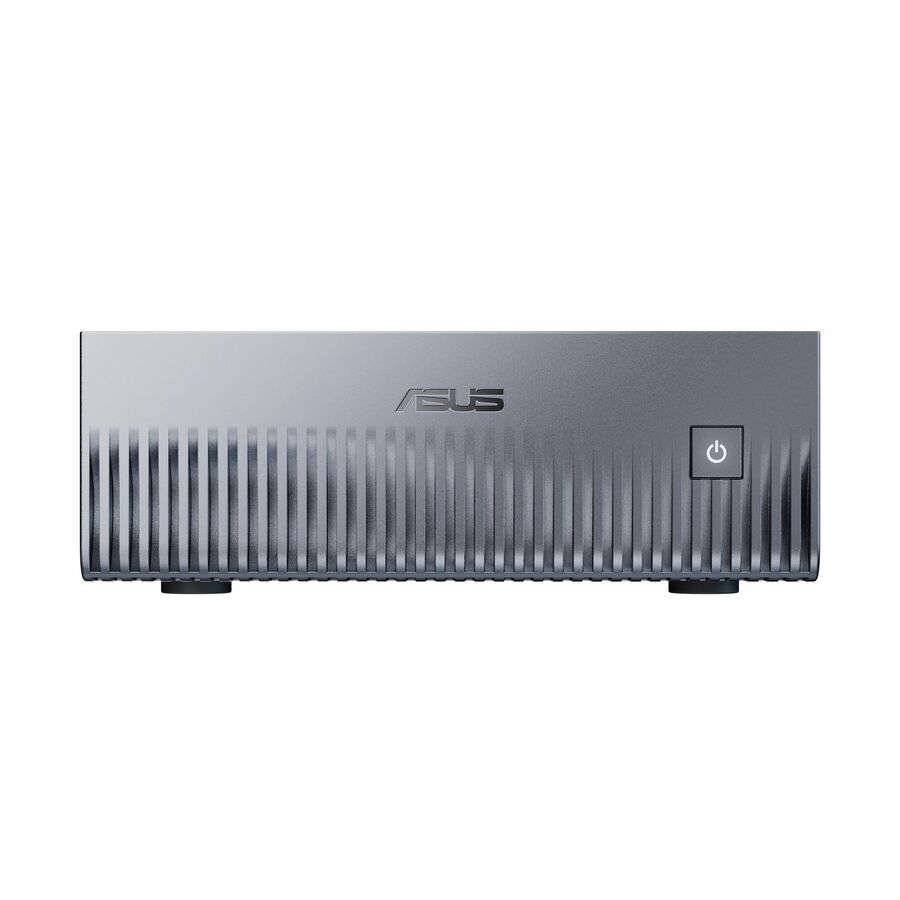
These listed systems have 128GB of memory. Contact Uniqcli for current availability and 64GB OEM configuration options.
Frequently asked questions
Is 64GB enough for running local AI models on DGX Spark?
It depends on the model, quantization format, context length and number of simultaneous requests. A 64GB configuration may support your intended workload, but you should measure model loading, memory usage and response times before purchasing. Leave enough memory available for the operating system, runtime and supporting applications.
Does DGX Spark 128GB run AI models faster than 64GB?
Not necessarily. More unified memory increases the capacity available for models and inference workloads, but it does not automatically improve processing speed. If the same model fits comfortably on both configurations, runtime settings, compute performance and memory bandwidth may have a greater effect on response time.
Can DGX Spark 64GB run a 70B-parameter model?
It may be possible with an appropriate quantized model and runtime, but parameter count alone cannot confirm compatibility. For example, 70 billion parameters stored at exactly four bits require approximately 35GB for raw weights before additional memory requirements. Actual model files, KV cache, runtime allocations and context length must also be considered.
Should I choose 128GB for multiple users or concurrent AI requests?
The 128GB configuration may be preferable when several users need to run models simultaneously, especially with longer contexts or supporting AI services. However, the correct choice depends on measured peak memory usage, acceptable response times and workload concurrency.
What should I check before ordering a DGX Spark configuration?
Confirm the manufacturer's exact SKU, installed unified memory, SSD capacity, networking, software compatibility, warranty and delivery availability. For AI workloads, also document the intended model, quantization, context length, concurrent requests and any performance testing results.
Find the Right DGX Spark Configuration
Choosing between DGX Spark 64GB and 128GB? Share your intended AI models, context lengths, concurrent request requirements and available test results with Uniqcli. Our team can help review configuration options and purchasing requirements before you order.
Sources
- 1.NVIDIA — DGX Spark 64GB Announcementblogs.nvidia.com
- 2.NVIDIA — DGX Spark Known Issues and Memory Reportingdocs.nvidia.com
- 3.NVIDIA — SGLang Model Support for DGX Sparkbuild.nvidia.com
- 4.NVIDIA — DGX Spark Hardware Documentationdocs.nvidia.com