
Short answer
An SFP port is a hot-pluggable cage on a switch, router, server NIC or firewall that accepts a Small Form-factor Pluggable module; the module is what decides whether the link runs over fiber or copper and how far it reaches. SFP runs one lane at 1 Gbps, SFP+ runs the same footprint at 10 Gbps, and SFP28 at 25 Gbps.
Key facts
- The port is the cage; the module is what goes in it. The cage sets the speed generation, the module sets the media, wavelength and reach.
- The family scales lane speed in one footprint: SFP at 1 Gbps, SFP+ at 10 Gbps, SFP28 at 25 Gbps. QSFP is larger and carries four lanes.
- An SFP+ cage will usually take a 1G SFP module; a 1G cage will not run a 10G module. Confirm the downshift behavior on the specific switch.
- Every module carries an EEPROM the host reads over a two-wire interface, which is how a switch names what is plugged in and reports DDM power and temperature.
- SFF-8472 defines that management interface. Many switches enable a port only when the EEPROM reports a vendor code the platform recognizes.
- Optics and fiber are a matched pair: single-mode optics need single-mode fiber, and both ends of a link need the same wavelength and reach class.
By Uniqcli Team
An SFP transceiver (small form-factor pluggable) is a compact, hot-swappable module that slots into a port on a switch, router, server NIC, or firewall and converts the port's electrical signals into an optical or copper link so the device can send and receive network traffic. It effectively turns a bare switch port into a specific type of link — for example a long-distance single-mode fiber uplink or a short in-rack copper connection — without changing the hardware itself. Because SFPs are pluggable and standardized around a common form factor, you can populate the same port with different media types and swap a module while the system stays powered on.
The value of the SFP approach is flexibility. Instead of buying switches with fixed, built-in port types, network designers buy switches with empty SFP cages and choose the optics per link — matching each one to the distance, fiber type, and speed the connection actually requires. Over the years the form factor has scaled up in speed while keeping a similar footprint, producing a family of related standards (SFP, SFP+, SFP28, and the larger QSFP variants) that cover everything from 1 Gigabit access links to 100 Gigabit-and-beyond data-center fabrics.
How does an SFP transceiver work?
An SFP is a media converter in a very small package. On the port side, it connects to the switch's electrical interface (the SerDes lanes on the ASIC); on the network side, it exposes either an optical interface — typically an LC fiber connector — or, for copper variants, an RJ45 jack or a permanently attached cable. Inside an optical module, a laser or LED transmitter turns the outgoing electrical signal into pulses of light, and a photodiode receiver converts incoming light back into electrical signals. The module handles the encoding, clock recovery, and signal conditioning needed to keep the link clean over its rated distance.
Every module also carries a small onboard EEPROM that stores identifying data — vendor, part number, supported speed, wavelength, and reach — which the host device reads over an I2C management interface. This is what lets a switch report what is plugged into each port and, in many cases, expose Digital Diagnostics Monitoring (DDM/DOM) readings such as temperature, transmit power, and receive power. Hot-swappability comes from this design: because the module is self-contained and negotiates its presence with the host, you can insert or remove it without powering down the switch.
What are the different types — SFP, SFP+, SFP28 and QSFP?
The names mostly encode speed and channel count within a shared mechanical family. SFP is the original 1 Gigabit form factor (also used for 100 Mbps and Fibre Channel variants). SFP+ keeps the same size but runs a single lane at roughly 10 Gigabit, and is the workhorse for 10G server and switch links. SFP28 again reuses the footprint to carry a single 25 Gigabit lane, commonly used for server-to-top-of-rack connections in newer data centers. Because these three share the same cage dimensions, an SFP+ port will usually accept a 1G SFP, though the reverse and cross-speed behavior depends on the switch.
QSFP (Quad SFP) is a physically larger module that bundles four lanes into one port: QSFP+ delivers about 40 Gigabit (4×10G), QSFP28 delivers 100 Gigabit (4×25G), and later generations (QSFP56, QSFP-DD) push to 200G and 400G. A key practical feature is the breakout cable: a single 40G or 100G QSFP port can often be split into four independent 10G or 25G links, which is how dense spine-and-leaf fabrics are built. Alongside optical modules, the same slots accept Direct Attach Copper (DAC) and Active Optical Cables (AOC) — fixed-length assemblies with the connector integrated, covered below.
Fiber, DAC, or copper — which do you need, and over what distance?
The right media depends almost entirely on distance and cost. Direct Attach Copper (DAC) is a twinax cable with the transceiver ends permanently attached; it is inexpensive, low-power, and low-latency, but limited to very short runs — typically a few meters — which makes it ideal for connecting servers to a top-of-rack switch inside the same rack. Active Optical Cables (AOC) integrate the optics into a fixed fiber assembly, so they reach much farther than DAC — commonly up to around 100 meters — while staying lighter and thinner than a cabled transceiver, at higher cost and power than copper. For longer runs, or where you want the freedom to change reach or replace a single failed optic, you move to pluggable optical SFPs with separate fiber.
With fiber optics, the fiber type sets the reach. Multimode fiber (OM3/OM4/OM5, using shorter-wavelength optics often called SR for short reach) is cost-effective for in-building and intra-data-center links, generally up to a few hundred meters depending on speed and fiber grade. Single-mode fiber (using longer-wavelength optics such as LR for long reach, and further-reach variants) supports much longer distances — kilometers to tens of kilometers — for campus and metro connections. The transceiver and the fiber must be matched as a pair: a single-mode module needs single-mode fiber, a multimode module needs multimode fiber, and both ends of a link should use the same optic type and wavelength.
What should you check before buying an SFP transceiver?
Start with the link requirements and work back to the part: the speed (1G/10G/25G/40G/100G), the media (DAC, multimode, or single-mode fiber), the wavelength, and the required reach. Match those to the switch port's capabilities — confirm the port supports the speed you want and note whether it needs a matching optic at the far end. Also check the connector type (LC is common for fiber, RJ45 for copper SFPs) and, for copper-to-fiber or speed-stepping needs, whether the specific module and switch combination is supported.
The other major consideration is compatibility coding. Many switch vendors read the module's EEPROM and, by default, only enable ports for optics that report a recognized vendor code; third-party modules are often sold pre-coded to a target platform to pass this check, and some switches offer a command to allow unsupported optics. Beyond coding, keep power and thermal budgets in mind for high-density QSFP deployments, prefer modules that support DDM/DOM so you can monitor link health, and standardize on a small set of part numbers where you can to simplify sparing and troubleshooting.
Key takeaways
- An SFP transceiver is a hot-swappable module that sets a switch or router port's speed and media type — you choose the optic per link rather than buying fixed-port hardware.
- The family scales by speed within a shared form factor: SFP (1G), SFP+ (10G), SFP28 (25G), and the larger four-lane QSFP+/QSFP28 (40G/100G and beyond).
- Match media to distance: DAC copper for in-rack meters, AOC for tens of meters, multimode fiber for hundreds of meters, and single-mode fiber for kilometers-plus.
- A transceiver and its fiber are a matched pair — single-mode optics require single-mode fiber, multimode optics require multimode, and both ends of a link should use the same type and wavelength.
- Many switches enforce vendor compatibility coding read from the module's EEPROM; confirm the module is coded for (or explicitly allowed by) your platform before deploying.
- Prefer modules with DDM/DOM diagnostics and standardize on a few part numbers to simplify monitoring, sparing, and troubleshooting.
Shop it at Uniqcli
Parts for this job
1G multimode, in building
StarTech.com
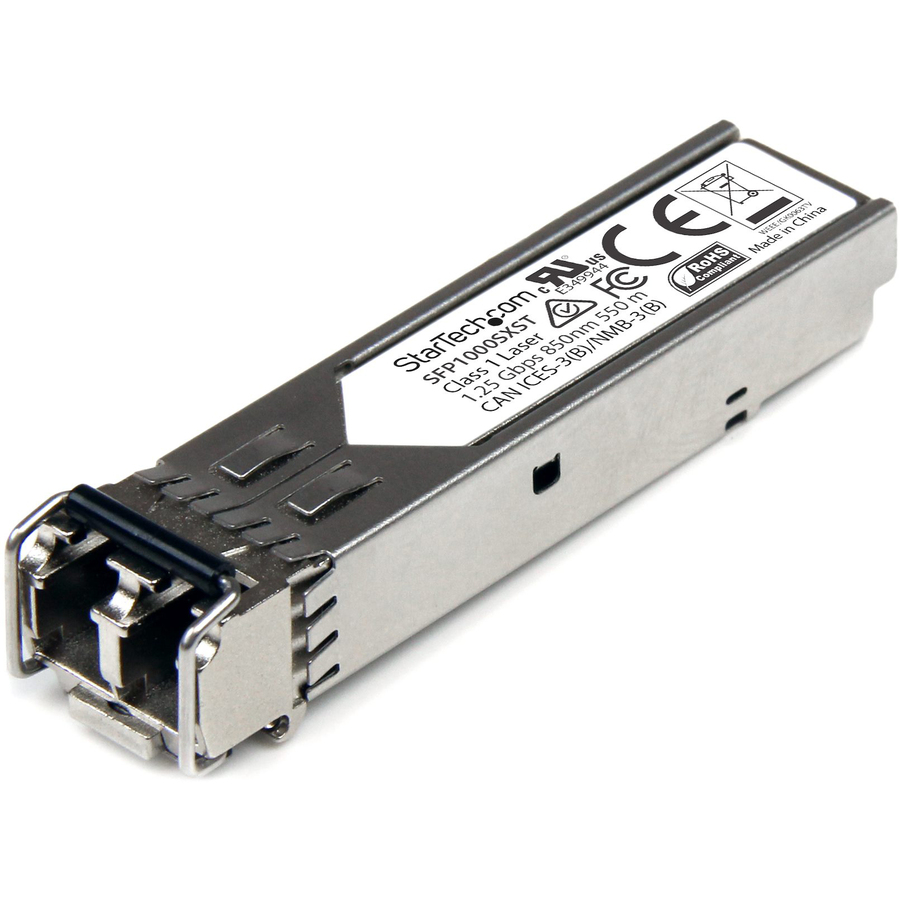
StarTech MSA Uncoded SFP Module
SFP1000SXST
A 1000BASE-SX module at 850 nm with an LC connector, rated to 550 m on multimode fiber, with DDM diagnostics — the ordinary building or campus uplink.
MSA-uncoded modules avoid a vendor-lock refusal on some platforms but still have to be allowed by the switch's own optics policy.
$35.82In stock1G single-mode, 10 km
StarTech.com
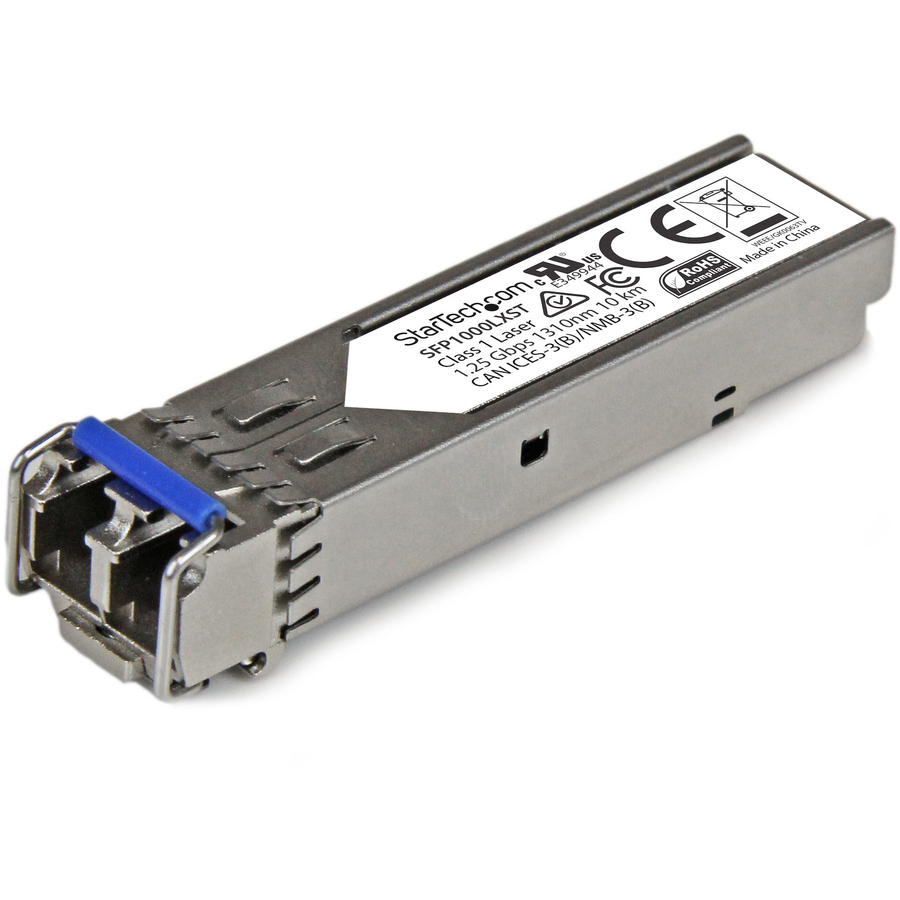
StarTech MSA Uncoded SFP Module
SFP1000LXST
A 1000BASE-LX module at 1310 nm rated to 10 km on single-mode fiber with DDM, for a link between buildings rather than between floors.
$60.34In stockCopper in an SFP cage
StarTech.com
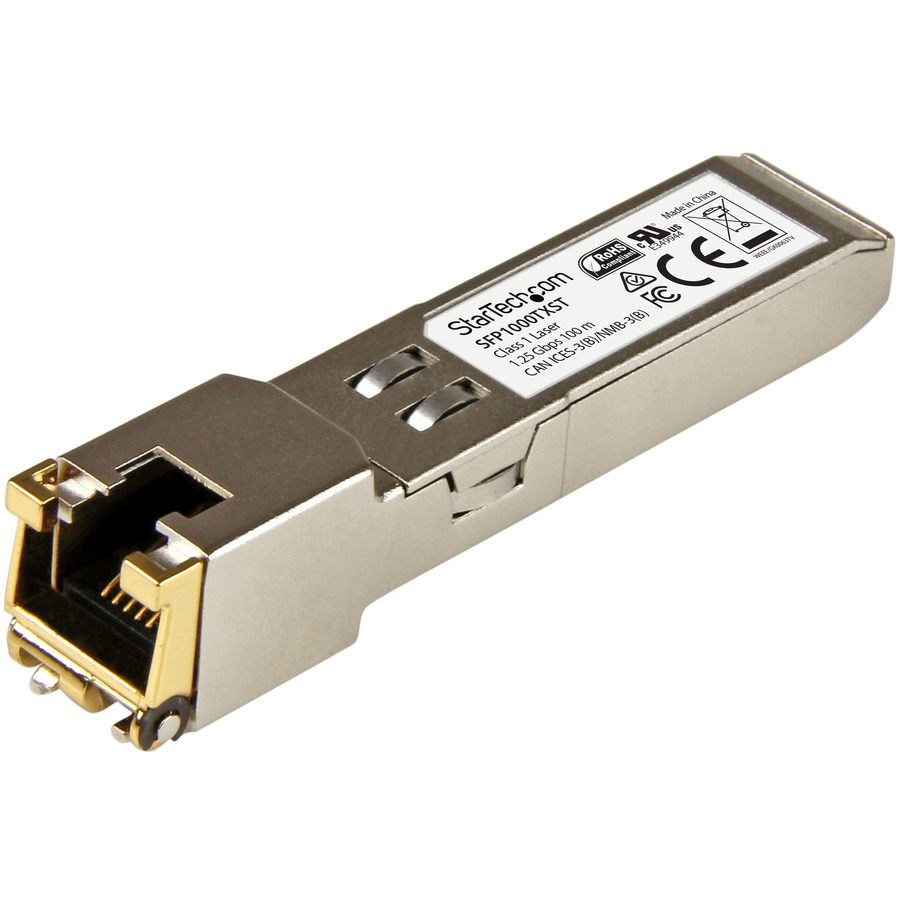
StarTech MSA Uncoded SFP Module
SFP1000TXST
A 1000BASE-T module with an RJ45 jack, rated to 100 m over Cat5e or Cat6 — the answer when an SFP-only switch has to reach a copper-terminated device.
$57.51In stockFrequently asked
- What is the difference between an SFP port and an Ethernet port?
- An RJ45 Ethernet port has its media fixed at the factory: copper twisted pair, and whatever speeds that port's silicon supports. An SFP port is an empty cage, so the media is a purchasing decision made per link — drop in a 1000BASE-SX module for multimode fiber, a 1000BASE-LX for a 10 km single-mode run, or a 1000BASE-T copper module and get an RJ45 jack after all. That is why switches are sold with a mix: fixed RJ45 ports for the access layer where everything is copper, and SFP cages for uplinks whose distance and media are not known when the switch is bought. The trade-off is that an SFP port needs a module before it does anything, and the module is a separate line on the order.
- What is the difference between SFP and SFP+?
- They share the same physical size, but SFP runs a single lane at up to 1 Gigabit while SFP+ runs a single lane at up to roughly 10 Gigabit. An SFP+ port will usually also accept a 1G SFP module, though behavior depends on the switch; the two names essentially denote the speed generation, not a different shape.
- Can I mix transceivers from different brands in one link?
- Optically, yes — as long as both ends use the same speed, media, wavelength, and reach specification, different-brand modules will interoperate because they follow common standards. The practical catch is compatibility coding: some switches only enable ports for optics whose EEPROM reports a recognized vendor code, so the module must be coded for your platform or the switch must be set to allow unsupported optics.
- When should I use DAC instead of a fiber SFP?
- Use Direct Attach Copper (DAC) for very short runs, typically within the same rack, such as connecting servers to a top-of-rack switch. DAC is cheaper, uses less power, and adds very little latency, but it is limited to a few meters. For a longer fixed run you can use an Active Optical Cable (up to around 100 meters), and for anything beyond that — or where you need flexible reach — use pluggable fiber optics: multimode for in-building runs and single-mode for longer campus or metro links.
- What does QSFP mean, and how is it different from SFP?
- QSFP stands for Quad Small Form-factor Pluggable — a physically larger module that carries four lanes in one port instead of the single lane of an SFP. That is how it reaches higher aggregate speeds (40G, 100G, 200G, 400G depending on generation). A useful feature is breakout: one QSFP port can often be split into four independent lower-speed links using a breakout cable.
Sources
Keep reading