
Run a Local Coding Assistant on DGX Spark
Learn how to connect OpenCode to local AI inference on NVIDIA DGX Spark, test real coding tasks and evaluate code quality, security, memory use and developer review time before scaling.
By Uniqcli Team · · 9 min read · Updated
Key takeaways
- Run coding assistants locally: DGX Spark supports a documented workflow connecting OpenCode to local AI inference through Ollama.
- Test real repository tasks: Evaluate bug fixes, code navigation, refactoring, test generation and feature development.
- Measure developer productivity: Track accepted changes, test results, tool reliability, retries and developer review time.
- Protect source code and credentials: Verify network connections, permissions, integrations and logging. Local inference doesn't automatically mean fully offline.
- Validate capacity before scaling: Start with one session, then evaluate concurrent sessions and memory usage.
On this page
Can a local AI coding assistant make a useful change to your repository? The real test is whether it can find the right files, understand your request, use development tools correctly and produce code that passes tests and developer review.
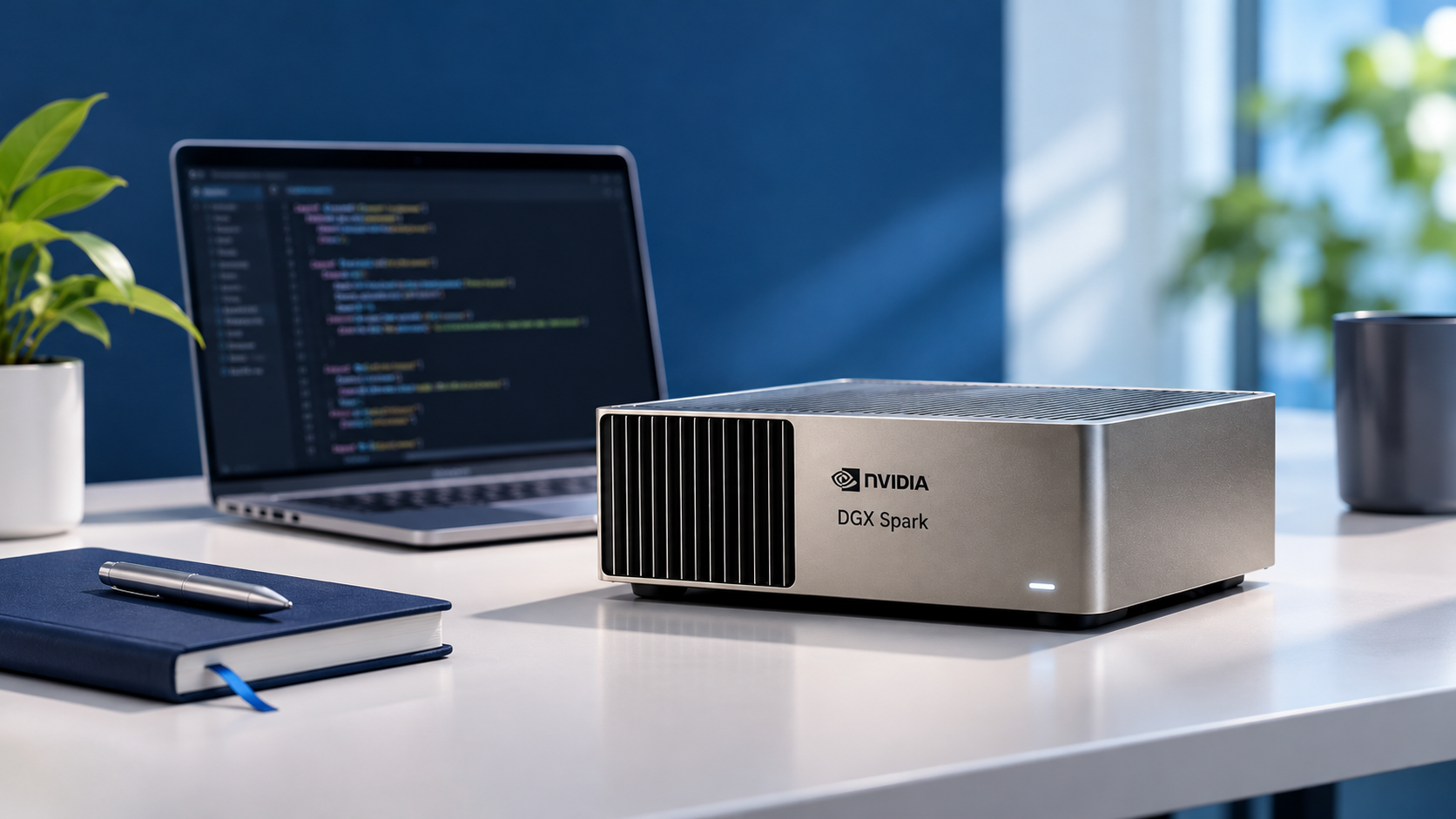
NVIDIA DGX Spark provides a platform for running a local coding assistant using an AI model served through Ollama and a coding agent such as OpenCode. Rather than evaluating isolated code snippets, teams can test realistic tasks such as bug fixes, refactoring, test generation and small feature updates.
Start with one DGX Spark and a disposable copy of your repository. Evaluate code quality, tool reliability, task completion and developer review time before considering additional users or a shared deployment.
Testing disclosure: Uniqcli has not independently tested or benchmarked this workflow. The steps in this guide are recommended evaluation procedures, not verified performance results or guarantees of productivity.
Choose One Complete Integration Path
NVIDIA provides a documented setup for running OpenCode with Ollama on DGX Spark using the model tag qwen3.6:35b-a3b-mtp-q4_K_M. The workflow covers checking the system, preparing Ollama, downloading the model, verifying a response and launching OpenCode.
For your first pilot, follow the complete NVIDIA OpenCode setup guide rather than mixing installation commands from different tutorials. Keep the model, quantization format and runtime settings consistent with the selected instructions.
This evaluation starts with one 128GB DGX Spark as an example configuration, not a universal minimum requirement. If you plan to use a 64GB system, a different coding model or another agent, verify the specific memory and compatibility requirements before proceeding. Before modifying an existing installation, save its configuration and record the operating system, driver, Ollama and coding-agent versions. Record the downloaded model digest and applicable license. For container-based alternatives, record the container image digest as well.
NVIDIA Sync allows developers to access DGX Spark from a laptop. Establish a working local setup first, then evaluate remote access or shared-service arrangements separately using the NVIDIA DGX Spark remote-access guide.
Use the official NVIDIA instructions for installation commands. This article does not present an independently tested installer or guarantee compatibility with every software version.
Check the Model Connection Before Allowing Code Changes
Before allowing a local AI coding assistant to modify a repository, confirm that the model service and coding agent are connected correctly.
Start with a short inference request to verify that the intended model responds without errors and that the runtime is using the expected GPU. Then connect OpenCode and test a simple read-only action, such as listing files or locating a function in the test repository. Confirm that the agent requests the correct action, receives the result and uses it appropriately.
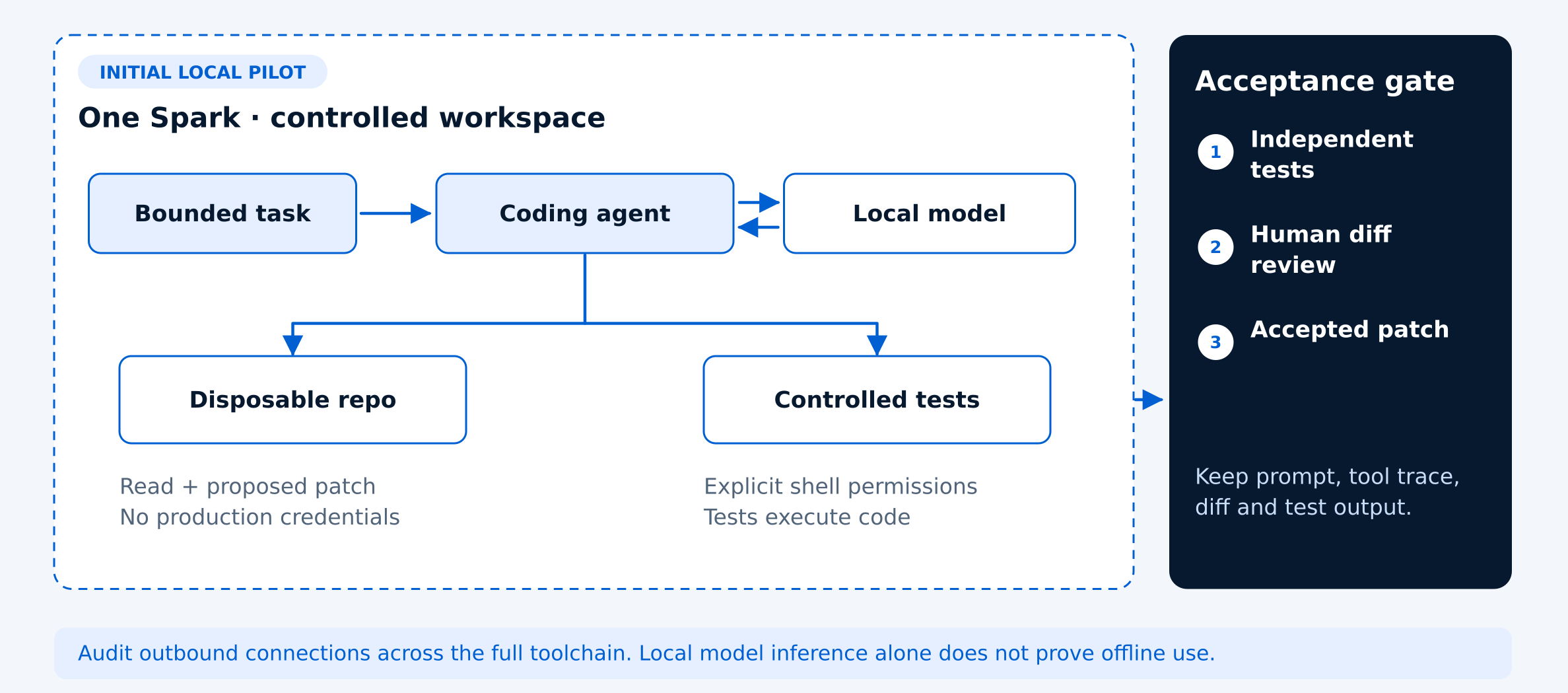
Next, open a disposable repository copy without production credentials or sensitive configuration files. Give the assistant permission to read the workspace and propose a patch. Enable test execution only when it can be safely contained, since repository tests, package scripts and build commands can execute code.
Keep shell-command approvals, filesystem boundaries and network permissions explicit. Exclude deployment keys, production environments and unrelated repositories from the agent's access.
Treat instructions embedded in source files, issue descriptions or downloaded documentation as untrusted project content. They should not override the permissions or operating rules established for the coding assistant.
For the initial pilot, require human approval before installing dependencies, accessing resources outside the workspace or performing potentially disruptive actions. This helps identify integration problems early while limiting the consequences of incorrect tool calls.
Test Ten Realistic Coding Tasks
A local AI coding assistant should be evaluated on realistic development work, not just short code-generation prompts. The goal is to determine whether it can understand a repository, make accurate changes and produce results that developers can confidently review.
Choose a small public or synthetic repository that uses programming languages and tools similar to your team's environment. Record the starting commit and keep an unchanged copy of the evaluation tests outside the agent's editable workspace.
Use the following tasks to evaluate your local AI coding assistant on a real repository.
- Repository understanding: Explain the application's entry point and identify the files involved in a specific request.
- Code navigation: Find the implementation of a named behavior and identify the relevant file locations.
- Test generation: Add tests covering boundary cases for an existing function.
- Bug fixing: Correct a deliberately introduced off-by-one error.
- Input validation: Improve input validation without changing which valid inputs are accepted.
- Refactoring: Remove duplicated logic while preserving existing public behavior.
- Feature development: Implement a small feature using clearly defined acceptance criteria.
- Documentation: Update documentation to match the existing implementation.
- Debugging: Diagnose a failing test without weakening its assertions.
- Requirement clarification: Recognize an underspecified request and ask for the missing information before making changes.
Measure Completed Work and Review Time
A local AI coding assistant should be evaluated by the quality of work it completes, not just how quickly it generates code. The goal is to determine whether it reduces total developer effort while producing changes that meet the project's requirements.
For each of the ten coding tasks, record whether the change was accepted, whether independent tests passed, whether tool calls worked correctly, how many retries were required and how long the task took. Include the developer's review and correction time. Count a task as complete only when it meets the acceptance criteria and a reviewer accepts the change.
Group failures by their cause. Invalid tool calls may indicate a model or integration problem. Changes to the wrong files may suggest missing repository context. Correct changes that take too long may require further investigation of inference speed, runtime settings or tool execution.
Keep ordinary repository tests separate from independent evaluation tests. Passing tests written by the coding assistant is useful evidence, but independent checks help identify errors that the assistant may have introduced into both the implementation and its tests.
Compare the results with your existing development workflow on similar tasks. Include the time spent starting the model service, resolving failed sessions, retrying tasks and reviewing code. Token generation speed alone does not establish whether the assistant saves developer time.
Audit the Entire Data Path
Running a coding assistant with local AI inference does not automatically mean that every part of the development workflow stays offline. Although model computation happens on DGX Spark, editors, coding agents, extensions, package managers, search tools and telemetry services may still communicate with external systems.
After downloading the required models and dependencies, monitor outbound network connections while completing a representative coding task. Repeat the test with unnecessary external connections blocked and record which features continue working and which require network access.
Verify that the coding agent is using the intended local model provider. Check for fallback settings that could route requests to an external service. Document the results for the exact software versions and configuration tested, since extensions, updates and configuration changes may alter the data path.
If developers access a shared inference endpoint, require authentication, protected transport and appropriate per-user limits. Keep the service off the public internet by default and restrict access to approved users and systems.
Review logging, retention and access controls for prompts, repository fragments, tool transcripts and generated traces. These records may contain confidential source code, credentials or other sensitive project information.
Before using production repositories, confirm that the complete workflow meets your organization's data-handling and security requirements. Local inference is one part of that assessment, not a substitute for it.
Expand Only After One Session Works
Once a local coding assistant reliably completes tasks in a single session, the next step is to evaluate how it behaves when multiple developers use it. A successful single-user test does not establish how many simultaneous coding sessions a DGX Spark configuration can support.
Start with one active session and record model memory usage, response latency, tool execution time and task completion quality. Then repeat representative tasks with two concurrent sessions, followed by four if the system remains stable. These are suggested evaluation stages, not guaranteed capacity levels.
Monitor how concurrent requests affect GPU memory consumption, queueing delays, response times and task reliability. A configuration that performs well for one developer may become less responsive when several agents submit requests or execute tools at the same time.
Distinguish between running multiple model instances and sharing a single model service across multiple coding agents. These approaches have different memory and scheduling requirements. Do not assume that adding another DGX Spark automatically increases the memory available to one model or improves performance without a supported deployment architecture.
Define acceptable response times, memory limits and task success criteria before increasing concurrency. If performance or reliability falls below those thresholds, return to the last stable configuration and investigate the bottleneck before expanding further.
Use the results to decide whether the team needs a dedicated single-developer workstation, a shared local inference service or a larger deployment. Base that decision on measured workload behavior rather than model size or advertised hardware specifications alone.
Choose a DGX Spark Configuration for Local AI Coding
The right DGX Spark configuration for a local AI coding assistant depends on the model you plan to run, the size of your repository, the tools your agent uses and how many developers need access at the same time. A larger memory configuration may provide more flexibility, but it does not automatically deliver faster or more accurate coding results.
Begin by confirming that your preferred model, quantization format and inference runtime are compatible with the target system. Estimate memory requirements for model weights, context, runtime overhead and concurrent requests. Leave capacity for the operating system and supporting development tools.
A 128GB DGX Spark configuration can serve as a starting point for evaluating the documented OpenCode and Ollama workflow, but it should not be treated as a universal minimum requirement. The appropriate configuration must be determined from the exact model and workload being tested. For individual developers, prioritize a reliable local setup that completes representative repository tasks within acceptable time limits. For teams, evaluate whether a shared inference service can maintain consistent response times and task quality under concurrent use.
Before purchasing or expanding a deployment, document the intended model, coding agent, repository characteristics, security requirements, expected simultaneous users and acceptable response times. These details provide a more useful basis for hardware selection than model parameter count alone.
NVIDIA DGX Spark offers a platform for evaluating local AI-assisted development, but its value should be measured through completed tasks, independent testing, developer review time and operational reliability. Uniqcli can help organizations review configuration options and procurement requirements for their intended AI development workflows.
Frequently asked questions
Can NVIDIA DGX Spark run a local AI coding assistant?
Yes. NVIDIA documents a workflow for connecting OpenCode to a locally served AI model through Ollama on DGX Spark. The model, runtime and coding agent must be configured correctly, and teams should test the workflow on a disposable repository before using production code.
Can I use Ollama and OpenCode together on DGX Spark?
Yes. Ollama can serve the AI model locally while OpenCode acts as the coding agent that interacts with repository files and development tools. Follow NVIDIA's documented integration steps and verify that OpenCode is using the intended local model.
Does a local AI coding assistant work completely offline?
Not necessarily. Local inference means model computation occurs on the local system, but coding agents, extensions, package managers and other tools may still make external network requests. Verify outbound connections and disable unnecessary integrations before working with confidential repositories. Copy answer
Do I need 128GB of memory to run a coding assistant on DGX Spark?
Not as a universal requirement. Memory needs depend on the selected model, quantization, context length, runtime overhead and concurrent sessions. A 128GB configuration is one possible evaluation setup, but hardware requirements should be checked against the exact workload.
How should teams measure the performance of a local AI coding assistant?
Measure successful task completion, independent test results, accepted code changes, tool-call reliability, retries and developer review time. Also monitor response latency and memory usage. These measures provide a more useful evaluation than tokens per second alone.
Find the Right DGX Spark for Local AI Development
Planning a local coding assistant on DGX Spark? Share your preferred model, coding agent, repository requirements and expected simultaneous sessions. Uniqcli can help review hardware configuration and purchasing requirements based on your workload.
Sources
- 1.NVIDIA — Set Up CLI Coding Agents with Local Inferencebuild.nvidia.com
- 2.NVIDIA — OpenCode Setup for DGX Sparkbuild.nvidia.com
- 3.NVIDIA — Connect to DGX Spark with NVIDIA Syncbuild.nvidia.com