
Cloud Physical Security: What Should Move and What Should Stay Local?
The useful question is not whether cameras can connect to the cloud. It is where video is recorded, what still works during an outage, and who carries the cost and risk of each choice.
By Uniqcli Team · · 14 min read

Key takeaways
- Separate cloud management, cloud recording, cloud analytics and local control in every proposal; they are different design decisions.
- Size video from measured camera bitrates, recording schedules and retention. A camera count alone cannot determine bandwidth or storage.
- Test what happens when the WAN, cloud service, power or a local recorder fails before approving a hybrid migration.
- Check exact camera and VMS interoperability, device security, PoE power and evidence export, not just the words “cloud compatible.”
- Compare five-year costs and an exit plan for the same retention and service level across all options.
On this page
The camera at the loading dock still works. So do the cameras in the lobby and the controller at the side door. The server that records them is nearing replacement, though, and the security team now manages three buildings instead of one. Someone proposes moving “physical security to the cloud.” Before anyone prices a subscription, the team needs to know which job that phrase describes.
Cloud management can mean that an administrator sees several sites in one browser. Cloud recording means video leaves the site for remote storage. Cloud analytics may process video or metadata somewhere else again. Access control adds a separate question: what happens to a door when its internet connection disappears? A proposal can move one of these jobs, all of them or none of the recording itself.
The right answer varies by site. A small branch office with a reliable uplink and no local server staff may make a different choice from a campus with hundreds of cameras, long retention and a weak connection. This guide gives the buyer a way to compare local, cloud and hybrid designs without treating any one label as the solution.
Draw the system that exists today
Start with a site walk. Count each camera, door controller, recorder, PoE switch, UPS and uplink. Note camera models and firmware, the video management system, how many people need access and where they sit. Record what the system does during the night shift and during an internet outage. A diagram with arrows showing where video, events and login traffic flow will reveal more than a list of product names.
Ask the operator what is painful now. They may need to search video across buildings, add remote staff without opening a VPN, stop replacing aging recorder disks or improve the speed of sharing evidence. Those are separate problems. Cloud management might solve the first two while video remains local. Cloud storage might help with off-site recovery, but it also introduces an uplink and retention bill. Replacing every camera is not automatically required; some platforms support existing devices through an edge appliance, while others require particular camera families.
Genetec, for example, describes cloud, on-premises and mixed deployments for Security Center SaaS and says supported existing devices can remain connected. That is an example of one vendor's architecture, not proof that an arbitrary installed camera will work with any cloud platform. Build a device-by-device compatibility list before putting “reuse existing cameras” into a budget.
Treat access control as its own subsystem. Video can pause and catch up later in some designs; a door still needs to make an access decision in the moment. Map where credentials and schedules are enforced, where events are stored and what a local controller does without WAN access. Ask the proposed vendor to demonstrate those behaviors on the selected model. A cloud dashboard is not a substitute for an offline door test.
Four ways to place management and video
A local design keeps the VMS and recording on site. The cameras send video to a local recorder or server, and staff manage the system locally or through approved remote access. This can be appropriate where upload bandwidth is limited or footage must remain on site. The organization owns server capacity, updates, backup, remote access and eventual replacement.
A cloud-managed, locally recorded design moves the management view and perhaps configuration to a hosted service while video remains on a camera card, edge appliance or local recorder. It can simplify oversight of several buildings without continuously uploading every full-resolution stream. The buyer still needs to know who patches the local recorder, how events reach the cloud and how remote users retrieve footage.
A hybrid recording design keeps a local buffer or primary copy and sends selected video or a second copy to the cloud. It may upload alarms, clips or a lower-bitrate stream instead of all continuous footage. It can protect a critical clip from the loss of one recorder, but the design must specify which recordings are protected, how long the local buffer lasts and what happens when the uplink falls behind.
A direct-to-cloud design has supported cameras send video to a cloud service without a traditional site recorder. The hardware count at the site may shrink, but the upload path and subscription become central to the recording plan. Some platforms add camera-side storage or an edge buffer; do not assume that feature exists or that it holds enough hours for your outage pattern.
None of these labels establishes security, resilience or total cost by itself. Ask for a diagram showing the actual camera stream, control traffic, login path and evidence-export path for each option being quoted. The same organization may choose different patterns at a warehouse, a branch and a remote gate.
Work the video math before the price comparison
Video is a flow of bits, not a count of cameras. A rough planning formula for continuous recording is: decimal gigabytes per day equals camera count times average megabits per second times 10.8. The factor comes from 86,400 seconds in a day, eight bits per byte and decimal gigabytes. It is a planning calculation, not a measurement of any specific camera.
Take a hypothetical 100-camera site where each camera averages 2 Mb/s over a full day. The aggregate stream is 200 Mb/s. That equals about 2.16 TB of raw decimal video each day, or 64.8 TB over 30 days before redundancy, filesystem overhead, metadata, audio or extra copies. If a full stream goes to the cloud continuously, the uplink must carry that traffic as well as the site's normal work, with suitable headroom and resilience. A cloud-managed system recording locally may send far less video. A motion schedule might also change the result, but a busy scene can defeat an optimistic motion estimate.
The 2 Mb/s figure is deliberately an assumption. Real bitrate changes with the camera model, resolution, frame rate, compression, lighting, motion and whether live view creates another stream. Axis Site Designer estimates bandwidth, storage and power from those inputs and warns that estimates differ from installed usage. Use such a tool to build an initial bill of materials, then measure a representative camera in its actual location before finalizing the network and storage quote.
Ask for separate calculations for the normal day, peak activity and failure recovery. If a 24-hour WAN outage leaves video on a local card, how long will it take to upload the backlog? If a security officer opens 16 live views at once, what extra traffic appears? If a camera has a heater, infrared illuminator or pan-tilt-zoom motor, what is its peak PoE draw rather than its idle draw? A budget based only on average bitrate and average power is likely to miss the day the system is needed most.
Design for the outage you will actually have
List the failure scenarios on one page. The internet link fails. The cloud platform is unreachable. A PoE switch loses power. A recorder disk fails. A camera is replaced with a different firmware release. A staff member's credentials are disabled during an incident. For each scenario, write what keeps working, where video is retained, who receives an alert and how the system recovers.
An outage test should be physical enough to trust. Disconnect the WAN at a pilot site under controlled conditions. Confirm whether cameras continue recording, whether doors enforce their local rules, whether staff at the site can review video and whether events reconcile after service returns. Then restore the connection and measure how quickly buffered footage becomes searchable. Do not accept a slide labeled “offline capable” in place of that demonstration.
Power deserves the same attention. Cameras, switches, recorders, controllers, routers and the uplink device may sit on different circuits. A UPS protecting only the recorder does little if the PoE switch feeding the cameras goes dark. Sum the actual load, including peak camera functions, and size runtime for the outage the site plans to survive. A security integrator should confirm which circuits and devices the UPS must support.
For a multi-site system, decide who gets an alert when one branch stops sending. Cloud visibility can make a failing recorder or offline camera easier to notice, but only if alerts are configured, delivered and owned. Put a restoration test into the acceptance plan: after replacing a camera or local appliance, can staff recover the recording policy and permissions without a long vendor call?
Treat cameras and controllers as IT assets
An IP camera is a computer with a lens. A door controller is a networked computer that affects a physical space. Each needs an inventory record, a support owner, controlled configuration, software updates, access restrictions and a retirement plan. NIST's IoT device cybersecurity capability catalog describes those building blocks: identification, configuration, data protection, interface access, updates and security-state awareness. Use them to write procurement questions for the actual devices, not as a claim that a particular camera is certified by NIST.
Separate camera traffic from ordinary user traffic according to the site's network design. Decide which service may reach each device and from where; avoid exposing a camera's management interface directly to the public internet. NIST's Zero Trust Architecture guidance rejects automatic trust based only on being inside a local network. In practical terms, give administrators named accounts and appropriate access, log changes and remove credentials when a person leaves the role. Require a supported update path and ask how the vendor communicates vulnerabilities.
Cloud access also changes the identity problem. A remote operator may be able to see footage from several buildings in one browser. That can be useful, but the role should grant only the sites and functions needed. Test a contractor account, an investigation account and an administrator account separately. Confirm that revoking access works promptly and that evidence exports and administrative changes leave an audit trail.
Physical and cyber teams should agree on the incident process. A cyber event may require isolating a camera network; a physical incident may require retrieving video immediately. Both teams need to know whether a recording continues locally if the cloud connection is interrupted during response.
Check interoperability against the exact versions
“ONVIF support” is not a complete compatibility statement. ONVIF profiles define specific sets of interfaces, and the device and client must each conform to the relevant profile. Profile T covers advanced video streaming. Profile G concerns edge storage and retrieval. Profile M covers analytics metadata and events. A camera can support more than one profile, but a feature outside the shared profile may still depend on a vendor-specific integration.
There is a timely procurement change here. ONVIF says support for Profile S ends March 31, 2027, and recommends Profile T. Existing Profile S systems do not stop operating on that date. The concern is that Profile S's required username-token authentication no longer fits current security recommendations, and new Profile S conformance submissions will end. If an installed estate relies on Profile S, inventory the exact versions and ask the vendor how it will maintain interoperability and stronger authentication during the migration.
ONVIF's Profile V describes cloud video interoperability, but as of this article's review it is a release candidate. Do not list “Profile V compliant” as though production conformance were already a standard purchasing requirement. Watch the final specification and product registrations, while testing today's proposed cloud platform with today's actual devices.
For a pilot, ask the integrator to show live view, recorded playback, event delivery, time synchronization, camera replacement, permissions and evidence export with the exact firmware and software versions in the quote. The ONVIF register is the place to verify a formal conformance claim. A line in a reseller description is not enough.
Plan retention and evidence retrieval before storage
Retention is a policy choice that drives architecture and cost. Ask the security, legal and privacy owners what footage must be kept, for how long, where it may reside and who may access it. Requirements vary by organization and location; do not accept a generic 30-day setting merely because it is the default in a planning tool. Separate ordinary recordings from incident holds that must be preserved longer.
The system should make evidence easy to find without making it easy to leak. Test how an investigator searches a time window, exports a clip, records who exported it and shares it with an authorized recipient. Check whether timestamps and camera names survive export. If a platform offers AI search or event summaries, test false positives and misses with real scenes. An analytics result is a pointer to footage, not proof of an event by itself.
Write an exit plan before signing a long subscription. Ask how to export recordings and metadata in a usable format, what happens to local devices if a subscription lapses, how long the vendor retains data after termination and who pays for bulk transfer. Those answers belong in the same comparison as monthly licensing. A cloud choice is easier to defend when the buyer knows how to leave it.
Compare five-year cost for the same outcome
Put the same camera count, video quality, retention period, availability target and support coverage into each comparison. The local column includes recorders, storage, VMS licenses, backup, patching, power, cooling, replacements and staff time. The cloud column includes subscriptions by device and feature, recording retention, analytics, data transfer, supported edge hardware, network upgrades and support. The hybrid column carries some of both. Add installation and migration to all three.
Do not assume a subscription makes costs predictable or that ownership makes them cheaper. The answer changes when camera count, retention or viewing behavior changes. Ask the vendor for the billing unit, annual increases, minimum term, overage rules, included support and costs to retrieve large volumes of footage. For an on-prem proposal, ask what replacement and support period the hardware quote covers.
Axis Site Designer has a total-cost-of-ownership simulator that includes camera and server costs, power and years of operation. It is a useful way to expose assumptions; Axis also says its power, storage and bandwidth outputs are estimates. Use your organization's contract terms and measured pilot data for the final decision.
The financially honest outcome might be a mixed estate. A small branch with no recorder staff may favor cloud recording. A large site with heavy continuous video and a constrained uplink may favor local recording with central management. A remote facility may need a local buffer even if the long-term archive is in the cloud. The architecture should follow the failure modes and workload, not a blanket cloud policy.
Make the quote a design, not a camera count
Send the supplier a site-by-site inventory and a diagram of the current system. Include camera models and firmware, existing VMS, required retention, estimated and measured bitrate, internet uplink, number of concurrent viewers, access-control devices, power and support hours. Ask for a separate bill of materials for each shortlisted architecture.
The network line items matter. Uniqcli lists managed PoE switches such as Netgear's M4250 range and UPS systems that can support a designed security network. Those listings are components, not a validated camera bundle. Confirm each camera's power requirement, total switch PoE budget, uplink ports, VLAN plan and UPS runtime with the integrator. The exact camera-to-VMS integration and any license must be checked separately.
Network and power components to scope
Netgear
Netgear AV Line M4250-10G2XF-PoE+ Ethernet Switch
$1,098.00In stockNetgear
Netgear M4250-40G8XF-PoE+ AV Line Managed Switch
$3,894.87In stockCyberPower Systems
CyberPower PR1500RTXL2UC Smart App Sinewave UPS Systems
$1,263.96In stock
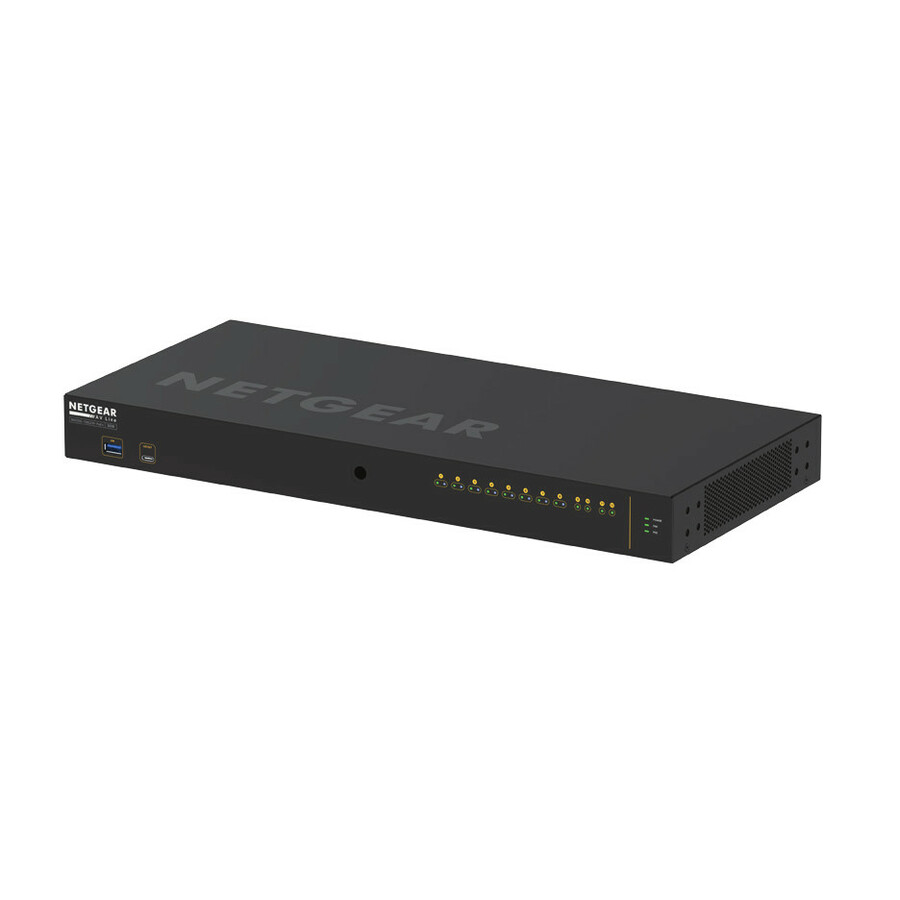
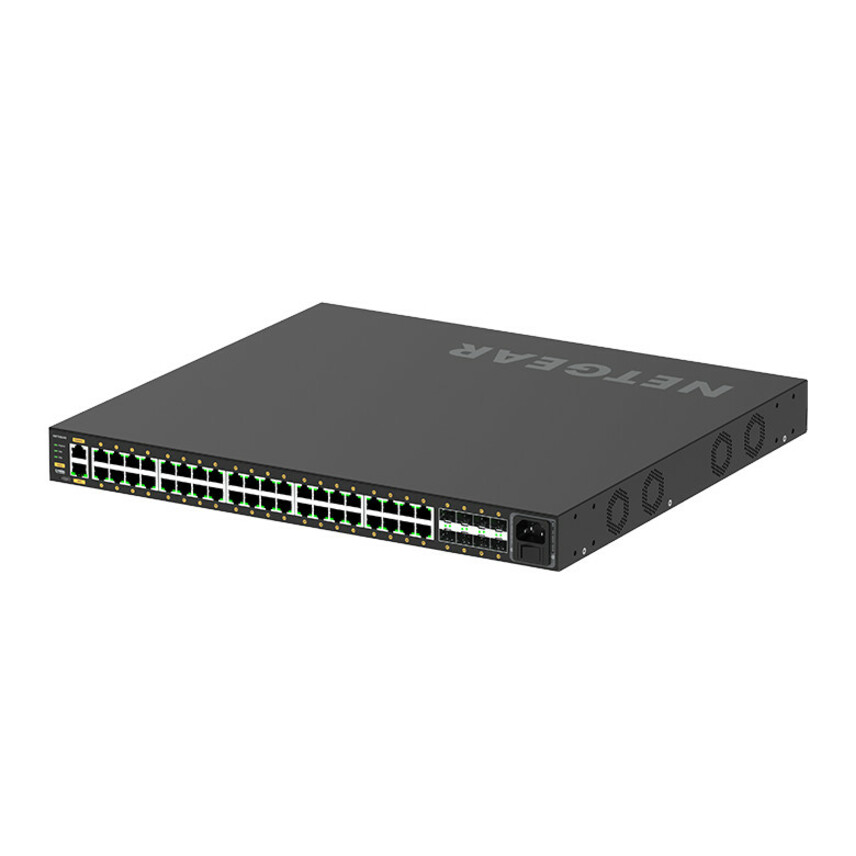
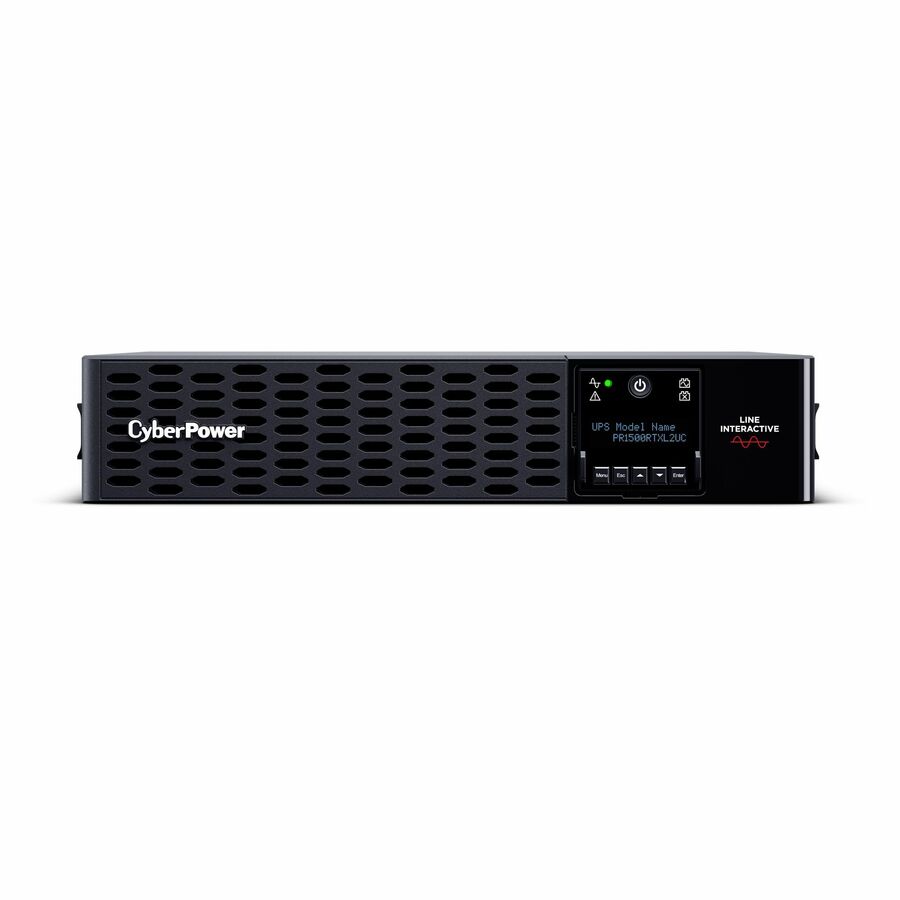
These are catalog components, not a complete security design. Verify PoE budget, camera compatibility, uplink capacity, UPS load and required licenses in a scoped quote.
Uniqcli also lists Axis cameras through its physical-security catalog. The two examples below are starting points for a device schedule, not a statement that either model is approved for a particular cloud platform. Check the exact camera and firmware against the proposed VMS and the official ONVIF register.
Camera examples in the Uniqcli security catalog
Require an acceptance test in the proposal. The test should cover a measured camera stream, the busiest viewing pattern, a WAN disconnect and recovery, a power interruption, a failed device replacement, a door-controller offline decision if applicable, an evidence export and the removal of a user's access. Assign an owner to every failed test. That list is more useful than a generic assurance that the platform is “enterprise ready.”
Scope a physical-security refresh by site
Send the camera and controller schedule, retention target, uplink and outage requirements. Ask for a complete network, power and platform design with a pilot acceptance test.
FAQ
Is a cloud-managed camera system the same as cloud-stored video?
No. A cloud service may manage devices and users while recording remains on a camera card, appliance or local server. Another design may upload every full-resolution stream. Ask for a data-flow diagram and a retention table showing where the primary recording and any backup copy live. The location of the management screen does not tell you where the footage is stored.
What happens to recording and doors when the internet fails?
It depends on the chosen camera, recorder, controller and service. Some designs continue recording locally and upload later; others need a reliable uplink for the intended recording path. Door behavior is a separate controller decision. Require a supervised WAN-disconnect test that proves local recording, access decisions, alerts and recovery on the exact configuration being quoted.
How much upload bandwidth do 100 cameras need?
There is no useful number without camera settings and recording design. As a planning example, 100 cameras continuously sending 2 Mb/s each would create 200 Mb/s of video traffic and roughly 2.16 TB of raw video per day. A cloud-managed system that records locally might upload much less. Measure representative scenes, account for live viewing and backlog recovery, and leave appropriate network headroom.
Can we keep existing cameras if we move to a cloud platform?
Possibly. Some vendors connect supported existing cameras through an edge appliance or gateway, while others require particular models or firmware. Make a device schedule and test live view, recording, events and export on the proposed service. Do not approve a migration budget based on an unqualified “ONVIF compatible” claim.
Does ONVIF Profile S stop working in March 2027?
No. ONVIF says support for new Profile S conformance submissions ends March 31, 2027; deployed conformant products can continue to operate. ONVIF recommends Profile T and stronger authentication for future plans. Inventory existing models and firmware, then ask the VMS and camera vendors how their specific integration will be supported.
What should a physical-security pilot prove before rollout?
It should prove video quality, measured bandwidth and storage, peak PoE load, access permissions, incident search and export, and the site's behavior during WAN and power failures. If access control is included, test a real offline door decision. Record every result against a named requirement and have both security operations and IT sign off before replicating the design at more sites.
Sources
- 1.Axis Site Designer technical documentationhelp.axis.com— Bandwidth, storage, power and TCO estimates, with their limits.
- 2.Genetec Security Center SaaS product documentationgenetec.com— Example of local, cloud and hybrid platform options.
- 3.NIST IoT device cybersecurity capability catalogpages.nist.gov— Device security procurement capabilities.
- 4.NIST Zero Trust Architecturenist.gov— Access decisions without assumed trust from network location.
- 5.ONVIF profiles overviewonvif.org— Device and client conformance and interoperability boundaries.
- 6.ONVIF Profile Tonvif.org— Advanced video streaming functions.
- 7.ONVIF Profile Gonvif.org— Edge storage and retrieval functions.
- 8.ONVIF Profile Monvif.org— Analytics metadata and events.
- 9.ONVIF Profile S deprecation Q&Aonvif.org— March 2027 support end and continuing operation of deployed systems.
- 10.ONVIF Profile V release candidateonvif.org— Current status of proposed cloud video interoperability.
Sources reviewed October 25, 2026. The 100-camera sizing example is hypothetical; confirm actual stream, power, retention and service behavior in a site pilot.