
SAS vs SATA Server Drives: What the Interface Actually Buys You
Every SAS-versus-SATA explainer stops at 12Gb/s versus 6Gb/s. That number decides almost nothing. Paths, queue depth, error-recovery timing, workload ratings and the controller you already own decide the rest.
By Uniqcli Team · · 9 min read

Key takeaways
- SAS and SATA are frequently the same mechanism with a different attachment — the interface changes paths, queue depth and error handling, not the platters.
- SATA's native command queue tops out at 32 outstanding commands, while SAS drives commonly accept several times that under concurrent random I/O.
- Parity RAID turns one host write into several drive writes — a penalty of four on RAID-5 small random writes, six on RAID-6 — so apply it before comparing a workload against any endurance rating.
- Nearline enterprise hard drives publish an annualized workload rate, commonly around 550 TB read plus written per year, and their reliability figures assume operation inside it.
- A SAS controller runs SATA drives but a SATA controller never runs SAS, and dropped-drive incidents are usually error-recovery timing rather than a failed drive.
On this page
Storage
The interface is a variant, not a better drive
Open two datasheets for the same nearline hard drive family and you will usually find the identical mechanism offered two ways: 6Gb/s SATA and 12Gb/s SAS. Same platters, same rotational speed, same recording method, same warranty. What changes is the attachment — how many paths reach the drive, how deep a command queue it will accept, how long it argues with itself before it admits a read failed, and which controller and cable it needs to appear at all. The headline transfer rate is the least useful line on the page, because a 7,200 rpm mechanism cannot saturate either interface. This guide covers what the protocol actually buys, how to size endurance and workload with the numbers manufacturers publish, and the compatibility rules that decide whether the drive you ordered will show up in the OS.
What SAS adds that SATA does not have
SAS is a full-duplex, dual-ported protocol built for shared storage; SATA is half-duplex and single-ported, built for one host. Dual porting is the difference that matters most in an array: two independent paths reach the same drive, so a dual-controller enclosure can lose a controller, a cable or an expander and keep serving the volume. Multipath software on the host (MPIO on Windows, device-mapper multipath on Linux) then sees one device with two routes instead of two devices. A SATA drive behind a SAS expander is reachable through the SATA Tunneling Protocol, but it is still one port and one initiator at a time — you can put SATA in a shared enclosure, you cannot make it multipathed.
Queue depth is the second difference, and it shows up under exactly the workload servers run. SATA's native command queuing tops out at 32 outstanding commands. SAS drives commonly accept several times that. On a single-threaded copy this is invisible. On a hypervisor host with two dozen guests issuing small random I/O at the same time, the queue is the bottleneck long before the link is, and a deeper queue is what lets the drive reorder work instead of servicing it in arrival order.
Error recovery timing is the difference that causes the most support tickets and gets the least attention. Enterprise drives cap how long they will retry a marginal sector — the feature is called TLER, ERC or CCTL depending on whose firmware you are reading — so that a RAID controller gets an answer inside its own timeout and marks a sector bad instead of marking the whole drive dead. Consumer SATA drives retry far longer by design, because on a desktop with no redundancy a slow read beats a lost file. Put those drives behind a hardware RAID controller and the controller times out first. The array does not report a media error; it reports a dropped drive. That is the single most common cause of the mystery degraded array, and it is a firmware behaviour, not a cable fault.
Two more that only appear in enterprise datasheets. Unrecoverable read error rate is worth reading carefully, because it tracks the drive tier rather than the interface: 10,000 and 15,000 rpm performance drives are commonly published at one sector in 10¹⁶ bits read, nearline models at one in 10¹⁵ — and inside a single nearline family the SAS and SATA variants normally publish the same 10¹⁵ figure, so ordering the SAS variant does not by itself buy the better rate. The number matters most during a rebuild, when the array is reading every sector of every surviving member. And SAS supports non-512-byte sector formats: arrays that use T10 Protection Information format drives at 520 or 528 bytes per sector to carry an integrity field. A drive pulled from one of those arrays will not present usefully to a standard HBA until it is reformatted back to 512 or 4K, which is why a perfectly healthy second-hand SAS drive sometimes appears to be invisible.
Which interface belongs where
Three roles, three answers. Most servers end up with at least two of them in the same chassis, which is fine — the mistake is buying one tier for all three jobs.
SATA
Single path, 32-deep queue, lowest cost per terabyte. Correct for boot devices, backup targets, archive tiers and anything where one host owns the drive and rebuild windows are generous.
SAS
Dual path, deeper queue, bounded error recovery, T10 protection-information sector formats. Correct for shared enclosures, dual-controller arrays, mixed random workloads and any volume that has to survive a controller failure.
NVMe
Skips the storage controller and talks PCIe straight to the CPU. Correct for latency-bound tiers — databases, metadata, hot virtual-machine storage. Multipath exists but the fabric, not the drive, provides it.
Workload rate and failure rate: the numbers behind a drive order
Solid-state endurance is published as drive writes per day and as total bytes written, and converting between them — capacity × DWPD × 365 × warranty years — is the arithmetic that decides which endurance class a tier needs. That conversion is worked through end to end in our NVMe form-factor and lane-budget piece, linked at the foot of this article, and it applies identically to a SAS SSD and a SATA one: the interface does not change the endurance class, and neither does the badge on the box.
What the interface decision does change is how much of your write volume actually reaches the drives. Host writes are not drive writes, because parity RAID multiplies them. A small random write to a RAID-5 set costs two reads and two writes, a write penalty of four; RAID-6 costs six. Sizing endurance from application write volume without applying the parity penalty is how a tier that looked like 0.3 DWPD on paper wears out at 1.2 — and the controller's own garbage collection adds write amplification on top of that, which is why buying at exactly your calculated DWPD is buying with no margin.
Hard drives have no DWPD at all, and the figure that replaces it is one almost nobody checks: the annualized workload rate. Nearline enterprise drives are commonly rated for around 550 TB read plus written per year — roughly 1.5 TB a day — and the published reliability figures are stated for operation inside that rate. A backup target that ingests a full copy every night, or a video-surveillance array recording continuously to a small number of spindles, can pass that limit without anyone noticing, and the drive is then running outside the conditions its failure rate was quoted under. Compare it against your actual daily volume before you decide capacity per spindle.
Finally, read MTBF for what it is. A 2.5-million-hour MTBF does not mean a drive lasts 285 years; it is a population statistic that translates to an annualized failure rate — 2.5 million hours corresponds to roughly 0.35% AFR. In a 24-drive shelf that is a drive failing about every twelve years on average, which is a useful planning number, and a completely useless promise about any individual unit. Buy spares on that basis.
annualized failure rate a 2.5-million-hour MTBF actually translates to — roughly one drive a year in a 300-drive estate, and no promise at all about any single unit
typical annualized workload rate published for nearline enterprise hard drives — about 1.5 TB a day, read plus written
maximum outstanding commands in SATA's native command queue; SAS drives commonly accept several times more
unrecoverable read error rate commonly published for 10,000 and 15,000 rpm performance drives, against 1 in 10¹⁵ for nearline models on either interface
Three tiers, two interfaces
Axiom Memory Solutions
Axiom UX10 1.92 TB Solid State Drive
$2,770.10In stockSeagate Technology
Seagate Exos X18 ST16000NM007J 16 TB Hard Drive
$1,143.60In stock
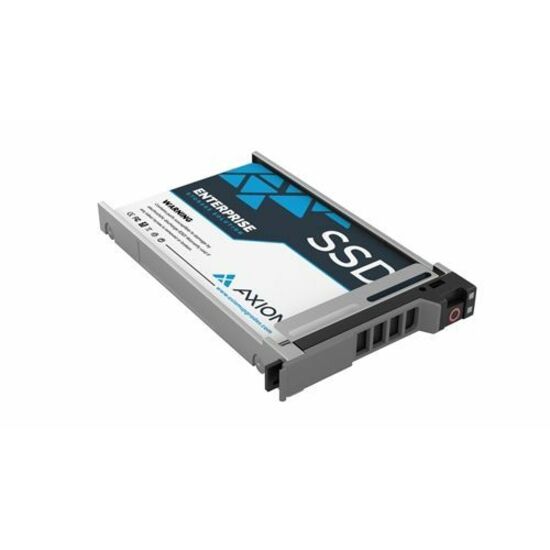


An NVMe SSD, a 10,000 rpm SAS performance drive and a high-capacity nearline SAS drive — two of the three share an interface and none of them share a job. The nearline row is the SAS variant of a family that also ships as SATA, which is the point the piece makes: you are choosing an attachment, not a different mechanism.
Controllers, cables and backplanes — the part that decides whether it fits
One rule covers most of it: a SAS controller will run SATA drives, and a SATA controller will never run SAS drives. Compatibility is one-way. If there is any chance the chassis will hold SAS later, the SAS controller is the cheaper decision now, because the alternative is replacing the controller and possibly the backplane to add one drive type.
Then decide what the controller should do. A host bus adapter presents drives individually and lets the operating system own redundancy — the correct choice for vSAN, Ceph, ZFS and Storage Spaces, all of which want raw devices and are actively degraded by a RAID layer hiding disks from them. A RAID controller with a protected write cache is the correct choice for classic boot-and-volume designs where the OS should see one device. Buying the wrong one is recoverable on some cards through a firmware mode change and on others is not recoverable at all, so treat it as a purchasing decision rather than a configuration detail.
Cabling is where orders go wrong most often, because the connector families look similar and are not interchangeable. SFF-8643 is internal mini-SAS HD, SFF-8644 is the external equivalent, and SFF-8654 (SlimSAS) is the newer internal family used on 12G and 24G designs. A controller with external ports cannot be cabled to an internal backplane with an adapter you improvise on the day. Read the port type on the card, then read the port type on the backplane, then order the cable that names both.
Backplanes add an oversubscription question nobody asks until performance disappoints. A twelve-bay backplane fed by a single x4 wide port shares four 12Gb/s lanes among twelve drives. With spinning media that is fine — twelve nearline drives cannot fill 48Gb/s. With eight SAS SSDs behind the same link it is the ceiling. If the chassis uses an expander rather than direct-attach paths, find out how many wide ports connect it before you size an all-flash tier.
Last, the physical details that stop a delivery from being installable. Carriers are chassis-specific and generation-specific — a 2.5-inch tray from one generation of a vendor's line frequently will not latch in the next. Check 15 mm versus 7 mm drive thickness on 2.5-inch bays. And if you are planning to mix drive types in one set of bays, a U.3 tri-mode backplane on a tri-mode controller accepts SAS, SATA and NVMe in the same slot, while a U.2 backplane is wired per bay for one protocol, so an NVMe bay on it will not later accept a SAS drive. That single distinction decides whether a chassis can change its mind in three years.
Controller pick
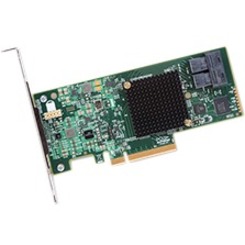
Broadcom
Avago SAS 9300-8i Host Bus Adapter
H5-25573-00
An eight-port 12Gb/s SAS host bus adapter on PCIe 3.0 x8, with two internal SFF-8643 connectors — the pass-through card for software-defined storage that wants raw disks rather than a RAID layer.
No cache and no battery by design: if you need a protected write cache for a classic boot-and-volume design, you want a RAID controller instead, not this card with RAID firmware bolted on.
$825.77In stockExpansion pick

Broadcom
Broadcom MegaRAID 9500-8e SAS Controller
05-50075-01
When the capacity tier outgrows the chassis, this is the other shape of the same decision: an eight-port 12Gb/s RAID controller on PCIe 4.0 x8 whose ports are external SFF-8644, for cabling a JBOD shelf rather than an internal backplane.
Full-height bracket, external ports only. Confirm the riser height in a 1U chassis and confirm the shelf's connector family before ordering the cable.
$1,722.92Back-orderedRecommended configuration — 2U mixed-workload virtualization host
- Boot
- Two small mirrored devices on a dedicated boot controller or M.2 riser — never a slice carved out of the data array
- Performance tier
- Four to eight NVMe or 12Gb/s SAS SSDs at 1 DWPD or better, sized so measured daily host writes stay under about 60% of the class after the parity penalty
- Capacity tier
- 3.5-inch nearline at 7,200 rpm, with annual read-plus-write volume kept inside the published workload rate
- Controller
- Pass-through HBA for vSAN, Ceph, ZFS or Storage Spaces; RAID with a protected cache only where the OS should see one device
- Backplane
- U.3 tri-mode if the bays may need to hold SAS, SATA and NVMe over the server's life; confirm wide-port count before sizing all-flash
- Spares
- One spare per drive model per chassis, bought with the system — matching a three-year-old part number under pressure is the hard part
A configuration we would quote against a stated workload, not a manufacturer specification. Capacities and drive counts move with the actual write volume and rebuild window. Specifications and licensing figures in this guide are checked against manufacturer documentation and live catalog data.
Eight things to confirm on a drive order
Each one has cost somebody a delivery that could not be installed, or an array that dropped a healthy drive in week three.
- Controller type confirmed as SAS if any SAS drive is in scope now or later — SATA controllers never accept SAS.
- HBA versus RAID decided by what the storage software wants, not by what was in the last server.
- Cable family matched end to end: SFF-8643 internal, SFF-8644 external, SFF-8654 SlimSAS — named on both the card and the backplane.
- Carrier or tray confirmed for the exact chassis generation, plus drive thickness on 2.5-inch bays.
- Daily write volume converted to DWPD with the parity penalty applied before choosing an endurance class.
- Annual read-plus-write volume compared against the hard drive's published workload rate, especially on backup and surveillance targets.
- Enterprise error-recovery timing confirmed on any drive going behind a hardware RAID controller.
- Spares quoted on the same order as the system, one per drive model per chassis.
Frequently asked
Is SAS faster than SATA?
Not in the way the interface numbers suggest. A 7,200 rpm mechanism cannot saturate 6Gb/s, let alone 12Gb/s, so on sequential work the two perform the same. SAS wins on concurrency and resilience: full duplex, a much deeper command queue than SATA's 32, dual ports for multipath, and bounded error recovery. Under many simultaneous small random requests — the normal state of a virtualization host — that is a real difference. On a single-threaded copy it is not.
Can I put SATA drives in a SAS backplane?
Yes. SAS controllers and expanders accept SATA drives through the SATA Tunneling Protocol, and mixing the two in one enclosure is common. The reverse is never true: a SATA controller cannot run a SAS drive. Note that a SATA drive in a shared enclosure is still single-ported — it can be reached, but it cannot be multipathed, so it should not carry a volume that has to survive a controller failure.
Does the RAID level change how much endurance a tier needs?
Substantially, and it is the correction most sizing exercises miss. Parity RAID turns one host write into several drive writes: a small random write to a RAID-5 set costs two reads and two writes, a penalty of four, and RAID-6 costs six. Apply that multiplier to host write volume before you compare anything against a drive's endurance rating, or a tier sized at 0.3 drive-writes per day will be running at more than four times that in practice.
Why did my RAID array drop a healthy drive?
The most common cause is error-recovery timing, not a hardware fault. Enterprise drives cap retry time so the controller gets an answer inside its own timeout; consumer drives retry far longer, the controller times out, and the array marks the drive failed rather than the sector bad. Cabling and backplane seating are the other two usual suspects. Confirm the drive's recovery-timing behaviour before assuming the drive is bad.
Does a nearline hard drive have a write limit?
Not a wear limit like an SSD, but it has a published annualized workload rate — commonly around 550 TB read plus written per year on enterprise nearline models — and the reliability figures on the datasheet are stated for operation inside it. Continuous surveillance recording and nightly full backups are the two workloads that quietly exceed it, usually by concentrating too much throughput on too few spindles.
Keep reading
Related on server storage
Send the workload, not the part number
Tell us the daily write volume, the rebuild window you can tolerate and the chassis generation, and we will come back with a priced, availability-checked drive and controller list — including the cable family and carriers, which is where most orders lose a week.