
Short answer
NVMe (Non-Volatile Memory Express) is a storage protocol that talks to flash over PCIe instead of the AHCI path built for spinning disks. It is a protocol, not a connector: the same M.2 slot shape can carry SATA or NVMe signalling, so physical fit proves nothing. Use NVMe where latency and concurrent I/O matter; SATA is still fine for bulk, archive and network-bound tiers.
Key facts
- NVMe supports up to 64K I/O queues with up to 64K outstanding commands per queue — parallelism the AHCI path built for spinning disks was never designed for.
- SATA-IO Revision 3.0 doubled the link from three gigabits per second to six, and 6Gb/s is still the ceiling — a limit of the link, not of the flash behind it.
- PCIe roughly doubles the per-lane rate each generation, so a four-lane NVMe drive reaches around 3.5 GB/s on Gen 3, 7 GB/s on Gen 4 and 14 GB/s on Gen 5.
- A link negotiates down to the lowest common generation and width, so a Gen 5 drive in a Gen 3 slot runs at Gen 3, and an x2 slot halves an x4 drive.
- Enterprise drives publish endurance as DWPD or TBW and often add power-loss-protection capacitors; client drives optimise for burst speed and cost.
- Form factors are M.2 for clients and many servers, the 2.5-inch U.2 shape for hot-swap bays, and the EDSFF families E1.S, E1.L and E3 for dense servers.
By Uniqcli Team
NVMe (Non-Volatile Memory Express) is a communication protocol and command set designed for accessing solid-state storage over a PCI Express (PCIe) bus. It replaces AHCI, the older interface built in the spinning-disk era, with a streamlined command model that lets flash-based SSDs talk to the CPU with far lower latency and far higher parallelism. In plain terms: NVMe is the language a modern SSD uses to move data efficiently across the fast lanes PCIe already provides.
The distinction matters because the storage medium changed faster than the interfaces around it. SATA and AHCI were engineered when a hard drive's mechanical seek time dominated every transaction, so a single command queue was more than enough. Flash memory removed that bottleneck, exposing the protocol itself as the limiting factor. NVMe was written from scratch for non-volatile memory and multi-core CPUs, which is why an NVMe SSD and a SATA SSD using identical flash can perform very differently.
How does NVMe work, and how is it different from SATA/AHCI?
NVMe connects storage directly to the PCIe bus rather than routing it through a SATA controller. The most consequential difference is queuing. AHCI, the interface SATA drives use, supports a single command queue with a depth of 32 commands. NVMe supports up to 65,535 queues, each up to 65,536 commands deep. That parallelism maps naturally onto flash, which can service many requests at once, and onto multi-core processors that can each drive their own queue without contention.
The result is both higher throughput and lower per-operation latency. NVMe reduces the protocol overhead and CPU cycles required to issue an I/O, trimming the software path each command travels. SATA III tops out around 6 Gbps, roughly 550 MB/s of real throughput, because that is the ceiling of the link itself. An NVMe drive on PCIe scales with the number and generation of lanes it uses, so its practical throughput is measured in gigabytes per second rather than hundreds of megabytes.
What do PCIe lanes and generations mean for NVMe performance?
NVMe drives typically use four PCIe lanes (x4). Bandwidth scales with both lane count and PCIe generation, because each generation roughly doubles the per-lane data rate. As a rough guide, fast drives reach around 3.5 GB/s on a PCIe 3.0 x4 link, around 7 GB/s on PCIe 4.0 x4, and around 14 GB/s on PCIe 5.0 x4 in sequential transfers; the raw link ceilings sit a little higher (near 4, 8, and 16 GB/s) before encoding and controller overhead. These figures are approximate, not guarantees; controller design, flash type, and thermal conditions all shape delivered performance.
PCIe is backward and forward compatible, but a link negotiates to the lowest common generation and lane width of the two devices. A PCIe 5.0 drive installed in a PCIe 3.0 slot will run at PCIe 3.0 speeds, and a drive that only receives two lanes runs at half its x4 bandwidth. Lane budget is finite on any platform, shared among the CPU and chipset, so confirm that the slot you intend to use actually provides the full width and generation the drive expects.
Which NVMe form factors and variants exist?
The most familiar form factor is M.2, the small gumstick board (commonly 22mm x 80mm, the '2280' size) used in laptops, workstations, and many servers. A critical caution: an M.2 slot can carry either SATA or NVMe signaling, and the two are not interchangeable despite the shared connector. Keying and the motherboard specification determine which protocol a given slot supports, so physical fit alone does not confirm NVMe capability. Enterprise systems more often use U.2 (a 2.5-inch drive with a backplane connector allowing hot-swap), the newer U.3 tri-mode variant, and the EDSFF 'ruler' families (E1.S, E1.L, E3) designed for dense, serviceable, well-cooled server bays. Add-in cards that seat in a standard PCIe slot are also available.
Beyond form factor, NVMe extends over networks through NVMe over Fabrics (NVMe-oF), which carries the same command set across RDMA, Fibre Channel, or plain TCP to reach shared and disaggregated storage. NVMe also defines namespaces, letting a single controller present multiple logical drives, and optional features such as Zoned Namespaces (ZNS) that improve efficiency for specific enterprise workloads.
When does NVMe actually matter, and when is SATA fine?
NVMe delivers the clearest advantage on workloads that are latency-sensitive or generate heavy, concurrent I/O: databases, virtualization hosts, analytics, build servers, high-resolution media work, and anything measured in random IOPS. Its deep queuing keeps many parallel requests in flight, which is exactly the pattern these systems produce. For a boot drive on a busy workstation, the responsiveness gain over SATA is noticeable in everyday use.
SATA remains perfectly adequate where the storage is not the bottleneck. Bulk capacity, archival and backup tiers, lightly loaded file shares, and systems constrained by network bandwidth rather than disk speed rarely benefit from NVMe's headroom. In those cases the interface is not the limiting factor, and SATA SSDs can be a sensible, lower-cost choice. Match the interface to where the actual bottleneck sits rather than defaulting to the fastest option.
What separates enterprise NVMe drives from client drives?
Enterprise and client NVMe SSDs can share the same flash yet target very different duty cycles. Enterprise drives are rated for higher endurance, usually expressed as DWPD (drive writes per day) or TBW (terabytes written), and are built for sustained, predictable performance under constant load rather than short bursts. Many include power-loss protection, on-board capacitors that let in-flight writes complete during an unexpected power failure, which matters for data integrity in servers. Consistent latency and quality-of-service under pressure are engineering priorities.
Client and consumer drives optimize for cost, low idle power, and strong burst performance. They often rely on an SLC write cache that delivers high peak speeds but can slow once exhausted during long sustained writes, and some are DRAM-less, using a host memory buffer instead. Neither approach is wrong; they are tuned for different environments. Specifying a client drive for a write-heavy server, or over-buying enterprise endurance for a light desktop, are both mismatches worth avoiding.
Key takeaways
- NVMe is a protocol, not a physical connector: it defines how an SSD communicates over PCIe, replacing the SATA-era AHCI interface with far deeper command queuing.
- Performance scales with PCIe lanes and generation. Confirm the target slot supplies the full x4 width and the PCIe generation your drive expects, or it will negotiate down.
- An M.2 slot can be SATA or NVMe. Physical fit does not guarantee NVMe support, so verify the slot's protocol and keying against the drive.
- Choose the form factor to the platform: M.2 for clients and many servers; U.2, U.3, and EDSFF for serviceable, hot-swappable, well-cooled enterprise bays.
- Match endurance to the workload. Enterprise drives quote DWPD/TBW and often add power-loss protection; client drives favor cost and burst speed with lower sustained-write endurance.
- NVMe pays off most on random-IOPS and latency-sensitive workloads; for archival, capacity, or network-bound tiers, SATA is often sufficient.
Shop it at Uniqcli
Parts for this job
Client M.2, Gen 4
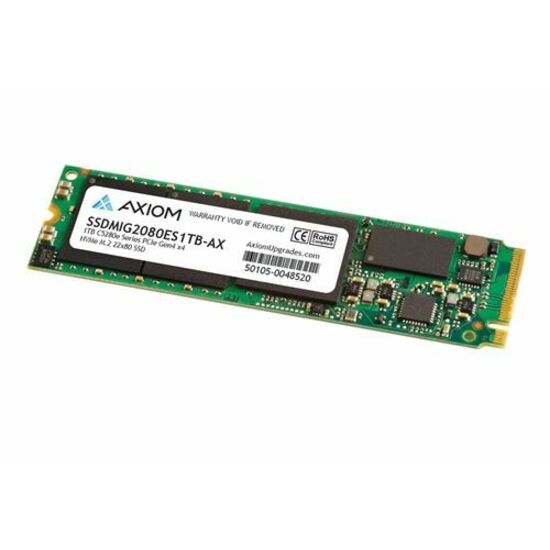
Axiom Memory Solutions
Axiom 500GB C5280e Series PCIe Gen4 x4 NVMe M.2
SSDMSM6880ES500-AX
A 500 GB PCIe Gen 4 x4 M.2 2280 drive on 3D NAND — the ordinary client shape for a workstation boot drive or a laptop upgrade.
$325.02In stockClient, higher performance
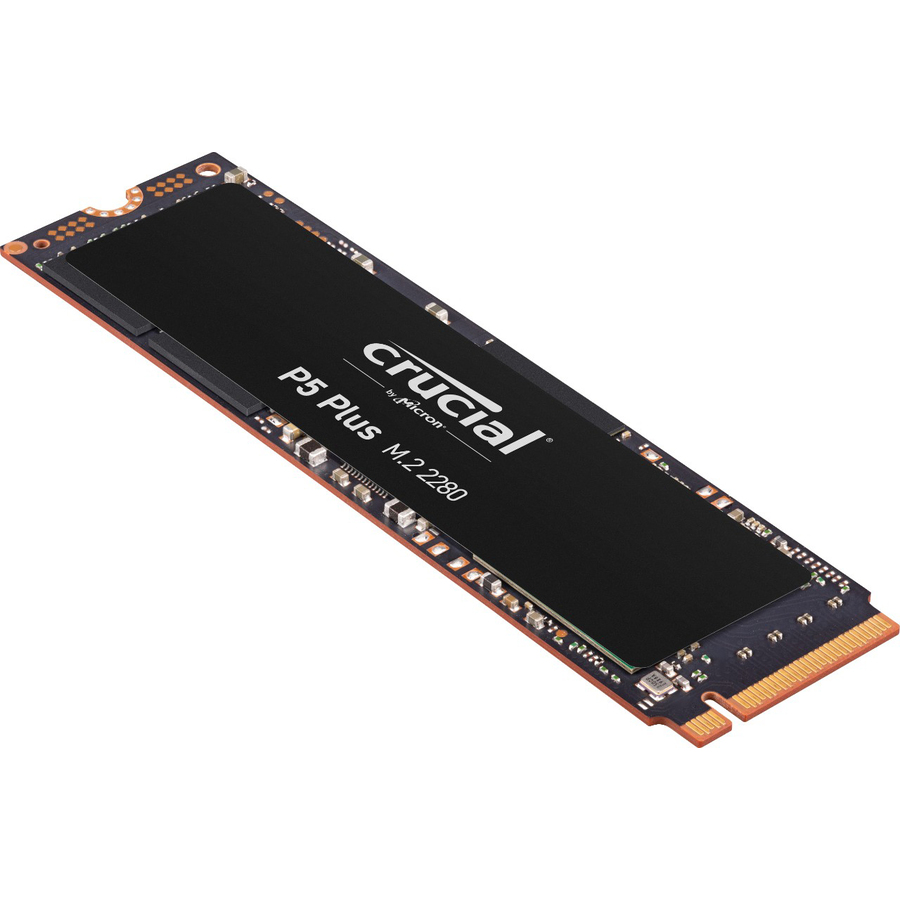
Micron Technology
Crucial P5 Plus CT500P5PSSD8T 500 GB Solid State Drive
CT500P5PSSD8T
A 500 GB M.2 2280 drive on PCIe NVMe 4.0 x4 for a desktop or workstation where the boot volume is doing real work rather than just booting.
$547.63Back-orderedData-centre U.3
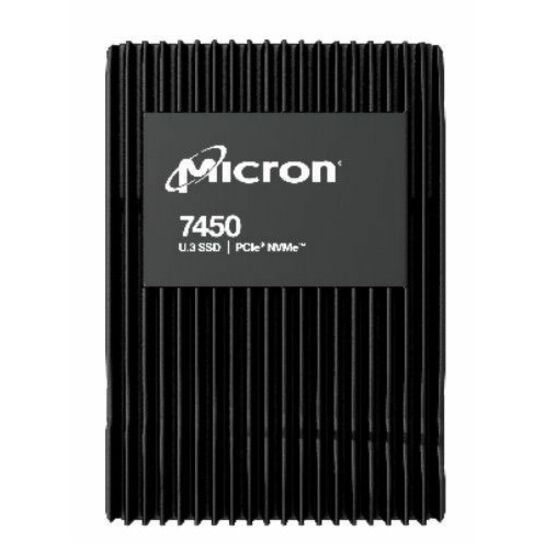
Micron Technology
Micron 7450 PRO 960 GB Solid State Drive
MTFDKCB960TFR-1BC1ZABYY
A 960 GB read-intensive 2.5-inch U.3 drive on PCIe NVMe 4.0 x4, built for a server bay with hot-swap service rather than a screw-down M.2 slot.
U.3 backplanes accept U.2 drives; the reverse is not true. Confirm the backplane before ordering.
$1,577.84Back-orderedFrequently asked
- Is NVMe always faster than a SATA SSD?
- For throughput and parallel I/O, yes, an NVMe drive has far more headroom because it uses PCIe lanes instead of the ~550 MB/s SATA ceiling. But real-world gain depends on the workload. Light or sequential tasks may not saturate SATA in the first place, so the practical difference there can be small. The advantage is largest under heavy, concurrent, random access.
- Can I put an NVMe drive in any M.2 slot?
- Not necessarily. M.2 is a physical form factor that can carry SATA or NVMe (PCIe) signaling, and a slot may support one, the other, or both. Check the motherboard or system documentation for the slot's supported protocol and keying before buying, because a drive can fit mechanically yet be unsupported electrically.
- What does the PCIe generation of an NVMe drive change?
- The PCIe generation sets the per-lane data rate, which roughly doubles each generation, so it caps a drive's maximum bandwidth. A newer-generation drive still works in an older slot but runs at the older slot's speed, since the link negotiates to the lowest common generation and lane width of the two devices.
- Do I need an enterprise NVMe drive for a server?
- It depends on the write load and integrity requirements. Enterprise drives offer higher endurance (DWPD/TBW), sustained performance under constant load, and often power-loss protection, which matter for busy, write-heavy, or always-on systems. For light server duty a client drive may suffice, but match the endurance rating and features to the actual workload rather than the label.
- What does "M.2" stand for?
- Nothing — it is the name of the form-factor specification itself, not an abbreviation of two words. The specification was drafted under the working title NGFF, for Next Generation Form Factor, and was renamed M.2 when it was published. The digits that follow the name on a product page are dimensions in millimetres: a 2280 drive is 22 mm wide and 80 mm long, a 2242 is 22 by 42, and a slot cut for one length will not take a longer card.
- How to tell if m 2 slot is SATA or NVMe?
- Read the board or system documentation for that specific slot — it is the only reliable answer, because one M.2 socket on a board can be NVMe while the one beside it is SATA. Keying narrows it without settling it: an M-key socket usually carries PCIe, a B+M drive is usually SATA, but boards implement both. On a running machine, check what the installed drive reports: a SATA M.2 appears on a SATA controller, an NVMe drive appears as an NVM Express controller. Never infer support from the fact that the card fits.
Sources
- 1.NVM Express — specifications (Base Specification)nvmexpress.org
- 2.SNIA — What is NVMe? (I/O queue depth)snia.org
- 3.SATA-IO — SATA naming guidelines (SATA 6Gb/s)sata-io.org
- 4.SNIA — SSD form factors (M.2, U.2, EDSFF)snia.org
Keep reading