
Short answer
An SSD stores data in NAND flash with no moving parts while an HDD writes to spinning magnetic platters, so SSD access is measured in microseconds and HDD access in milliseconds. Choose an SSD for random, latency-sensitive work; choose an HDD when the job is bulk capacity read rarely. Both fit the same SATA and SAS bays.
Key facts
- A 6 Gb/s SATA data-center SSD such as Samsung's PM893 is rated up to 550/520 MB/s sequential read/write — the practical ceiling of that link.
- The same drive is rated up to 98,000 random read IOPS and 30,000 random write IOPS, which no single spinning disk approaches.
- SSD endurance is quoted as drive writes per day: the PM893 carries a 1.0 DWPD rating over a five-year warranty, whichever limit arrives first.
- Enterprise 3.5-inch hard drives now reach 32 TB per drive on conventional magnetic recording, which is why bulk tiers stay on spinning disk.
- A hard drive pays a seek and a rotational delay on every random access; flash has neither, because there is no arm and no platter to turn.
Buyers rarely ask "SSD or HDD?" in the abstract. The question surfaces when a specific line item forces a tradeoff: a virtualization host that stalls under random I/O, a backup target that has to hold hundreds of terabytes cheaply, or a workstation refresh where boot and load times shape user productivity. The right answer changes with the workload, and picking the wrong medium either wastes budget on flash you don't need or bottlenecks an application on spinning disk.
Two variables dominate the decision: how the data is accessed and how much of it you keep. Solid-state drives win decisively on latency, random IOPS and throughput because they have no moving parts — access is electrical, not mechanical. Hard drives win on capacity per dollar and remain the economical choice for bulk, sequential and cold data. Endurance, power draw, physical density and failure behavior all factor in, but most real designs end up tiered: flash where access patterns are hot and random, spinning disk where the job is to store a lot of bytes that are read infrequently.
At a glance
Side by side
| Factor | SSD | HDD |
|---|---|---|
| Random read/write latency | Microsecond-range; no seek or rotational delay | Millisecond-range, dominated by seek time and rotational latency |
| Random IOPS | Tens of thousands to over a million on high-end NVMe | Roughly 75-200 IOPS per drive (7.2K to 15K RPM) |
| Sequential throughput | ~500 MB/s (SATA) up to several GB/s (PCIe NVMe) | ~150-270 MB/s, limited by areal density and RPM |
| Capacity per dollar | Markedly higher cost per TB — roughly several times HDD | Lowest cost per TB; the economical choice for bulk capacity |
| Max capacity per drive | Reaches the highest absolute capacities (large QLC drives), but very expensive at the top end | High per-drive capacity (20 TB+ helium/SMR) at far lower cost |
| Endurance / wear | Finite program-erase cycles, rated in DWPD/TBW | No write-cycle wear; wears mechanically over time |
| Power efficiency | Lower active power and far more IOPS per watt; little heat, silent | Spindle motor draws more at idle and active; adds heat and vibration |
| Shock & vibration tolerance | High — no moving parts | Sensitive; vibration in dense arrays degrades performance |
Choose SSD when
- The workload is latency-sensitive or random-heavy: databases, virtualization hosts, boot/OS volumes, VDI, or busy application tiers
- You need high IOPS in a small footprint — NVMe flash delivers far more transactions per watt and per rack unit than spinning disk
- The environment sees shock, vibration or tight thermal/acoustic limits, such as edge devices or dense compute nodes
- Workstations where boot, application launch and file-load responsiveness directly affect user productivity
Choose HDD when
- You need the most capacity per dollar: backups, archives, media libraries, surveillance footage and other bulk stores
- Access is predominantly sequential or cold — data written once and read rarely
- Total capacity, not IOPS, is the constraint, and the budget must stretch across many terabytes
- Retention and scale-out storage where you can absorb latency in exchange for lower cost per usable terabyte
Bottom line
Put anything a person waits on onto an SSD and anything that is mostly stored onto an HDD. SSDs own the performance tier: anything random, transactional or latency-sensitive belongs on flash, ideally NVMe. HDDs remain the economical home for bulk, sequential and cold capacity, where cost per terabyte matters more than access time. Most production designs blend both — flash for hot data and metadata, spinning disk for capacity — so the practical task is matching each dataset's access pattern and retention profile to the right tier rather than declaring a single winner.
Products for this decision
Performance tier
Samsung
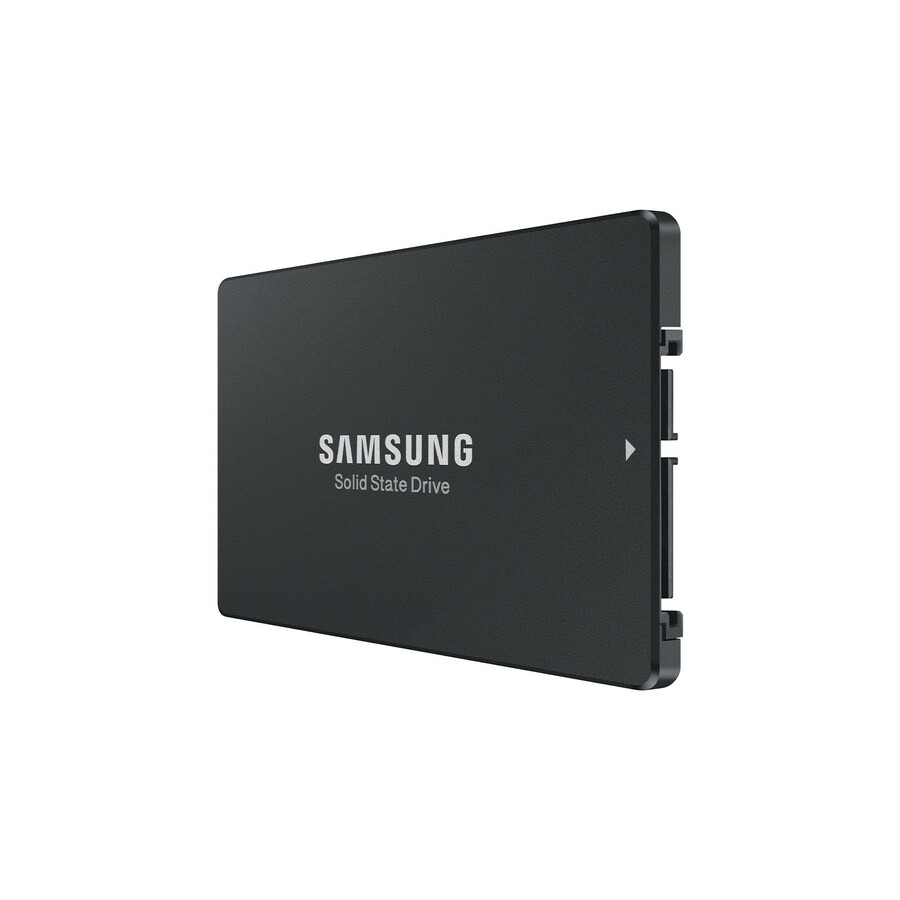
Samsung PM893 1.92 TB Solid State Drive
MZ-7L31T900
A 1.92 TB data-center SATA SSD rated 1 DWPD, for the random-access tier: databases, virtualization hosts and busy application volumes.
Confirm the server backplane speaks SATA or SAS before ordering a 2.5-inch drive for it.
$4,169.84In stockCapacity tier
Seagate Technology
Seagate Exos ST26000NM000C 26 TB Hard Drive
ST26000NM000C
A 26 TB 3.5-inch conventional-recording drive for backup targets, archives and media libraries where terabytes matter more than access time.
$948.79Back-orderedShop it at Uniqcli
FAQ
Common questions
- Are SSDs more reliable than HDDs?
- They fail differently rather than strictly "more" or "less." SSDs have no moving parts, so they tolerate shock and vibration far better and avoid mechanical wear-out. However, flash cells have finite program-erase cycles, so heavy-write workloads consume rated endurance (measured in DWPD or TBW). HDDs wear mechanically instead. In practice, plan for either to fail and rely on RAID, redundancy and backups regardless of medium.
- What do DWPD and TBW mean for SSD endurance?
- Both express how much data an SSD can be written over its warranty life. TBW (terabytes written) is the total; DWPD (drive writes per day) is how many times the full capacity can be overwritten daily for the warranty period. Read-intensive drives carry lower endurance ratings and cost less; mixed- and write-intensive drives carry higher ratings for logging, databases and caching tiers. Match the rating to your write workload.
- Is SATA, SAS or NVMe the right SSD interface?
- SATA SSDs cap around 500-550 MB/s and are the least expensive, fine for boot drives and light workloads. SAS offers dual-port paths and features suited to enterprise arrays. NVMe runs over PCIe and delivers the highest throughput and lowest latency — several GB/s and very high IOPS — making it the choice for demanding databases, virtualization and high-performance tiers. Pick by required performance and by what your server backplane supports.
- Should I still buy HDDs at all?
- Yes, for the right jobs. For bulk capacity — backups, archives, media, surveillance and other cold or sequential data — HDDs still deliver the lowest cost per terabyte by a wide margin, and high-capacity helium and SMR drives push single-drive capacity well past 20 TB. The economical pattern is tiering: flash for hot, random-access data, and spinning disk for the large volumes of bytes you rarely read.
- Is an SSD or a hard drive better for a NAS?
- In most NAS builds they do different jobs rather than compete. Conventional-recording hard drives carry the bulk volume, and an SSD cache or an all-flash pool serves the random-read workload on top of it. Check the enclosure's own compatibility list before mixing types or adding flash, because cache behaviour and supported drive models are set by the NAS firmware, not by the drive.
- What is the difference between NVMe and an SSD?
- NVMe is not a different kind of drive — it is the interface an SSD can use. A SATA SSD and an NVMe SSD both store data in NAND flash; the SATA one talks over a 6 Gb/s link built for hard drives, while the NVMe one talks over PCIe with a command set designed for flash. That is why NVMe drives clear the SATA ceiling, and why the question to answer first is what your backplane or motherboard actually accepts.
Sources
- 1.Samsung PM893 data center SSD specificationssemiconductor.samsung.com
- 2.Seagate — CMR and SMR hard drives, per-family capacity and recording methodseagate.com
- 3.SNIA Online Dictionary — storage terminologysnia.org