
Turning a Rack Power Fleet From Blind to Observable
Most rack and closet outages start as a blind spot, not a failure — a circuit nobody was watching, a battery nobody polled, an outlet nobody could reach remotely. Here is the upgrade path from a basic power strip to a fleet you can meter, alert on, and reboot from anywhere.
By Uniqcli Team · · 10 min read · Updated

Key takeaways
- PDU capability has four tiers: basic, metered, monitored, and switched — each adds visibility or remote control the last one didn't have.
- More than 2,800 of the 4,683 rack PDU listings in our catalog are metered, monitored, or switched, not basic strips.
- Metering catches an overloaded circuit before the breaker does; a common target is keeping continuous load under about 80% of the circuit's rating.
- A UPS network management card turns front-panel-only status into remote alerts and enables scheduled graceful shutdown during a prolonged outage.
- Rack environmental sensors flag rising heat before it shortens UPS battery life — often the cheapest item on the upgrade path.
On this page
Buying Guides
Most rack outages start as a blind spot, not a failure
A breaker trips at 2 a.m., a hung switch stays hung until someone drives to the closet, and afterward nobody can say how close the rack actually was to that limit an hour before it happened. None of that is a hardware failure — it is a visibility failure. The power feeding a typical closet or rack is invisible by default: a basic PDU distributes current with no meter, no network port, and no way to reach an outlet remotely, and a UPS with no management card only reports its status to whoever happens to be standing in front of its LCD panel. The fix isn't one purchase, it's a stack: metered and monitored PDUs that show load before a circuit trips, switched PDUs that reboot a hung device without a truck roll, UPS network management cards that turn a battery bank into a reporting device, and environmental sensors that catch heat before it shortens a battery's life. This guide walks that stack from basic to fully observable, grounded in the switched, metered, monitored PDU, UPS, and sensor inventory in our own catalog.
Rack PDU listings in the Uniqcli catalog, spanning basic distribution strips through switched, per-outlet-metered units
Of those are metered, monitored, or switched — visibility and remote control built into the unit, not bolted on after
General-purpose and industrial rack/tower UPS listings, many with network management or remote-monitoring options
Temperature-and-humidity sensor listings for catching rack heat before it becomes a battery or breaker problem
What blind power actually costs you
Every rack draws against a circuit with a hard limit, and a basic PDU has no way to tell you how close you are to it. Add a switch here, a second access point there, a small NAS someone racked without asking, and the load creeps upward with nobody watching. The first sign of trouble is usually the breaker itself — it trips, and everything on that circuit goes dark at once, including whatever was running fine five minutes earlier.
The quieter cost is the opposite problem: capacity you paid for and never use. Without a meter, the safe move is to leave generous headroom on every circuit, because nobody can prove the real load is as low as it looks. That headroom is stranded capacity — provisioned, paid for, and sitting idle because nobody can see the actual number and load the circuit with confidence.
Both problems trace back to the same gap. A rack with no metering, no remote outlet control, and no environmental sensing is a rack you can only manage by walking to it. That works fine until the person who can walk to it is asleep, off-site, or three states away — which, for an unattended closet or edge rack, is most of the time.
The four tiers, from power strip to full telemetry
PDU capability breaks into four tiers, and the practical decision is almost never whether to use a PDU — it's which tier the rack actually needs. A basic PDU distributes power and nothing else: reliable, inexpensive, and blind. A metered PDU adds a local display, and often a network port, that reports current draw for the whole strip or by branch, so you can see load before you add the next device. A monitored PDU sends that same data over the network to a dashboard or DCIM tool, so nobody has to be standing at the rack to read it.
A switched PDU adds the piece metering and monitoring don't: remote, per-outlet on/off control. Staff can power-cycle a single hung device, stage a startup sequence so equipment doesn't all draw inrush current at once, or shut off one outlet without touching anything else in the rack — all from wherever the management console lives. Some switched units go further and meter every individual outlet rather than just the branch or the whole strip, which is the tier to reach for when you need to know which specific device is drawing the power, not just how much the rack is using in aggregate.
Cost rises with each tier, and that's a trade-off worth making deliberately rather than by default. A staffed rack in a monitored facility often gets most of its value from monitoring and per-outlet metering alone. An unattended closet or a remote edge site gets more from switching, because the alternative to a remote reboot there is a drive.
Metering first: see the load before a breaker does the deciding
Metering is the cheapest fix for the most common failure mode, which is simply not knowing. A common rule of thumb is to keep continuous load under roughly 80 percent of a circuit's rating, leaving room for growth and for the inrush current that spikes when equipment powers on. Without a meter, that rule is a guess enforced by hoping nobody plugs in one more switch. With a meter — even the branch-level reading a metered PDU provides — it's a number you check before you add the load, not after the breaker trips.
Per-outlet metering, available on the higher end of the switched tier, goes a step further. Instead of one reading for the whole strip, you get a number for every receptacle, which is what turns a PDU into a capacity-planning tool rather than just a safety check. Reclaiming even a modest share of the headroom every circuit is currently carrying "just in case" defers the cost of a new circuit or a new cabinet, and per-outlet data is also what makes internal cost allocation across teams or clients possible in the first place.
Three-phase feeds add a wrinkle that metering solves directly: one phase can run hot while the aggregate load on the strip looks fine. Branch or per-outlet metering surfaces that imbalance so it can be corrected on the next equipment move, instead of discovering it the way most sites do — when one phase trips and the other two stay lit.
Switching next: the reboot that skips the truck roll
A switched PDU earns its premium at exactly one moment: when a device hangs and the person who could reach it physically isn't on-site. A branch-office closet, a retail back room, or a remote IDF rarely has staff standing by, so the default recovery for a frozen access point or an unresponsive switch is someone driving out to unplug and replug it. A switched outlet turns that drive into a few clicks in a management console — the outlet cycles, the device comes back, and nobody leaves their desk.
The same control handles startup sequencing on a rack that draws real inrush current when everything powers on at once — storage arrays, servers, and switching gear can each pull a multiple of their steady-state draw for the first second or two. Switched PDUs let you stagger that startup outlet by outlet after a planned outage or a generator transfer, instead of letting every device in the rack compete for the same instant of current.
None of this requires guessing which units support it. Our catalog carries switched PDUs across Panduit, Legrand, Vertiv, Eaton, Server Technology, and Schneider Electric, among other manufacturers, spanning 0U vertical and horizontal form factors — the tier decision is separate from the brand or form-factor decision, and both are filters on the PDU category page.
The UPS side: a network management card turns a battery into a sensor
A PDU tells you about the load; the UPS is what actually keeps that load alive through an outage, and it has the same blind-by-default problem. A UPS with no network management card is a battery bank you can only check by standing in front of its LCD panel — you find out it's on battery, running low, or nearing end of life only if someone happens to look. That's a real gap across a fleet of dozens of closets, where the first person to notice a failing UPS is often whoever just lost power to their gear.
A network management card — sometimes an internal slot card, sometimes a network-attached module of the kind vendors market as SmartConnect or similar — turns that same UPS into a reporting device. It pushes alerts on battery health, runtime, load, and self-test results to email or a monitoring platform, and it's what makes scheduled graceful shutdown possible: on a prolonged outage, the card can signal the servers it protects to close down cleanly before the battery is exhausted, instead of losing power mid-write.
Our catalog carries general-purpose and industrial UPS units with network management cards built in or available as an add-on slot option, plus standalone remote-management adapter cards that retrofit onto UPS and PDU hardware that shipped without one. If a UPS in your fleet still reports status only on its own front panel, that's the single cheapest upgrade on this list — it adds visibility without replacing the unit.
Environmental sensors: catching heat before it shortens a battery
Temperature is the variable most closets get wrong, because a UPS or PDU rarely fails from age alone — it fails faster from heat nobody measured. Battery chemistry is temperature-sensitive: sustained heat above a battery's rated temperature shortens its service life meaningfully, and a small, unventilated closet with the door kept shut is exactly the environment where that heat accumulates unnoticed. A rack that looks fine on every other metric can still be quietly cooking the one component with the shortest lifespan in it.
A rack environmental sensor — typically a compact module reporting temperature and humidity, sometimes with dry-contact inputs for a door or water alarm — plugs into a PDU's sensor port or a UPS's management slot and reports that data alongside power metrics on the same dashboard. It doesn't cool anything by itself; its value is turning a silent, gradual problem into an alert that arrives before the failure does, or before humidity starts affecting the electronics sharing that closet.
This is the tier most fleets skip, because a sensor doesn't distribute power or run anything, so it's easy to treat as optional. It's also one of the cheapest single items on this list relative to what it protects — one sensor can cover a closet that houses a UPS, a PDU, and everything plugged into both.
The three rungs: basic, metered, managed
Legrand
Middle Atlantic PDT Low Profile Vertical Power Strip
$388.10In stockSchneider Electric
APC NetShelter Metered Rack PDU, 2U, 5.0kW, 208V, 30A, 12 C13 and 4 C19…
$1,602.00In stockEaton
Eaton G4 24-Outlets PDU
$2,287.49In stock
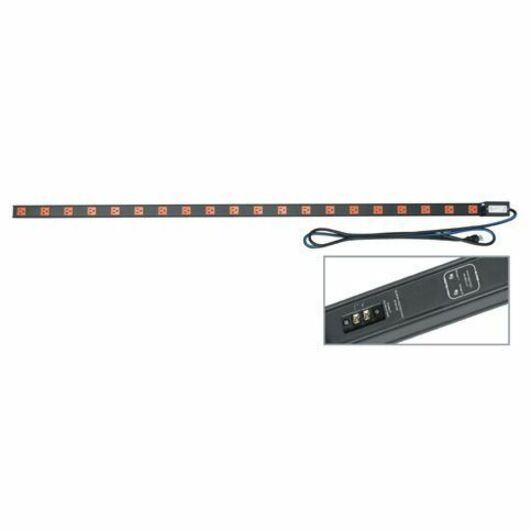
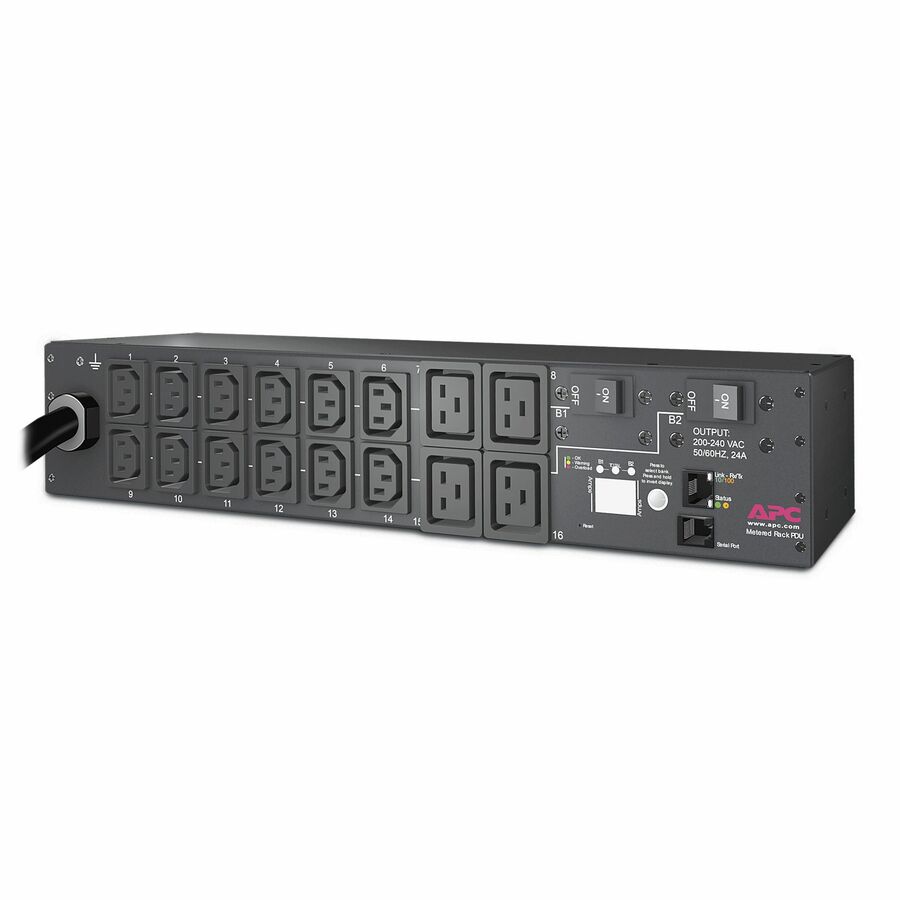
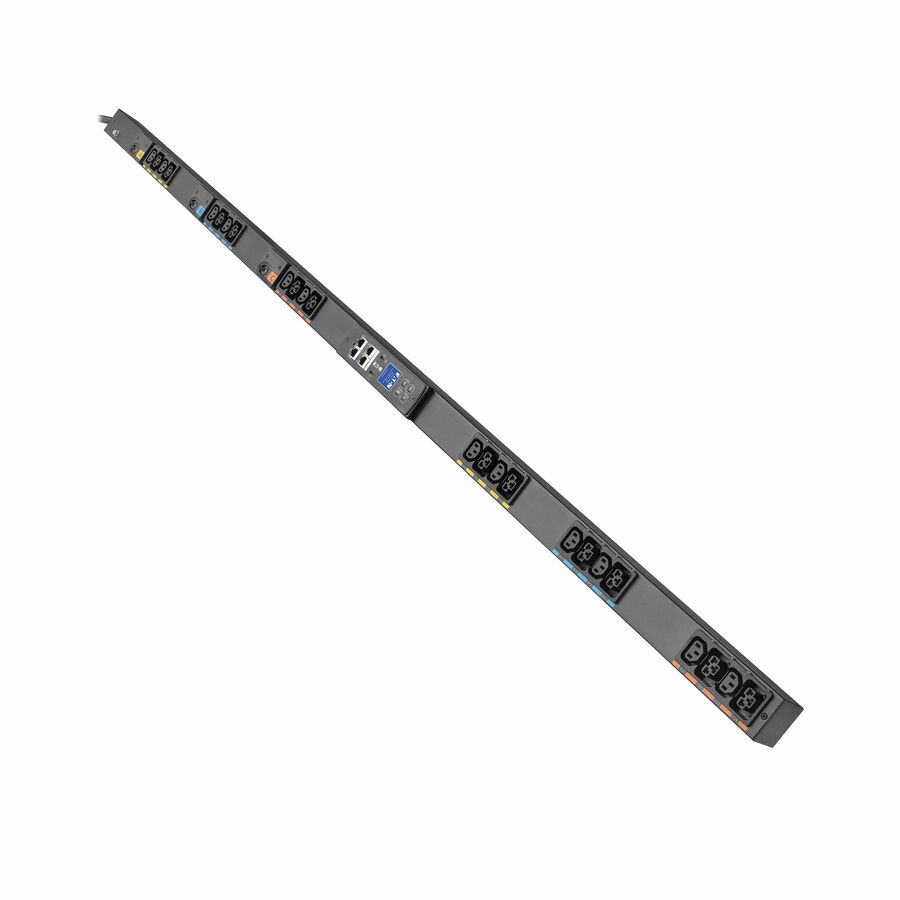
The ladder above with a part number on each rung, in the same order: a vertical power strip that distributes current and reports nothing, a metered rack PDU that puts a number on the circuit, and a managed unit that adds control on top of the metering. Read them as the shape of each tier rather than as a shortlist for a particular rack — form factor, input plug, outlet count and circuit rating all have to match the enclosure before the tier decision matters at all. Prices and availability are read from the catalog when this page renders.
Build the upgrade path in order
You don't need to replace every basic PDU and UPS in the fleet at once. Work through it in this order and each step pays for itself before the next one starts.
- Start with metering on any circuit you're not certain about — it's the cheapest way to replace a guess with a number.
- Add switching at unattended sites first: closets, edge racks, and remote IDFs get the most value from a remote reboot.
- Put a network management card on every UPS that still reports status only on its front panel.
- Add an environmental sensor to any closet without dedicated cooling or without eyes on it day to day.
- Feed metered, monitored, and sensor data into one dashboard or DCIM tool rather than checking each device separately.
- Re-check circuit headroom once real per-outlet or per-branch data replaces the nameplate guess — most fleets find capacity they didn't know they had.
Keep reading
Related guides & shopping
Common questions
What's the difference between a metered PDU and a monitored PDU?
A metered PDU shows current draw locally — usually a display on the unit itself — for the whole strip or by branch, so someone standing at the rack can check load. A monitored PDU sends that same data over the network to a dashboard or DCIM tool, so it can be checked remotely without anyone physically present. Many units combine both: a local display plus a network connection.
Do I need a switched PDU, or is a metered PDU enough?
It depends on who can reach the rack. Metered and monitored PDUs answer how much power a rack is using — valuable at staffed sites where someone can act on that data locally. Switched PDUs add remote, per-outlet on/off control, which matters most at unattended sites: a closet, edge rack, or remote IDF where the alternative to a remote reboot is a drive to unplug and replug a hung device.
What does a UPS network management card actually do?
It connects the UPS to the network and turns front-panel-only status into remote alerts and reporting — battery health, load, runtime, and self-test results delivered to email or a monitoring platform. It's also what enables scheduled graceful shutdown, where the card signals protected servers to close down cleanly during a prolonged outage instead of losing power abruptly when the battery runs out.
How do rack environmental sensors help prevent outages?
They report temperature and humidity from inside the rack or closet, often alongside power data on the same dashboard. Because UPS battery life shortens meaningfully with sustained heat, a sensor flags a warming closet before it becomes a failed battery, and it catches humidity or a door left open early enough to act on rather than discovering the condition during an outage.
Can I add monitoring to PDUs and UPS units I already own, or do I need to replace them?
Often you can retrofit rather than replace. Standalone network management cards and remote-management adapter cards are available to add network reporting to UPS and PDU hardware that shipped without one, and environmental sensors plug into an existing unit's sensor port or management slot. Full per-outlet switching typically does require a switched PDU, since that control has to be built into the outlet relays themselves.
Spec the tier your rack actually needs
Send your PDU, UPS, and sensor requirement or BOM — we confirm stock, TAA country of origin, and a total across the fleet.