
Short answer
A PDU (power distribution unit) is a rack device that takes one facility power feed and splits it across many outlets for the servers, switches and storage in the cabinet. PDUs come in four capability tiers: basic distributes power only, metered shows current on a local display, monitored reports it over the network, and switched adds remote per-outlet on/off control.
Key facts
- Four tiers, rising in cost: basic (outlets only), metered (local current display), monitored (network reporting), switched (remote per-outlet on/off).
- Data-center PDUs use IEC 60320 outlets: C13 for standard gear and C19 for higher draw, rated 10 A and 16 A in IEC 60320-1. They do not interchange.
- Form factor is separate from tier: a 0U PDU mounts vertically in the rack's rear channel and consumes no rack units; a horizontal PDU takes 1U or 2U.
- Single-phase feeds are usual in network racks; three-phase feeds carry more power per circuit and are usual in dense server rows.
- Keep a continuous load at or below about 80 percent of the circuit rating, and match the input plug, voltage and phase to the facility circuit.
- Dual-corded equipment is normally fed from two PDUs on separate A and B circuits, so losing one feed does not drop the rack.
By Uniqcli Team
A PDU (power distribution unit) is a device that takes one or more electrical feeds and distributes that power to multiple pieces of equipment through a bank of outlets. In a data center or server room, a rack-mount PDU is the strip of receptacles that servers, switches, and storage arrays plug into inside the cabinet. It sits between the facility power source (a wall circuit, a UPS, or an overhead busway) and the IT gear, providing the number, type, and arrangement of outlets a rack needs.
Although the simplest PDUs resemble a heavy-duty power strip, the category spans a wide range of capability. Higher tiers add current metering, remote monitoring, per-outlet switching, and environmental sensing, turning the PDU into an instrument for measuring power draw and managing uptime. Because every device in a rack depends on it, the PDU is a foundational piece of data-center infrastructure rather than a simple accessory.
How does a rack PDU work?
A rack PDU accepts an input feed — typically a single-phase or three-phase circuit rated for a specific voltage and amperage — through an attached power cord or a fixed connection. Internally it splits that feed across multiple outlets, distributing the available current to whatever is plugged in. The equipment inside the rack draws power on demand; the PDU's job is to deliver it safely within the rating of its input circuit and its outlets.
Beyond distribution, most rack PDUs handle circuit protection and, in higher tiers, measurement. Many models group outlets onto internal breakers or fused branches so a fault on one group does not take down the whole strip. Metered and monitored units add current sensors that report load in amps or watts, letting operators see how close a circuit is to its limit. Switched units add relays behind each outlet so power can be turned on or off remotely, one receptacle at a time.
What are the four types of PDU?
PDUs are commonly grouped into four capability tiers. A basic PDU simply distributes power with no metering or network connection — reliable and inexpensive, but you cannot see load remotely. A metered PDU adds a local display (and sometimes a network port) showing aggregate or per-branch current, which helps prevent overloading a circuit. A monitored PDU is network-connected and reports power data remotely over protocols such as SNMP, feeding dashboards and DCIM tools without requiring someone at the rack.
A switched PDU adds remote, per-outlet on/off control, so staff can reboot an unresponsive device or sequence startup loads from anywhere. Some vendors further distinguish 'switched with per-outlet metering' units that combine remote control with outlet-level power measurement — useful for billing, capacity planning, and identifying which specific device is drawing power. As a rule, capability and cost rise together across these tiers, so match the tier to what you actually need to measure and control.
What is a 0U vs horizontal PDU, and which outlets matter?
Form factor is a separate decision from capability tier. A vertical or '0U' PDU mounts in the rear channel of the rack, running the full height of the cabinet without consuming any of the numbered rack units (hence 0U). Because it sits close to the equipment and offers many outlets along its length, the 0U style is common in dense server racks. A horizontal PDU mounts in the rack like any other device, occupying one or two rack units (1U/2U); it is often used where space is available or where a smaller outlet count is enough, such as in network racks.
Outlet type also matters. Data-center PDUs frequently use IEC 60320 receptacles — C13 outlets for standard servers and larger, higher-current C19 outlets for power-hungry gear — while some regions and lighter deployments use locally standard outlets such as NEMA 5-15/5-20. The input connector must match the facility circuit as well, so a PDU is specified by both its outlet mix and its input plug, voltage, and phase.
When do you need a PDU, and what should you consider before buying?
Any rack that holds more than a couple of devices needs organized power distribution, so a PDU is standard in server rooms, network closets, and data centers. The question is usually which tier and configuration, not whether to use one. If you only need to spread outlets, a basic unit suffices; if you need to avoid tripping circuits, verify capacity for growth, reboot remotely, or bill by consumption, step up to metered, monitored, or switched models accordingly.
Before buying, confirm the input circuit (voltage, amperage, single- or three-phase) and the matching plug type, then total the load of your equipment and leave headroom below the circuit rating — a common guideline is to keep a continuous load below roughly 80 percent of the circuit's rating. Count and match the outlet types your gear uses, check the physical fit (0U height or horizontal U-space, cord entry, depth), and decide whether you need redundant feeds. Racks with dual-corded equipment typically use two PDUs on separate circuits (A/B feeds) so either can fail without downtime. Finally, weigh monitoring needs: network management, environmental sensor ports, and DCIM compatibility are worth specifying up front because retrofitting them later means swapping the PDU.
Key takeaways
- A PDU distributes one or more power feeds to many outlets in a rack; it is the power backbone every device in the cabinet depends on.
- Four capability tiers, rising in cost: basic (distribution only), metered (shows load), monitored (reports load over the network), and switched (remote per-outlet on/off).
- Form factor is separate from tier — vertical '0U' PDUs mount in the rack's rear channel without using rack units; horizontal PDUs occupy 1U or 2U of rack space.
- Match outlets and input to your gear: data centers commonly use IEC C13/C19 receptacles, and the input plug, voltage, and phase must match the facility circuit.
- Size for headroom — total your equipment load and keep a continuous load well under the circuit rating (a common target is no more than ~80% of that rating) to allow for growth and startup surges.
- For resilience, dual-corded equipment is typically fed by two PDUs on separate A/B circuits so the loss of one feed does not cause downtime.
Shop it at Uniqcli
Parts for this job
Basic, 1U
Vertiv
Vertiv Geist Basic Rack PDU
VP9562
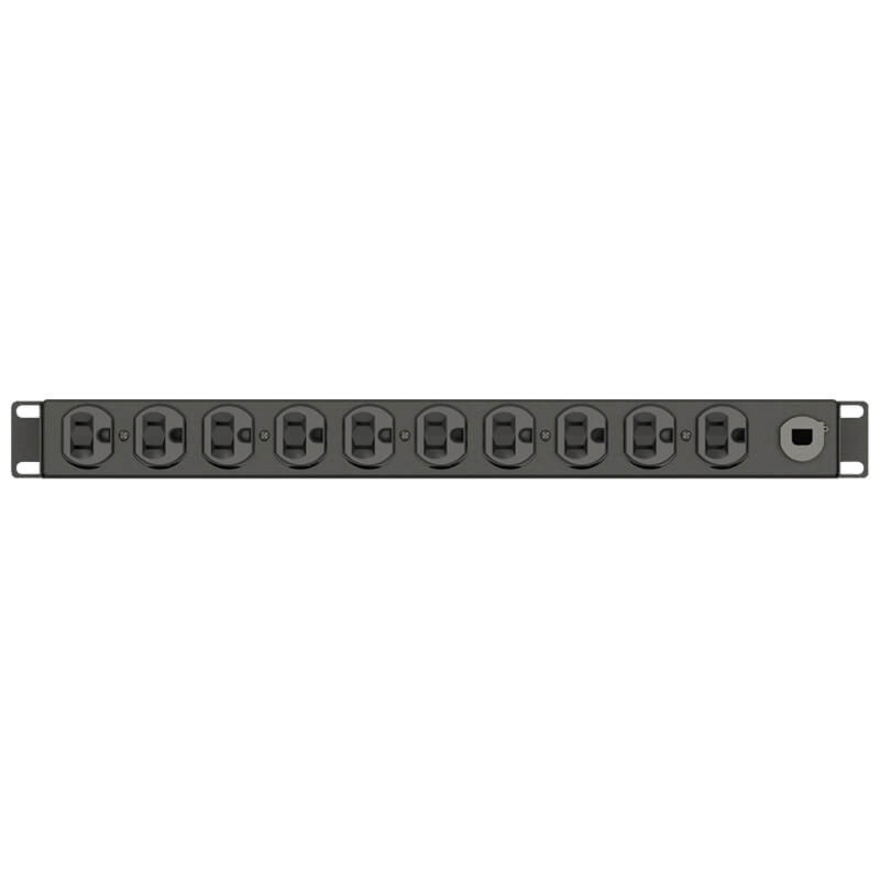
Ten NEMA 5-15R outlets on a 120 V, 1.4 kW feed in a single rack unit — the tier for a network rack that needs outlets rather than measurement.
$152.40In stockMetered, 1U
Eaton
Tripp Lite by Eaton PDU 3.7kW Single-Phase Local Metered PDU 208/230V…
PDUMH20HV
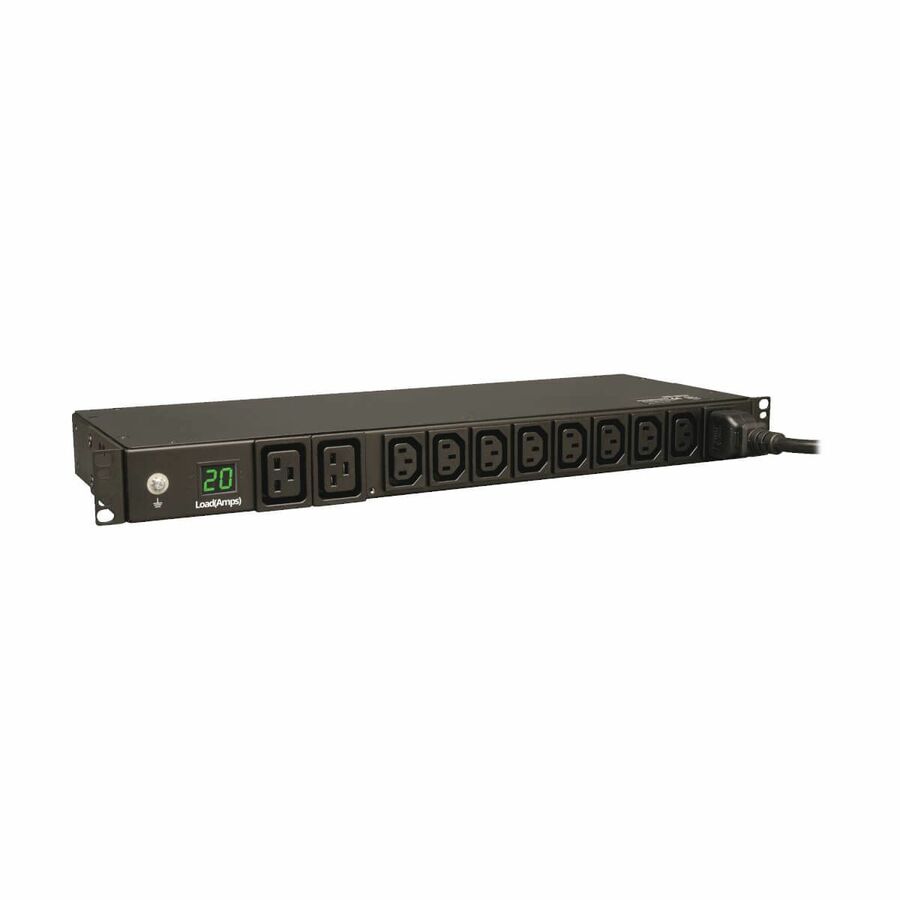
A 208/230 V single-phase 3.7 kW PDU with eight C13 and two C19 outlets and a local meter, so a circuit's draw is readable at the cabinet.
$338.56*In stockMonitored over the network
CyberPower Systems
CyberPower PDU15MHVIEC8FNET 200
PDU15MHVIEC8FNET
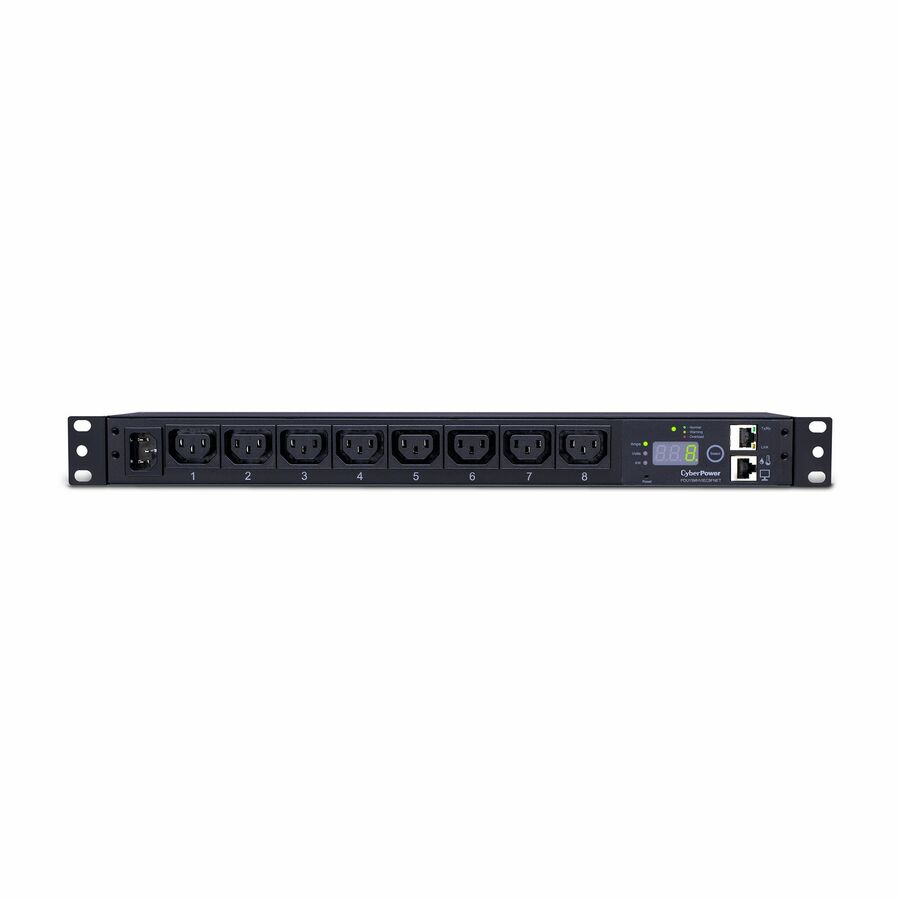
Eight C13 outlets on a 200-240 V, 15 A feed with SNMP reporting, for racks where load has to reach a dashboard rather than a person at the door.
Monitored reports; it does not switch. Per-outlet on/off is the switched tier above it.
$282.69Back-orderedFrequently asked
- What is the difference between a PDU and a UPS?
- They do different jobs and are often used together. A UPS (uninterruptible power supply) provides battery-backed, conditioned power that keeps equipment running through outages and sags. A PDU distributes power to multiple outlets in the rack. A rack UPS supplies clean power, and a PDU plugged into it fans that power out to the servers — the UPS handles continuity, the PDU handles distribution.
- Is a PDU just a power strip?
- A basic PDU is functionally similar to a heavy-duty rack power strip, but the term covers much more. Metered, monitored, and switched PDUs add current measurement, network reporting, and remote per-outlet control — capabilities a consumer power strip does not have. Data-center PDUs are also built for higher voltages and currents, use IEC outlets, and are rated for continuous rack loads.
- What does 0U mean for a PDU?
- 0U means the PDU mounts vertically in the rack's rear channel and consumes none of the numbered rack units (U's) available for equipment. It runs the height of the cabinet and typically offers many outlets, which is why 0U units are popular in dense racks. A horizontal PDU, by contrast, occupies 1U or 2U of usable rack space.
- How do I know what size PDU I need?
- Start with the facility circuit — its voltage, amperage, and whether it is single- or three-phase — because the PDU input must match it. Then add up the power draw of the equipment you plan to install and keep the total comfortably below the circuit rating, commonly no more than about 80 percent for a continuous load, to allow headroom for growth and inrush. Finally, confirm the outlet count and types match your gear.
- What are the three types of PDUs?
- Vendors most often list four rack PDU tiers, not three: basic, metered, monitored and switched. The three-type framing usually drops 'monitored' and folds its network reporting into 'metered', which is why catalogs disagree — a metered unit shows current on a local display, while a monitored unit publishes the same reading over the network to a dashboard. Some vendors add a fifth tier, switched with per-outlet metering, which combines remote on/off with outlet-level measurement. Read the datasheet rather than the tier name: what matters is whether the unit reports load, whether that reading reaches the network, and whether outlets can be switched remotely.
- What is a 3 phase PDU?
- A three-phase PDU takes a three-phase input circuit and distributes it across its outlets, which lets one feed carry considerably more power than a single-phase circuit of the same voltage. It is the usual choice in dense server rows, where a single-phase feed would need several circuits to supply the same cabinet; single-phase units remain normal in network and communications racks. The PDU's input must match the circuit the facility actually provides — voltage, amperage and phase — so confirm the circuit before choosing the unit, and note that three-phase models expect load to be balanced reasonably evenly across their branches.
- What does PDU mean in networking?
- In networking, PDU stands for protocol data unit — the OSI model's generic name for the data structure at each layer, so a frame at layer 2, a packet at layer 3 and a segment at layer 4 are all PDUs. That is a different term from the one on this page: in IT power, PDU means power distribution unit, the rack device that splits a feed into outlets. The two share nothing but the initials, and which one is meant is always clear from context — a data-center power specification or a protocol diagram.
Sources
- 1.Vertiv Geist rack PDU brochure — basic, monitored and switched rPDUsvertiv.com
- 2.Vertiv PowerIT metered rack PDUvertiv.com
- 3.Lenovo Press — 1U switched and monitored rack PDU product guidelenovopress.lenovo.com
- 4.IEC 60320-1:2021 — appliance couplers (the C13 and C19 family)webstore.iec.ch
Keep reading