
Short answer
A patch panel is a passive rack-mounted termination field: permanent horizontal cable is punched down to the rear once, and every change after that happens on patch cords at the front. It has no power and forwards nothing — the switch does that. Choose a punch-down panel when the port type is settled, a keystone panel when the connector mix may change.
Key facts
- The components standard for balanced twisted-pair cabling is ANSI/TIA-568.2-E, published on 5 November 2024, which revises ANSI/TIA-568.2-D.
- A patch panel is passive: no power supply, no electronics, no forwarding. It terminates cable and presents it as ports.
- Two builds exist. Punch-down panels have the jacks fixed in place; keystone panels take snap-in jacks, so the connector mix can be changed later.
- Twenty-four ports normally occupy 1U in a 19-inch rack — the blank StarTech C6PANELUTP241U takes Cat8, Cat6A, Cat6 or Cat5e UTP keystone jacks.
- A blank keystone panel ships with no jacks in it. The jacks are a separate line item and set the panel's category rating.
By Uniqcli Team
A patch panel is a passive, rack-mounted array of ports that terminates the fixed cabling running through a building's walls and ceilings and presents each run as a labeled, front-facing port. Short patch cords then connect those ports to a network switch, so the permanent cabling is never plugged directly into active equipment. It adds no electronics and no power of its own — it is purely an organized, serviceable junction between the horizontal cabling and the switching layer.
In a structured cabling system, every wall outlet, wireless access point, and camera drop lands on a port at the patch panel. Consolidating those terminations in one place turns moves, adds, and changes into a matter of repatching a cord rather than re-running or re-terminating cable, and it shields delicate switch ports from the wear of the field. Patch panels are defined within the ANSI/TIA-568 structured cabling standards and carry a performance rating — commonly Cat6 or Cat6a — that must match the cable and jacks around them.
How does a patch panel work?
The permanent, solid-conductor cable pulled from each work area is terminated on the back of the panel, where each of its eight wires is seated into an insulation-displacement contact (IDC) with a punch-down tool. That termination maps the run to a numbered RJ45 port on the front. A stranded, flexible patch cord then jumps from the front port to a port on the switch. This split is deliberate: solid-core cable is built for long, static in-wall runs, while stranded patch cords tolerate the repeated flexing of frequent repatching.
The result is a flexible patching point between the fixed cabling and the switching layer. Because the switch only ever touches short, replaceable patch cords, you can move a device to a different VLAN, swap a failed switch, or re-home a drop without disturbing the cabling buried in the walls. Consistent front-port labeling that mirrors the wall-outlet numbering is what makes that flexibility usable in practice.
What are the main types of patch panels?
The primary distinction is how the panel is terminated. A punch-down (or loaded/integrated) panel has its jacks permanently built in — you punch each cable directly onto the panel's own IDCs. It is typically lower cost per port and produces a very clean rear, but the port type is fixed. A keystone (modular or unloaded) panel is just a frame of empty slots: you terminate each cable onto an individual keystone jack, then snap it into place. That lets you mix media — copper RJ45, fiber couplers, coax — in one panel and swap a single damaged jack without disturbing its neighbors. A feed-through (pass-through) variant skips rear termination entirely, using a coupler jack on both sides so a patch cord plugs in front and back.
Panels also vary physically. Flat panels sit flush; angled panels tilt each half toward the rack's vertical cable managers, which improves cord flow and can reduce or eliminate the need for horizontal management between the panel and switch. Copper panels are rated to a category (Cat6, Cat6a) and come in unshielded (UTP) or shielded (STP) versions — shielded panels require proper bonding and grounding to the rack to work as intended. Most panels are 19-inch rack-mount, though smaller wall-mount brackets exist for closets and remote cabinets.
When do you actually need a patch panel?
Any structured cabling installation with more than a handful of permanent runs benefits from one. Once cabling is terminated at a panel, technicians repatch cords instead of re-terminating solid-core cable at the switch every time something changes — faster, cleaner, and far less error-prone. It also protects the switch: its ports see only patch cords, not the mechanical stress of field cabling, and the permanent runs stay put even when the active equipment is replaced.
There are cases where a panel adds little. A very small deployment — say, a few devices near the switch with no in-wall cabling — can reasonably run cords straight to the switch. But as soon as cabling is concealed in walls or ceilings, or the count of drops grows, terminating at a panel is the maintainable choice and is generally expected for warranty and standards compliance on a certified cabling system.
What should you consider when choosing a patch panel?
Start with port count and headroom — 24-port (typically 1U) and 48-port (1U or 2U) panels are the common densities; leaving spare ports is cheaper than adding a panel later. Match the category rating to the rest of the channel: a link performs to its lowest-rated component, so pairing Cat6a cable with a Cat6 panel caps the run at Cat6. Cat6a panels are physically deeper and more spaced out to manage the thicker cable and alien crosstalk, which affects how much rack and management room you need.
Decide punch-down versus keystone based on how much you value clean cost-per-port against field flexibility and mixed media. Confirm whether you need shielded panels (and the grounding hardware that comes with them). Plan cable management up front — rear support bars, horizontal managers, or angled panels — because unmanaged cords defeat the whole purpose. Finally, pick one wiring standard (T568A or T568B) and apply it consistently across every termination, and build labeling in from day one.
Key takeaways
- A patch panel is passive — no power, no electronics. It organizes and terminates cabling; the switch does the actual networking.
- Permanent solid-core runs terminate at the panel; flexible stranded patch cords connect the panel to the switch, protecting switch ports and enabling easy moves.
- The core choice is punch-down (built-in jacks, lower cost, fixed) vs. keystone/modular (snap-in jacks, mixed media, individually swappable).
- A link is only as good as its weakest component — match the panel's category (Cat6/Cat6a) and shielding to the cable and jacks around it.
- Size for growth: pick port count and rack units (1U/2U) with spare capacity, since Cat6a panels also need more physical room.
- Plan cable management and one consistent wiring standard (T568A or T568B) and labeling scheme before you terminate anything.
Shop it at Uniqcli
Parts for this job
Cat6 punch-down, 24 port
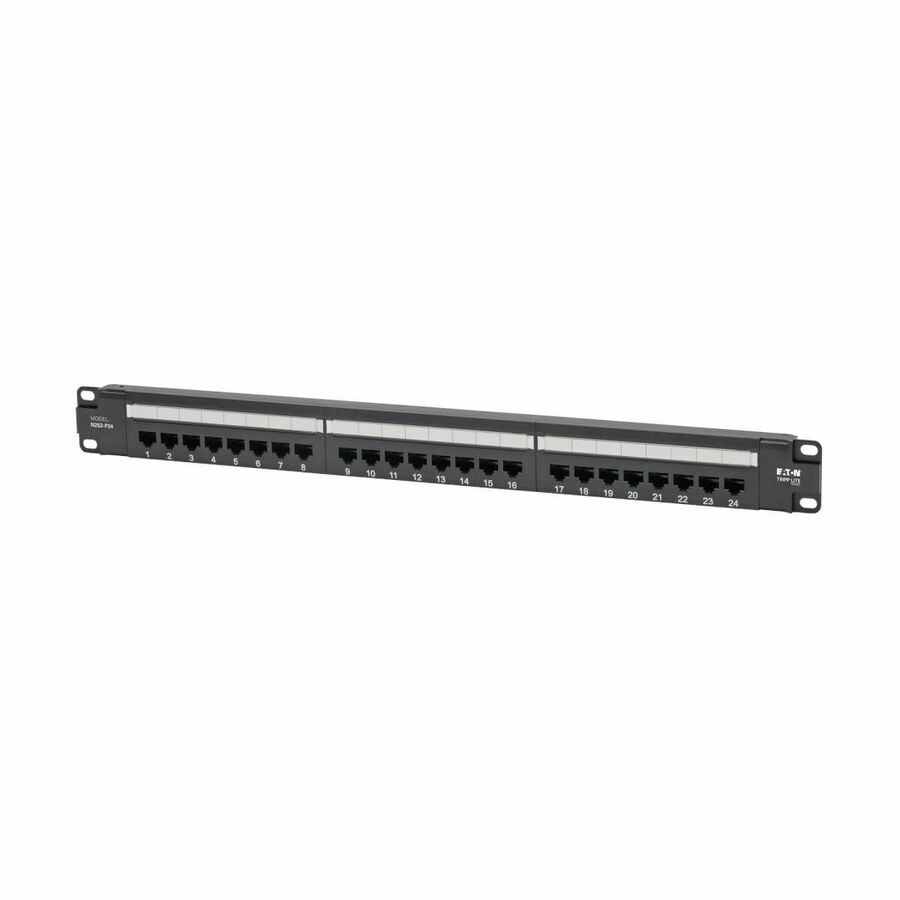
Eaton
Tripp Lite by Eaton Cat6 24-Port Patch Panel
N252-P24
A 1U 24-port Cat6 panel with 110/Krone punch-down terminations wired to T568A or T568B — the standard build for a closet whose port type is settled.
$161.34*In stockCat6A, 24 port
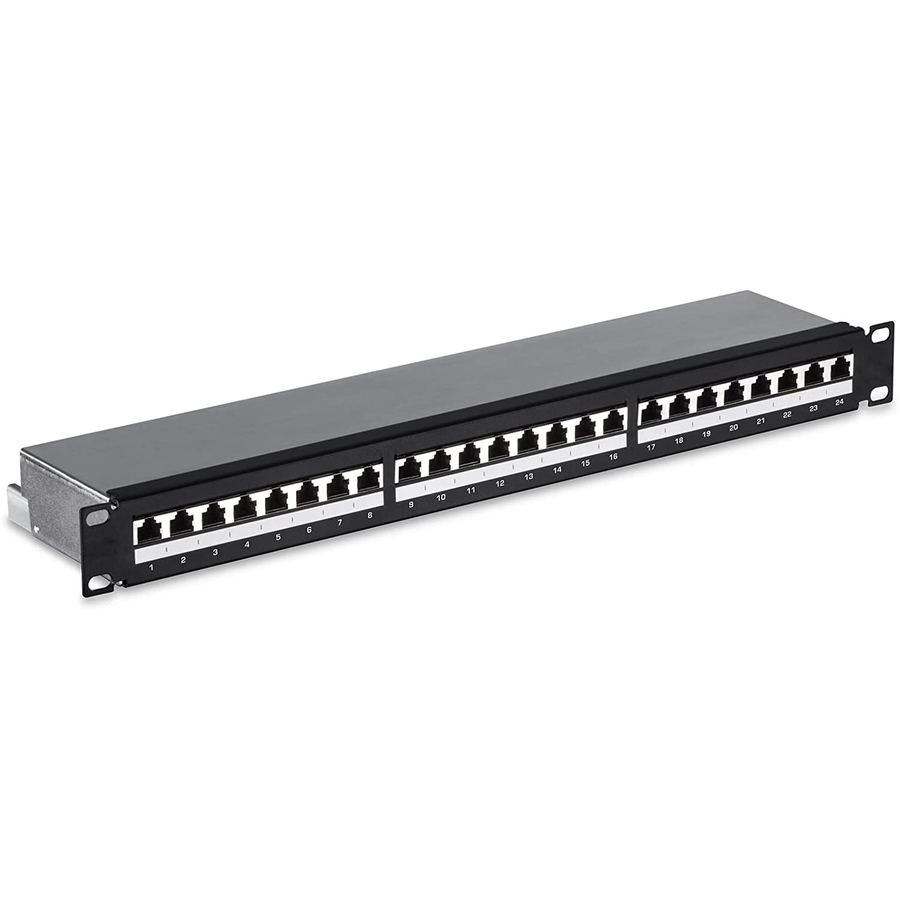
4XEM
4XEM CAT6A 24-Port Patch Panel
4XCAT6APATCH24
A 1U 24-port Cat6A panel for runs specified at Cat6A, so the panel does not become the lowest-rated component in the channel.
$68.51In stockBlank keystone
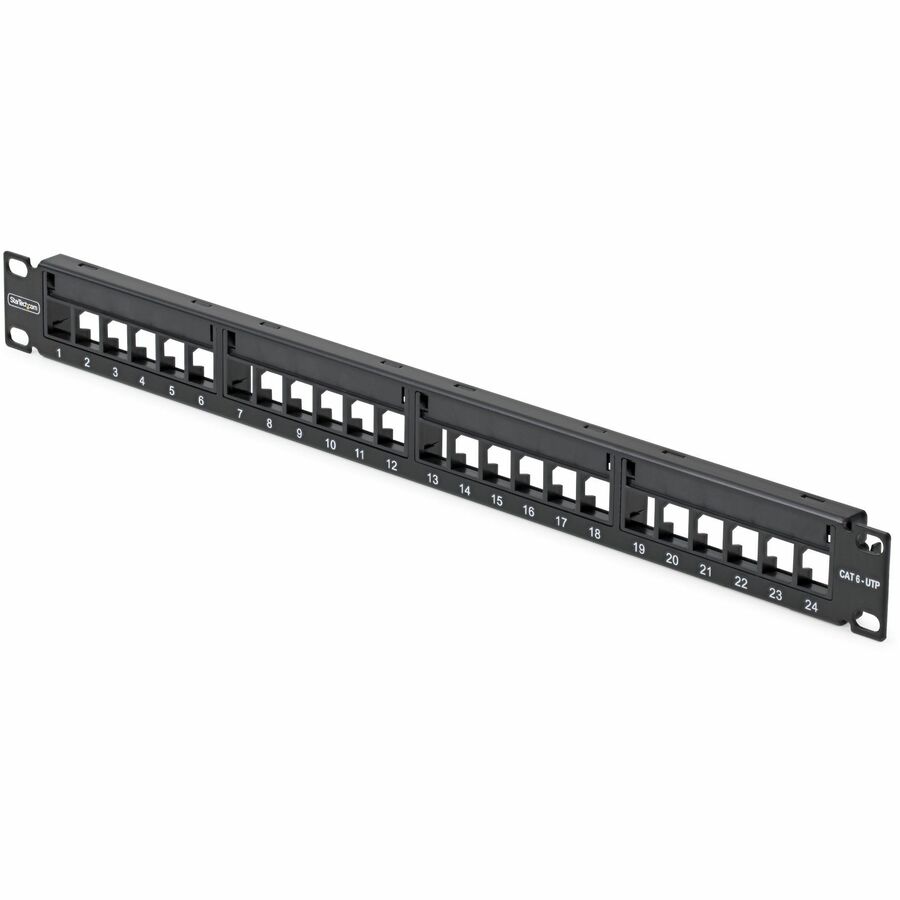
StarTech.com
StarTech 24 Port 1U Blank Keystone Patch Panel, Rackmount Cat6 Patch…
C6PANELUTP241U
A 24-port 1U blank panel that takes UTP keystone jacks, for a rack that mixes connector types or is expected to change.
Jacks are bought separately — count them with the panel or the rack arrives half finished.
$18.85*In stockFrequently asked
- What's the difference between a patch panel and a network switch?
- A switch is active equipment that powers up and forwards network traffic between devices. A patch panel is passive — it has no electronics and moves no data on its own. It simply terminates permanent cabling and presents it as organized ports, which are then patched to the switch. They work together: the panel organizes the cabling, the switch does the networking.
- Can I just plug cables straight into the switch instead of using a patch panel?
- For a few devices near the switch with no in-wall cabling, yes. But once runs are concealed in walls or ceilings, terminating them at a patch panel is the maintainable approach. It keeps rigid solid-core cable out of the switch, lets you make changes by repatching a cord, and is generally expected for a certified, warrantied structured cabling system.
- Should I choose a punch-down or a keystone (modular) patch panel?
- Punch-down panels have jacks built in — lower cost per port and a very clean rear, but the port type is fixed. Keystone panels use empty slots that accept individual snap-in jacks, so you can mix copper, fiber, and coax and replace a single damaged jack easily. Choose punch-down for uniform, budget-sensitive copper installs; keystone when you value flexibility and mixed media.
- Does a patch panel's category rating (Cat6 vs. Cat6a) really matter?
- Yes. A cabling channel performs only to its lowest-rated component, so a Cat6 panel will cap a Cat6a run at Cat6 performance. Match the panel's rating to the cable and jacks in the link. Cat6a panels are also physically larger and more spaced out to handle thicker cable and control alien crosstalk, which affects rack space and cable management planning.
Sources
Keep reading