
Rugged Tablets for Field Teams: How to Choose the Right Model and Request a Quote
Choose rugged tablets around the work your team actually does. Compare operating systems, screen sizes, connectivity and accessories, then build a quote-ready model list.
By Uniqcli Team · · 10 min read
Key takeaways
- Define the application, working environment and shift before selecting a tablet model.
- Match the operating system to required software, security controls and peripherals.
- Compare exact SKUs, including connectivity and accessories, rather than family names alone.
- Evaluate screen usability and carrying weight together in a representative field trial.
- Request current stock, lead time and any required origin documentation for the quoted configuration.
- Price the complete working kit, including charging, mounting, support and deployment needs.
On this page
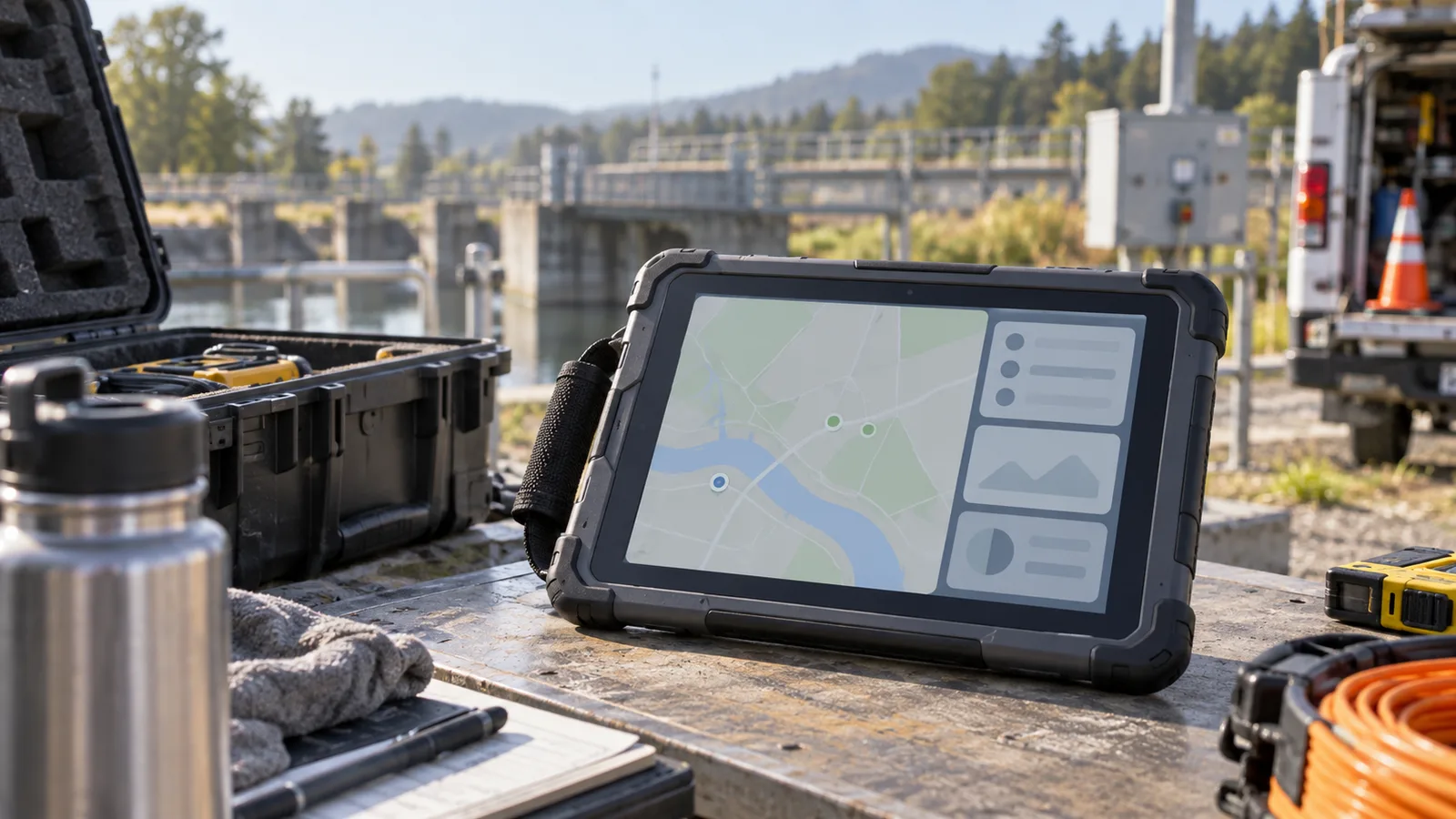
A field tablet has to do more than survive a drop. It has to show the right application in bright light, stay connected where the work happens, fit the person carrying it and make it through a shift. If any of those pieces are missing, a device with an impressive specification sheet can still slow the team down.
That is why buying rugged tablets for field teams should start with a workday, not a brand. Samsung rugged tablets and Zebra rugged tablets deserve consideration, but the useful comparison is between specific configurations that can run your applications and support your deployment.
This guide explains how to compare Android and Windows rugged tablets, match operating systems and screen sizes, check stock before ordering and prepare a bulk tablet quote that purchasing can act on.
Start with the field team's actual work
Write a short description of what a worker needs to accomplish without returning to a desk. A facilities technician might open a work order, inspect equipment, photograph an issue and record parts used. A warehouse employee might scan repeatedly while wearing gloves. An inspector might read plans outdoors and complete forms where network coverage is inconsistent.
Each description leads to different priorities. Frequent scanning may make scanner placement more important than a faster processor. Large drawings may justify a bigger screen. Long periods of standing may make total carrying weight the deciding factor.
Ask a supervisor and a regular user to identify the three most frustrating parts of the current workflow. Then turn each frustration into a requirement that can be tested. “The tablet must work outside” is too broad. “A technician must read this inspection form in direct daylight while wearing approved gloves” gives a pilot team something concrete to evaluate.
Separate mandatory requirements from preferences. This prevents an attractive extra from outweighing an application or connectivity requirement that the team cannot work around.
Android or Windows: decide around the application
Android rugged tablets are worth evaluating when the organization already uses mobile applications, browser forms or an Android device management approach. Windows rugged tablets merit a close look when field work depends on a Windows application, particular drivers or a desktop workflow that must remain available away from the office.
The operating system name alone does not establish compatibility. Test the actual application version with authentication, attachments, scanning and any offline mode enabled. A form that loads correctly in a browser can still behave differently when a worker must capture a photograph, sign a record or reconnect after losing coverage.
Application support
What to verify: Required OS version and vendor support. Why it matters in the field: Avoids an unsupported deployment.
Identity and security
What to verify: Sign-in method, certificates and management enrollment. Why it matters in the field: Keeps access practical and controlled.
Offline work
What to verify: What can be saved, edited and synchronized. Why it matters in the field: Defines how work continues without coverage.
Peripherals
What to verify: Scanner, printer, receiver or diagnostic-tool compatibility. Why it matters in the field: Prevents a working tablet becoming an incomplete kit.
Updates
What to verify: Support period and the team's update process. Why it matters in the field: Helps plan the replacement schedule.
Input
What to verify: Touch, stylus, keyboard and glove use. Why it matters in the field: Matches the device to the task.
Bring IT into the selection before requesting final pricing. An inexpensive device becomes a difficult purchase when the organization cannot enroll it, support its software or connect a required peripheral.
Use Samsung and Zebra models to build a focused shortlist
Manufacturer examples can help establish useful comparison points. They should not substitute for a quote showing an orderable part number.
Samsung's Galaxy Tab Active5 specification sheet identifies an 8-inch display and an Android platform. It also documents the device's durability ratings and related test conditions. Those details make it a useful compact-tablet reference when screen size and portability are central to the evaluation. Confirm the exact regional and connectivity configuration, current software support and required accessories before selecting a SKU. Samsung Galaxy Tab Active5 specifications.
Zebra's ET60 and ET65 specifications describe Android tablets with 10.1-inch displays. Zebra's broader ET6x family also includes Windows models, identified as ET60W and ET65W. This is a useful reminder to preserve every character of a model number: the family name does not tell purchasing which operating system to expect. Zebra ET60/ET65 specifications and Zebra ET6x models.
These are comparison examples, not a statement that a particular configuration is currently stocked, suitable for every agency or verified for a specific acquisition requirement. A good shortlist contains two or three clearly described configurations that meet the same essential needs. That gives the buyer a meaningful choice without turning the quote request into a catalog search.
Rugged tablets to shortlist
Samsung
Samsung Galaxy Tab Active5 Rugged Tablet
$817.14In stockZebra Technologies
Zebra ET6x ET65 Rugged Tablet
$3,278.59In stockZebra Technologies
Zebra ET6x ET60W Rugged Tablet
$4,875.86*In stockZebra Technologies
Zebra XPAD L10ax Rugged Tablet
$5,504.97In stock
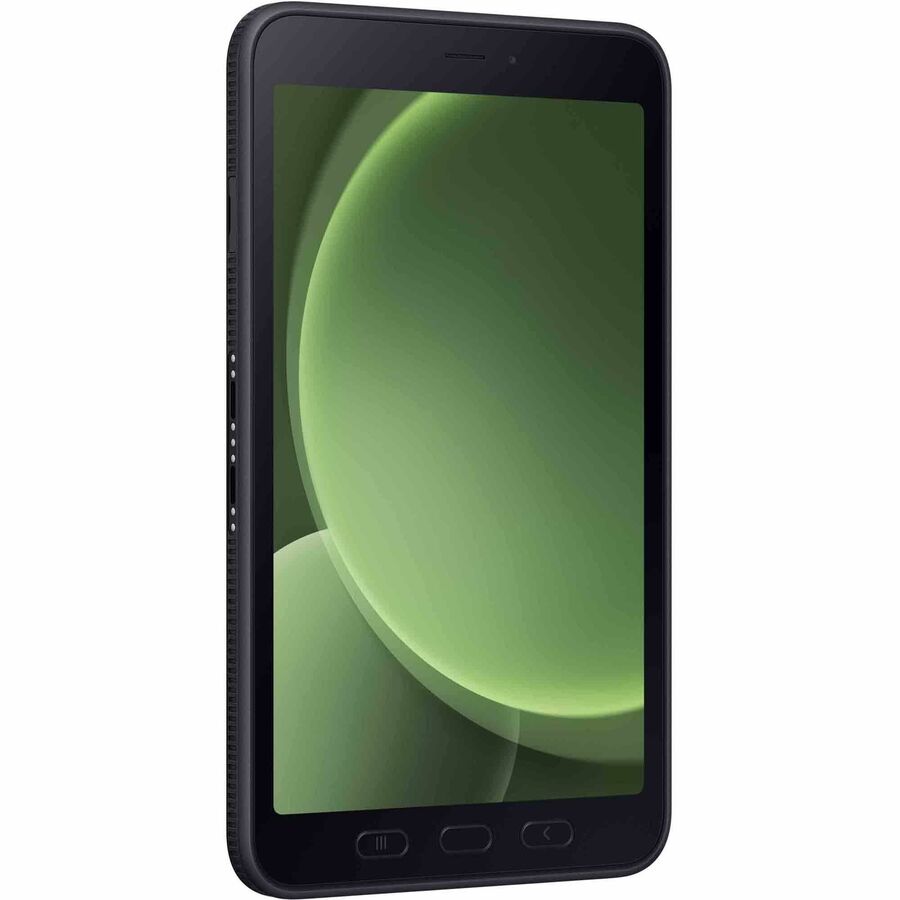
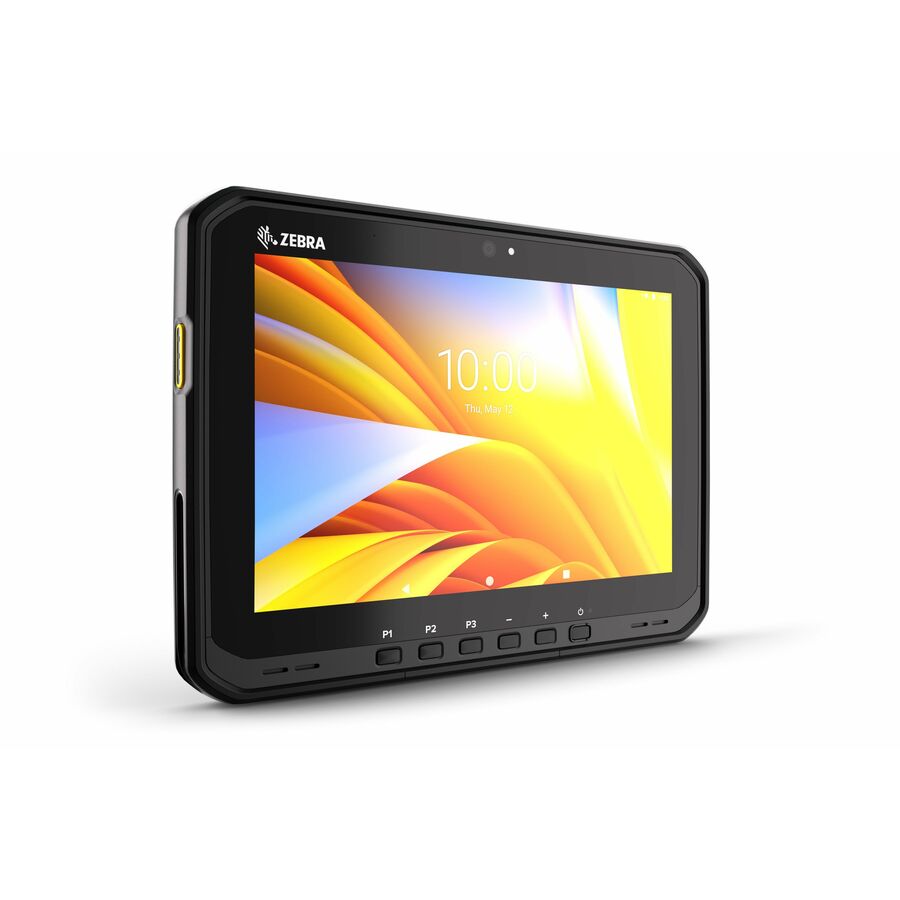
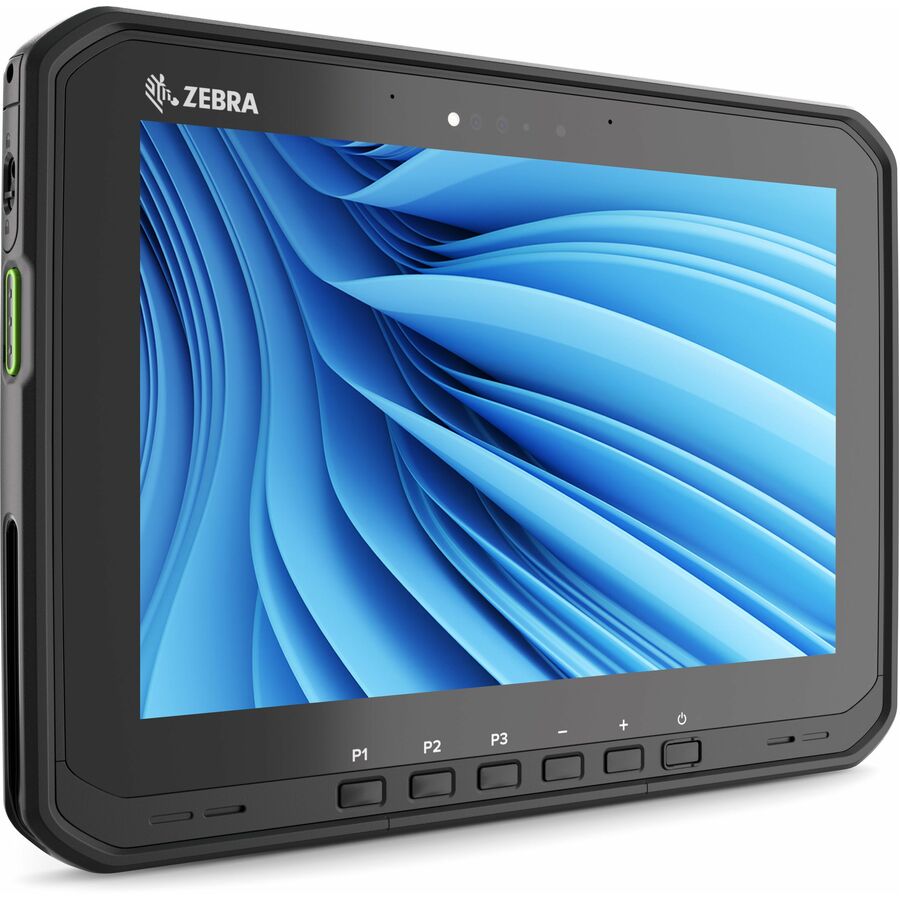
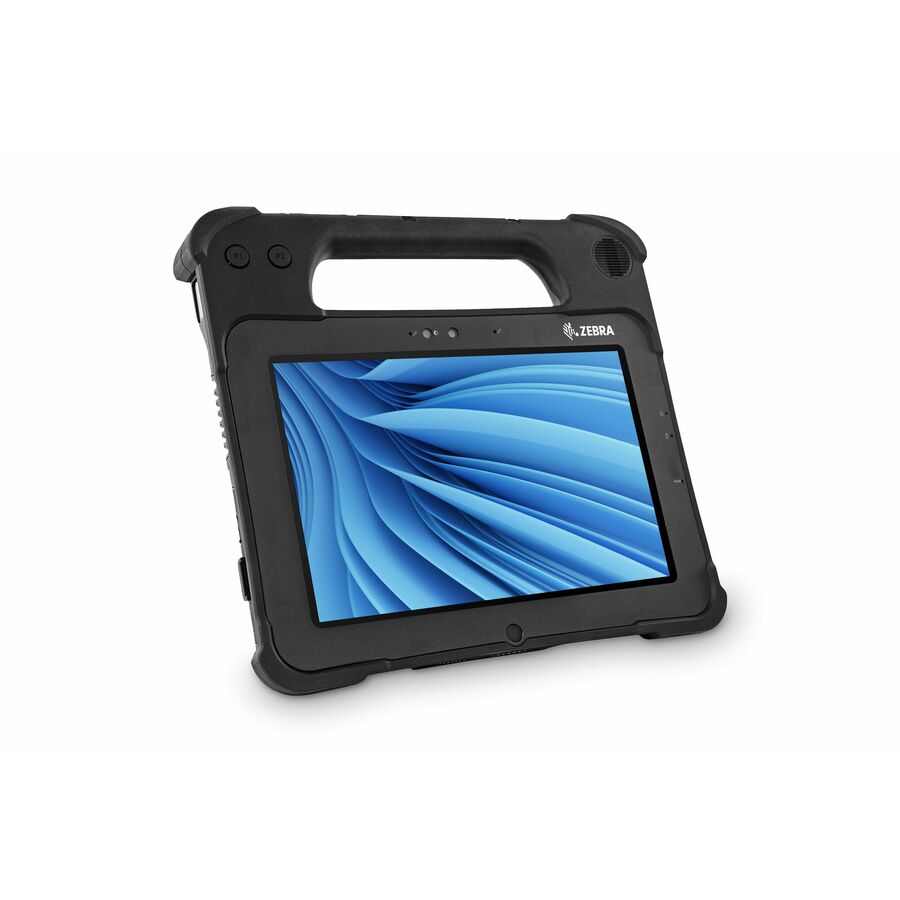
Samsung Galaxy Tab Active5, Zebra ET65 (Android), Zebra ET60W and XPAD L10ax (Windows). Price and availability resolve from the live catalog.
Match screen size to movement and reading distance
A smaller screen can be easier to carry through a long inspection route. A larger screen may be preferable when workers need to view a drawing beside a checklist or read detailed information on a vehicle mount. Neither choice is automatically better.
Evaluate the actual application at the text size people will use. Check whether menus remain reachable when the tablet is held with a strap. Try a common form while standing, seated and wearing the usual protective equipment. Include the case, battery and any handle in the weight comparison.
For mounted use, place a test unit where the final mount would sit. Confirm that the screen is readable from that position and that the installation does not obstruct controls or visibility. Also consider how easily the worker can remove the tablet, carry it to the task and reconnect it afterward.
Read durability claims as test conditions
“Rugged” is a starting point for investigation. Ask which conditions the exact configuration was tested for and whether the intended accessories change those conditions. Review temperature ranges, sealing, drop information and the manufacturer's care instructions against the environment where the tablet will operate.
A team working around dust has different needs from one cleaning devices repeatedly or moving between a cold storage area and a warm loading bay. List those exposures plainly. Do not assume a general ruggedness label establishes suitability for chemicals, hazardous locations or every cleaning process.
If an environment requires a specific certification, put that requirement directly in the quote request. The supplier should identify a matching configuration and supporting documentation, or flag the gap before an order is placed.
Build the complete kit before comparing prices
The tablet is only one line of a field deployment. A worker may also need a hand strap, stylus, spare battery, charger, vehicle dock, keyboard or compatible scanner. Shared devices may need a charging area sized for the number of units returning at shift change.
Create a kit for each worker type. For example, a hypothetical inspection team might use handheld tablets with straps and spare charging capacity, while supervisors use keyboards at a staging desk. That does not require two entirely different device fleets if the selected platform can support both arrangements.
Ask for accessories as separate quote lines with their own part numbers and quantities. Confirm what is already included with the tablet. This makes it easier to compare offers and avoids buying duplicates or discovering that a required power supply was omitted.
The support plan deserves the same attention. Clarify how repairs are initiated, where devices are sent and what the team will use while a unit is unavailable. Price spare capacity deliberately instead of relying on an informal assumption that someone will share a device.
Check stock and lead time by configuration
“Available” should answer a specific question: how many units of the exact SKU can support the planned order, and on what schedule? An online listing does not establish that a full fleet can ship together.
Give the supplier quantities, delivery locations and a required deployment date. Ask whether the proposed schedule covers tablets and accessories together. A dock arriving after the installation team has finished can be more disruptive than a tablet arriving late.
If substitutions are acceptable, define the boundaries. An alternate should preserve required OS support, screen usability, connectivity, management compatibility and accessory fit. Request written approval before any part number changes. Record the quote's validity period and when availability was checked so an older estimate does not become an assumed shipping commitment.
Plan agency documentation and purchasing early
When evaluating tablets for agencies, include the solicitation's actual requirements in the initial request. If trade agreement requirements apply, ask for documentation tied to the exact offered product. Brand name, headquarters location and product-family marketing are not sufficient substitutes for that review. The applicable clause and acquisition terms govern the determination. FAR 52.225-5, Trade Agreements.
Keep the approved quote, technical configuration and required supporting documents together. For a multi-location rollout, identify who will receive each shipment and who will verify that delivered part numbers match the approved list.
State the intended purchasing method early, whether it is a purchase order or authorized purchasing card. Confirm order instructions and payment terms in the quote rather than assuming that a PO automatically provides a particular credit arrangement.
What to include in a bulk rugged tablet quote request
Send a complete starting brief even if you have not selected the final model:
1. Workload: the main applications, field tasks and required peripherals.
2. Preferred models: manufacturer, full part number and any approved alternatives.
3. Configuration: OS, screen-size range, memory, storage and connectivity needs.
4. Environment: expected exposure, gloves, vehicle use and any required certifications.
5. Kit contents: chargers, batteries, docks, straps, keyboards and support requirements.
6. Quantity and timing: pilot units, deployment quantity, delivery sites and need-by date.
7. Procurement requirements: documentation, purchasing method and substitution rules.
For an initial deployment, request a pilot quote and a separately priced rollout quantity. That creates room to validate the workflow while giving purchasing a view of the larger commitment.
Frequently asked questions
Are Samsung or Zebra rugged tablets better for field teams?
Compare specific models against the work. Start with required software and then evaluate screen usability, scanning, carrying weight, accessories and support. A controlled trial using the same tasks is more useful than choosing a manufacturer based on a general reputation.
Should we choose Android or Windows rugged tablets?
Choose the platform that supports the required applications, identity controls and peripherals. If both platforms qualify, compare enrollment effort, user experience and ongoing support. Include a real offline and reconnection test when employees work beyond dependable coverage.
What is the best screen size for a rugged tablet?
The best size depends on what people read and how they carry the tablet. Compact devices may suit mobile forms and frequent walking; larger displays may suit plans or mounted use. Test the full kit with the actual application before standardizing.
Can we request tablet quotes before we know the exact SKU?
Yes. Provide a clear requirements brief and ask for a small number of configurations with complete part numbers. Require each option to identify differences and omissions so the final approval is based on a defined kit.
How should we check stock before ordering a fleet?
Request a current quantity and lead-time check for each tablet and accessory SKU. Include all delivery locations and ask how partial shipments would work. Reconfirm the schedule when approving the order, especially if the quote has been open for a while.
How much do rugged tablets cost for a field team?
Prices depend on operating system, screen size, memory, connectivity and the accessories in the kit, so a per-unit figure only means something for an exact part number. The rugged tablets page lists current prices by model, and a fleet quote prices tablets, docks, straps, chargers and support together so the per-worker cost is visible.
Are Samsung and Zebra rugged tablets TAA compliant?
Some part numbers are and some are not, and the answer belongs to the exact SKU and configuration. If your acquisition carries a trade agreement requirement, put it in the quote request; TAA verification is performed on request for the units being quoted.
Can we get a pilot quantity before ordering the full fleet?
Yes. Ask for a pilot quote and a separately priced rollout quantity in the same request. The pilot lets the team test the application, accessories and enrollment on real work before the larger order is placed.
Do the tablets come with a charger, stylus or hand strap?
It varies by model and region, so what is in the box is confirmed per part number on the quote. Accessories are quoted as their own lines with quantities, which is also how receiving staff check that each kit is complete.
Can government agencies buy rugged tablets by purchase order?
Yes. Purchase orders are accepted and net terms are available on approval; cards are accepted online. State the purchasing method, the billing entity and any documentation your office needs in the first request so the quote arrives ready for approval.
Which Android or Windows version do rugged tablets ship with?
It depends on the model: check the manufacturer's stated Android or Windows version and support period for the exact part number, and ask for it on the quote if the fleet must stay on a supported release for a set number of years. The product listing carries the version the vendor reports; the manufacturer's update policy governs how long it is maintained.
Turn the shortlist into an actionable quote
Start with Uniqcli's tablet category, or request a rugged tablet quote with your models, quantities and deployment requirements. Include the complete kit and ask for availability and supporting documentation by SKU.
The strongest purchasing brief describes how the tablet will be used and exactly what must arrive. That gives operations, IT and procurement the same definition of a successful deployment.
Request a rugged tablet quote
Send the models or the requirements, the kit contents, quantities and delivery sites. Pilot and rollout quantities can be priced separately.
Sources
- 1.Samsung Galaxy Tab Active5 specification sheetimages.samsung.com
- 2.Zebra ET60/ET65 specification sheetzebra.com
- 3.Zebra ET6x tablet familyzebra.com
- 4.Acquisition.gov: FAR 52.225-5acquisition.gov