
Wi-Fi 7 Access Point Checklist: The BOM Beyond the AP
A Wi-Fi 7 access point is only one line in a working wireless design. Before ordering, validate the regulatory mode, client mix, channel plan, mounting, multigig switch ports, power per AP, total PoE budget, cabling, controller or cloud support, licenses, subscriptions, optics, spares, and installation labor. The exact AP model and enabled radio configuration—not the Wi-Fi 7 label—determine the supporting bill of materials.
By Uniqcli Team · · 11 min read
Key takeaways
- Start with coverage, capacity, application, and client requirements; a like-for-like AP count is not automatically a valid Wi-Fi 7 design.
- Wi-Fi 7 can add 320 MHz channels, 4K QAM, and Multi-Link Operation, but each feature depends on band, regulation, AP, client, software, and radio conditions.
- Do not assume every Wi-Fi 7 AP needs 10GbE or IEEE 802.3bt. Verify the exact port and power modes, including features disabled at lower input power.
- A multigig port is useful only when the switch, cable channel, uplink, services path, and workload can use it.
- Standard-power 6 GHz operation in the United States uses an automated frequency coordination system; low-power indoor and other device classes follow different rules.
- Price the complete lifecycle: management, licenses, subscriptions, support, survey, installation, switch upgrades, cabling, testing, and operations.
On this page
Buying Guides
Begin with a wireless requirement
Do not start by replacing every existing AP with a current model. Define what the site needs to accomplish. Record floor plans, wall and material changes, ceiling heights, user and device density, critical applications, roaming patterns, outdoor or warehouse areas, interference, security requirements, and current incident data. Identify locations where coverage is weak separately from locations where capacity or wired backhaul is the constraint.
Create measurable acceptance criteria. Examples include minimum signal and signal-to-noise targets for a defined design area, supported client density, application latency or loss thresholds, roaming behavior, authentication time, and aggregate busy-hour performance. Values should come from the organization's application and design standards, not a generic promise in this draft.
Survey the site. A predictive model helps compare placements, but an onsite validation reveals materials, neighboring networks, device behavior, mounting limitations, and interference the drawing may omit. If construction is still underway, plan a post-install survey before final acceptance.
Understand which Wi-Fi 7 features matter
Wi-Fi 7 is based on IEEE 802.11be. The Wi-Fi Alliance's Wi-Fi CERTIFIED 7 launch materials highlight features including 320 MHz channels, 4K QAM, and Multi-Link Operation. Those are capabilities, not a guarantee that every connection uses them.
320 MHz channels are associated with the 6 GHz band. They can provide a wider transmission opportunity than 160 MHz, but available spectrum and permitted channelization vary by country. A wide channel also consumes more spectrum, so a dense design may intentionally use narrower channels for reuse and predictability.
4K QAM can encode more information per symbol than 1024-QAM under suitable conditions. It requires a high-quality link and compatible AP and client. It is a peak-rate feature, not a coverage extender.
Multi-Link Operation, or MLO, allows compatible devices to use or coordinate links across bands. Actual modes and benefits depend on AP, client, drivers, firmware, operating system, and configuration. Record tested behavior with the client types that matter.
Additional spatial streams and multi-radio designs are model-specific. Count the radio chains and streams for the exact AP and band. A platform family may include several models with different antennas, ports, and power requirements.
Use certification evidence where relevant. The Wi-Fi Alliance product search can help verify a claimed Wi-Fi certification and certified feature set for a named product. Certification does not replace a site design or interoperability pilot.
The AP selection record
Capture one approved configuration, not a family name.
Area / Evidence required
- Hardware
- Exact model, regulatory domain, antenna type, mounting orientation, and environmental rating
- Radios
- Bands, radio count, spatial streams, channel widths, and configurable modes
- Wired ports
- Port count, supported Ethernet rates, redundancy or aggregation behavior, and connector
- Power
- Supported PoE standards, maximum and typical draw if documented, and degraded modes
- Management
- Controller, cloud, or local requirements; minimum release; deployment model
- Licenses
- Feature tier, subscription term, support entitlement, and renewal owner
- Security
- WPA mode, enterprise authentication, certificates, segmentation, monitoring, and logging
- Operations
- Firmware policy, telemetry, alerting, rollback, console/recovery, and replacement process
- Accessories
- Mount, enclosure, antenna, injector, power supply, cable, patching, and lock if required
- Compliance
- Wi-Fi certification, radio approvals, environmental listing, and site-specific obligations
If one field is unknown, keep it open in the BOM review. A small accessory omission can prevent installation even when the AP itself is in stock.
Wi-Fi 7 access points in this catalog
Ubiquiti
Ubiquiti U7 Pro Tri Band Wi-Fi 7 IEEE 802.11a/b/g/n/ac/ax/be/k/r/v 5.80…
$238.73In stockEnGenius Technologies
EnGenius ECW536 Tri Band Wi-Fi 7 IEEE 802.11 a/b/g/n/ac/ax/be 18.70…
$470.09Back-orderedNetgear
Netgear WBE750 Tri Band Wi-Fi 7 IEEE 802.11 a/b/g/n/ac/ax/be 18.40…
$717.62In stock
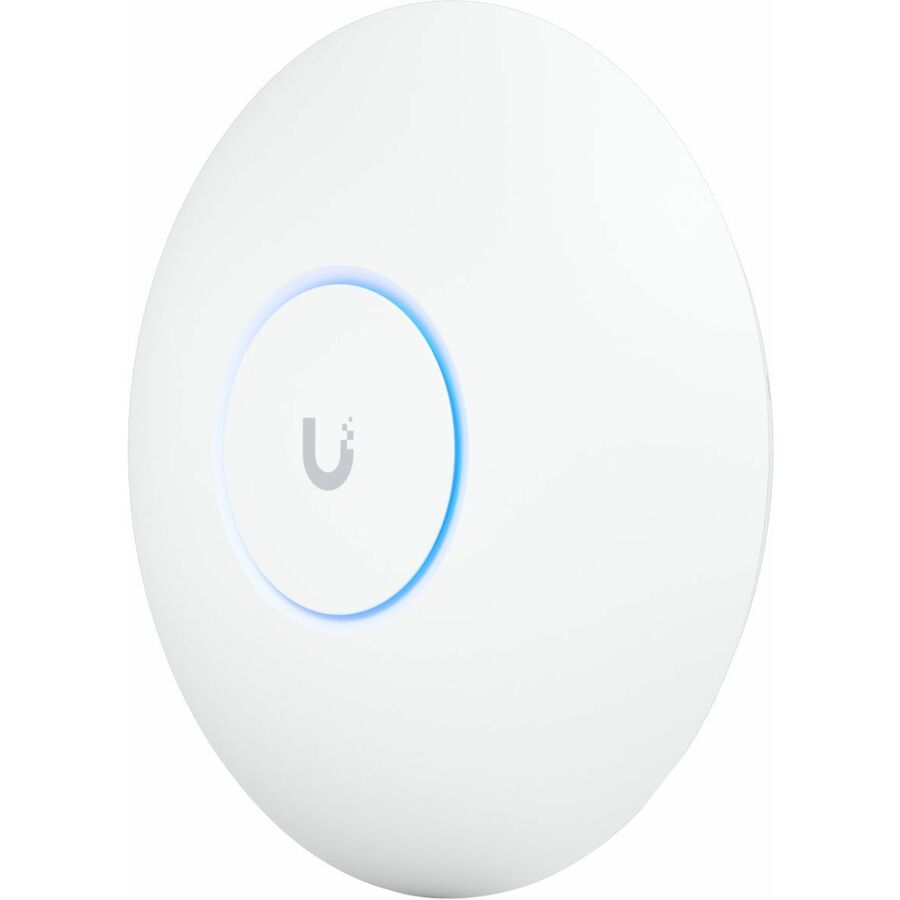
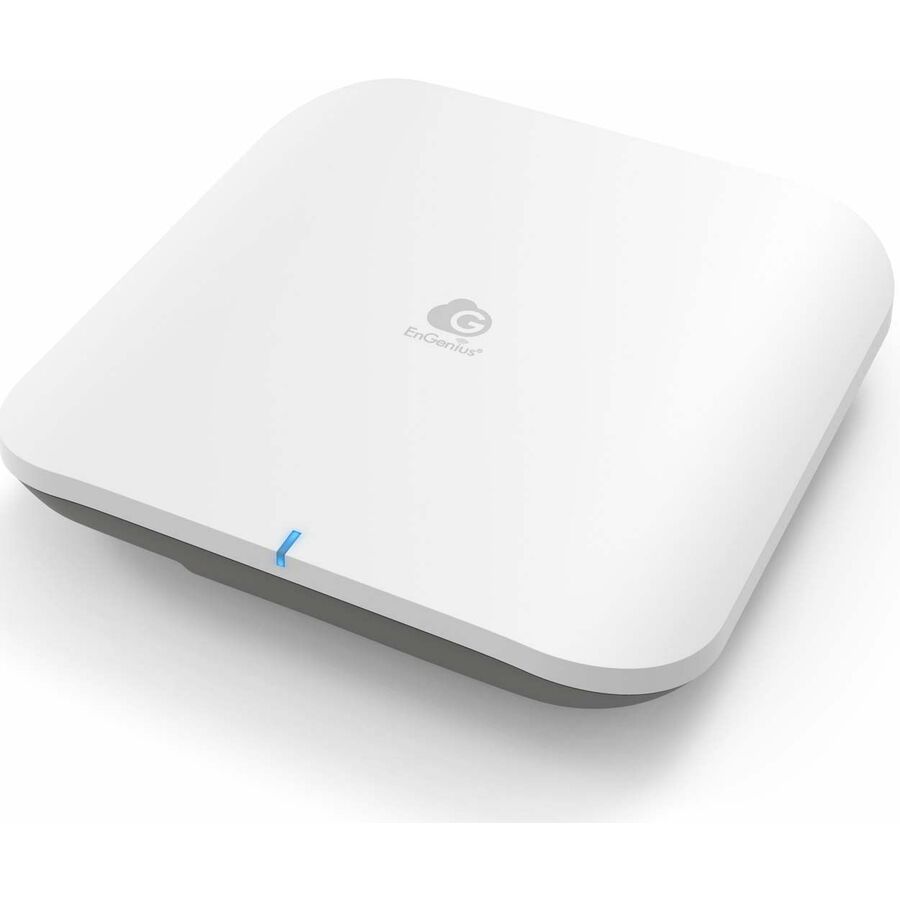
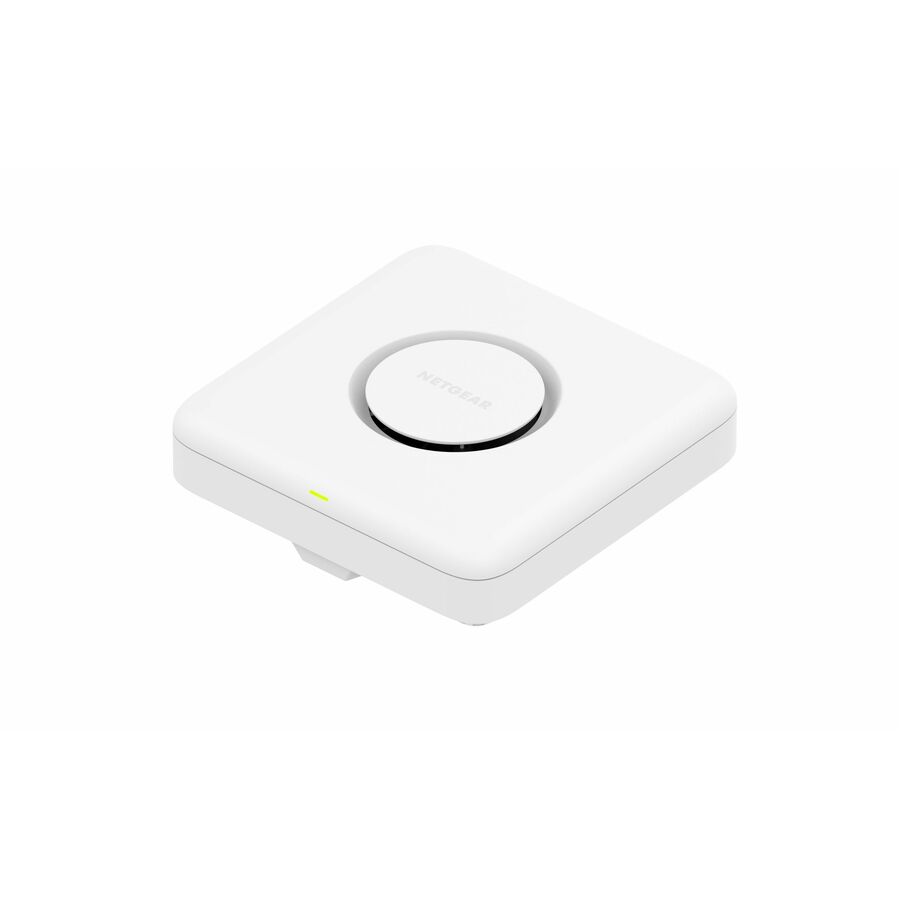
Three Wi-Fi 7 access points the hub carries, across three vendors — here as shapes to price the rest of the bill of materials against, not as a design for a particular site. A catalog listing answers none of the questions above: read the wired port rate, the PoE class and the mounting option on each product record against the switch ports and power budget the site already has. Prices and availability are read from the catalog when this page renders.
Match the regulatory and 6 GHz mode
The 6 GHz design is not one universal operating mode. In the United States, FCC rules distinguish classes such as low-power indoor and standard-power devices. Standard-power access points use an automated frequency coordination system to identify frequencies they may operate on at a location while protecting incumbent services. Other countries define their own permitted bands, power, indoor/outdoor conditions, and coordination requirements.
For each site, record:
- country and regulatory domain;
- indoor, outdoor, warehouse, or other environment;
- intended AP device class and power mode;
- whether an AFC service is required;
- who supplies and operates the AFC integration;
- location accuracy and installation data needed by the system;
- behavior if authorization or connectivity is unavailable;
- permitted channels and power after approval;
- owner for rule and service changes.
Do not order a regulatory-domain variant based only on the headquarters country if equipment will deploy elsewhere. Confirm the exact model is authorized for the destination and that the management platform supports the planned mode. A Wi-Fi 7 AP can still provide value on 2.4 and 5 GHz, but a business case dependent on 6 GHz needs verified local operation.
Size the wired port without guessing
Wi-Fi 7 AP data sheets may offer 2.5, 5, or 10 gigabit Ethernet, sometimes with more than one port. The correct switch port follows from the AP, radio design, traffic model, redundancy requirement, and existing access layer. Do not install 1GbE blindly and do not buy 10GbE everywhere solely because it is available.
Estimate realistic aggregate traffic using busy-hour users, application patterns, radio utilization, WAN and service constraints, and local traffic. A client link rate is not application throughput: protocol overhead, contention, signal quality, channel width, client capability, and shared airtime all intervene. Measure pilot traffic at the wired AP port and upstream links.
For every AP, verify:
- supported Ethernet rates and autonegotiation behavior;
- whether a multigig port works on the candidate switch at that rate;
- port feature support at the selected speed;
- any secondary-port use, aggregation, redundancy, or failover behavior;
- VLAN, authentication, discovery, quality-of-service, and management requirements;
- whether the upstream switching and firewall paths can carry the added traffic.
An access port upgrade can move the bottleneck to the closet uplink. Model oversubscription per closet and test the central service path, including authentication, DNS, DHCP, internet, WAN, security inspection, and controller traffic.
Build the PoE budget per operating mode
Power is a per-model engineering task. Current enterprise Wi-Fi 7 APs can expose different radio or feature behavior depending on their supplied PoE level. Cisco's installation and power-reference documents, for example, publish model-specific power modes and warn that behavior can change with software. That is evidence for checking the exact unit, not evidence that all Wi-Fi 7 APs share one requirement.
Build the budget from the vendor's maximum input or required source class for the intended mode. Distinguish power sourced by the switch from power available at the powered device because cable loss is part of the standard model. Add every AP on the switch, then compare the sum with the switch's available PoE budget under the chosen power supplies and redundancy policy.
Include:
- AP count and model;
- intended feature/radio mode;
- required PoE standard or class;
- planning watts per port from current documentation;
- cable length and installation conditions;
- switch total available PoE budget;
- power-supply and input-circuit configuration;
- redundant-supply behavior after a failure;
- other powered endpoints on the same switch;
- reserved margin and operating policy.
A switch may advertise that each port supports a high PoE level while lacking enough total budget to deliver that level to every port simultaneously. Test a representative full-load condition and a power-supply failure. Decide whether the response is to shed selected AP features, preserve critical APs, or keep full operation.
If injectors or local adapters are proposed, add their mounting, AC circuits, backup power, management, cable count, and replacement stock. An injector can solve a port-power mismatch without solving a 1GbE uplink constraint.
Verify the cable channel
Multigig Ethernet can operate on existing balanced copper under applicable standards, but the installed channel needs evidence. Identify category, permanent-link length, patch cords, termination, field-test history, bundled PoE conditions, and condition of the pathway. Do not infer category from jacket color or a link light.
For existing cabling, certify or qualify it for the intended application using an appropriate field test and remediate failures. Review patch panels and cords as part of the channel. For new work, specify category, jacket/listing, pathway, thermal conditions, separation, terminations, labels, and acceptance testing.
Cable planning also includes the closet uplink. If the access switches gain multigig AP ports, validate their uplink media, optics or DACs, capacity, redundancy, and supported part numbers. Preserve all test results with cable and switch-port IDs.
Controller, cloud, software, and licensing
An AP may require a controller release, cloud subscription, entitlement, or license tier before the intended feature is available. Record the current minimum and recommended release for the exact hardware. Confirm controller capacity, virtual or appliance resources, geographic availability, management network access, certificates, and high-availability design.
Price the full term, not just the AP. Include management licenses, feature subscriptions, support, analytics, location services, security services, AFC service where applicable, and renewal. Document what happens when a subscription expires: whether the AP keeps forwarding, loses management, loses features, or changes support eligibility. Use current vendor terms for that answer.
Plan firmware ownership. Define test rings, maintenance windows, rollback criteria, and how emergency security releases are handled. Keep AP and client driver changes visible together when investigating an interoperability problem.
Client readiness decides realized value
Inventory clients by wireless generation, supported bands, stream count, enterprise authentication, driver, operating system, and replacement horizon. A Wi-Fi 7 AP continues to serve older clients, but those clients do not gain Wi-Fi 7-only behavior. A business case should not multiply peak Wi-Fi 7 rates by a fleet dominated by older two-stream devices.
Build the pilot around representative endpoints: standard laptops, new Wi-Fi 7 clients, phones, scanners, printers, voice devices, specialty equipment, and any older equipment that is hard to replace. Test onboarding, certificates, roaming, power-save behavior, multicast, real-time traffic, and MLO where supported. Watch for band-steering or security changes that affect legacy devices.
Measure per-role outcomes. A dense training room, warehouse scanner aisle, executive video call, and general office floor stress different parts of the system. One clean speed test beside the AP is not acceptance.
Security and operations checklist
Review enterprise authentication, supported WPA modes, certificate lifecycle, management-plane access, administrative roles, logging, API credentials, segmentation, guest access, rogue detection, location data, and retention. Confirm whether a feature changes cloud data flows or introduces a new service endpoint.
Integrate the platform with asset inventory, monitoring, configuration backup, change control, incident response, and vulnerability management. Decide who owns AP replacement and what configuration is restored to an RMA unit. Stock the mounts and accessories required for a rapid swap, not just a bare spare AP.
Use a rollback design during migration. Preserve the old configuration long enough to return a problem area to a known state, and schedule changes so authentication and DHCP failures can be isolated from radio issues.
Complete BOM template
For each site, price and approve these categories:
- APs by exact model and regulatory domain.
- Mounts, brackets, enclosures, external antennas, and locks.
- Access-switch ports at the required Ethernet rate.
- PoE-capable switches, power supplies, cords, and UPS capacity.
- Copper cabling, patch panels, patch cords, labels, testing, and remediation.
- Closet uplinks, optics, DACs or fiber, and upstream port capacity.
- Controller, appliance, virtual resources, cloud management, licenses, and support.
- AFC or other regulatory-service requirements where applicable.
- Survey, design, installation, lift access, staging, and acceptance labor.
- Spares, RMA coverage, training, monitoring, and renewal budget.
Tie each line to an owner and source. If the project will reuse an existing component, record the evidence that it passes rather than showing it as zero cost with no validation.
Acceptance test
Validate the deployed design after installation. Check AP placement and orientation, cable results, negotiated Ethernet rate, PoE state, enabled radios, channel and power plan, controller health, authentication, DHCP/DNS, segmentation, roaming, and application behavior. Test during a representative busy period when possible.
Compare results with the predefined acceptance criteria and survey. Record exceptions by location and client type. Save the final floor plan, AP serial and mount inventory, switch-port mapping, cable reports, software versions, license records, and baseline performance. Those artifacts make later troubleshooting and capacity decisions faster.
Common buying mistakes
Buying APs before surveying. A new radio generation does not correct poor placement or unmodeled materials.
Requiring 10GbE and high-power PoE universally. Exact AP modes and measured loads should drive both decisions.
Ignoring the switch's total PoE budget. Per-port capability does not mean every port can supply the maximum simultaneously.
Assuming 6 GHz works the same everywhere. Country, device class, indoor/outdoor use, and AFC rules matter.
Using peak client rate as throughput. Airtime, overhead, signal, client design, and the upstream path affect usable performance.
Omitting licenses and operations. An incomplete BOM understates deployment and renewal cost.
Pre-cutover evidence packet
Before the change window, assemble one packet that the installation and support teams can use without reconstructing the design. Include the approved floor plan and AP orientations, regulatory domain, exact hardware and mounts, switch-port mapping, cable results, PoE calculation, controller release, licenses, channel plan, authentication dependencies, and rollback steps. Add the expected result for each acceptance test and the person authorized to accept an exception.
Stage AP firmware and configuration in a controlled environment, but confirm that site-specific location and AFC information is entered through the supported workflow where required. Verify that monitoring recognizes every AP and switch port before users depend on them. Capture a known-good configuration and inventory so an RMA device can be restored consistently.
At handoff, train the help desk to distinguish client capability, authentication, radio coverage, wired negotiation, insufficient PoE, and upstream service faults. That separation prevents an ordinary certificate or DHCP failure from being misdiagnosed as a Wi-Fi 7 radio problem.
Frequently asked questions
Does every Wi-Fi 7 access point need a 10GbE switch port?
No. Port options and traffic potential vary by AP. Select the supported wired rate that meets the design and validate traffic, cabling, uplinks, and switch features. Some sites may justify 10GbE; others may not.
Does every Wi-Fi 7 AP require PoE++?
No universal requirement applies. Check the model's installation and power guide for supported PoE modes, required source, maximum demand, and any radios or features disabled at lower power.
Is 6 GHz available for every deployment?
No. Availability and operating conditions depend on national regulation and device class. In the United States, standard-power operation uses AFC, while low-power indoor operation follows different constraints.
Will older Wi-Fi clients connect to a Wi-Fi 7 AP?
Enterprise Wi-Fi 7 APs are generally designed to support earlier generations on compatible bands, but exact security, radio, and client behavior must be tested. Older clients do not gain Wi-Fi 7-only features.
Can we reuse existing cabling?
Possibly. Document the channel category, length, patching, condition, PoE environment, and field-test result for the intended Ethernet application. Remediate failed channels before cutover.