
Server Memory Compatibility: DDR4 Wind-Down and Population Rules
Server memory is compatible only when the complete platform supports the module and the finished population. Matching "DDR4," capacity, and pin count is not enough. The CPU generation, system board, firmware, DIMM type, speed, rank, data width, capacity, voltage, error-correction design, slot order, and the modules already installed all affect whether a server boots—and whether it runs with full bandwidth after it does.
By Uniqcli Team · · 10 min read · Updated
Key takeaways
- Start with the exact server model, processor, and service documentation; never select a DIMM from the memory generation alone.
- RDIMM, UDIMM, LRDIMM, and newer buffered types are not freely interchangeable. Do not mix module types unless the platform documentation explicitly supports the finished configuration.
- Population order matters because memory channels belong to processors and platforms gain bandwidth from balanced placement.
- Mixed speeds normally operate at a common supported rate, often the slowest installed module or a lower platform-defined rate; a successful boot is not proof of an optimal configuration.
- As DDR4 supply changes, preserve validated part-number records and plan complete, balanced upgrade kits rather than buying isolated modules after a failure.
On this page
Buying Guides
Compatibility is a system question
A memory module can be electrically valid DDR4 or DDR5 and still be wrong for a server. Server vendors qualify configurations around a processor generation, board routing, BIOS, memory-controller limits, and thermal design. They publish population rules because the same sockets can behave differently depending on how many processors are installed, how many DIMMs occupy each channel, and which types and ranks are combined.
The right first question is not, "Which RAM is equivalent to this module?" It is, "Which complete memory configurations does this exact platform support with this processor and firmware?"
Capture these identifiers before searching:
- Manufacturer and complete server model or machine type.
- Generation and chassis variant.
- Service tag, serial number, or configuration identifier used by the manufacturer's support portal.
- Installed CPU model and processor count.
- Current BIOS, UEFI, management-controller, and relevant platform firmware.
- Current DIMM part numbers, capacities, ranks, speeds, and slot positions.
- Target usable capacity and workload requirement.
- Required resilience mode, if memory mirroring, sparing, or another RAS feature is enabled.
That inventory turns an uncertain part search into a configuration review.
The compatibility layers to check
Memory generation
DDR4 and DDR5 are different electrical and mechanical generations. They are keyed differently and are not interchangeable. A platform designed for one generation does not become compatible with the other through firmware or a physical adapter.
Server generation names can be misleading because vendors may sell adjacent configurations during a transition. Verify the technical manual for the exact system rather than assuming a purchase year determines DDR generation.
Module type
UDIMM is unbuffered memory. RDIMM uses a register to buffer address and command signals. LRDIMM adds further buffering to reduce load at high capacity. DDR5 server ecosystems also include platform-specific module types that must be treated as distinct.
Kingston's current server-memory guidance states that UDIMM, RDIMM, LRDIMM, and MRDIMM types cannot be mixed in the same system. Micron likewise explains that RDIMM is limited to platforms designed for registered memory. Some older DDR4 form factors can physically enter similar sockets, which makes the prohibition more important, not less.
Use the server manual's language exactly. If it says RDIMM only, do not substitute ECC UDIMM because both support error correction. ECC and buffering describe different properties.
Mainstream two-socket pick
Axiom Memory Solutions
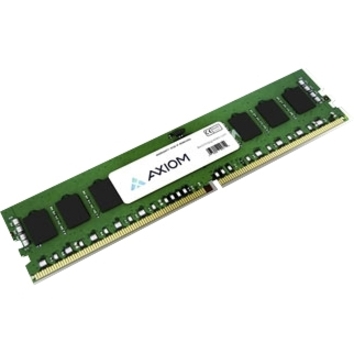
Axiom 64GB DDR4-2933 ECC RDIMM for Lenovo
4ZC7A08710-AX
A 64 GB DDR4-2933 registered ECC module built to match a Lenovo OEM part number — the shape of module a mainstream two-socket platform takes, and a concrete example of what platform qualification looks like on a line item.
Built to match a specific OEM part. Check yours before ordering: the same capacity in a different rank organization is a different module, not a substitute.
$2,140.71In stockCapacity, rank, and device organization
Capacity alone does not define a module. Rank describes a group of DRAM devices accessed together. Module labels may also include an organization such as x4 or x8. Platforms can restrict supported rank combinations, device widths, capacities per slot, or the number of ranks per channel.
Mixing capacity or rank may be allowed only in a prescribed placement. Dell's PowerEdge documentation, for example, permits selected mixed-capacity RDIMM configurations on named systems while limiting the number of capacities and requiring other population rules to be followed. That permission belongs to that platform; it is not a universal server rule.
Speed
The number printed on a DIMM is its capability, not a guarantee of operating rate. The processor, board, DIMM type, rank, and DIMMs per channel set the negotiated speed. Dell documentation notes that mixed-speed modules can operate at the speed of the slowest installed DIMM, and additional population can reduce the supported rate on some platforms.
This means a faster replacement module may work but run slower. It also means adding memory can trade frequency for capacity. Evaluate the workload: a database needing capacity may benefit despite lower frequency, while a bandwidth-sensitive application may require balanced channel population at a particular supported rate.
Voltage and electrical specification
Do not substitute modules based on marketing names that omit voltage or generation details. Use the manufacturer-supported part list and module data sheet. Low-voltage and legacy variants, persistent memory, and specialized modules can have restrictions that are not visible from capacity and speed alone.
Firmware and qualification
Firmware can contain memory training changes, platform support updates, and fixes. A new module may require a minimum BIOS level, while an old server may no longer receive qualification updates for newly manufactured components. Update planning should follow the server vendor's supported procedure and maintenance policy; do not use an unplanned firmware change as an experiment during a memory installation.
Population rules: channels before empty slots
A server socket's memory controller has multiple channels. Bandwidth comes from spreading memory across those channels according to the platform's prescribed order. Empty slots are not equivalent.
Manufacturers use visual cues such as white and black release tabs, slot labels, or diagrams. Dell's PowerEdge R650 instructions, for example, tell installers to populate white-tab sockets before black-tab sockets and define different sequences for one- and two-processor systems. HPE documentation for specific systems uses a fill-farthest approach. The two instructions are not contradictory; they apply to different physical designs.
Never convert one server's slot pattern into a generic rule. Follow the diagram for the exact chassis and CPU count.
Processor ownership
In a dual-socket server, each processor controls its own memory channels. Slots attached to an absent second processor are unavailable. When both processors are installed, vendors commonly recommend matching their memory populations for balanced performance. A capacity total that looks correct can still be concentrated on one socket and create non-uniform access penalties.
One DIMM per channel versus two
Adding a second DIMM per channel increases capacity but also increases electrical load. Depending on the platform and module combination, the supported transfer rate may fall. The manual's population table should show allowed one-DIMM-per-channel and two-DIMM-per-channel arrangements.
Balanced population
Balanced population normally means distributing equal or supported modules across the active channels and processors in the documented order. It improves aggregate bandwidth and reduces asymmetry. Dell's AMD EPYC population guidance describes fully populated channels as the highest-bandwidth, lowest-latency arrangement for that platform and lists near-balanced alternatives.
Balanced does not always mean every slot must be filled. It means the population aligns with the architecture. Use the approved table.
Installed-base pick
Axiom Memory Solutions
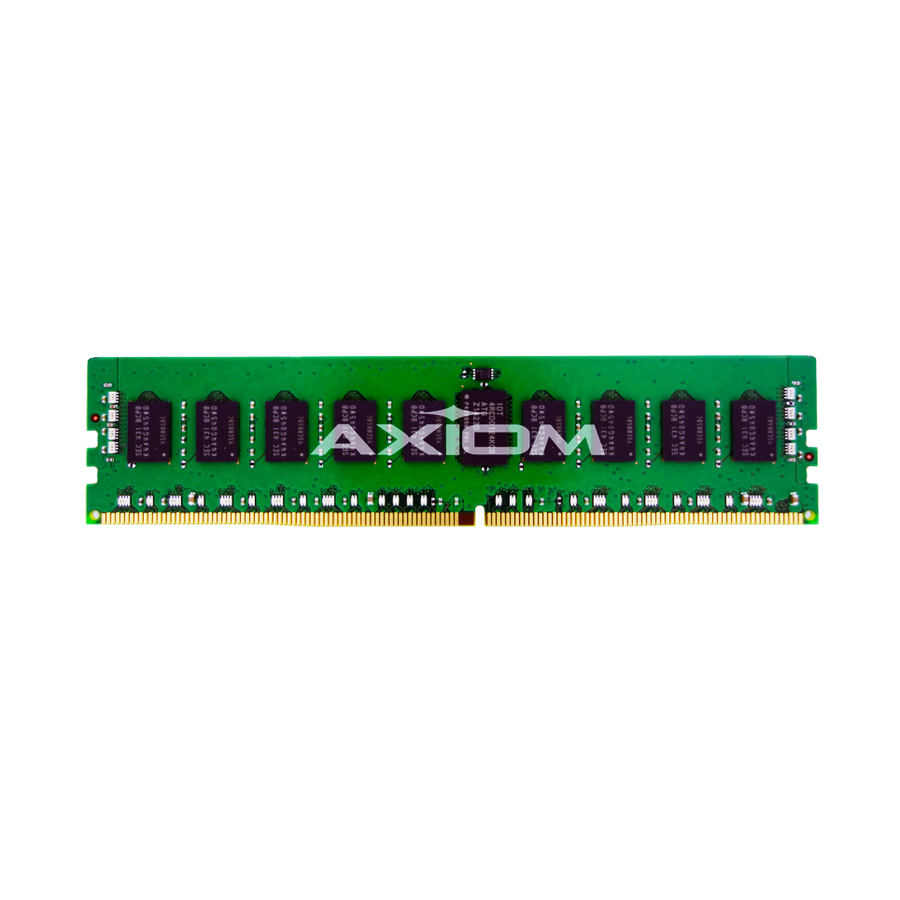
32GB DDR4-2133 ECC RDIMM for Cisco
UCS-MR-1X322RU-A-AX
A 32 GB DDR4-2133 registered ECC module built to a Cisco UCS part number — the case that gets harder every quarter, because the platform is still carrying production workloads while its module generation is being retired upstream.
For a platform that will not take a faster bin, a higher-speed module raises nothing. It runs at the platform's clock and you have paid for a bin you cannot use.
$983.75In stockA compatibility worksheet
Server model/generation
Existing configuration: exact value. Proposed configuration: unchanged. Evidence: service manual.
CPU count/model
Existing configuration: exact value. Proposed configuration: exact value. Evidence: inventory/CPU spec.
Firmware
Existing configuration: current version. Proposed configuration: required version. Evidence: vendor release notes.
DDR generation
Existing configuration: DDR4 or DDR5. Proposed configuration: same supported generation. Evidence: manual.
Module type
Existing configuration: RDIMM/UDIMM/LRDIMM/etc. Proposed configuration: one supported type. Evidence: manual/QVL.
Capacity per DIMM
Existing configuration: current. Proposed configuration: proposed. Evidence: population table.
Rank/organization
Existing configuration: current. Proposed configuration: proposed. Evidence: module label/data sheet.
Rated speed
Existing configuration: current. Proposed configuration: proposed. Evidence: module data sheet.
Expected operating speed
Existing configuration: observed. Proposed configuration: documented result. Evidence: population table.
Slot map
Existing configuration: current positions. Proposed configuration: planned positions. Evidence: manual diagram.
Total capacity
Existing configuration: current. Proposed configuration: target. Evidence: calculation.
Resilience mode
Existing configuration: current. Proposed configuration: proposed. Evidence: BIOS/manual.
Attach the worksheet to the change record. It gives the reviewer enough information to reproduce the decision and protects against a later partial reorder.
Using a RAM compatibility checker safely
A memory finder can narrow a catalog by exact part number or system family. It is not a substitute for the platform manual. Treat its result as a candidate set.
For each candidate:
- Match the server model and generation.
- Confirm the CPU supports the planned memory technology and rate.
- Check the DIMM type, generation, capacity, rank, organization, and speed.
- Verify the server vendor's supported population and any qualified-part record.
- Compare the proposed module with every installed module and slot.
- Confirm firmware prerequisites.
- Record the manufacturer part number and any vendor-specific spare or option number.
An "equivalent" listing should state which attributes are equivalent and who supports the finished configuration. Similar specifications are not proof of platform support.
Planning for DDR4 supply changes
DDR4 remains installed across a large server base, but component makers and system vendors shift capacity toward newer generations over time. That does not mean every DDR4 module disappears on one date. It means buyers should expect model-specific availability, lead time, and price to change unevenly.
The resilient response is an inventory and upgrade policy, not panic buying.
Identify systems likely to need expansion
Use utilization and application plans to find servers likely to cross a memory threshold during the remaining support period. Distinguish a genuine capacity need from poor query design, memory leaks, or a workload that should move elsewhere.
Build complete upgrade configurations now
Document the final slot map and module set required for each target capacity. Buying a balanced kit is usually safer than acquiring single modules at different times. If the platform allows mixed capacity, record the exact allowed arrangement.
Keep validated spares deliberately
For critical systems, determine whether a small pool of exact validated spares is justified. Store modules under appropriate handling conditions, track ownership, and avoid opening packaging until needed. A spare policy should be tied to system count and service coverage, not a vague fear of scarcity.
Compare expansion with platform refresh
An expensive legacy-memory expansion can be poor value if the server, processor, storage, or support term is near retirement. Compare the full cost and operational risk of extending the system with migrating the workload. Memory price alone should not decide.
Revalidate substitutions
If an originally qualified part is unavailable, do not approve a substitute from a title match. Re-run the compatibility worksheet and obtain current documentation. DRAM die revisions and module construction can change behind similar commercial descriptions.
Three modules, three platform generations
Axiom Memory Solutions
Axiom 64GB DDR4-2933 ECC RDIMM for Lenovo
$2,140.71In stockAxiom Memory Solutions
32GB DDR4-2133 ECC RDIMM for Cisco
$983.75In stockAxiom Memory Solutions
64GB DDR3-1333 ECC LV RDIMM Kit (2 x 32GB) for Cisco
$955.98In stock
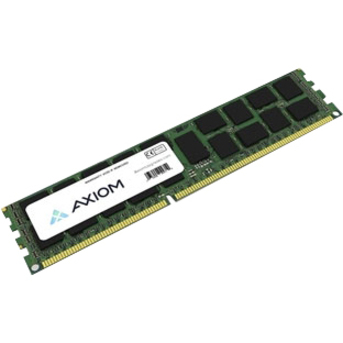
One family, three eras: a late-cycle DDR4-2933 registered module, a DDR4-2133 module for a platform still in production service, and a DDR3 kit for one that has outlived two refresh cycles. Match the OEM part number, not the capacity.
Installation and commissioning
Before the window
- Back up the server configuration and confirm workload protection.
- Photograph and export the current slot map.
- Record current capacity, speed, health alerts, and error logs.
- Confirm antistatic handling and the shutdown procedure.
- Verify the proposed parts and firmware prerequisites one final time.
During installation
- Remove power according to the service manual.
- Use the exact population sequence and slot labels.
- Keep module type and planned symmetry intact.
- Seat modules fully and inspect latches.
- Do not move unrelated modules unless the approved plan requires it.
After installation
- Confirm the expected total capacity and operating speed in firmware and the operating system.
- Check that every channel and processor reports the planned population.
- Review corrected and uncorrected memory events.
- Run the vendor's supported diagnostics and a workload-appropriate memory test.
- Verify NUMA visibility and application performance where relevant.
- Update the asset, slot map, part-number, and change records.
A successful POST is only the first checkpoint. The accepted result is stable diagnostics, the planned channel map, and expected workload behavior.
Common failure modes
Mixing RDIMM and UDIMM. ECC does not make them interchangeable; buffering mode differs.
Putting modules in the next visually empty slot. That can create an unbalanced population or occupy a slot belonging to another processor.
Ordering by capacity and speed only. Rank, organization, type, firmware, and qualification still matter.
Expecting the label speed. The finished configuration negotiates within processor and population limits.
Using a finder result as final approval. It is a discovery tool; the server manual and exact configuration remain authoritative.
Buying legacy memory without a lifecycle comparison. Capacity can extend a useful platform, but it can also deepen investment in a server approaching support or performance limits.
What to require from a substitution proposal
When the originally specified module is unavailable, require the proposer to map the replacement attribute by attribute. The response should name the original and proposed manufacturer part numbers; server model and processor; DDR generation; module type; ECC mode; capacity; rank and organization; rated speed; voltage; firmware requirement; intended slots; and expected operating speed. It should also identify who warrants compatibility.
Reject a proposal that offers only capacity, speed, and the word "compatible." Those fields do not prove the population will train or remain supported. If the platform vendor publishes a qualified list, capture the relevant record. If a third-party memory manufacturer provides its own system-specific guarantee, retain that document without rewriting it as an OEM approval.
For a multi-server order, test the proposed configuration in a representative system before opening the entire lot. Preserve rollback modules and configuration evidence through the validation window. That small staging step is cheaper than discovering a rank, firmware, or population conflict across every host during the same maintenance period.
Accept and record the delivered memory
Compatibility work continues at receiving. Compare the delivered manufacturer and reseller part numbers, description, capacity, generation, module type, rank, speed grade, and quantity with the approved BOM before breaking seals or scheduling downtime. Record any substitution and send it back through platform validation; similar capacity and speed labels do not establish equivalence.
Photograph labels only within the organization's asset-data policy, and capture serial or lot information when warranty or failure analysis requires it. Inspect packaging and modules for damage, then follow the server vendor's handling and installation procedure. Keep removed DIMMs identified by original slot so rollback remains possible.
After installation, record slot population, firmware, trained speed, reported capacity, health status, and the memory diagnostic result. Monitor corrected and uncorrected error telemetry through a representative workload and restart cycle. If the platform trains below the expected rate, do not override settings until the population rules, processor limits, mixed characteristics, and firmware are reviewed. The final asset record should make the configuration reproducible for the next expansion.
Frequently asked questions
Can I add faster server memory to slower installed DIMMs?
Possibly, if the platform supports the exact module, but the finished population commonly runs at a shared supported rate and may fall to the slowest module or another platform-defined speed. Check the server's population table rather than assuming the faster label will be used.
Can RDIMM and UDIMM be mixed if both are ECC?
No, not on modern platforms unless documentation explicitly says otherwise; current vendor guidance treats registered and unbuffered types as incompatible. ECC describes error correction, while RDIMM versus UDIMM describes buffering of command and address signals.
Does every slot work with one processor installed?
No. Multi-socket servers assign memory channels and slots to particular processors. Slots attached to an absent processor are unavailable. Use the single-processor population diagram for the exact model.
Is the same manufacturer part number enough to guarantee compatibility?
It is strong identification evidence but still must be evaluated within the server model, CPU, firmware, and complete population. Vendor-specific option or spare numbers and qualification records may also matter for support.
Should we buy DDR4 spares now?
Only from a documented risk calculation. Identify critical installed systems, support coverage, failure history, future capacity needs, and refresh dates. A small validated spare pool can be sensible; undirected stockpiling can strand parts when systems retire.
Keep reading