
Server CPU Sizing: Cores, Clock Speed and the Licensing Bill
Core count and clock speed are the easy half of the decision. The half that sets the five-year cost is how many cores your hypervisor, operating system and database charge you for — including the cores a licensing floor bills you for whether you bought them or not.
By Uniqcli Team · · 9 min read

Key takeaways
- VMware Cloud Foundation is reported to license a minimum of 16 cores per physical CPU, so a sub-16-core processor pays for cores it does not have.
- Windows Server applies its own floors — 8 core licenses per processor and 16 per server — which makes moving up to the floor effectively free.
- Clock speed wins where the software bill scales with cores and the work does not, notably per-core-licensed databases and single-threaded jobs.
- Core count wins under per-socket or unlimited-virtualization licensing, and where halving the host count removes fixed per-host costs.
- Memory bandwidth comes from populated channels, not installed capacity — fill every channel first, then choose module size and check the 2-DIMM-per-channel speed grade.
On this page
Buying Guides
The processor decision is a licensing decision wearing a spec sheet
Most guidance on server processors stops at a truism: pick clock speed for single-threaded work, pick cores for parallel work. That is correct, and it is not the decision. In an enterprise or agency environment the processor you choose sets a recurring software bill that will outrun the silicon's purchase price well inside the refresh cycle, because the hypervisor, the server operating system and in many cases the database all meter by the core. Worse, several of them meter by a floor — a minimum number of cores charged per physical processor regardless of what you actually installed. Choose a low-core-count CPU without checking the floor and you will pay for cores that do not exist. This guide works the decision in the order the money actually flows: licensing model first, workload shape second, silicon third, then the memory and platform consequences that follow from the core count you land on.
Minimum licensed per physical CPU under VMware Cloud Foundation's per-core subscription model, as reported by Redress Compliance — a 12-core CPU is still billed at 16
Windows Server core-license minimums — 8 core licenses per physical processor and 16 per server — applied whatever the installed silicon actually has
SQL Server's minimum core licenses per physical processor under per-core licensing; core licenses are sold in two-core packs
The factor Oracle's published Core Factor Table assigns to most x86 cores, so 64 physical cores counts as 32 processor licenses under that model
Start from the license, not from the CPU list
There are four licensing shapes in a typical rack, and they pull in different directions. Per-core with a floor — the model VMware moved to under Broadcom, and the model Windows Server has used since 2016 — charges for every physical core in the host and refuses to charge for fewer than a stated minimum. Per-core without a meaningful floor, which is roughly how SQL Server behaves above its four-core-per-processor minimum, charges strictly for what you deploy. Per-socket or per-system subscriptions, common in the Linux world, are largely indifferent to core count. And processor-factor models, of which Oracle's Core Factor Table is the best-known, multiply physical cores by a published coefficient before charging.
The practical consequence is that the same workload can have two very different five-year costs depending on which of those models dominates your stack. A virtualization host running a per-core hypervisor and a per-core guest OS is charged twice for every core you add. A bare-metal Linux application server on a per-system subscription is charged once for the box, and the core count is nearly free. Nobody can tell you which processor to buy without knowing which of those two your host is.
Two floors are worth memorizing because they are the ones that produce invisible waste. The per-CPU minimum reported for VMware Cloud Foundation means a host built with sub-16-core processors licenses cores it does not have; buying an 8-core part to save on licensing achieves nothing at all, and the cheaper silicon is simply lost value. Windows Server's minimums work the same way from the other end: eight core licenses per physical processor and sixteen per server, so a two-socket host is licensed for at least sixteen cores even if it holds two four-core CPUs. Below those thresholds, adding cores is free in license terms — which usually means the right answer is to go up to the floor, not to stop short of it.
Where clock speed actually wins
Frequency wins wherever the software bill is proportional to cores and the work is not. The canonical case is a per-core-licensed database. If a workload needs a fixed amount of throughput and you are paying per core to deliver it, then a processor that does more work per core reduces the license count directly. This is why frequency-optimized parts — fewer cores, higher sustained clocks, often a larger cache slice per core — exist as a distinct product line in every server CPU family, and why they can be the cheaper choice overall despite a higher price per socket.
Frequency also wins where the work simply cannot be parallelized. Single-threaded batch jobs, older line-of-business applications, license servers, some engineering and simulation front ends, and most interactive latency-sensitive paths spend their time on one core at a time. Doubling the core count does nothing for them; raising the clock and the per-core cache does. The tell is a monitoring graph showing one or two cores pinned while the rest of the socket idles — a shape that no amount of consolidation planning will fix.
The honest caveat is thermal. Sustained all-core frequency is not the boost number on the datasheet, and the difference between them depends on chassis airflow, ambient temperature and the power limits configured in firmware. A frequency-optimized part in a dense 1U chassis with restricted airflow can hold a lower all-core clock than its specification suggests. If you are buying frequency specifically to reduce a license count, confirm the sustained all-core figure for the exact chassis and cooling configuration, not the marketing peak.
Where core count actually wins
Cores win where the licensing is per-socket, per-system or unlimited-virtualization, and where the work is genuinely parallel. A Linux application estate on a socket-based subscription, a container platform packing many small services, a virtualization host licensed under a Datacenter-style edition that allows unlimited guest instances — all of these convert additional cores into additional capacity without a proportional software bill. In those environments, the density argument for high-core-count processors is straightforward, and the constraint moves to memory and I/O rather than licensing.
Consolidation ratio is the second argument, and it is the one that usually decides. Every physical host carries fixed costs that have nothing to do with its processors: rack units, power and cooling circuits, network ports, out-of-band management, firmware maintenance windows, and per-host software that is charged per instance rather than per core. Halving the host count by doubling the cores per host removes those fixed costs even when the per-core software bill stays flat. That is the real case for density, and it is far more durable than a benchmark comparison.
The ceiling arrives faster than most sizing exercises assume. Cores need memory bandwidth, and memory bandwidth comes from populated channels, not from installed capacity — a host with all its capacity on two channels will starve a high-core-count processor no matter how many gigabytes it reports. Cores also need I/O: a densely consolidated host aggregates the network and storage traffic of everything it absorbed, and that traffic has to fit through the same PCIe lane budget and the same network uplinks. Size the memory channels and the lanes at the same time as the cores, or the density you paid for will not be available.
Licensing floors that apply per host
- VMware Cloud Foundation
- Per core, subscription only, with a reported 16-core-per-CPU minimum
- Windows Server
- Per core; 8 core licenses per processor and 16 per server minimum; sold in 2-core and 16-core packs
- Windows Server Standard
- Two OS environments per fully licensed server; license again to run more on the same host
- SQL Server
- Per core with a 4-core-per-processor minimum, or Server plus CAL for small user counts
- Red Hat Enterprise Linux
- Per physical system, commonly in a two-socket unit rather than by core count
- Oracle Database
- Processor licensing against the published Core Factor Table, commonly 0.5 for x86 cores
Floors as each vendor commonly publishes them, gathered to show the shape of the decision. They are not the document that governs your purchase — verify every line against your own agreement and the specific version you are licensing before it reaches a configuration. Specifications and licensing figures in this guide are checked against manufacturer documentation and live catalog data.
The memory decision falls out of the core decision
Once the core count is settled, the population rule follows. Modern server platforms expose six, eight or twelve memory channels per socket depending on generation and vendor, and peak bandwidth requires one module in every channel. A configuration that fills half the channels gives away a large share of the memory bandwidth the processor was designed around, and no amount of extra capacity in the populated channels recovers it. Fill every channel first, then decide capacity.
Module capacity is the second lever, and it is where the higher-density parts earn their price. Filling every channel with one module per channel at a higher capacity keeps the platform at its rated speed grade; reaching the same total by putting two modules in each channel can drop the operating speed on many DDR4 platforms, and the derating depends on rank count and processor model. If the sizing exercise landed on fewer, denser hosts, the modules generally have to get bigger rather than more numerous.
Server memory is also platform-qualified in a way that catches procurement teams out. Registered ECC modules are sold against a specific system vendor's qualified list, and the part that fits one vendor's host is not the part that fits another's, even at identical capacity, speed and rank. Confirm the module against the host it is going into — by system model, not by specification alone.
Fill every channel
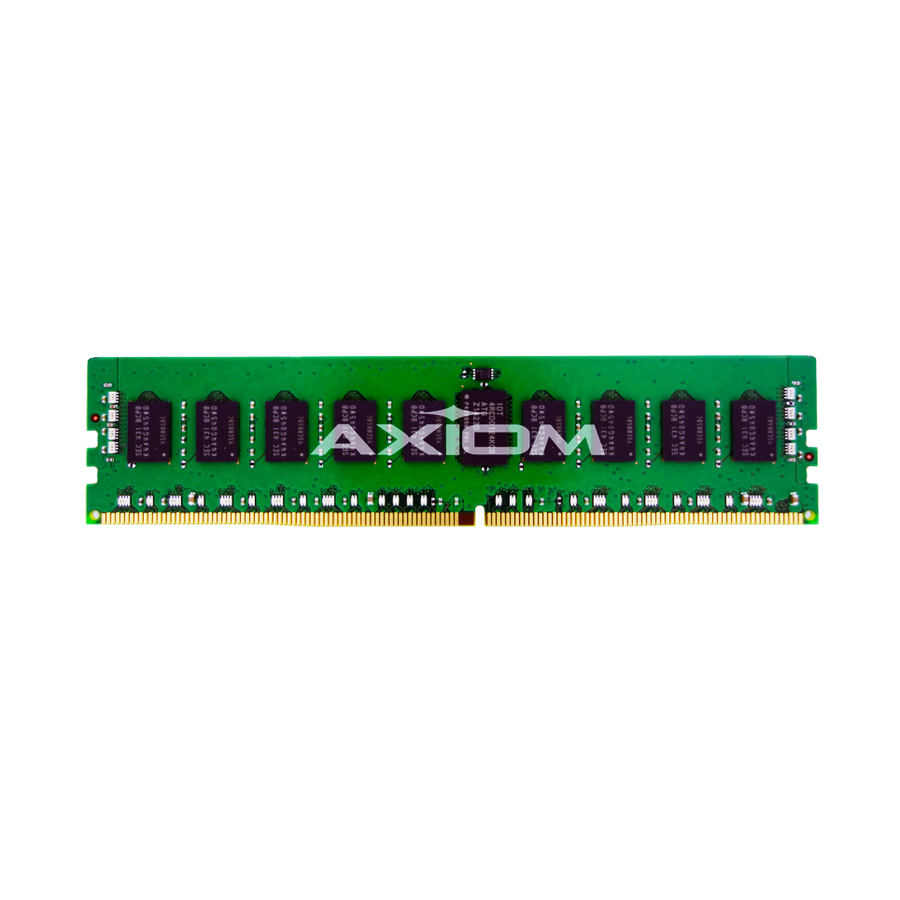
Axiom Memory Solutions
32GB DDR4-2133 ECC RDIMM for Cisco
UCS-MR-1X322RU-A-AX
A 32 GB registered ECC DDR4 module built to the Cisco UCS qualified part it replaces — the size that usually lands when a mid-core-count host needs one module in every channel rather than a few large ones in half of them.
Platform-specific by design: match the module to the qualified list for the host model you are populating, not to capacity and speed alone.
$983.75In stockWhen hosts get denser
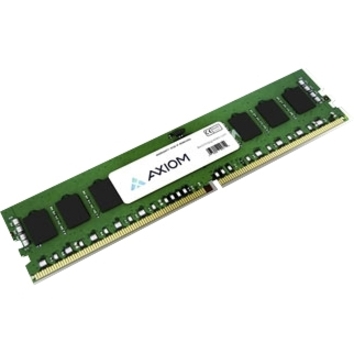
Axiom Memory Solutions
Axiom 64GB DDR4-2933 ECC RDIMM for Lenovo
4ZC7A08710-AX
A 64 GB registered ECC DDR4-2933 module for Lenovo systems, for the configuration that follows a consolidation: fewer hosts, more capacity per channel, and one module per channel so the platform holds its rated speed grade.
$2,140.71In stockTwo sockets or four is a licensing question too
The four-socket argument is usually made on capacity: twice the sockets carry twice the cores and twice the memory slots in one chassis, which is genuinely useful for a small number of very large workloads — large in-memory databases, consolidation targets that cannot be split, analytics engines sized to a single instance. If your constraint is one workload that must fit in one machine, a four-socket chassis is the honest answer and the rest of this section does not apply.
For everything else, four sockets multiplies the per-CPU floors. Under a per-CPU minimum, four processors means four floors, and a four-socket host built with mid-core-count parts can license substantially more cores than it contains. Four-socket-capable processors also carry a price premium over their two-socket-only equivalents at the same core count, because the extra inter-socket links are silicon you are paying for whether the workload crosses them or not.
Then there is the shape of the memory. Four sockets means four NUMA domains, and a workload whose working set does not fit inside one domain pays a latency penalty on every remote access. Hypervisors and databases both expose tuning for this, and both perform better when the virtual machine or instance fits inside a single domain. Finally, consider blast radius: consolidating onto fewer, larger hosts concentrates more service into each maintenance window and each hardware failure. That is a real operational cost, and it belongs in the comparison alongside the license arithmetic.
Questions buyers ask during CPU sizing
Does buying a lower-core-count CPU reduce my VMware bill?
Not below the floor. Under the per-core subscription model, a minimum of 16 cores per physical CPU is reported as standard, so a host built with 8-core or 12-core processors is still billed at 16 per socket. Below the floor you are paying for cores you did not buy, and the cheaper silicon is lost value rather than a saving. Above the floor, every additional core is billed — which is where core count genuinely becomes a cost decision.
When is a higher clock speed worth more than more cores?
Whenever the software bill scales with cores and the work does not. A per-core-licensed database that needs a fixed throughput is the clearest case: a processor that does more work per core reduces the license count directly. The other case is work that cannot be parallelized at all — single-threaded batch jobs, older line-of-business applications, latency-sensitive interactive paths. The tell is one or two cores pinned while the rest of the socket idles.
Do I need to fill every memory channel?
For peak memory bandwidth, yes. Server platforms expose six, eight or twelve channels per socket depending on generation, and bandwidth comes from populated channels rather than installed gigabytes. A host with all its capacity on half the channels gives away a large share of the bandwidth the processor was designed around. Fill every channel first, then choose module capacity — and check whether two modules per channel drops your platform's rated speed grade.
Is a four-socket server ever the cheaper option?
When one workload genuinely has to fit in one machine — a large in-memory database, an instance that cannot be split — four sockets can be the only answer, and then the comparison is not about price per core. Otherwise it usually loses: per-CPU licensing floors multiply by four, four-socket-capable processors carry a premium over two-socket-only parts at the same core count, and four NUMA domains penalize any workload whose working set does not fit inside one.
Seven checks that change the answer
Each of these has flipped a real configuration between a higher-clock part and a higher-core part, or between two sockets and four. Run them before the quote, not after the purchase order.
- Write down every piece of software on the host that meters by core, socket or instance — hypervisor, guest operating systems, database, backup agents, monitoring — and which of the four licensing shapes each one uses.
- Check the per-CPU minimum for your hypervisor edition against the core count you are considering. If the part is below the floor, moving up to the floor costs nothing in license terms.
- Confirm the sustained all-core frequency for the exact chassis, cooling configuration and power limits you are buying, not the boost figure on the datasheet.
- Count the memory channels per socket for the specific processor generation and populate all of them; decide total capacity only after the channel count is fixed.
- Check whether reaching your capacity target needs two modules per channel and, if so, what speed grade the platform runs at in that population.
- Price the four-socket option with its floors multiplied out and its socket-capable processor premium included, then compare it against two two-socket hosts carrying the same total cores.
- Confirm every memory module against the qualified list for the exact host model, not against capacity, speed and rank alone.
Keep reading
Related on licensing, servers and memory
Have the licensing math checked before the configuration is fixed
Send the workload profile and the software that runs on it, and we will come back with a priced, availability-checked configuration — processors sized against the licensing floors that actually apply, with the memory population and lane budget worked out alongside them.