
CMMC MFA: Where Hardware Security Keys Fit
A FIPS security key is not a standalone CMMC requirement, and CMMC does not mandate one authenticator brand. At Level 2, the current NIST SP 800-171 Revision 2 baseline requires MFA for local and network access to privileged accounts and for network access to non-privileged accounts, plus replay-resistant authentication for network access. PIV, CAC, FIDO2, and other cryptographic authenticators can fit—but only when the complete identity system, fallback path, enrollment, recovery, and evidence meet the requirement.
By Uniqcli Team · · 10 min read · Updated
Key takeaways
- Separate MFA from replay resistance and phishing resistance. They are related properties, not interchangeable labels.
- Two passwords are not two factors. Valid MFA combines factors from different categories, such as possession plus knowledge or inherence.
- Hardware security keys can provide cryptographic, verifier-bound authentication, but protocol, identity-provider configuration, user verification, and fallback determine the actual result.
- SMS and manually entered OTP can be replay resistant when properly implemented, according to NIST’s digital identity guidance, but they are not phishing resistant because an impostor can relay the code.
- A FIPS validation must map to the exact cryptographic module and configuration; a generic “FIPS security key” description is not sufficient evidence.
- Operational controls—identity proofing, issuance, spare keys, revocation, break-glass accounts, help desk, offboarding, and log review—decide whether the deployment survives assessment and real incidents.
On this page
Compliance
Read the two requirements separately
NIST SP 800-171 Revision 2 expresses the relevant ideas in two requirements. Requirement 3.5.3 calls for multifactor authentication for local and network access to privileged accounts and network access to non-privileged accounts. Requirement 3.5.4 calls for replay-resistant authentication mechanisms for network access to privileged and non-privileged accounts.
This distinction corrects a common oversimplification. An authentication method can use two factors and still have weaknesses against phishing. A one-time password can resist simple reuse of an old code because each code is short-lived or used once, yet a real-time attacker can trick a user into entering the current code at an impostor site and relay it. FIDO2 and properly deployed PIV/CAC use cryptographic binding that can add phishing resistance.
The contract and current CMMC program decide applicability. The Department’s July 2026 Phase II suspension did not eliminate Phase I or existing safeguarding duties. Level 2 materials currently continue to point to NIST SP 800-171 Revision 2. Do not silently substitute Revision 3 terminology or NIST SP 800-63 assurance levels for the actual contract requirement; use those sources as technical guidance where appropriate.
What counts as multiple factors
Authentication factors fall into familiar categories:
- something the user knows, such as a password or activation PIN;
- something the user has, such as a cryptographic key, smart card, or enrolled device;
- something the user is, represented through a biometric characteristic.
Two items from the same category do not create MFA. A password plus a PIN that is also sent to the verifier remains two knowledge secrets. A fingerprint can activate a key stored in a hardware authenticator, creating a multifactor cryptographic authenticator when implemented under the relevant protocol. A device unlock PIN used locally to activate a non-exportable key is not necessarily the same as sending a second password to the server.
Map the factors and protocol for each access path. A product console can support FIDO2 for web sign-in and still use password-only access for SSH, a legacy API, recovery, or mobile enrollment. Assessment follows the working path, including exceptions.
Replay resistance versus phishing resistance
Replay resistance prevents an attacker from recording an authentication message and reusing it later. Protocols can use nonces, challenges, or time-sensitive values so an old response fails. NIST SP 800-63B lists OTP and cryptographic authenticators among replay-resistant methods and passwords as not replay resistant.
Phishing resistance addresses an active impostor verifier. It should prevent disclosure or use of a valid authenticator output at the wrong service without depending on the user recognizing the fraud. NIST says manually entered outputs, including OTP, are not phishing resistant because an impostor can relay them.
WebAuthn, used by FIDO2, binds credentials to the relying party’s authenticated domain. PIV and CAC can provide phishing-resistant client authentication through certificate-based protocols when deployed correctly. Those properties make cryptographic authenticators attractive for privileged and sensitive access, even when the contract text explicitly asks only for MFA and replay resistance.
Do not overclaim. A FIDO-capable key used through a non-FIDO OTP slot does not gain WebAuthn’s verifier binding. A smart card used only as a visual badge does not authenticate. The protocol in operation matters.
PIV and CAC
Personal Identity Verification and Common Access Card ecosystems combine identity proofing, credential issuance, certificates, card hardware, readers, middleware, public-key infrastructure, revocation, and lifecycle management. They can provide strong, phishing-resistant authentication for supported applications and network access.
Procurement questions include card and reader compatibility, contact and contactless interfaces, middleware, operating-system support, certificate profiles, trust anchors, revocation checking, PIN behavior, reader availability, mobile support, virtual desktop redirection, and admin workflows. A cheap reader can become an enterprise support problem if drivers or firmware are poorly maintained.
Evidence should show the user’s credential is bound through the authorized issuance process, the certificate is valid, required access enforces it, revoked credentials are blocked, and logs identify the authentication event. Test expired certificates, offline systems, lost cards, locked PINs, and emergency access.
FIDO2 security keys and platform authenticators
FIDO2 combines the W3C Web Authentication API and the FIDO Alliance Client to Authenticator Protocol. It supports external roaming keys over transports such as USB, NFC, or BLE and platform authenticators built into managed devices. Credentials use public-key cryptography and are scoped to the relying party.
The buyer should identify whether the deployment uses the key as a second factor, a passwordless single-factor cryptographic authenticator, or a multifactor cryptographic authenticator activated by a PIN or biometric. CMMC’s MFA requirement still needs two factors where applicable. “Passwordless” is not automatically “multifactor”; the authenticator and activation method determine the factor composition.
Check the identity provider and each relying application. Confirm WebAuthn support, user verification requirements, attestation policy, transport, resident or discoverable credential behavior, device management, browser and operating-system support, administrative APIs, and audit logs. Test federated applications because an identity provider can use a strong authenticator while an application offers a separate local-password bypass.
Platform passkeys can reduce physical-key distribution, but sync changes the threat and governance model. NIST SP 800-63B Revision 4 permits syncable authenticators under conditions at AAL2 and notes that syncing makes keys exportable, which conflicts with AAL3 non-exportability. Federal enterprise guidance adds managed-account, device-control, and protected sync-fabric expectations. Again, those AAL rules are not a direct replacement for the CMMC assessment requirement, but they are useful engineering evidence.
Hardware authenticators and smart card readers
Kensington Computer Products
Kensington VeriMark NFC+ USB-A Security Key
$46.67Back-orderedKensington Computer Products
Kensington VeriMark NFC+ USB-C Security Key
$51.34Back-orderedKensington Computer Products
Kensington VeriMark Guard Hardware Authenticator
$73.04*Back-orderedIOGEAR
IOGEAR USB-C Smart Card Reader (TAA compliant)
$38.38*In stock
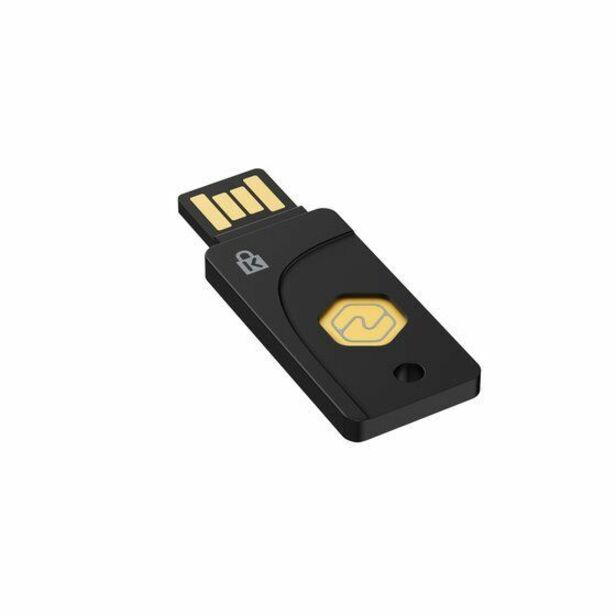
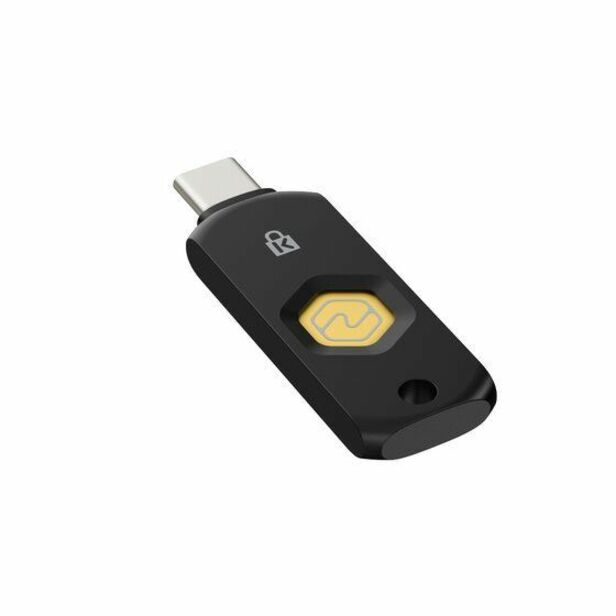
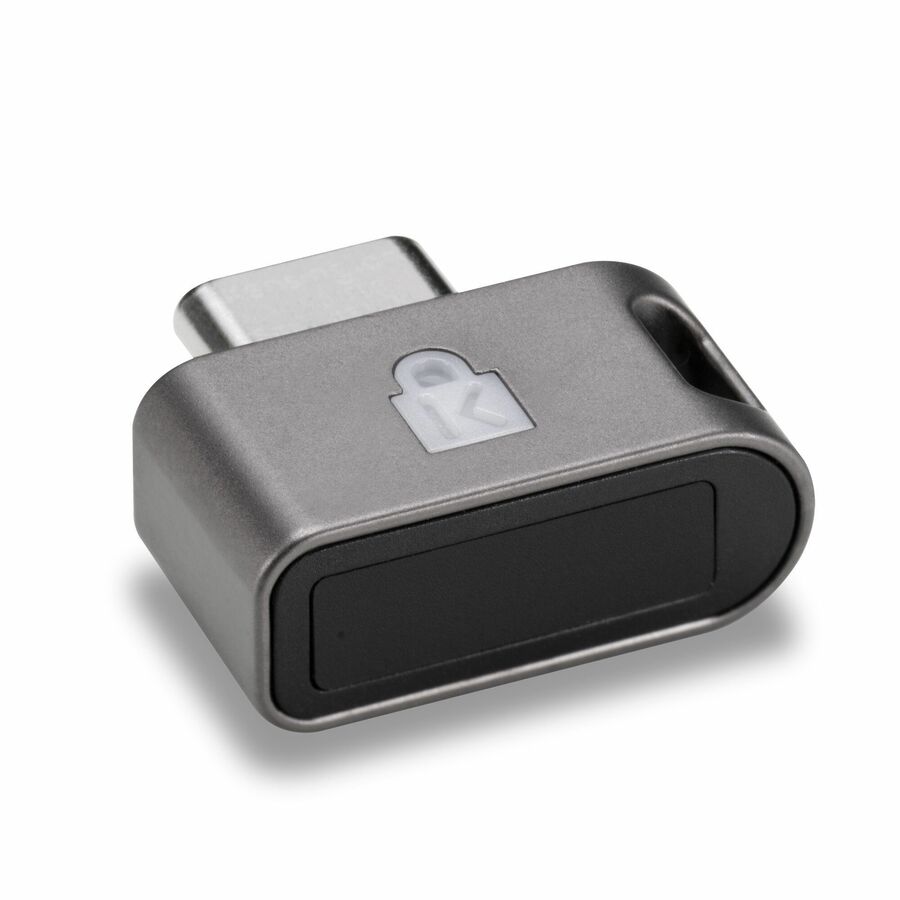
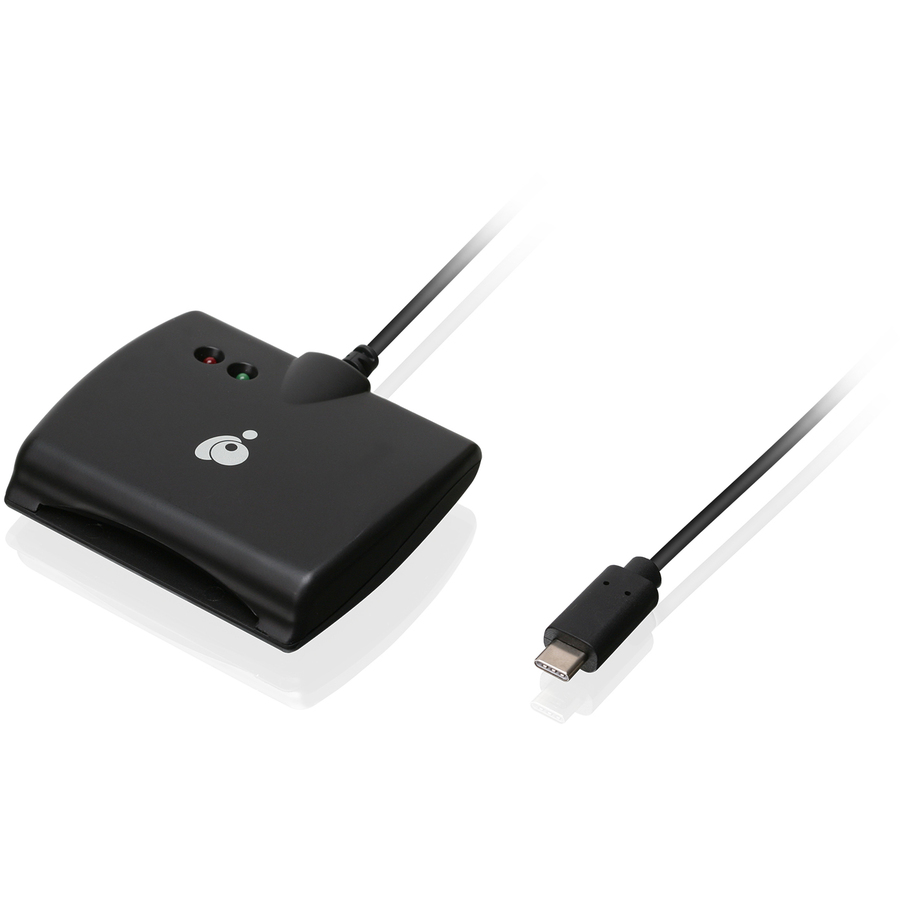
A catalog listing is not evidence that a control is met: confirm the protocol each application actually uses, and where a validated cryptographic module is required, verify the CMVP certificate for the exact model and version.
What “FIPS security key” should mean in an RFQ
FIPS 140 validates a cryptographic module, not the shape of a USB token and not every service using it. If a requirement calls for validated cryptography, ask for the CMVP certificate number, exact module and version, product-to-module mapping, security policy, validated operational environment, and approved-mode instructions.
Confirm certificate status. FIPS 140-2 validations move to the CMVP Historical List after September 21, 2026; NIST directs new systems toward active FIPS 140-3 validations while supporting historical modules in existing systems under its transition guidance. A product page that says “FIPS pending” or “uses FIPS algorithms” is not an issued active validation.
The authentication architecture may contain multiple modules: the token, smart card, operating-system crypto provider, identity service, HSM, or VPN appliance. Define which one the requirement addresses. For transition detail, see FIPS 140-2 sunset and FIPS 140-3.
Inventory access paths before buying keys
Create an access matrix with rows for:
- local standard and privileged Windows, macOS, and Linux sign-in;
- domain or directory administration;
- VPN and zero-trust network access;
- cloud and SaaS applications through federation;
- network, server, storage, hypervisor, and out-of-band management;
- remote support and managed service providers;
- command-line, automation, API, and service accounts;
- mobile, shared, kiosk, lab, and disconnected devices;
- recovery, emergency, and break-glass paths.
For each row, record users, current factors, protocol, replay resistance, phishing resistance, identity provider, fallback, logging, target method, product support, exception, and owner.
This usually reveals that the first deployment covers modern web applications while privileged consoles and legacy infrastructure remain inconsistent. Prioritize internet-facing identity, administrators, remote access, and systems handling sensitive information. Track uncovered paths openly.
Design enrollment and issuance
Strong authentication begins before the first sign-in. Define how the organization verifies identity, approves entitlement, issues the authenticator, binds it to the account, records serial or credential identifiers where appropriate, confirms successful enrollment, and delivers training.
Remote issuance needs special care. Mailing a key to an address and accepting an email confirmation may not provide the intended identity confidence. Use approved identity proofing and activation. Separate the person who prepares a privileged credential from the person who approves access when policy requires separation.
Decide whether users receive one key or two. A registered backup key can reduce help-desk pressure and risky recovery, but it increases inventory and requires secure storage. For mobile or field staff, a second compatible transport may be worthwhile. Privileged administrators may need dedicated authenticators not used for general browsing.
Record issuance and acknowledgment without collecting unnecessary personal data. The inventory should support revocation and replacement, not become a surveillance system.
Recovery is part of the control
Attackers target recovery because it is often weaker than primary authentication. Define lost, stolen, damaged, locked, forgotten, expired, and unavailable scenarios. Specify who can approve recovery, how identity is re-established, what temporary access is allowed, how long it lasts, and how the old credential is revoked.
Avoid falling back to password plus SMS for privileged accounts if the normal method is phishing resistant. A secure primary door with an unguarded side entrance is not a strong system. Where temporary methods are unavoidable, restrict duration and privilege, notify the user, log the exception, and require reenrollment.
Break-glass accounts should be few, monitored, protected with a method independent of a single failing identity service, and tested. Store recovery material under dual control where appropriate. Alert on every use and review it immediately. “Never used” is not proof that the account works; test under controlled conditions.
Service accounts and non-human identities
MFA designed for humans does not map neatly to scheduled tasks, services, devices, and APIs. Do not assign a person’s interactive credential to automation or approve a permanent MFA bypass without compensating design.
Use managed service identities, workload identity, certificates, short-lived tokens, or vaulted secrets appropriate to the platform. Restrict scope and network use, rotate material, prevent interactive sign-in, monitor behavior, and name an owner. Document why the method addresses the applicable identification and authentication requirements.
Inventory old scripts and embedded credentials during MFA rollout. A project that protects administrators but leaves a shared domain credential in a scheduled task has moved risk rather than resolved it.
Deployment waves and acceptance tests
Pilot by access pattern and user context: administrators, office staff, remote workers, field users, shared devices, Linux and macOS, mobile, accessibility needs, virtual desktops, and help desk. Include difficult recovery cases in the pilot.
Acceptance tests should prove:
- unauthorized unenrolled access fails;
- required accounts use two distinct factors;
- the intended protocol is replay resistant;
- phishing-resistant paths reject an impostor relying-party domain;
- fallback and local accounts cannot bypass policy;
- lost credentials are revoked promptly;
- logs identify user, method, result, source, and relevant policy;
- emergency access works and creates an alert;
- offboarding removes credentials and active sessions;
- a replacement key can be issued under controlled recovery.
Store test results with configuration and change records. A screenshot of the key’s packaging is not assessment evidence.
Logs and ongoing evidence
Collect enrollment, credential addition and removal, authentication success and failure, method, policy decisions, administrative changes, recovery, break-glass use, and risky sign-in events. Protect the logs and ensure timestamps and identities correlate across the identity provider, endpoint, VPN, and application.
Review privileged MFA coverage and exceptions at a fixed cadence. Detect accounts with no registered strong method, applications still allowing password-only access, stale credentials, failed revocations, and disabled conditional-access rules. Sample real authentication events to confirm policy is operating.
Evidence should connect the requirement to scope, policy, technical configuration, inventory, tests, monitoring, exception handling, and corrective action. CMMC assessors are evaluating implementation, not a purchase receipt.
Common mistakes
Counting SMS as the end state because it is “two factor”
SMS can provide a different possession factor, and OTP can be replay resistant, but manually entered codes are phishable. Use a risk-based migration toward cryptographic, verifier-bound methods, especially for privileged and remote access.
Buying a key for every user before testing applications
Pilot protocols, transports, browsers, operating systems, virtual sessions, and recovery. The wrong connector or policy can strand users and produce insecure exceptions.
Enforcing strong MFA only at the identity-provider portal
Look for local application accounts, legacy protocols, API keys, remote console access, and recovery. Federation coverage must be proven.
Treating biometrics as a remote secret
In strong platform authentication, a biometric commonly activates a local cryptographic key; the biometric should not be transmitted to the verifier as a reusable secret. Review the actual architecture.
Ignoring support staff
Help-desk tools and identity administrators are high-value paths. Apply strong authentication, separation, logging, and supervised recovery to the people who can reset everybody else.
Review authenticator inventory after every role change. Privileged keys should not remain registered when an administrator moves teams, and replacement should revoke the prior credential rather than merely add another. This small control closes a common gap between issuance records and the identity provider’s live state.
Frequently asked questions
Does CMMC require hardware security keys?
No single authenticator is universally mandated. The system must meet applicable MFA and replay-resistance requirements. Hardware keys are one strong option when supported and deployed correctly.
Is SMS forbidden by CMMC?
The CMMC and SP 800-171 requirements should be evaluated by property and access path. SMS can contribute to MFA, but it is vulnerable to phishing and other attacks, and its protocol and implementation must be assessed for replay resistance. Stronger cryptographic methods are preferable for sensitive and privileged access.
Are FIDO2 keys replay resistant and phishing resistant?
WebAuthn/FIDO2 cryptographic authentication can provide both because it uses fresh challenges and binds credentials to the relying party. The application must actually use the protocol without a weaker bypass.
Does a security key need FIPS validation?
Only when an applicable requirement or authorized design calls for a validated cryptographic module. If it does, verify the exact CMVP certificate, module, version, status, and approved operation.
How many keys should each person receive?
That is an operating decision. Many organizations issue a primary and registered backup for users who cannot tolerate delay, while maintaining controlled spares. Balance recovery, inventory, cost, and risk, and document the model.