
The Windows 10 End of Life Refresh Playbook
End of support means no more security updates. Here is how to sequence a fleet refresh — audit first, cost the ESU bridge honestly, and time the buy against 2026 hardware pricing.
By Uniqcli Team · · 7 min read · Updated

Key takeaways
- Audit every endpoint against Windows 11's requirements (CPU, TPM 2.0, Secure Boot, RAM, storage) before buying anything.
- Many business-class machines already have TPM 2.0 but it's disabled in firmware — check settings before writing a device off as ineligible.
- ESU pricing escalates by design — $61/device for Year 1 through October 13, 2026, $122 for Year 2, a reported $244 for Year 3 — so model the full stack before assuming it beats a refresh.
- Coverage years are cumulative: Year 2 cannot be bought alone, so a fleet that skipped Year 1 pays it retroactively first, $183/device in total.
- Sequence replacements by risk — internet-facing and privileged-user machines first, then scheduled waves.
- Run IT asset disposition (certified data sanitization, chain of custody, trade-in) in parallel with the refresh, not after.
On this page
Refresh planning
Windows 10 end of life is a deadline, not a suggestion
Windows 10 end of life changes one thing that matters more than any feature: the operating system stops receiving security updates. Standard support ended on October 14, 2025, and the next hard date is October 13, 2026 — the day consumer Extended Security Updates end outright, and the last day of Year 1 organizational ESU pricing at $61 per device before Year 2 doubles it to $122. After a cutoff, newly discovered vulnerabilities in an unsupported build never get patched, and every day a machine stays on it widens your exposure window. This is not a feature upgrade you can defer a quarter or two on a whim — it is a supported-vs-unsupported line that your security and compliance posture sits on. The good news is that a fleet refresh is a solvable logistics and sourcing problem when you sequence it right: audit what you actually have, decide where a paid bridge is worth it, confirm which machines can run the new OS at all, and buy the replacements before pricing works against you. This playbook walks that sequence.
What Windows 10 end of support actually means
End of support is a specific technical state, not marketing language. Once a Windows version reaches end of life, the vendor stops shipping security updates, quality fixes, and technical support. The machine keeps booting and running your applications — nothing switches off — which is exactly why the risk is easy to underestimate. The danger is silent and cumulative: every vulnerability disclosed after the cutoff stays open on that build permanently, and attackers actively scan for unsupported systems precisely because they know the patches will never arrive.
For regulated and enterprise environments, an unsupported OS also collides with your own controls. Frameworks and internal policy generally require that production systems receive vendor security patches — which an end-of-life build cannot meet by definition — so auditors flag those endpoints, and attestations or coverage can be at risk long before a breach. Treat the end-of-support date as the hard boundary and work backwards: every machine needs to reach one of three states before that line — migrated to a supported OS, covered by a paid extended-update bridge, or fully decommissioned.
The ESU bridge: a runway, not a destination
Extended Security Updates (ESU) are the vendor's paid mechanism to keep receiving critical and important security patches on an out-of-support OS for a limited window past end of life. ESU is genuinely useful, but it is a bridge — a runway to buy time for machines you cannot migrate on day one, not a place to park a fleet indefinitely. It delivers security patches only: no new features, and no change to the hardware constraints that may be the real reason a machine can't move.
The cost structure is what buyers most often misjudge. ESU is typically priced per device and, by design, escalates each year it is renewed — the second year costs more than the first, the third more than the second — making standing still progressively more expensive than moving forward. Across a large fleet and several years, that cumulative cost can rival or exceed the capital cost of refreshing sooner. So use ESU surgically: bridge only the machines that genuinely cannot migrate in time — one pinned to a certified application, one mid-contract, a site awaiting a scheduled refresh — for the shortest window that clears the constraint, and model the full escalating cost before assuming the bridge beats the buy.
The published figures put numbers on that escalation. Organizational ESU is $61 per device for Year 1, the twelve months ending October 13, 2026, and $122 per device for Year 2, covering October 14, 2026 through October 12, 2027 — exactly double. Year 3 is reported to double again to roughly $244 per device through October 2028, which would make the full three-year stack $427 per device; validate that Year 3 figure against a current licensing quote before it enters a budget. The consumer track is shorter still and simply ends on October 13, 2026, with no paid successor described in Microsoft's ESU documentation.
One enrollment mechanic changes the arithmetic more than the escalation itself: coverage years are cumulative, so Year 2 cannot be bought on its own. An organization that skipped Year 1 must purchase it retroactively — for a window that has already elapsed — before it can enroll in Year 2, making the real entry cost $61 + $122 = $183 per device, or $18,300 for a hundred machines. Because that equals what an on-time enroller pays across both years, deferring the decision does not defer the bill; it removes twelve months of patching from what the same money buys. Our companion pieces on the October 13, 2026 cliff and on ESU cost, both linked below, work the per-fleet math through in full.
The TPM 2.0 requirement, explained
The reason a Windows 10 end-of-life event forces a hardware conversation, not just a software reinstall, is the baseline of the successor OS. Windows 11 requires TPM 2.0 — a Trusted Platform Module, version 2.0 — alongside a compatible 64-bit processor, Secure Boot, and minimum memory and storage. A TPM is a dedicated hardware security component, a discrete chip or processor firmware, that stores cryptographic keys in a tamper-resistant boundary separate from general system memory — underpinning disk-encryption key protection, secure boot measurement, and hardware-backed device identity. Version 2.0 is the floor the new OS enforces.
TPM 2.0 is the piece that most often blocks an in-place upgrade — but many business-class machines already ship with it simply disabled in firmware, so 'no TPM detected' is sometimes a settings problem, not a hardware wall. That distinction shapes your audit: some machines pass outright, some pass only after enabling the TPM and Secure Boot, and some — typically older processors that predate the supported CPU list — cannot meet the baseline at all and must be replaced. You cannot know the mix until you inventory it, which is why the audit comes before any purchasing decision.
Audit first, then sequence the buy
Every well-run refresh starts with a fleet audit, not a purchase order. Inventory each endpoint against the successor OS requirements — processor eligibility, TPM 2.0 presence and state, Secure Boot, memory, and storage — and sort the results into clear buckets: upgrade in place, upgrade after a firmware change, bridge with ESU temporarily, or replace. That turns a vague 'we need to refresh everything' into a costed, prioritized count of how many machines fall into each category — the document the whole budget and schedule hang on.
Sequence replacements by risk, not convenience: internet-facing and privileged-user machines move first, machines pinned to a slow-to-validate application are the natural ESU candidates, and standard endpoints refresh in scheduled waves your imaging capacity can absorb. Sourcing at fleet scale is its own workstream, and where a value-added reseller earns its keep — consistent configurations per wave, imaging and staging before units reach the desk, TAA country-of-origin and NDAA §889 screening on incoming hardware, and coordinated multi-site delivery — so replacements arrive configured, screened, and ready to deploy rather than as bare boxes that create a second project on the receiving dock.
Retire the outgoing fleet, and mind the timing
The machines you replace do not simply disappear, and how you retire them matters for both security and value recovery. IT asset disposition (ITAD) is the disciplined end-of-life process: certified data sanitization or drive destruction, chain-of-custody documentation, environmentally responsible recycling, and — where units retain residual value — trade-in or buyback that offsets part of the new-fleet cost. Plan retirement as a parallel track to procurement so decommissioned units flow out as replacements flow in, rather than piling up as an unmanaged storeroom of data-bearing risk.
Timing ties the plan together, because a refresh does not happen in a pricing vacuum. Hardware costs move over the year, and the 2026 increases are no longer scheduled — they have landed. TrendForce reported conventional DRAM contract prices up 58-63% quarter over quarter and NAND up 70-75% in Q2 2026, and in guidance published July 3, 2026 projected a further 13-18% for DRAM and 10-15% for NAND in Q3, describing the gains as moderating rather than reversing while AI server demand keeps supply tight. Gartner's full-year 2026 forecast has DRAM up 125% and NAND up 234%. Every replacement machine carries memory, so a crossover model built against 2025 hardware pricing is describing a comparison that no longer exists — see our note on the DRAM and NAND surge, and on how to beat the 2026 summer price increase. A large-quantity buy amplifies even a small per-unit swing, so audit early, use ESU only where it is genuinely needed, and price the replacement side from a live quote — turning Windows 10 end of life into a planned, budgeted refresh instead of a scramble against the clock.
Windows 10 end-of-life refresh checklist
Work these in order — the audit gates every downstream decision.
- Inventory every endpoint against the successor OS baseline (CPU, TPM 2.0, Secure Boot, RAM, storage)
- Check whether TPM 2.0 is present but disabled in firmware before writing a machine off as ineligible
- Sort every device into upgrade / upgrade-after-firmware / ESU-bridge / replace buckets
- Model the full escalating ESU cost over the years you would actually renew ($61 Year 1, $122 Year 2, roughly $244 Year 3 as reported), then compare to refreshing now
- Check which devices are already enrolled — Year 2 cannot be bought alone, so a late enroller pays Year 1 retroactively on top of it
- Prioritize replacement of internet-facing and privileged-user machines first
- Standardize replacement configurations per wave to simplify imaging and staging
- Require TAA country-of-origin and NDAA §889 screening on incoming hardware
- Run ITAD in parallel — certified data sanitization, chain of custody, trade-in where value remains
- Price the replacement side from a live quote — the 2026 memory increases have landed, so a model built on 2025 hardware pricing is stale
Refresh shapes and the dock most fleets forget
Lenovo
Lenovo ThinkCentre M90q Gen 6 13AC001XUS Desktop Computer
$2,600.67In stockLenovo
Lenovo ThinkPad P16s Gen 4 21QV006JUS 16" Mobile Workstation
$2,641.96In stockLenovo
Lenovo ThinkPad 40BN Docking Station
Request pricing
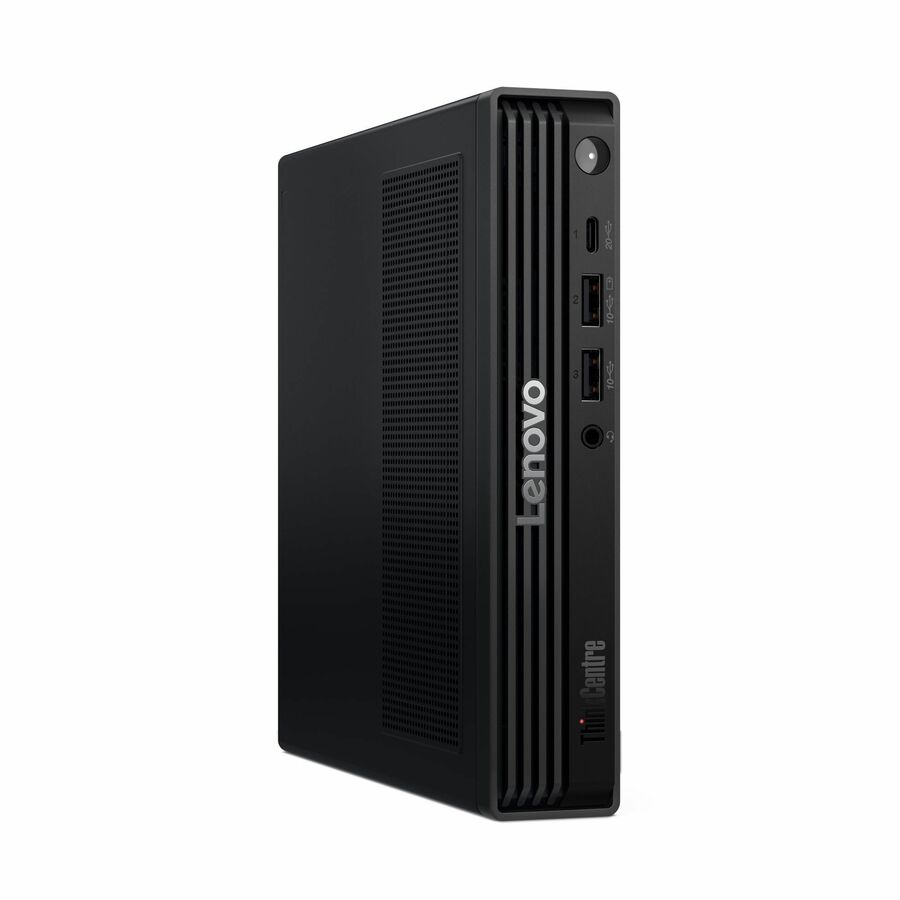
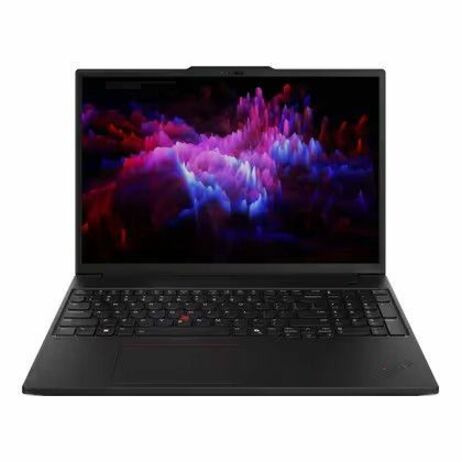
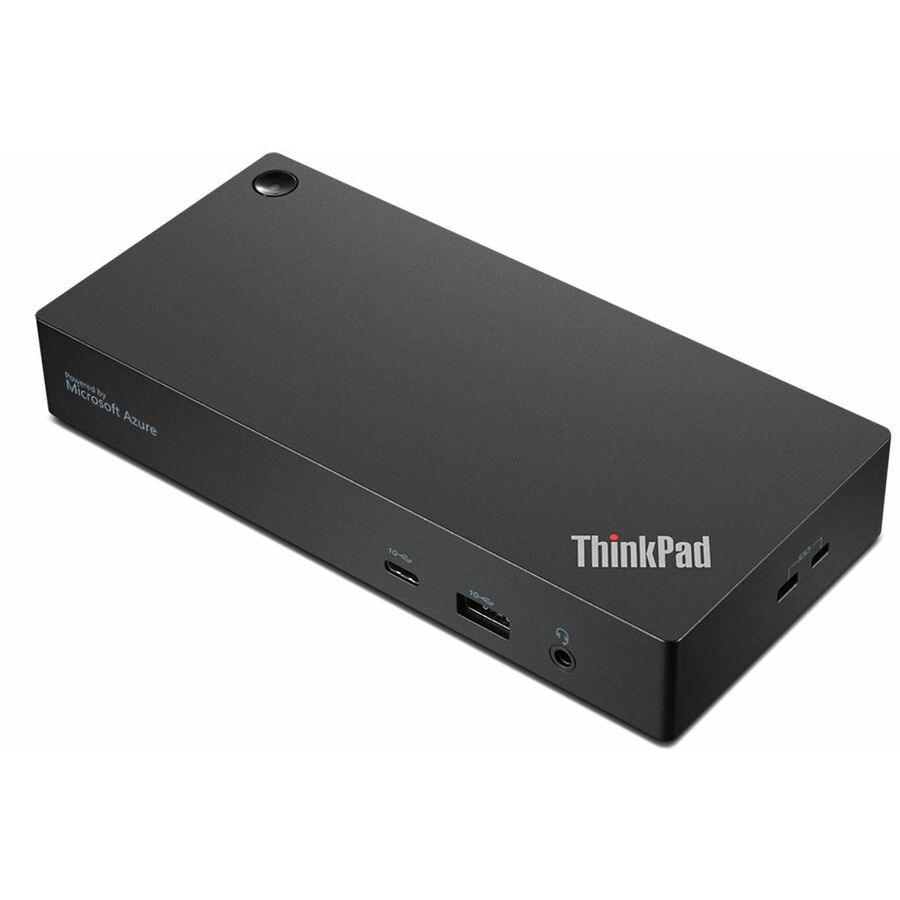
A small-form-factor desktop, a mobile workstation and the docking station that turns either of them into a seated position — the third line is here because it is the one that gets left off the count until the wave reaches the desks. Standardizing a configuration per wave is the checklist item these cards are for, not a recommendation of a specific model for a specific bucket: which shape a machine falls into is the audit's answer, not the catalog's. Prices and availability are read when this page renders, which is the whole point of pricing a refresh from a live quote rather than a model.
Frequently asked
What happens when Windows 10 reaches end of life?
The OS stops receiving security updates, quality fixes, and support. It keeps running your applications, but any vulnerability found after the cutoff stays unpatched permanently. In regulated environments an unsupported OS also fails controls that require vendor patching, which makes the deadline a compliance issue, not just a security one.
Is the ESU bridge worth paying for?
Surgically, yes. Extended Security Updates deliver security patches on a per-device, escalating annual price — $61 for Year 1 through October 13, 2026, $122 for Year 2 through October 12, 2027, and a reported $244 for Year 3 — so they fit the specific machines you genuinely cannot migrate in time. Note that coverage years are cumulative: Year 2 cannot be bought alone, so a fleet that skipped Year 1 pays it retroactively first, $183 per device in total. Model the full cost across every year you would renew before assuming the bridge beats the buy.
What is the TPM 2.0 requirement for Windows 11?
Windows 11 requires a Trusted Platform Module version 2.0 — a tamper-resistant component that stores cryptographic keys separately from system memory — plus a compatible 64-bit CPU, Secure Boot, and minimum RAM and storage. TPM 2.0 is the most common in-place-upgrade blocker, though many machines ship with it simply disabled in firmware.
How should refresh timing interact with 2026 hardware pricing?
The end-of-support date sets your outer deadline; the pricing calendar decides where inside it to buy. The 2026 increases have landed rather than remaining scheduled: TrendForce recorded DRAM contract prices up 58-63% quarter over quarter and NAND up 70-75% in Q2 2026, and projected a further 13-18% and 10-15% for Q3 in guidance published July 3, 2026. A large-quantity fleet buy amplifies even a small per-unit swing. Audit early so you know your true replacement count, then price the replacement side from a current quote rather than from a model built before those increases.
Can I upgrade my Windows 10 to 11 for free?
The blocker is usually hardware, not licensing. Windows 11 requires TPM 2.0, a compatible 64-bit processor, Secure Boot, and minimum memory and storage, and a machine whose processor predates the supported list cannot meet that baseline at all. Audit each endpoint against those requirements first: some pass outright, some pass only after TPM and Secure Boot are enabled in firmware, and the rest are replacements rather than upgrades.
Can I stay on Windows 10 forever?
Not with vendor security updates. Standard support ended on October 14, 2025 — the machine keeps booting, but every vulnerability disclosed after that date stays open on that build permanently, and an unsupported OS also fails controls that require vendor patching. Extended Security Updates are a paid, escalating bridge reported to run through October 2028 at the outside, so every device needs to reach one of three states: migrated, bridged for a defined window, or decommissioned.
Why do people refuse to update to Windows 11?
In a fleet the reason is rarely preference. Machines miss the Windows 11 hardware baseline — TPM 2.0, the supported processor list, Secure Boot — or they are pinned to an application nobody has validated on the new OS, or they sit mid-contract. Those are the machines the ESU bridge exists for; everything else belongs in the upgrade, upgrade-after-firmware, or replace buckets, sequenced by risk rather than convenience.
Go deeper
Browse the catalog
Source Windows 11-ready endpoints and workstations at fleet scale, screened for country-of-origin and supply-chain compliance.
The October 13, 2026 ESU cliff
Consumer ESU ends outright, organizational Year 2 doubles to $122 per device, and the retroactive Year 1 rule works the per-fleet math out in full.
Windows 10 ESU cost, explained
The Year 1, Year 2 and Year 3 pricing structure with date ranges, enrollment paths, and the Windows 11 hardware bar.
The DRAM and NAND surge
Why the replacement column moved: contract price data, lead times, and the upstream driver behind 2026 hardware pricing.
The 2026 IT Price Increases: Order-Timing After the August Round
Read the pricing signals and time volume orders against the vendor increases that have reshaped 2026 refresh budgets.
Logistics and staging
Imaging, staging, coordinated multi-site delivery, and ITAD for the outgoing fleet — the operational backbone of a large migration.
Plan your fleet refresh with a costed quote
Share your audit buckets and target waves, and we will help you source Windows 11-ready hardware, screen it for compliance, and stage delivery ahead of 2026 price increases.
Related buyer guides