
Short answer
M.2 and U.2 carry the same thing: an NVMe drive over PCIe, usually four lanes. The difference is packaging — M.2 is a bare card bolted to the board with no hot-swap and limited cooling, while U.2 is a cabled 2.5-inch drive that pulls from a front bay and reaches far higher capacities. Choose M.2 for clients and boot drives; choose U.2 for serviceable server tiers.
Key facts
- Both carry NVMe over PCIe, commonly four lanes, so the operating system sees them identically. What differs is the package, not the protocol.
- An M.2 2280 card is 22 mm wide and 80 mm long and mounts flat to the board; a U.2 drive is a 2.5-inch body on the SFF-8639 connector, cabled to a backplane.
- M.2 mounts internally and is not hot-swappable; a U.2 drive in a wired bay is pulled and replaced with the system running.
- Enterprise capacity lives on the bay side: Micron lists its U.3 data-centre drive from 800 GB to 15.36 TB.
- Packages are per product, not per generation — Micron ships one PCIe Gen4 drive in E1.S and M.2, and its Gen5 drive in U.2 and E1.S.
- Kioxia publishes the typical power ceiling of a 2.5-inch SSD on the SFF-8639 connector as 25 W; EDSFF packages are designed for up to 70 W.
M.2 and U.2 are two physical packages for the same underlying technology: an NVMe solid-state drive talking to the host over PCIe. Because the protocol and lane count are usually identical — both commonly run four PCIe lanes — the decision is rarely about which is 'faster' on a benchmark. It is about where the drive physically lives: bolted flat to a motherboard inside a sealed chassis, or seated in a front-accessible bay you can pull and replace without powering the system down.
That one distinction ripples into everything a buyer actually weighs: serviceability, per-drive capacity, sustained thermal behavior, power headroom, and cabling. M.2 tends to win on density and cost in space-constrained clients and workstations; U.2 tends to win on hot-swap servicing, high-capacity density, and sustained enterprise workloads. This guide walks the tradeoffs factor by factor so you can match the form factor to the platform rather than to a spec sheet.
At a glance
Side by side
| Factor | M.2 | U.2 |
|---|---|---|
| Form factor | Bare 'gumstick' board that mounts to a slot; 2280 (22x80mm) most common | 2.5-inch drive body, typically 15mm thick at high capacity |
| Interface | PCIe x4 NVMe via M-key edge connector (some slots also accept SATA M.2) | PCIe x4 NVMe over the SFF-8639 connector |
| Connection | Direct board mount, no cable | Cable or backplane (SlimSAS/OCuLink/MCIO) to the host |
| Hot-swap | No — internal; system is typically powered down to service | Yes, when wired to a hot-swap backplane or bay |
| Capacity ceiling | Commonly up to ~4TB per drive; 8TB available but less common | Scales far higher — high-capacity parts reach 15TB, with 30TB+ enterprise drives available |
| Sustained thermals | Can throttle under long writes without a heatsink and airflow | Larger body plus server airflow sustains load better |
| Power budget | Powered from the slot's 3.3V rail; client-class draw | 12V-capable envelope, up to roughly 25W per drive |
| Enterprise features | Mostly client-class; power-loss protection uncommon | Often adds power-loss protection and higher endurance ratings |
Choose M.2 when
- The target is a laptop, small-form-factor desktop, or workstation where board space and simplicity matter more than serviceability
- You need one or two NVMe drives for boot, cache, or scratch and don't require hot-swap
- A few terabytes per drive is enough capacity, and cost and broad availability are priorities
- The system has native M.2 slots and you want to avoid cabling and backplanes entirely
Choose U.2 when
- The platform is a server or storage node that needs front-bay hot-swap for serviceability and uptime
- You need very high per-drive capacity or many drives at density in one chassis
- Sustained enterprise write workloads demand better thermals, higher endurance, and power-loss protection
- You already have NVMe backplanes or bays to populate and want tool-free field replacement
Bottom line
Use M.2 for clients and boot drives; use U.2 for any server tier that has to be hot-swapped. Reach for M.2 when space, cost, and simplicity dominate: clients, workstations, and boot or cache drives that mount straight to the board. Reach for U.2 when serviceability and scale dominate: servers and storage nodes that need front-bay hot-swap, very high per-drive capacity, and sustained write endurance with power-loss protection. In practice the platform usually decides for you — the motherboard slots or the drive backplane you already own narrow the field before raw performance ever enters the conversation.
Products for this decision
M.2 with a heatsink
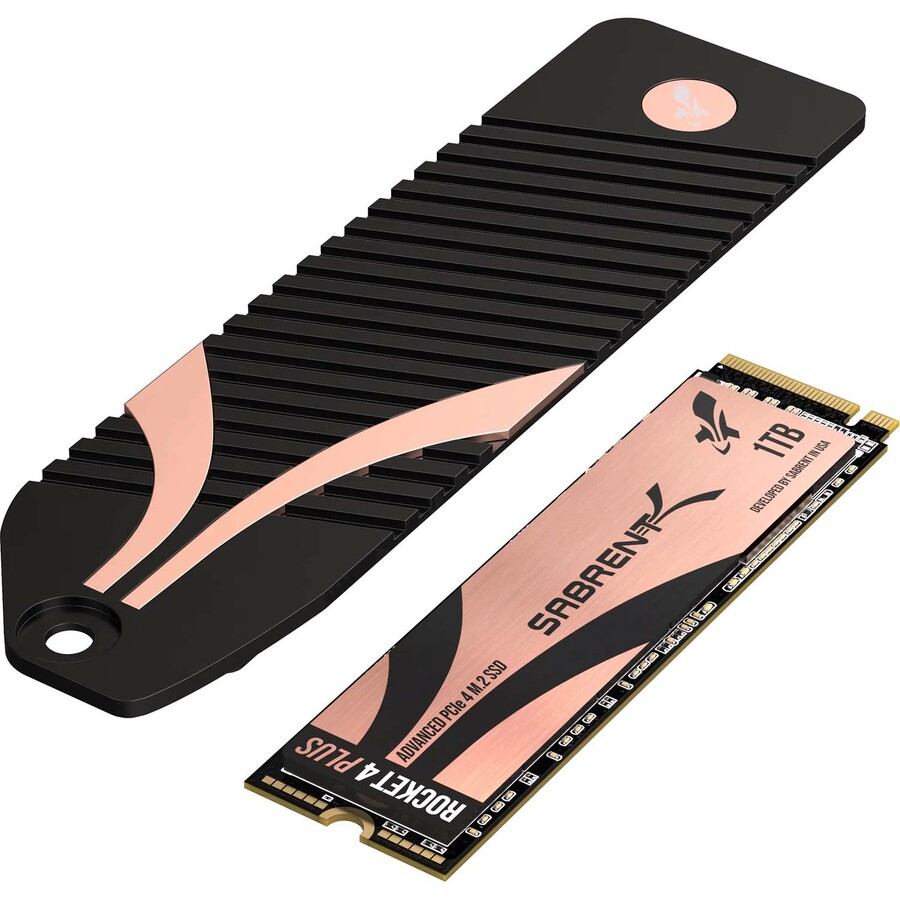
Sabrent
Sabrent Rocket 4 PLUS SB-RKT4P-PSHS-1TB 1 TB Solid State Drive
SB-RKT4P-PSHS-1TB
A 1 TB PCIe 4.0 x4 M.2 2280 drive shipped with a heatsink — the honest answer to M.2's thermal limit on a desktop or workstation board.
Check the board's M.2 slot clearance: a heatsinked card does not always fit under a graphics card or a chipset cooler.
$182.53Back-orderedU.2 entry
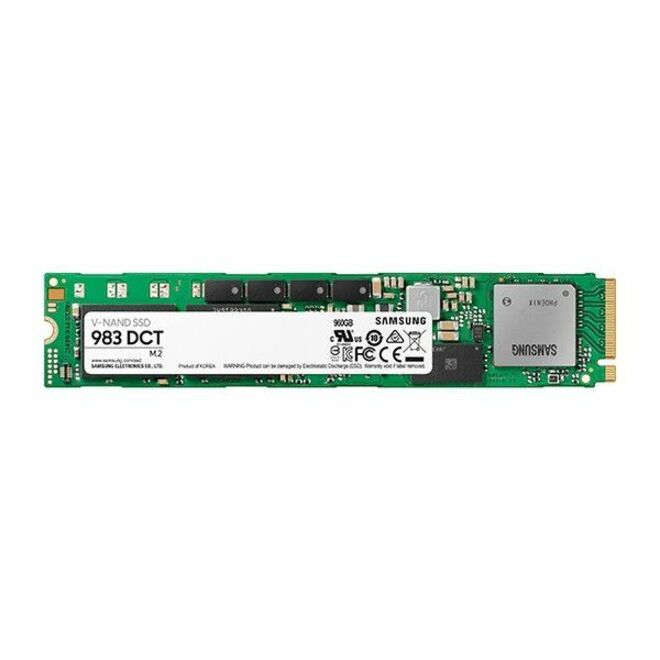
Samsung
Samsung Enterprise 983 DCT 960 GB Solid State Drive
MZQLB960HAJR
A 960 GB U.2 NVMe drive on PCIe 3.0 x4 in the 2.5-inch enterprise body, for a server bay wired to an NVMe backplane.
$850.48Back-orderedU.2 for sustained writes
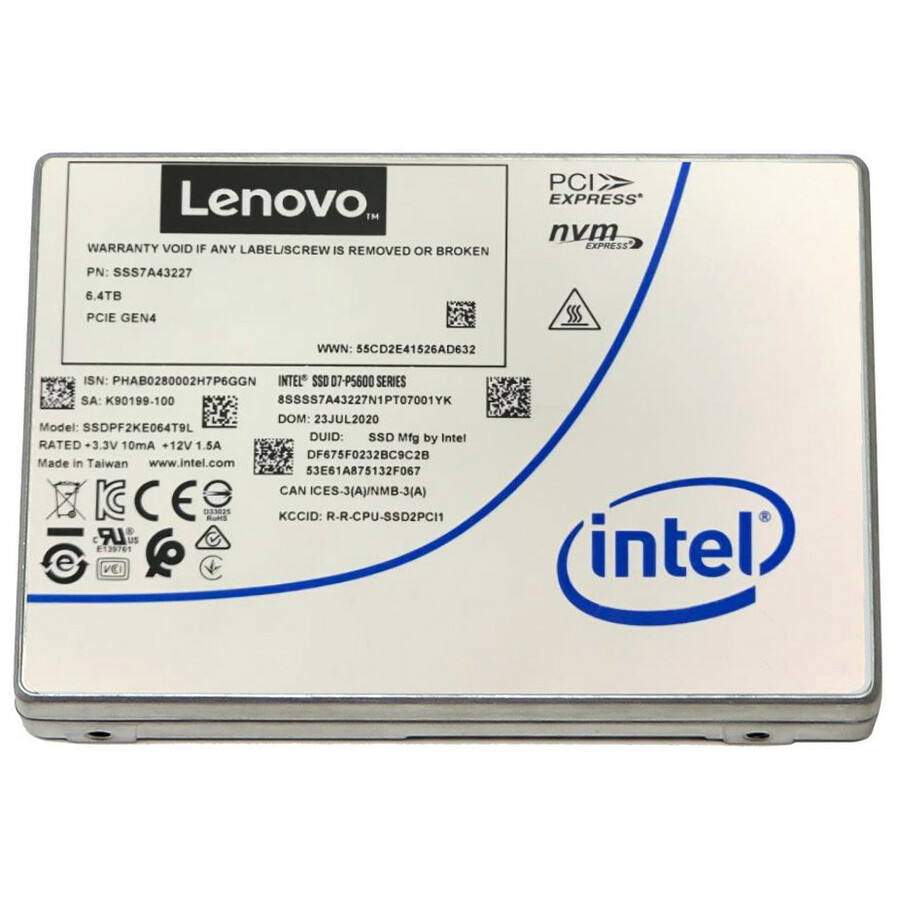
Lenovo
Lenovo P5620 3.20 TB Solid State Drive
4XB7A76782
A 3.2 TB mixed-use U.2 drive on PCIe 4.0 x4, hot-swappable and rated at 3 drive writes per day — the endurance class M.2 client drives do not reach.
$1,970.94Back-orderedShop it at Uniqcli
FAQ
Common questions
- Are M.2 and U.2 electrically the same NVMe?
- Functionally yes for the common case: both carry NVMe over PCIe x4, so the operating system sees them the same way. The differences are physical — connector, form factor, power envelope, and whether the drive can be hot-swapped — not the storage protocol itself.
- Can I put a U.2 drive in an M.2 slot, or the reverse?
- Not directly; they use different connectors and mechanicals. Adapters exist — an M.2-to-U.2 cable or carrier, or a PCIe add-in card — but you must confirm PCIe lane routing, power delivery, and physical fit before relying on one. Treat adapters as integration work, not a drop-in swap.
- Which one is faster?
- For the same PCIe generation and four lanes, peak sequential and random figures are broadly similar. The practical gap is sustained performance: U.2 drives usually hold high throughput longer thanks to their larger body and server airflow, while an M.2 drive can thermally throttle under long writes if it lacks a heatsink.
- How does U.3 relate to U.2?
- U.3 (SFF-TA-1001) builds on the SFF-8639 connector to create a tri-mode bay that can accept SAS, SATA, or NVMe drives from one slot. U.3 drives are backward-compatible with existing U.2 backplanes, but full tri-mode operation requires U.3-capable backplanes and controllers — and U.3 backplanes are generally designed to also accept U.2 drives, but tri-mode support varies by vendor — so verify support end to end rather than assuming it.
- Can you plug U-2 into SATA?
- No. A U.2 drive uses the SFF-8639 connector and needs four PCIe lanes; a SATA port supplies none, and the connectors do not mate. What confuses this is the shared 2.5-inch body — a U.2 drive and a SATA SSD look alike in a caddy. What decides it is what the bay is wired to: an NVMe or tri-mode backplane, or a SATA controller.
- What are the disadvantages of U-2 SSD?
- Cabling, platform dependence and cost. A U.2 drive needs a backplane or a SlimSAS/OCuLink cable run to spare PCIe lanes, which a desktop or workstation rarely has, and the enterprise features it carries — power-loss protection, high endurance ratings, the 12 V power envelope — are paid for whether the workload uses them or not. On a client machine, an M.2 card in a native slot does the same job with no cable at all.
- Are M.2 drives faster than SSDs?
- M.2 is not a speed, it is a card shape. An M.2 slot can be wired for SATA, in which case the drive runs at the same 6 Gb/s as any 2.5-inch SATA SSD, or for PCIe, in which case it runs NVMe and is far faster. Compare the interface — SATA against NVMe, and which PCIe generation — rather than the form factor.
- Can I use both NVMe and SSD?
- Yes — an NVMe drive is a solid-state drive, so the real question is mixing NVMe and SATA SSDs in one machine, and that is ordinary. A common build boots from an NVMe drive and keeps bulk data on SATA. The one thing to check is lane sharing: on many boards populating an M.2 slot disables one or more SATA ports, and the manual says which.
Sources
- 1.Micron 7500 NVMe SSD — PCIe Gen4 in U.3, 800 GB to 15.36 TBmicron.com
- 2.Micron 7450 NVMe SSD — PCIe Gen4 in E1.S and M.2micron.com
- 3.Micron 9550 NVMe SSD — PCIe Gen5 in U.2 and E1.S, 14.0 GB/s sequential readmicron.com
- 4.Kioxia — Enterprise and Datacenter Standard Form Factor (EDSFF): 2.5-inch SFF-8639 SSDs typically max out at 25 Wamericas.kioxia.com