
Short answer
A firewall is a device or software that inspects traffic crossing a network boundary and permits or drops it against an ordered rule set. Choose a stateful firewall when you only need to control which connections cross the boundary; choose a next-generation firewall when you also need to identify the application and the user behind the traffic and inspect encrypted sessions.
Key facts
- NIST SP 800-41 Rev. 1 names packet filtering, stateful inspection, application firewalls, application-proxy gateways and dedicated proxy servers.
- A stateless packet filter judges each packet alone; a stateful firewall keeps a state table of addresses, port numbers and connection state.
- Stateful inspection tracks three major states for TCP traffic: connection establishment, usage and termination.
- An application-proxy gateway never allows a direct connection between two hosts — a proxy agent relays it, at a higher cost per packet.
- NIST SP 800-41 Rev. 1 also covers host-based and personal firewalls, web application firewalls and firewalls for virtual infrastructures.
- Intrusion prevention is a capability inside a modern firewall; NIST SP 800-94 is the separate federal reference for IDS and IPS technology.
By Uniqcli Team
A firewall is a network security device or software that monitors incoming and outgoing traffic and allows or blocks it according to a defined set of security rules. It sits at the boundary between networks — typically between an internal, trusted network and an untrusted one such as the internet — and enforces a policy that decides which connections are permitted. In practice it is the primary control that separates "inside" from "outside" and gives an organization a single, auditable place to govern what may cross that line.
Firewalls have evolved well beyond simple traffic filtering. Early firewalls matched packets against static rules based on ports and addresses; modern platforms track connection state, decode applications, inspect encrypted sessions, and integrate intrusion prevention, VPN termination, and threat intelligence. The category now spans small hardware appliances for a single office, high-throughput datacenter systems, and cloud-delivered services that protect distributed users and workloads. Understanding where a given product falls on that spectrum is the key to choosing and sizing one correctly.
How does a firewall work?
A firewall inspects each packet or connection and compares it against an ordered rule set, or policy. Each rule specifies matching criteria — source and destination address, port, protocol, and often application or user identity — and an action, typically allow, deny, or drop. Rules are evaluated top to bottom until one matches, and most firewalls end with an implicit "deny all" so that anything not explicitly permitted is blocked. This default-deny posture is the foundation of sound firewall design.
The important distinction is between stateless and stateful inspection. A stateless filter judges each packet in isolation, which is fast but blind to context. A stateful firewall maintains a connection table that tracks the state of every active session, so return traffic for a legitimately established connection is recognized and allowed automatically, while unsolicited packets that do not belong to a known session are dropped. Nearly all modern firewalls are stateful; higher-end platforms add deep packet inspection and TLS decryption to see inside the traffic rather than just its headers.
What are the main types of firewalls?
The two terms buyers encounter most are stateful firewall and next-generation firewall (NGFW). A traditional stateful firewall filters on ports, protocols, and connection state — effective for controlling network access but unaware of what application is actually running over a given port. An NGFW adds application awareness (identifying, say, a specific web application regardless of port), user identity integration, an integrated intrusion prevention system (IPS), and the ability to decrypt and inspect TLS traffic. Most firewalls sold today for business use are NGFWs, though many of their advanced features require additional licensing to activate.
Two related terms are worth clarifying. UTM (unified threat management) describes an all-in-one appliance that bundles firewalling with antivirus, web filtering, anti-spam, and similar services — a term historically aimed at smaller organizations, though the feature overlap with NGFW is now large. IPS refers specifically to intrusion prevention, which inspects traffic for known attack signatures and anomalous behavior and blocks it; it is a capability within a modern firewall rather than a separate class of device. Firewalls also commonly terminate VPNs — both site-to-site tunnels linking offices and remote-access VPNs for individual users — making the firewall the anchor point for encrypted connectivity as well as filtering.
When do you need a firewall, and where does it go?
Any network connected to the internet needs a firewall at its perimeter; this is a baseline security control and is frequently mandated by regulatory and compliance frameworks. Beyond the perimeter, firewalls are used to segment internal networks — separating, for example, guest wireless from corporate systems, or isolating sensitive environments such as payment or industrial systems — so that a compromise in one zone cannot move freely into another. This internal segmentation has become a central practice in modern, zero-trust-oriented security designs.
Firewalls are delivered in three broad form factors. A physical appliance is dedicated hardware placed at a network boundary, well suited to offices, datacenters, and campus edges where traffic is concentrated. A virtual firewall is the same software running as a virtual machine, used inside virtualized datacenters and public cloud environments to protect workloads. A cloud-delivered firewall, often part of a broader secure-access service, protects distributed users and sites from the provider's network rather than a box you rack — a good fit for remote-heavy workforces and cloud-first architectures. Many organizations run a combination, choosing the form factor per location and workload.
How do you size and choose a firewall?
Sizing is where specifications matter most, and the common mistake is reading only the headline throughput number. Vendor datasheets typically list several throughput figures: raw firewall throughput (large packets, filtering only) is the highest and least representative, while NGFW or "threat protection" throughput — measured with application control, IPS, and inspection enabled on realistic traffic — is far lower and is the number that reflects real-world performance. Size against the inspection features you actually intend to run, not the best-case figure. TLS/SSL inspection in particular is computationally expensive and can substantially reduce effective throughput.
Beyond throughput, weigh concurrent and new connections per second (important for busy or high-session environments), the number of users or devices behind the appliance, interface speed and count, and VPN capacity if remote access or site-to-site tunnels are in scope. Factor in high availability if the firewall is a single point of failure, and read the licensing model closely: advanced protection features, threat-intelligence feeds, and support are frequently sold as recurring subscriptions on top of the hardware, so the multi-year total cost matters as much as the purchase price. A sensible approach is to size for projected growth over the device's service life and to leave headroom for inspection features you may enable later.
Key takeaways
- A firewall enforces a security policy at a network boundary, allowing or blocking traffic against defined rules; a default-deny posture (block anything not explicitly permitted) is the foundation of sound design.
- Stateful inspection — tracking the state of each active connection — is the modern baseline; nearly all current firewalls are stateful rather than judging packets in isolation.
- Next-generation firewalls (NGFW) add application awareness, user identity, integrated IPS, and TLS inspection; UTM bundles similar services in an all-in-one appliance, and advanced features often require separate licensing.
- Firewalls come as physical appliances, virtual machines, and cloud-delivered services; most organizations mix form factors by location and workload, and use firewalls for internal segmentation, not just the perimeter.
- Size against realistic NGFW/threat-protection throughput with inspection enabled — not the headline raw-firewall number — and account for the heavy cost of TLS/SSL inspection.
- Also evaluate concurrent and new connections per second, user and device counts, interface speed, VPN capacity, high availability, and the multi-year cost of subscription licensing and support.
Shop it at Uniqcli
Parts for this job
Small office
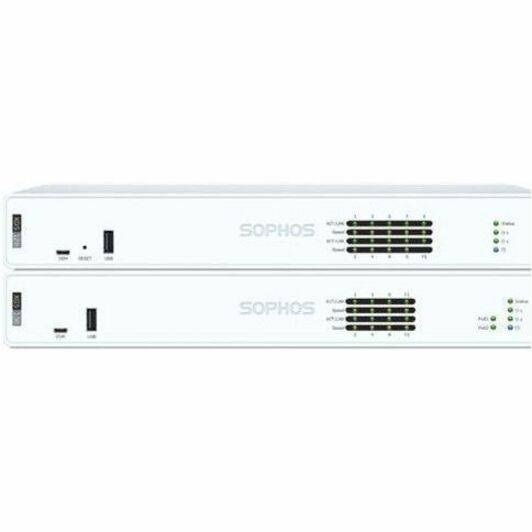
Sophos
Sophos XGS 88 Network Security/Firewall Appliance
ZD88ZZ51ZZNGAA
A four-port 2.5GBase-T desktop or rack appliance rated at 9.67 Gbit/s firewall throughput, for a single site whose inspection load is modest.
Read the threat-protection figure on the datasheet, not the firewall-throughput headline, when inspection will be enabled.
$250.42Back-orderedBranch
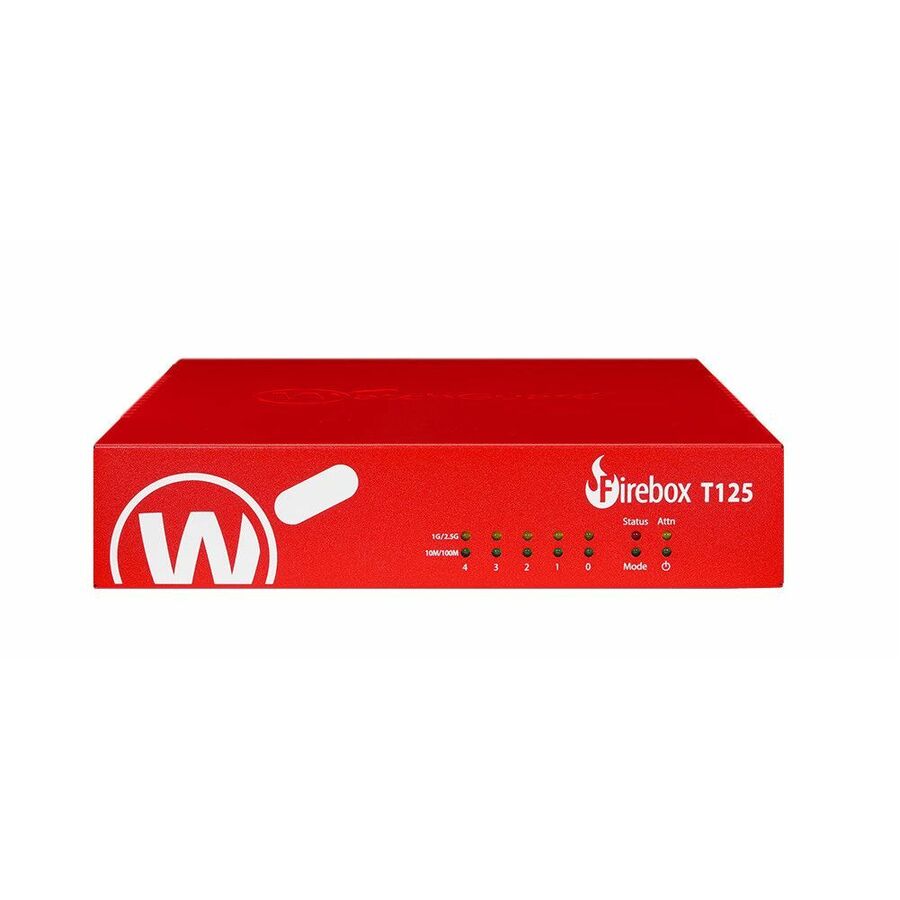
WatchGuard Technologies
WatchGuard Firebox T125 Appliance Only
WGT125000
A compact five-port appliance with 2.5 Gigabit and Gigabit Ethernet, rated at 2.28 Gbit/s firewall throughput, sized for a branch or a small campus edge.
$242.66In stockFrequently asked
- What is the difference between a stateful firewall and a next-generation firewall (NGFW)?
- A stateful firewall filters traffic based on ports, protocols, and the state of each connection — it knows whether a packet belongs to an established session but not what application is running over it. An NGFW builds on stateful inspection by adding application identification, user identity awareness, integrated intrusion prevention (IPS), and the ability to decrypt and inspect encrypted (TLS) traffic. In short, an NGFW understands the content and context of traffic, not just its network headers. Most business firewalls sold today are NGFWs, though their advanced capabilities often require additional licenses.
- Is a firewall the same as antivirus or a VPN?
- No. A firewall controls which network connections are allowed to cross a boundary. Antivirus (endpoint protection) detects and removes malicious software running on an individual device. A VPN creates an encrypted tunnel so traffic can travel securely across an untrusted network. These are complementary controls, and there is overlap — many firewalls can terminate VPNs and include malware-scanning features — but no single one replaces the others. Effective security uses them together as layers.
- Should I choose a hardware appliance or a cloud firewall?
- It depends on where your traffic and workloads live. A physical appliance suits offices, campuses, and datacenters where traffic is concentrated at a boundary. A virtual firewall protects workloads inside virtualized or public-cloud environments. A cloud-delivered firewall protects distributed and remote users without on-site hardware, and fits cloud-first, remote-heavy organizations. Many organizations use a combination, selecting the form factor per site and workload rather than standardizing on one for everything.
- How do I know what throughput or size firewall I need?
- Size against the NGFW or "threat protection" throughput figure — measured with inspection features like IPS and application control enabled — rather than the much higher raw-firewall number, which is not representative of real use. Then account for concurrent and new connections per second, the number of users and devices, required interface speeds, and VPN capacity. Because features like TLS/SSL inspection significantly reduce effective throughput, size for the features you plan to run and leave headroom for growth over the device's service life. When in doubt, base the estimate on your actual peak traffic and enable-later plans rather than a best-case datasheet figure.
- What are the five types of firewalls?
- There is no single official list of five, and the honest answer is to name the technologies rather than a count. NIST SP 800-41 Rev. 1 enumerates packet filtering, stateful inspection, application firewalls, application-proxy gateways and dedicated proxy servers, then covers host-based and personal firewalls, web application firewalls and firewalls for virtual infrastructures separately. The five most often listed commercially are the packet filter, the stateful firewall, the application-level gateway or proxy, the next-generation firewall and the web application firewall. Buying decisions are made against the inspection features you will actually enable, not against which of those labels a datasheet uses.
Sources
Keep reading